

Stability AI
AIOpen SourceProvider of multimodal generative models and production-ready media generation and editing tools for image, audio, video, 3D and language.
Stability AI
Provider of multimodal generative models and production-ready media generation and editing tools for image, audio, video, 3D and language.
About Stability AI
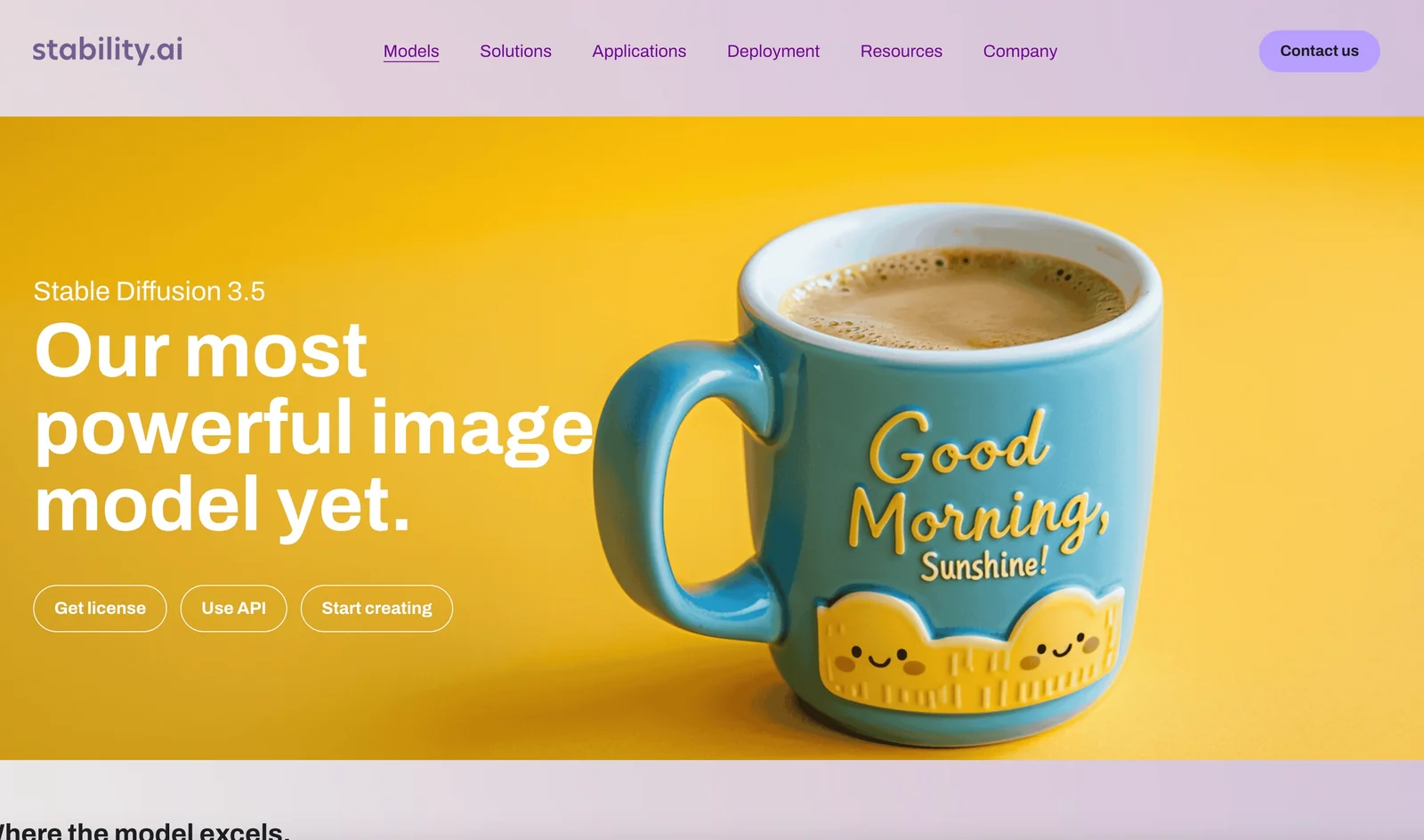
Stability AI builds and distributes multimodal generative models and developer tools for creating and editing images, audio, video, 3D assets and language outputs. The company maintains open-source model repositories (e.g., Stable Diffusion, StableLM, audio and 3D models), optimized model variants for different hardware, and a developer platform and tooling aimed at enterprise production use. Stability AI’s value comes from offering high-quality model weights, community-driven research, GPU-optimized variants, permissive research licensing for many models, and integrations and SDKs that enable teams to embed generative capabilities into applications and workflows.
Screenshots



Key Features
Use Cases


Frequently asked questions about Stability AI
What are the pricing options for Stability AI?
Stability AI provides a freemium model with various pricing options. It includes a free Community License for individuals and small businesses, a Developer Platform starting at $0.01 per credit, and paid memberships for creators beginning at $20 per month, catering to different user needs and budgets.
Key Points
- Freemium Model: Offers free and paid options.
- Pricing Tiers: Includes credits for usage and monthly subscriptions.
- Target Audience: Designed for individuals, small businesses, and creators.
Detailed Explanation
Stability AI's pricing structure is designed to accommodate a wide range of users, from hobbyists to professional developers.
-
Community License: This free option allows individuals and small businesses to access limited features of Stability AI's tools, making it a great starting point for those exploring AI capabilities without financial commitment.
-
Developer Platform: For users who require more extensive usage, the Developer Platform offers a pay-as-you-go model starting at $0.01 per credit. This flexible pricing allows developers to scale their usage according to project needs and budgets. For example, if a developer requires 1,000 credits for a project, it would cost $10.
-
Creator Memberships: Designed for content creators, these memberships start at $20 per month and provide additional benefits such as enhanced features, priority support, and higher usage limits. This plan is ideal for professionals needing reliable access to advanced AI tools.
Best Practices / Tips
- Evaluate Needs: Before committing to a paid plan, consider your usage requirements. Start with the Community License to understand your needs.
- Monitor Usage: If using the Developer Platform, keep track of your credit consumption to avoid unexpected charges.
- Explore Membership Benefits: Review the features included in the Creator Membership to ensure it aligns with your projects and provides value for the subscription cost.
Additional Resources
How can I start using Stability AI tools?
To start using Stability AI tools, visit their official website, create an account, and select a plan that suits your needs. You can begin with the free Community License or opt for API credits to access more advanced features tailored for developers and businesses.
Key Points
- Create an Account: Sign up on the Stability AI website.
- Choose a Plan: Select between the Community License or API credits.
- Access Features: Utilize various tools based on your chosen plan.
Detailed Explanation
Stability AI offers a range of AI tools for diverse applications, including image generation, text analysis, and more. Here’s how to get started:
-
Visit the Official Website: Navigate to Stability AI’s website to access their tools and resources.
-
Sign Up: Click on the "Sign Up" button. You will need to provide your email address and create a password. An email verification may be required to activate your account.
-
Select a Plan: Once registered, you can choose a plan. The Community License is free and ideal for individual users who want to experiment with the tools. For businesses or developers needing advanced features, consider purchasing API credits, which allow for higher usage limits and access to premium functionalities.
-
Explore the Tools: After choosing your plan, explore the Stability AI tools. Documentation is available to guide you through the functionalities. The tools include various models for generating content, analyzing data, or automating tasks.
-
Integration and Usage: If you opt for API credits, follow the integration guidelines provided in the documentation. You can incorporate Stability AI into your applications or workflows, enhancing productivity and creativity.
Best Practices / Tips
- Start with the Community License: If you are new, begin with the free option to familiarize yourself with the tools without financial commitment.
- Review Documentation: Thoroughly read the user guides and API documentation to maximize your understanding and use of the tools.
- Experiment with Different Models: Stability AI provides various models for different tasks. Experiment with several to find which fits your needs best.
- Monitor Usage: If using API credits, keep track of your usage to avoid unexpected charges. Set alerts if possible.
Additional Resources
- Stability AI Official Documentation
- Stability AI Community Forum for user discussions and support.
- Getting Started with Stability AI for step-by-step tutorials and examples.
What are the key features of Stability AI models?
Stability AI offers a robust multimodal model library that excels in generating high-quality images, audio, 3D content, and text outputs. Key features include advanced high-resolution image synthesis, innovative audio generation capabilities, and enterprise-level production tools designed for creators and developers to streamline their workflows.
Key Points
- Multimodal Capabilities: Supports various output formats including images, audio, 3D, and text.
- High-Resolution Image Synthesis: Produces stunning, detailed images for diverse applications.
- Enterprise-Grade Tools: Provides advanced solutions tailored for professional and commercial use.
Detailed Explanation
Stability AI's models integrate cutting-edge technologies to facilitate the creation of diverse content.
-
Multimodal Capabilities: This feature allows users to generate various types of outputs from a single model, making it versatile for different applications. For instance, a single input can yield a corresponding image, audio track, or even a 3D model, enhancing productivity and creativity.
-
High-Resolution Image Synthesis: Stability AI's image generation capabilities stand out due to their ability to create high-resolution images that are rich in detail and quality. This is particularly beneficial for industries such as gaming, advertising, and media, where visual fidelity is crucial. For example, designers can utilize these models to create assets for video games or marketing campaigns.
-
Audio Generation: The audio generation capabilities enable users to produce music tracks or sound effects, making it suitable for content creators, filmmakers, and game developers. This feature simplifies the workflow by allowing users to generate unique audio based on specific prompts, thus saving time and effort.
-
Enterprise-Grade Tools: Stability AI also offers tools tailored for enterprise applications, such as collaboration features for teams, API access for developers, and robust support systems. These tools are designed to meet the demands of professional content creation, ensuring scalability and efficiency.
Best Practices / Tips
- Utilize the multimodal features to create cohesive content across various formats for enhanced storytelling.
- Experiment with different input prompts to fully exploit the high-resolution image synthesis capabilities.
- Leverage the audio generation feature to enhance multimedia projects, ensuring sound design complements visual elements.
- Regularly update your knowledge of Stability AI's latest tools and features through the official documentation to maximize your productivity.
Additional Resources
How does Stability AI compare to other AI model providers?
Stability AI distinguishes itself from other AI model providers through its freemium pricing structure, extensive multimodal capabilities, and robust community support. It offers a broader selection of open-source models and versatile integration options, making it a compelling choice for developers and businesses alike.
Key Points
- Freemium Pricing: Offers free access to various models with premium options available.
- Extensive Multimodal Capabilities: Supports multiple data types including text, images, and audio.
- Strong Community Support: Active user base and developer community contributing to continuous improvement.
Detailed Explanation
Stability AI is known for its unique approach to AI model deployment. Unlike many competitors that charge high fees or require licensing for access to their models, Stability AI's freemium model allows users to experiment with various AI tools without any initial investment. This accessibility encourages innovation and experimentation.
Multimodal Capabilities
Stability AI excels in multimodal capabilities, allowing the integration of different data types. For example, their models can analyze text input alongside images, making it suitable for tasks like image captioning or generating visual content based on textual descriptions. This versatility is particularly beneficial in industries such as e-commerce, where visual and textual data must be synthesized.
Community Support
The strong community support surrounding Stability AI is another significant advantage. The platform encourages user collaboration, with forums and GitHub repositories where developers can share their insights, improvements, and custom models. This community-driven approach not only enhances the quality of the models but also provides a wealth of resources for troubleshooting and optimization.
Best Practices / Tips
- Explore Freemium Options: Take advantage of the free models to test different applications before committing to paid services.
- Engage with the Community: Participate in forums and discussions to gather insights and share experiences with other users.
- Utilize Multimodal Features: Experiment with combining various data types to enhance project outcomes, especially in creative fields.
Additional Resources
- Stability AI Official Documentation
- GitHub Repository for Open-Source Models
- Community Forums for user discussions and support.
How can I integrate Stability AI's API into my application?
Integrating Stability AI's API into your application requires signing up for an API key, selecting the appropriate model endpoints, and utilizing their SDKs and comprehensive documentation for implementation. Detailed guides and resources are available on their developer portal to assist you throughout the process.
Key Points
- Sign Up for an API Key: Essential for authenticating requests.
- Select Model Endpoints: Choose from various AI models based on your application needs.
- Use SDKs and Documentation: Leverage provided tools for smooth integration.
Detailed Explanation
To integrate Stability AI's API into your application, follow these steps:
-
Sign Up for an API Key: Visit the Stability AI website and create an account. Once registered, navigate to the API section to request your unique API key. This key is crucial for authenticating your API calls and ensuring secure access to the service.
-
Choose Your Model Endpoints: Stability AI offers various endpoints for different functionalities, such as image generation, text processing, or other AI tasks. Review the documentation to understand the capabilities of each model. For instance, if you're interested in generating images, select the appropriate image generation endpoint.
-
Utilize SDKs and Documentation: Stability AI provides Software Development Kits (SDKs) in multiple programming languages (like Python, JavaScript, and others) to facilitate integration. Access the developer portal to find detailed documentation, code snippets, and example projects. This resource will guide you through the process, ensuring you can implement the API effectively.
Example Integration
For example, if you are building an application that generates art, you would:
- Obtain your API key.
- Select the image generation model endpoint.
- Use the provided Python SDK to send requests to the API, allowing you to generate images based on user input.
Best Practices / Tips
- Thoroughly Read the Documentation: Familiarize yourself with the API's capabilities and limitations to avoid common issues during integration.
- Start Small: Test with basic API calls before moving to more complex implementations to ensure everything is functioning correctly.
- Monitor Usage: Keep track of your API usage to stay within any usage limits and avoid unexpected charges.
- Error Handling: Implement robust error handling in your application to manage API response failures gracefully.
Additional Resources
By following these steps and leveraging the available resources, you can successfully integrate Stability AI's powerful API into your application, enhancing its capabilities with advanced AI functionalities.
Explore more AI Ai Models tools
Browse all Ai Models tools →Browse by use case: Image Generation · Video Generation · Voice & Audio
- Soup CLI
- VibeVoice
- Laguna by Poolside
- Arena AI: The Official AI Ranking & LLM Leaderboard
- PromptLayer
- PHBench
Compare Stability AI: vs Soup CLI · vs VibeVoice · vs Laguna by Poolside · vs Arena AI: The Official AI Ranking & LLM Leaderboard