

Square
AIOfficial MCPAn integrated commerce platform that enables businesses to accept payments, manage operations, staff, inventory, and grow revenue.
Square
An integrated commerce platform that enables businesses to accept payments, manage operations, staff, inventory, and grow revenue.
About Square
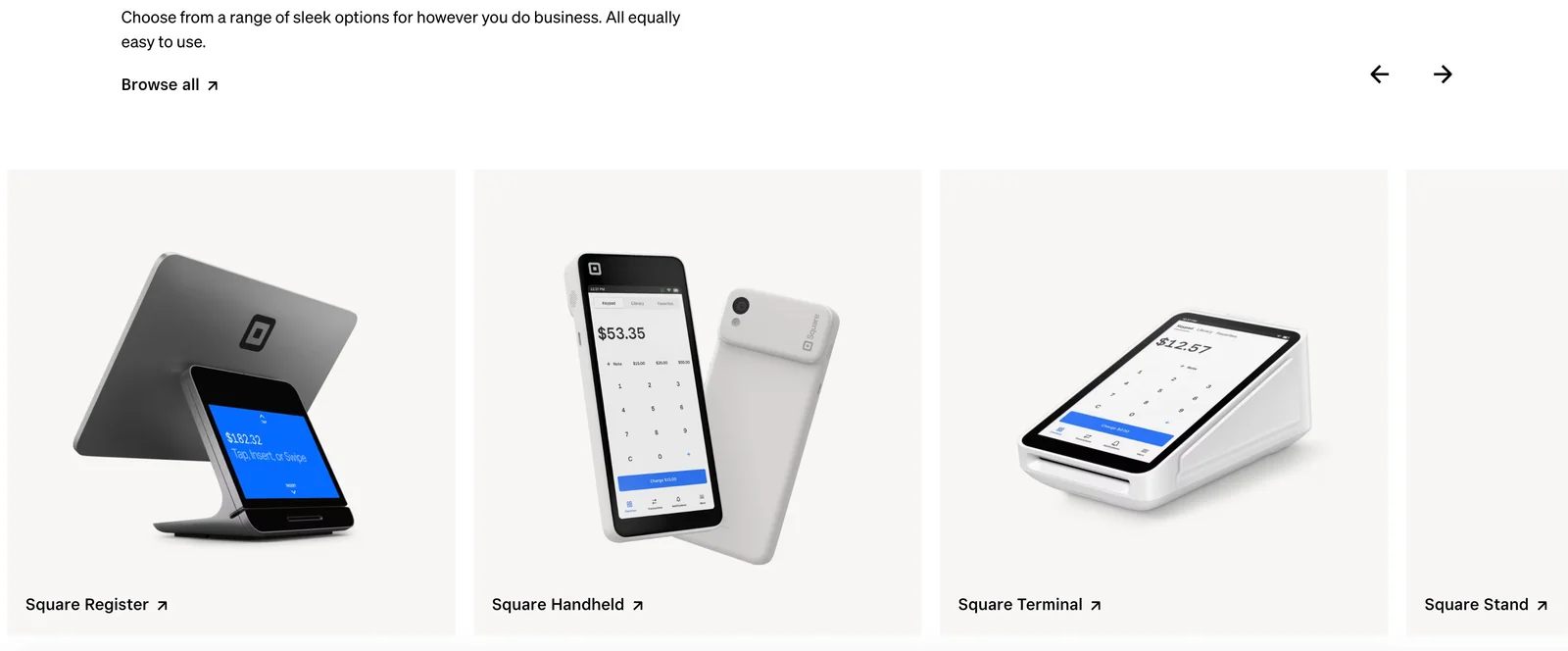
Square is a commerce platform that combines payments, point-of-sale software, hardware, and business tools to help merchants sell anywhere and run operations. It provides card readers and terminals plus configurable POS and online payment solutions, unified reporting and analytics, staff and payroll management, appointment and booking systems, invoicing, and inventory control. Square's value is delivering an end-to-end, easy-to-adopt stack for small and medium businesses to diversify revenue streams, streamline workflows, and accelerate cash flow.
Screenshots

Key Features
Use Cases
MCP Server
https://developer.squareup.com/docs/mcphttps://mcp.squareup.com/sse💡 MCP (Model Context Protocol) enables AI assistants to securely interact with local and remote resources.


Frequently asked questions about Square
What are the pricing options for Square?
Square offers a freemium pricing model with diverse options. For eCommerce payments, the fee is 3.3% plus $0.30 per transaction. Additionally, Square Subscriptions have no monthly fee, but transaction fees apply, making it flexible for businesses of all sizes.
Key Points
- Freemium Model: Square provides a no-cost entry point.
- Transaction Fees: E-commerce payments incur a 3.3% + $0.30 fee.
- Subscription Options: Square Subscriptions have no monthly fees.
Detailed Explanation
Square's pricing structure is designed to cater to various business needs. Here are the primary components:
-
Freemium Model: Square allows businesses to start without any upfront costs. This is particularly beneficial for startups and small businesses that may not have capital for subscription services.
-
E-Commerce Payments: When businesses process online transactions through Square, they incur a charge of 3.3% plus a flat fee of $0.30 for each transaction. For example, if you sell a product for $100, you would pay $3.60 in fees. This model is transparent and straightforward, allowing businesses to calculate their costs easily.
-
Square Subscriptions: For services that use Square’s subscription model, there is no monthly fee. However, transaction fees still apply. This is ideal for businesses that have recurring revenue models, enabling them to keep overhead low while leveraging Square's technology.
-
Additional Services: Square also offers various premium services, such as Square Marketing and Square Loyalty, which come with their own pricing structures. These services can enhance customer engagement and drive sales.
Best Practices / Tips
- Understand Your Volume: Calculate your average transaction volume to determine which pricing model suits your business best. High-volume businesses may benefit from custom pricing.
- Utilize Free Tools: Take advantage of Square's free tools and resources to streamline operations and enhance customer experience.
- Monitor Fees: Regularly review your transaction fees to ensure they align with your business goals. Consider switching to a different pricing plan if your business model changes.
Additional Resources
How do I get started with Square?
To get started with Square, visit their official website to create an account. You can easily set up payment methods, customize your Point of Sale (POS) system, and start selling immediately using the straightforward guides provided by Square.
Key Points
- Create a Square account on the official website.
- Set up payment options and POS customization.
- Access user-friendly guides for quick start.
Detailed Explanation
Starting with Square is a straightforward process. Here’s how you can get going:
-
Create an Account:
- Go to Square’s official website.
- Click on the "Sign Up" button.
- Fill out the required information, including your email address and a secure password.
-
Set Up Payment Methods:
- After account creation, navigate to the “Payments” section in your dashboard.
- Link your bank account to receive payments directly.
- Choose from various payment options like credit/debit cards, digital wallets, or Square's own payment processor.
-
Customize Your POS System:
- Select a POS system that fits your business needs, whether it’s Square for Restaurants, Square for Retail, or the general Square POS.
- Add items to your inventory, set prices, and create categories for better organization.
-
Follow User Guides:
- Access Square’s comprehensive guides and video tutorials available in the Help Center.
- These resources explain everything from setting up your hardware (like Square Reader) to managing your sales reports.
Best Practices / Tips
- Ensure Compliance: Check local regulations regarding payment processing and taxation to ensure compliance.
- Utilize Square’s Features: Take advantage of additional features like customer management or email marketing to enhance your business.
- Regularly Update Your Inventory: Keeping your inventory updated helps avoid issues with pricing and availability.
Additional Resources
Using these steps and resources, you'll be well-equipped to launch your business with Square effectively.
What are the key features of Square?
Square provides an extensive range of features, including point-of-sale (POS) software, online payment processing, inventory management, and payroll tools. These functionalities are designed to streamline business operations, enhance sales, and improve customer experiences for businesses of all sizes.
Key Points
- Point-of-Sale Software: Streamlined transactions and sales tracking.
- Online Payment Processing: Secure, efficient payment solutions for e-commerce.
- Inventory Management: Real-time tracking and management of stock.
Detailed Explanation
Square's Point-of-Sale Software allows businesses to manage transactions seamlessly, whether in-store, online, or via mobile. This POS system enables users to accept various payment methods, including credit and debit cards, digital wallets, and even Bitcoin. For instance, a coffee shop can use Square's POS to quickly process orders, track sales trends, and generate detailed reports to analyze peak hours.
With Online Payment Processing, Square provides a secure platform for businesses to accept payments through their websites or mobile apps. This feature supports various payment options, ensuring customers have flexibility during checkout. For example, a local retailer can easily set up an online store with Square's e-commerce integration, enabling them to reach a broader audience.
Square's Inventory Management feature allows businesses to monitor stock levels in real-time. This tool can automatically update inventory as sales occur, reducing the risk of overselling. A restaurant can utilize this feature to manage ingredients, ensuring they never run out of essentials during busy service times.
Additionally, Square offers Payroll Tools that simplify employee compensation, tax calculations, and compliance. These tools can help businesses manage payroll efficiently, ensuring employees are paid on time and accurately.
Best Practices / Tips
- Utilize Reporting Features: Regularly review sales reports to identify trends and make informed decisions.
- Integrate with Other Tools: Use Square's integration capabilities with accounting software or CRM systems for a seamless workflow.
- Stay Updated: Keep your Square app updated to access the latest features and security enhancements.
Additional Resources
By leveraging these features, businesses can optimize their operations and enhance customer satisfaction, ensuring long-term success in a competitive market.
How can I integrate Square with my existing system?
Square can be seamlessly integrated with your existing systems using its RESTful APIs and SDKs. Developers can find comprehensive documentation on Square’s website, enabling them to create custom integrations tailored to their business needs. This ensures smooth payment processing and enhanced functionality within your existing platforms.
Key Points
- RESTful APIs: Square offers flexible and powerful APIs for integration.
- SDKs: Software Development Kits (SDKs) are available for various programming languages.
- Comprehensive Documentation: Detailed guides and resources are provided for developers.
Detailed Explanation
Integrating Square into your existing system can streamline your payment processes and enhance customer experiences. Here’s how you can do it:
-
Assess Your Requirements: Determine what functionalities you need from Square, such as payment processing, inventory management, or customer relationship management.
-
Choose the Right API: Square provides different APIs depending on your needs:
- Payments API: For processing transactions securely.
- Orders API: To manage customer orders and inventory.
- Customers API: For managing customer information and loyalty programs.
-
Use SDKs for Quick Integration: Square offers SDKs for popular programming languages such as Java, Ruby, and Python. These SDKs simplify the integration process by providing pre-built functions that can be easily implemented.
-
Follow the Documentation: Access the Square Developer Documentation for detailed instructions, code samples, and best practices. The documentation covers everything from authentication to error handling.
-
Test Your Integration: Before going live, use Square's sandbox environment to test your integration. This helps identify any issues without affecting real transactions.
-
Go Live: Once testing is complete, switch to the production environment and start accepting payments.
Best Practices / Tips
- Secure API Keys: Always keep your API keys private and secure to prevent unauthorized access.
- Regular Updates: Keep your integration up-to-date with the latest Square API changes to ensure compatibility and security.
- Error Handling: Implement robust error handling in your code to manage any issues that arise during transactions.
- User Experience: Focus on creating a seamless checkout experience for your customers to reduce cart abandonment.
Additional Resources
By following these steps and best practices, you can effectively integrate Square with your existing systems, enhancing your business operations and improving customer satisfaction.
How does Square compare to other payment processing tools?
Square is a top choice for payment processing, especially for small businesses, thanks to its intuitive interface and robust integrated features. While its pricing is competitive, it’s essential to evaluate specific features against your business needs to determine if Square is the best fit compared to other tools.
Key Points
- User-Friendly Interface: Square offers an intuitive design that simplifies payment processing.
- Integrated Features: It includes inventory management, customer relationship tools, and analytics in one platform.
- Competitive Pricing: Square has transparent pricing structures, often appealing to small businesses.
Detailed Explanation
Square stands out in the payment processing landscape for various reasons. Its user-friendly interface allows business owners with little technical expertise to set up and manage their accounts easily. This simplicity extends to its point-of-sale (POS) system, which can be operated from mobile devices or tablets, enabling sales from anywhere.
In terms of integrated features, Square offers a wide range of tools for small businesses. Beyond payment processing, users can access inventory management, sales analytics, and customer relationship management (CRM) capabilities. For example, Square’s POS system can automatically track inventory levels, helping businesses manage stock without additional software.
When comparing competitive pricing, Square charges a flat rate of 2.6% + 10¢ for every card transaction. This transparent pricing model is beneficial for small businesses, particularly those with fluctuating sales volumes. Other competitors, such as PayPal and Stripe, may have additional fees or more complex pricing structures, which can add to costs.
Best Practices / Tips
- Evaluate Your Needs: Before choosing Square, assess your business requirements. If you need advanced features like loyalty programs or extensive reporting, ensure these are included.
- Integrate with Other Tools: Square can integrate with various e-commerce platforms (like Shopify or WooCommerce), enhancing your online selling capabilities.
- Monitor Transaction Fees: Keep track of monthly sales to understand how transaction fees affect your bottom line. This can help you decide if switching to another processor is warranted.
Additional Resources
By understanding these aspects, you can determine how Square stacks up against other payment processing tools and if it aligns with your business goals.
Explore more AI Mcps tools
Browse all Mcps tools →Compare Square: vs DocsAlot · vs Toolport · vs Kit for AI · vs In Parallel MCP