

OpenArt Director
AIOpenArt Director creates cinematic AI videos up to 5 minutes long just by chatting, keeping characters, scenes, voice, and style consistent.
OpenArt Director
OpenArt Director creates cinematic AI videos up to 5 minutes long just by chatting, keeping characters, scenes, voice, and style consistent.
About OpenArt Director
OpenArt Director lets you create cinematic AI videos simply by chatting, generating videos up to five minutes long with consistent characters, scenes, voice, music, and visual style throughout. It thinks like a director, picking up on mood, movement, and cinematic feel without needing a technical breakdown, and produces seamless multi-minute results without manual clip assembly. Director is part of OpenArt's broader creator studio for images and video, which runs on a per-action credit system where every generation, upscale, and render draws from a monthly credit pool. This makes it possible to produce professional-quality video content without a large budget or editing crew.
Screenshots
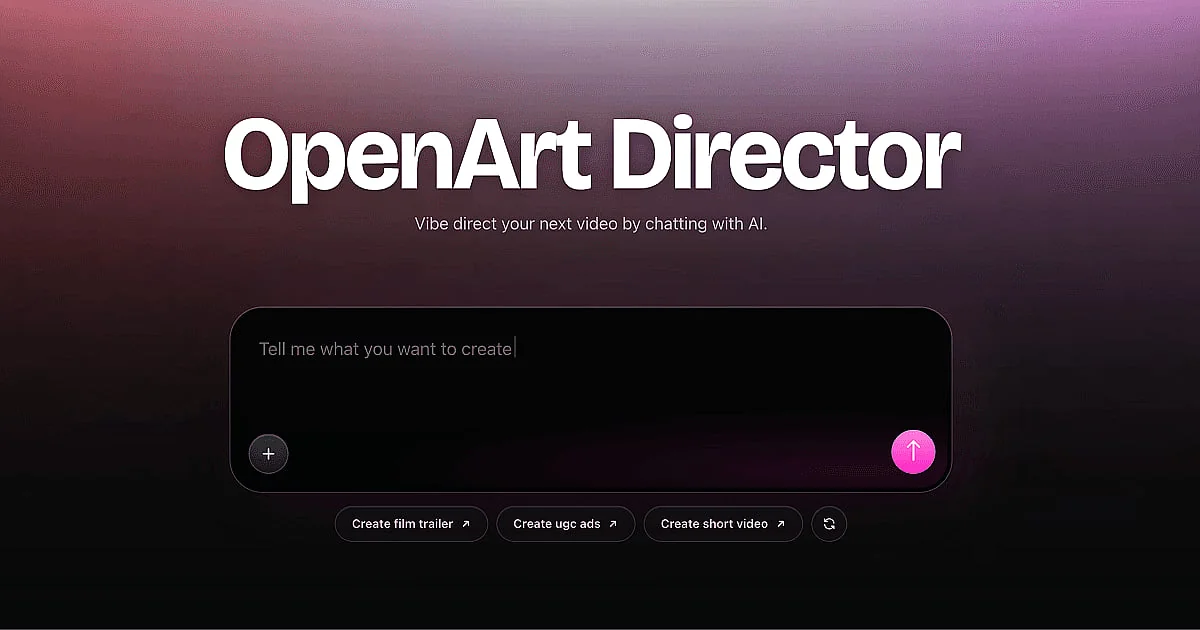
Key Features
Use Cases


Frequently asked questions about OpenArt Director
What is OpenArt Director?
OpenArt Director is an innovative AI tool that generates cinematic videos lasting up to 5 minutes, enabling users to create compelling narratives through simple chat interactions. It maintains consistency in characters, scenes, voice, and style, making video production accessible and efficient for everyone.
Key Points
- User-Friendly Interface: Chat-based video creation simplifies the process.
- Consistent Quality: Maintains character and style uniformity throughout the video.
- Versatile Applications: Suitable for marketing, storytelling, and educational content.
Detailed Explanation
OpenArt Director leverages advanced artificial intelligence algorithms to transform user inputs into visually appealing cinematic videos. By using a conversational interface, users can effortlessly dictate their vision for the video, specifying elements such as characters, scenes, narrative flow, and artistic style.
How It Works:
- Chat-Based Input: Users interact with the AI through a simple chat interface. This eliminates the need for complex software or technical skills.
- Scene and Character Consistency: The AI ensures that characters and scenes remain consistent throughout the video, enhancing storytelling coherence.
- Voice and Style Control: Users can choose specific voiceovers and visual styles, allowing for personalized output that aligns with their brand or project needs.
Use Cases:
- Marketing Campaigns: Create engaging promotional videos that capture attention and convey messages effectively.
- Educational Content: Develop instructional videos that explain complex concepts in a visually appealing manner.
- Creative Storytelling: Craft short films or narratives for entertainment purposes.
Best Practices / Tips
- Define Your Vision: Before starting, outline the key elements you want in your video, including themes and characters.
- Engage in Iteration: Don't hesitate to revise your prompts based on the AI's output to refine the final product.
- Explore Styles: Experiment with different artistic styles to find the one that resonates best with your audience.
Additional Resources
Using OpenArt Director can significantly streamline your video production process, allowing you to focus on creativity while the AI handles the technical details.
How does OpenArt Director work?
OpenArt Director is an AI-powered tool that creates videos by interpreting user descriptions in a chat format. It generates seamless multi-minute videos with consistent characters and integrated audio, relying on a credit-based system for rendering. It’s designed for short film creation, marketing videos, and social media content.
Key Points
- Chat-Based Direction: Users describe videos conversationally, allowing the AI to interpret mood and style.
- Long-Form Consistency: Produces cohesive videos up to 5 minutes in length with consistent elements.
- Integrated Audio: Automatically combines voiceover and music, eliminating the need for separate audio editing.
Detailed Explanation
OpenArt Director operates by leveraging advanced AI algorithms to interpret user inputs into video formats. Here's how it works:
-
Chat-Based Direction: Users can start a conversation with OpenArt Director by describing the desired video content. The AI understands nuances like mood and movement, which allows it to create a cinematic experience tailored to the user's vision without requiring technical jargon.
-
Long-Form Consistency: The tool excels at generating videos up to 5 minutes long. Each video maintains a consistent style, including character designs, scene transitions, and overall visual aesthetics, making it ideal for storytelling and brand narratives.
-
Integrated Audio: OpenArt Director simplifies the video creation process by adding matching voiceovers and music tracks. This feature ensures that users receive a polished final product without the hassle of sourcing or syncing audio separately.
-
Credit-Based Generation: Users operate within a monthly credit system that allows them to create images, upscale content, and generate videos. The cost for each render varies based on the model used and the quality of the output, making it a flexible solution for different production needs.
-
Part of OpenArt Studio: As part of the larger OpenArt Studio platform, users have access to various models and tools, enhancing their creative possibilities. This integration is particularly beneficial for filmmakers, marketers, and social media managers.
Best Practices / Tips
- Be Descriptive: The more detailed your description, the better the AI can interpret and generate the desired video.
- Stay Within Credit Limits: Monitor your monthly credit usage to maximize your output without exceeding your budget.
- Experiment with Styles: Utilize different AI models within the OpenArt Studio to find the best fit for your project.
- Plan Ahead: For longer videos, outline your scenes in advance to ensure continuity and coherence.
Additional Resources
By utilizing OpenArt Director, creators can streamline their video production process, saving time and resources while achieving high-quality results.
What are the main features of OpenArt Director?
OpenArt Director offers innovative features like chat-based video creation, long-form consistency for seamless storytelling, integrated audio for polished results, a credit-based generation system, and is part of the larger OpenArt Studio platform, enhancing its capabilities for users in video production.
Key Points
- Chat-Based Direction: Create videos through conversational prompts.
- Long-Form Consistency: Generate cohesive videos of up to 5 minutes.
- Integrated Audio: Automatically includes voice and music.
Detailed Explanation
OpenArt Director leverages AI to streamline the video production process.
1. Chat-Based Direction
Users can generate complete videos by simply describing them in a chat format. The AI interprets various elements such as mood, movement, and cinematic feel without overwhelming users with technical jargon. For instance, a user could say, "I want a dramatic sunset scene with a couple walking hand in hand," and the Director would translate that into a visual narrative.
2. Long-Form Consistency
One of the standout features is the ability to produce long videos (up to 5 minutes) while maintaining consistency in characters, scenes, voice, music, and visual style. This is particularly useful for content creators aiming to tell in-depth stories or produce series-style videos that require coherence across multiple scenes.
3. Integrated Audio
OpenArt Director simplifies the editing process by incorporating matching voiceovers and background music directly into the video. This feature ensures that users do not need to assemble separate audio clips, making the final product ready for distribution immediately after creation.
4. Credit-Based Generation
Every render utilizes a monthly credit pool, which can be shared across images, upscales, and video projects. The cost of generating content varies based on the model and quality selected, allowing users to manage their production budgets effectively.
5. Part of OpenArt Studio
Being part of the OpenArt ecosystem, the Director tool integrates seamlessly with other image and video creation models. This synergy enables users to switch between tools effortlessly, enhancing their creative workflow.
Best Practices / Tips
- Use Clear Prompts: The more descriptive your chat prompts, the better the AI can interpret your vision.
- Plan Your Video: Outline your narrative to ensure long-form consistency, maximizing the 5-minute video limit effectively.
- Monitor Your Credits: Keep an eye on your monthly credit usage to avoid unexpected costs and maximize your output.
Additional Resources
Who is OpenArt Director for?
OpenArt Director is designed for filmmakers, marketers, content creators, and animators. It helps individuals and teams transform written concepts into engaging short films, create promotional videos efficiently, develop consistent social media content, and visualize storyboards for animation projects, all without needing extensive production resources or technical skills.
Key Points
- Short Film Creation: Ideal for independent filmmakers and storytellers.
- Marketing Videos: Perfect for brands looking to enhance their promotional strategies.
- Social Content: Great for social media managers and influencers.
- Storyboarding: Useful for animators and visual storytellers.
Detailed Explanation
OpenArt Director is a versatile tool that caters to various creative needs:
-
Short Film Creation: Filmmakers can use OpenArt Director to convert written scripts into visual narratives, creating multi-minute cinematic videos. This is especially advantageous for independent creators who lack access to production crews. The platform streamlines the process by providing templates and prompts that guide users through filming and editing.
-
Marketing Videos: Businesses can leverage OpenArt Director to produce branded promotional clips. Instead of traditional editing software, users can generate videos through a chat interface, making it more user-friendly and accessible. This feature is particularly beneficial for small businesses and startups that need to produce high-quality marketing content quickly.
-
Social Content: Content creators can generate engaging, character-driven stories tailored for social media platforms. The tool allows for the creation of consistent narratives that can be serialized across posts, enhancing audience engagement and brand loyalty.
-
Storyboarding: OpenArt Director simplifies the storyboarding process for animation projects, enabling creators to visualize scenes and maintain continuity. This feature is crucial for animators who need to plan each shot meticulously before moving into production.
Best Practices / Tips
- Define Your Audience: Know who you are creating content for to tailor your videos effectively.
- Utilize Templates: Take advantage of the pre-built templates available in OpenArt Director to save time.
- Engage with Your Content: Incorporate calls to action and interactive elements to boost viewer engagement.
- Test Different Formats: Experiment with various video formats and lengths to see what resonates best with your audience.
Additional Resources
How much does OpenArt Director cost?
OpenArt Director offers a free tier, allowing users to access basic features at no cost. For more advanced functionalities, users can choose from several paid plans, which typically range from $10 to $50 per month, depending on the features required and the level of usage.
Key Points
- Free tier available for basic use.
- Paid plans range from $10 to $50 per month.
- Advanced features include enhanced tools and integrations.
Detailed Explanation
OpenArt Director provides a flexible pricing structure to cater to various user needs. The free tier is ideal for beginners, allowing access to essential design tools without any financial commitment. Users can create and edit designs, collaborate with teams, and share projects.
For those looking for more advanced capabilities, paid plans are available. These plans generally cost between $10 and $50 per month, depending on the level of features included:
- Basic Plan ($10/month): Includes additional storage, priority support, and access to more design templates.
- Pro Plan ($25/month): Offers advanced design tools, integration with other software, and team collaboration features.
- Enterprise Plan ($50/month): Tailored solutions for businesses that require extensive design capabilities, including custom features and dedicated support.
Users can easily upgrade from the free tier to a paid plan as their needs evolve. This scalability makes OpenArt Director suitable for freelancers, small businesses, and larger enterprises alike.
Best Practices / Tips
- Start with the Free Tier: If you're new to design tools, begin with the free version to familiarize yourself with the platform.
- Evaluate Your Needs: Assess what features are essential for your work before committing to a paid plan.
- Check for Discounts: Occasionally, OpenArt Director may offer promotional discounts for annual subscriptions. Keep an eye on their website for such deals.
- Utilize Customer Support: Don’t hesitate to reach out for help when using the free tier; customer support can guide you through features and best practices.
Additional Resources
How do I get started with OpenArt Director?
To get started with OpenArt Director, visit OpenArt's official website to sign up for an account. Once registered, you can explore the platform’s features and tools designed for creating stunning AI-generated artwork.
Key Points
- User-Friendly Interface: OpenArt Director offers an intuitive design that simplifies navigation.
- AI-Powered Features: Leverage advanced AI tools to create art quickly and efficiently.
- Community Support: Join a vibrant community for tips, inspiration, and troubleshooting.
Detailed Explanation
OpenArt Director is an innovative platform designed for artists and creators looking to harness the power of artificial intelligence in their artwork. To begin, follow these steps:
-
Sign Up: Go to OpenArt's registration page and create an account. You may need to verify your email address.
-
Explore Features: After signing in, familiarize yourself with the dashboard. Key features include:
- Art Generation: Use prompts to generate unique artworks tailored to your specifications.
- Customization Tools: Modify existing templates or create new designs from scratch using intuitive editing tools.
- Collaboration Options: Share your projects for collaborative efforts with other users.
-
Experiment with AI Models: OpenArt Director provides different AI models. You can experiment with styles ranging from abstract to realistic. This flexibility allows you to produce diverse artwork suitable for various projects.
-
Join Community Forums: Engage with other users through forums and social media groups. This is a great way to share ideas, seek advice, and find inspiration.
Best Practices / Tips
- Start Simple: Begin with basic prompts to understand how the AI interprets your requests. Gradually increase complexity as you become more familiar with the tool.
- Leverage Templates: Utilize pre-made templates available on the platform to save time and spark creativity.
- Stay Updated: OpenArt frequently releases new features and improvements. Regularly check their blog or updates page to keep your skills sharp.
Additional Resources
- OpenArt Official Documentation - In-depth guides and tutorials.
- OpenArt Community Forum - Connect with other users for support and inspiration.
- YouTube Tutorials - Visual guides on using OpenArt effectively.
By following these steps and utilizing the resources available, you'll be well on your way to creating stunning art with OpenArt Director.
Explore more AI Ai Tools tools
Browse all Ai Tools tools →Browse by use case: Video Generation
Compare OpenArt Director: vs Pi Web · vs Aymo AI · vs Speech To Markdown · vs FluentDB