

onBeacon - UX and growth superpowers for product teams
AIAI-powered tool that analyzes product flows and gives actionable UX and growth recommendations to boost engagement and reduce churn.
onBeacon - UX and growth superpowers for product teams
AI-powered tool that analyzes product flows and gives actionable UX and growth recommendations to boost engagement and reduce churn.
About onBeacon - UX and growth superpowers for product teams
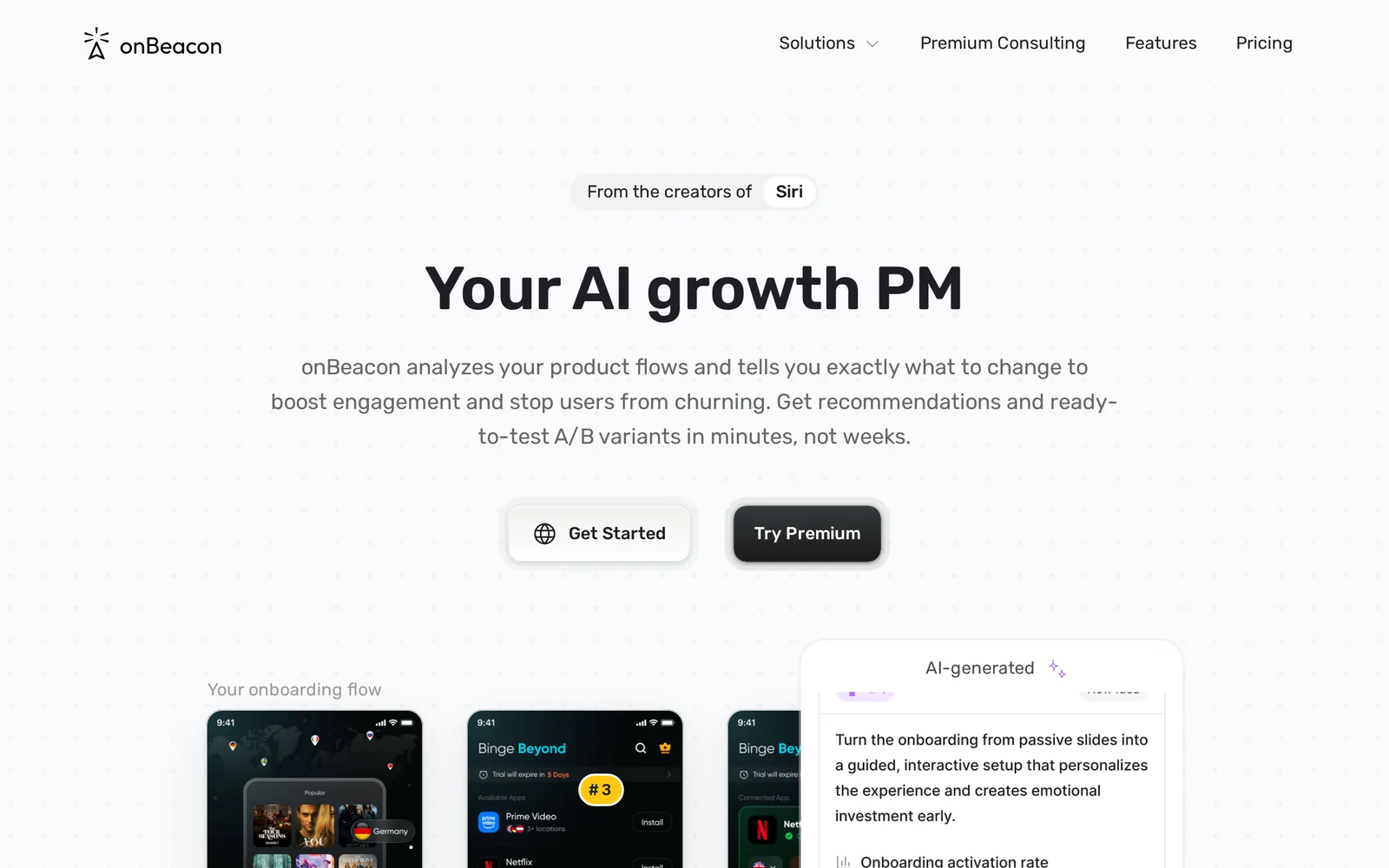
onBeacon analyzes product flows and surfaces prioritized, actionable recommendations to improve user experience and growth metrics. It provides suggestions akin to a senior product designer or growth PM in seconds, identifying friction points in funnels and telling product teams exactly what to change to increase activation, engagement, and retention. The tool is aimed at speeding design reviews and growth experiments by translating flow analysis into concrete, implementable UX and product changes for teams.
Screenshots
Key Features
Use Cases



Frequently asked questions about onBeacon - UX and growth superpowers for product teams
What is onBeacon - UX and growth superpowers for product teams?
onBeacon is an AI-driven tool that provides actionable suggestions to enhance user experience (UX) and optimize growth metrics for product teams. It acts as a virtual senior product designer, delivering critical feedback on your work in seconds, enabling faster iterations and data-driven decisions.
Key Points
- AI-powered insights to improve UX design.
- Boosts growth metrics through targeted recommendations.
- Functions like an experienced product designer for rapid feedback.
Detailed Explanation
onBeacon leverages advanced artificial intelligence to analyze your product's user experience and performance metrics. By assessing various design elements, user flows, and engagement data, it provides tailored suggestions that help teams refine their products quickly. For example, if users drop off on a specific page, onBeacon can pinpoint the design flaws and recommend improvements such as layout changes, content edits, or call-to-action adjustments.
This tool is especially beneficial for startups and product teams operating under tight deadlines, as it streamlines the feedback process. Instead of waiting for extensive user testing or design reviews, teams can receive instant insights, allowing for rapid iteration cycles. This feature not only saves time but also empowers teams to make informed decisions based on real user data.
Consider a scenario where a product team is launching a new feature. With onBeacon, they can input their designs and receive immediate feedback on potential UX issues, like confusing navigation or unappealing visuals. This immediate access to recommendations helps teams enhance their product before launch, reducing the risk of costly post-launch revisions.
Best Practices / Tips
- Utilize Regularly: Incorporate onBeacon into your design process to continuously improve UX.
- Focus on Data: Leverage the metrics provided by onBeacon to make informed design decisions.
- Iterate Quickly: Use AI suggestions to make rapid changes and test new ideas without extensive delays.
- Collaborate: Share onBeacon insights with your team to foster a collaborative design environment.
Additional Resources
This structured approach ensures that product teams can effectively utilize onBeacon’s capabilities to enhance user experiences and drive growth.
How does onBeacon - UX and growth superpowers for product teams work?
onBeacon provides UX and growth superpowers for product teams by leveraging advanced AI capabilities to streamline daily workflows, enhance user experiences, and optimize product growth. It integrates tools that assist in user feedback analysis, A/B testing, and data-driven decision-making, empowering teams to build better products efficiently.
Key Points
- AI-Driven Workflows: Automates repetitive tasks to save time.
- User Experience Insights: Analyzes user behavior for actionable improvements.
- Growth Optimization Tools: Supports strategies for scaling products effectively.
Detailed Explanation
onBeacon utilizes a combination of artificial intelligence and user-centered design principles to boost product development efficiency. Here’s how it works:
-
AI-Driven Workflows: onBeacon automates mundane tasks such as data collection and report generation. For example, product teams can set parameters for user feedback collection, allowing the AI to gather and analyze user interactions, saving valuable time that can be redirected towards creative and strategic initiatives.
-
User Experience Insights: The platform offers tools to assess user behavior through heatmaps, click tracking, and session recordings. This data provides insights into how users navigate a product, highlighting areas where users struggle. By understanding these pain points, teams can make informed decisions to enhance the overall user experience.
-
Growth Optimization Tools: onBeacon includes features for A/B testing, enabling teams to experiment with different versions of a product feature. By analyzing which version performs better, teams can adopt a data-driven approach to product enhancements, leading to improved user engagement and retention rates.
For instance, a product team might use onBeacon to test two different layouts for a landing page. The AI can automate the analysis of user interactions, helping the team quickly identify which layout yields a higher conversion rate.
Best Practices / Tips
- Define Clear Objectives: Before using onBeacon, outline specific goals for your product. Whether it’s improving user retention or increasing conversion rates, clarity will help you leverage the platform effectively.
- Utilize A/B Testing Regularly: Make A/B testing a routine part of your product development process to continually refine user experience.
- Monitor User Feedback: Regularly analyze user feedback collected through onBeacon to stay aligned with user needs and preferences, ensuring your product evolves alongside your audience.
Additional Resources
What are the main features of onBeacon - UX and growth superpowers for product teams?
onBeacon offers powerful AI-driven features designed to enhance user experience (UX) and accelerate growth for product teams. Key capabilities include user segmentation, real-time analytics, personalized engagement, and automated insights, which collectively empower teams to make data-informed decisions and optimize their product strategies effectively.
Key Points
- AI-Driven User Segmentation: Tailors experiences based on user behavior.
- Real-Time Analytics: Provides actionable insights on user interactions.
- Personalized Engagement: Enhances user retention through targeted communication.
Detailed Explanation
onBeacon leverages advanced AI capabilities to enhance the functionality of product teams. Here’s a closer look at its main features:
AI-Driven User Segmentation
With onBeacon, teams can segment their users efficiently based on various criteria, such as behavior, demographics, and engagement history. This segmentation allows for tailored marketing strategies, ensuring that the right message reaches the right audience. For instance, a product team can create specific campaigns for high-engagement users versus those who have shown minimal interaction.
Real-Time Analytics
onBeacon’s real-time analytics feature provides teams with immediate insights into user interactions. This includes tracking user pathways, identifying drop-off points, and understanding engagement levels. Teams can use this data to make swift adjustments to their product and marketing efforts, enhancing user journeys and minimizing churn. For example, if analytics show users are dropping off at a certain stage, the team can quickly optimize that stage for better retention.
Personalized Engagement
Personalized engagement is critical in today’s digital landscape. onBeacon enables product teams to craft customized messages and recommendations based on user data. Through automated communication strategies, such as personalized emails or notifications, teams can maintain user interest and encourage action. A practical application is sending personalized product suggestions based on previous purchases or browsing history.
Best Practices / Tips
- Utilize Segmentation Wisely: Regularly update user segments to reflect changes in behavior and improve targeting accuracy.
- Monitor Analytics Consistently: Set up alerts for key metrics to act promptly on user behavior shifts.
- Test and Iterate: Continuously A/B test personalized messages to find what resonates best with your audience.
Additional Resources
By leveraging these features and following best practices, product teams can significantly enhance their UX and drive sustainable growth with onBeacon.
Who is onBeacon - UX and growth superpowers for product teams for?
onBeacon is an innovative platform designed for product teams seeking to enhance user experience (UX) and drive growth through AI-driven workflows. It is especially beneficial for UX designers, product managers, growth marketers, and anyone involved in optimizing product strategies and user interactions.
Key Points
- Target Audience: Product teams, UX designers, and marketers.
- Key Features: AI workflows, user experience optimization, growth strategies.
- Benefits: Improved user engagement, streamlined processes, data-driven insights.
Detailed Explanation
onBeacon provides a suite of tools tailored to enhance the product development lifecycle.
-
AI-Driven Workflows: onBeacon integrates artificial intelligence to automate repetitive tasks, enabling teams to focus on strategic decision-making. For instance, it can analyze user behavior patterns to suggest UX improvements, helping designers create more intuitive interfaces.
-
Collaboration Tools: The platform fosters collaboration among team members by offering real-time feedback and insights. UX designers can share prototypes with stakeholders, while product managers can track user feedback, ensuring all voices are heard throughout the development process.
-
Growth Strategies: onBeacon equips teams with analytics and growth hacking techniques. By leveraging user data, teams can identify pain points and opportunities for engagement, leading to higher conversion rates and customer satisfaction.
Best Practices / Tips
- Leverage AI Insights: Regularly analyze the data provided by onBeacon to refine your UX strategies. Use A/B testing to determine which design elements resonate with users.
- Foster Team Collaboration: Encourage all team members to actively participate in feedback sessions. This inclusivity can lead to more innovative solutions and a well-rounded product.
- Stay Updated on Features: Keep an eye on new features and updates from onBeacon that can further aid in your UX and growth efforts. Regularly attending webinars or training sessions can also enhance your team’s proficiency with the platform.
Additional Resources
How much does onBeacon - UX and growth superpowers for product teams cost?
Pricing for onBeacon - UX and growth superpowers for product teams varies based on the selected plan. For the most accurate and up-to-date pricing details, visit the official onBeacon website, where you can find information on subscription tiers and any available discounts.
Key Points
- Pricing Structure: onBeacon offers various subscription plans tailored to different needs.
- Free Trial: Users can explore features with a trial period before committing.
- Support and Updates: Subscriptions include ongoing support and regular updates.
Detailed Explanation
onBeacon provides a comprehensive suite of tools designed to enhance user experience (UX) and drive growth for product teams. The pricing is structured into several tiers, typically ranging from a basic plan to premium options, accommodating startups to larger enterprises.
- Basic Plan: Ideal for small teams, this plan usually includes essential features like project management tools and basic analytics, often starting at around $29 per month.
- Standard Plan: This mid-tier option generally includes additional features like advanced analytics, A/B testing, and customer support, priced around $79 per month.
- Premium Plan: Targeted towards larger organizations, this plan typically offers full access to all features, personalized support, and custom integrations, usually priced at $149 or more per month.
Additionally, onBeacon often provides a free trial, allowing potential users to experience the platform's capabilities before making a financial commitment. This trial period typically lasts for 14 days and gives teams a chance to gauge the effectiveness of the software in real-time projects.
Best Practices / Tips
- Utilize the Free Trial: Take full advantage of the trial period to assess onBeacon's features and ensure they align with your team’s needs.
- Compare Plans: Review the features included in each pricing tier to select the best fit for your team's requirements and budget.
- Seek Discounts: Check for promotional offers or discounts for annual subscriptions which can lead to significant savings.
Additional Resources
How do I get started with onBeacon - UX and growth superpowers for product teams?
To get started with onBeacon, a powerful tool for UX and growth tailored for product teams, visit onBeacon's official website to sign up. Once registered, explore its features designed to enhance user experience and drive growth.
Key Points
- User-Friendly Interface: onBeacon offers an intuitive design for seamless navigation.
- Growth Analytics: Utilize insightful analytics to track user engagement and retention.
- Collaboration Tools: Enhance teamwork with built-in collaboration features for product teams.
Detailed Explanation
onBeacon is crafted to empower product teams with tools that optimize user experience and stimulate growth. Upon signing up, users gain access to various features:
-
User Journey Mapping: Visualize and analyze user journeys to identify pain points and opportunities for enhancement.
-
Growth Metrics: Leverage analytics dashboards that provide real-time data on user interactions, allowing teams to make informed decisions.
-
Collaboration Features: Facilitate communication among team members through shared projects, comments, and feedback loops, ensuring everyone is aligned.
-
Integrations: onBeacon seamlessly integrates with existing tools like Slack, Trello, and Google Analytics, enhancing workflow efficiency.
Use cases include improving onboarding experiences, optimizing product features based on user feedback, and increasing conversion rates through targeted experiments.
Best Practices / Tips
- Start with a Clear Goal: Define what you want to achieve with onBeacon before diving into its features.
- Utilize A/B Testing: Experiment with different UX variations to see what resonates best with your audience.
- Regularly Review Analytics: Set a schedule to review your growth metrics and adjust your strategies accordingly.
- Engage with the Community: Join forums or groups related to onBeacon to learn best practices and share insights.
Additional Resources
- onBeacon Documentation - Official user guides and tutorials.
- Product Hunt Listing - Community feedback and additional insights.
- Blog on UX Strategies - Articles on enhancing user experience and growth tactics.
Explore more AI Ai Tools tools
Browse all Ai Tools tools →Browse by use case: Automation & Productivity
Compare onBeacon - UX and growth superpowers for product teams: vs nodeterm · vs A.I.G (AI Infra Guard) · vs Trama · vs Agents Never Sleep