

motionvid.ai
AICreate professional motion graphics and animated videos from text in seconds—no design skills or After Effects needed.
motionvid.ai
Create professional motion graphics and animated videos from text in seconds—no design skills or After Effects needed.
About motionvid.ai
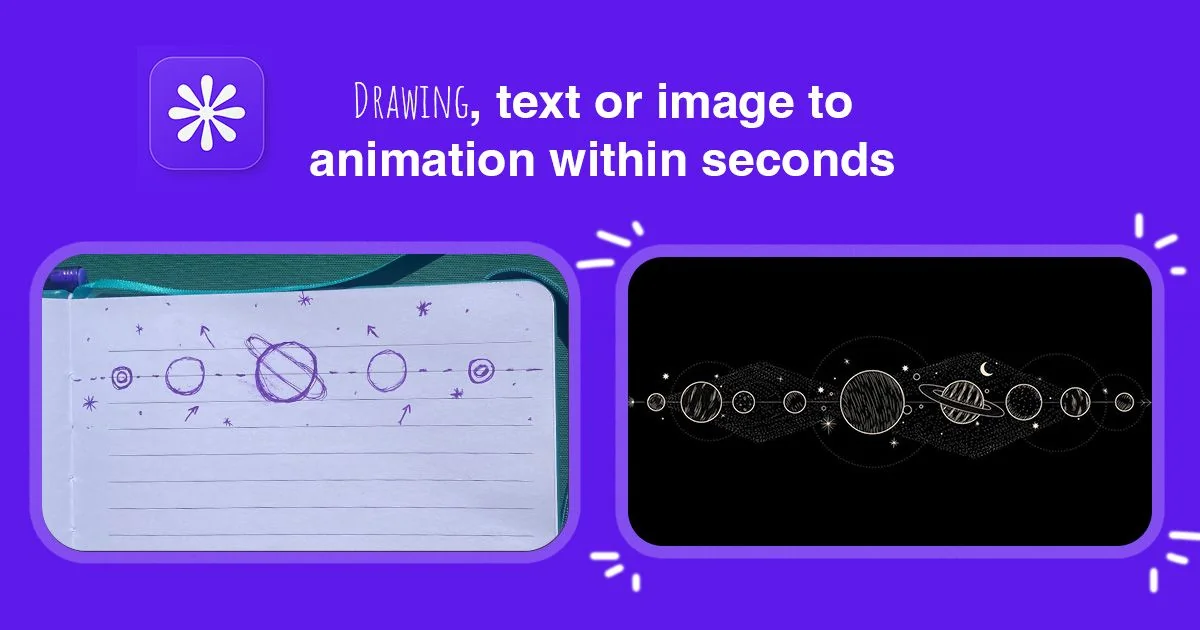
motionvid.ai is a web-based motion graphics and video generator that uses AI to produce animated visual content quickly. Users can generate text-driven motion animations and short videos without requiring After Effects or advanced design skills. The tool focuses on combining motion design and video editing workflows to lower the barrier for professional-looking animated assets, enabling fast iteration, templates-based composition, and export-ready video outputs for social and marketing use.
Screenshots
Key Features
Use Cases



Frequently asked questions about motionvid.ai
What is motionvid.ai?
Motionvid.ai is an innovative platform that allows users to create professional motion graphics, animated videos, and AI-powered visual content effortlessly, in just seconds. No design skills or knowledge of software like After Effects are required, making it accessible to everyone, from marketers to educators.
Key Points
- User-Friendly Interface: Intuitive design that simplifies video creation.
- AI-Powered Features: Leverages artificial intelligence for enhanced visual content.
- Versatile Applications: Suitable for marketing, education, and social media.
Detailed Explanation
Motionvid.ai revolutionizes the way individuals and businesses create animated content. With its user-friendly interface, anyone can craft visually appealing videos without prior design experience. The platform harnesses AI technology to automate aspects of video creation, making it faster and more efficient.
How It Works
- Select a Template: Choose from a wide array of professionally designed templates tailored for various industries.
- Customize Content: Add your text, images, and branding elements. The drag-and-drop feature simplifies this process.
- AI Enhancements: Use AI tools to suggest animations and graphics that fit your content style.
- Export Your Video: Once satisfied, export your video in various formats suitable for social media, websites, or presentations.
Use Cases
- Marketing Campaigns: Quickly create promotional videos for products or services, enhancing engagement on platforms like Instagram or Facebook.
- Educational Content: Produce animated lessons or tutorials to make learning more interactive.
- Social Media Posts: Generate eye-catching content that stands out in crowded feeds.
Best Practices / Tips
- Start with a Clear Concept: Before diving into video creation, outline your message and target audience to streamline the process.
- Utilize Templates Wisely: Templates are designed for effectiveness. Customize them but maintain the core layout for best results.
- Keep It Short and Engaging: Aim for video lengths between 30-90 seconds for maximum viewer retention.
- Incorporate Calls-to-Action: Encourage viewers to take action by including effective CTAs in your videos.
Additional Resources
By following these guidelines and utilizing Motionvid.ai, you can produce high-quality animated videos that captivate your audience and elevate your brand presence.
How does motionvid.ai work?
motionvid.ai operates by leveraging advanced artificial intelligence technologies to streamline various workflows for users. It enables the automation of video creation, editing, and customization, making it easier for individuals and businesses to produce high-quality video content efficiently.
Key Points
- AI-Powered Automation: Motionvid.ai uses AI to automate video production processes.
- User-Friendly Interface: The platform features an intuitive design that simplifies video editing.
- Versatile Applications: Ideal for marketing, education, and personal projects.
Detailed Explanation
Motionvid.ai employs cutting-edge AI algorithms to optimize video production tasks. Users can easily create videos by inputting text or selecting templates, allowing the AI to generate engaging content quickly. For example, a marketing team can input product details, and motionvid.ai will produce a promotional video complete with visuals and voiceovers in minutes.
The platform supports various media formats and integrates seamlessly with existing workflows. Users can customize videos with branding elements, transitions, and effects using a drag-and-drop interface. This functionality makes it accessible for both novice users and professionals looking to enhance their video output without extensive technical skills.
Use Cases
- Marketing Campaigns: Create promotional videos that capture audience attention.
- Educational Content: Produce instructional videos for online courses or training sessions.
- Social Media Posts: Generate eye-catching video snippets for platforms like Instagram and TikTok.
Best Practices / Tips
- Leverage Templates: Utilize pre-designed templates to save time and maintain consistency across videos.
- Focus on Quality: Ensure that the content you input is clear and engaging to maximize the AI’s potential.
- Regular Updates: Stay informed about new features and updates from motionvid.ai to utilize the platform effectively.
Additional Resources
What are the main features of motionvid.ai?
Motionvid.ai offers powerful AI-driven video creation tools, enabling users to generate high-quality videos quickly and easily. Key features include automated video editing, customizable templates, and advanced analytics to track performance, making it an ideal solution for marketers and content creators who want to enhance their video production capabilities.
Key Points
- Automated Video Editing: Streamlines the video creation process.
- Customizable Templates: Provides a variety of templates to suit different needs.
- Advanced Analytics: Offers insights into video performance and audience engagement.
Detailed Explanation
Motionvid.ai stands out in the crowded field of video creation tools due to its impressive array of features that cater to both novices and experienced users.
1. Automated Video Editing
The platform leverages artificial intelligence to automate video editing tasks. Users can upload raw footage, and Motionvid.ai's AI analyzes the content to create a polished video with minimal effort. This feature drastically reduces the time needed for editing, making it ideal for busy marketers and content creators.
2. Customizable Templates
Motionvid.ai offers a broad range of customizable templates, allowing users to create videos tailored to their brand's identity. Whether you need a promotional video, a tutorial, or social media content, the templates can be easily modified with your brand colors, logos, and specific messaging. This flexibility helps maintain brand consistency across all video outputs.
3. Advanced Analytics
Understanding video performance is crucial for any content strategy. Motionvid.ai provides detailed analytics that track metrics such as viewer engagement, retention rates, and conversion statistics. This data enables users to refine their video marketing strategies based on what resonates with their audience, ensuring ongoing improvement and effectiveness.
Best Practices / Tips
- Experiment with Templates: Don't hesitate to try different templates to see which ones resonate best with your audience.
- Leverage Analytics: Regularly review performance analytics to identify trends and make data-driven decisions for future videos.
- Stay Updated: Motionvid.ai frequently updates its features. Keep an eye on new functionalities to enhance your video content continuously.
Additional Resources
Who is motionvid.ai for?
motionvid.ai is designed for a wide range of users, including marketers, content creators, educators, and businesses seeking to enhance their daily AI workflows. It simplifies video creation and editing, making it accessible for anyone looking to leverage AI technologies for visual storytelling.
Key Points
- Target Audience: Marketers, content creators, educators, and businesses.
- Use Cases: Video marketing, educational content, social media posts, and presentations.
- User-Friendly Interface: Easy to navigate, making AI accessible for all skill levels.
Detailed Explanation
motionvid.ai serves a diverse audience, including:
-
Marketers: They can create engaging promotional videos quickly. For instance, a marketer can use motionvid.ai to produce a short video ad highlighting a new product, using AI tools to generate compelling visuals and scripts in minutes.
-
Content Creators: YouTubers and social media influencers can streamline their video production. By using motionvid.ai, they can automate editing tasks, add effects, and incorporate AI-generated graphics, thus saving valuable time while enhancing video quality.
-
Educators: Teachers and trainers can utilize motionvid.ai to create instructional videos or presentations. For example, an educator can transform lecture notes into visually appealing video content that helps students retain information better.
-
Businesses: Companies can produce internal training videos or customer testimonials, making use of AI-driven editing features that allow for quick revisions and updates. This can improve employee onboarding and enhance customer engagement.
Best Practices / Tips
- Start with Templates: Use pre-designed templates to kickstart your projects. This saves time and ensures a professional look.
- Utilize AI Features: Explore AI tools for scriptwriting and video suggestions to enhance creativity and efficiency.
- Regularly Update Content: Keep your videos fresh by revisiting and updating them as needed, ensuring relevance in your messaging.
- Test Different Formats: Experiment with various video lengths and styles to see what resonates best with your audience.
Additional Resources
How much does motionvid.ai cost?
Motionvid.ai offers various pricing plans, which can be found on their official website. Typically, these plans range from a free trial to premium subscriptions, catering to different user needs and budgets, allowing individuals and businesses to choose the best fit for their video creation projects.
Key Points
- Flexible Pricing Plans: Motionvid.ai offers multiple tiers to suit various needs.
- Free Trial Available: Users can explore features without commitment.
- Subscription Options: Monthly and annual plans are available for enhanced savings.
Detailed Explanation
Motionvid.ai provides a transparent pricing structure that accommodates both casual users and professional creators. The pricing options generally include:
-
Free Trial: New users can sign up for a free trial, allowing them to explore the platform's features without any financial commitment. This is a perfect way to test the tool's capabilities before deciding on a subscription.
-
Monthly Subscription: For those who prefer flexibility, Motionvid.ai offers monthly plans. These subscriptions often include all essential features required for basic video creation, making it ideal for users with varying project needs.
-
Annual Subscription: Customers can opt for an annual subscription, which typically comes at a discounted rate compared to monthly payments. This option is beneficial for businesses or frequent users who want to save money over time.
-
Team Plans: For organizations, Motionvid.ai may offer special team pricing that allows multiple users to collaborate on projects, streamlining workflows and enhancing productivity.
-
Add-Ons: Some plans may also include optional add-ons such as advanced editing tools, additional storage, or premium support for an extra fee.
Best Practices / Tips
- Evaluate Your Needs: Before selecting a plan, assess how often you'll use the platform and what features are essential for your projects.
- Take Advantage of the Free Trial: Use the free trial to fully explore the interface, features, and capabilities to ensure it meets your expectations.
- Stay Updated: Check the official website regularly for any promotional offers or changes in pricing plans, as they may introduce new features or discounts.
Additional Resources
- Motionvid.ai Official Website - For the latest pricing details and features.
- User Reviews and Comparisons - For insights and experiences from other users.
- Video Creation Tips - Tutorials on using AI for video production effectively.
How do I get started with motionvid.ai?
To get started with MotionVid.ai, visit motionvid.ai and sign up for an account. Once registered, you can explore its features, create video content, and access various AI tools designed to enhance your video production experience.
Key Points
- Sign Up: Create an account easily on the MotionVid.ai website.
- Explore Features: Familiarize yourself with the platform's tools and capabilities.
- Start Creating: Utilize the AI-driven functionalities to produce engaging videos.
Detailed Explanation
MotionVid.ai is an innovative platform that leverages artificial intelligence to streamline video creation. Here’s how to get started:
-
Sign Up:
- Navigate to the official website motionvid.ai.
- Click on the “Sign Up” button and fill out the required information, including your email and password. You may also have the option to sign up using social media accounts for convenience.
-
Explore Features:
- After logging in, take a tour of the dashboard to familiarize yourself with the user interface.
- Key features include automated video editing, customizable templates, and AI-driven suggestions for content enhancement. You can also upload your own footage or use stock video options available on the platform.
-
Start Creating:
- Choose a template that suits your project or start from scratch.
- Use the AI tools to edit your video, add music, and incorporate text overlays. The platform's intuitive design allows for easy drag-and-drop functionality.
- Preview your video before finalizing it, ensuring all elements align with your vision.
Best Practices / Tips
- Take Advantage of Tutorials: MotionVid.ai offers tutorials and guides that can greatly accelerate your learning process. Make use of these resources to master the platform.
- Experiment with Features: Don’t hesitate to experiment with different templates and editing features. This will help you understand the full potential of the AI tools available.
- Optimize Video Settings: Pay attention to video settings such as resolution and aspect ratio based on where you plan to publish your content (e.g., social media vs. websites).
Additional Resources
By following these steps and utilizing the resources provided, you’ll be well on your way to creating high-quality video content with MotionVid.ai.
Explore more AI Ai Tools tools
Browse all Ai Tools tools →Browse by use case: Video Generation
Compare motionvid.ai: vs nodeterm · vs A.I.G (AI Infra Guard) · vs Trama · vs Agents Never Sleep