

Otter
AIOfficial MCPReal-time meeting notetaker that transcribes conversations, generates summaries, highlights insights, and captures action items.
Otter
Real-time meeting notetaker that transcribes conversations, generates summaries, highlights insights, and captures action items.
About Otter
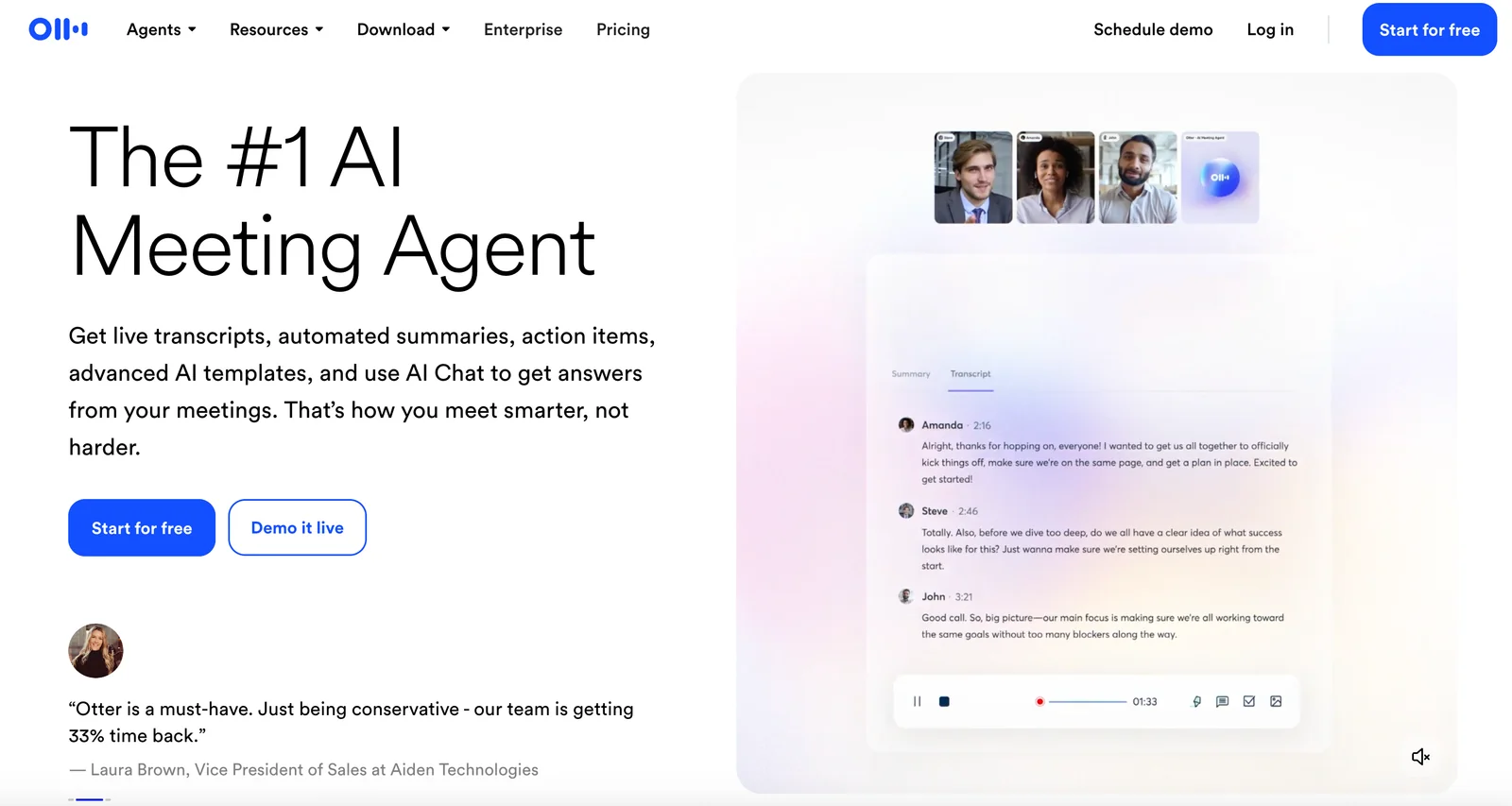
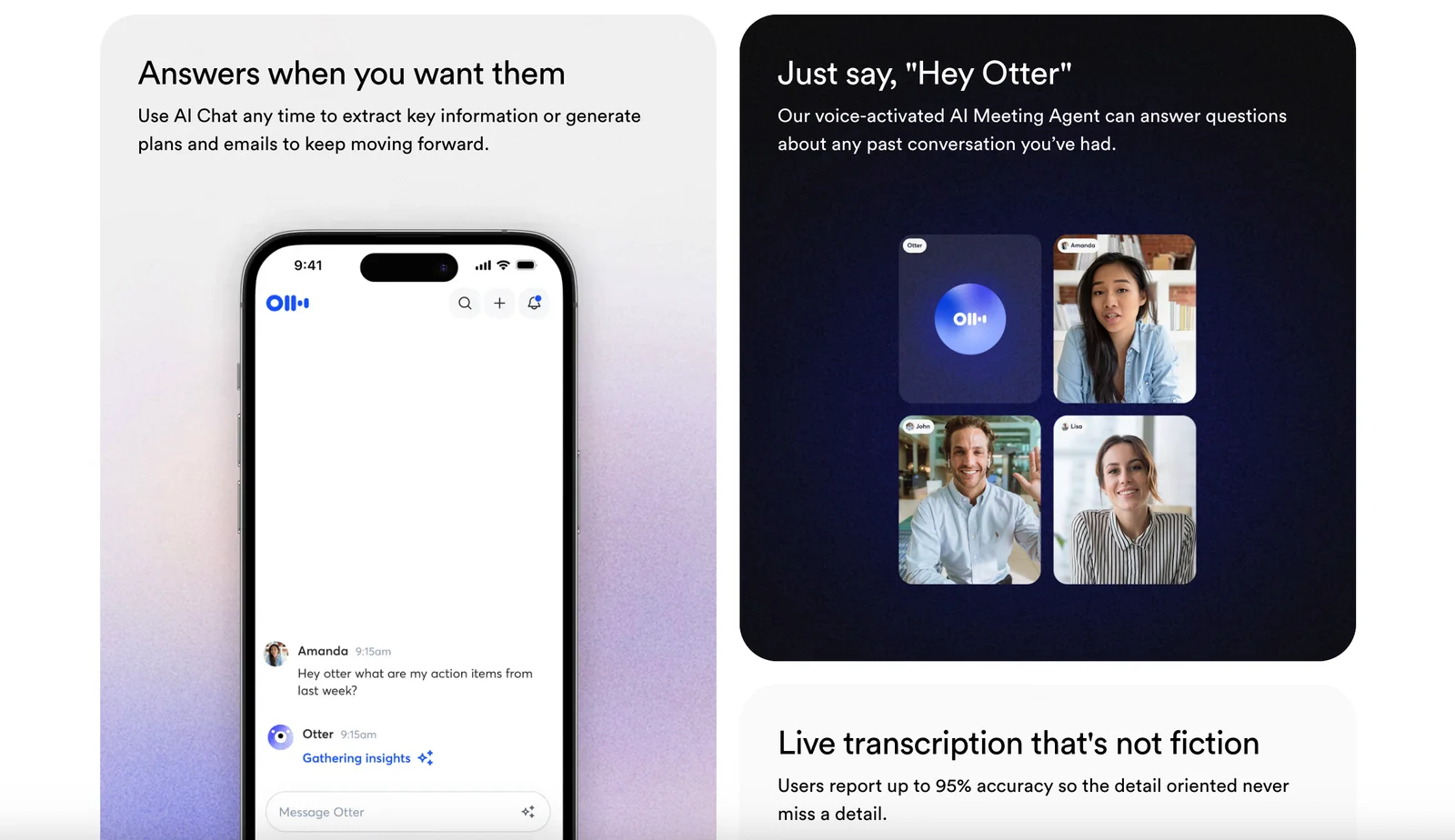
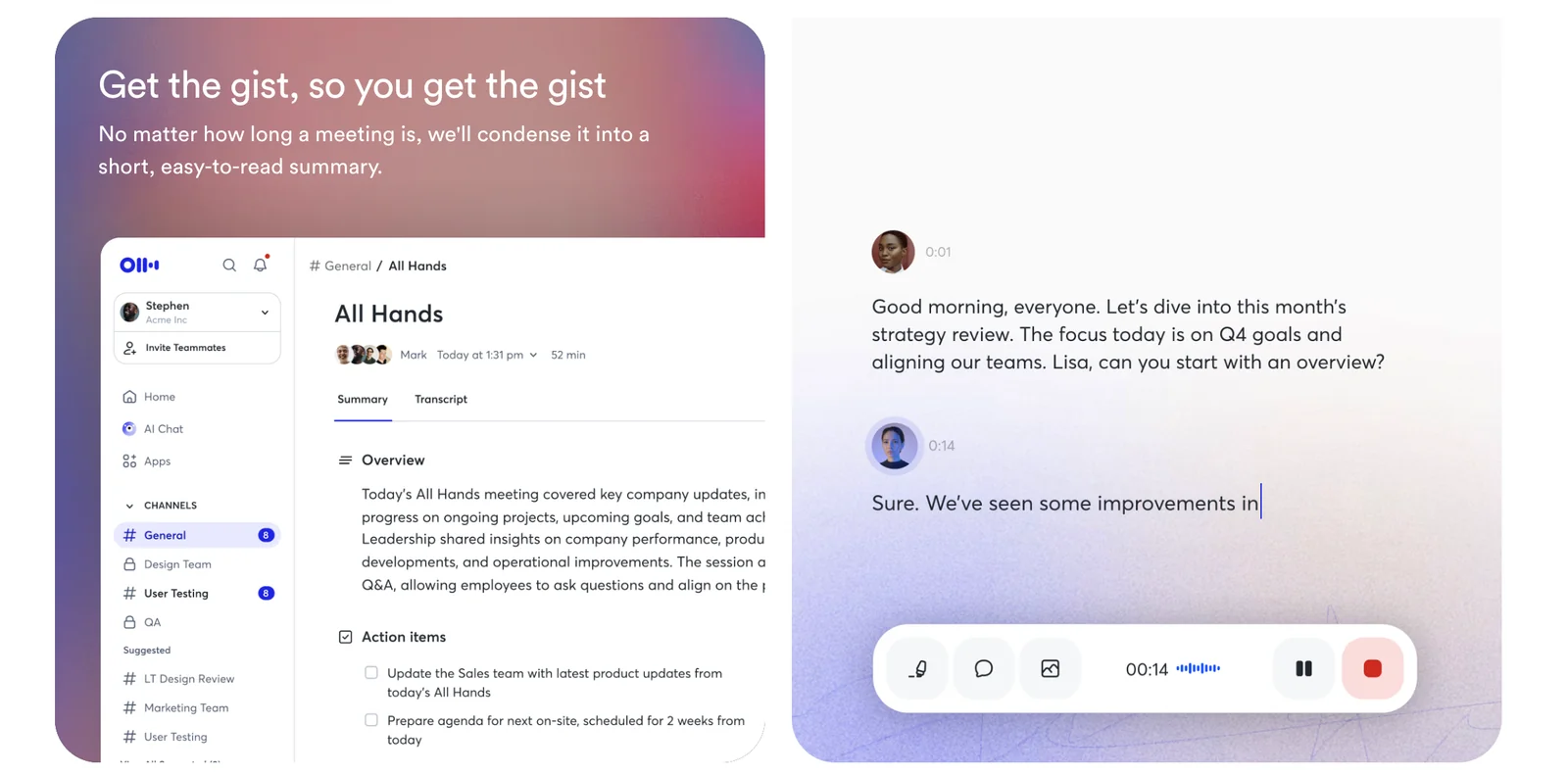
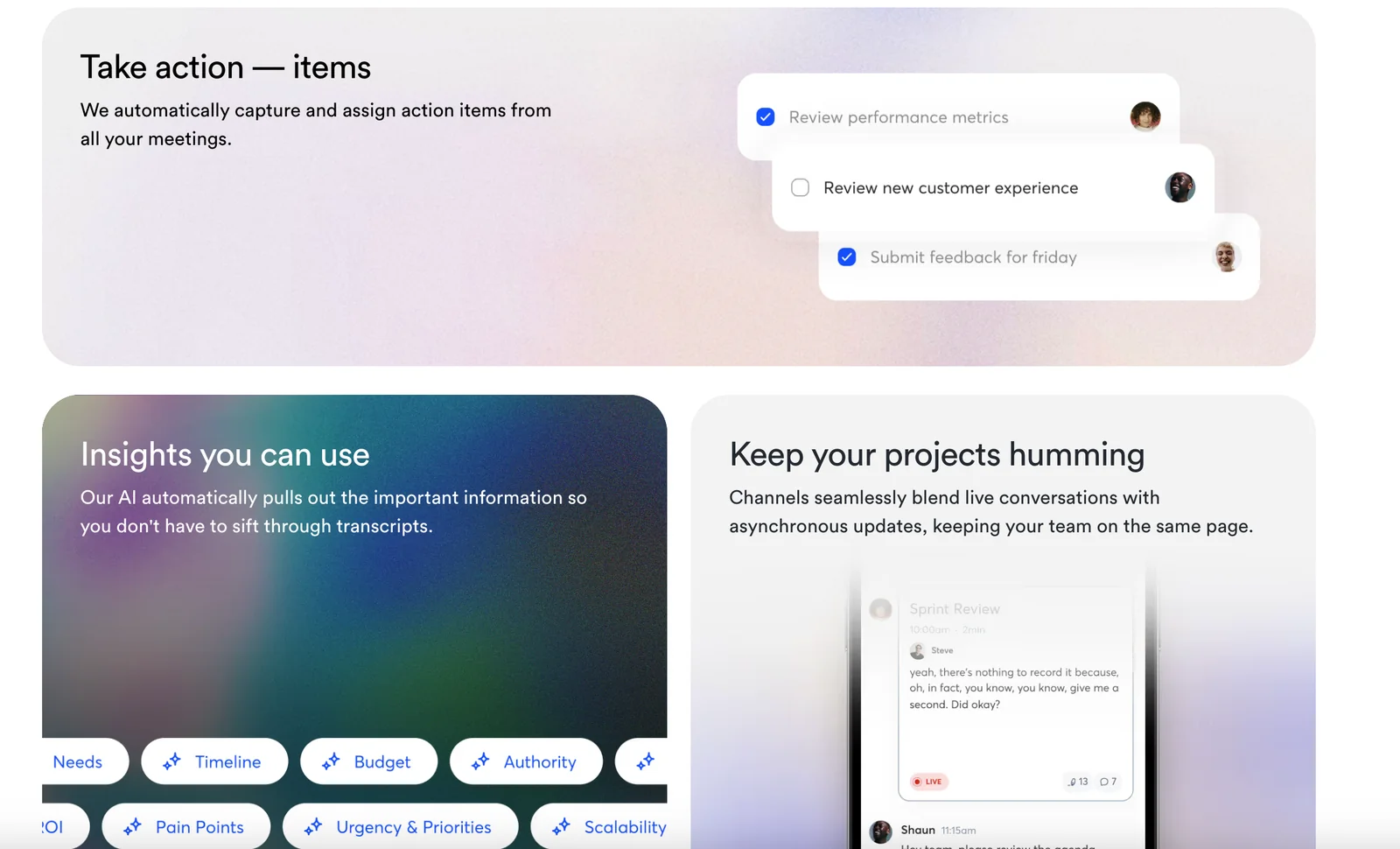
Otter (Otter Meeting Agent) is an AI-driven meeting assistant that records and transcribes live conversations, identifies speakers, and produces searchable transcripts. It generates automated summaries, meeting highlights, action items, and insights to help teams capture and share important moments from meetings, interviews, lectures, and calls. Otter supports live chat during meetings, integration with meeting platforms, and export/organizing features to streamline knowledge capture and collaboration.
Screenshots
Key Features
Use Cases
MCP Server
https://help.otter.ai/hc/en-us/articles/35287607569687-Otter-MCP-Serverhttps://mcp.otter.ai/mcp💡 MCP (Model Context Protocol) enables AI assistants to securely interact with local and remote resources.


Frequently asked questions about Otter
What are the pricing options for Otter?
Otter offers a freemium pricing model that includes a free Basic plan with 300 minutes per month, a Pro plan for $8.33 per month with 1,200 minutes, a Business plan at $20 per month aimed at teams, and a custom-priced Enterprise plan for larger organizations.
Key Points
- Freemium Model: Free Basic plan with limited features.
- Pro Plan: Enhanced features for $8.33/month.
- Business and Enterprise Plans: Tailored for teams and organizations.
Detailed Explanation
Otter.ai's pricing structure is designed to cater to different users, from individuals to businesses. Here’s a breakdown of each plan:
-
Basic Plan: Free of charge, this plan provides users with 300 minutes of transcription per month. Ideal for casual users, it includes basic features such as live transcription and access to the Otter mobile app. However, it lacks advanced features like exporting transcripts or custom vocabulary.
-
Pro Plan: At $8.33 per month (billed annually), the Pro plan significantly boosts the minute allowance to 1,200 per month. This plan is perfect for professionals who require more transcription time and additional features, such as the ability to import audio files, create custom vocabulary, and access advanced export options.
-
Business Plan: Designed for teams, this plan costs $20 per month per user. It includes all Pro features, plus team collaboration tools, centralized billing, and admin controls. It's a great choice for organizations that need to share transcripts and collaborate on projects.
-
Enterprise Plan: The pricing for the Enterprise plan is customized based on the organization's needs. It includes all Business features along with enhanced security measures, dedicated support, and more extensive integrations with other tools and services. This plan is suitable for large organizations that need robust transcription solutions.
Best Practices / Tips
- Choose the Right Plan: Assess your transcription needs before selecting a plan. If you’re a casual user, the Basic plan may suffice. For frequent users, the Pro plan offers significant value.
- Utilize Free Trials: Take advantage of free trials for the Pro and Business plans to evaluate features before committing.
- Monitor Usage: Regularly check your usage to avoid exceeding the limits of your plan, especially on the Basic and Pro plans.
Additional Resources
How do I use Otter for meeting transcription?
To use Otter for meeting transcription, sign up on the official Otter.ai website, then either join a meeting through the app or start a recording. Otter transcribes conversations in real-time, providing automatic summaries and speaker identification for easy reference.
Key Points
- Real-Time Transcription: Otter captures conversations as they happen.
- Automatic Summaries: The app generates concise summaries post-meeting.
- Speaker Identification: It distinguishes between different speakers for clarity.
Detailed Explanation
Using Otter for meeting transcription is straightforward. Start by creating an account on Otter.ai. Once registered, you can either join a live meeting directly through the app or record a meeting yourself.
-
Joining a Meeting:
- Use the 'Join' feature to connect to your meeting via a Zoom integration or a unique meeting link.
- Ensure your microphone and speakers are set up correctly for optimal audio quality.
-
Recording a Meeting:
- Tap the ‘Record’ button in the app to start capturing the audio.
- Otter will transcribe the conversation in real-time, making it easier to focus on discussion rather than note-taking.
-
Post-Meeting Features:
- After the meeting, Otter provides a transcription that can be edited and shared.
- You can also generate summaries that highlight key points discussed, which is beneficial for follow-up actions.
Use Cases:
- Business Meetings: Enhance productivity by capturing all discussions without missing critical points.
- Educational Settings: Students can record lectures for better study aids.
- Interviews: Journalists can transcribe interviews effortlessly, ensuring accuracy in quotes.
Best Practices / Tips
- Check Audio Quality: Ensure clear audio input for better transcription accuracy. Use a good quality microphone if possible.
- Use Tags and Highlights: During or after the meeting, highlight important sections or tag actions to streamline follow-ups.
- Regularly Review Transcriptions: Edit and correct any inaccuracies to maintain a reliable record of discussions.
- Explore Integrations: Take advantage of Otter's integrations with platforms like Zoom or Microsoft Teams to simplify the transcription process.
Additional Resources
What features does Otter provide compared to other transcription tools?
Otter provides real-time transcription, automated summaries, action item extraction, and speaker identification. Unlike other transcription tools, Otter stands out with its robust collaboration features, seamless integrations, and support for team workflows, making it highly suitable for business and educational environments.
Key Points
- Real-Time Transcription: Instant text conversion of spoken words.
- Collaboration Features: Tools for team sharing and editing.
- Integrations: Compatibility with platforms like Zoom and Google Meet.
Detailed Explanation
Otter's real-time transcription allows users to capture conversations as they happen, facilitating immediate access to meeting notes or lecture content. This feature is particularly beneficial in fast-paced environments where timely information is crucial.
One of Otter's standout features is its automated summaries. After a meeting, users receive concise summaries that highlight key points, making it easy to review important information without sifting through entire transcripts. This function is especially useful for busy professionals who need to stay organized.
Action item extraction is another valuable tool. Otter automatically identifies tasks discussed during meetings and lists them for easy follow-up, ensuring nothing falls through the cracks. This feature enhances productivity and accountability within teams.
Speaker identification allows Otter to differentiate between voices, attributing comments to the correct speaker. This is vital in group discussions, as it provides clarity and context to the transcript, enhancing comprehension when revisiting the conversation.
In terms of collaboration, Otter enables multiple users to access and edit transcripts in real-time. This is particularly advantageous for remote teams collaborating on projects. Team members can add comments, highlight text, and share notes directly within the app, streamlining communication.
Furthermore, Otter's integrations with platforms such as Zoom, Google Meet, and Microsoft Teams make it easy to transcribe meetings directly from these applications. This seamless connectivity ensures users can focus on the discussion rather than worrying about recording it.
Best Practices / Tips
- Leverage Automated Summaries: Use the summary feature to save time reviewing transcripts.
- Utilize Speaker Identification: Ensure all speakers are correctly labeled for better context in discussions.
- Integrate with Your Workflow: Connect Otter with tools your team already uses to maximize efficiency.
Additional Resources
Does Otter have an API for integration?
Yes, Otter provides an unofficial Python API that allows for programmatic access to user data, speeches, and transcripts. This API facilitates seamless integration with other applications and workflows, enhancing the functionality of Otter's services.
Key Points
- Unofficial Python API: Offers access to key functionalities.
- Integration Capabilities: Connects with various applications.
- Enhanced Workflows: Streamlines data management and accessibility.
Detailed Explanation
The unofficial Python API for Otter enables developers to interact with the platform's features programmatically. This means you can retrieve transcripts, access user data, and even automate speech recognition tasks. For instance, you might use the API to pull transcripts from meetings and integrate them into a project management tool like Trello or Asana.
Example Use Cases:
- Meeting Transcriptions: Automatically download meeting transcripts and store them in a database for easy access.
- Data Analysis: Extract speech data for analysis or reporting, making it easier to derive insights from conversations.
- Custom Applications: Develop tailored applications that utilize Otter's transcription capabilities, enhancing productivity and collaboration.
To get started, you’ll need to ensure you have Python installed, along with any necessary libraries for API requests, such as requests. Once set up, you can authenticate your API calls and begin fetching data.
Best Practices / Tips
- Familiarize Yourself with API Documentation: Although unofficial, community-driven documentation can provide insights and examples.
- Handle Rate Limits: Be aware of any limitations on the number of API requests to avoid disruptions.
- Secure Your API Key: Protect your credentials by using environment variables or secure vaults for storage.
Additional Resources
- Otter.ai API Documentation (Unofficial) - Community-driven API documentation.
- Python Requests Library - Essential for making HTTP requests in Python.
- Otter.ai Official Website - Learn more about Otter's features and offerings.
What are the limitations of the Otter free plan?
The Otter free plan limits users to 300 minutes of transcription per month, with a maximum of 30 minutes per conversation and allows only 3 file imports. This makes it ideal for light users who require basic transcription services without extensive features.
Key Points
- Monthly Transcription Limit: 300 minutes
- Conversation Duration Limit: 30 minutes per session
- File Import Restrictions: Up to 3 imports
Detailed Explanation
The Otter free plan is designed for individuals who need basic transcription capabilities without incurring costs. With a total of 300 minutes of transcription available each month, users can effectively manage meetings, lectures, or personal notes. However, each conversation is capped at a 30-minute limit, which may not accommodate longer discussions or in-depth interviews.
Moreover, users can import only 3 audio or video files per month, which could restrict those needing extensive file integration. If you find yourself exceeding these limits, consider upgrading to a paid plan for more flexibility and features.
Use Cases
- Students: Ideal for transcribing short lectures or study sessions.
- Professionals: Useful for capturing key points in meetings or brainstorming sessions.
- Casual Users: Perfect for jotting down notes or personal reflections.
Best Practices / Tips
- Plan Your Usage: Monitor your transcription minutes to make the most of your monthly allowance.
- Optimize File Imports: Prioritize which files to import based on importance to avoid hitting the limit too quickly.
- Explore Premium Features: If you find the limits restrictive, consider evaluating the benefits of the paid plans.
Additional Resources
Explore more AI Mcps tools
Browse all Mcps tools →Compare Otter: vs DocsAlot · vs Toolport · vs Kit for AI · vs In Parallel MCP