
Notion
AIOfficial MCPConnected workspace that unifies docs, notes, knowledge, and workflows with built-in AI for search, writing, and collaboration.
Notion
Connected workspace that unifies docs, notes, knowledge, and workflows with built-in AI for search, writing, and collaboration.
About Notion
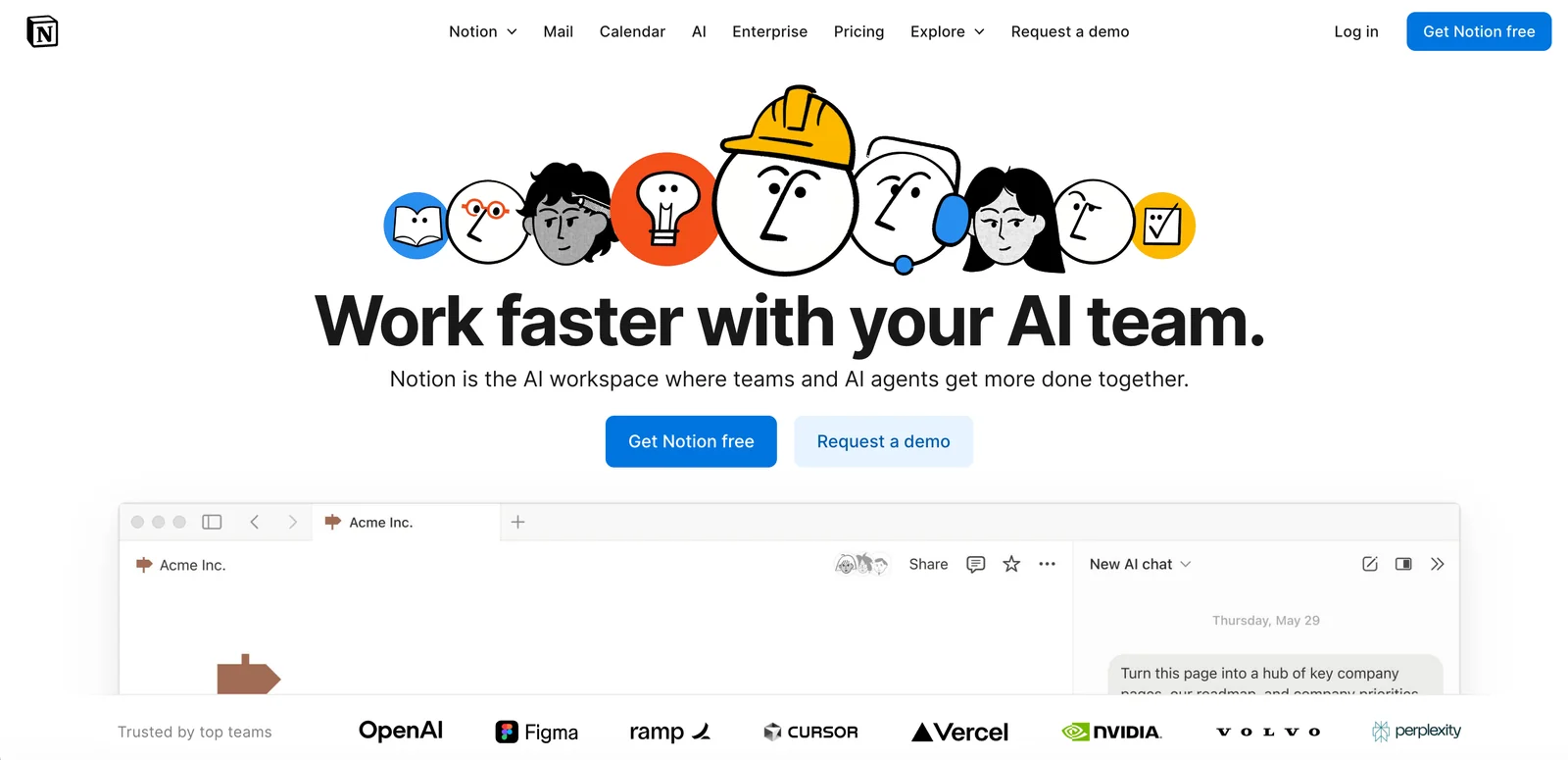
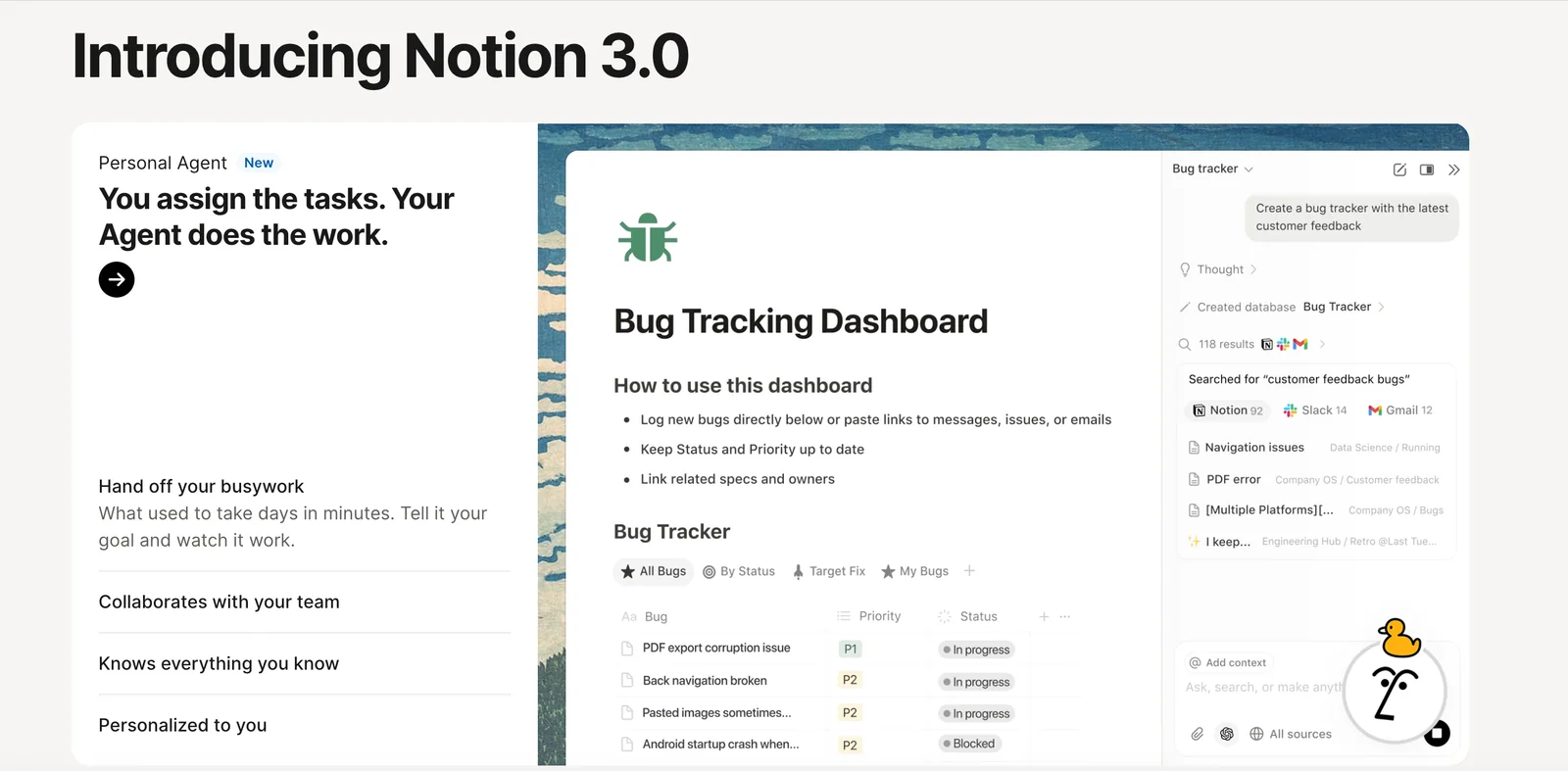
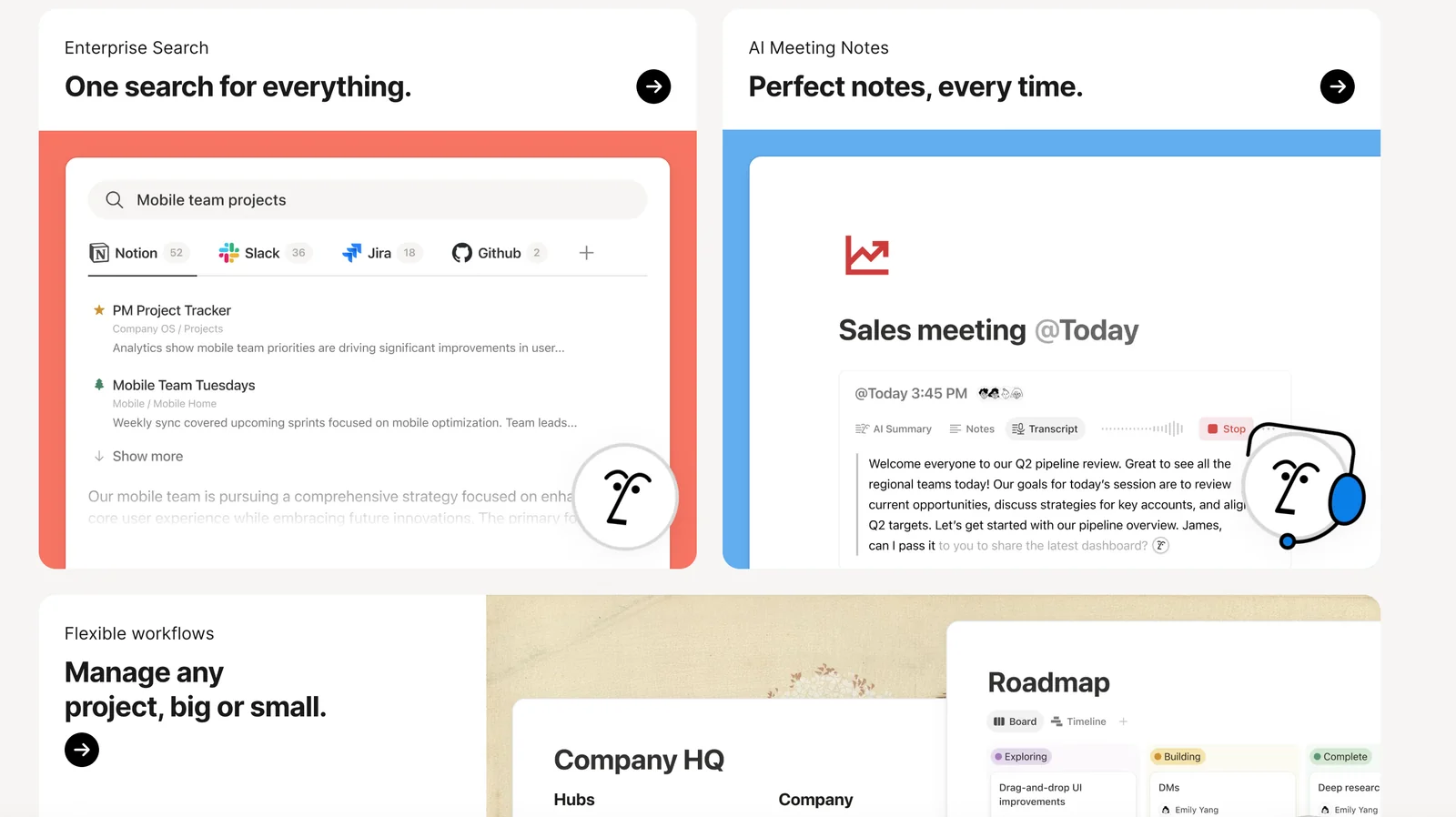
Notion is an all-in-one connected workspace that combines documents, notes, databases, and project workflows into flexible pages and templates. It embeds AI capabilities—search, writing assistance, summarization, and content generation—directly into the workspace to speed knowledge capture, editing, and discovery. Notion supports real-time collaboration, sharing, and developer integrations (APIs and SDKs) so teams can extend and automate workflows. Through partnerships (for example with Anthropic) and built-in developer tooling, Notion aims to turn static knowledge repositories into an intelligent, actionable workspace that amplifies human productivity.
Screenshots
Key Features
Use Cases
MCP Server
https://developers.notion.com/docs/mcphttps://mcp.notion.com/mcp💡 MCP (Model Context Protocol) enables AI assistants to securely interact with local and remote resources.


Frequently asked questions about Notion
What are the pricing options for Notion?
Notion offers a freemium model with various pricing plans: Free at $0/month, Plus at $10/user/month, Business at $15/user/month, and an Enterprise option with custom pricing. Students can access Notion for free with a valid school email, ensuring affordability for educational purposes.
Key Points
- Freemium Model: Offers a free plan alongside paid subscriptions.
- User-Based Pricing: Charges based on the number of users for Plus and Business plans.
- Educational Discounts: Provides free access for students and educators.
Detailed Explanation
Notion's pricing structure is designed to accommodate a wide range of users, from individuals to large organizations.
-
Free Plan: This plan is perfect for individuals or small teams who want to explore Notion's capabilities without any financial commitment. It includes unlimited pages and blocks, but lacks advanced features like version history and collaborative tools.
-
Plus Plan: At $10 per user per month, this plan is ideal for small teams needing enhanced features. It includes everything in the Free plan, plus advanced permission settings and integrations with third-party apps, making it suitable for startups and small businesses.
-
Business Plan: For $15 per user per month, this plan targets larger teams that require additional administrative features. It includes advanced security measures, team management options, and priority support, which are essential for medium to large enterprises.
-
Enterprise Plan: This plan offers customized pricing and features tailored to specific business needs, such as enhanced security and compliance features. Companies interested in this plan should contact Notion directly for a personalized quote.
-
Educational Plans: Notion promotes learning by offering its services free to students and educators. Users just need to register with a valid educational email to gain full access to all features.
Best Practices / Tips
- Evaluate Your Needs: Before choosing a plan, assess your team's size and feature requirements. The Free plan is great for testing, while paid plans provide essential tools for collaboration.
- Take Advantage of Discounts: If you are a student or educator, ensure you register with your educational email to access Notion’s services for free.
- Consider Upgrading: As your team grows or your needs evolve, consider upgrading to the Plus or Business plan to take full advantage of collaboration features and administrative controls.
Additional Resources
- Notion Pricing Page - For detailed information on each plan and features.
- Notion for Education - Learn more about the free access for students and educators.
- Notion Help Center - Access tutorials and support for using Notion effectively.
What are the key features of Notion?
Notion features flexible pages and blocks, integrated AI tools for enhanced writing and search capabilities, relational databases for data organization, real-time collaboration for team projects, and a developer API for seamless integrations. These features make Notion highly adaptable for personal and professional use.
Key Points
- Flexible Pages and Blocks: Create customized layouts.
- Integrated AI Tools: Enhance writing and research.
- Relational Databases: Organize and link information effectively.
Detailed Explanation
Notion is a versatile productivity tool designed to cater to a wide variety of needs, from note-taking to project management.
1. Flexible Pages and Blocks
Notion utilizes a block-based system, allowing users to create anything from simple notes to complex databases. You can easily drag and drop blocks to rearrange content, making it simple to customize your workspace. For instance, a user can combine text, images, code snippets, and embedded videos all on a single page.
2. Integrated AI Tools
Notion's built-in AI tools assist users in writing and researching efficiently. The AI can help generate content ideas, summarize long texts, or even suggest edits, improving productivity. For example, if you're drafting a report, the AI can summarize previous sections to help maintain continuity.
3. Relational Databases
One of Notion's standout features is its relational database capability. Users can create databases to manage tasks, projects, or even inventory. These databases can link to each other, which allows for complex data relationships. For example, a project management database can be linked to a task database, automatically updating the status of tasks as they progress.
4. Real-Time Collaboration
Notion's real-time collaboration features allow multiple users to edit and comment on documents simultaneously. This is particularly useful for teams working on shared projects, as it fosters communication and increases efficiency. Users can leave comments, tag teammates, and track changes, ensuring everyone is on the same page.
5. Developer API
Notion offers a developer API that allows businesses to integrate the platform with other software tools. This is particularly beneficial for organizations that rely on multiple applications. For instance, you can connect Notion with project management tools like Trello or communication platforms like Slack to streamline workflows.
Best Practices / Tips
- Utilize Templates: Notion offers a variety of templates for different use cases. Explore templates for project management, personal journals, and more to kickstart your Notion experience.
- Regularly Update: Keep your Notion workspace organized by regularly reviewing and archiving outdated pages or blocks.
- Leverage Shortcuts: Familiarize yourself with keyboard shortcuts to speed up your workflow.
Additional Resources
How do I get started with Notion?
To get started with Notion, visit their official website and sign up for a free account. Once registered, you can explore a variety of templates and features designed to help you efficiently organize your notes, tasks, and projects in one place.
Key Points
- Free Account: Sign up at the official Notion website.
- Templates: Utilize pre-designed templates for various needs.
- Features: Discover tools for note-taking, task management, and collaboration.
Detailed Explanation
Notion is a powerful productivity tool that combines notes, tasks, wikis, and databases into a single platform. Here’s how to get started:
-
Sign Up for a Free Account: Go to Notion's website, click on the "Sign Up" button, and create your account using your email or by connecting with Google.
-
Explore Templates: After creating your account, navigate to the "Templates" section. Notion offers a variety of templates for project management, personal planning, and more. Choose one that fits your needs to streamline your setup.
-
Familiarize Yourself with the Interface: Spend some time exploring the user interface. Key features include:
- A sidebar for navigation
- Blocks for creating content (text, images, databases)
- Easy drag-and-drop functionality for organizing pages
-
Create Your First Page: Click on "New Page" in the sidebar. You can start from scratch or select a template. Use the rich text editor to format your content—add headings, lists, and links to other pages.
-
Utilize Databases: Notion allows you to create databases for tracking tasks, projects, or any information. Click on “Database” to start a new table, board, or gallery view.
-
Collaborate: If you're working with a team, invite members to your workspace by sharing the page link. You can assign tasks, comment on pages, and manage permissions.
Best Practices / Tips
- Start Simple: Begin with a few pages to avoid overwhelm. Gradually expand your workspace as you get familiar with Notion.
- Use Keyboard Shortcuts: Familiarize yourself with keyboard shortcuts to speed up your workflow. For example, use
Ctrl + Nfor a new page or@to mention teammates. - Regularly Update Your Content: Keep your notes and tasks current to ensure effective organization. Set a routine to review and update your pages.
- Avoid Overcomplication: While Notion is highly customizable, too many features can lead to confusion. Stick to essential functions that meet your needs.
Additional Resources
By following these steps, you can effectively harness Notion's capabilities to enhance your productivity and organization.
How can I integrate Notion with other applications?
You can integrate Notion with other applications by utilizing the Notion API and SDKs. This allows for seamless data exchange and workflow automation. To get started, refer to the official documentation for detailed instructions on setting up API access and exploring available integrations.
Key Points
- Notion API: Provides a robust framework for integration.
- SDKs: Software Development Kits simplify the process for developers.
- Integration Examples: Connect with tools like Zapier, Google Calendar, and Slack.
Detailed Explanation
Integrating Notion with external applications enhances productivity and streamlines workflows. Here’s how you can effectively use the Notion API for integration:
-
Set Up API Access:
- Create an integration within your Notion workspace. Go to Settings & Members > Integrations > Develop your own integrations.
- Obtain your integration token, which allows secure access to your Notion data.
-
Explore SDKs:
- Notion provides SDKs for various programming languages, making it easier for developers to build applications. For instance, you can use the JavaScript SDK to connect Notion with web applications.
-
Utilize Integration Platforms:
- Tools like Zapier enable you to create automated workflows without extensive coding. For example, you can set up a Zap that automatically creates a new Notion page when a new event is added to Google Calendar.
-
Data Manipulation:
- With the API, you can read, create, update, and delete database entries. For example, you can pull in data from a project management tool and update your Notion task lists accordingly.
-
Use Cases:
- Team Collaboration: Integrate Slack to receive notifications in Notion whenever a team member comments on a task.
- Calendar Sync: Automatically sync tasks with deadlines from Google Calendar to ensure you never miss a due date.
Best Practices / Tips
- Test Your Integrations: Before deploying, test your integration in a sandbox environment to avoid data loss or disruptions.
- Keep API Rate Limits in Mind: Notion’s API has rate limits; ensure your application handles these to prevent interruptions in service.
- Documentation and Community: Leverage the Notion API documentation and community forums for troubleshooting and innovative integration ideas.
Additional Resources
These resources will provide further insights and assist you in maximizing your integrations with Notion.
How does Notion compare to other productivity tools?
Notion is a versatile productivity tool that excels with its customizable workspace, integrated AI features, and dynamic database functionalities. Unlike competitors like Evernote and Trello, Notion offers a unified platform for project management, note-taking, and documentation, making it an all-in-one solution for users seeking efficiency and flexibility.
Key Points
- Customizable Workspace: Users can tailor their workspace to fit individual or team needs.
- Built-in AI Capabilities: Notion incorporates AI tools that enhance productivity by automating tasks and generating content.
- Flexible Database Features: Users can create databases that adapt to various project management styles.
Detailed Explanation
Notion's strength lies in its adaptability. Users can design their workspace through customizable templates, allowing for a personal touch in project management and note-taking. For example, users can create kanban boards similar to Trello, but with the added capability to embed documents and databases directly into the board.
In comparison to Evernote, which focuses primarily on note-taking, Notion provides a broader scope, combining notes, tasks, and databases into one cohesive platform. This allows teams to manage projects while documenting processes seamlessly. The built-in AI assists users by suggesting content, summarizing notes, or even generating meeting agendas based on previous entries.
Flexible databases are another highlight. Users can create tables, lists, and calendars that fit their workflows, making data organization intuitive. For instance, a marketing team can track campaigns in a database that integrates timelines, budgets, and outcomes, all in one place.
Best Practices / Tips
- Explore Templates: Utilize Notion’s extensive template library to kickstart your projects and ensure you’re using features effectively.
- Leverage AI Features: Use Notion’s AI capabilities for summarizing notes or brainstorming ideas to save time.
- Create Linked Databases: Set up linked databases to ensure that all relevant information is interconnected, improving access and organization.
Additional Resources
Explore more AI Mcps tools
Browse all Mcps tools →Browse by use case: Automation & Productivity
Compare Notion: vs DocsAlot · vs Toolport · vs Kit for AI · vs In Parallel MCP