

SpeakoFlow
AIFree, open-source voice-to-text app for dictation, AI assistant, and voice writing across any app on Windows, macOS, and Linux.
SpeakoFlow
Free, open-source voice-to-text app for dictation, AI assistant, and voice writing across any app on Windows, macOS, and Linux.
About SpeakoFlow
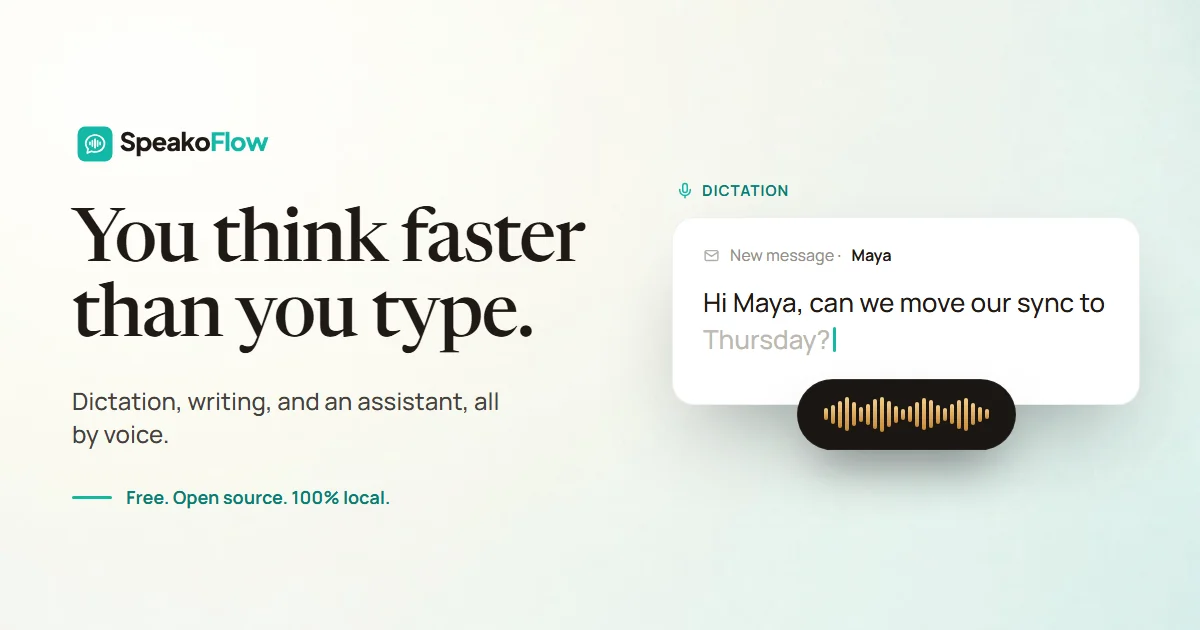
SpeakoFlow is a free, MIT-licensed open-source desktop voice-to-text tool that lets you dictate, translate, and drive an AI assistant by voice inside any app on Windows, macOS, and Linux. Press a hotkey and your words type straight into email, editor, or chat at 150+ words per minute, three times faster than typing. Say 'Hey Flow' to hand the assistant a task like drafting an email, translating any language into clean English, or cleaning up filler words while matching a tone you pick. A screen-aware mode lets it look at the error, chart, or email in front of you and answer with that context, and private memory profiles remember how you work — all on your device, so your voice stays with you.
Screenshots
Key Features
Use Cases



Frequently asked questions about SpeakoFlow
What is SpeakoFlow?
SpeakoFlow is a free, open-source voice-to-text application that enables users to dictate, interact with an AI assistant, and write using voice commands across any application on Windows, macOS, and Linux. It enhances productivity by allowing seamless voice integration for various tasks.
Key Points
- Open-Source Accessibility: SpeakoFlow is free and available on multiple platforms.
- Voice Dictation Features: Users can easily convert speech to text for efficient writing.
- AI Assistant Integration: The app supports voice commands to control tasks and access information.
Detailed Explanation
SpeakoFlow stands out in the realm of voice-to-text applications due to its open-source nature, making it accessible to everyone. Users can download and install it on Windows, macOS, and Linux without any cost. The app excels in voice dictation, allowing users to dictate documents, emails, or any text input with remarkable accuracy.
Use Cases
- Professional Writing: Writers can utilize SpeakoFlow to draft articles or reports hands-free, increasing their productivity.
- Note-Taking: Students can record lectures or meetings in real-time, improving information retention.
- Task Management: Users can command their AI assistant to set reminders or manage tasks, streamlining daily operations.
Setting up SpeakoFlow is straightforward. After downloading the application, users can configure their microphone settings and start dictating. The app supports various languages and accents, enhancing its usability for a global audience.
Best Practices / Tips
- Microphone Quality: Invest in a good quality microphone for better accuracy in voice recognition.
- Speak Clearly: Enunciate words clearly to improve the app's transcription capabilities.
- Regular Updates: Keep the software updated to benefit from new features and bug fixes.
- Explore Commands: Familiarize yourself with voice commands to maximize the app's functionality.
Additional Resources
- SpeakoFlow GitHub Repository - Access source code and contribute to the project.
- User Documentation - Find comprehensive guides and troubleshooting tips.
- Community Forum - Join discussions to share experiences and tips with other users.
How does SpeakoFlow work?
SpeakoFlow combines advanced voice recognition technologies to enhance productivity. By using features like Cross-App Dictation, Live Translation, and AI Cleanup, it enables users to dictate text seamlessly across various applications while maintaining a natural flow in communication. This results in faster and more efficient writing without needing to touch a keyboard.
Key Points
- Cross-App Dictation: Type in any application using voice.
- Live Translation: Speak in multiple languages and receive English translations.
- AI Cleanup: Refine voice input for clarity and professionalism.
Detailed Explanation
SpeakoFlow operates through several innovative features designed for efficiency:
-
Cross-App Dictation: Users activate dictation with a hotkey (default: Left Ctrl + Left Super) and can speak freely. This allows text to be typed directly into any application, including emails, documents, and chat platforms, enhancing productivity significantly.
-
Hey Flow Assistant: By saying "Hey Flow," users can engage the assistant to respond to messages or draft new ones without manual input. This feature is customizable, allowing users to rename the trigger phrase for personalized use.
-
Live Translation: Users can dictate in various languages, such as Spanish, Hindi, or French, and receive accurate translations in English directly at the cursor. This functionality is particularly beneficial for multilingual teams or individuals working in diverse environments.
-
AI Cleanup: SpeakoFlow utilizes AI to improve dictation quality by removing filler words like "um" and correcting grammar. Users can select a tone—such as Professional or Friendly—ensuring that their written communication aligns with intended messaging.
-
Screen-Aware Answers: With a simple hotkey, users summon a floating assistant that analyzes on-screen content, allowing for contextual answers related to charts, emails, or error messages without manual copying and pasting.
-
Faster Writing: SpeakoFlow supports dictation speeds of over 150 words per minute, significantly higher than the average typing speed of 45 WPM. This feature is particularly advantageous for developers, writers, and support agents who need to produce text quickly.
-
Private On-Device Voice Work: For users concerned about privacy, SpeakoFlow offers local dictation and translation capabilities, ensuring that voice data remains on-device and is never sent to the cloud.
-
Voice-Driven Prompts: Users can draft LLM prompts, emails, or Slack responses purely by voice, streamlining communication in any editor or chat app.
-
Screen Q&A: Users can directly ask the assistant about specific on-screen errors or charts, enhancing problem-solving without the need for manual input.
Best Practices / Tips
- Customize Settings: Tailor the hotkey and voice commands to suit your workflow for maximum efficiency.
- Practice Dictation: Regularly use the dictation feature to improve accuracy and comfort with your voice commands.
- Utilize AI Cleanup: Always enable AI Cleanup for polished communication, particularly in professional contexts.
- Explore Multilingual Features: If you work in a multilingual environment, practice using Live Translation for seamless communication.
- Maintain Privacy: Use the on-device features if you have concerns about data security or privacy.
Additional Resources
By leveraging SpeakoFlow's comprehensive features, users can significantly enhance their writing efficiency and communication clarity, making it an invaluable tool for professionals in various fields.
What are the main features of SpeakoFlow?
SpeakoFlow boasts several cutting-edge features, including Cross-App Dictation for seamless speech-to-text in any application, an AI-powered assistant for efficient task management, live translation capabilities, and advanced speech cleanup tools for polished output. These features enhance productivity and streamline communication significantly.
Key Points
- Cross-App Dictation: Dictate text directly into any application.
- Hey Flow Assistant: Hands-free task management via voice commands.
- Live Translation: Instant language translation into English.
Detailed Explanation
SpeakoFlow is designed to enhance user productivity through its innovative features:
-
Cross-App Dictation: With the simple press of a hotkey (default is Left Ctrl + Left Super), users can dictate text that appears instantly in any application, whether it's an email, chat, or document editor. This feature eliminates the need for typing, saving time and effort.
-
Hey Flow Assistant: By saying "Hey Flow," users can engage the voice assistant to perform various tasks like replying to messages, drafting emails, or generating prompts—all without touching the keyboard. This feature is customizable, allowing users to rename the activation phrase for a personalized experience.
-
Live Translation: SpeakoFlow supports real-time translation from several languages, including Spanish, Hindi, French, and Japanese. Users can speak in their preferred language and receive accurate English translations typed directly at their cursor. This functionality runs entirely on-device, ensuring privacy and speed.
-
AI Cleanup: This feature automatically refines spoken text by removing fillers like "um," correcting grammar, and matching a specified tone—be it Professional, Friendly, Concise, or a custom setting. This ensures that the dictated speech is polished and ready for presentation or sharing.
-
Screen-Aware Answers: This functionality allows users to summon a floating assistant with a hotkey, which can analyze the current screen content. It can offer context-specific assistance related to charts, errors, or emails, making it a powerful tool for quick problem-solving.
Best Practices / Tips
- Customize Hotkeys: Tailor your hotkeys for easier access to features.
- Practice Voice Commands: Familiarize yourself with the voice commands to maximize efficiency.
- Utilize AI Cleanup: Always enable the AI Cleanup feature to ensure your final output is professional and clear.
- Explore Translation Options: Use the live translation feature during international calls or meetings for seamless communication.
Additional Resources
Who is SpeakoFlow for?
SpeakoFlow is designed for anyone who wants to enhance their writing speed and efficiency. It benefits developers, writers, and support agents by allowing them to dictate at over 150 words per minute, communicate in multiple languages, and perform voice-driven tasks without relying on the cloud.
Key Points
- Faster Writing: Dictate at 150+ words per minute.
- Multilingual Support: Communicate in your native language, receive polished English replies.
- On-Device Privacy: Local dictation and translation without cloud dependency.
Detailed Explanation
SpeakoFlow caters to a diverse range of users, enhancing productivity through innovative voice technology. Here’s how different professionals can utilize it:
-
Developers: Coders can dictate code snippets and documentation swiftly, significantly reducing the time spent typing. For example, instead of manually typing out function descriptions, a developer can articulate them verbally, achieving faster output and fewer typos.
-
Writers: Authors and content creators can leverage SpeakoFlow to brainstorm ideas, draft articles, or refine existing text. By dictating their thoughts, they can maintain a natural flow of ideas, which can lead to richer, more engaging content.
-
Support Agents: Customer service representatives can respond to inquiries quickly by dictating responses in real-time. This can drastically reduce response times and enhance customer satisfaction.
-
Multilingual Users: For individuals who speak multiple languages, SpeakoFlow allows seamless communication. Users can dictate in their preferred language and receive responses in polished English, facilitating smoother interactions without the need for translation tools.
-
Voice-Driven Prompts: Users can create prompts for AI models or draft emails and responses in applications like Slack through voice commands, streamlining workflow and enhancing productivity.
-
Screen Q&A: Users can ask questions about on-screen content, such as error messages or data charts, providing instant information retrieval without the hassle of copying and pasting.
Best Practices / Tips
- Utilize Voice Training: Spend time training SpeakoFlow to recognize your voice and speech patterns for more accurate dictation.
- Pace Yourself: While dictating, speak clearly and at a moderate pace to ensure the software accurately captures your words.
- Familiarize with Commands: Learn the specific voice commands for navigation and editing within the app to fully harness its capabilities.
- Regular Updates: Keep the app updated to benefit from the latest features and improvements in speech recognition technology.
Additional Resources
By utilizing SpeakoFlow, users can significantly streamline their workflows, making it an invaluable tool for anyone looking to enhance productivity through advanced voice technology.
How much does SpeakoFlow cost?
SpeakoFlow is completely free to use, providing users with a range of features without any cost. This makes it an accessible option for individuals and businesses looking to enhance their speech and presentation skills without incurring expenses.
Key Points
- SpeakoFlow offers a free-to-use platform.
- Ideal for individuals and businesses.
- Enhances speech and presentation skills.
Detailed Explanation
SpeakoFlow is a user-friendly AI tool designed for improving communication skills, making it an excellent resource for speakers, educators, and professionals. The platform allows users to practice speeches, receive instant feedback, and track their progress without any financial commitment.
-
Features: SpeakoFlow includes various features such as speech analysis, pacing recommendations, and tone adjustments. These tools help users refine their delivery and build confidence.
-
Use Cases: Whether you're preparing for a public speaking event, a business presentation, or simply want to improve your conversational skills, SpeakoFlow caters to a wide audience. It can also be beneficial for language learners seeking to enhance their fluency.
-
User Experience: The intuitive interface allows users to easily navigate through different functionalities. New users can quickly get started without any prior technical knowledge, making it suitable for all ages and skill levels.
Best Practices / Tips
- Regular Practice: Use SpeakoFlow consistently to see significant improvements in your speaking abilities. Set aside time each week for practice sessions.
- Seek Feedback: After practicing, review the feedback provided by the tool to identify specific areas for improvement. This targeted approach maximizes learning.
- Combine with Live Practice: While SpeakoFlow offers valuable insights, complementing it with real-life speaking opportunities can enhance your skills even further.
Additional Resources
By utilizing SpeakoFlow’s free features, users can significantly enhance their presentation skills and gain confidence in their speaking abilities, all without any financial investment.
How do I get started with SpeakoFlow?
To get started with SpeakoFlow, visit speakoflow.com to sign up for an account. Once registered, you can explore its features, tools, and resources designed to enhance your communication skills and productivity.
Key Points
- Sign Up Process: Create an account easily through the website.
- Feature Exploration: Familiarize yourself with various tools and functionalities.
- Support Resources: Access tutorials and customer support for assistance.
Detailed Explanation
Starting with SpeakoFlow is straightforward. First, go to speakoflow.com and locate the “Sign Up” button. You'll need to provide basic information such as your name, email address, and password. After submitting your details, you will receive a confirmation email. Click on the link in the email to verify your account.
Once logged in, you can navigate the user-friendly dashboard. SpeakoFlow offers a variety of features:
- Speech Analysis Tools: These tools provide insights into your speaking patterns, helping you identify areas for improvement.
- Practice Modules: Engage in interactive exercises designed to enhance your speaking skills.
- Feedback Mechanism: Get constructive feedback on your performance to track your progress.
To maximize your experience, take advantage of the tutorials available on the platform. These guides walk you through each feature, helping you make the most of your SpeakoFlow membership.
Best Practices / Tips
- Regular Practice: Set aside time each week to use SpeakoFlow's practice modules to see consistent improvement.
- Utilize Feedback: Actively review the feedback provided after your practice sessions to understand your strengths and weaknesses.
- Engage with Community: Join forums or groups related to SpeakoFlow to share experiences and gain insights from other users.
Common pitfalls include neglecting to review your progress and not utilizing available resources fully. Ensure you take the time to explore all features and ask for help if needed.
Additional Resources
By following these steps and utilizing available resources, you can effectively enhance your communication skills with SpeakoFlow.
Explore more AI Ai Tools tools
Browse all Ai Tools tools →Browse by use case: Chatbots & Assistants · Voice & Audio
Compare SpeakoFlow: vs Agents Never Sleep · vs Port Radar for macOS · vs SubtitleGenerator · vs Zero