

RAGFlow
AIOpen SourceFreeOpen-source Retrieval-Augmented Generation engine combining RAG and agent capabilities to provide a richer context layer for LLMs.
RAGFlow
Open-source Retrieval-Augmented Generation engine combining RAG and agent capabilities to provide a richer context layer for LLMs.
About RAGFlow
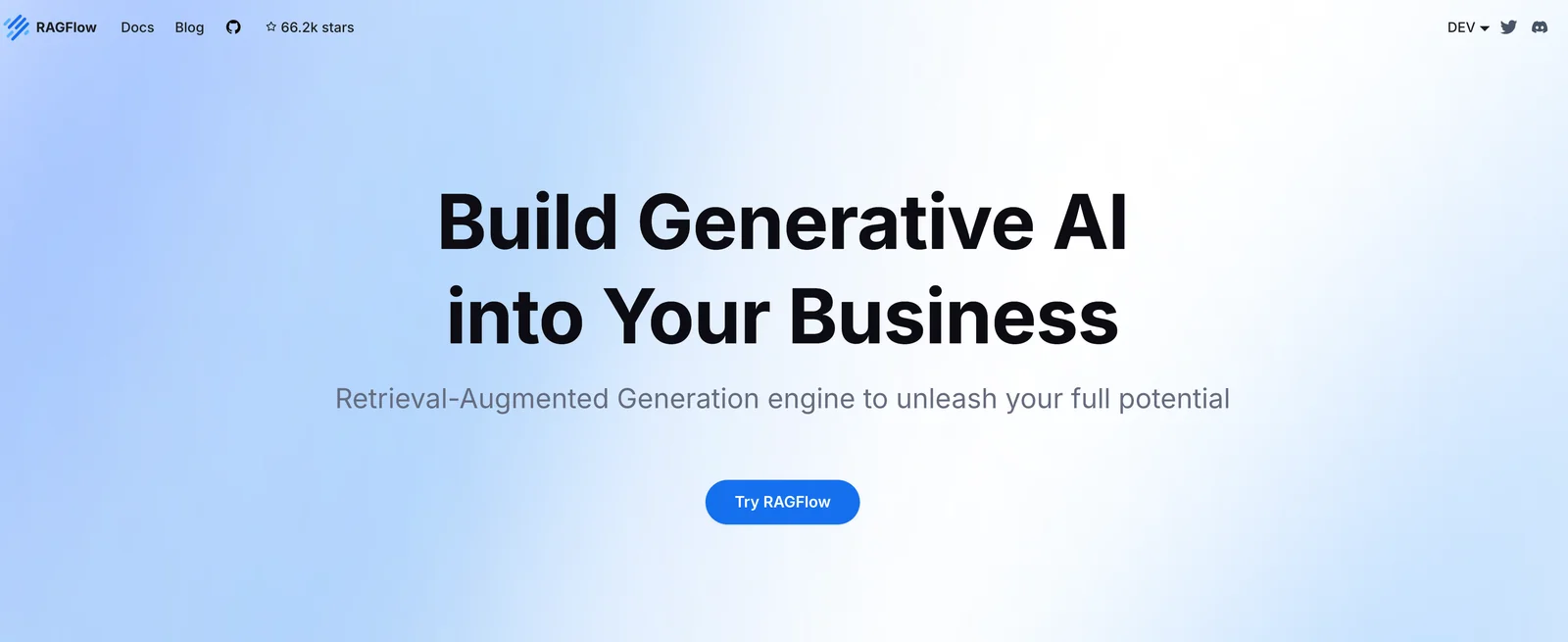
RAGFlow is an open-source Retrieval-Augmented Generation (RAG) engine that fuses retrieval pipelines with agent capabilities to provide an enhanced context layer for large language models. It emphasizes deep document understanding to create high-quality semantic chunks for accurate retrieval, and it can orchestrate agent workflows that use retrieved context for multi-step reasoning and tool use. RAGFlow is distributed under an Apache-2.0 license, maintained in public repositories (ragflow and ragflow-docs), and provides Docker-based deployment artifacts and documentation to support local and production deployments.
Screenshots


Key Features
Use Cases



Frequently asked questions about RAGFlow
Is RAGFlow free to use?
Yes, RAGFlow is completely free to use as it is an open-source project licensed under the Apache-2.0 license. Users can freely download, modify, and self-host the software without any associated costs, making it an accessible option for various projects.
Key Points
- RAGFlow is open-source and free to use.
- It operates under the Apache-2.0 license.
- Users can modify and self-host the application at no cost.
Detailed Explanation
RAGFlow stands out as a robust open-source project that allows users full access to its features without any financial barriers. Being under the Apache-2.0 license means that users can not only use the software freely but also modify and distribute their versions. This flexibility is particularly beneficial for developers and organizations looking to customize the tool for their specific needs.
For example, if a software development team wants to integrate RAGFlow into their existing workflow, they can download the source code from platforms like GitHub. After downloading, they can tailor the software to fit their project requirements, ensuring it aligns perfectly with their operational processes.
Additionally, self-hosting means organizations can run RAGFlow on their own servers, enhancing data privacy and control over their workflow systems. This feature is particularly valuable for companies handling sensitive information or requiring specific compliance measures.
Best Practices / Tips
- Explore Community Contributions: Engage with the RAGFlow community to discover plugins or modifications that can enhance functionality.
- Regular Updates: Keep your version of RAGFlow up to date to benefit from the latest features and security patches.
- Documentation Utilization: Refer to the official documentation for guidance on installation and customization to avoid common pitfalls.
Additional Resources
- RAGFlow GitHub Repository - Access the source code and contribute to the project.
- Apache-2.0 License Details - Understand the terms of the license under which RAGFlow operates.
- RAGFlow Documentation - Comprehensive guides for installation, configuration, and usage.
What are the key features of RAGFlow?
RAGFlow is a powerful platform featuring a Retrieval-Augmented Pipeline, agent integration for seamless workflows, deep document understanding, and Docker-based deployment. It optimizes large language models (LLMs) by providing them with relevant context, significantly enhancing their accuracy and efficiency in processing information.
Key Points
- Retrieval-Augmented Pipeline: Enhances information retrieval.
- Agent Integration: Supports automated workflows.
- Deep Document Understanding: Improves comprehension of complex documents.
Detailed Explanation
RAGFlow's Retrieval-Augmented Pipeline allows users to retrieve pertinent information from large datasets efficiently. This feature leverages advanced algorithms to ensure that the most relevant data is provided to the LLMs, which results in more accurate outputs. For instance, in customer support scenarios, RAGFlow can pull up relevant support documents, enabling agents to resolve issues more swiftly.
Agent integration facilitates the automation of workflows, allowing RAGFlow to act in conjunction with various agents and services. This feature is particularly beneficial in environments where multiple systems need to communicate. For example, integrating RAGFlow with a CRM system can streamline customer interactions by automating data entry and retrieval processes.
The deep document understanding capability is pivotal for businesses that deal with complex information. RAGFlow uses machine learning techniques to analyze and interpret documents, making it easier for users to extract necessary insights without manual effort. For example, businesses can use RAGFlow to analyze contracts to highlight key terms and conditions automatically.
Docker-based deployment simplifies the implementation of RAGFlow across different environments. This containerized approach ensures that applications can run consistently regardless of where they are deployed. Organizations can easily scale their operations, as Docker enables quick setup and management of application dependencies.
Best Practices / Tips
- Utilize the Retrieval-Augmented Pipeline: Regularly update your data sources to enhance the accuracy of the retrieval system. This ensures the information being pulled is current and relevant.
- Leverage Agent Integration: Take advantage of RAGFlow's compatibility with existing tools to create a seamless workflow. Integrate it with tools like Slack or Microsoft Teams for better communication.
- Train LLMs continuously: Regularly feed the LLMs with fresh data and insights from your documents to maintain high accuracy levels. This will prevent model stagnation and improve performance over time.
Additional Resources
- RAGFlow Official Documentation
- Understanding Retrieval-Augmented Generation
- Docker for Beginners: A Guide
By implementing RAGFlow's key features and following best practices, organizations can significantly enhance their data processing capabilities and improve overall productivity.
How do I get started with RAGFlow?
To get started with RAGFlow, visit the official GitHub repository at RAGFlow GitHub, where you'll find extensive documentation, installation guides, and usage instructions to effectively self-host and leverage the tool for your data management and visualization needs.
Key Points
- Access the official GitHub repository for RAGFlow.
- Review the comprehensive documentation and installation guides.
- Follow the step-by-step usage instructions to maximize the tool's capabilities.
Detailed Explanation
RAGFlow is a powerful tool designed for data management and visualization, particularly in the context of project tracking and performance evaluation. To begin, navigate to the RAGFlow GitHub page where you will find essential resources:
-
Documentation: The documentation provides a detailed overview of RAGFlow's features, including its architecture and supported data formats. You’ll learn about the various components that make up the tool and how they work together.
-
Installation Guides: Follow the step-by-step installation guide tailored for different environments, including local setups and cloud deployments. Installation may vary based on your operating system, so ensure to select the appropriate guide.
-
Usage Instructions: Once installed, the usage section will walk you through the interface and core functionalities. This includes how to import data, customize visualizations, and generate insightful reports.
For example, if you're interested in visualizing project milestones, the documentation provides a clear method for importing your project data and utilizing RAGFlow to create comprehensive visual dashboards.
Best Practices / Tips
- Test in a Local Environment: Before deploying RAGFlow in a production environment, test it locally to ensure compatibility and performance.
- Regular Updates: Keep track of updates on the GitHub repository to benefit from new features and bug fixes. Regular updates can enhance performance and security.
- Engage with the Community: Utilize the GitHub Issues section to ask questions or report bugs. Engaging with the community can provide valuable insights and support.
- Backup Your Data: Regularly backup your data and configurations to prevent loss during updates or unforeseen issues.
Additional Resources
By following these steps and utilizing the available resources, you'll be well on your way to effectively implementing RAGFlow for your data management needs.
Does RAGFlow support API integration?
Yes, RAGFlow supports API integration, enabling developers to create custom solutions and workflows that leverage its powerful features. For detailed integration instructions, consult the official documentation to ensure seamless connectivity and functionality.
Key Points
- Flexible API Access: RAGFlow provides robust API access for various applications.
- Custom Workflow Development: Developers can build tailored solutions to meet specific needs.
- Comprehensive Documentation: Detailed guides are available for easy integration.
Detailed Explanation
RAGFlow’s API integration allows businesses to optimize their workflow by connecting RAGFlow’s capabilities with other software systems. This enables users to automate tasks, enhance data flow, and create custom applications that suit their operational requirements.
For instance, if a company uses a project management tool, they can integrate RAGFlow via its API to automatically update project statuses based on data changes. This real-time synchronization improves team collaboration and decision-making efficiency.
To begin with the integration:
- Access the API Key: First, you’ll need to generate an API key from your RAGFlow account settings.
- Review API Documentation: Explore the official documentation for endpoint details, authentication methods, and request formats.
- Develop Your Application: Use the API to develop your custom application or workflow, ensuring that you adhere to the guidelines provided in the documentation for optimal results.
Best Practices / Tips
- Thoroughly Read the Documentation: Familiarize yourself with all API endpoints and their functionalities. This can prevent common integration issues.
- Test in a Sandbox Environment: Before deploying your integration in a live environment, test it in a development or sandbox setting to ensure everything works as intended.
- Monitor API Usage: Keep track of your API calls to avoid hitting rate limits, which could disrupt your application’s functionality.
- Implement Error Handling: Make sure to include error handling in your integration to manage unexpected issues gracefully.
Additional Resources
How does RAGFlow compare to other AI models?
RAGFlow distinguishes itself from other AI models through its innovative combination of retrieval and augmentation capabilities. It excels in deep document understanding and agent workflows, features that are often lacking in competing models, making it particularly effective for complex data processing and decision-making tasks.
Key Points
- Retrieval-Augmented Generation: RAGFlow effectively integrates data retrieval with content generation.
- Deep Document Understanding: It provides advanced analysis and interpretation of complex documents.
- Agent Workflows: The model supports dynamic workflows, enhancing automation and decision-making processes.
Detailed Explanation
RAGFlow leverages a unique architecture that combines retrieval and augmentation, allowing it to access and utilize vast amounts of information efficiently. This dual capability means that when RAGFlow encounters a query, it can retrieve the most relevant documents from a database and then generate responses based on the retrieved data.
For example, in a customer service context, a user might ask a complex question about product specifications. RAGFlow first retrieves relevant documents, such as product manuals or FAQs, and then synthesizes this information to provide a comprehensive answer. This capability is especially beneficial for businesses that handle large volumes of customer inquiries, as it reduces response time and improves accuracy.
In contrast, many traditional AI models rely solely on pre-trained data, which can limit their effectiveness in dynamically changing environments. RAGFlow's ability to adapt to new information and integrate it into its responses sets it apart from models that lack such flexibility.
Best Practices / Tips
- Utilize RAGFlow for Complex Queries: It is best suited for scenarios requiring detailed information synthesis, such as technical support and research.
- Leverage Its Document Understanding: Ensure your data sources are well-structured and indexed to maximize RAGFlow’s capabilities.
- Monitor Performance: Regularly evaluate RAGFlow’s responses to fine-tune its retrieval sources and improve accuracy over time.
Additional Resources
Explore more AI Ai Tools tools
Browse all Ai Tools tools →Compare RAGFlow: vs nodeterm · vs A.I.G (AI Infra Guard) · vs Trama · vs Agents Never Sleep