

Dagster
AIOfficial MCPCloud-native data orchestration platform to build, schedule, and monitor reliable data pipelines for teams.
Dagster
Cloud-native data orchestration platform to build, schedule, and monitor reliable data pipelines for teams.
About Dagster
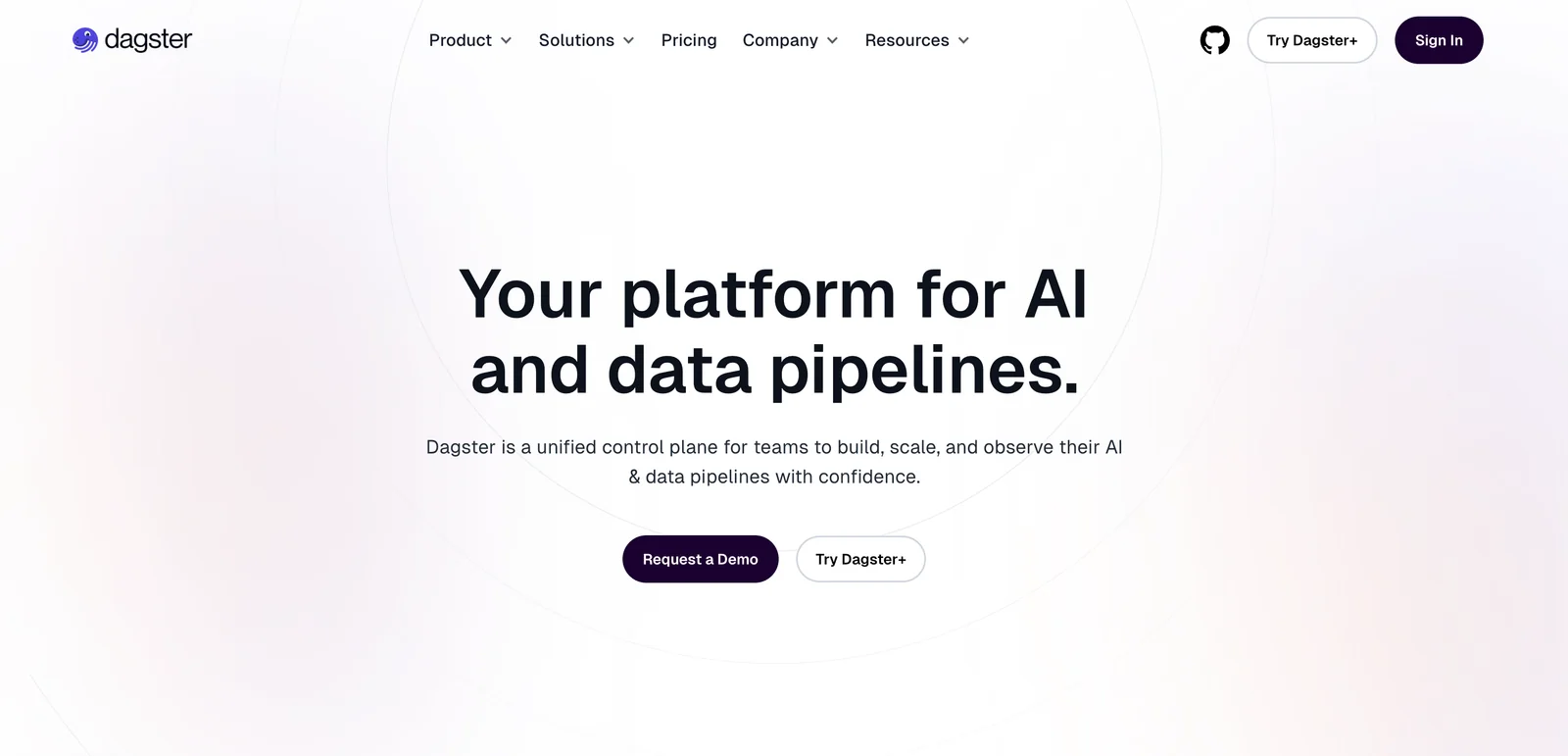
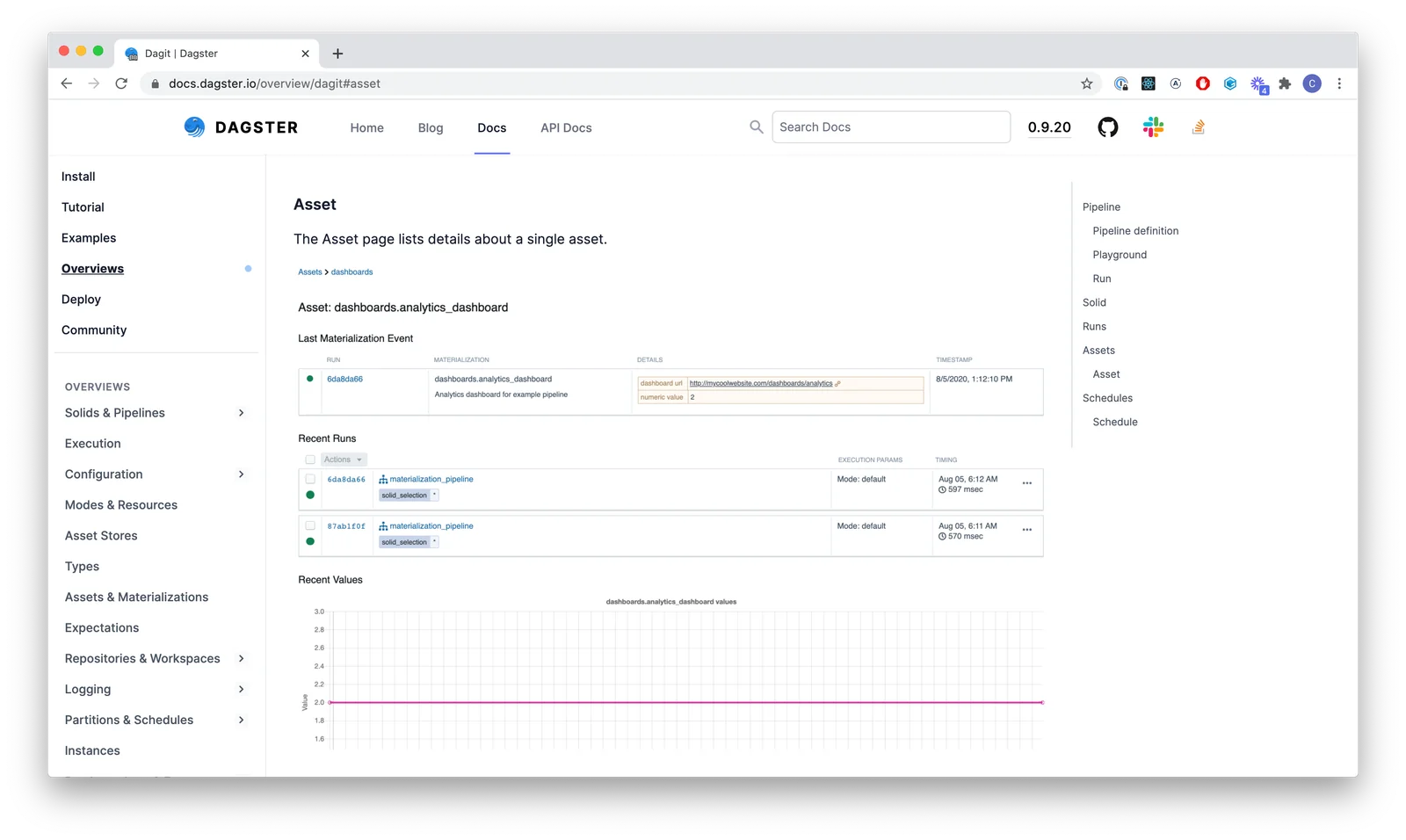
Dagster is a cloud-native data orchestration platform that helps engineers declare, run, and observe data assets as Python-first constructs. It provides a declarative programming model where assets and pipeline logic are authored as Python functions, then scheduled, tested, and deployed from local development through production. Dagster includes integrated lineage, observability, and testability, plus a growing library of integrations with popular data tools, enabling teams to reliably maintain and monitor data pipelines at scale. The project is open-source (Apache 2.0) and is complemented by a commercial managed offering for teams that need hosted orchestration and enterprise features.
Screenshots
Key Features
Use Cases
MCP Server
https://dagster.io/blog/dagsters-mcp-server💡 MCP (Model Context Protocol) enables AI assistants to securely interact with local and remote resources.


Frequently asked questions about Dagster
Is Dagster free to use?
Yes, Dagster is free to use through its open-source version, Dagster Open Source. This self-hosted platform allows users to develop and test locally under the Apache 2.0 license, making it an excellent option for teams looking to manage data pipelines efficiently without incurring costs.
Key Points
- Open Source Availability: Dagster Open Source is fully accessible for free.
- Self-Hosted Option: Users can host Dagster on their own infrastructure.
- Apache 2.0 License: The software is licensed under a permissive open-source license.
Detailed Explanation
Dagster offers a robust open-source version, known as Dagster Open Source, which is designed for local development and testing. This version is beneficial for data engineers and teams looking to create, manage, and monitor data pipelines without any financial commitment.
Key Features of Dagster Open Source:
- Flexible Pipeline Management: Users can define, execute, and monitor complex data workflows effortlessly.
- Local Development: Ideal for testing and development in a controlled environment before deploying to production.
- Community Support: Being open-source, it has a growing community that contributes to ongoing improvements and provides support through forums and GitHub.
Use Case Example: A data team at a startup can utilize Dagster Open Source to streamline their ETL processes, testing various data transformation workflows locally before pushing them to a cloud environment.
Best Practices / Tips
- Start with Local Development: Begin by setting up Dagster on your local machine to familiarize yourself with its features and capabilities.
- Explore the Documentation: Leverage the extensive documentation available on the Dagster website for guidelines on installation, configuration, and pipeline creation.
- Engage with the Community: Participate in forums and discussions to share experiences and learn best practices from other users.
Common Pitfalls to Avoid:
- Neglecting Version Control: Always use version control for your Dagster projects to manage changes efficiently.
- Skipping Testing: Test your pipelines locally before deploying them to avoid unexpected issues in production.
Additional Resources
How do I get started with Dagster?
To get started with Dagster, visit the official Dagster website and explore the comprehensive documentation. This includes clear installation guides, step-by-step tutorials, and best practices for effectively building and managing data pipelines using this powerful orchestration tool.
Key Points
- Official Website: Access the Dagster website for resources.
- Documentation: Utilize the detailed guides and tutorials.
- Community Support: Engage with the Dagster community for assistance.
Detailed Explanation
Dagster is an open-source data orchestration platform designed to help data teams build, run, and maintain data pipelines. To start using Dagster, follow these steps:
-
Installation:
- Navigate to the Dagster installation guide on the official website.
- You can install Dagster via pip by running
pip install dagster dagitin your terminal.
-
Setting Up Your First Pipeline:
- After installation, create a new directory for your project.
- Use the command
dagster project scaffoldto set up a basic Dagster project structure. - Follow the tutorial in the documentation to define your first pipeline, using the provided sample code.
-
Running Dagit:
- Launch Dagit, the web UI for Dagster, by executing
dagit -f path/to/your/repo.py. - This will allow you to visualize and manage your pipelines through an intuitive interface.
- Launch Dagit, the web UI for Dagster, by executing
-
Explore Tutorials:
- The Dagster tutorials section provides practical examples, covering topics like asset management and partitioning, which are essential for real-world applications.
Best Practices / Tips
- Start Small: Begin with simple pipelines to understand the framework before scaling up to complex workflows.
- Utilize Resources: Regularly check the Dagster documentation and community forums for updates and best practices.
- Version Control: Use Git or another version control system to manage your Dagster project, ensuring that you can track changes and collaborate effectively.
Additional Resources
- Dagster Official Documentation
- Dagster GitHub Repository
- Community Forum for troubleshooting and sharing experiences.
By leveraging these resources, you can effectively harness the capabilities of Dagster for your data orchestration needs.
What are the key features of Dagster?
Dagster is a powerful data orchestrator featuring a Python-first declarative model, built-in scheduling, integrated lineage tracking, and extensive integrations with popular data tools. These features collectively enhance the management of robust data pipelines, making Dagster an essential choice for data engineers and analytics teams.
Key Points
- Python-First Declarative Model: Simplifies pipeline creation.
- Built-In Scheduling: Automates data workflows effortlessly.
- Integrated Lineage Tracking: Ensures data transparency and compliance.
Detailed Explanation
Python-First Declarative Model
Dagster employs a Python-based declarative approach, allowing data engineers to define data pipelines using familiar syntax. This model promotes clear code organization, making it easier to maintain and scale complex workflows. For instance, you can define solids (the building blocks of your pipeline) and pipelines in a straightforward manner, enhancing readability.
Built-In Scheduling
With Dagster’s built-in scheduling capabilities, teams can automate the execution of data pipelines at specified intervals. This feature eliminates manual task triggers, ensuring timely data processing. Users can set up cron-like schedules directly within the Dagster framework, which reduces operational overhead and improves efficiency. For example, you can schedule a data extraction task to run daily at 3 AM.
Integrated Lineage Tracking
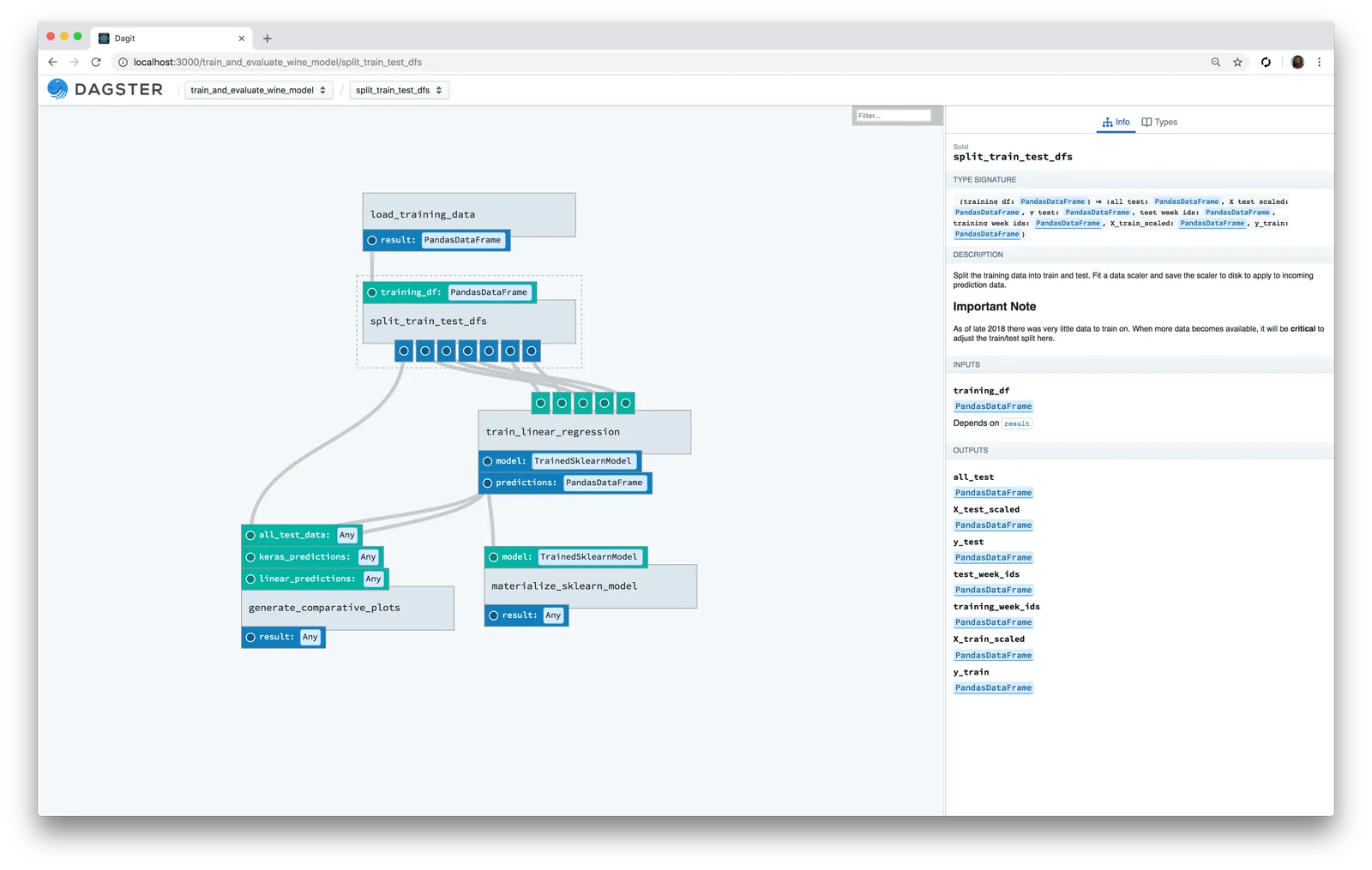
Dagster’s integrated lineage tracking provides visibility into the flow and transformation of data across your pipelines. This feature is crucial for debugging and compliance, as it allows data teams to trace data back to its source. By visualizing the lineage of each data point, users can quickly identify issues and ensure data quality.
Best Practices / Tips
- Utilize Version Control: Keep your Dagster pipelines in version control systems like Git to track changes and facilitate collaboration among team members.
- Modular Design: Break down complex workflows into smaller, reusable solids. This approach not only enhances clarity but also promotes code reuse.
- Monitor Performance: Regularly monitor pipeline performance using Dagster's built-in observability tools to identify bottlenecks and optimize resource usage.
Additional Resources
By leveraging these features and best practices, teams can optimize their data workflows and ensure efficient pipeline management with Dagster.
How does Dagster compare to Apache Airflow?
Dagster provides a more Python-centric workflow management system with superior testability and data lineage tracking compared to Apache Airflow, which primarily emphasizes task scheduling and dependency management. This makes Dagster particularly suitable for data-intensive applications and complex data pipelines.
Key Points
- Python-Centric Design: Dagster is built with Python in mind, enabling developers to leverage familiar syntax and libraries.
- Enhanced Testability: Dagster allows for unit testing of data pipelines, improving reliability and maintainability.
- Data Lineage Tracking: Dagster offers robust tracking of data flow, helping teams understand data transformations and dependencies.
Detailed Explanation
Dagster and Apache Airflow serve different purposes in the data engineering landscape. While Airflow excels in orchestrating complex workflows through its Directed Acyclic Graph (DAG) structure, Dagster focuses on data pipeline development with an emphasis on testing and observability.
Python-Centric Design
Dagster's architecture encourages developers to write pipelines using Python, enabling seamless integration with existing Python libraries like Pandas and NumPy. This makes it easier for data scientists and engineers to develop, test, and deploy data workflows without needing to learn new languages or frameworks.
Enhanced Testability
One of Dagster's standout features is its emphasis on testability. Developers can write unit tests for individual components of their pipelines, ensuring that each part functions correctly before deployment. This leads to more stable and reliable data workflows, significantly reducing the risk of errors in production.
Data Lineage Tracking
Dagster's built-in lineage tracking provides a clear visualization of data flow through various transformations. This feature is crucial for debugging, auditing, and compliance purposes. Data teams can easily trace the origin of data and understand how it has been modified, which is particularly important in industries where data integrity is critical.
Best Practices / Tips
- Start Small: When transitioning from Airflow to Dagster, begin with a small project to familiarize your team with the new framework.
- Utilize Testing Features: Make full use of Dagster's testing capabilities to validate your pipelines before going live.
- Leverage Documentation: Both Dagster and Airflow have extensive documentation. Use these resources to understand best practices and explore advanced features.
Additional Resources
Does Dagster provide API integration?
Yes, Dagster provides robust API integration capabilities, allowing users to connect and orchestrate data pipelines seamlessly across various environments and data tools. This flexibility enhances data workflow management, enabling streamlined operations and integration with existing systems.
Key Points
- Versatile API Integration: Dagster supports multiple data tools and platforms.
- Seamless Connectivity: Users can easily connect to different environments.
- Enhanced Data Orchestration: Facilitates efficient data pipeline management.
Detailed Explanation
Dagster's API integration is designed to ensure that users can connect their data workflows effectively. It supports various integrations with popular data tools like Apache Spark, dbt, and Airflow, allowing for a comprehensive data orchestration experience.
For example, if you are using dbt for transformations, Dagster can invoke dbt models directly through its API, making it easier to integrate data processing steps. This is particularly useful in complex data environments where multiple tools must collaborate.
Additionally, Dagster's GraphQL API provides a powerful way to interact with your data pipelines programmatically. You can fetch pipeline runs, get metadata, and trigger executions, making it highly adaptable to your needs.
Use Cases
- Data Warehousing: Connect Dagster with Snowflake or BigQuery for efficient data warehousing.
- Real-Time Data Processing: Use Dagster to orchestrate real-time data pipelines in conjunction with streaming platforms like Apache Kafka.
- Machine Learning Workflows: Integrate with ML tools to automate data preprocessing and model training.
Best Practices / Tips
- Understand Your Data Sources: Before integrating, map out all data sources to ensure optimal connectivity.
- Leverage Documentation: Utilize Dagster’s official documentation for detailed API usage guidelines to avoid common pitfalls.
- Test Integrations: Always test new integrations in a staging environment before deploying them in production to ensure stability and performance.
Additional Resources
Explore more AI Mcps tools
Browse all Mcps tools →Browse by use case: Code Generation · Automation & Productivity
Compare Dagster: vs DocsAlot · vs Toolport · vs Kit for AI · vs In Parallel MCP