
Veo 3
AIFeaturedPopularText-to-video model that generates synchronized high-resolution video and realistic audio (dialogue, SFX, ambience) from text or image prompts.
Veo 3
Text-to-video model that generates synchronized high-resolution video and realistic audio (dialogue, SFX, ambience) from text or image prompts.
About Veo 3
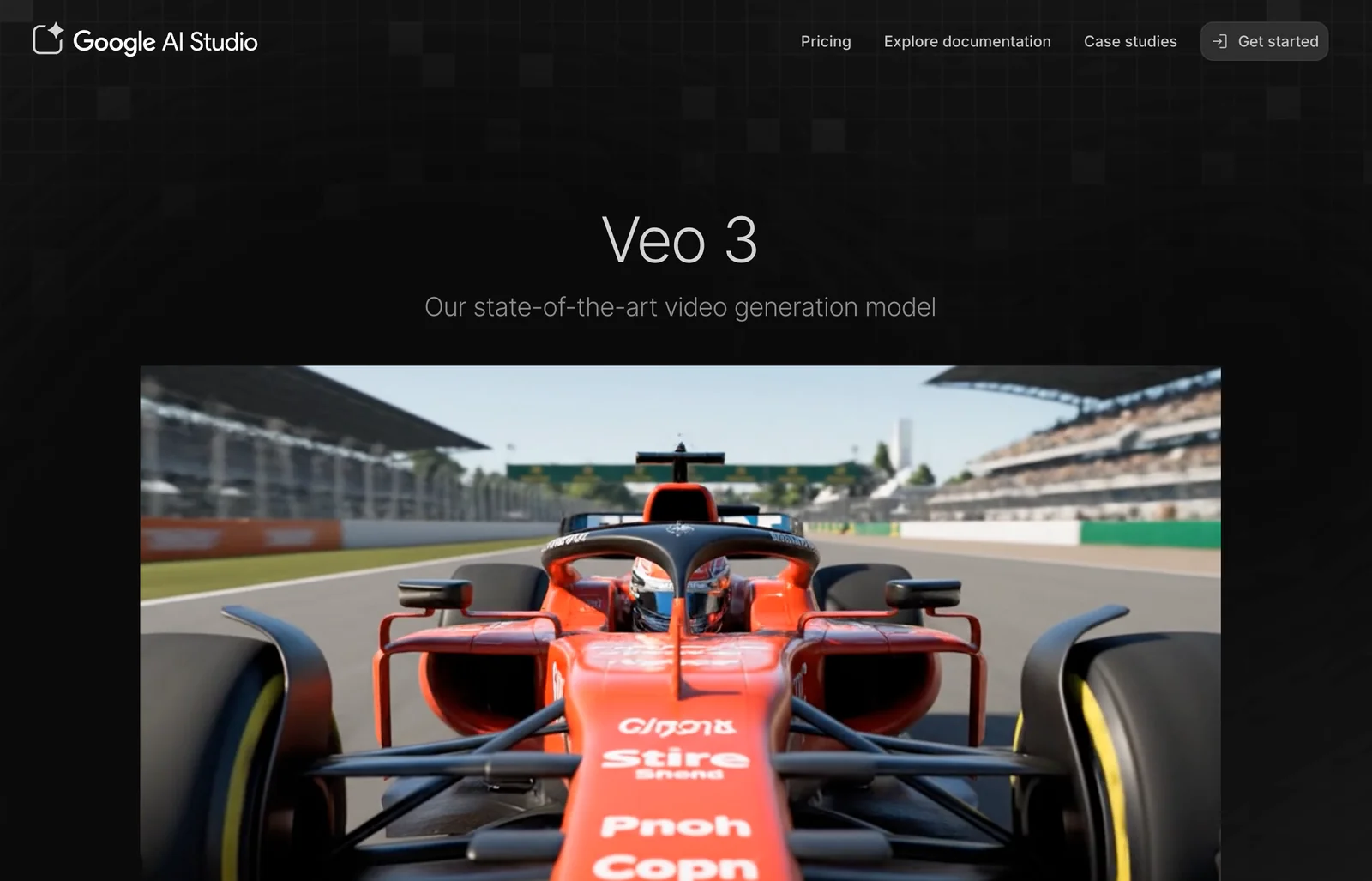
Veo 3 is a generative video model from Google (DeepMind) that produces synchronized audiovisual outputs from text or image prompts. It creates high-fidelity video (commonly demonstrated at 1080p) combined with native audio including dialogue, sound effects, and ambient noise, enabling single-request generation of complete clips. Veo 3 is exposed via production APIs (Vertex AI / related endpoints) with multiple variants (veo3, veo3-pro, veo3-fast, veo3-pro-frames) to balance quality, speed, and frame controls. The model includes safety filtering and imperceptible watermarking and is designed to integrate with creative interfaces (e.g., Flow) that provide fine-grained camera, motion, and perspective controls for filmmaking-style workflows.
Screenshots
Key Features
Use Cases



Frequently asked questions about Veo 3
What are the pricing options for Veo 3?
Veo 3 offers several pricing options: a free trial with limited credits, Google Pro at $19.99 per month, Google Ultra at $249.99 per month, and custom enterprise solutions tailored to specific needs. For detailed pricing and features, visit the official Veo 3 website.
Key Points
- Free Trial: Limited credits to explore features.
- Google Pro: Affordable monthly plan for basic users.
- Google Ultra: Comprehensive package for advanced needs.
Detailed Explanation
Veo 3 provides a versatile pricing structure catering to different user requirements. The free trial allows potential customers to test the platform with limited credits, making it a risk-free way to explore its features.
The Google Pro plan is priced at $19.99 per month, ideal for individual users or small teams who need essential functionalities for basic video editing and analysis. This plan is perfect for those who want to enhance their workflow without a significant financial commitment.
For more advanced users, the Google Ultra plan is available at $249.99 per month. This plan includes advanced features such as enhanced analytics, additional storage, and priority customer support. It is suitable for larger teams or businesses that require robust tools for more complex projects.
Additionally, Veo 3 offers custom enterprise pricing. This option is tailored for organizations with unique needs, providing flexibility in terms of features, scalability, and support. Enterprises can negotiate specific terms based on their size and requirements, ensuring they receive the best value for their investment.
Best Practices / Tips
- Explore the Free Trial: Take advantage of the free trial to determine if Veo 3 meets your needs before committing financially.
- Compare Plans: Review the features included in both Google Pro and Google Ultra to choose the plan that aligns with your requirements and budget.
- Contact Sales for Enterprise: If considering the enterprise option, reach out to Veo's sales team to discuss specific needs and negotiate pricing.
Additional Resources
How do I get started using Veo 3?
To get started using Veo 3, visit the official website and sign up for an account. You can select either a free trial or a paid subscription plan. Once registered, follow the available tutorials to learn how to create videos from text or images effectively.
Key Points
- Sign up on the official Veo 3 website.
- Choose between a free trial or a paid plan.
- Utilize tutorials for video creation guidance.
Detailed Explanation
Veo 3 is an intuitive video generation tool that allows users to create videos from text or images seamlessly. To begin, navigate to the Veo 3 website and click on the "Sign Up" button. You will be prompted to create an account using your email address or social media profiles.
Choosing Your Plan
- Free Trial: Ideal for new users, this plan offers limited access to features, allowing you to explore the platform's capabilities without commitment.
- Paid Plans: These plans provide full access to advanced features such as high-definition video exports, additional storage, and premium support. Pricing typically starts around $29 per month, depending on the features you select.
Learning to Use Veo 3
After signing up, take advantage of the extensive tutorials available on the platform. These resources guide users through the process of creating videos by:
- Choosing a template that suits your content.
- Inputting your text or uploading images.
- Customizing video elements like music, transitions, and animations.
- Exporting your final video in various formats.
Best Practices / Tips
- Experiment with Templates: Veo 3 offers a variety of templates tailored for different content types, such as marketing, education, or social media. Choose one that aligns with your goals.
- Short, Engaging Content: Keep your text concise and engaging to maximize viewer retention.
- Preview Before Exporting: Always preview your video to catch any errors or make adjustments before finalizing it.
- Optimize Video Length: Aim for a length that suits your audience's preferences; typically, shorter videos perform better on social media platforms.
Additional Resources
By following these steps and tips, you can effectively start using Veo 3 to create engaging videos that meet your needs.
What are the main features of Veo 3?
Veo 3 is a cutting-edge AI tool that offers high-resolution text-to-video generation, realistic audio synthesis, and seamless integration with Vertex AI. It supports multiple performance modes, video editing capabilities, and image-to-video transformations, making it a versatile solution for content creators and marketers alike.
Key Points
- High-Resolution Text-to-Video Generation: Create stunning videos from text inputs.
- Realistic Audio Synthesis: Generate high-quality audio that complements video content.
- Integration with Vertex AI: Leverage advanced AI capabilities for enhanced performance.
Detailed Explanation
Veo 3 revolutionizes video production with its high-resolution text-to-video generation feature. This allows users to convert written content into engaging videos effortlessly. For instance, a blog post can be transformed into a dynamic video, enhancing viewer engagement and content reach.
The realistic audio synthesis feature adds an extra layer of professionalism to videos. Users can generate voiceovers that match the tone and style of their content without needing human voice actors. This is particularly useful for businesses looking to produce explainer videos, tutorials, or promotional content quickly and cost-effectively.
Integration with Vertex AI empowers users to utilize advanced machine learning technologies for improved video quality and editing capabilities. This integration facilitates more sophisticated editing tools, enabling users to fine-tune their videos with ease. The various performance modes allow creators to choose the best settings based on their project requirements, optimizing rendering times and output quality.
Use Cases
- Marketing Campaigns: Quickly generate promotional videos tailored to specific audiences.
- E-Learning: Create educational content that combines text and visuals to enhance learning.
- Social Media: Produce eye-catching videos that drive engagement on platforms like Instagram and TikTok.
Best Practices / Tips
- Define Your Audience: Tailor your content to the preferences of your target audience for maximum impact.
- Experiment with Performance Modes: Test different settings to find the optimal balance between speed and quality for your projects.
- Utilize Templates: Take advantage of pre-built templates to streamline the video creation process and maintain brand consistency.
- Optimize for SEO: Integrate relevant keywords in your video titles and descriptions to improve discoverability.
Additional Resources
With these features and tips, Veo 3 stands out as a powerful tool for anyone looking to enhance their video production capabilities efficiently.
How does Veo 3 compare to other AI video generation tools?
Veo 3 excels among AI video generation tools due to its exceptional audio-video synchronization, extensive customization features, and seamless integration with Google Cloud. It provides filmmakers and marketers with powerful tools that enhance video quality and streamline the production process, setting it apart from competitors.
Key Points
- High-Quality Synchronized Output: Veo 3 ensures that audio and video are perfectly aligned, enhancing viewer experience.
- Customization Options: Users can tailor videos extensively, making it suitable for diverse projects.
- Google Cloud Integration: This feature allows for efficient storage and processing of video content.
Detailed Explanation
Veo 3's standout feature is its high-quality synchronized audio and video. This capability is crucial for filmmakers who need to maintain a professional standard in their productions. For example, in narrative filmmaking, misaligned audio can distract viewers and diminish storytelling impact. Veo 3 eliminates this concern, ensuring clear and cohesive output.
Its customization options are extensive, allowing users to modify aspects such as video length, style, and effects. This flexibility is particularly beneficial for marketers who need to create tailored content for diverse audiences. For instance, a social media campaign may require quick, engaging clips that resonate with specific demographics, and Veo 3 enables users to achieve this with ease.
The integration with Google Cloud is another critical advantage. This connection not only facilitates secure storage but also enhances collaborative efforts among teams. Users can easily share projects and assets across platforms, streamlining workflows and improving efficiency.
Best Practices / Tips
- Leverage Customization: Take full advantage of Veo 3's customization options to create unique content that stands out.
- Test Audio-Video Sync: Always preview your videos to ensure audio and visuals are aligned before finalizing.
- Explore Cloud Features: Use Google Cloud integration to manage large video files and collaborate with your team effectively.
Additional Resources
Does Veo 3 have an API for integration?
Yes, Veo 3 offers an API for integration via Google Cloud’s Vertex AI. This API enables programmatic access for generating and integrating AI functionalities into applications, with a usage-based billing model. For detailed API documentation, please visit the official website.
Key Points
- API Accessibility: Veo 3 can be seamlessly accessed through Google Cloud’s Vertex AI.
- Programmatic Integration: Developers can integrate AI capabilities into various applications.
- Usage-Based Billing: The API operates on a flexible billing model based on usage.
Detailed Explanation
Veo 3's API facilitates powerful AI integrations for developers and businesses looking to enhance their applications with advanced functionalities. By leveraging Google Cloud's Vertex AI, users can access a range of AI services, including natural language processing, image recognition, and more.
How to Access the API
- Sign Up for Google Cloud: First, create an account on Google Cloud if you don’t already have one.
- Enable Vertex AI: Navigate to the Google Cloud Console and enable the Vertex AI service.
- Obtain API Key: Generate an API key that will allow your application to authenticate and communicate with Veo 3’s API.
- Refer to Documentation: Access the official Veo 3 API documentation for detailed instructions on endpoints, request formats, and response structures.
Use Cases
- Custom Applications: Developers can build custom applications that utilize Veo 3’s AI capabilities to enhance user experience.
- Automation: Businesses can automate tasks like data analysis and customer support using the API.
- Data Processing: Integrate Veo 3 into data pipelines to process and analyze large datasets efficiently.
Best Practices / Tips
- Read the Documentation: Always stay updated with the latest API documentation for new features and best practices.
- Monitor API Usage: Regularly check your usage to avoid unexpected charges, as the billing is usage-based.
- Optimize API Calls: Minimize the number of API calls by batching requests or caching results to enhance performance.
Additional Resources
Explore more AI Ai Models tools
Browse all Ai Models tools →Browse by use case: Video Generation · Voice & Audio · Automation & Productivity
Compare Veo 3: vs SWE-2 · vs Desert Ant Labs · vs Hy4 preview · vs Soup CLI