

Pylar
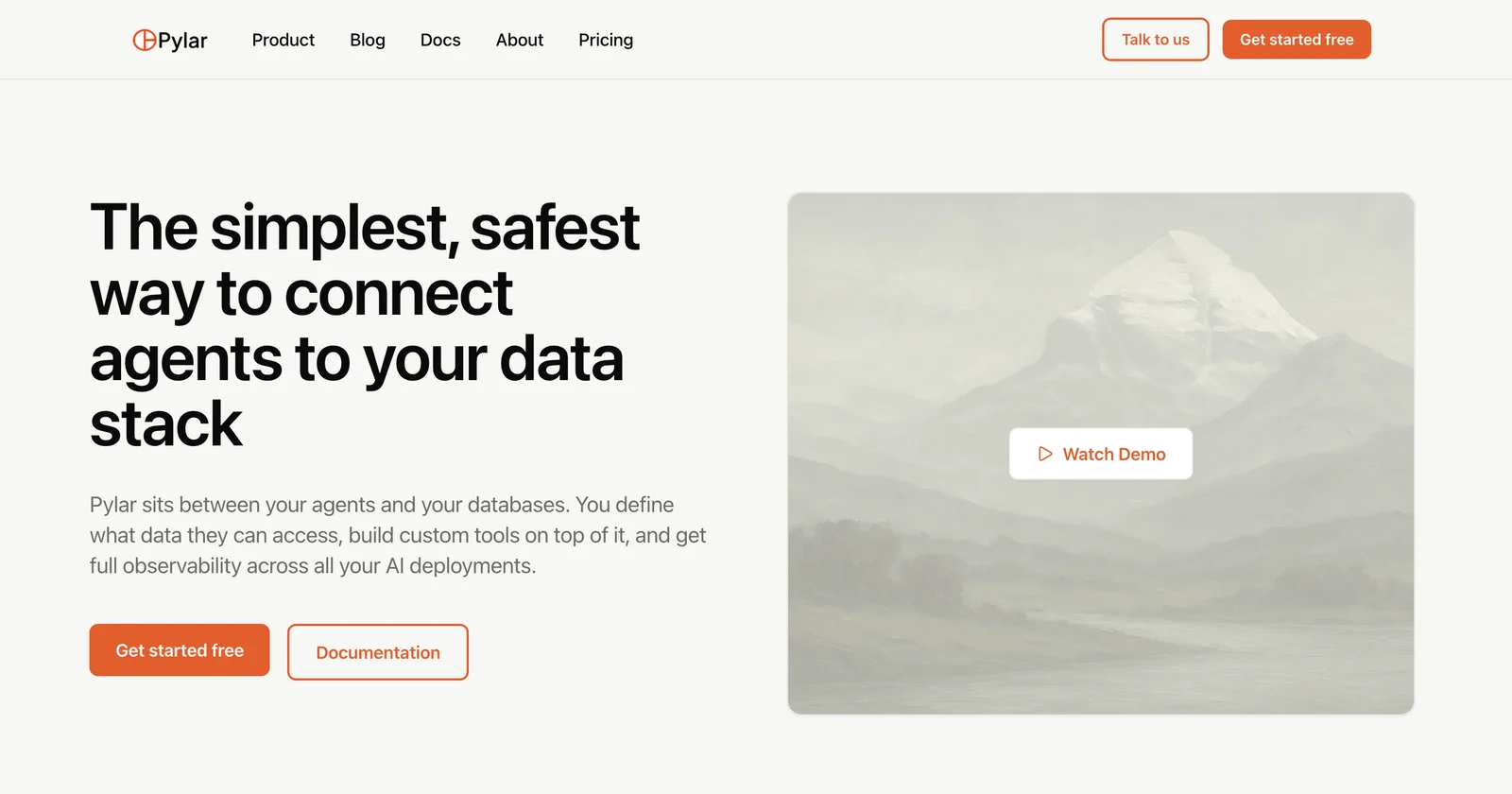
AIGoverned data access layer that lets AI agents query controlled SQL views and MCP tools without exposing raw databases.
Pylar
Governed data access layer that lets AI agents query controlled SQL views and MCP tools without exposing raw databases.
About Pylar
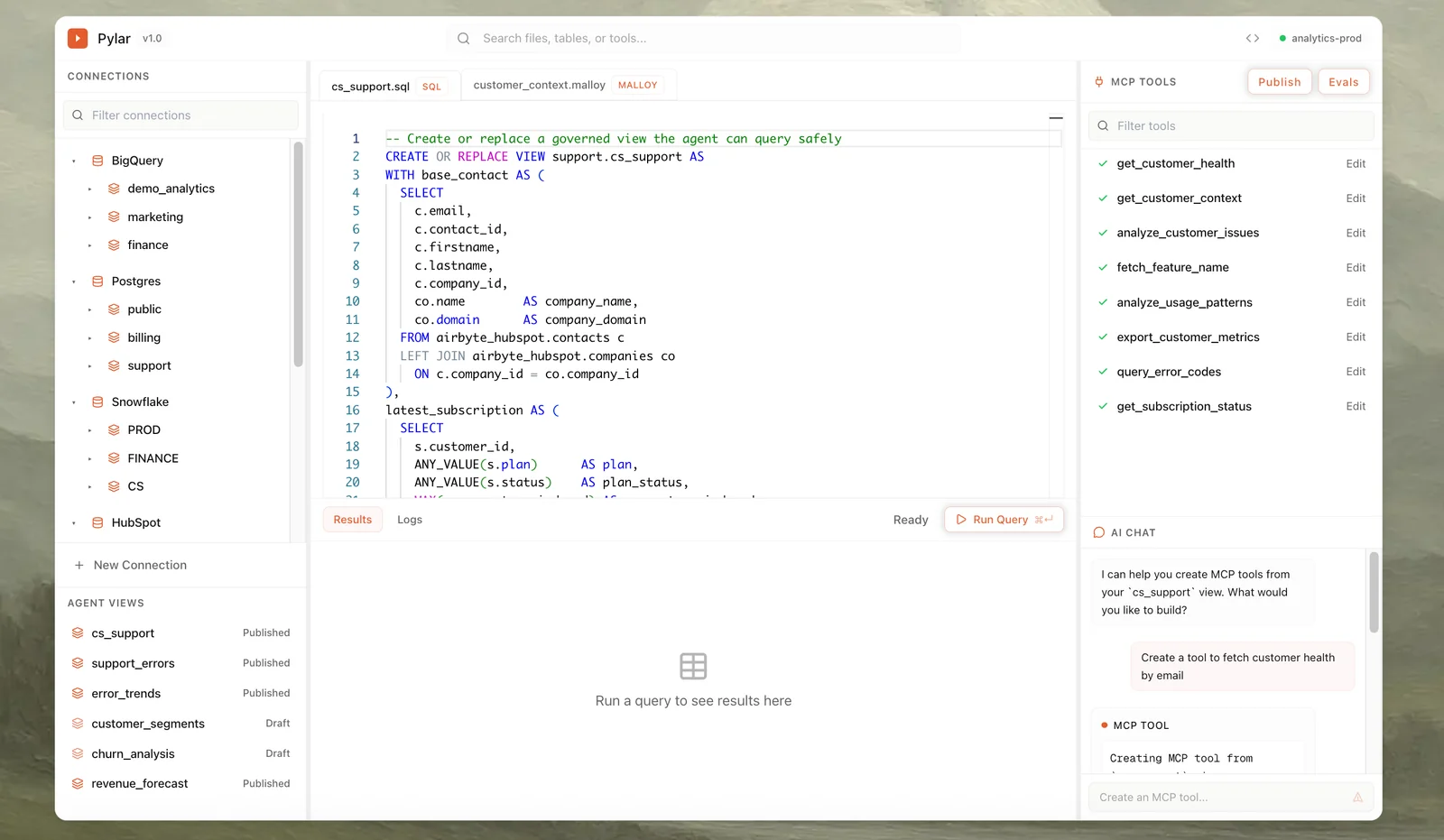
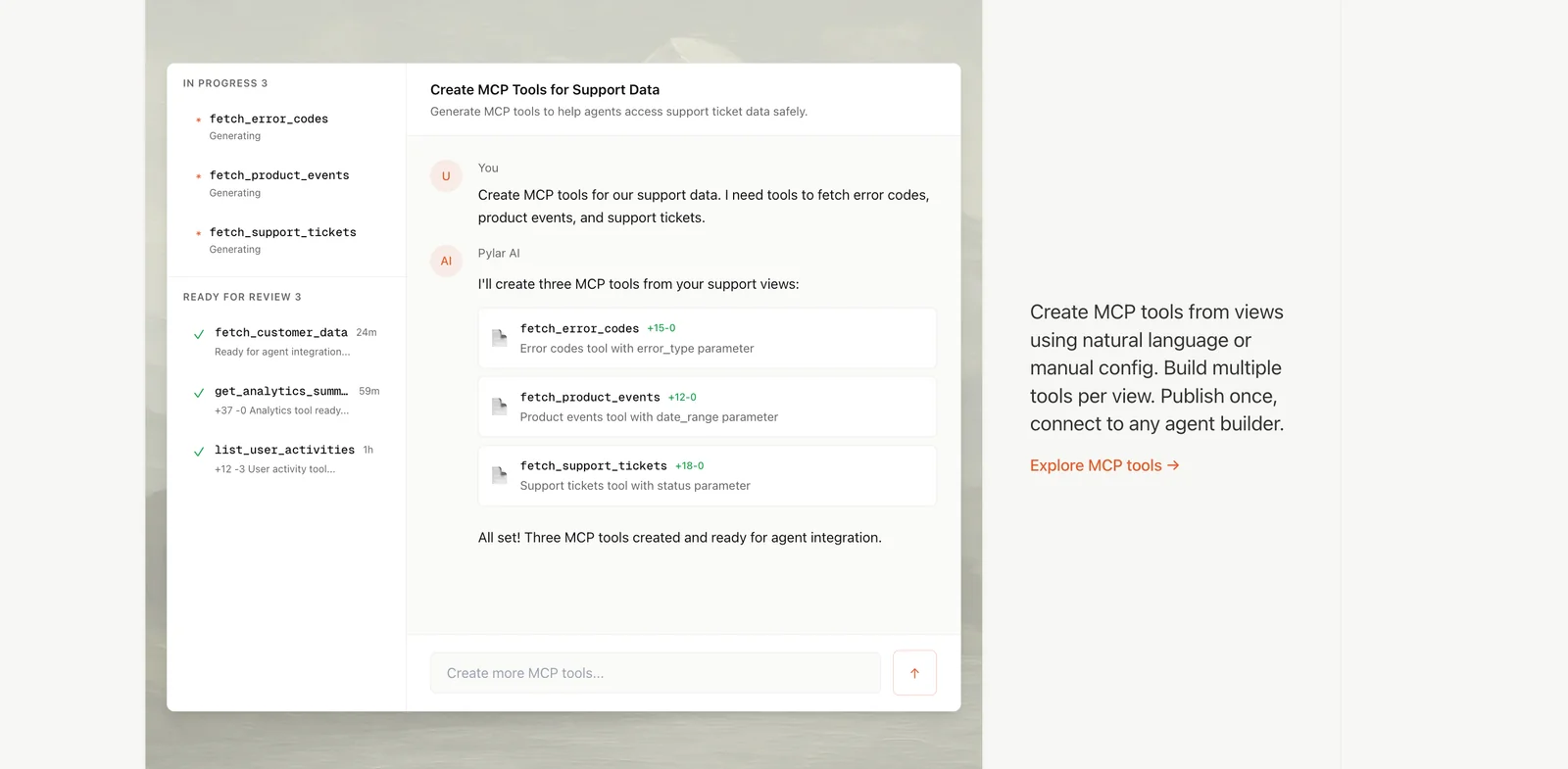
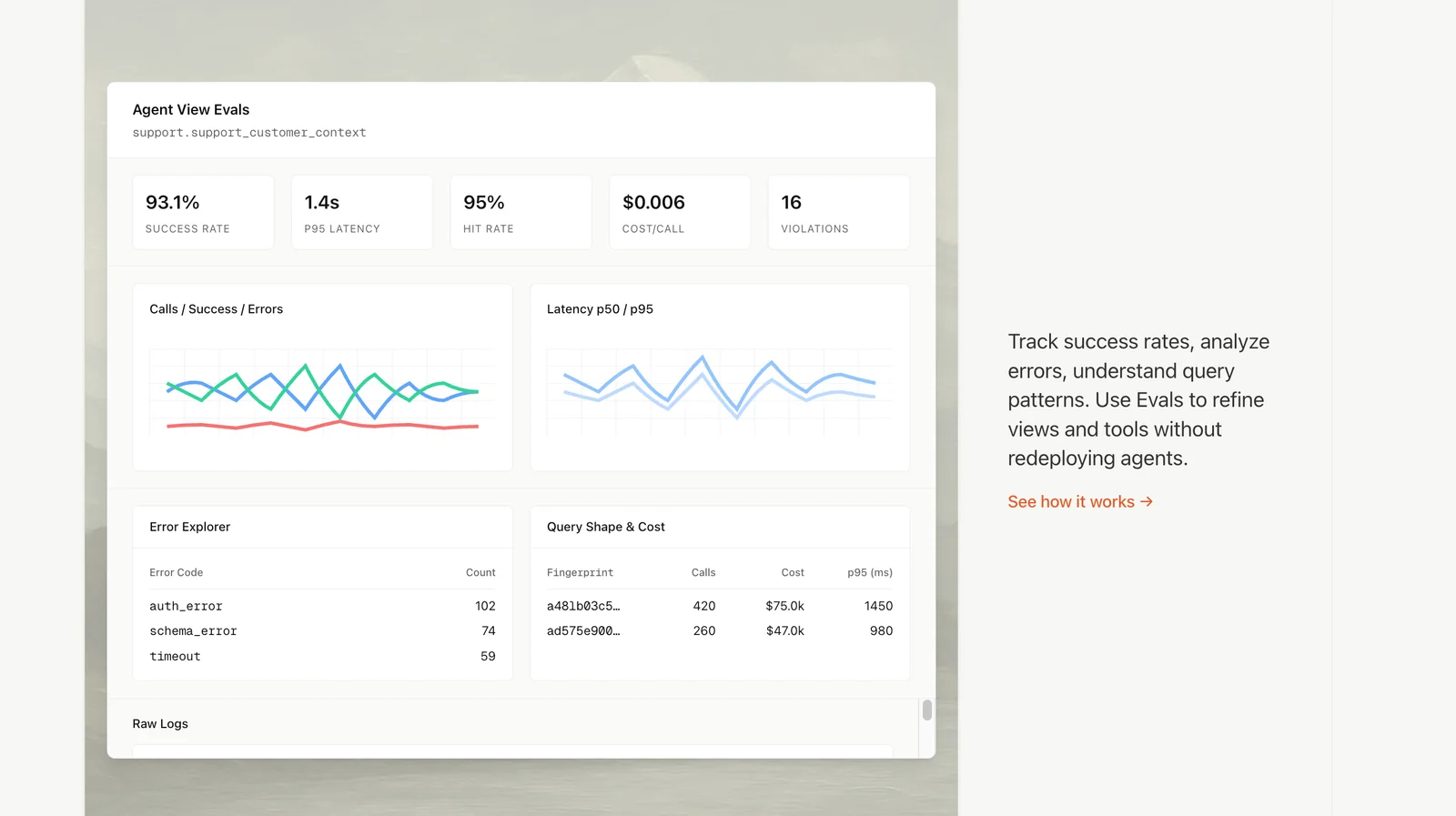
Pylar provides a governed data access layer for AI agents, enabling teams to define SQL views, publish MCP tools, and control precisely what agents can query. It enforces no raw database access by exposing curated, governed views and tool endpoints that embed access policies, auditing, and integrations. Designed for deployment to any agent builder, Pylar focuses on secure, scalable, and fully controlled access to structured data so AI agents can use live data while maintaining compliance and minimizing risk.
Screenshots
Key Features
Use Cases



Frequently asked questions about Pylar
What are the pricing options for Pylar?
Pylar offers three pricing options: a 14-day Free Trial, a Starter plan at $20/month, and a customizable Enterprise plan for larger deployments. The Free Trial gives users full access without requiring a credit card, allowing them to explore all features risk-free.
Key Points
- Free Trial: 14 days of full access without a credit card.
- Starter Plan: Affordable at $20 per month for individuals or small teams.
- Enterprise Plan: Custom pricing tailored for larger organizations and specific needs.
Detailed Explanation
Free Trial
The Free Trial is an excellent opportunity for new users to experience Pylar's full suite of features, including project management, collaboration tools, and reporting capabilities. During the 14-day period, users can evaluate how Pylar meets their needs without financial commitment. No credit card is needed, making it risk-free.
Starter Plan
The Starter plan is priced at $20 per month and is designed for freelancers, startups, or small teams who require essential features at an affordable rate. This plan includes access to all core functionalities, such as task assignments, file sharing, and basic analytics, empowering users to manage their projects effectively.
Enterprise Plan
The Enterprise plan offers customizable pricing based on the specific requirements of larger organizations. This plan may include advanced features such as enhanced security, dedicated support, and integrations with existing systems. Interested customers are encouraged to contact Pylar directly to discuss their needs and receive a tailored quote.
Best Practices / Tips
- Utilize the Free Trial: Take full advantage of the 14-day trial to test all features, ensuring it meets your requirements before committing to a paid plan.
- Evaluate Team Needs: Assess your team's size and specific features required to choose the most cost-effective plan.
- Contact Sales for Enterprise: If your organization has unique needs, reach out to Pylar’s sales team early to discuss your requirements and get a custom solution.
Additional Resources
How can I create governed SQL views in Pylar?
To create governed SQL views in Pylar, utilize the data access layer to design authorized subsets of your database tables. This approach prevents agents from directly accessing raw data, ensuring secure and controlled query execution while maintaining compliance with data governance policies.
Key Points
- Utilize the data access layer for security.
- Create authorized subsets of database tables.
- Enhance compliance with data governance policies.
Detailed Explanation
Creating governed SQL views in Pylar involves several steps to ensure that data is accessed securely and efficiently. The data access layer acts as a protective barrier between your SQL database and end-users. Here’s how to effectively create these views:
-
Define Data Access Policies: Start by establishing clear data access policies that specify who can view what data. This is crucial for compliance with regulations like GDPR or HIPAA.
-
Design Authorized Subsets: Use the data access layer to create views that only include the fields necessary for specific roles or tasks. For example, if a user only needs access to customer names and emails, create a view that excludes sensitive information like credit card numbers.
-
Implement Row-Level Security: Leverage row-level security features in your SQL setup to restrict access to specific rows based on user roles. This can be configured in Pylar to ensure that users can only query data relevant to them.
-
Test Your Views: After creating your SQL views, conduct thorough testing to ensure that the correct data is displayed based on user permissions. Use test accounts mimicking different roles to validate access.
-
Document Your Views: Comprehensive documentation of each view, including its purpose and the data it contains, is essential. This aids in maintenance and helps onboard new team members.
Example Use Case
Imagine a healthcare application where doctors need access to patient records. By creating a governed SQL view, you can allow doctors to access only the necessary patient information while ensuring that sensitive data like social security numbers remains protected.
Best Practices / Tips
- Regularly Review Access Permissions: Periodically audit who has access to which views to ensure compliance and security.
- Avoid Over-Privileging: Be cautious about granting excessive access. Stick to the principle of least privilege to minimize risk.
- Utilize Logging: Implement logging mechanisms to track access and changes to governed SQL views. This can help in auditing and identifying potential security breaches.
Additional Resources
- Pylar Official Documentation - For in-depth guidance on using the data access layer.
- SQL Server Row-Level Security - Learn more about implementing row-level security in SQL.
- Data Governance Best Practices - Explore strategies for effective data governance.
Is there a tutorial for getting started with Pylar?
Yes, Pylar provides a comprehensive tutorial and various resources to help you get started. Visit the official Pylar website for step-by-step guides on initial setup, feature utilization, and best practices to maximize your experience with the platform.
Key Points
- Extensive tutorials available on the official website
- Step-by-step guides for initial setup
- Resources for leveraging advanced features effectively
Detailed Explanation
To get started with Pylar, head to the official website. Here, you will find a wealth of tutorials designed for users of all skill levels.
-
Initial Setup: The first step involves downloading the software and installing it on your preferred operating system. Pylar supports Windows, macOS, and Linux, ensuring compatibility with various environments. The installation guide details system requirements, installation steps, and troubleshooting tips.
-
Basic Features: Once installed, you can explore Pylar’s core features. The user-friendly interface allows for easy navigation through its functionalities, such as project creation, data management, and integration with other tools. Tutorials are structured to walk you through these processes with practical examples.
-
Advanced Functionality: For users looking to leverage Pylar’s advanced features, the platform offers in-depth guides on topics like automation, data analysis, and customization options. These resources include video tutorials and written documentation that demonstrate how to utilize these powerful tools effectively.
Best Practices / Tips
- Follow the Tutorials: Start with the beginner tutorials to build a solid foundation before moving onto more advanced topics.
- Engage with the Community: Join forums or community groups related to Pylar. Engaging with other users can provide valuable insights and tips.
- Regular Updates: Keep an eye on updates released by Pylar, as they often come with new features and enhancements. Check the changelog regularly.
Additional Resources
By utilizing these resources, you'll quickly become proficient in using Pylar and be able to take full advantage of its capabilities.
What technical integrations does Pylar support?
Pylar supports integrations with over 100 business tools and databases, enabling seamless connections to existing relational data stores and facilitating the mapping of schemas into governed views. This enhances data accessibility and streamlines workflows across various platforms.
Key Points
- Extensive Integration Options: Pylar connects with numerous business tools, enhancing functionality.
- Seamless Data Mapping: Integrates relational data stores with ease.
- Governed Views: Ensures data consistency and compliance across integrated tools.
Detailed Explanation
Pylar’s integration capabilities are designed to cater to a wide range of business needs. With over 100 supported tools, Pylar allows organizations to connect with popular platforms such as Salesforce, HubSpot, Microsoft Dynamics, and various SQL databases. This extensive integration ensures that businesses can leverage existing data without the need for extensive migration efforts.
Examples of Integrations
- CRM Systems: Connecting Pylar with Salesforce enables users to pull customer data directly into governed views, providing a comprehensive view of customer interactions.
- Data Warehouses: Integrating with tools like Amazon Redshift allows businesses to query large datasets efficiently, while maintaining data governance.
- Business Intelligence Tools: Integration with platforms such as Tableau or Power BI helps visualize data insights derived from Pylar’s governed views, enhancing decision-making processes.
Use Cases
- Marketing Analytics: By integrating with marketing tools, businesses can analyze campaign performance in real-time.
- Financial Reporting: Finance teams can connect with ERP systems to ensure accurate and timely reporting.
Best Practices / Tips
- Regular Updates: Ensure that Pylar's integrations are regularly updated to maintain compatibility with the latest versions of connected tools.
- Data Governance: Establish clear guidelines for data mapping and schema governance to avoid inconsistencies.
- Test Integrations: Before full deployment, test integrations in a controlled environment to troubleshoot any potential issues.
Additional Resources
How does Pylar compare to other AI data access tools?
Pylar distinguishes itself from other AI data access tools through its governed SQL views and fine-grained access control. This ensures secure data access while preventing exposure of raw databases, setting it apart from alternatives that often lack robust governance features and security measures.
Key Points
- Governed SQL Views: Pylar provides a structured way to access data while maintaining control.
- Fine-Grained Access Control: Offers detailed permissions, enhancing data security.
- User-Friendly Interface: Simplifies the process of data access without sacrificing safety.
Detailed Explanation
Pylar’s unique features make it a top choice for organizations prioritizing data security. Governed SQL views allow users to retrieve data in a controlled manner, providing tailored views that limit exposure to sensitive information. This is particularly advantageous for businesses that need to comply with data protection regulations like GDPR or HIPAA.
For example, imagine a healthcare organization using Pylar to access patient records. With fine-grained access control, the system allows healthcare professionals to view only the data relevant to their role, minimizing the risk of unauthorized access. This granular approach contrasts with many competing tools that may expose entire datasets, increasing security vulnerabilities.
Furthermore, Pylar's user-friendly interface streamlines the data access process. Users can easily generate reports or queries without needing deep technical knowledge, making it accessible for teams across various departments. This accessibility, combined with robust security features, empowers organizations to leverage their data effectively while safeguarding sensitive information.
Best Practices / Tips
- Regularly Audit Access Controls: Ensure that permissions are up to date and reflect current user roles.
- Implement Data Governance Policies: Establish clear protocols for data access to enhance security.
- Train Users: Provide training on using governed SQL views to maximize the tool's benefits while maintaining compliance.
Additional Resources
Explore more AI Ai Tools tools
Browse all Ai Tools tools →Compare Pylar: vs nodeterm · vs A.I.G (AI Infra Guard) · vs Trama · vs Agents Never Sleep