

Synthesia
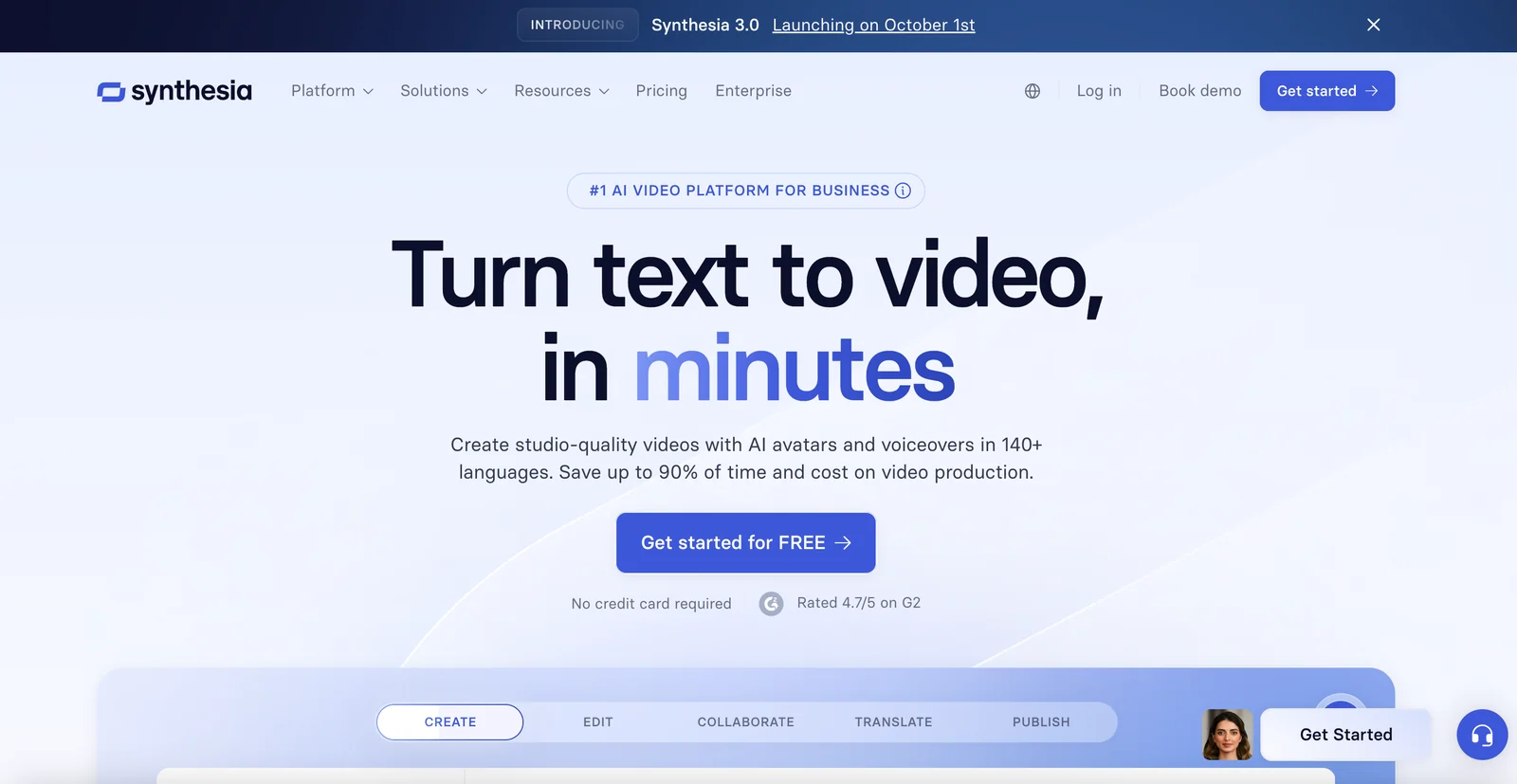
AICreate professional AI-generated videos from text using realistic avatars and voiceovers in 140+ languages.
Synthesia
Create professional AI-generated videos from text using realistic avatars and voiceovers in 140+ languages.
About Synthesia
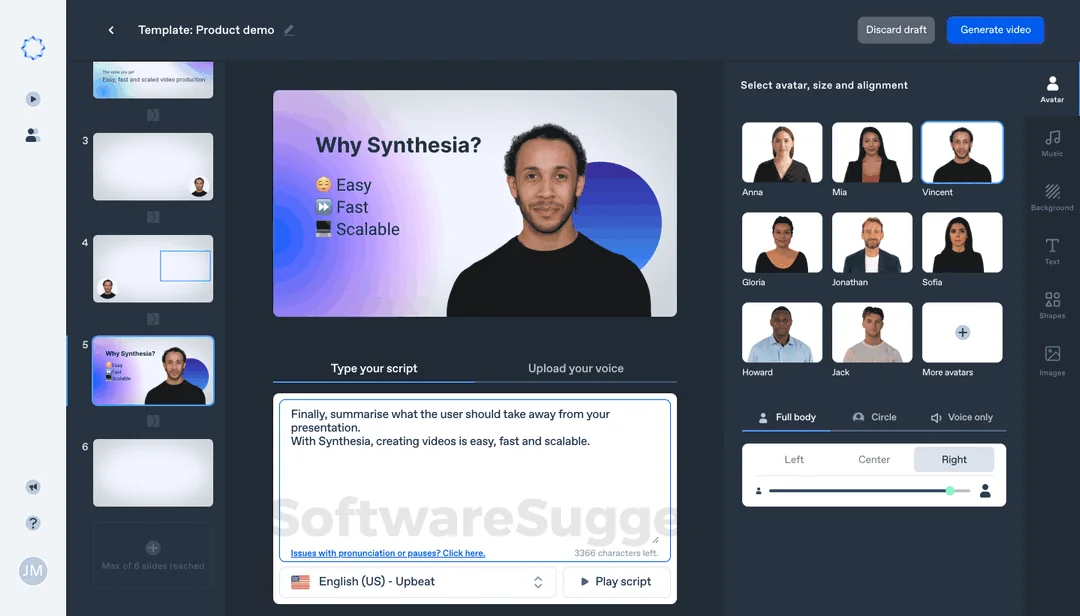
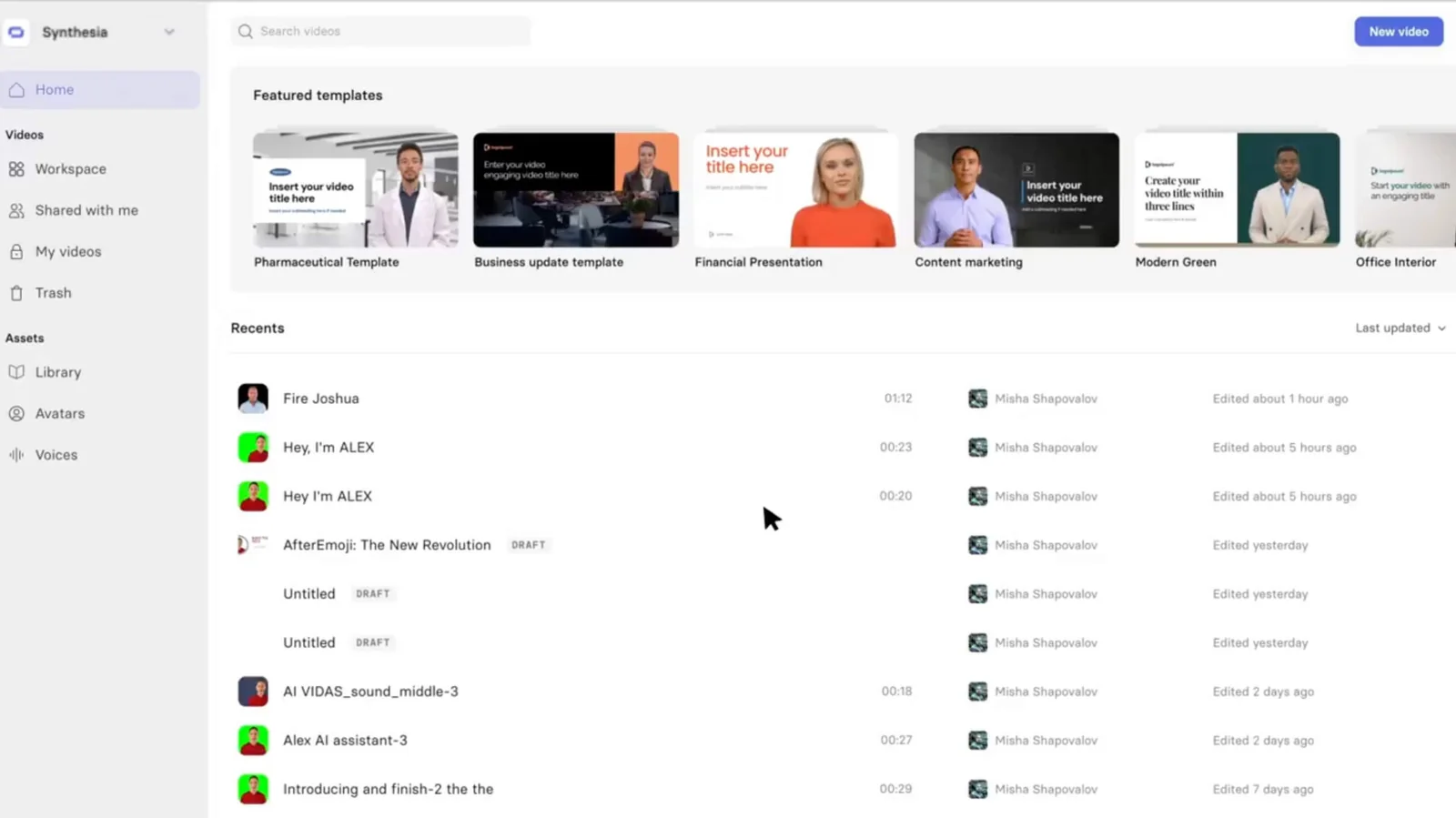
Synthesia is a business-focused AI video generation platform that converts text scripts into professional-quality videos using photorealistic or stylized AI avatars and synthesized voiceovers. The platform provides a template-driven editor, a library of avatars, and multilingual voice synthesis to produce training, marketing, and corporate communication videos quickly without cameras, studios, or actors. Synthesia emphasizes speed, cost savings, and scalability for organizations producing localized or repeated video content across global audiences.
Screenshots
Key Features
Use Cases


Frequently asked questions about Synthesia
What are the pricing options for Synthesia?
Pricing Options for Synthesia
Synthesia is a pioneering AI video generation platform that provides businesses and individuals with the tools to create high-quality videos using AI avatars. Understanding the pricing structure is essential for users to choose the best plan that suits their needs. Below is a comprehensive breakdown of Synthesia's pricing options, including details of each tier, best practices for selecting a plan, common considerations, and suggested next steps.
Overview of Pricing Tiers
Synthesia operates on a freemium model, offering users multiple pricing tiers that cater to various needs and budgets:
-
Free Plan: This entry-level option allows users to generate up to 3 minutes of video per month for free. It is ideal for individuals or small teams looking to explore the platform's capabilities without any financial commitment. Users can create videos using a limited selection of avatars and templates.
-
Individual Plan: Starting at $22 per month, this plan is designed for individuals who need more flexibility and features. Subscribers can create longer videos and access a broader range of avatars and templates. This plan is perfect for freelancers, content creators, or small business owners who regularly produce videos for marketing or educational purposes.
-
Team Plan: This tier is aimed at teams within organizations, offering collaborative features and more video generation capabilities. Pricing for this plan typically starts around $50 per month per user, depending on the number of users and specific requirements. This plan includes access to advanced features like custom avatars and the ability to manage multiple projects simultaneously.
-
Enterprise Plan: For larger organizations or those with specialized needs, Synthesia offers custom pricing for enterprise solutions. This plan includes personalized onboarding, dedicated support, and advanced customization options. Organizations interested in this tier should contact Synthesia's sales team for a tailored quote based on their usage and requirements.
Best Practices for Selecting a Plan
When choosing the right pricing tier for your needs, consider the following best practices:
-
Evaluate Your Video Needs: Assess how many videos you plan to create monthly and their average duration. If you frequently need to produce longer videos, the Individual or Team plans may be more suitable.
-
Explore the Free Plan First: Take advantage of the free plan to familiarize yourself with Synthesia's interface and capabilities. This will help you understand your requirements better before committing to a paid plan.
-
Consider Team Collaboration: If you work as part of a team, look into the Team Plan, which facilitates collaboration through shared projects and resources.
Common Considerations
When deciding on a Synthesia pricing plan, keep the following factors in mind:
-
Budget Constraints: Ensure that your selected plan aligns with your budget. While the Individual Plan is affordable, larger teams may need to balance cost with the number of users.
-
Feature Requirements: Different plans offer varying features. If you need advanced customization, such as the ability to create custom avatars or access premium templates, consider the Team or Enterprise plans.
-
Scalability: Think about your future needs. If you anticipate growth in your video production requirements, opt for a plan that allows for easy scaling without significant cost increases.
Next Steps
To get started with Synthesia, follow these actionable steps:
-
Sign Up for the Free Plan: Visit Synthesia's website to create a free account and begin exploring the platform.
-
Experiment with Video Creation: Use the available avatars and templates to create short videos, testing the platform’s features.
-
Assess Your Experience: After familiarizing yourself with the tool, evaluate your video needs and consider upgrading to a paid plan if necessary.
-
Contact Sales for Enterprise Options: If you're part of a larger organization, reach out to Synthesia's sales team to discuss custom pricing and tailored solutions.
By understanding Synthesia's pricing options and following these guidelines, you can
How can I create a video using Synthesia?
To create a video using Synthesia, sign up for an account, select a template, enter your text script, choose an avatar and voiceover language, and finalize your video with the Studio editor. You can start with a free trial to explore all available features before committing.
Key Points
- Sign up for a free trial account.
- Choose from various templates and avatars.
- Use the Studio editor to edit and finalize your video.
Detailed Explanation
Creating a video with Synthesia is a straightforward process that enables you to leverage AI-generated avatars for engaging presentations. Here’s a step-by-step guide:
-
Sign Up: Visit the Synthesia website and create a free account. The free trial allows you to explore the platform’s capabilities without any financial commitment.
-
Choose a Template: Once logged in, browse through the available video templates. Templates are designed for different purposes, such as marketing, training, or corporate communications, helping you to quickly find a suitable format.
-
Enter Your Text Script: In the text input area, write the script you want to be spoken in the video. Synthesia supports multiple languages, allowing you to reach a broader audience.
-
Select an Avatar and Voiceover Language: Choose from several AI avatars that will present your script. You can also select the voiceover language and accent to match your target audience’s preferences.
-
Use the Studio Editor: The Studio editor allows you to customize your video further. You can adjust the timing of the speech, add background music, and incorporate images or slides.
-
Finalize and Export: After reviewing your video, hit the export button. Depending on your plan, you can download the video in various formats or directly share it on social media platforms.
Best Practices / Tips
- Script Length: Keep your script concise. Aim for around 150 words for a 1-2 minute video to maintain viewer engagement.
- Preview Your Video: Always preview your video before exporting to catch any errors or adjustments needed.
- Utilize Analytics: If you are using Synthesia for marketing, track the performance of your videos through analytics to understand viewer engagement and iterate based on feedback.
Additional Resources
By following these steps and best practices, you can effectively create high-quality videos that engage your audience using Synthesia.
What features does Synthesia offer compared to other video creation tools?
What Features Does Synthesia Offer Compared to Other Video Creation Tools?
Synthesia is a cutting-edge video creation platform that distinguishes itself from traditional video production tools through its advanced features, primarily focused on AI-driven capabilities. Below, we explore the standout features of Synthesia, how they compare to other video creation tools, and provide actionable insights for potential users.
Key Features of Synthesia
1. Text-to-Video Capabilities
One of the most significant features of Synthesia is its ability to transform text into engaging video content seamlessly. Users can input scripts, and the platform generates videos featuring AI avatars that present the text in a natural and engaging manner. Unlike traditional tools that require extensive video editing and filming, Synthesia empowers users to create videos quickly and efficiently.
Practical Example: A training department can create a series of onboarding videos by simply inputting the script into Synthesia. Instead of scheduling filming sessions with employees, they can produce high-quality videos in a matter of hours.
2. Realistic AI Avatars
Synthesia offers a range of customizable AI avatars that can deliver the scripted content in various styles. These avatars are designed to look and act like real people, enhancing viewer engagement and retention. Users can choose an avatar that best represents their brand or message, which is a feature not commonly found in other video creation tools.
Best Practice: When selecting an avatar, consider your audience and the tone of the message. A corporate training video may benefit from a professional-looking avatar, while a marketing campaign might require a more relatable, friendly persona.
3. Multilingual Voiceovers
With the ability to produce voiceovers in over 140 languages, Synthesia enables businesses to reach a global audience without the need for separate recordings. This feature is particularly valuable for companies with diverse clientele or those that operate in multiple countries.
Common Consideration: While Synthesia’s voice synthesis is sophisticated, it's essential to review the generated audio for pronunciation and tone, especially in languages with nuanced dialects.
Comparison with Other Video Creation Tools
Unlike conventional video editing software such as Adobe Premiere Pro or Final Cut Pro, which require significant technical expertise and time investment, Synthesia simplifies the video creation process. Tools like Canva and Animaker also offer video creation, but they often rely on templates and animations rather than AI-driven avatars. This makes Synthesia a unique option for businesses looking for a more personalized touch in their video content.
Actionable Information
When using Synthesia, consider the following steps for optimal results:
-
Define Your Objectives: Clearly outline the purpose of your video. Are you aiming to educate, inform, or promote? This will guide your script and avatar choice.
-
Craft a Concise Script: Write a script that is clear and engaging. Aim for brevity to maintain viewer interest, as shorter videos typically yield higher engagement.
-
Choose the Right Avatar: Select an avatar that aligns with your brand identity. Take the time to explore the available options and consider testing a few to see which resonates best with your audience.
-
Utilize Multilingual Options: If you have a diverse audience, leverage the multilingual capabilities of Synthesia to create videos in multiple languages, expanding your reach and accessibility.
Next Steps
If you’re considering using Synthesia for your video creation needs, here are some actionable next steps:
-
Sign Up for a Free Trial: Explore the platform with a trial to familiarize yourself with its features and capabilities.
-
Experiment with Different Content Types: Try creating various types of videos, such as tutorials, marketing content, or internal communications, to see where Synthesia adds the most value.
-
Gather Feedback: After producing your videos, solicit feedback from your audience to refine your approach and improve future content.
In summary, Synthesia offers a powerful combination of text-to-video technology, realistic avatars, and multilingual capabilities that set
Does Synthesia have an API for integration with other platforms?
Yes, Synthesia provides API access for integration with other platforms, but this feature is exclusive to paid plans. The API facilitates seamless integration into existing workflows and applications, enhancing video creation and automation capabilities for businesses and developers.
Key Points
- API access is available only for paid plans.
- Integration enhances video creation workflows.
- Ideal for businesses and developers seeking automation.
Detailed Explanation
Synthesia's API allows users to integrate advanced AI video capabilities directly into their applications or workflows. This feature is particularly beneficial for businesses looking to automate video production or enhance their existing platforms with AI-generated video content.
For example, a marketing firm can utilize the Synthesia API to automatically generate personalized video messages for their campaigns, pulling customer data directly from their CRM and creating videos in multiple languages. The API supports various functionalities, including:
- Video Generation: Create videos using text inputs, customizing avatars and backgrounds to fit brand guidelines.
- Batch Processing: Generate multiple videos simultaneously, saving time and resources.
- Integration with Other Tools: Connect with platforms like Zapier, HubSpot, or custom applications to streamline workflows.
Use Cases
- E-Learning: Educational institutions can integrate Synthesia’s API to produce engaging learning materials with AI avatars, making lessons more interactive.
- Corporate Communications: Companies can automate internal communications by sending video updates to employees directly through their intranet systems.
- Marketing Campaigns: Marketers can utilize the API to create tailored video content that resonates with specific audience segments.
Best Practices / Tips
- Evaluate Your Needs: Before opting for the paid plan, assess how the API can fit into your current workflows and the potential ROI.
- Check Documentation: Familiarize yourself with Synthesia's API documentation for best practices and integration guides.
- Test and Iterate: Start with small projects to test the integration and gather feedback before scaling up your video production efforts.
Additional Resources
What are the limitations of the free version of Synthesia?
The free version of Synthesia restricts users to generating only 3 minutes of video per month and offers a limited selection of templates and avatars. This makes it primarily suitable for trial purposes or very light projects, rather than for extensive video production needs.
Key Points
- Video Duration Limit: 3 minutes of video generation per month.
- Template and Avatar Access: Limited selection available.
- Usage Suitability: Best for trials or light projects.
Detailed Explanation
The limitations of the free version of Synthesia can significantly impact users who require extensive video production capabilities. Users are restricted to just 3 minutes of video generation each month, which is ideal for testing the platform or creating short, one-off projects.
The template and avatar access is also restricted; users only have a small selection of templates to choose from, which may not meet the needs of those looking for diverse or specific styles. This can hinder creativity and the ability to tailor videos for different audiences or purposes.
For example, if a user is looking to create educational content or marketing videos, the limited duration and options may not provide enough flexibility. Those interested in producing videos for social media, training, or corporate presentations may find the free version inadequate for their requirements.
Best Practices / Tips
- Maximize Usage: If using the free version, plan your video content carefully to make the most of the 3-minute limit. Script concise messages to fit within this timeframe.
- Explore Upgrades: Consider upgrading to a paid plan if you find the free version too limiting for your needs. Paid plans offer more video time, templates, and customization options.
- Utilize Trial Periods: Take advantage of any trial periods for paid plans to test features that may not be available in the free version.
Additional Resources
Explore more AI Ai Models tools
Browse all Ai Models tools →Browse by use case: Video Generation · Voice & Audio
- Soup CLI
- VibeVoice
- Laguna by Poolside
- Arena AI: The Official AI Ranking & LLM Leaderboard
- PromptLayer
- PHBench
Compare Synthesia: vs Soup CLI · vs VibeVoice · vs Laguna by Poolside · vs Arena AI: The Official AI Ranking & LLM Leaderboard