

Hopper — AI Agents for Mainframe Operations - Hypercubic
AIAgentic TN3270 emulator that lets AI agents operate z/OS: navigate ISPF, write column-strict JCL, debug jobs, and query VSAM.
Hopper — AI Agents for Mainframe Operations - Hypercubic
Agentic TN3270 emulator that lets AI agents operate z/OS: navigate ISPF, write column-strict JCL, debug jobs, and query VSAM.
About Hopper — AI Agents for Mainframe Operations - Hypercubic
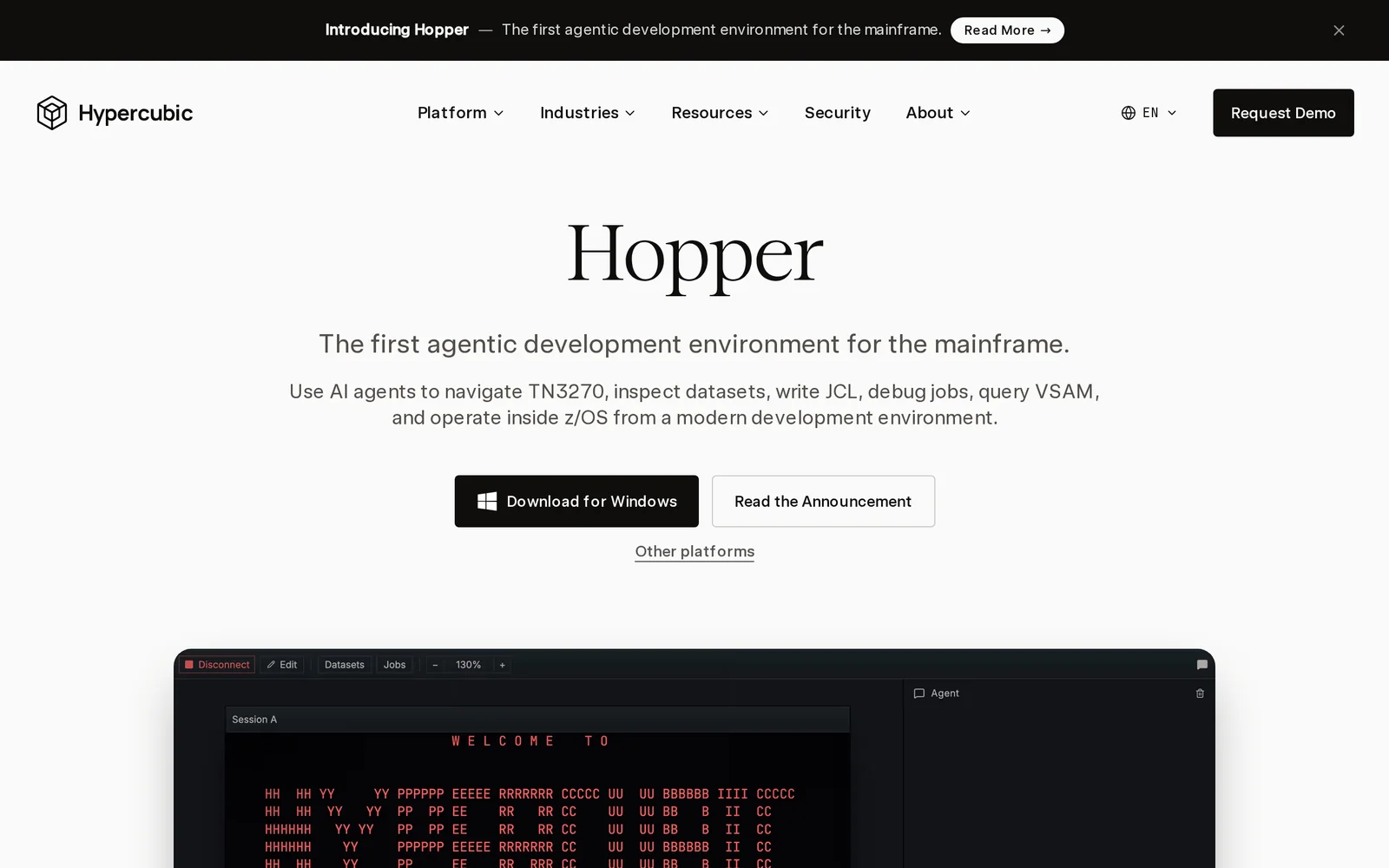
Hopper is an agentic TN3270 terminal emulator and development environment that connects AI agents directly to IBM mainframes. It uses the Model Context Protocol to enable natural-language operations, autonomous workflows, and agentic development across TN3270, ISPF, JCL, JES, CICS, VSAM, datasets and jobs. Hopper automates routine operational tasks (job submission, debugging, dataset queries), generates and validates column-strict JCL, and captures institutional knowledge for documentation and modernization of COBOL and other legacy workloads. Its unique value is enabling AI agents to interact with legacy mainframe interfaces and workflows safely and productively, reducing manual effort and preserving institutional knowledge.
Screenshots
Key Features
Use Cases


Frequently asked questions about Hopper — AI Agents for Mainframe Operations - Hypercubic
What is Hopper — AI Agents for Mainframe Operations - Hypercubic?
Hopper is an AI-driven tool designed to enhance mainframe operations by connecting AI agents via the Model Context Protocol. It facilitates natural language operations, autonomous workflows, and an agentic development environment specifically for z/OS, streamlining mainframe management and improving efficiency.
Key Points
- AI Integration: Hopper connects AI agents to enhance operational capabilities.
- Natural Language Processing: Enables users to interact in plain language.
- Autonomous Workflows: Automates repetitive tasks, reducing manual intervention.
Detailed Explanation
Hopper revolutionizes mainframe operations by integrating AI agents that communicate with the z/OS environment through the Model Context Protocol. This allows users to manage complex processes using natural language, significantly lowering the barrier to entry for non-technical users.
Use Cases
- Automated Monitoring: Hopper can monitor mainframe performance metrics and send alerts through conversational commands, allowing for proactive management.
- Task Automation: Repetitive administrative tasks, such as batch job scheduling, can be automated, freeing up IT staff for strategic projects.
- Natural Language Queries: Users can query system status or request reports using simple language, making the mainframe more accessible.
Example Scenario
Consider a scenario where an IT manager needs to generate a performance report. Instead of navigating through complex command-line interfaces, the manager can simply say, “Hopper, generate the last month’s performance report.” Hopper processes this request autonomously, retrieves the data, and presents it in an easy-to-understand format.
Best Practices / Tips
- Training AI Agents: Regularly train your AI agents with updated data to enhance their understanding and accuracy in processing requests.
- Use Clear Commands: When issuing commands, use concise and explicit language to improve the AI's response accuracy.
- Monitor Performance: Continuously assess the performance of Hopper and its agents to identify areas for improvement and optimization.
Additional Resources
How does Hopper — AI Agents for Mainframe Operations - Hypercubic work?
Hopper — AI Agents for Mainframe Operations by Hypercubic utilizes advanced AI capabilities to streamline day-to-day workflows in mainframe environments. It automates routine tasks, enhances operational efficiency, and provides intelligent insights, enabling users to focus on strategic initiatives while ensuring reliable mainframe performance.
Key Points
- Automation of Daily Tasks: Hopper automates repetitive tasks, reducing manual workload.
- Intelligent Insights: It analyzes data to provide actionable insights for better decision-making.
- Enhanced Operational Efficiency: The tool optimizes workflows, leading to improved performance and reduced downtime.
Detailed Explanation
Hopper operates by integrating machine learning algorithms and natural language processing to facilitate and automate interactions with mainframe systems. For example, when a user needs to extract reports, Hopper can interpret commands in natural language, execute the required processes, and return the desired data without manual intervention.
Use Cases:
- Automated Incident Management: Hopper can monitor system alerts and automatically resolve common issues, allowing IT teams to focus on critical problems.
- Data Extraction and Reporting: Users can generate reports simply by asking Hopper in plain language, improving accessibility for non-technical staff.
- Performance Monitoring: By continuously analyzing system performance data, Hopper identifies trends and suggests optimizations.
Best Practices / Tips
- Train the AI: Regularly update and train Hopper with new data sets to enhance its predictive capabilities.
- Monitor Performance: Use Hopper’s analytics to track its effectiveness and make adjustments as necessary.
- User Feedback: Encourage users to provide feedback on Hopper’s responses to improve natural language processing accuracy.
Additional Resources
What are the main features of Hopper — AI Agents for Mainframe Operations - Hypercubic?
Hopper — AI Agents for Mainframe Operations by Hypercubic offers robust features such as intelligent automation, real-time monitoring, predictive analytics, and seamless integration with existing systems. These capabilities enhance operational efficiency, reduce downtime, and optimize resource management in mainframe environments.
Key Points
- Intelligent Automation: Automates routine tasks, reducing manual intervention.
- Real-Time Monitoring: Provides continuous oversight of mainframe operations.
- Predictive Analytics: Anticipates issues before they occur, improving uptime.
Detailed Explanation
Hopper's intelligent automation feature significantly streamlines processes by handling repetitive tasks such as data entry and system checks. For instance, it can automate daily backups, ensuring data integrity without human oversight. This leads to faster operations and decreased error rates.
The real-time monitoring capability allows users to keep track of mainframe performance metrics, such as system load and resource utilization. With an intuitive dashboard, teams can quickly identify performance bottlenecks and address them proactively. This feature is crucial for maintaining optimal system performance and preventing potential failures.
Predictive analytics is another standout feature of Hopper. By leveraging machine learning algorithms, it analyzes historical data to forecast potential system failures or performance issues. For example, if the system detects unusual patterns in resource usage, it can alert administrators before a critical failure occurs, allowing for timely intervention.
Hopper also ensures seamless integration with existing systems, making it easy to implement without disrupting ongoing operations. This capability is vital for organizations looking to modernize their legacy systems while retaining current workflows.
Best Practices / Tips
- Leverage Automation Wisely: Identify repetitive tasks that can be automated to free up your team's resources for more strategic initiatives.
- Utilize Real-Time Data: Regularly check the monitoring dashboard to make data-driven decisions and maintain system health.
- Engage with Predictive Insights: Act on the alerts generated by predictive analytics to prevent downtime and enhance operational resilience.
Additional Resources
Who is Hopper — AI Agents for Mainframe Operations - Hypercubic for?
Hopper — AI Agents for Mainframe Operations by Hypercubic is designed for IT professionals, system administrators, and organizations that rely on mainframe systems. It streamlines daily AI workflows, automates routine tasks, enhances operational efficiency, and supports decision-making processes in complex environments.
Key Points
- Target Audience: IT professionals and organizations using mainframes.
- Automation: Streamlines daily tasks and operations.
- Efficiency: Enhances decision-making and operational efficiency.
Detailed Explanation
Hopper utilizes artificial intelligence to manage and optimize mainframe operations. It is particularly beneficial for large enterprises that depend on mainframes for critical applications. Here are some key features and use cases:
-
Automation of Routine Tasks: Hopper automates repetitive tasks such as system monitoring, data backup, and job scheduling. This reduces the workload on IT staff, allowing them to focus on strategic initiatives.
-
Performance Monitoring: The AI agents continuously monitor mainframe performance metrics, identifying potential issues before they escalate. For example, Hopper can analyze CPU usage patterns and alert administrators to abnormal spikes, preventing outages.
-
Predictive Analytics: Hopper employs machine learning algorithms to predict system behavior and resource needs. This capability helps organizations optimize resource allocation and avoid unnecessary costs.
-
Integration Capabilities: Hopper can seamlessly integrate with existing IT management tools, enhancing its utility without requiring extensive changes to the current infrastructure. This flexibility allows organizations to leverage Hopper's capabilities while maintaining their operational workflows.
-
User-Friendly Interface: The platform provides an intuitive dashboard that displays real-time analytics and insights, making it easier for IT staff to manage mainframe operations effectively.
Best Practices / Tips
- Assess Your Needs: Before implementing Hopper, evaluate your organization's specific mainframe challenges and identify areas where automation can provide the most value.
- Train Your Team: Ensure that your IT staff is adequately trained to use Hopper's features efficiently, as a well-informed team can maximize the benefits of AI automation.
- Monitor Performance: Regularly review Hopper's performance reports to identify trends and areas for improvement. This can help you refine your mainframe operations continuously.
- Regular Updates: Keep Hopper updated with the latest features and enhancements to ensure optimal performance and security.
Additional Resources
How much does Hopper — AI Agents for Mainframe Operations - Hypercubic cost?
Hopper — AI Agents for Mainframe Operations by Hypercubic does not publicly list its pricing. For accurate and up-to-date cost information, it is recommended to visit the official Hypercubic website or contact their sales team directly for tailored pricing based on your organization’s needs.
Key Points
- Pricing is not publicly available.
- Contact Hypercubic for customized quotes.
- Pricing may vary based on deployment and features.
Detailed Explanation
Hopper — AI Agents for Mainframe Operations is a sophisticated tool designed to enhance the efficiency of mainframe operations through AI-driven automation. As of now, specific pricing details are not disclosed on their official website. This approach is common among enterprise software providers, as costs can vary based on factors such as:
- Deployment Method: On-premises vs. cloud-based solutions may have different pricing structures.
- Features and Customization: The more features you require, the higher the potential costs may be. For example, advanced analytics or integration with existing systems could influence the price.
- Scale of Operations: Larger organizations or those with complex mainframe environments might incur additional costs based on the scale of the deployment.
To get the most accurate pricing, organizations are encouraged to reach out to Hypercubic's sales team. They often provide demos and may offer tiered pricing based on user needs.
Best Practices / Tips
- Inquire Directly: Always contact the vendor for the most current pricing and any potential discounts for long-term contracts.
- Assess Your Needs: Before reaching out, evaluate your organization’s specific requirements to ensure you get a tailored proposal.
- Request a Demo: Many companies offer free trials or demos, which can help you understand the tool's value before investing.
Additional Resources
How do I get started with Hopper — AI Agents for Mainframe Operations - Hypercubic?
To get started with Hopper — AI Agents for Mainframe Operations by Hypercubic, visit their official website at Hypercubic.ai. Sign up for an account, and explore the features designed to enhance your mainframe operations through AI-driven automation.
Key Points
- User-Friendly Signup: Easy registration process to create your account.
- AI-Powered Features: Leverage AI capabilities to optimize mainframe operations.
- Comprehensive Support: Access resources and assistance to maximize your experience.
Detailed Explanation
Hopper is an innovative AI tool specifically designed for mainframe operations, helping organizations improve efficiency and reduce operational costs. To begin, navigate to the Hopper page at Hypercubic.ai. Here’s a step-by-step guide to getting started:
-
Sign Up: Click on the "Sign Up" button. You’ll need to provide basic information such as your name, email address, and organization details. A confirmation email will be sent to verify your account.
-
Explore Features: Once logged in, take a tour of Hopper’s features. Key functionalities include:
- Automated Task Management: Automate routine tasks to minimize human error.
- Data Analysis: Utilize AI to analyze performance metrics and streamline operations.
- Real-Time Monitoring: Monitor your mainframe systems in real-time for better decision-making.
-
Customization: Tailor Hopper’s settings to fit your specific operational needs. This can include setting up alerts, reporting formats, and user permissions.
-
Training and Support: Access training materials and support resources available on the website. This includes video tutorials and documentation to help you maximize the tool's potential.
Best Practices / Tips
- Start Small: Implement Hopper on a few critical tasks before expanding its use across your organization. This helps identify any initial challenges and allows for smoother transitions.
- Regular Updates: Keep the software updated to benefit from the latest features and security improvements.
- Feedback Loop: Encourage your team to provide feedback on Hopper’s performance, enabling continuous improvement in your mainframe operations.
Additional Resources
- Hopper Documentation for in-depth guidance.
- Webinars and Training Sessions to learn best practices.
- Community Forums for peer support and discussions.
Explore more AI Mcps tools
Browse all Mcps tools →Browse by use case: Automation & Productivity
Compare Hopper — AI Agents for Mainframe Operations - Hypercubic: vs DocsAlot · vs Toolport · vs Kit for AI · vs In Parallel MCP