

Foglamp
AIObservability for AI agents: see the cost, latency, traces, and output quality of every LLM call with one SDK.
Foglamp
Observability for AI agents: see the cost, latency, traces, and output quality of every LLM call with one SDK.
About Foglamp
Foglamp is an observability platform for AI agents built on the Vercel AI SDK that surfaces the cost, latency, token usage, distributed traces, and output quality of every LLM call. A two-line SDK instruments every generateText and streamText call, then exposes per-agent spans, latency, and spend along with the full call flow. It scores production traffic with code checks and LLM judges (evals), waterfalls every run with the exact prompt and response per span, and fires threshold alerts on cost, latency, and error rate. Cost intelligence breaks down spend by model, agent, and customer so teams can catch regressions — like a 10x cost spike — before users complain.
Screenshots
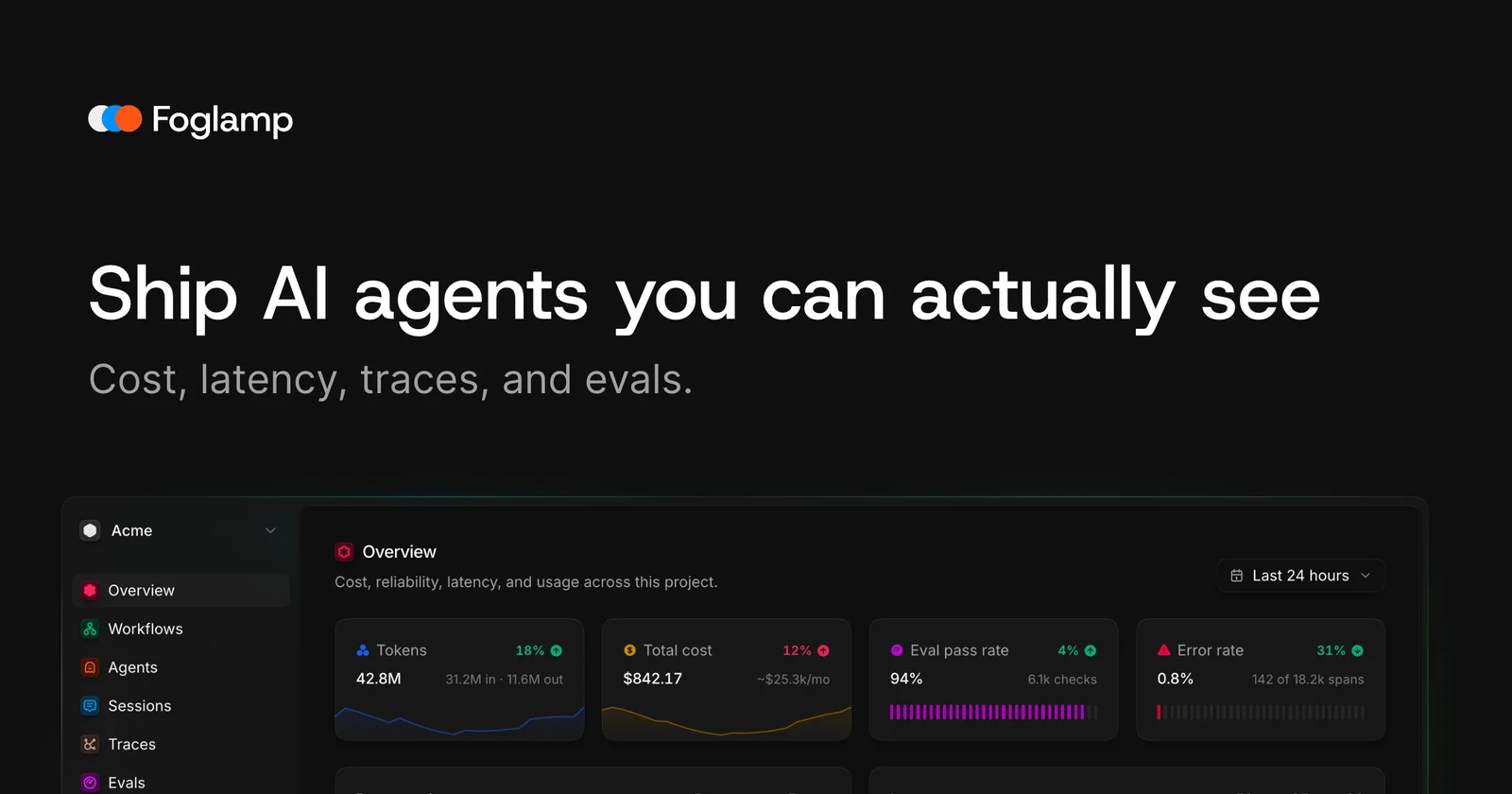
Key Features
Use Cases


Frequently asked questions about Foglamp
What is Foglamp?
Foglamp is an advanced observability tool designed for AI agents, enabling users to monitor the cost, latency, traceability, and output quality of every Large Language Model (LLM) call through a single software development kit (SDK). This tool enhances performance insights and operational efficiency in AI applications.
Key Points
- Comprehensive Monitoring: Tracks multiple performance metrics of LLM calls.
- Unified SDK: Offers a single interface for various observability needs.
- Enhanced Decision-Making: Provides data-driven insights to optimize AI workflows.
Detailed Explanation
Foglamp serves as a crucial observability platform for AI agents, particularly in environments utilizing Large Language Models. It allows developers and organizations to gain insights into several key performance indicators (KPIs).
-
Cost Monitoring: Foglamp tracks the expenses associated with each LLM call, helping businesses manage their budgets effectively. This is particularly useful for organizations using AI at scale where costs can quickly accumulate.
-
Latency Analysis: By monitoring latency, Foglamp helps identify any delays in AI responses, which is critical for maintaining user satisfaction. Understanding response times can lead to optimizations in model deployment and infrastructure.
-
Traceability: The tool offers tracing capabilities that allow users to follow the flow of data through various components of their AI systems. This is essential for debugging and improving AI performance.
-
Output Quality Assessment: Foglamp evaluates the quality of outputs generated by LLMs, enabling teams to refine their models based on real-world performance metrics. This feedback loop is vital for continuous improvement.
Use Cases
- E-commerce Platforms: Monitor AI-driven chatbots for customer service, ensuring they respond promptly and accurately.
- Content Generation: Analyze the efficiency and quality of AI-generated articles or marketing content.
- Financial Services: Evaluate the performance of AI models used for fraud detection or risk assessment in real-time.
Best Practices / Tips
- Integrate Early: Implement Foglamp during the initial stages of AI model development to gather baseline metrics.
- Regularly Review Metrics: Set up a schedule to analyze performance data, ensuring ongoing optimization.
- Utilize Alerts: Configure alerts for specific thresholds, such as latency or cost, to address issues proactively.
- Educate Your Team: Ensure that all team members understand how to use Foglamp effectively for maximum benefit.
Additional Resources
How does Foglamp work?
Foglamp operates by instrumenting AI models with comprehensive monitoring and evaluation tools. It provides insights into performance through spans, alerts, and evaluations to ensure efficient AI operations, helping users detect cost spikes, debug outputs, and maintain quality while analyzing spending per customer and model.
Key Points
- Two-Line SDK Instrumentation: Simplifies the integration of AI models for automatic monitoring.
- Per-Agent Analysis: Offers insights on latency and costs across different AI agents.
- Continuous Evals: Ensures AI models maintain accuracy and safety over time.
Detailed Explanation
Foglamp enhances the deployment and monitoring of AI models using several key features:
-
Two-Line SDK Instrumentation: By wrapping your model code, every call to
generateTextorstreamTextis automatically instrumented. This means that you don't need to manually add monitoring code each time you interact with the model, streamlining the integration process. -
Per-Agent Spans and Spend Analysis: Foglamp allows you to view performance metrics such as latency and spend for each AI agent involved in the workflow. This includes detailed call flow insights across orchestrator, researcher, writer, and critic components, helping you diagnose performance bottlenecks effectively.
-
Evaluations (Evals): Continuous scoring of production traffic is crucial for maintaining model integrity. Foglamp checks for personally identifiable information (PII) and scores outputs based on predefined metrics, allowing you to catch inaccuracies quickly.
-
Distributed Traces: Every execution is traced, capturing the exact prompt and response for each span. This is essential for debugging, as it allows you to pinpoint which request resulted in an unexpected output or hallucination.
-
Alerts and Monitoring: Set threshold rules for key metrics like cost, latency, and error rates. This proactive alert system helps catch issues early, such as a sudden 10x cost spike that could jeopardize your budget.
-
Per-Customer Spend Analysis: Understand the economics of your AI operations by breaking down spend per customer and model. This granular analysis helps in making informed decisions about resource allocation and budget management.
Best Practices / Tips
- Regularly Review Alerts: Set up alerts for latency and error rates to catch potential issues before they escalate.
- Conduct Regular Evals: Schedule evaluations to ensure that your AI models remain compliant and accurate.
- Use Distributed Traces Effectively: Always refer back to the waterfall of every run for debugging to understand the context of outputs.
- Optimize SDK Integration: Ensure that your SDK instrumentation is up-to-date for effective monitoring.
Additional Resources
What are the main features of Foglamp?
Foglamp offers several key features designed to optimize AI model performance and monitoring. These include Two-Line SDK Instrumentation for streamlined calls, detailed per-agent spans and latency insights, evaluation tools for production traffic, distributed tracing for comprehensive analysis, and customizable alerts to proactively manage costs and performance metrics.
Key Points
- Two-Line SDK Instrumentation: Simplifies model integration.
- Per-Agent Spans and Spend: Enhances performance tracking.
- Evals and Alerts: Supports proactive monitoring and management.
Detailed Explanation
Foglamp is a robust platform designed for AI model management and performance monitoring. Its main features include:
-
Two-Line SDK Instrumentation:
- This feature allows developers to wrap their models with minimal code. Each call to
generateTextorstreamTextis automatically instrumented, ensuring that performance metrics are captured without additional overhead. This simplifies deployment and enhances monitoring capabilities.
- This feature allows developers to wrap their models with minimal code. Each call to
-
Per-Agent Spans and Spend:
- Foglamp provides detailed insights into latency and resource allocation per agent within the AI model workflow. Users can visualize the complete call flow, including interactions among the orchestrator, researcher, writer, and critic components. This level of detail helps identify bottlenecks and optimize resource usage effectively.
-
Evals:
- With built-in evaluation tools, Foglamp allows users to score production traffic. This includes automated code checks and assessments by large language model (LLM) judges. Users can implement PII checks and pass-rate scoring to ensure compliance and maintain high-quality outputs.
-
Distributed Traces:
- Foglamp captures every run's prompt and response in a waterfall format, providing visibility into each span of the process. This feature is critical for debugging and understanding model behavior over time.
-
Alerts:
- Users can set threshold rules for various metrics, such as cost, latency, and error rates. This proactive alerting system enables teams to catch potential issues early and take corrective actions before they escalate.
Best Practices / Tips
- Optimize Instrumentation: Ensure that the Two-Line SDK Instrumentation is correctly implemented to capture all necessary metrics without adding unnecessary complexity.
- Regularly Review Alerts: Set up alerts that are relevant to your model's performance and regularly review them to adapt to changing conditions or requirements.
- Utilize Evals: Regularly score your production traffic with Evals to maintain high standards and compliance, particularly in sensitive applications where PII is a concern.
Additional Resources
By leveraging these features effectively, users can maximize their AI model's performance, maintain compliance, and ensure optimal resource management.
Who is Foglamp for?
Foglamp is designed for developers, data scientists, and organizations leveraging AI tools who need to monitor, debug, and optimize their machine learning models. It helps in cost management, quality assurance, latency monitoring, and detailed spending analysis to ensure efficient and economic AI operations.
Key Points
- Cost Regression Monitoring: Identify unexpected cost spikes to prevent budget overruns.
- Error Debugging: Trace prompts and responses to rectify inaccuracies in AI outputs.
- Performance Quality Assurance: Continuously evaluate and ensure the accuracy and privacy compliance of AI agents.
Detailed Explanation
Foglamp serves as a critical tool for anyone involved in AI model deployment and usage. Here’s how it benefits different stakeholders:
-
Catching Cost Regressions:
- Foglamp can detect sudden cost spikes—such as a 10x increase in expenses—often occurring days post-deployment, allowing you to address issues before they significantly impact your budget. For example, if an API call cost unexpectedly skyrockets, you can quickly identify and rectify the underlying issue.
-
Debugging Bad Output:
- When an AI model generates incorrect or nonsensical outputs, Foglamp helps trace the specific prompt and response that led to the error. This feature is essential for developers and data scientists who need to refine their models and improve accuracy. For example, if a chatbot provides inaccurate information, you can backtrack the interaction to understand what went wrong.
-
Quality Gating with Evals:
- Foglamp allows continuous scoring of production traffic to ensure that agents maintain their accuracy and comply with Personally Identifiable Information (PII) regulations. By regularly evaluating model performance, businesses can ensure that their AI outputs remain reliable and safe.
-
Latency Monitoring:
- The tool alerts you when the latency of individual agents exceeds set thresholds. This proactive monitoring helps ensure that slow responses are detected quickly, allowing you to maintain a high-quality user experience.
-
Per-Customer Spend Analysis:
- Foglamp breaks down spending on large language models (LLMs) by customer and model. This analysis aids organizations in understanding unit economics, enabling better financial planning and resource allocation.
Best Practices / Tips
- Regular Monitoring: Set up automated alerts for cost spikes and latency issues to stay informed without manual checks.
- Iterative Testing: Use the debugging feature to conduct regular tests on AI outputs and refine prompts for better accuracy.
- Document Findings: Maintain records of cost analysis and performance evaluations to track improvements over time.
Additional Resources
How much does Foglamp cost?
Foglamp offers a free tier for users to explore its features, while advanced capabilities are available through paid plans. Pricing for these plans varies based on usage and specific features, providing flexibility to meet the needs of different businesses.
Key Points
- Free tier available for basic usage.
- Paid plans tailored to advanced features.
- Pricing varies based on usage and needs.
Detailed Explanation
Foglamp is a robust IoT data management platform that provides a free tier, allowing users to set up and test the system without any initial investment. This free tier is ideal for small projects or for users who want to familiarize themselves with the platform's capabilities.
For businesses needing more advanced features, Foglamp offers several paid plans. These plans include enhanced data processing capabilities, support for larger data volumes, and access to premium integrations. Pricing is often tiered based on the number of devices, data throughput, and specific features required. For example, a small business might opt for a lower-tier plan to manage a few devices, while a large enterprise could select a higher tier to handle extensive data analytics and machine learning functionalities.
Foglamp’s pricing strategy is designed to accommodate various business sizes and requirements, making it accessible for startups as well as established enterprises. Users can easily scale their usage and costs as their needs evolve.
Best Practices / Tips
- Evaluate Your Needs: Before selecting a plan, assess your current and future data needs to avoid unnecessary costs.
- Utilize the Free Tier: Take full advantage of the free tier to explore features and determine what you truly need from the paid plans.
- Monitor Usage: Regularly check your data usage and adjust your plan accordingly to optimize costs.
Additional Resources
How do I get started with Foglamp?
To get started with Foglamp, visit foglamp.dev to create an account. Once registered, you can explore its features, documentation, and community support to effectively implement Foglamp for your IoT data processing needs.
Key Points
- Create an Account: Sign up at the official website.
- Explore Features: Familiarize yourself with Foglamp's capabilities.
- Utilize Documentation: Access detailed guides and community resources.
Detailed Explanation
Foglamp is an open-source framework designed for IoT data collection, processing, and management. To begin using Foglamp, follow these steps:
-
Sign Up: Go to foglamp.dev and click on the “Get Started” button to create a user account. This will grant you access to exclusive resources.
-
Installation: After signing up, follow the installation guide provided on the website. Foglamp can be installed on various platforms, including Linux and Windows. For Linux installations, you can use Docker or install it directly via package managers.
-
Explore the Dashboard: Once installed, access the Foglamp web interface. Here, you can configure your data sources, manage plugins, and visualize incoming data. The user-friendly dashboard allows you to easily monitor and manage your IoT data streams.
-
Documentation and Tutorials: Utilize the extensive documentation available on the website. The tutorials cover everything from basic setup to advanced configurations, helping you understand how to best utilize Foglamp for your specific IoT applications.
-
Community Engagement: Join the Foglamp community forums and GitHub repositories to connect with other users. Engaging with the community can provide insights, troubleshooting tips, and new ideas for your projects.
Best Practices / Tips
- Start Small: Begin with a single data source to understand how Foglamp processes and manages data before scaling up to more complex configurations.
- Regular Updates: Keep your Foglamp installation updated to benefit from the latest features, security patches, and performance improvements.
- Monitor Performance: Use the dashboard to monitor system performance and adjust configurations as needed to optimize data flow and processing efficiency.
Additional Resources
Explore more AI Ai Tools tools
Browse all Ai Tools tools →Compare Foglamp: vs Pi Web · vs Aymo AI · vs Speech To Markdown · vs FluentDB