

Flowstep: Your AI Design Assistant
AIGenerates production-ready UI from text prompts with chat-driven iteration, Figma export, code export, and IDE integration via MCP.
Flowstep: Your AI Design Assistant
Generates production-ready UI from text prompts with chat-driven iteration, Figma export, code export, and IDE integration via MCP.
About Flowstep: Your AI Design Assistant
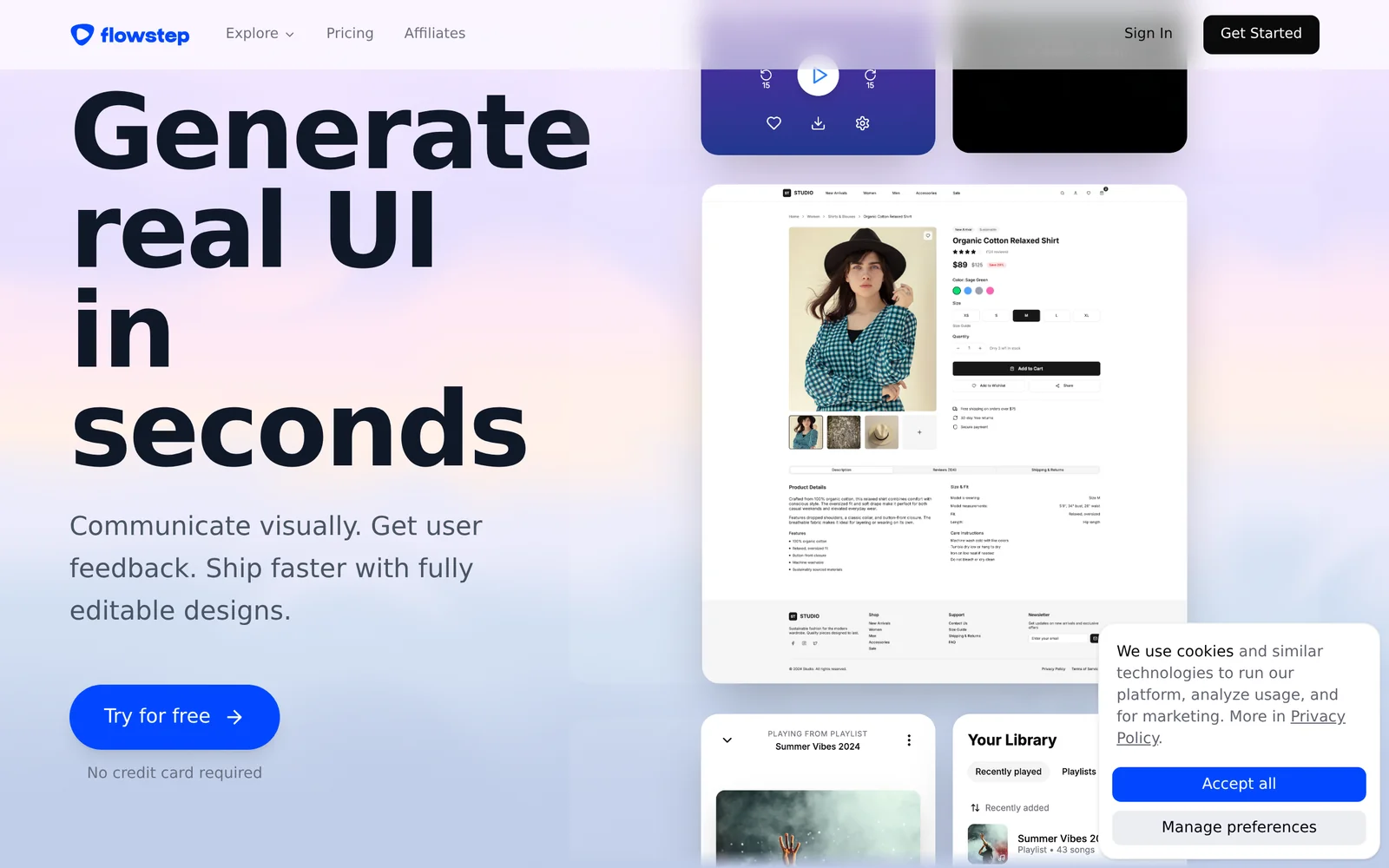
Flowstep is an AI-powered design assistant that creates production-ready user interfaces from plain-text prompts. Users can iteratively refine designs through a chat interface, then copy or sync the resulting UI into Figma or export implementation-ready code. Flowstep also supports integration with development environments via MCP, reducing handoff friction between designers and developers and accelerating design-to-code workflows.
Screenshots
Key Features
Use Cases


Frequently asked questions about Flowstep: Your AI Design Assistant
What is Flowstep: Your AI Design Assistant?
Flowstep is an AI design assistant that allows you to quickly create UI designs and wireframes through simple chat interactions. It enhances collaboration and accelerates the design process, enabling rapid iterations and feedback, making it ideal for designers and teams looking to streamline their workflow.
Key Points
- Instant UI Design Creation: Generate user interface designs in seconds.
- Seamless Collaboration: Work together with team members in real-time.
- Rapid Iteration: Quickly refine and iterate on designs based on feedback.
Detailed Explanation
Flowstep utilizes advanced AI technology to transform your design ideas into visual representations almost instantly. By engaging in a chat interface, users can specify their design requirements, such as layout preferences, color schemes, and functional elements. For example, if a user types, "Create a mobile app login screen," Flowstep will generate a wireframe that aligns with the specified criteria.
Use Cases
- Startups: New businesses can quickly prototype their app or website design without needing extensive design skills.
- Design Teams: Teams can use Flowstep for brainstorming sessions, allowing multiple users to contribute ideas in real-time.
- Client Presentations: Designers can rapidly create mockups to present to clients, facilitating quicker feedback and adjustments.
Best Practices / Tips
- Be Specific: When interacting with Flowstep, provide detailed descriptions to get better results.
- Iterate Frequently: Use the rapid iteration feature to refine designs based on user feedback, ensuring that the final product meets expectations.
- Explore Templates: Leverage pre-existing templates within Flowstep to save time and maintain design consistency.
Additional Resources
How does Flowstep: Your AI Design Assistant work?
Flowstep: Your AI Design Assistant leverages advanced AI technologies to streamline everyday design workflows. By automating repetitive tasks and providing intelligent suggestions, Flowstep enhances user productivity and creativity, making design processes more efficient and intuitive for both beginners and professionals.
Key Points
- AI-Powered Automation: Automates routine design tasks.
- Intelligent Suggestions: Offers context-aware design recommendations.
- User-Friendly Interface: Simplifies complex design processes.
Detailed Explanation
Flowstep operates by integrating several core AI functions, which are designed to assist users in various aspects of design work. Here’s how it works:
-
AI-Powered Automation: Flowstep automates repetitive tasks such as resizing images, generating mockups, and organizing assets. This feature frees up designers to focus on creative aspects rather than mundane chores.
-
Intelligent Suggestions: The assistant provides real-time, context-aware suggestions based on the project’s current status and user preferences. For instance, if you're designing a marketing flyer, Flowstep can recommend color schemes, fonts, and layouts that align with your brand’s identity.
-
User-Friendly Interface: Flowstep is designed with a clean and intuitive interface that allows users to navigate easily. Whether you're a novice or an experienced designer, the interface facilitates a smooth workflow without overwhelming you with technical jargon.
Use Cases
- Graphic Design: Use Flowstep to generate logos, banners, and social media posts with minimal effort.
- Web Design: Automate the creation of website layouts and prototypes, ensuring consistency and saving time.
- Marketing Materials: Quickly develop brochures and flyers that are visually appealing and aligned with campaign goals.
Best Practices / Tips
- Utilize Templates: Start with Flowstep’s pre-designed templates to speed up your workflow. Customize them to fit your needs.
- Leverage Feedback: Use the feedback feature to refine designs based on user input or team critiques.
- Stay Updated: Regularly check for updates to the AI algorithms and features within Flowstep to maximize efficiency.
Additional Resources
What are the main features of Flowstep: Your AI Design Assistant?
Flowstep: Your AI Design Assistant offers key features such as intuitive design generation, real-time collaboration, and automated design feedback. These capabilities streamline the design process, allowing users to create visually appealing projects efficiently and collaboratively, making it an essential tool for designers and teams alike.
Key Points
- Intuitive Design Generation: Utilizes AI to create designs based on user input.
- Real-Time Collaboration: Enables multiple users to collaborate seamlessly on projects.
- Automated Design Feedback: Provides instant suggestions and improvements to enhance design quality.
Detailed Explanation
Flowstep harnesses advanced artificial intelligence to simplify the design process. With intuitive design generation, users can input specific parameters, and the AI generates design layouts, color schemes, and typography suggestions tailored to the project needs. For example, a graphic designer can simply input their brand colors and desired style, and Flowstep will produce multiple design templates.
Real-time collaboration features allow teams to work together effortlessly. Designers can invite team members to view, edit, and comment on live projects, fostering a more interactive and productive environment. This is especially beneficial for remote teams or clients seeking direct input on design iterations.
Automated design feedback is another standout feature. Flowstep analyzes designs against best practices and provides actionable suggestions, such as improving color contrast or layout balance. This feature helps both novice and experienced designers refine their work without extensive manual reviews.
Best Practices / Tips
- Leverage AI Suggestions: Always review AI-generated designs and suggestions to align them with your vision.
- Use Collaboration Tools: Take advantage of Flowstep's collaborative features to gather diverse feedback quickly.
- Stay Updated: Regularly check for updates or new features to maximize the tool's potential and keep your designs fresh.
Additional Resources
Who is Flowstep: Your AI Design Assistant for?
Flowstep: Your AI Design Assistant is ideal for designers, marketers, and businesses looking to streamline their AI workflows. It enhances day-to-day tasks by automating design processes, improving collaboration, and fostering creativity, making it a valuable tool for anyone involved in digital design or marketing.
Key Points
- Target Users: Designers, marketers, and businesses.
- Automation: Streamlines repetitive design tasks.
- Collaboration: Enhances teamwork and communication.
Detailed Explanation
Flowstep is designed to assist individuals and teams in a variety of roles. For designers, it automates routine tasks such as resizing images, generating design templates, and suggesting color palettes. This saves time and allows designers to focus on more creative aspects of their work.
Marketers can benefit from Flowstep by utilizing its features to create visually appealing content quickly. For instance, marketers can generate social media graphics or email templates in minutes, ensuring that their campaigns are not only timely but also visually engaging.
Businesses can leverage Flowstep for improved collaboration among teams. The platform allows for easy sharing of design assets, feedback collection, and project management, which enhances productivity and fosters a more creative environment.
Use Cases
- Freelance Designers: Automate client presentations and streamline project proposals.
- Marketing Teams: Create consistent branding materials across multiple campaigns with minimal effort.
- Product Development: Rapid prototyping of product designs for faster market testing.
Best Practices / Tips
- Integrate with Existing Tools: Use Flowstep alongside tools like Slack or Trello to enhance communication and project tracking.
- Customize Templates: Take advantage of customizable templates to maintain brand consistency.
- Regular Training: Stay updated with Flowstep’s features by participating in webinars or tutorials to maximize its potential.
Common Pitfalls to Avoid
- Over-Reliance on Automation: While automation is beneficial, ensure you maintain a personal touch in your designs.
- Neglecting Team Input: Always gather feedback from team members to improve collaboration and creativity.
Additional Resources
Utilizing Flowstep effectively can transform the way you approach design and marketing, making it an essential tool in your arsenal.
How much does Flowstep: Your AI Design Assistant cost?
Flowstep: Your AI Design Assistant offers various pricing plans tailored to different user needs, which can be found on their official website. Typically, pricing starts at a competitive rate, with options for monthly or annual subscriptions, allowing flexibility for individuals and teams.
Key Points
- Flexible Pricing Plans: Flowstep provides multiple pricing tiers to accommodate various user requirements.
- Subscription Options: Users can choose between monthly or annual subscriptions for cost efficiency.
- Free Trial Available: New users often have access to a free trial to explore features before committing.
Detailed Explanation
Flowstep's pricing structure is designed to cater to a wide range of users, from freelancers to large design teams. The basic plan typically starts at around $15 per month and includes essential features such as AI-driven design suggestions and collaboration tools.
For more advanced capabilities, such as access to premium templates and enhanced support, users can opt for the pro plan, which usually costs approximately $30 per month. Annual subscriptions often come at a discounted rate, making it more economical for users who are committed to long-term use.
To help potential users make an informed decision, Flowstep may offer a free trial period, allowing users to test the interface and features without any upfront cost. This trial period often lasts for 14 days, providing ample time to evaluate whether it meets their design needs.
Use Cases
- Freelancers: A freelancer can utilize the basic plan to streamline their design workflow, benefiting from AI suggestions that enhance creativity.
- Small Teams: Small design teams might find value in the pro plan, as it allows collaboration among members, enabling them to work on projects in real-time.
- Agencies: Larger agencies can leverage the annual subscription for multiple users, reducing costs while providing access to premium features.
Best Practices / Tips
- Evaluate Your Needs: Before choosing a plan, assess your design requirements and team size to select the most suitable option.
- Take Advantage of the Free Trial: Use the free trial to fully explore the features of Flowstep, ensuring it aligns with your design processes.
- Monitor Usage: If you opt for a monthly plan, keep track of your usage to determine if upgrading to an annual plan would be more cost-effective.
Additional Resources
- Flowstep Official Website - For the latest pricing details and sign-up options.
- Flowstep Features Overview - Explore the full range of features available in each plan.
- User Reviews and Case Studies - Read how other users have benefited from using Flowstep in their design projects.
How do I get started with Flowstep: Your AI Design Assistant?
To get started with Flowstep: Your AI Design Assistant, simply visit flowstep.ai, sign up for an account, and explore the intuitive features designed to enhance your design workflow. You'll quickly discover how AI can streamline your design process.
Key Points
- Easy Sign-Up Process: Create an account in minutes.
- User-Friendly Interface: Navigate through features effortlessly.
- AI-Powered Design Tools: Leverage advanced AI capabilities for design tasks.
Detailed Explanation
Flowstep offers a seamless onboarding experience for new users. Begin by visiting flowstep.ai and click on the "Sign Up" button. You can register using your email or social media accounts, making it convenient to get started.
Once registered, you’ll be introduced to a dashboard that showcases various design tools powered by AI. For instance, Flowstep's AI can generate design ideas based on your input, suggest color palettes, and assist in layout optimization. You can upload existing designs for enhancement or create new ones from scratch using templates.
Example Use Cases:
- Branding Projects: Quickly generate logos and branding assets.
- Web Design: Use AI to create responsive layouts that adapt to different devices.
- Social Media Graphics: Design eye-catching graphics tailored for various platforms.
Best Practices / Tips
- Take Advantage of Tutorials: Flowstep often provides tutorials and resources for new users. Engage with these materials to maximize the platform's potential.
- Experiment with Features: Don’t hesitate to explore different tools and functionalities. The more you experiment, the better you’ll understand how to utilize AI effectively.
- Seek Feedback: Share your designs with peers or mentors for constructive feedback. This can help you refine your work further.
Additional Resources
By following these steps and utilizing the available resources, you'll quickly become proficient in using Flowstep: Your AI Design Assistant, enhancing your design capabilities and efficiency.
Explore more AI Ai Tools tools
Browse all Ai Tools tools →Browse by use case: Automation & Productivity
Compare Flowstep: Your AI Design Assistant: vs Rivault · vs Pi Web · vs Aymo AI · vs Speech To Markdown