

EmailFlow AI
AIAgentic newsletter platform where you describe the email you want and AI designs it on-brand, then sends, automates, and optimizes it.
EmailFlow AI
Agentic newsletter platform where you describe the email you want and AI designs it on-brand, then sends, automates, and optimizes it.
About EmailFlow AI
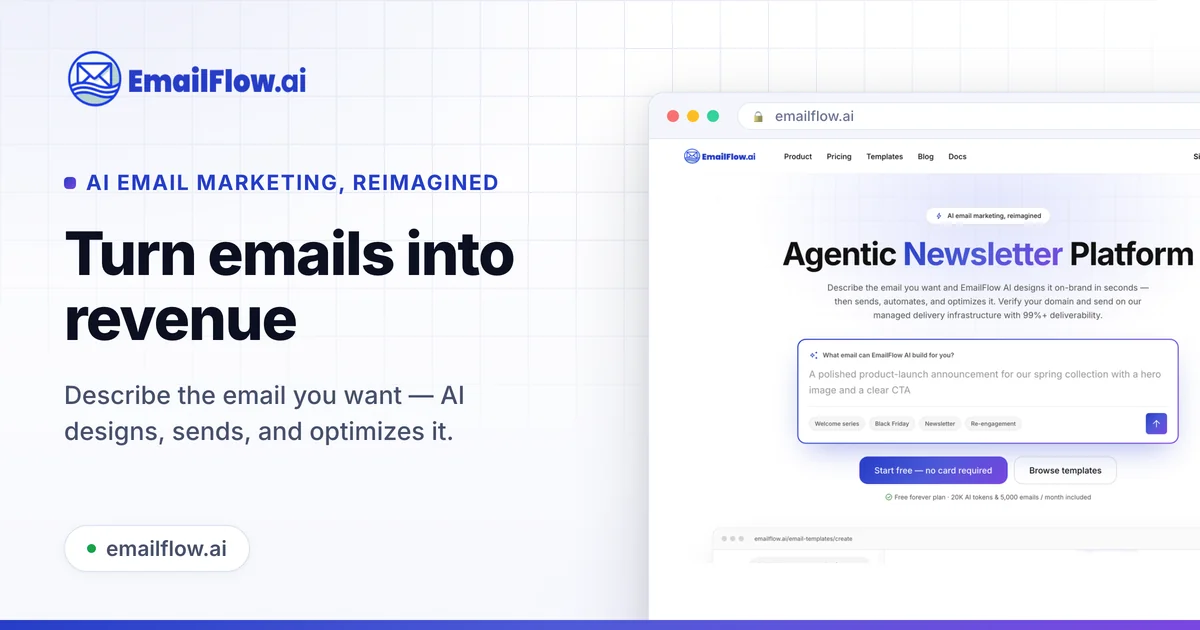
EmailFlow AI is an agentic email marketing platform that turns a plain-language description into an on-brand newsletter in seconds. You describe the email you want — such as a product-launch announcement — and its AI text-to-email builder designs it, after which you can send, automate, and optimize campaigns from one place. Emails go out over EmailFlow AI's managed delivery infrastructure with 99%+ deliverability once you verify your domain, so teams don't have to configure sending themselves. The platform bundles campaigns, automations, forms, and a template gallery, and offers a free-forever tier with monthly AI tokens and email and contact allowances for teams getting started.
Screenshots
Key Features
Use Cases



Frequently asked questions about EmailFlow AI
What is EmailFlow AI?
EmailFlow AI is an innovative newsletter platform that allows users to describe their desired email content. The AI then designs the email to match brand aesthetics, automates the sending process, and optimizes performance for better engagement. This tool simplifies email marketing for businesses and individuals alike.
Key Points
- AI-Driven Design: The platform uses artificial intelligence to create visually appealing emails based on user input.
- Automation Features: EmailFlow AI automates the entire emailing process, saving time and effort.
- Performance Optimization: The tool continually optimizes emails to enhance engagement metrics.
Detailed Explanation
EmailFlow AI transforms the email marketing landscape by leveraging artificial intelligence to streamline the design and sending processes. Users start by providing a brief description of the email they envision—this can include themes, colors, and specific content. The AI then analyzes this input and crafts a visually stunning email that aligns with the user’s branding.
Use Cases:
- Small Businesses: A small business can use EmailFlow AI to send promotional newsletters without hiring a designer, ensuring brand consistency and professional appearance.
- Content Creators: Bloggers and influencers can quickly generate engaging newsletters to share updates with their audiences, fostering community engagement.
- E-commerce: Online shops can automate product announcements and sales campaigns, improving customer retention and driving sales.
EmailFlow AI not only creates emails but also automates the scheduling and sending process. Users can set up campaigns to go live at optimal times, based on audience engagement analytics, which helps in maximizing open rates and click-through rates.
Best Practices / Tips
- Be Descriptive: The more detailed your description, the better the AI can tailor the email to your needs. Include specifics about your audience and desired tone.
- Test Variations: Utilize A/B testing features to assess different designs or content strategies, ensuring you find the most effective approach.
- Monitor Analytics: Regularly check the performance metrics provided by EmailFlow AI to make informed adjustments to your email campaigns.
Additional Resources
How does EmailFlow AI work?
EmailFlow AI works by combining Text-to-Email Builder: Describe the email you want and the AI designs it on-brand in seconds., Managed Delivery: Send over managed infrastructure with 99%+ deliverability after domain verification., Campaigns & Automations: Run one-off campaigns and automated email flows from one platform., Forms: Capture contacts with built-in forms., Template Gallery: Start from a gallery of email templates. to help users with Product Launches: Generate a polished launch announcement from a short description., Regular Newsletters: Design and send recurring newsletters without manual layout work., Marketing Automation: Set up automated email flows triggered by subscriber actions., Lead Capture: Collect and grow a contact list with forms., Small-Team Email: Launch professional campaigns without dedicated email designers or deliverability setup..
What are the main features of EmailFlow AI?
Key features include Text-to-Email Builder: Describe the email you want and the AI designs it on-brand in seconds., Managed Delivery: Send over managed infrastructure with 99%+ deliverability after domain verification., Campaigns & Automations: Run one-off campaigns and automated email flows from one platform., Forms: Capture contacts with built-in forms., Template Gallery: Start from a gallery of email templates..
Who is EmailFlow AI for?
EmailFlow AI is designed for entrepreneurs, marketers, and small teams looking to streamline their email communication. It benefits those launching products, creating newsletters, automating marketing efforts, capturing leads, and managing email campaigns without extensive design or technical expertise.
Key Points
- Product Launches: Create polished announcements easily.
- Regular Newsletters: Automate design and distribution.
- Marketing Automation: Trigger personalized email flows.
Detailed Explanation
EmailFlow AI caters to various users and scenarios:
-
Product Launches: Entrepreneurs can quickly generate engaging launch announcements from a brief description. This is ideal for startups looking to create buzz without spending significant time on design. For example, simply input a product's key features, and EmailFlow AI crafts an attractive email ready for distribution.
-
Regular Newsletters: Businesses can effortlessly design and send recurring newsletters. By automating layout work, teams can focus on content quality rather than technical details. For instance, a small business might use EmailFlow AI to send monthly updates, ensuring consistent engagement with customers.
-
Marketing Automation: Users can set up automated email flows based on subscriber actions, such as sign-ups or purchases. This feature is vital for nurturing leads and converting them into customers. For example, if a user downloads a resource, an automated follow-up email can be sent to promote related products.
-
Lead Capture: EmailFlow AI offers easy-to-use forms that help businesses collect and grow their contact lists. This functionality is essential for marketers aiming to expand their reach and engage potential customers effectively.
-
Small-Team Email: The platform enables small teams to launch professional campaigns without needing dedicated email designers or complex deliverability setups. This is particularly advantageous for startups or small businesses with limited resources.
Best Practices / Tips
- Personalization: Take advantage of EmailFlow AI's capabilities to personalize emails based on user behavior and preferences. Personalized emails can increase engagement rates significantly.
- A/B Testing: Utilize A/B testing features to determine which subject lines or content resonate most with your audience. This data-driven approach can enhance campaign effectiveness.
- Consistent Branding: Ensure that all emails maintain consistent branding elements, such as colors, logos, and messaging styles, to build recognition and trust with your audience.
- Monitor Analytics: Regularly review email performance metrics provided by EmailFlow AI to refine your strategies and improve open and click-through rates.
Additional Resources
How much does EmailFlow AI cost?
EmailFlow AI provides a free tier for users to get started, along with various paid plans that unlock advanced features. The pricing for the paid plans varies depending on the level of functionality required, making it accessible for both small businesses and larger enterprises.
Key Points
- Free Tier: Accessible features for beginners.
- Paid Plans: Various options based on advanced functionalities.
- Pricing Structure: Flexible pricing catering to different user needs.
Detailed Explanation
EmailFlow AI offers a robust platform for email marketing automation. The free tier allows users to send a limited number of emails per month, which is perfect for small businesses or individuals testing the service.
For those seeking more advanced capabilities, EmailFlow AI features several paid plans. These plans typically include options for enhanced analytics, automation rules, and customer segmentation. Pricing for these plans can start as low as $15 per month, scaling up to $99 or more depending on user needs and features included.
Example Use Cases
- Small Businesses: A local bakery can use the free tier to send newsletters to customers, promoting new items and seasonal specials.
- Marketing Agencies: An agency might choose a mid-tier plan to manage campaigns for multiple clients, leveraging advanced analytics to optimize performance.
- E-commerce Stores: Larger online retailers can benefit from the highest tier, utilizing comprehensive automation and customer segmentation to boost sales.
Best Practices / Tips
- Start with the Free Tier: Utilize the free version to familiarize yourself with EmailFlow AI’s interface and capabilities before committing to a paid plan.
- Assess Your Needs: Evaluate the features you truly need. If basic email marketing suffices, stick with the free plan. Consider upgrading only when you require advanced functionalities.
- Monitor Performance: Use analytics provided by the platform to track your email campaigns effectively and adjust your strategy accordingly.
Additional Resources
How do I get started with EmailFlow AI?
Visit https://emailflow.ai/ to sign up and explore EmailFlow AI.
Explore more AI Ai Tools tools
Browse all Ai Tools tools →Browse by use case: Automation & Productivity
Compare EmailFlow AI: vs Speech To Markdown · vs FluentDB · vs ReExplain · vs YC Has It