

CRIN — Watch AI Process Your Words, Visually
AIInteractive visual lessons that show how transformers, attention, embeddings, and tokens work through live animated data flows.
CRIN — Watch AI Process Your Words, Visually
Interactive visual lessons that show how transformers, attention, embeddings, and tokens work through live animated data flows.
About CRIN — Watch AI Process Your Words, Visually
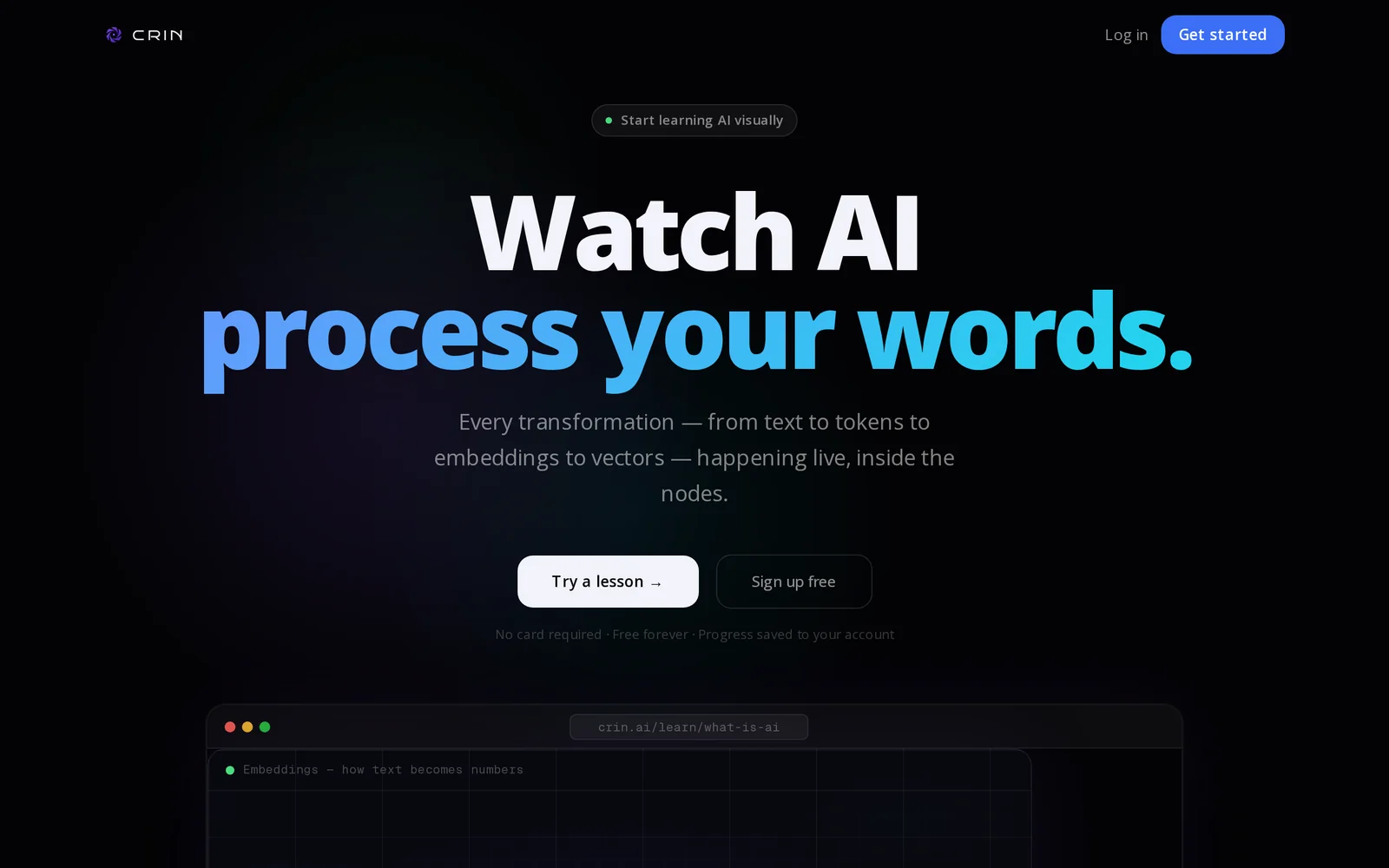
CRIN is an interactive visual education platform that demonstrates how modern language models operate by animating data as it moves through model components. Users can watch transformers, attention mechanisms, embeddings, and token flows as live, animated node graphs that reveal internal computations step-by-step. The platform is designed for developers and learners with no prior AI background, making complex model internals accessible, explorable, and easier to reason about for learning, debugging, and teaching.
Screenshots
Key Features
Use Cases


Frequently asked questions about CRIN — Watch AI Process Your Words, Visually
What is CRIN — Watch AI Process Your Words, Visually?
CRIN is a free interactive platform that visually demonstrates how AI processes language using animated lessons on concepts like transformers, attention, embeddings, and tokens. Designed for developers, it requires no prior AI knowledge, making complex topics accessible and engaging for learners.
Key Points
- Interactive Learning: Users engage with live animations that illustrate AI concepts.
- No Prerequisites: The platform is accessible to individuals with no prior AI experience.
- Focus on Developers: Tailored content that benefits those in technology and programming fields.
Detailed Explanation
CRIN offers an intuitive way to grasp the intricacies of AI by using visual aids. The platform breaks down complex terminology into manageable lessons. Here's how it works:
-
Transformers: These are foundational models in AI that process data in parallel, enabling faster learning from large datasets. CRIN visualizes how transformers manage input data to produce meaningful outputs.
-
Attention Mechanism: This technique helps models focus on specific parts of the input data, mimicking human cognitive processes. Users can see how attention shapes the flow of information in real-time.
-
Embeddings: CRIN explains embeddings as a way to convert words into numerical representations, allowing machines to understand context and semantics. Users can visualize how words cluster in a vector space.
-
Tokens: The platform illustrates how text is broken down into tokens, the smallest units of meaning, which are crucial for language processing tasks.
By engaging with CRIN, learners can see these concepts in action, enhancing their understanding of AI's underlying mechanics.
Best Practices / Tips
- Explore All Lessons: Take advantage of the full range of interactive lessons to solidify your understanding of each concept.
- Participate Actively: Engage with the animations by asking questions or adjusting parameters to see different outcomes.
- Follow Up with Resources: After completing the lessons, refer to additional materials or documentation to deepen your knowledge.
Additional Resources
How does CRIN — Watch AI Process Your Words, Visually work?
CRIN — Watch AI Process Your Words, Visually works by integrating advanced AI technologies to convert text input into visual representations, enhancing user interaction and productivity. This tool streamlines daily workflows by making complex data more accessible and understandable through engaging visuals.
Key Points
- AI-Powered Visualization: Transforms textual data into dynamic visual formats.
- User-Friendly Interface: Simplifies the workflow with intuitive design.
- Versatile Applications: Suitable for various industries, including education and marketing.
Detailed Explanation
CRIN employs cutting-edge AI algorithms to analyze text and generate visual content. When users input their words or data, CRIN processes this information using natural language processing (NLP) and machine learning. For example, if a user enters a report or a set of data points, CRIN can create infographics, charts, or mind maps that visually represent the key insights, making the information easier to grasp.
Use Cases
- Education: Teachers can use CRIN to turn lecture notes into visual aids, helping students better understand complex subjects.
- Marketing: Marketers can visualize customer feedback or market research data, allowing for clearer presentations and strategy discussions.
- Business Reporting: Companies can transform raw data into executive dashboards, making it easier to convey performance metrics to stakeholders.
Best Practices / Tips
- Input Clear Text: Ensure your text is well-structured and clearly articulated for optimal processing.
- Experiment with Formats: Try different types of data inputs (like lists or paragraphs) to see which yields the best visual results.
- Feedback Loop: Utilize CRIN’s feedback features to refine visualizations based on audience responses.
Additional Resources
What are the main features of CRIN — Watch AI Process Your Words, Visually?
CRIN — Watch AI Process Your Words, Visually offers advanced AI capabilities, including real-time text analysis, interactive visualizations, and personalized feedback. These features empower users to enhance communication, understand sentiment, and improve content engagement effortlessly, making it a powerful tool for businesses and individuals alike.
Key Points
- Real-time Text Analysis: Analyze text as it's written for immediate feedback.
- Interactive Visualizations: Transform written content into engaging visual formats.
- Personalized Feedback: Receive tailored suggestions to improve clarity and engagement.
Detailed Explanation
CRIN's core features focus on transforming how users interact with text.
-
Real-time Text Analysis: As you compose your content, CRIN provides instant insights into grammar, style, and readability. This feature helps users identify issues on the fly, allowing for quick corrections and enhancements, which is particularly useful for writers, marketers, and educators.
-
Interactive Visualizations: One of the standout features is the ability to convert text into visual formats. For instance, CRIN can generate infographics or charts that summarize key points from lengthy documents. This is especially beneficial for presentations, marketing materials, or educational content, making complex information more digestible.
-
Personalized Feedback: CRIN goes beyond basic suggestions by offering tailored advice based on the user's writing style and audience. With machine learning algorithms, it analyzes past writing samples to provide insights that resonate with specific demographics, thereby improving overall communication effectiveness.
Best Practices / Tips
- Utilize Real-Time Feedback: Always keep the real-time analysis window open while writing to catch errors early.
- Experiment with Visualizations: Try different visual formats to see which best conveys your message. This can vary based on your audience's preferences.
- Engage with Personalized Suggestions: Regularly review the personalized feedback to adjust your writing style and improve engagement over time.
Additional Resources
- CRIN Official Website - Explore features and pricing.
- AI in Content Creation - Learn more about how AI tools can enhance writing.
- Improving Writing with AI - Tips on leveraging AI for better writing.
Who is CRIN — Watch AI Process Your Words, Visually for?
CRIN — Watch AI Process Your Words, Visually is designed for a wide audience, including content creators, marketers, educators, and businesses seeking to enhance their communication. It visually represents AI processing for effective understanding and engagement in everyday workflows.
Key Points
- Target Audience: Content creators, educators, and marketers.
- Visual Representation: Simplifies complex AI processes.
- Improved Engagement: Enhances communication effectiveness.
Detailed Explanation
CRIN — Watch AI Process Your Words, Visually is an innovative tool that allows users to visualize how AI interprets and processes written text. This is particularly beneficial for:
-
Content Creators: Writers and bloggers can use CRIN to understand how their language is perceived by AI, helping them refine their content for better SEO and engagement.
-
Educators: Teachers can leverage this tool to demonstrate AI's capabilities in the classroom, illustrating concepts like natural language processing and machine learning in an engaging manner.
-
Marketers: Marketing professionals can analyze how AI interprets their messaging, allowing them to craft targeted campaigns that resonate with their audience.
For example, a marketer may input a product description and observe how CRIN visualizes AI processing that text. This insight can lead to improved copy that aligns better with consumer expectations and enhances conversion rates.
Best Practices / Tips
- Experiment with Different Inputs: Test various styles and tones of writing to see how the visual representation changes with different language use.
- Collaborate and Share Insights: Use CRIN in team settings to foster discussions about language and communication strategies.
- Stay Updated on AI Trends: Regularly check for updates to CRIN and similar tools to leverage new features and improvements.
Additional Resources
How much does CRIN — Watch AI Process Your Words, Visually cost?
CRIN — Watch AI Process Your Words, Visually offers a free tier for basic features, while advanced functionality is available through paid plans that start at $9.99 per month. Users can choose according to their needs, making it accessible for both casual users and professionals.
Key Points
- Free tier available with essential features.
- Paid plans starting at $9.99 per month.
- Advanced features cater to professional and business needs.
Detailed Explanation
CRIN provides users with a unique visual representation of their words processed by AI technology. The service is designed to enhance productivity and improve communication.
Pricing Breakdown
- Free Tier: Ideal for individuals wanting to explore basic functionalities without any financial commitment. This tier allows users to experience CRIN’s core features, making it suitable for students or casual users.
- Paid Plans: Starting at $9.99 per month, these plans unlock advanced features such as:
- Enhanced analytics tools for better insight into word processing.
- Customization options for visual outputs.
- Priority support and updates.
Use Cases
- Students: Utilize the free tier for assignments and presentations.
- Professionals: Subscribe to a paid plan for more complex data visualizations and analytics to support decision-making processes.
- Businesses: Leverage advanced features for team collaboration and reporting.
Best Practices / Tips
- Evaluate Needs: Before choosing a paid plan, assess your specific requirements. Use the free tier to understand what features are essential.
- Take Advantage of Trials: If available, opt for trial periods of paid plans to test advanced features without immediate financial commitment.
- Stay Updated: Follow CRIN’s updates, as new features and pricing options may be introduced that could better suit your needs.
Additional Resources
By understanding the pricing structure and available features of CRIN, users can make informed decisions that best fit their needs and enhance their productivity.
How do I get started with CRIN — Watch AI Process Your Words, Visually?
To get started with CRIN, visit https://crin.ai/?ref=producthunt to sign up and explore its features. CRIN offers a unique platform where AI processes your words visually, enhancing communication and creativity.
Key Points
- User-Friendly Interface: CRIN is designed for ease of use.
- Visual Processing: Watch as AI transforms your text into engaging visuals.
- Free Trial Available: Explore CRIN's capabilities without initial investment.
Detailed Explanation
CRIN provides a cutting-edge environment for users to visualize their words through advanced AI technology. To get started, follow these steps:
- Sign Up: Visit the CRIN website and create an account. The sign-up process is simple, requiring only basic information.
- Explore Features: Once registered, navigate through the dashboard. Familiarize yourself with features such as text input, visual generation, and customization options.
- Input Your Text: Enter your text into the platform. CRIN will analyze your words and provide visual representations that enhance understanding and engagement.
- Customize Visuals: Adjust colors, styles, and layouts to align with your preferences or branding.
- Download and Share: After creating your visuals, easily download them or share them directly on social media platforms.
This innovative tool can be applied in various contexts, from educational presentations to marketing materials, making it an essential resource for content creators.
Best Practices / Tips
- Experiment with Different Inputs: Try varying your text styles to see how CRIN interprets them visually.
- Utilize Templates: Explore pre-designed templates within CRIN to save time and enhance your visuals.
- Stay Updated: Regularly check for new features or updates to maximize your use of CRIN.
Additional Resources
By leveraging CRIN efficiently, you can transform the way you communicate your ideas, making them more impactful and visually appealing.
Explore more AI Ai Tools tools
Browse all Ai Tools tools →Compare CRIN — Watch AI Process Your Words, Visually: vs Pi Web · vs Aymo AI · vs Speech To Markdown · vs FluentDB