

ClawSecure
AIFree OpenClaw security scanner and runtime monitoring platform auditing agent skills with a 3-layer protocol and OWASP ASI Top 10 coverage.
ClawSecure
Free OpenClaw security scanner and runtime monitoring platform auditing agent skills with a 3-layer protocol and OWASP ASI Top 10 coverage.
About ClawSecure
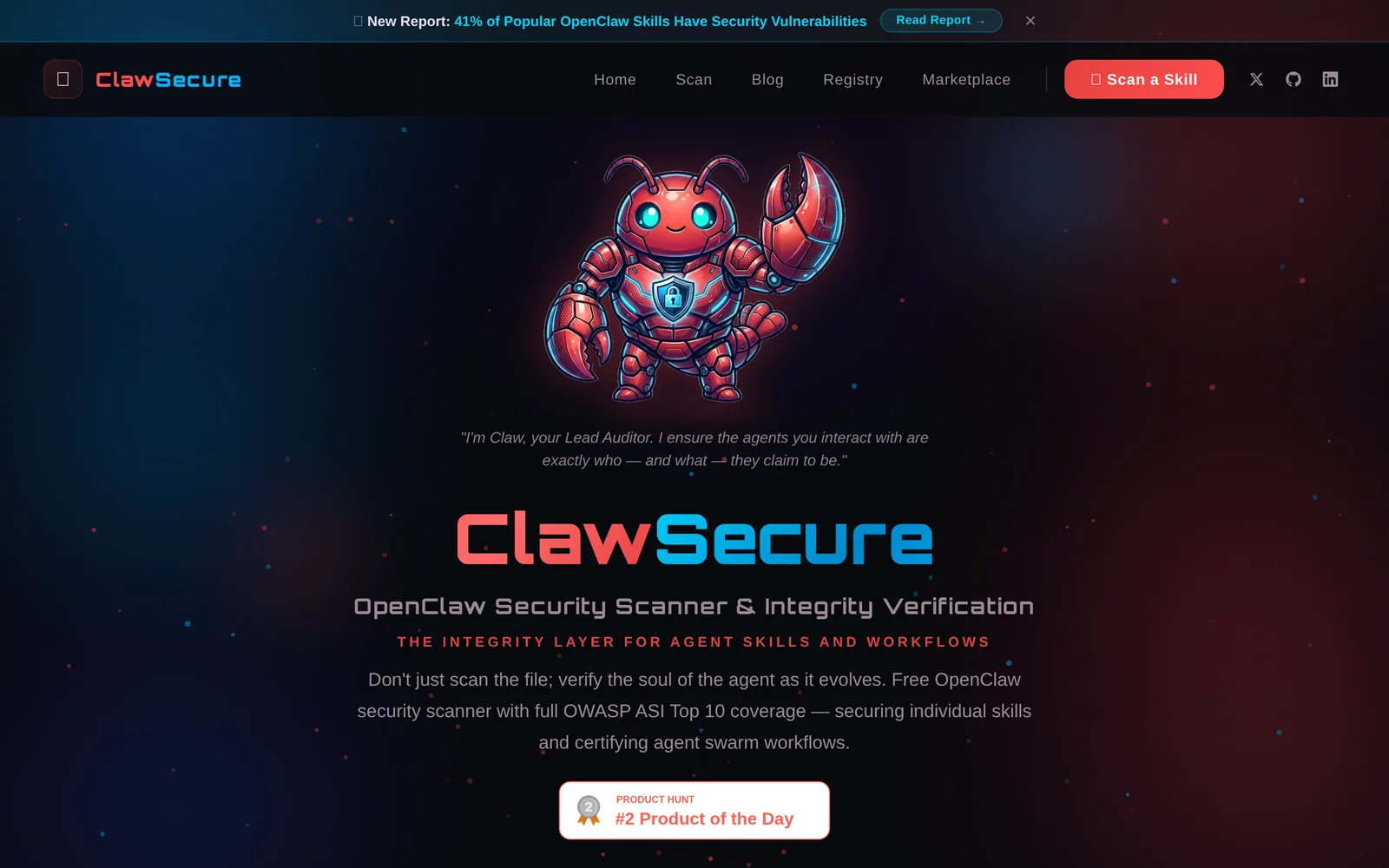
ClawSecure provides pre-install security scanning and AI-powered runtime monitoring for OpenClaw agent skills. It runs a 3-Layer Audit Protocol that inspects code, behavioral threats, prompt injection, and supply chain vulnerabilities with full OWASP ASI Top 10 coverage. Users can paste a ClawHub URL, GitHub link, or package to scan skills before installation, add audited skills to a public registry, and leverage continuous runtime monitoring and an AI CISO security agent for live threat detection and mitigation. ClawSecure also publishes vulnerability intelligence and research derived from thousands of audits.
Screenshots
Key Features
Use Cases


Frequently asked questions about ClawSecure
What is ClawSecure?
ClawSecure is a free OpenClaw security scanner designed to audit any agent skill before installation. It offers a comprehensive 3-layer security audit that fully covers the OWASP ASI Top 10 vulnerabilities, having audited over 2,890 agents from the most popular skills in the ecosystem.
Key Points
- Free Security Tool: ClawSecure is available at no cost to users.
- Comprehensive Auditing: It employs a 3-layer security audit process.
- Extensive Coverage: It covers the OWASP ASI Top 10 vulnerabilities effectively.
Detailed Explanation
ClawSecure serves as a crucial tool for developers and users in the voice application ecosystem, particularly those utilizing OpenClaw. Its primary function is to provide a thorough security audit of agent skills before they are installed, ensuring that users can trust the applications they are integrating.
The auditing process is structured into three distinct layers, which include:
- Static Analysis: This phase evaluates the code and configurations of the agent skill without executing it, identifying potential vulnerabilities in code structure and logic.
- Dynamic Analysis: Here, the tool executes the skill in a controlled environment to monitor behaviors and interactions that may expose security weaknesses during runtime.
- Compliance Checks: ClawSecure verifies that the skill adheres to the OWASP ASI Top 10 guidelines, focusing on the most critical security risks faced by applications.
As of now, ClawSecure has successfully audited over 2,890 agents, providing developers with insights into common vulnerabilities and how to mitigate them. This extensive database aids in enhancing overall security practices within the ecosystem.
Best Practices / Tips
- Regular Audits: Utilize ClawSecure frequently to keep your skills updated against new vulnerabilities.
- Follow OWASP Guidelines: Familiarize yourself with the OWASP ASI Top 10 vulnerabilities to understand what ClawSecure is protecting against.
- Integrate into Development Workflow: Incorporate ClawSecure audits into your development process to catch issues early, enhancing security from the ground up.
Additional Resources
How does ClawSecure work?
ClawSecure operates by utilizing advanced AI technologies to streamline daily workflows, enhancing productivity for users. This innovative tool supports various tasks, automating processes and providing intelligent insights, which ultimately makes day-to-day operations more efficient and manageable.
Key Points
- AI Integration: ClawSecure seamlessly integrates artificial intelligence to enhance user workflows.
- Automation Features: The tool automates repetitive tasks, saving users time and effort.
- User-Friendly Interface: ClawSecure is designed with an intuitive interface for ease of use.
Detailed Explanation
ClawSecure leverages machine learning and natural language processing to assist users in automating routine tasks. For example, it can analyze data trends and generate reports, enabling users to focus on strategic decision-making rather than mundane chores.
Use Cases:
- Data Analysis: Users can input raw data, and ClawSecure will process it, providing visual representations and actionable insights.
- Content Creation: The tool can draft emails or generate content ideas based on user prompts, significantly reducing time spent on writing tasks.
- Workflow Automation: ClawSecure can automate repetitive processes, such as scheduling meetings or managing to-do lists, allowing users to prioritize critical tasks.
Best Practices / Tips
- Customize Settings: Tailor ClawSecure’s features to suit your specific workflow needs for maximum efficiency.
- Regular Updates: Keep the tool updated to benefit from the latest features and security enhancements.
- Utilize Tutorials: Take advantage of available tutorials and guides to fully understand all operational capabilities.
Additional Resources
By incorporating ClawSecure into your daily operations, you can significantly enhance your productivity and streamline your workflow, making it an invaluable tool for both individuals and teams.
What are the main features of ClawSecure?
ClawSecure offers a robust set of features designed to enhance security and efficiency in AI operations. Key highlights include advanced threat detection, real-time monitoring, and automated responses. These capabilities empower organizations to safeguard their digital assets effectively while optimizing their workflows.
Key Points
- Advanced Threat Detection: Utilizes AI algorithms to identify potential security breaches.
- Real-Time Monitoring: Provides continuous surveillance of systems and networks.
- Automated Responses: Implements quick, predefined actions to mitigate threats.
Detailed Explanation
ClawSecure is a comprehensive security solution that integrates cutting-edge AI technology to protect organizations from evolving cyber threats.
-
Advanced Threat Detection: By employing machine learning algorithms, ClawSecure can analyze vast amounts of data to pinpoint anomalies that may indicate a security risk. For instance, its system can recognize unusual user behavior, flagging potential insider threats or compromised accounts.
-
Real-Time Monitoring: This feature allows organizations to keep a constant watch over their systems. ClawSecure continuously collects data from various sources, including network traffic and application logs, ensuring that any suspicious activity is detected and addressed immediately. This level of vigilance is crucial for preventing data breaches before they escalate.
-
Automated Responses: ClawSecure streamlines incident response by executing predefined actions when a threat is detected. For example, if it identifies a malware attack, it can automatically quarantine affected systems, notify the IT team, and begin a forensic investigation—all without human intervention. This automation not only saves time but also reduces the impact of the attack.
Best Practices / Tips
- Regularly Update: Ensure that ClawSecure and its threat databases are updated frequently to defend against the latest threats.
- Customize Alerts: Tailor alert settings to fit your organization’s specific needs, ensuring that critical threats are prioritized.
- Train Staff: Conduct regular training sessions for employees to understand ClawSecure’s features and enhance overall cybersecurity awareness.
Additional Resources
Who is ClawSecure for?
ClawSecure is designed for individuals and organizations looking to enhance their daily AI workflows, including content creators, data analysts, and software developers. It offers tools that simplify and automate tasks, making AI accessible to anyone interested in leveraging its capabilities for productivity and efficiency.
Key Points
- Target Audience: Suitable for a broad range of users, from beginners to experts.
- Use Cases: Ideal for content generation, data analysis, and software development.
- Accessibility: Easy-to-use interface caters to non-technical users.
Detailed Explanation
ClawSecure is an innovative AI tool that streamlines various workflows, making it an excellent choice for different user types:
-
Content Creators: Writers and marketers can utilize ClawSecure to generate high-quality articles, social media posts, and marketing copy. The AI-driven suggestions can enhance creativity and reduce the time spent on drafting and editing.
-
Data Analysts: Professionals in data analysis can leverage ClawSecure for data processing, visualization, and predictive modeling. The platform simplifies complex tasks, allowing analysts to focus on deriving insights rather than getting bogged down by technicalities.
-
Software Developers: Developers can integrate ClawSecure into their coding workflows to automate repetitive tasks, such as code generation and testing. This can significantly boost productivity and innovation.
For example, a content creator can input a few keywords into ClawSecure, and the tool can generate a full article outline or even a draft, allowing the creator to spend more time on refinement and strategy. Similarly, a data analyst can upload datasets, and ClawSecure can automatically identify trends and generate reports.
Best Practices / Tips
- Familiarize Yourself: Spend time exploring all features offered by ClawSecure to truly harness its potential.
- Start Small: Begin with simple tasks and gradually incorporate more complex workflows as you gain confidence.
- Regular Updates: Keep the tool updated to access the latest features and improvements.
- Community Engagement: Join forums or user groups to share insights and learn best practices from other users.
Additional Resources
How much does ClawSecure cost?
ClawSecure's pricing varies based on the specific needs of your organization. For accurate and up-to-date pricing details, it’s best to visit the official ClawSecure website, where you can find tailored options and subscription plans suited for different business sizes and security requirements.
Key Points
- ClawSecure offers customized pricing plans.
- Pricing may depend on the size and needs of the organization.
- Visit the official website for the most accurate and current pricing information.
Detailed Explanation
ClawSecure's pricing model is designed to be flexible, catering to businesses of all sizes, from startups to large enterprises. The exact cost can vary depending on factors like the number of users, the level of security required, and additional features you may want to include.
For example, small businesses might find cost-effective plans that provide essential security features, while larger corporations may opt for premium packages that include advanced threat detection and 24/7 customer support. ClawSecure typically offers tiered pricing, which means that the more extensive your needs, the higher the cost.
To get a personalized quote, organizations can contact ClawSecure directly through their website or customer support. This approach ensures that you receive a plan that aligns with your specific security needs, budget constraints, and operational scale.
Best Practices / Tips
- Evaluate Your Needs: Before checking pricing, assess your organization’s security requirements. Determine the number of users and the critical features you need.
- Request a Demo: Many companies, including ClawSecure, offer demos or trials. This will help you understand the product better and confirm if it meets your needs.
- Stay Updated: Pricing can change based on promotions or updated features. Regularly check the ClawSecure website for the latest information.
- Compare Plans: Analyze the differences between the various pricing tiers to ensure you choose the best fit for your organization without overspending.
Additional Resources
- ClawSecure Official Website
- ClawSecure Pricing Page
- ClawSecure Blog for updates and security tips.
How do I get started with ClawSecure?
To get started with ClawSecure, visit ClawSecure's website to sign up for an account. After creating your account, you can explore the platform’s features and configurations, ensuring you maximize the benefits of this AI-powered security tool.
Key Points
- Easy Sign-Up Process: Create your account quickly online.
- User-Friendly Interface: Navigate through the platform with ease.
- Explore Features: Understand various functionalities to enhance your security.
Detailed Explanation
To begin using ClawSecure, follow these steps:
-
Visit the Website: Go to ClawSecure. The homepage provides a clear overview of the tool's capabilities.
-
Sign Up: Click on the “Sign Up” button. You’ll need to enter your email address and create a password. Verify your email to activate your account.
-
Explore the Dashboard: Once logged in, familiarize yourself with the dashboard. ClawSecure offers various features like threat detection, automated responses, and real-time monitoring.
-
Set Up Security Preferences: Navigate to the settings to customize your security parameters. You can adjust notification settings, define user roles, and set up integrations with other tools.
-
Utilize Support Resources: ClawSecure provides tutorials and user guides to help you make the most of the platform. These resources are accessible in the help section.
Use Cases
- Small Businesses: Protect sensitive customer data with ClawSecure’s automated threat detection.
- Freelancers: Safeguard personal and client information while working remotely.
- Enterprise Solutions: Implement advanced security measures across large networks to prevent data breaches.
Best Practices / Tips
- Regularly Update Settings: Review your security settings periodically to adapt to new threats.
- Utilize Customer Support: Don’t hesitate to reach out for assistance through their support channels for any technical issues.
- Engage with the Community: Join forums or user groups to share insights and learn from other users’ experiences.
Additional Resources
- ClawSecure Documentation – Comprehensive guides and FAQs.
- Product Updates – Stay informed about new features and improvements.
- User Community Forum – Connect with other users for tips and strategies.
Explore more AI Ai Agents tools
Browse all Ai Agents tools →Compare ClawSecure: vs Gstack Meeting Agents · vs Estera · vs Webhound · vs ADE