
Capacity
AIAI no-code app builder that turns a plain-English idea into a live web app with logins, payments, and a shareable URL.
Capacity
AI no-code app builder that turns a plain-English idea into a live web app with logins, payments, and a shareable URL.
About Capacity
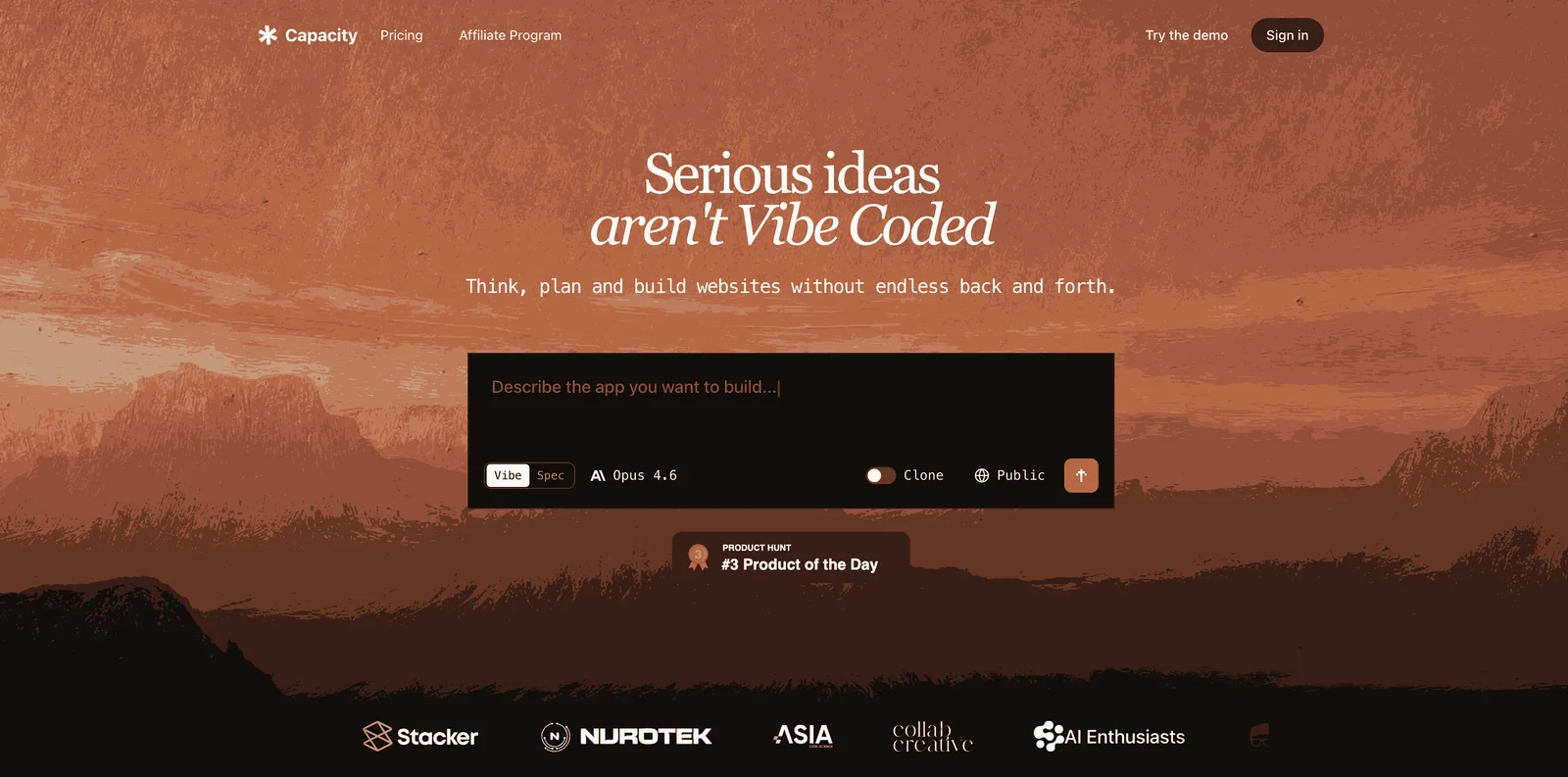
Capacity is an AI-powered app builder that lets non-technical founders ship real web applications by describing their idea in plain words. Instead of guessing, its agent asks clarifying questions about the purpose, audience, and desired feel, then generates a working app with member accounts, saved data, and payments — not just a demo. One click deploys the app to a shareable URL, and users can connect a custom domain in minutes. Capacity runs on a credit-based model that spends credits only when the AI actively builds or edits, and it can export the full underlying codebase so there is no vendor lock-in. A desktop app is available for macOS builders.
Screenshots
Key Features
Use Cases



Frequently asked questions about Capacity
What is Capacity?
Capacity is an AI no-code app builder that transforms simple English ideas into fully functional web applications. With features like user logins, payment integrations, and shareable URLs, it enables individuals and businesses to create custom apps quickly and easily without any coding knowledge.
Key Points
- No-Code Development: Enables users to build apps without programming skills.
- AI-Powered Features: Utilizes artificial intelligence to streamline app creation.
- Customizable Solutions: Offers flexible options for various business needs.
Detailed Explanation
Capacity allows users to generate web applications by articulating their ideas in plain English. This no-code platform leverages advanced AI technology to interpret user input and build applications that can include essential functionalities such as:
- User Authentication: Secure logins for users to access the app.
- Payment Processing: Integration with payment gateways to handle transactions seamlessly.
- Shareable URLs: Allows users to easily share their apps with clients or stakeholders.
Use Cases
- Small Businesses: Create a custom booking system or inventory management tool without hiring a developer.
- Educators: Develop interactive learning platforms tailored to specific subjects or courses.
- Entrepreneurs: Quickly prototype ideas for startups, test market viability, and gather user feedback.
Best Practices / Tips
- Define Your Idea Clearly: Start with a clear concept of what you want your app to achieve. This clarity will help the AI better understand your requirements.
- Explore Templates: Utilize pre-built templates in Capacity to speed up the app creation process.
- Test and Iterate: Launch a beta version of your application to gather user feedback and make iterative improvements.
Common Pitfalls to Avoid
- Overloading Features: Start with a minimum viable product (MVP) to avoid overwhelming users with too many features at launch.
- Neglecting User Experience: Ensure the app is user-friendly; prioritize intuitive navigation and responsive design.
Additional Resources
How does Capacity work?
Capacity works by using conversational AI to clarify your project ideas, generate full-featured apps, and support you through deployment and iteration. With one-click deployment and codebase export options, Capacity empowers non-technical founders and small businesses to create, manage, and enhance applications effortlessly.
Key Points
- Conversational AI: Capacity utilizes AI to ask clarifying questions about your app concept.
- Full Production Stack: Generated apps come with essential features like logins and payments.
- One-Click Deployment: Instantly publish apps with a unique URL and custom domains.
Detailed Explanation
Capacity combines advanced AI with user-friendly design to simplify app development. Here's how it works:
-
Conversational App Specification: When you describe your app idea, Capacity engages in a dialogue to confirm your intentions. This reduces guesswork and aligns the app's features with your vision. For instance, if you want a membership site, Capacity will ask questions to clarify user roles and payment structures.
-
Full Production Stack: The platform generates applications that come equipped with essential functionalities, including member accounts, user logins, saved data, and payment integration. This means that what you receive is a fully functional app, ready for real-world use, not just a prototype.
-
One-Click Deployment: You can publish your app with a single click, making it accessible via a unique URL the same day. If you need a custom domain, Capacity facilitates this in minutes, allowing for quick branding and marketing efforts.
-
AI Co-Founder Support: Describe any bugs or feature changes in everyday language, and Capacity’s AI will provide explanations and solutions, helping you iterate on your app effectively.
-
Codebase Export: For users on Growth plans or above, you have the option to export the complete codebase. This feature allows developers to take over the project seamlessly, ensuring scalability and customization as your needs evolve.
Use Cases:
- Non-Technical Founders: Validate MVP ideas by describing them and receiving a working prototype the same day.
- Solopreneurs: Build paid membership applications with essential features without the need for a developer.
- Small Business Owners: Quickly create internal tools or client portals with custom domains.
- Product Managers: Prototype new features and iterate quickly before handing off to development teams.
- Creators: Launch niche landing pages or micro-apps tailored to specific audiences using simple English instructions.
Best Practices / Tips
- Start Simple: When describing your app idea, focus on the core functionality. This helps the AI generate relevant features.
- Regular Feedback: Use the AI’s support features frequently to address issues or make iterative improvements.
- Explore Export Options: If you anticipate needing a developer later, consider learning how to export your codebase early on.
Additional Resources
What are the main features of Capacity?
Capacity offers key features such as a conversational app specification process, a complete production stack, one-click deployment, AI co-founder support, and codebase export. These features empower users to efficiently create and manage applications tailored to their specific needs without extensive coding knowledge.
Key Points
- Conversational App Specification: Capacity clarifies user intent by asking specific questions.
- Full Production Stack: Generates apps with essential features like user accounts and payments.
- One-Click Deployment: Quickly publish your app with custom domains.
Detailed Explanation
Capacity's main features streamline the app development process, making it accessible even for those without extensive technical skills.
Conversational App Specification
This feature enhances user experience by prompting users with clarifying questions about their app idea. Instead of making assumptions, Capacity ensures that the final product aligns closely with the user's vision. For instance, if you're building a booking app, Capacity will ask specifics about user roles, types of bookings, and payment methods, leading to a more tailored outcome.
Full Production Stack
The platform generates fully functional applications, equipped with essential features like member accounts, secure logins, data storage, and payment processing. This means users can create real products rather than just prototypes. For example, a retail app can include features for product listings, shopping carts, and transaction processing right out of the box.
One-Click Deployment
With its one-click deploy feature, users can publish their applications instantly to a shareable URL. This allows for rapid testing and feedback collection. Additionally, you can set up custom domains in minutes, improving branding and user accessibility. This feature is particularly beneficial for startups looking to launch quickly and gain market traction.
AI Co-Founder Support
Capacity employs AI to assist users in identifying and fixing bugs or implementing changes. Users can describe issues in natural language, and the AI will provide explanations, fixes, and updates. This reduces the need for technical intervention and accelerates the development process.
Codebase Export
For users on the Growth plan and above, Capacity allows the export of the full underlying codebase. This is crucial for developers who may want to take over a project or for teams looking to customize further. It ensures that users have complete control and flexibility over their applications.
Best Practices / Tips
- Define Clear Objectives: Before starting, have a clear idea of what your app should accomplish. This will help Capacity tailor its questions effectively.
- Iterate on Feedback: Utilize the AI co-founder support to implement changes based on user feedback quickly.
- Leverage Export Feature: If you plan to hand off the project to a developer later, ensure you understand how to export the codebase properly.
Additional Resources
By leveraging these features, users can optimize their app development process, ensuring efficiency and effectiveness in bringing their ideas to life.
Who is Capacity for?
Capacity is designed for a diverse range of users, including non-technical founders validating MVP ideas, solopreneurs building apps, small business owners creating internal tools, product managers prototyping features, and creators launching niche landing pages. Its intuitive platform allows these individuals to develop functional solutions without extensive coding knowledge.
Key Points
- Non-Technical Founders: Validate MVP ideas quickly.
- Solopreneurs: Build apps and manage payments without developers.
- Small Business Owners: Create customized tools effortlessly.
Detailed Explanation
Capacity caters to various users looking to streamline their development processes:
-
Non-Technical Founders:
- They can describe their MVP ideas in plain language and receive a functioning prototype within hours. This rapid validation helps in securing investor confidence and market feedback.
-
Solopreneurs:
- Solopreneurs benefit by creating paid membership apps featuring user logins, saved profiles, and payment integrations (like Stripe) without needing technical expertise. This allows them to focus on growth and customer engagement.
-
Small Business Owners:
- Small business owners can set up internal tools or client portals using custom domains. This can be done in minutes, helping improve operational efficiency and client interactions without the need for IT resources.
-
Product Managers:
- They can prototype new features and iterate based on team feedback. Once the concept is validated, they can export the codebase for engineers to build upon, ensuring alignment between vision and execution.
-
Creators:
- Whether launching a niche landing page or a micro-app, creators can use Capacity to deploy their ideas quickly and effectively, targeting specific audiences with tailored solutions.
Best Practices / Tips
- Define Your Goals: Clearly outline what you want to achieve with Capacity to maximize its utility.
- Use Plain Language: Describe your ideas and requirements in simple terms to get the best results from the platform.
- Iterate: Leverage feedback from prototypes to refine your offerings continuously.
- Explore Integration Options: Familiarize yourself with integrations like Stripe for payments to enhance your app's functionality.
Additional Resources
How much does Capacity cost?
Capacity offers a free tier to help users get started, while paid plans begin at $49 per month, providing access to advanced features tailored for businesses. These plans cater to various needs, ensuring scalability and enhanced functionality as your organization grows.
Key Points
- Free Tier: Basic access to features at no cost.
- Paid Plans: Starting at $49/month for advanced capabilities.
- Scalable Options: Plans designed to grow with your business needs.
Detailed Explanation
Capacity is a versatile AI-powered platform that focuses on automating customer support and knowledge management. The free tier allows users to explore core functionalities without any financial commitment, perfect for startups and small businesses wanting to test the service.
Once users require more advanced features, they can opt for paid plans. The basic paid plan starts at $49 per month, which includes additional functionalities such as advanced analytics, integrations, and more customization options. As your company scales, Capacity offers higher-tier plans that provide even more features and user seats, ensuring that as your needs grow, the platform can accommodate them.
For example, a business may start with the free tier to manage FAQs and simple customer inquiries. However, as customer interactions increase and complexity grows, upgrading to a paid plan would allow access to features like AI-driven insights, multi-channel support, and enhanced collaboration tools.
Best Practices / Tips
- Evaluate Needs: Start with the free tier to determine if Capacity meets your requirements before committing financially.
- Plan for Growth: Choose a paid plan that not only fits current needs but also allows for future growth.
- Utilize Features: Make the most of the platform’s capabilities, like automation and integration with existing systems, to enhance productivity.
Additional Resources
- Capacity Pricing Plans - Explore detailed pricing and features.
- Getting Started with Capacity - A guide to help you set up your account and start using the platform effectively.
- Capacity Support and Documentation - Access FAQs and support resources for troubleshooting and optimizations.
How do I get started with Capacity?
To get started with Capacity, visit Capacity's official website to sign up for an account. Once registered, you can explore its features, integrate tools, and customize your AI assistant to streamline your workflows and enhance productivity.
Key Points
- Sign Up Process: Create an account easily online.
- Explore Features: Familiarize yourself with available tools.
- Integration Options: Connect Capacity with existing applications.
Detailed Explanation
To begin using Capacity, follow these steps:
- Visit the Website: Navigate to Capacity's website.
- Create an Account: Click on the “Sign Up” button. You will need to provide basic information such as your name, email address, and password. You may also have the option to sign up using Google or other social accounts.
- Explore the Dashboard: After signing up, log in to your dashboard. Here, you will find various features, including knowledge management, AI-powered chatbots, and automation tools.
- Integrate Applications: Capacity allows you to connect with popular tools like Slack, Salesforce, and Zendesk. Use the integration settings to link your existing applications for seamless data flow.
- Customize Your AI Assistant: Tailor your AI assistant to suit your business needs. You can add FAQs, set up workflows, and train the AI on your specific use cases.
For example, if you are in customer service, you can use Capacity to automate responses to frequently asked questions, thereby improving efficiency and reducing response times.
Best Practices / Tips
- Take Advantage of Free Trials: If available, utilize free trials to test features before committing to a plan.
- Engage with Tutorials: Capacity often provides tutorials and webinars. Engage with these resources to maximize your understanding of the platform.
- Regularly Update Content: Keep your knowledge base updated to ensure that the AI assistant remains accurate and relevant.
Additional Resources
- Capacity Documentation - Official documentation for detailed guidance.
- Getting Started with Capacity - A helpful guide for new users.
- Capacity Blog - Insights, tips, and updates about AI and productivity tools.
Explore more AI Ai Tools tools
Browse all Ai Tools tools →Browse by use case: Automation & Productivity
Compare Capacity: vs nodeterm · vs A.I.G (AI Infra Guard) · vs Trama · vs Agents Never Sleep