

Ajelix
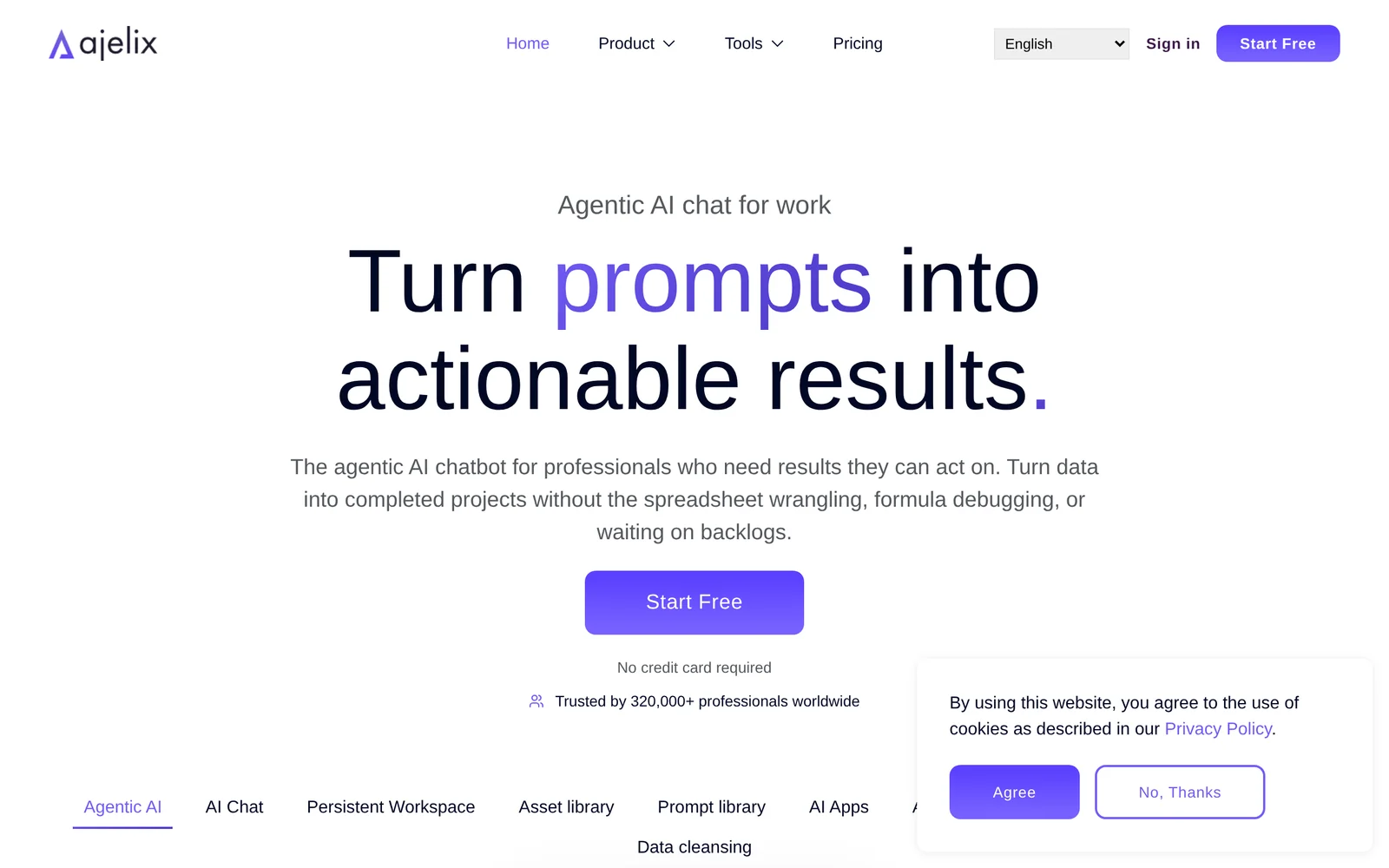
AIAgentic chat for work that transforms company data into actionable results and automates tasks for teams.
Ajelix
Agentic chat for work that transforms company data into actionable results and automates tasks for teams.
About Ajelix
Ajelix is an agentic chat platform designed for business use that turns organizational data into actionable outputs. It provides natural-language chat combined with goal-oriented agents that can access connected data sources, analyze information, and execute or propose concrete next steps. The platform emphasizes workplace workflows, team collaboration, and automation to accelerate research, reporting, support, and operational tasks while presenting results as shareable, actionable artifacts.
Screenshots
Key Features
Use Cases



Frequently asked questions about Ajelix
What is Ajelix?
Ajelix is an advanced agentic AI chat tool designed for the workplace, enabling users to transform complex data into actionable insights. Trusted by over 300,000 digital professionals, Ajelix streamlines communication and enhances productivity by providing intelligent solutions tailored to specific business needs.
Key Points
- Data Transformation: Converts raw data into actionable insights.
- User Base: Over 300,000 digital professionals rely on Ajelix.
- Workplace Impact: Enhances productivity and communication efficiency.
Detailed Explanation
Ajelix leverages cutting-edge artificial intelligence to analyze vast amounts of data, offering actionable insights that empower decision-making in real-time. For instance, marketing teams can use Ajelix to interpret user engagement metrics, enabling them to create targeted campaigns that resonate with their audience.
Use Cases:
- Customer Support: Automate responses to frequently asked questions, allowing support teams to focus on complex queries.
- Project Management: Integrate with project management tools to provide status updates and allocate resources effectively.
- Market Research: Analyze competitor data and market trends to inform strategic planning.
The tool is designed to integrate seamlessly with existing workflows, whether it's through APIs or third-party applications, ensuring that teams can access insights without disrupting their current processes.
Best Practices / Tips
- Regularly Update Data: Ensure that the data feeding into Ajelix is current to maintain the accuracy of insights.
- Customize Interactions: Tailor the AI’s responses based on user behavior and preferences for more effective engagement.
- Monitor Performance: Track how the insights generated by Ajelix impact decision-making and team performance to optimize usage.
Additional Resources
How does Ajelix work?
Ajelix works by integrating advanced AI capabilities to streamline and enhance users' daily workflows. It automates repetitive tasks, facilitates data analysis, and improves decision-making processes, making it a valuable tool for both individuals and businesses seeking efficiency and productivity.
Key Points
- Automation of Repetitive Tasks: Ajelix saves time by handling mundane tasks.
- Data Analysis: It processes and analyzes large datasets swiftly.
- Enhanced Decision-Making: Users can leverage insights for smarter choices.
Detailed Explanation
Ajelix utilizes machine learning, natural language processing, and automation to provide a comprehensive solution for everyday workflows. For instance, a marketing team can use Ajelix to automate social media posting, analyze engagement data, and generate performance reports, all in one platform.
Example Use Cases:
- Content Creation: Ajelix can suggest topics, generate drafts, and optimize articles for SEO, allowing content creators to focus on strategy rather than writing.
- Customer Support: By deploying chatbots powered by Ajelix, businesses can provide 24/7 support, answering common inquiries and escalating complex issues to human representatives.
- Project Management: Teams can leverage Ajelix to track progress, set reminders, and allocate resources efficiently based on real-time data insights.
Best Practices / Tips
- Define Clear Goals: Before implementing Ajelix, outline specific tasks you want to automate or improve.
- Train the AI: Ensure that the AI is fed accurate and comprehensive data for optimal performance.
- Monitor Performance: Regularly assess the outcomes and efficiency improvements to adjust workflows accordingly.
Additional Resources
What are the main features of Ajelix?
Ajelix offers advanced AI capabilities, including natural language processing, machine learning, and data analysis. Its main features empower businesses to automate workflows, enhance customer engagement, and derive actionable insights from complex datasets, making it a powerful tool for various industries.
Key Points
- Natural Language Processing (NLP): Facilitates human-like interactions.
- Machine Learning: Enables predictive analytics and decision-making.
- Data Analysis: Extracts insights from large datasets efficiently.
Detailed Explanation
Ajelix stands out with its robust Natural Language Processing (NLP) capabilities, allowing users to create chatbots and virtual assistants that understand and respond to human queries. This feature is invaluable for businesses looking to improve customer service and enhance engagement through conversational interfaces.
The Machine Learning capabilities of Ajelix enable businesses to build predictive models. For instance, retailers can leverage these features to anticipate customer behavior, optimize inventory, and personalize marketing strategies. This predictive analytics approach helps organizations make informed decisions based on data-driven insights.
Additionally, Ajelix's Data Analysis tools are designed to handle large datasets with ease. Users can visualize data trends and derive actionable insights quickly, making it an essential feature for data scientists and business analysts. For example, companies can analyze customer feedback to improve products or services effectively.
Best Practices / Tips
- Utilize NLP for Customer Engagement: Implement chatbots to provide 24/7 customer support, enhancing user experience.
- Leverage Machine Learning for Personalization: Tailor your marketing strategies based on customer behavior to increase conversion rates.
- Regularly Update Data Models: Keep your machine learning models up-to-date with fresh data to improve accuracy and reliability.
Additional Resources
Who is Ajelix for?
Ajelix is designed for individuals and teams looking to streamline day-to-day AI workflows. It is particularly beneficial for business professionals, marketers, developers, and anyone interested in leveraging AI technology to enhance productivity and efficiency in their daily tasks.
Key Points
- Target Audience: Business professionals, marketers, developers, and creative individuals.
- Use Cases: Automating repetitive tasks, enhancing productivity, and improving decision-making processes.
- Accessibility: User-friendly interface suitable for both beginners and experts in AI.
Detailed Explanation
Ajelix offers a versatile platform tailored for various users who want to integrate AI into their daily routines. Here's how it can benefit different groups:
-
Business Professionals: Ajelix helps streamline administrative tasks, such as scheduling meetings, managing emails, and generating reports. For instance, sales teams can utilize AI to analyze customer data and predict trends, allowing them to make informed decisions.
-
Marketers: Ajelix is instrumental in optimizing digital marketing strategies. It can automate social media posting, analyze audience engagement, and provide insights into campaign performance. By leveraging AI tools, marketers can enhance their targeting and content strategies.
-
Developers: For those in tech, Ajelix simplifies coding and software development processes. It can assist with debugging, code optimization, and even generating code snippets based on user input, saving valuable time and effort.
-
Content Creators: Writers and designers can use Ajelix for brainstorming ideas, generating content drafts, and even creating visual designs. The AI-driven suggestions can inspire creativity while also ensuring that the content is engaging and relevant.
Best Practices / Tips
- Start Small: Begin by integrating a few AI tools into your workflow to avoid overwhelm. Gradually expand as you become more comfortable.
- Customize Features: Take advantage of Ajelix’s customization options to tailor the tools to your specific needs, ensuring maximum efficiency.
- Regularly Update Your Skills: Stay informed about the latest AI developments and features within Ajelix to fully utilize its capabilities.
- Monitor Performance: Use analytics to assess how AI integration is impacting your productivity and make adjustments as needed.
Additional Resources
How much does Ajelix cost?
Ajelix offers flexible pricing plans tailored to various user needs, with details available on the official Ajelix website. For precise costs, users can explore subscription tiers, which typically range from basic to premium packages, each with different features and levels of support.
Key Points
- Ajelix pricing varies based on the selected plan.
- Subscription tiers include basic, standard, and premium options.
- Users can find detailed pricing on the official Ajelix website.
Detailed Explanation
Ajelix provides a variety of pricing options to cater to diverse business requirements. The pricing structure generally includes:
-
Basic Plan: This entry-level option is ideal for startups and small businesses. It typically includes essential features like access to basic AI functionalities, a limited number of user accounts, and standard support. The cost may start around $29 per month.
-
Standard Plan: Aimed at growing businesses, this plan often includes additional features such as enhanced customization options, increased user accounts, and priority customer support. Pricing for this tier typically ranges from $59 to $99 per month, depending on the specific features selected.
-
Premium Plan: Designed for larger enterprises, the premium plan offers comprehensive features, including advanced analytics, extensive customization options, and dedicated account management. Prices for this tier can exceed $149 per month, reflecting the extensive capabilities and support provided.
For exact pricing, users should visit the Ajelix official website where they can review current offers, promotional discounts, and any seasonal deals.
Best Practices / Tips
- Evaluate Needs: Before choosing a plan, assess your business requirements to ensure you select the most suitable option.
- Take Advantage of Trials: Many SaaS platforms, including Ajelix, offer free trials. Utilize these to test features and ensure alignment with your needs.
- Stay Updated: Pricing and features can change. Regularly check the official website for the latest information and any new features or pricing adjustments.
Additional Resources
For any specific questions related to pricing or features, consider reaching out to Ajelix's customer support for personalized assistance.
How do I get started with Ajelix?
To get started with Ajelix, visit ajelix.com to sign up for an account. Once registered, you can explore its features, tools, and resources tailored for optimizing your workflows and enhancing productivity.
Key Points
- Easy Registration: Sign up quickly via the Ajelix website.
- Feature Exploration: Discover tools designed to streamline your tasks.
- User-Friendly Interface: Navigate the platform effortlessly for maximum efficiency.
Detailed Explanation
Getting started with Ajelix is a straightforward process.
-
Visit the Website: Go to ajelix.com to access the sign-up page.
-
Create an Account: Fill out the registration form with your email and create a password. You may need to verify your email address to activate your account.
-
Explore Features: Once logged in, take a tour of the dashboard. Ajelix offers various tools, including project management, collaboration features, and automation options that can enhance your productivity.
-
Utilize Resources: Check out the tutorials and user guides available on the site. These resources can help you learn how to use Ajelix effectively, from basic functionalities to advanced features.
-
Join the Community: Engage with other users through forums or social media groups. This can provide you with tips, feedback, and best practices for using Ajelix.
Best Practices / Tips
- Start with Tutorials: Take advantage of the onboarding tutorials to understand the platform's capabilities.
- Set Clear Goals: Define what you want to achieve with Ajelix, whether it’s improving team collaboration or streamlining project management.
- Experiment with Features: Don’t hesitate to explore different tools and settings to find what works best for your workflow.
- Regular Updates: Keep an eye on updates and new features released by Ajelix to ensure you are maximizing the platform's potential.
Additional Resources
- Ajelix Documentation – Comprehensive guides and FAQs.
- Ajelix Blog – Insights and tips on productivity and tool usage.
- User Community Forum – Connect with other users for advice and support.
What is Ajelix AI Agent for Work?
Ajelix AI Agent for Work is an advanced artificial intelligence tool designed to enhance workplace productivity by automating routine tasks, streamlining communications, and facilitating data analysis. It leverages machine learning algorithms to assist teams in decision-making and project management, making work processes more efficient.
Key Points
- Automation of Routine Tasks: Reduces manual effort and increases efficiency.
- Enhanced Communication: Improves team collaboration through AI-driven insights.
- Data Analysis Capabilities: Provides actionable insights from large datasets.
Detailed Explanation
Ajelix AI Agent for Work is developed to optimize various aspects of workplace operations. It can automate repetitive tasks such as scheduling meetings, sending reminders, and managing emails, which frees up valuable time for employees to focus on more strategic activities.
For example, a marketing team using Ajelix can automate the reporting of campaign performance, allowing team members to quickly assess which strategies are effective without manually compiling data. This tool also enhances communication by providing real-time suggestions and insights, encouraging collaboration among team members.
Moreover, Ajelix utilizes advanced machine learning techniques to analyze large datasets, offering predictive analytics that can guide business decisions. For instance, sales teams can use Ajelix to forecast sales trends based on historical data, leading to more strategic planning and resource allocation.
Best Practices / Tips
To maximize the benefits of Ajelix AI Agent for Work:
- Integrate with Existing Tools: Ensure Ajelix works seamlessly with tools your team already uses.
- Train Your Team: Provide training sessions to help employees understand how to leverage AI capabilities effectively.
- Regularly Update Settings: Keep the AI’s parameters updated to reflect changes in your workflow or business goals.
Common Pitfalls to Avoid
- Over-Reliance on Automation: While Ajelix can handle many tasks, human oversight is crucial for quality control.
- Neglecting Data Security: Always ensure that sensitive information is protected when using AI tools.
- Ignoring User Feedback: Regularly collect feedback from users to improve the tool’s functionality.
Additional Resources
How does Ajelix AI Agent for Work work?
Ajelix AI Agent for Work utilizes advanced AI technologies to streamline daily workflows by automating tasks, enhancing productivity, and providing intelligent insights. This tool is designed to assist users in managing various work-related activities efficiently, thus saving time and resources.
Key Points
- Task Automation: Automates repetitive tasks to improve efficiency.
- Intelligent Insights: Provides data-driven insights to enhance decision-making.
- User-Friendly Interface: Designed for ease of use to accommodate all skill levels.
Detailed Explanation
Ajelix AI Agent for Work integrates various artificial intelligence capabilities, such as natural language processing, machine learning, and data analytics, to support users in their everyday work tasks. Here’s how it functions:
-
Task Automation: The AI Agent can automate routine tasks such as scheduling meetings, managing emails, and generating reports. For example, users can set up automation for sending follow-up emails after meetings, which saves time and ensures consistent communication.
-
Intelligent Insights: By analyzing data trends and patterns, Ajelix provides actionable insights that aid in strategic decision-making. For instance, if a project is falling behind schedule, the AI can analyze past performance data to suggest adjustments in resource allocation or timelines.
-
User-Friendly Interface: The platform is designed with a simple, intuitive interface that allows users of all backgrounds to leverage AI technology. Whether you are a tech-savvy professional or a beginner, you can easily navigate the tool and maximize its capabilities.
Best Practices / Tips
- Regularly Update Tasks: Keep your tasks and workflows updated to maximize automation effectiveness.
- Utilize Analytics Features: Take full advantage of the insights provided by the AI to make informed decisions.
- Train the AI: Regularly provide feedback on AI suggestions to improve its accuracy and relevance over time.
Additional Resources
What are the main features of Ajelix AI Agent for Work?
Ajelix AI Agent for Work offers key features such as advanced natural language processing, task automation, and integration with various productivity tools. These capabilities enhance workflow efficiency, improve communication, and streamline repetitive tasks, making it a powerful asset for teams looking to optimize their work processes.
Key Points
- Natural Language Processing (NLP): Understands and processes human language.
- Task Automation: Automates repetitive tasks to save time and reduce errors.
- Integration Capabilities: Connects with popular productivity tools like Slack, Trello, and Google Workspace.
Detailed Explanation
Ajelix AI Agent leverages advanced natural language processing (NLP) to understand and interpret user commands effectively. This feature allows users to interact with the AI using everyday language, making it accessible for everyone on the team. For example, an employee can ask Ajelix to summarize a meeting or generate a report simply by typing or speaking a command.
The task automation feature is particularly beneficial for businesses looking to enhance productivity. By automating routine tasks such as scheduling meetings, sending reminders, or managing emails, Ajelix minimizes the chances of human error and frees up valuable time for employees to focus on more strategic initiatives. For instance, a marketing team can set Ajelix to automatically post updates on social media at specific times without manual intervention.
Integration capabilities allow Ajelix to seamlessly connect with existing workflows and tools, such as Slack for communication, Trello for project management, or Google Workspace for document collaboration. This means teams can leverage Ajelix's features without overhauling their current systems, enhancing overall efficiency.
Best Practices / Tips
- Utilize NLP Commands: Familiarize your team with effective NLP commands to maximize the benefits of Ajelix. Shortcuts can significantly speed up interactions.
- Automate Wisely: Identify repetitive tasks that are time-consuming and consider automating them first. Start small to assess the effectiveness of automation before expanding.
- Regularly Update Integrations: Ensure that Ajelix is integrated with the latest versions of your productivity tools to take advantage of new features and improvements.
Additional Resources
Who is Ajelix AI Agent for Work for?
Ajelix AI Agent for Work is designed for professionals, teams, and organizations seeking to streamline their daily workflows using artificial intelligence. It is particularly beneficial for project managers, marketers, and customer support teams who want to enhance productivity and automate repetitive tasks.
Key Points
- Target Audience: Professionals across various industries.
- Workflow Automation: Automates repetitive tasks to save time and increase efficiency.
- Collaboration Enhancement: Facilitates better teamwork and communication among team members.
Detailed Explanation
Ajelix AI Agent for Work caters to a diverse user base, including professionals in sectors such as marketing, project management, finance, and customer service. For example, marketers can use Ajelix to automate social media scheduling, analyze customer data, and generate insights for campaigns. Project managers benefit from task automation, allowing them to focus on strategic planning rather than administrative duties.
Additionally, customer support teams can leverage Ajelix AI to handle frequently asked questions, enabling them to prioritize complex queries that require human intervention. This not only enhances customer satisfaction but also improves response times.
The AI agent integrates seamlessly with popular tools like Slack, Trello, and Google Workspace, making it easy to implement without disrupting existing workflows. Users can personalize the AI agent’s features to tailor it to their specific needs, ensuring maximum efficiency and productivity.
Best Practices / Tips
- Define Clear Goals: Before implementing Ajelix AI, outline specific objectives. What tasks do you want to automate? Setting clear goals helps measure success.
- Regularly Update Workflows: As your team adapts to using the AI agent, continually assess and refine workflows to ensure they remain efficient.
- Train Your Team: Offer training sessions to help team members fully understand the capabilities of Ajelix AI, ensuring they can maximize its potential.
- Monitor Performance: Keep track of the AI agent’s performance metrics and adjust settings based on user feedback to optimize its functionality.
Additional Resources
- Ajelix Official Website - Discover features, pricing, and use cases.
- Getting Started with Ajelix - Comprehensive guide for new users.
- AI Workflow Automation Best Practices - Tips for optimizing AI integration in your workflow.
How much does Ajelix AI Agent for Work cost?
Ajelix AI Agent for Work offers a variety of pricing plans depending on the features and number of users. For specific pricing details and options, it is recommended to visit the official Ajelix website, where you can find the most accurate and up-to-date information.
Key Points
- Flexible Pricing Plans: Ajelix offers different subscription tiers.
- User-Based Pricing: Costs may vary based on user count.
- Trial Options: Free trials might be available for new users.
Detailed Explanation
Ajelix AI Agent for Work provides several pricing plans tailored to different business needs. The pricing structure typically includes tiers such as Basic, Pro, and Enterprise, each offering varying features like advanced analytics, integration capabilities, and customer support.
For example, small businesses might opt for the Basic plan, which provides essential functionalities at a lower cost, while larger organizations may benefit from the Enterprise plan that includes extensive customization and dedicated support.
To get started, businesses can visit the official Ajelix website to explore detailed breakdowns of each plan. There are often seasonal promotions or discounts for annual subscriptions, which can enhance cost-effectiveness. Users should carefully assess their needs to select the most suitable plan.
Best Practices / Tips
- Evaluate Your Needs: Before selecting a plan, assess your team's size and required features.
- Take Advantage of Trials: Utilize free trials to test the platform's functionalities before committing to a paid plan.
- Stay Updated: Regularly check the official Ajelix website for any updates or changes in pricing.
Additional Resources
By following this structured approach, businesses can make informed decisions regarding their investment in Ajelix AI Agent for Work.
How do I get started with Ajelix AI Agent for Work?
To get started with Ajelix AI Agent for Work, visit ajelix.com to sign up for an account. Once registered, you can explore its features, customize your settings, and integrate it into your workflow for enhanced productivity.
Key Points
- Easy Registration: Sign up online within minutes.
- User-Friendly Interface: Navigate features effortlessly.
- Integration Capabilities: Connect with existing tools and platforms.
Detailed Explanation
Ajelix AI Agent for Work is designed to optimize your workflow through artificial intelligence. Here are the steps to get started:
- Visit the Website: Go to ajelix.com.
- Create an Account: Click on the sign-up button and fill in the required information. You'll need a valid email address and a secure password.
- Explore the Dashboard: After confirming your email, log in to your account. Familiarize yourself with the dashboard, which offers various tools, settings, and support options.
- Customize Your Settings: Tailor the AI assistant to suit your work style. Adjust preferences for task management, reminders, and integrations.
- Integrate with Other Tools: Ajelix allows for seamless integration with popular applications like Google Workspace, Slack, and Microsoft Teams. Connect these tools to enhance your productivity.
Use Cases
- Task Management: Utilize Ajelix to schedule tasks, set reminders, and track progress on projects.
- Collaboration: Enhance team communication with AI-driven suggestions and updates.
- Data Analysis: Leverage AI capabilities to analyze data trends and generate insights.
Best Practices / Tips
- Start Simple: Begin with basic features before exploring advanced functionalities.
- Regular Updates: Check for software updates to take advantage of new features and improvements.
- Feedback Loop: Provide feedback to Ajelix to help improve the tool's performance based on your experiences.
- Utilize Tutorials: Take advantage of available tutorials and resources to maximize your use of the platform.
Additional Resources
- Ajelix Official Documentation for in-depth guides.
- Ajelix Community Forum to connect with other users.
- Video Tutorials on how to effectively use the AI Agent.
Explore more AI Ai Tools tools
Browse all Ai Tools tools →Browse by use case: Chatbots & Assistants · Automation & Productivity
Compare Ajelix: vs Speech To Markdown · vs FluentDB · vs ReExplain · vs YC Has It