

WordFlippin
AIAI-powered vocabulary builder with flashcards, spaced repetition, article word extraction, instant definitions, and progress tracking.
WordFlippin
AI-powered vocabulary builder with flashcards, spaced repetition, article word extraction, instant definitions, and progress tracking.
About WordFlippin
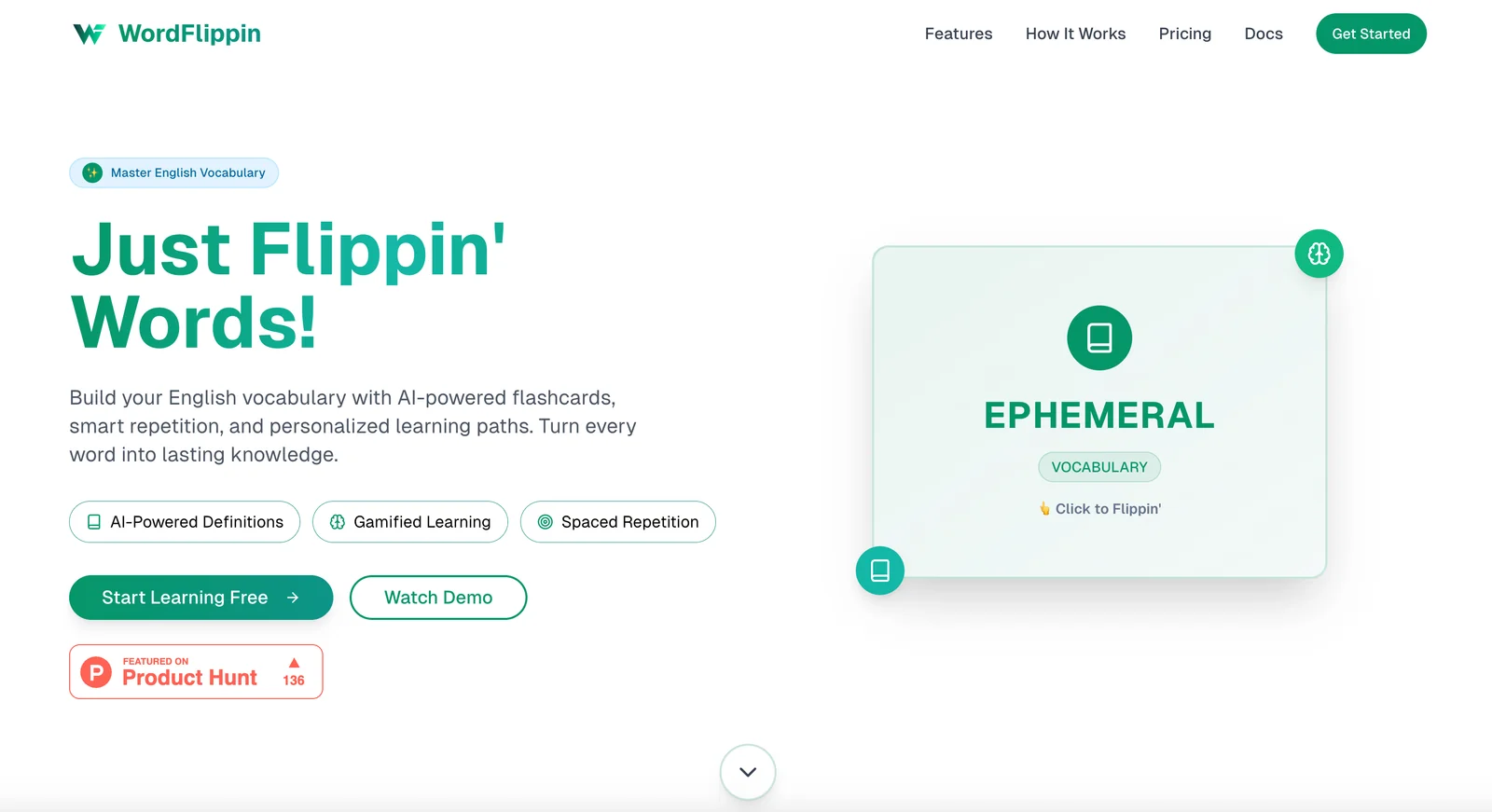
WordFlippin is a vocabulary learning tool that uses AI to generate and manage flashcards, apply spaced-repetition scheduling, and personalize learning based on user performance. Users can extract words directly from articles or import text, receive instant definitions and example usage, and track mastery with progress analytics. The platform adapts review timing and item selection to focus on words the learner struggles with, enabling efficient, context-driven vocabulary growth.
Screenshots
Key Features
Use Cases



Frequently asked questions about WordFlippin
What features does WordFlippin offer for vocabulary building?
WordFlippin provides a comprehensive vocabulary building platform with features like AI-powered flashcards, spaced repetition scheduling, article word extraction, instant definitions, and progress tracking. These tools are designed to enhance the learning experience and ensure effective retention of new vocabulary.
Key Points
- AI-Powered Flashcards: Personalized learning tools that adapt to user performance.
- Spaced Repetition Scheduling: Optimizes review times for long-term retention.
- Article Word Extraction: Helps learners engage with real-world content.
Detailed Explanation
WordFlippin is an innovative tool designed to assist learners in building and expanding their vocabulary efficiently. Here’s how each feature contributes to effective vocabulary acquisition:
AI-Powered Flashcards
The AI-powered flashcards leverage machine learning to personalize the learning experience. As users interact with the flashcards, the system analyzes their strengths and weaknesses, adjusting the content accordingly. For example, if a user struggles with specific words, the platform will present those words more frequently until mastery is achieved.
Spaced Repetition Scheduling
Spaced repetition is a scientifically-backed method that spaces out reviews of vocabulary words based on how well the learner knows them. By scheduling reviews just before the learner is likely to forget a word, WordFlippin enhances retention. This method has been shown to improve memory recall significantly, making it especially effective for language learners.
Article Word Extraction
Article word extraction enables users to input articles or texts of interest, from which the platform automatically identifies and highlights new vocabulary. This feature not only encourages learners to engage with authentic materials but also allows them to learn words in context, enhancing comprehension and usage.
Instant Definitions
With instant definitions, users can quickly look up meanings of new words directly within the app. This immediate access to definitions helps learners understand and remember new vocabulary without having to switch between different resources.
Progress Tracking
WordFlippin also includes progress tracking, which provides users with insights into their learning journey. By visualizing their progress, users can identify areas for improvement and celebrate milestones, which can motivate continued engagement.
Best Practices / Tips
- Set Specific Goals: Define clear vocabulary goals (e.g., learn 10 new words daily) to stay motivated.
- Utilize All Features: Make the most of flashcards, spaced repetition, and article extraction to create a well-rounded learning experience.
- Review Regularly: Consistent review using the spaced repetition method will enhance retention and recall.
Additional Resources
How does the pricing for WordFlippin work?
WordFlippin employs a freemium pricing model, offering a free tier that includes essential features. For users seeking advanced functionalities, the Pro subscription is available at ₹15 per day, which provides personalized learning paths and additional tools to enhance the user experience.
Key Points
- Freemium Model: Core features are available for free.
- Pro Subscription: Advanced features for ₹15 per day.
- Personalized Learning Paths: Tailored experiences for users.
Detailed Explanation
WordFlippin’s pricing structure is designed to cater to a wide range of users. The freemium model allows new users to access core features without any financial commitment, enabling them to explore the platform's capabilities. This is an excellent option for casual users or those who are just starting their learning journey.
For users who require more comprehensive features, upgrading to the Pro subscription at ₹15 per day unlocks several advanced tools. These include personalized learning paths, which adjust based on individual progress and preferences, ensuring a tailored educational experience. This subscription may also provide access to exclusive content, enhanced analytics, and additional resources that help users achieve their learning goals more effectively.
Example Use Case
For instance, a student using WordFlippin can start with the free version to practice vocabulary. If they find the app beneficial and wish to enhance their learning, they can upgrade to the Pro version. This allows them to follow a personalized curriculum, track their progress with detailed analytics, and access specialized quizzes designed to target their weaknesses.
Best Practices / Tips
- Start with the Free Tier: Assess the core features before committing to a subscription.
- Utilize Trial Periods: If available, take advantage of any trial offers for the Pro version to determine its value.
- Regularly Monitor Progress: Use the analytics provided in the Pro version to adjust your learning strategies effectively.
Additional Resources
How can I use WordFlippin to improve my GRE vocabulary?
To enhance your GRE vocabulary with WordFlippin, extract challenging words from articles or practice materials. Utilize AI-generated flashcards combined with spaced repetition techniques to boost retention and recall, ensuring you effectively master vocabulary critical for GRE success.
Key Points
- Extract challenging words from various sources.
- Use AI-generated flashcards for vocabulary learning.
- Implement spaced repetition for better retention.
Detailed Explanation
WordFlippin is a powerful tool designed to assist GRE test-takers in building a robust vocabulary. Start by identifying challenging words from your reading materials, such as academic articles, GRE prep books, or practice tests. These words are often the ones that appear frequently in GRE questions and passages.
Once you have a list of these challenging words, use WordFlippin to create AI-generated flashcards. These flashcards will not only show the word but also provide definitions, example sentences, and synonyms, enhancing your understanding of each word's usage in context.
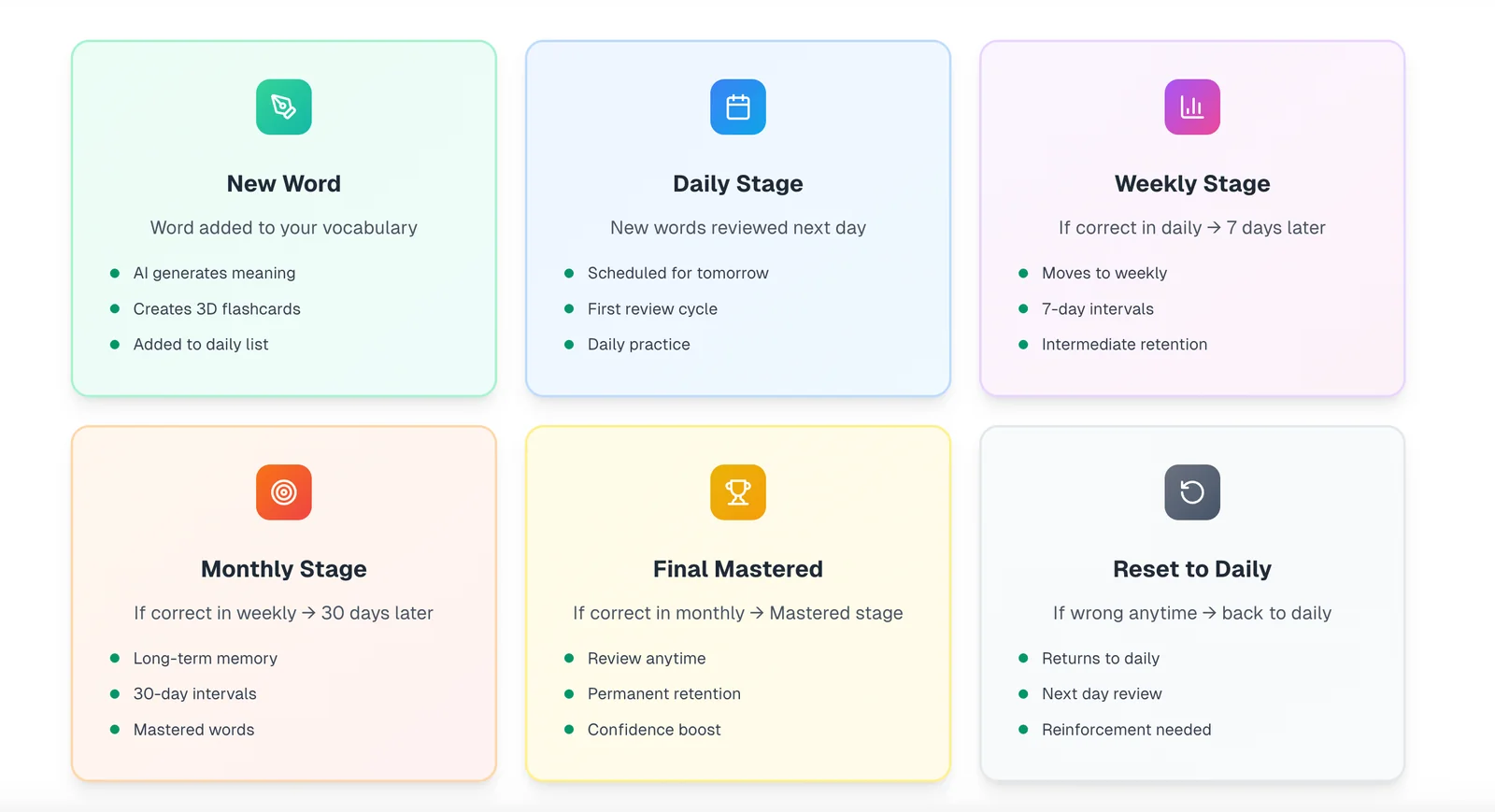
To maximize retention, incorporate spaced repetition into your study routine. This technique involves reviewing the flashcards at increasing intervals, which helps solidify your memory of the words over time. For instance, you might review newly learned words daily, then weekly, and eventually monthly, allowing for optimal retention.
Best Practices / Tips
- Diversify your sources: Pull words from a variety of materials to ensure you encounter a wide range of vocabulary.
- Practice regularly: Set a specific time each day to study vocabulary with WordFlippin.
- Track your progress: Monitor which words you struggle with and focus on those during your sessions.
- Engage with the words: Use the words in your writing or conversation to reinforce memory.
Additional Resources
Are there any integrations or APIs available for WordFlippin?
Currently, WordFlippin does not provide any public APIs or developer integrations. The platform is designed as a web-based tool primarily focused on enhancing vocabulary learning through its interactive features, making it ideal for users looking for a straightforward educational experience.
Key Points
- WordFlippin is a web-based vocabulary learning platform.
- No public APIs or developer integrations are currently available.
- Focuses on providing an interactive learning experience.
Detailed Explanation
WordFlippin is tailored for users who wish to enhance their vocabulary through engaging exercises. While it lacks public APIs and integrations, its design emphasizes simplicity and ease of use. The platform allows learners to practice vocabulary through flashcards, quizzes, and games.
For users interested in integrating vocabulary learning into their existing systems or websites, the absence of APIs means they will need to utilize WordFlippin's core functionalities directly on its website. The platform is designed to be user-friendly, featuring a straightforward interface that encourages repeated use and engagement.
Use Cases
- Classroom Settings: Teachers can use WordFlippin as a supplementary tool for vocabulary lessons without needing to integrate it with other software.
- Self-Study: Individuals looking to improve their language skills can access the platform directly, benefiting from its interactive features.
- Group Learning: Friends or study groups can use WordFlippin together, enhancing their learning through discussion and competition.
Best Practices / Tips
- Engage Regularly: Utilize WordFlippin frequently to reinforce vocabulary retention.
- Explore All Features: Take advantage of its flashcard and quiz functionalities to maximize learning outcomes.
- Provide Feedback: Since there are no developer integrations, consider reaching out to WordFlippin’s support for suggestions on features you would like to see in future updates.
Additional Resources
- WordFlippin Official Website - Explore the platform and its offerings.
- Vocabulary Learning Strategies - Techniques to enhance your vocabulary effectively.
What are the advantages of using WordFlippin compared to other vocabulary apps?
WordFlippin stands out among vocabulary apps due to its AI-powered flashcards, personalized learning paths, and efficient spaced repetition scheduler. These features enhance vocabulary retention significantly, making the learning experience more tailored and effective compared to many competing applications.
Key Points
- AI-Powered Flashcards: Adaptive learning technology for personalized experiences.
- Personalized Learning Paths: Tailors study material based on user performance and goals.
- Spaced Repetition Scheduler: Optimizes review times for better long-term retention.
Detailed Explanation
WordFlippin employs advanced AI algorithms to create dynamic flashcards that adjust according to individual learning styles and progress. Unlike static flashcards used in other vocabulary apps, the AI component ensures that users focus on words they struggle with the most, enhancing retention.
Personalized Learning Paths
The app offers personalized learning paths that adapt as users progress. For example, if a user excels in certain vocabulary areas, the app will automatically shift focus to more challenging terms. This adaptability ensures that users are always engaged, reducing the time spent on unnecessary reviews.
Effective Spaced Repetition
The spaced repetition feature is scientifically backed, helping users retain vocabulary in their long-term memory. By scheduling reviews at optimal intervals, WordFlippin prevents cramming, making studying more effective. For instance, if a user learns a new word today, they might see it again tomorrow, then in a week, and later in a month, solidifying their retention.
Best Practices / Tips
- Consistency is Key: Use WordFlippin daily for optimal results.
- Set Clear Goals: Define specific vocabulary goals to track progress effectively.
- Engage with the Community: Participate in forums or user groups for tips and motivation.
- Take Advantage of Analytics: Review your progress reports to identify areas needing improvement.
Additional Resources
Explore more AI Ai Services tools
Browse all Ai Services tools →Compare WordFlippin: vs Context.dev · vs ZeroClick · vs jurniti · vs Cadenya