

Whisper Snapper for Mac
AImacOS app for fast, private Whisper-based transcription, editing, and export of audio to text and captions.
Whisper Snapper for Mac
macOS app for fast, private Whisper-based transcription, editing, and export of audio to text and captions.
About Whisper Snapper for Mac
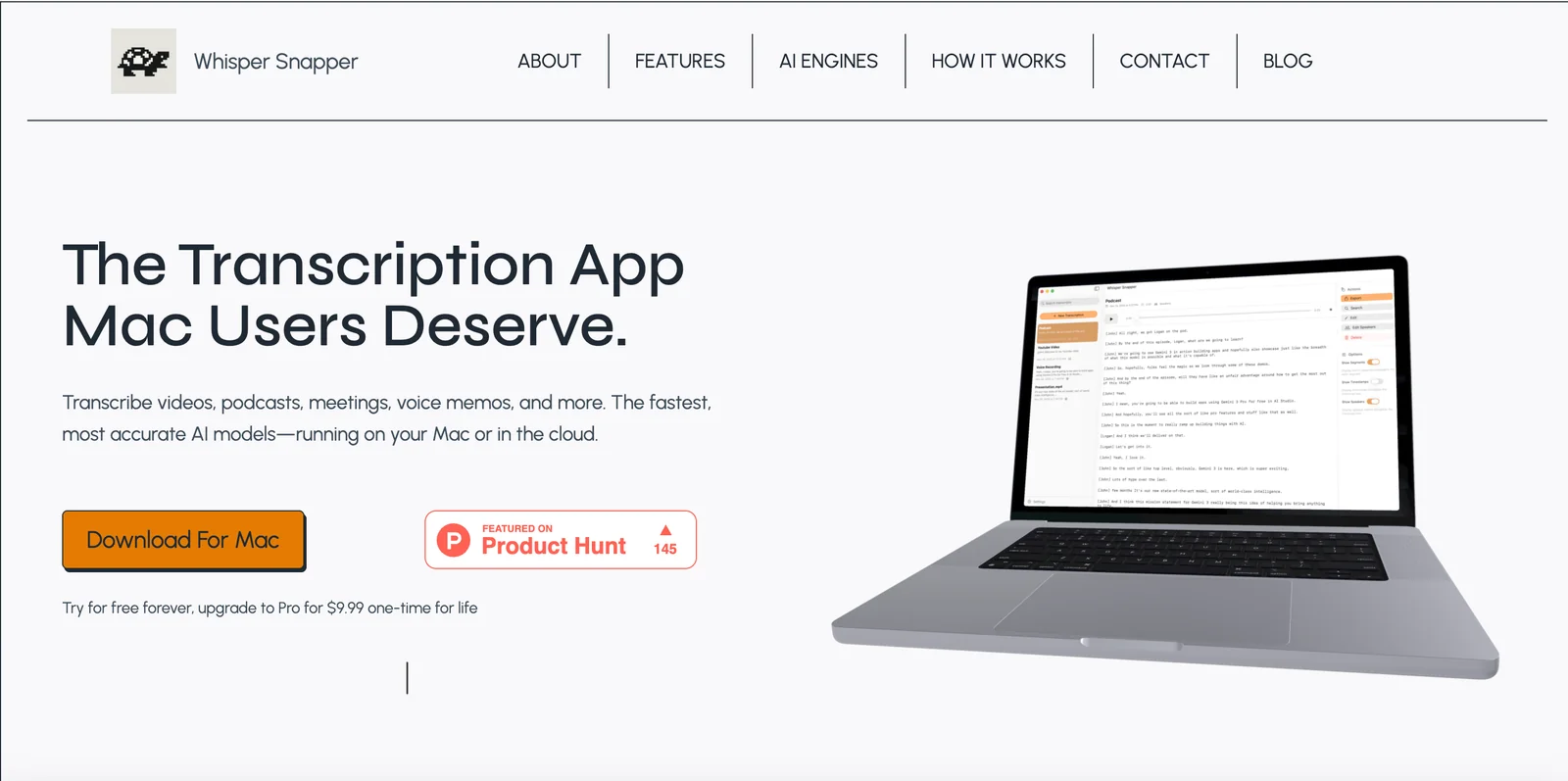
Whisper Snapper is a macOS application that uses Whisper-based speech recognition to transcribe audio into searchable text and captions. It focuses on local, privacy-minded transcription workflows on the Mac, letting users capture audio, generate transcripts, edit results, and export in common formats. The app is designed to streamline workflows for podcasters, journalists, researchers, and knowledge workers who need accurate, editable transcripts and subtitle files directly on their Mac.
Screenshots
Key Features
Use Cases


Frequently asked questions about Whisper Snapper for Mac
What is the pricing structure for Whisper Snapper for Mac?
Whisper Snapper for Mac uses a freemium pricing model, providing basic transcription features at no cost. For enhanced capabilities and premium features, users can explore various paid plans. For the most accurate and up-to-date pricing information, please visit the official Whisper Snapper website.
Key Points
- Freemium Model: Basic functionality available for free.
- Paid Plans: Additional features require a subscription.
- Official Pricing: Always check the website for the latest details.
Detailed Explanation
Whisper Snapper for Mac operates primarily on a freemium model, allowing users access to essential transcription functionalities at no charge. This makes it an attractive option for individuals or small businesses looking to streamline their audio-to-text conversion without upfront costs.
Free Features
The free version of Whisper Snapper includes:
- Basic Transcription: Convert audio files to text with reasonable accuracy.
- User-Friendly Interface: Simple navigation for ease of use.
- Limited File Size: Transcription may be restricted to shorter audio clips.
Paid Plans
For users needing advanced features, Whisper Snapper offers several pricing tiers:
-
Individual Plan: Monthly or annual subscriptions provide access to enhanced transcription capabilities, such as:
- Longer Audio Lengths: Process larger files without restrictions.
- Multi-language Support: Transcribe audio in various languages.
- Advanced Editing Tools: Features for refining transcripts.
-
Team Plan: Designed for businesses, this plan includes:
- Account Management: Admin features for managing multiple users.
- Collaboration Tools: Enhanced sharing options for teams.
- Custom Integrations: API access for integrating with other software.
For the latest pricing and comprehensive feature lists, users should regularly check the official Whisper Snapper website.
Best Practices / Tips
- Evaluate Your Needs: Before committing to a paid plan, consider how frequently you will use transcription services and the volume of audio files.
- Utilize Free Trials: If available, take advantage of any free trials to test premium features before purchasing.
- Stay Updated: Pricing and features may change, so it’s wise to check the website periodically for any updates or promotions.
Additional Resources
By understanding the pricing structure and features of Whisper Snapper, users can effectively choose the plan that best suits their transcription needs.
What are the key features of Whisper Snapper for Mac?
Whisper Snapper for Mac offers key features such as local transcription for enhanced privacy, support for multiple export formats, timestamped transcripts, batch processing capabilities, and seamless integration with macOS for efficient audio capture. These features make it a powerful tool for anyone needing accurate transcriptions.
Key Points
- Local Transcription: Ensures data privacy and security.
- Multiple Export Formats: Supports various file types for versatility.
- Timestamped Transcripts: Facilitates easy reference and navigation.
Detailed Explanation
Whisper Snapper stands out with its local transcription feature, allowing users to transcribe audio files directly on their Mac without uploading sensitive data to the cloud. This is particularly beneficial for professionals in industries such as legal and healthcare where confidentiality is paramount.
Additionally, the tool supports multiple export formats including TXT, DOCX, and SRT, making it easy to share transcripts across different platforms or integrate them into other projects. This flexibility enhances its usability for content creators, podcasters, and researchers.
The timestamped transcripts feature is invaluable for those needing to reference specific parts of an audio file. Each segment of the transcript is linked to its corresponding audio timestamp, allowing users to quickly navigate to relevant sections during playback.
Batch processing enables users to handle multiple audio files simultaneously, significantly reducing the time required for transcription tasks. This feature is ideal for businesses or individuals dealing with high volumes of audio content.
Furthermore, Whisper Snapper’s integration with macOS simplifies audio capture. Users can easily record audio directly into the application, streamlining the workflow from recording to transcription.
Best Practices / Tips
- Utilize Local Transcription: Always opt for local transcription to maintain privacy, especially when handling sensitive information.
- Export Formats: Choose the export format that best suits your needs. For video projects, SRT is ideal, while DOCX might be better for written reports.
- Organize Your Files: Name and categorize audio files systematically before batch processing to maximize efficiency.
- Regular Updates: Keep Whisper Snapper updated to benefit from the latest features and security improvements.
Additional Resources
How do I get started with Whisper Snapper for Mac?
To get started with Whisper Snapper for Mac, download the app from the official Whisper Snapper website, install it on your Mac, and utilize the intuitive interface to upload your audio files for transcription effortlessly.
Key Points
- Download from the official Whisper Snapper website.
- Install the application on your Mac.
- Use the user-friendly interface to upload audio files.
Detailed Explanation
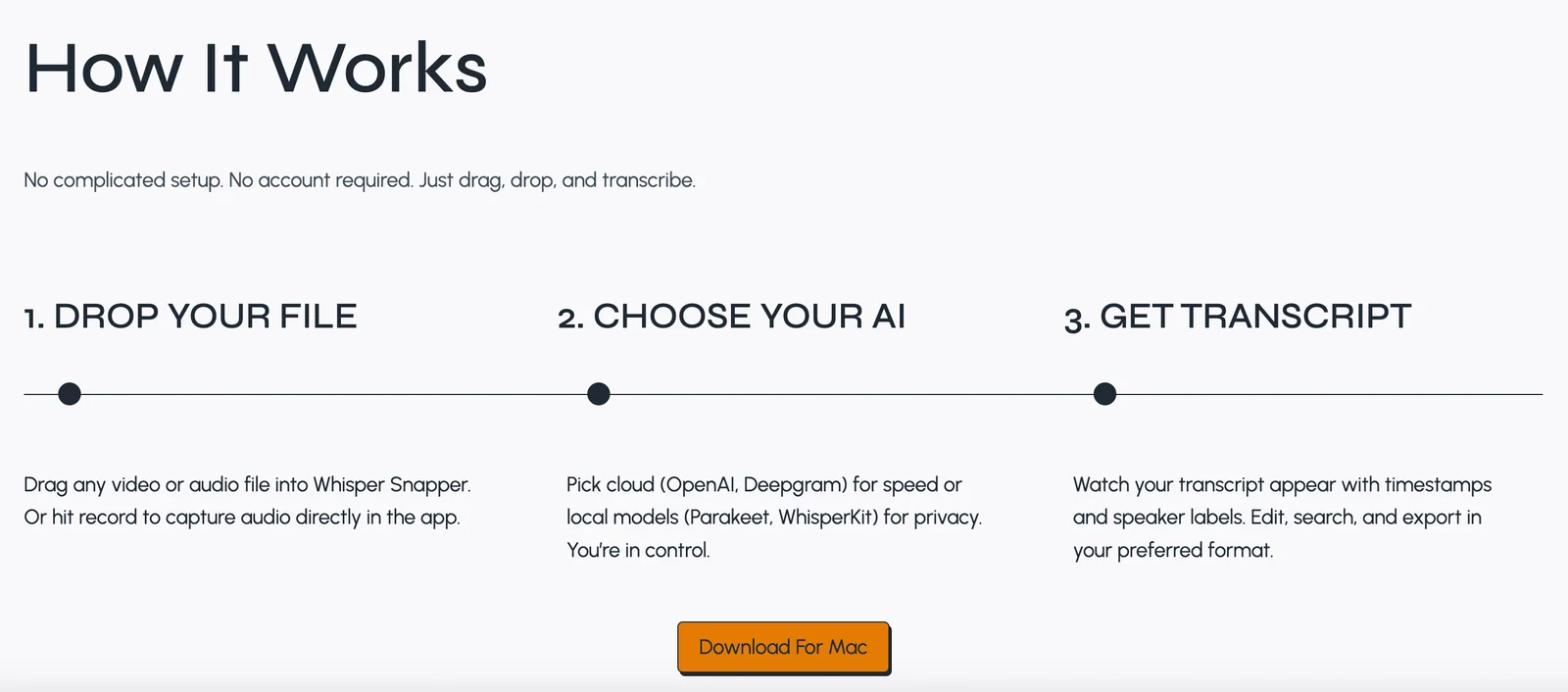
Whisper Snapper is a powerful transcription tool designed for Mac users, making it easy to convert audio files into text. Here's how to get started:
-
Download the App: Visit the official Whisper Snapper website and click on the download button. Ensure you’re downloading the latest version compatible with your macOS.
-
Install the Application: Once the download is complete, locate the downloaded file in your Downloads folder. Double-click the file and follow the on-screen instructions to install Whisper Snapper on your Mac.
-
Open the Application: After installation, open Whisper Snapper from your Applications folder. You’ll be greeted by a clean, user-friendly interface designed for simplicity.
-
Upload Audio Files: To transcribe audio, click on the 'Upload' button. You can drag and drop files directly into the application or use the file browser to select audio files from your Mac. Whisper Snapper supports various audio formats, including MP3, WAV, and M4A.
-
Start Transcription: Once your audio files are uploaded, hit the ‘Transcribe’ button. The app will process your audio and provide you with a text version, ready for editing and exporting.
Best Practices / Tips
- Check Audio Quality: Ensure your audio files have clear audio with minimal background noise for the best transcription accuracy.
- Use Shorter Clips: If possible, upload shorter audio clips to speed up processing time and enhance accuracy.
- Explore Settings: Familiarize yourself with the app's settings to customize transcription options, such as language and formatting preferences.
Additional Resources
By following these steps and tips, you'll be well on your way to effectively using Whisper Snapper for your transcription needs on Mac.
Can Whisper Snapper integrate with other applications?
Yes, Whisper Snapper can integrate with other applications, particularly within the macOS ecosystem. While it provides seamless audio capture, the extent of direct integration with third-party applications will depend on specific user requirements and the compatibility of those applications.
Key Points
- Seamless Integration with macOS: Whisper Snapper is optimized for macOS functionality.
- Varied Third-Party Compatibility: Integration capabilities with other applications depend on user needs and available APIs.
- User-Centric Customization: Users can often customize workflows to enhance productivity.
Detailed Explanation
Whisper Snapper excels in its ability to capture audio effortlessly within the macOS environment. Users can utilize it for quick recording sessions, making it ideal for podcasters, journalists, and content creators who need immediate audio input.
While Whisper Snapper is designed for optimal performance on macOS, its interaction with third-party applications can vary. Some applications may offer direct integration through APIs, allowing users to send audio files directly to platforms like Evernote, Dropbox, or Google Drive. For instance, a podcaster could record an episode and immediately save it to their preferred cloud storage without manual file transfers.
For a smooth integration experience, users should explore the settings within Whisper Snapper to see available options for export and sharing. Additionally, users can leverage automation tools like Zapier to create workflows that link Whisper Snapper with other applications, further enhancing its functionality.
Best Practices / Tips
- Explore Integration Options: Go through Whisper Snapper’s preferences to find available integration settings.
- Utilize Automation Tools: Consider using services like Zapier or IFTTT to automate tasks between Whisper Snapper and other applications.
- Stay Updated: Regularly check for updates on Whisper Snapper for new features and integration capabilities.
- Test Compatibility: Before committing to a specific workflow, test how Whisper Snapper interacts with your chosen applications to avoid any disruptions.
Additional Resources
How does Whisper Snapper for Mac compare to other transcription tools?
Whisper Snapper for Mac excels in local transcription, prioritizing user privacy, and offering versatile export formats. Unlike many cloud-based transcription tools, it ensures that sensitive audio files remain on your device, making it a preferred choice for professionals concerned with confidentiality and data security.
Key Points
- Local Transcription: Processes audio files without internet dependency.
- User Privacy: No data is uploaded to the cloud, safeguarding sensitive information.
- Multiple Export Formats: Supports various file types for enhanced usability.
Detailed Explanation
Whisper Snapper for Mac is designed specifically for users who prioritize privacy and flexibility in transcription. Unlike many popular cloud-based alternatives, which require a stable internet connection and send audio recordings to remote servers, Whisper Snapper operates entirely on your local machine. This means that all files are processed and stored on your device, significantly reducing the risk of data breaches or unauthorized access.
Local Transcription Benefits
Local transcription is particularly beneficial for industries like healthcare, legal, and finance, where confidentiality is paramount. For instance, a doctor can transcribe patient notes without worrying about HIPAA compliance issues associated with cloud solutions.
Versatile Export Formats
Whisper Snapper offers various export formats, including TXT, DOCX, and SRT, making it easy to integrate transcriptions into different workflows. This flexibility is crucial for users who may need to edit transcripts in word processors, share subtitles for videos, or keep records in plain text formats.
Comparison with Other Tools
While tools like Otter.ai and Rev.com provide powerful transcription services, they rely heavily on cloud technology. This can lead to delays due to internet connectivity and potential risks related to data privacy. Whisper Snapper's desktop application mitigates these concerns, providing faster processing times and a more secure environment for sensitive information.
Best Practices / Tips
- Use High-Quality Audio: Ensure that recordings are clear to improve transcription accuracy. Background noise can significantly hinder performance.
- Familiarize with Keyboard Shortcuts: Learn the shortcuts within Whisper Snapper for efficient navigation and editing.
- Regular Updates: Keep the software updated to benefit from the latest features and security enhancements.
Additional Resources
Explore more AI Ai Services tools
Browse all Ai Services tools →Browse by use case: Voice & Audio
Compare Whisper Snapper for Mac: vs BAND for Developers · vs NitroStack · vs GBrain · vs MentionBird