

Weights & Biased
AIAn AI developer platform for experiment tracking, model training/fine-tuning, model management, and GenAI evaluation.
Weights & Biased
An AI developer platform for experiment tracking, model training/fine-tuning, model management, and GenAI evaluation.
About Weights & Biased
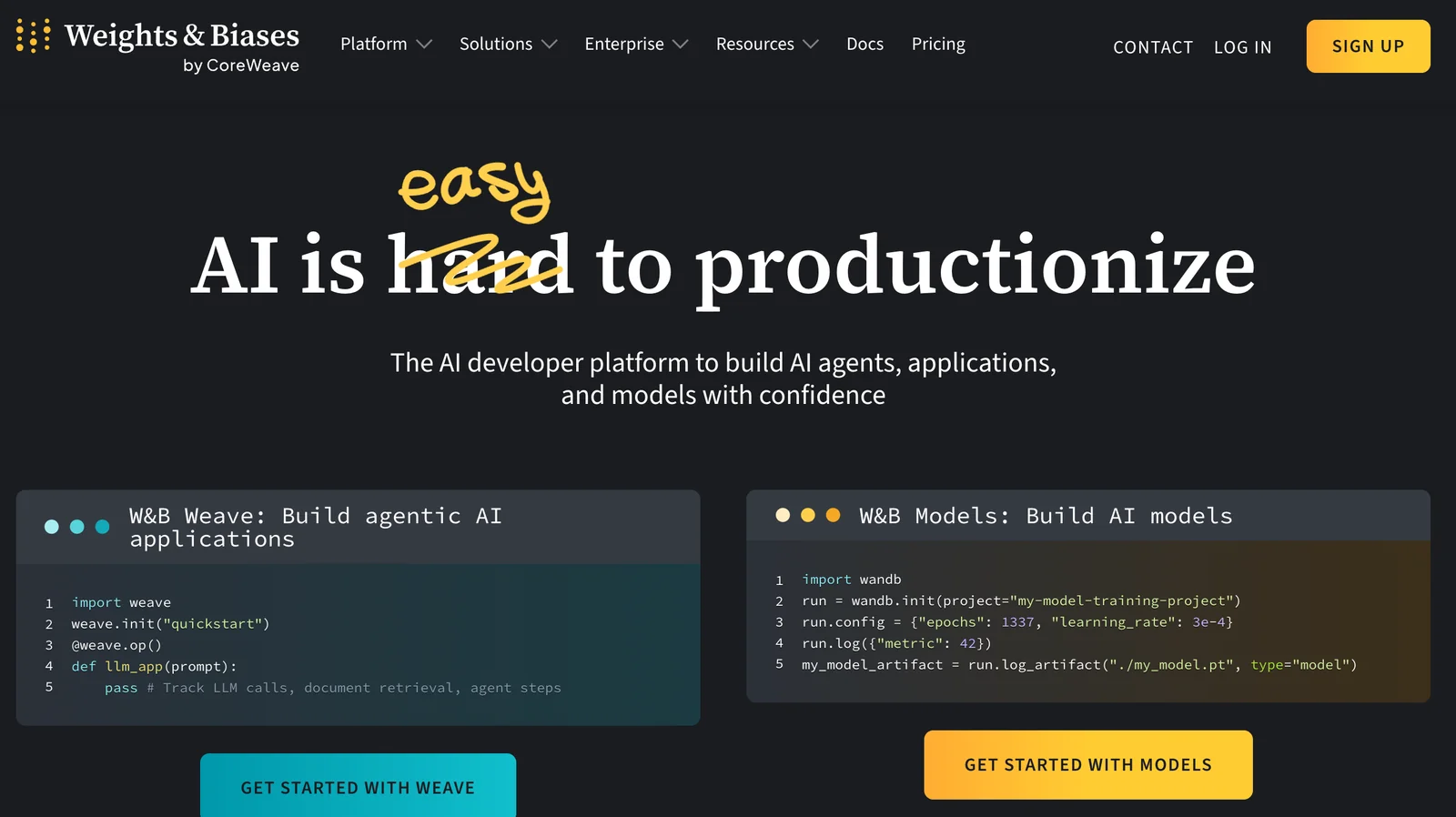
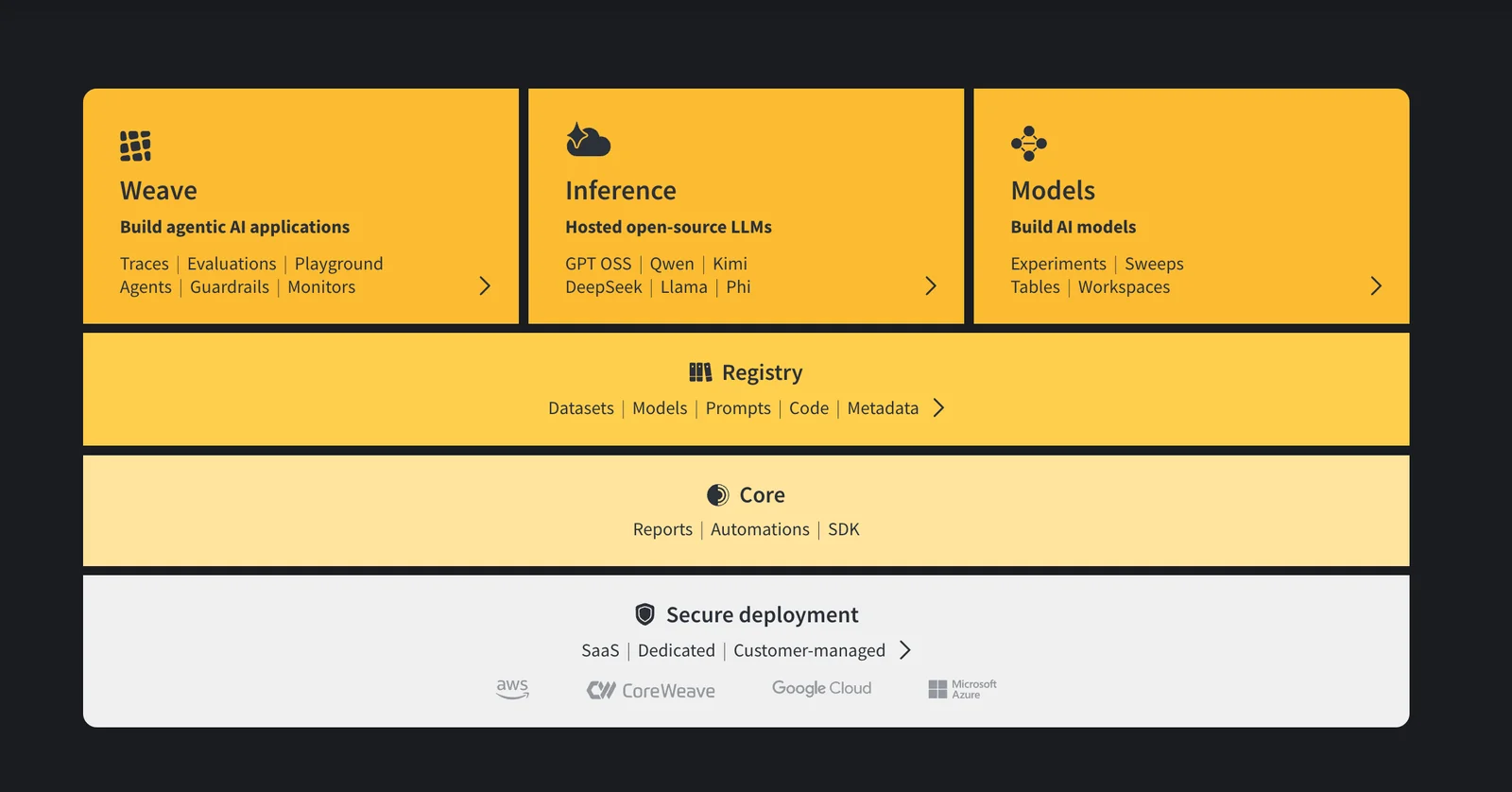
Weights & Biases (W&B) is an AI developer platform that helps teams track experiments, train and fine-tune models, manage model lifecycle from experimentation to production, and evaluate GenAI applications driven by large language models. It integrates with common ML frameworks via a lightweight Python SDK to log metrics, artifacts, media, and metadata; provides dashboards, reports and visualizations for comparing runs; and supports collaboration and reproducibility through project pages, artifacts and versioning. W&B also supports on-premise installation (self-hosted server) or cloud-hosted usage for production deployments and team management.
Screenshots
Key Features
Use Cases



Frequently asked questions about Weights & Biased
What are the pricing options for Weights & Biases?
Weights & Biases offers a flexible pricing model, beginning with a Free tier at $0/month for basic features. Paid plans start at $35/user/month for the Team/Pro tiers, which include advanced capabilities. Custom pricing is available for Enterprise plans, tailored to larger organizations' needs.
Key Points
- Freemium Model: Free tier at $0/month.
- Paid Plans: Starting at $35/user/month for Team/Pro.
- Enterprise Options: Custom pricing for larger teams.
Detailed Explanation
Weights & Biases (W&B) provides an accessible entry point for users through its Freemium model. The Free tier includes essential features such as experiment tracking, collaboration, and basic visualization tools, making it suitable for individual users or small projects.
For users seeking more comprehensive functionalities, W&B offers paid plans starting at $35 per user per month. The Team/Pro plans unlock advanced features like hyperparameter tuning, model management, and enhanced collaboration tools, ideal for teams working on machine learning projects.
Organizations with larger teams or specific needs can opt for Enterprise plans, which include custom pricing based on usage, number of users, and specific feature requirements. This flexibility allows companies to scale their use of W&B as their projects and teams grow.
Best Practices / Tips
- Evaluate Needs: Before choosing a plan, assess your specific needs regarding features and team size.
- Start with Free Tier: If you're new to W&B, start with the Free tier to familiarize yourself with the platform's capabilities.
- Contact Sales for Enterprise: If you're considering the Enterprise option, reach out to W&B's sales team to get a tailored quote that fits your organization's requirements.
Additional Resources
- Weights & Biases Pricing Page
- Weights & Biases Documentation
- Weights & Biases Blog for updates and use case studies.
How do I get started with Weights & Biases?
To get started with Weights & Biases, visit their official website, create an account, and install the wandb Python package via pip. Follow their comprehensive setup guide to easily log training metrics and monitor your machine learning experiments effectively.
Key Points
- Create an account on the Weights & Biases website.
- Install the
wandbPython package using pip. - Follow the official setup guide for logging metrics.
Detailed Explanation
Weights & Biases (W&B) is a powerful tool designed for tracking machine learning experiments, visualizing results, and collaborating with your team. Here’s how to get started:
-
Visit the Weights & Biases Website: Head to wandb.ai to access the platform. Click on the "Sign Up" button to create your free account. You can sign up using your Google account or email.
-
Install the
wandbPython Package: Open your terminal or command prompt. If you are using Python, you can install Weights & Biases by running:pip install wandbEnsure you have Python 3.6 or later for compatibility.
-
Log Your First Experiment: After installation, you can log into W&B from your script. Simply add the following lines to your code:
import wandb
wandb.init(project='your_project_name')
This command initializes a new project where all your metrics and results will be tracked.
-
Use the Setup Guide: W&B provides a detailed setup guide that walks you through integrating with popular machine learning frameworks like TensorFlow and PyTorch. Follow this guide to set up logging for metrics like loss and accuracy effortlessly.
-
Explore Features: Once set up, explore W&B’s features, including visualizations, hyperparameter tuning, and collaboration tools. This will enhance your machine learning workflows and provide deeper insights into your model performance.
Best Practices / Tips
- Keep Your Code Clean: Regularly update your code and comments to ensure clarity. This helps in tracking changes over time.
- Use Descriptive Names: When creating projects and runs, use clear and descriptive names. This makes it easier to identify experiments later.
- Monitor Resource Usage: Keep an eye on GPU and CPU usage through W&B to optimize your resource allocation during training.
- Collaborate with Your Team: Share your W&B dashboard with team members for collaborative insights and feedback on experiments.
Additional Resources
By following these steps and tips, you will be well on your way to leveraging Weights & Biases to enhance your machine learning projects.
What key features does Weights & Biases offer?
Weights & Biases offers key features such as experiment tracking, model versioning, hyperparameter tuning, rich visualizations, and collaboration tools, making it ideal for machine learning projects of all sizes. These capabilities streamline the ML workflow, enhancing productivity and accuracy in model development.
Key Points
- Experiment Tracking: Monitor model performance over time.
- Model Versioning: Keep track of different iterations of ML models.
- Hyperparameter Tuning: Optimize model parameters for better performance.
Detailed Explanation
Weights & Biases (W&B) provides an integrated platform that enhances machine learning project management through several powerful features:
-
Experiment Tracking: W&B allows data scientists to log every experiment they run. This feature captures metrics like accuracy and loss, along with configurations and system metrics. For instance, you can compare results across different experiments to identify which model configuration yields the best performance.
-
Model Versioning: With model versioning, users can save, share, and compare different iterations of their models. This is particularly useful when developing complex models that require multiple adjustments. By tagging different versions, teams ensure that they can revert to previous iterations if needed, fostering a more organized development process.
-
Hyperparameter Tuning: W&B simplifies hyperparameter tuning with tools that automate the search for the best parameters. It supports various tuning strategies such as grid search and random search, enabling teams to efficiently explore hyperparameter spaces. This helps in achieving optimal model performance and can significantly reduce training time.
-
Rich Visualizations: The platform provides customizable visualizations that allow users to interpret model performance metrics easily. Through charts and graphs, teams can visualize training progress and model evaluations, aiding in quick decision-making.
-
Collaboration Tools: W&B enhances team collaboration by allowing team members to share results and insights in real-time. This feature is beneficial for remote teams, as it ensures everyone is on the same page regarding project developments.
Best Practices / Tips
-
Leverage Experiment Tracking: Make it a habit to log every experiment meticulously. This practice not only helps in identifying effective model configurations but also serves as a valuable resource for future projects.
-
Utilize Version Control: Always version your models, especially when making significant changes. This ensures that you can easily revert to a stable version if a new model fails to meet expectations.
-
Optimize Hyperparameters Early: Start tuning hyperparameters early in the model development process. This can save time and resources, allowing for a more efficient workflow.
-
Engage in Team Collaboration: Encourage team discussions around shared visualizations. Utilize W&B’s sharing features to enhance feedback and foster a collaborative environment.
Additional Resources
How does Weights & Biases compare to other ML tools?
Weights & Biases (W&B) stands out among machine learning tools primarily for its robust capabilities in experiment tracking and team collaboration, whereas competitors often emphasize deployment features. Its unique offerings, such as hyperparameter sweeps and visualizations, significantly enhance the model development process.
Key Points
- Experiment Tracking: W&B allows for seamless tracking of experiments, ensuring reproducibility.
- Collaboration: It facilitates teamwork through shared dashboards and reports.
- Hyperparameter Optimization: The hyperparameter sweeps feature enables efficient model tuning.
Detailed Explanation
Weights & Biases provides an integrated platform that excels in experiment tracking, which is crucial for machine learning projects. Unlike many other tools that may prioritize deployment processes, W&B focuses on the earlier stages of model development.
-
Experiment Tracking: W&B allows users to log metrics, parameters, and outputs in real-time. This capability ensures that every iteration of the model is documented, making it easy to revisit and analyze past experiments. For example, a data scientist can quickly compare different model versions and their performance metrics directly from the W&B dashboard.
-
Collaboration Features: The platform is designed with collaboration in mind, offering shared reports and dashboards. This means that team members can access the latest results and insights without manual sharing, fostering a productive environment. Projects can be shared with stakeholders in a visually appealing manner, enhancing communication and decision-making.
-
Hyperparameter Sweeps: One of W&B’s standout features is its ability to perform hyperparameter sweeps. Users can define ranges for parameters, and W&B will automatically explore this space to find the optimal settings. This not only saves time but also improves model performance significantly. For instance, a user can set up a sweep to optimize learning rates and batch sizes, leading to better training outcomes.
Best Practices / Tips
- Utilize the Documentation: Take advantage of W&B’s comprehensive documentation to understand all features and integrations.
- Regularly Log Experiments: Make it a habit to log every experiment, including minor changes, to ensure a complete record.
- Leverage Collaboration Features: Use shared dashboards to keep your team updated and encourage feedback, which can help improve models faster.
- Optimize Hyperparameter Sweeps: Start with a broad range for your parameters and narrow down based on initial results to focus on the most promising areas.
Additional Resources
Does Weights & Biases support API integrations?
Yes, Weights & Biases offers robust API integrations with popular machine learning frameworks like PyTorch, TensorFlow, and Keras. This functionality allows users to seamlessly log experiments, visualize results, and manage their machine learning workflows more efficiently.
Key Points
- Framework Compatibility: Supports major ML frameworks including PyTorch, TensorFlow, and Keras.
- Experiment Logging: Facilitates easy logging of metrics, parameters, and outputs.
- Real-Time Collaboration: Enables team members to collaborate in real-time on projects.
Detailed Explanation
Weights & Biases (W&B) provides an API that simplifies integration with various machine learning frameworks. Users can leverage this API to log and track experiments, manage data, and visualize results effectively.
Framework Compatibility
Weights & Biases seamlessly integrates with:
- PyTorch: Use the W&B library to track experiments, visualize model performance, and share results effortlessly.
- TensorFlow: Employ W&B to log metrics and visualize training processes directly within your TensorFlow workflows.
- Keras: Easily incorporate W&B into Keras models to monitor metrics and model performance in real-time.
Experiment Logging
With the W&B API, logging is straightforward. For example, in a PyTorch project, you can initialize W&B with:
import wandb
wandb.init(project="my_project")
This simple integration allows you to log hyperparameters, metrics, and even model outputs, all of which can be monitored through the W&B dashboard.
Real-Time Collaboration
The platform supports collaborative features that allow multiple users to work on the same project simultaneously. Teams can share results, compare experiments, and discuss findings through integrated tools, enhancing productivity and communication.
Best Practices / Tips
- Use Descriptive Project Names: When initializing a new project, choose clear and descriptive names to easily identify them later.
- Log Hyperparameters and Metrics: Always log hyperparameters and key metrics to ensure reproducibility and easy comparison of different runs.
- Leverage Visualization Tools: Utilize the W&B dashboard for visualizing trends over time, which can help in identifying patterns and making informed decisions.
Additional Resources
Explore more AI Ai Tools tools
Browse all Ai Tools tools →Compare Weights & Biased: vs Humanizer · vs Worktrunk · vs Mise · vs BiBimba