

Vurge
AIAI-powered web data extraction that integrates with Google Sheets to simplify and automate web research.
Vurge
AI-powered web data extraction that integrates with Google Sheets to simplify and automate web research.
About Vurge
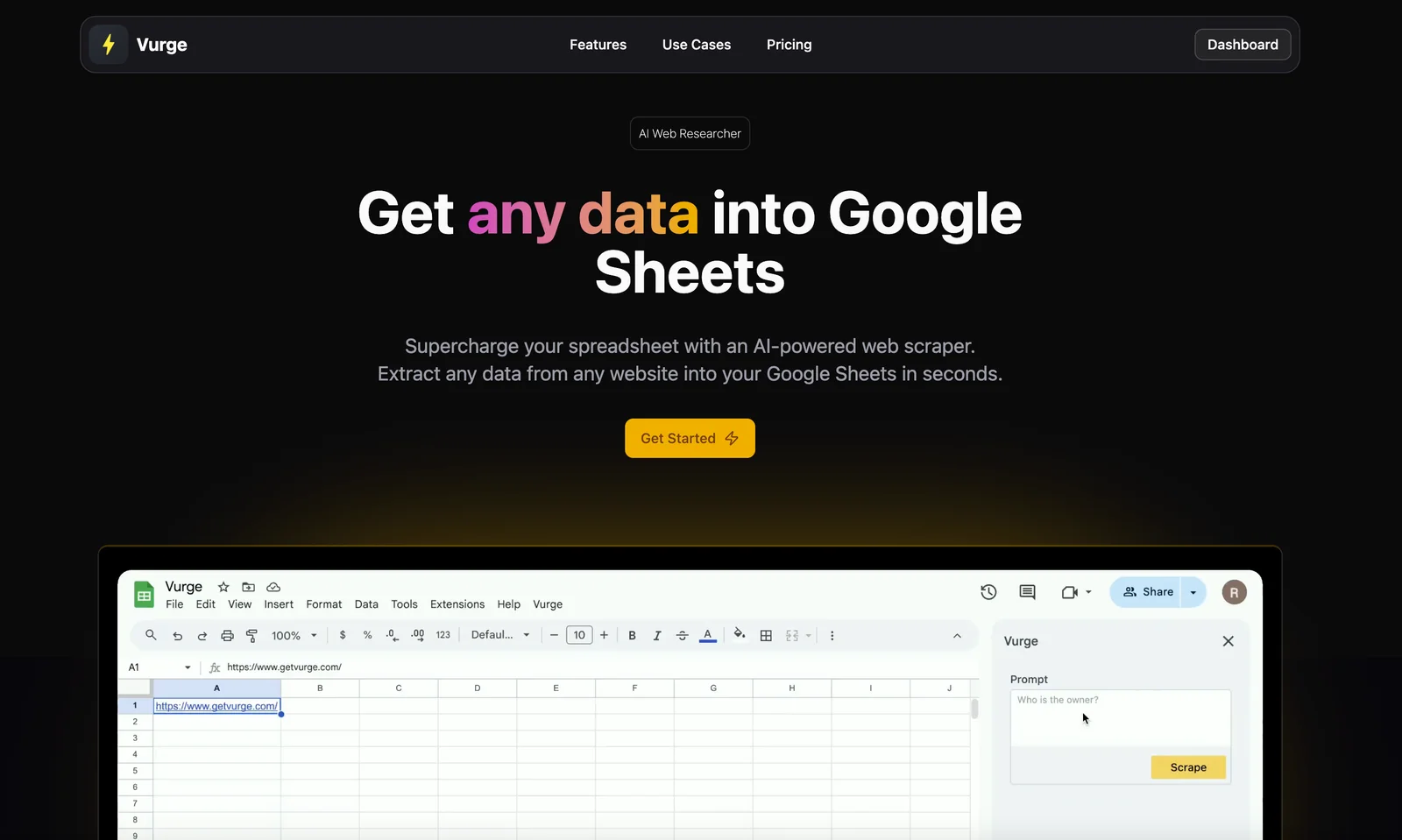
Vurge is an AI-driven data extraction tool designed to work inside Google Sheets as a web research assistant. It extracts, structures, and imports information from web pages directly into spreadsheet cells, helping users turn semi-structured web content into normalized tables. Vurge streamlines repetitive research tasks by automating data capture, parsing HTML or text content, and producing clean, columnar output suitable for analysis, enrichment, or downstream workflows. Its design focuses on enabling non-technical users to collect web data quickly without writing custom scraping scripts.
Screenshots
Key Features
Use Cases



Frequently asked questions about Vurge
What is the pricing structure for Vurge?
Vurge employs a freemium pricing model with a free tier and two paid plans. The Starter plan costs $20/month, offering 80 monthly requests and unlimited data-point scraping. There’s also a second plan priced at $50/month, which provides additional features. For full details, visit the official Vurge website.
Key Points
- Vurge offers a freemium model with a free tier.
- The Starter plan is priced at $20/month and includes 80 monthly requests.
- The second paid plan is available for $50/month with more features.
Detailed Explanation
Vurge's pricing structure is designed to cater to different user needs, making it accessible for both casual users and businesses requiring more robust data scraping capabilities. Here's a breakdown of their offerings:
-
Free Tier: Ideal for users wanting to test Vurge’s capabilities without financial commitment. This tier allows users to explore basic features and functionalities.
-
Starter Plan ($20/month): This plan is perfect for small businesses or individuals needing regular data scraping. It includes:
- 80 Monthly Requests: Users can make up to 80 requests each month, which is suitable for moderate usage.
- Unlimited Data-Point Scraping: This feature allows users to scrape as much data as needed without restrictions on the number of data points.
-
Second Plan ($50/month): While specific details are limited, this plan likely includes enhanced features such as:
- Increased request limits
- Advanced analytics tools
- Priority customer support
For precise information, including any additional features or limitations, it's recommended to visit the official Vurge website.
Best Practices / Tips
- Evaluate Your Needs: Before choosing a plan, assess your data scraping requirements. If you only need occasional use, the free tier might suffice.
- Monitor Usage: Keep track of your monthly requests to avoid exceeding your plan limits, especially with the Starter plan.
- Utilize Customer Support: If you opt for the paid plans, take advantage of customer support to maximize your usage and resolve any issues promptly.
Additional Resources
- Vurge Official Website - For the most up-to-date pricing and feature details.
- Vurge User Guide - Comprehensive documentation to help users navigate the platform effectively.
What are the key features of Vurge?
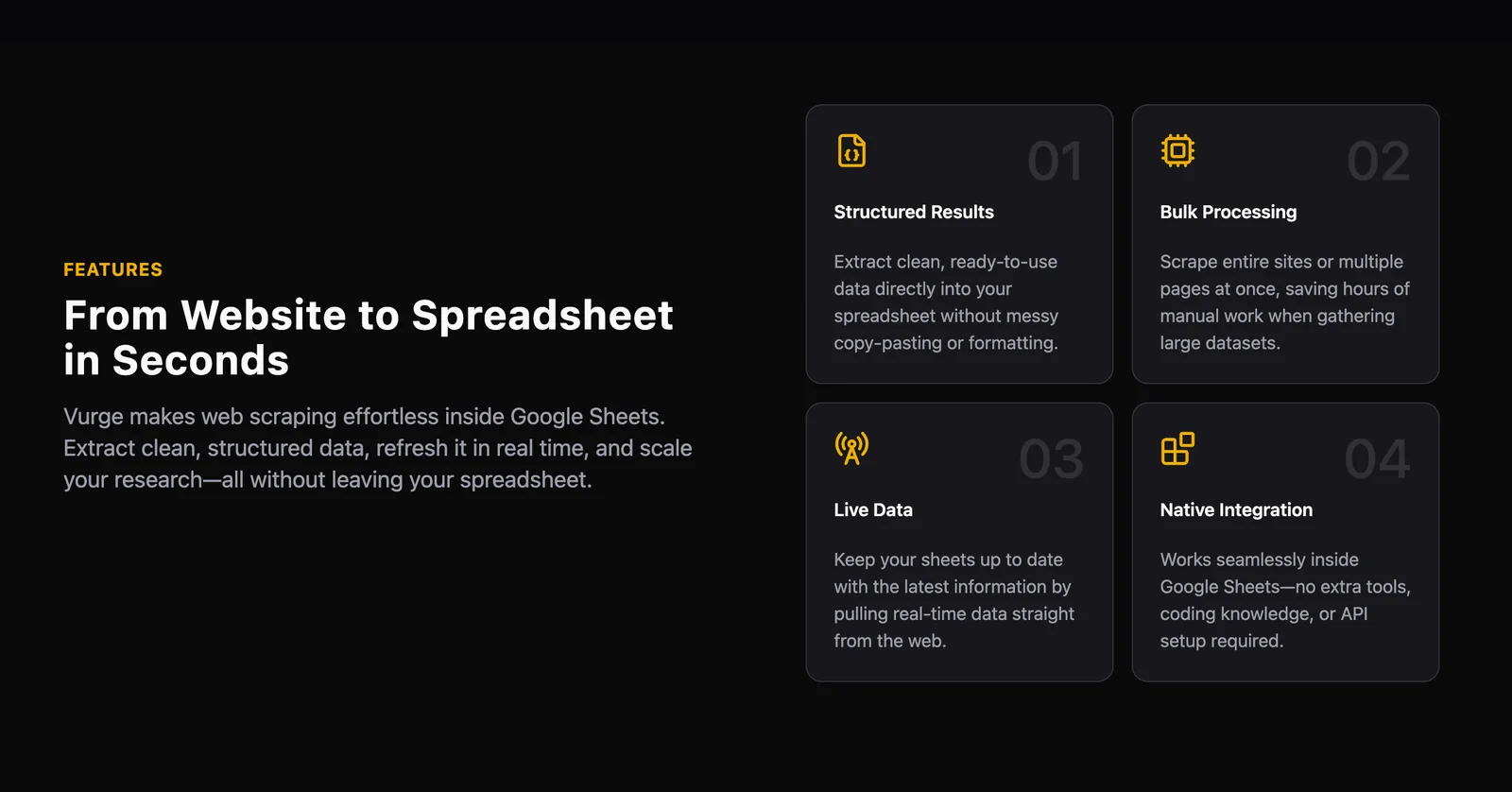
Vurge is a powerful web data extraction tool that features Google Sheets integration, structured web content extraction, URL-to-table parsing, data cleaning, bulk processing, and automated workflows, enabling users to efficiently perform web research tasks without requiring technical skills.
Key Points
- Google Sheets Integration: Seamlessly connect and extract data directly into Google Sheets.
- Structured Extraction: Obtain organized web content tailored to specific needs.
- Workflow Automation: Streamline repetitive tasks, enhancing productivity.
Detailed Explanation
Vurge is designed for users who need efficient web data extraction without complex technical know-how. Here’s a breakdown of its key features:
-
Google Sheets Integration: Vurge allows you to extract data directly into Google Sheets, making it easy to analyze and manipulate. For example, you can pull product prices from e-commerce sites and automatically populate a spreadsheet for comparison.
-
Structured Extraction: The tool enables you to capture web content in a structured format. This means you can specify exactly what data you want, whether it's headlines, images, or tables from websites. For instance, if you're gathering information for a research project, Vurge can help you extract relevant data points in a predefined structure.
-
URL-to-Table Parsing: With Vurge, you can convert entire web pages into tables. This feature is particularly useful for extracting large datasets or lists, such as directories or catalogs, saving you time on manual data entry.
-
Data Cleaning and Normalization: Vurge includes tools to clean and normalize the data you extract. This ensures that your datasets are consistent and ready for analysis. For example, if you're compiling a list of contacts, Vurge can help standardize phone numbers and email formats.
-
Bulk Processing: Users can perform bulk data extraction, allowing the processing of multiple URLs at once. This is ideal for market research or competitive analysis, where you may need to gather data from many competitors simultaneously.
-
Workflow Automation: Vurge automates repetitive web research tasks, allowing users to set up workflows that run on a schedule. You can set it to extract data daily or weekly, ensuring your information is always up to date.
Best Practices / Tips
- Define Clear Objectives: Before using Vurge, clarify what data you need. This will help you utilize the structured extraction feature more effectively.
- Leverage Templates: Use pre-built templates in Vurge to save time on setup.
- Test Your Workflows: Run test extractions to ensure your data is accurate and formatted correctly before deploying bulk processes.
- Stay Updated: Regularly check for updates and new features in Vurge to leverage the latest enhancements.
Additional Resources
How can I get started with Vurge?
To get started with Vurge, visit the official website to sign up, select a pricing plan that fits your needs, and install the Vurge add-on for Google Sheets. The intuitive interface will guide you in extracting web data directly into your spreadsheets.
Key Points
- Easy account setup via the official website
- Flexible pricing plans to suit different users
- User-friendly Google Sheets add-on for seamless data extraction
Detailed Explanation
-
Sign Up Process: Begin by navigating to the Vurge website. Click on the "Sign Up" button and fill in the required information, including your email and password. You may need to confirm your email address to activate your account.
-
Choosing a Pricing Plan: Vurge offers several pricing plans tailored to different user needs, ranging from individual to business subscriptions. Review the features included in each plan, such as the number of data extractions or API calls allowed, and select the one that best aligns with your requirements.
-
Installation of the Google Sheets Add-On: After selecting your plan, proceed to install the Vurge add-on for Google Sheets. You can find it in the Google Workspace Marketplace. Simply search for "Vurge" and click "Install." Follow the prompts to grant necessary permissions.
-
Using the Vurge Interface: Once installed, open Google Sheets and locate the Vurge add-on in the Extensions menu. The add-on provides an intuitive interface to input URLs and extract data into your sheets. You can customize data fields based on your needs, making it a versatile tool for various projects.
Best Practices / Tips
- Start with a Free Trial: If available, take advantage of any free trial offered by Vurge to familiarize yourself with its features before committing to a paid plan.
- Utilize Templates: Explore pre-built templates available in the add-on to quickly set up your data extraction tasks.
- Regular Updates: Keep your Vurge add-on updated to benefit from new features and improvements. Check the add-on store regularly for updates.
- Data Accuracy: Always verify extracted data for accuracy, especially if you're using it for critical business decisions. Use filters and validation tools in Google Sheets to refine your results.
Additional Resources
By following these steps and tips, you can efficiently harness the power of Vurge for your data extraction needs in Google Sheets.
Can Vurge integrate with other tools or APIs?
Vurge integrates seamlessly with Google Sheets for direct data extraction from web sources into spreadsheets. While it supports this primary integration, specific details about compatibility with other APIs or tools are not clearly outlined. Users may need to explore workarounds or third-party solutions for additional integrations.
Key Points
- Google Sheets Integration: Vurge allows direct data extraction into Google Sheets.
- Limited API Details: Specific API integration capabilities are not provided.
- Potential for Workarounds: Users may find alternative methods for broader integration.
Detailed Explanation
Vurge's primary integration with Google Sheets enables users to pull data from various web sources directly into their spreadsheets. This feature is particularly useful for analysts and marketers who need to compile large datasets without manual entry. By utilizing Vurge, you can automate data extraction, reducing the time spent on repetitive tasks.
Use Case Example
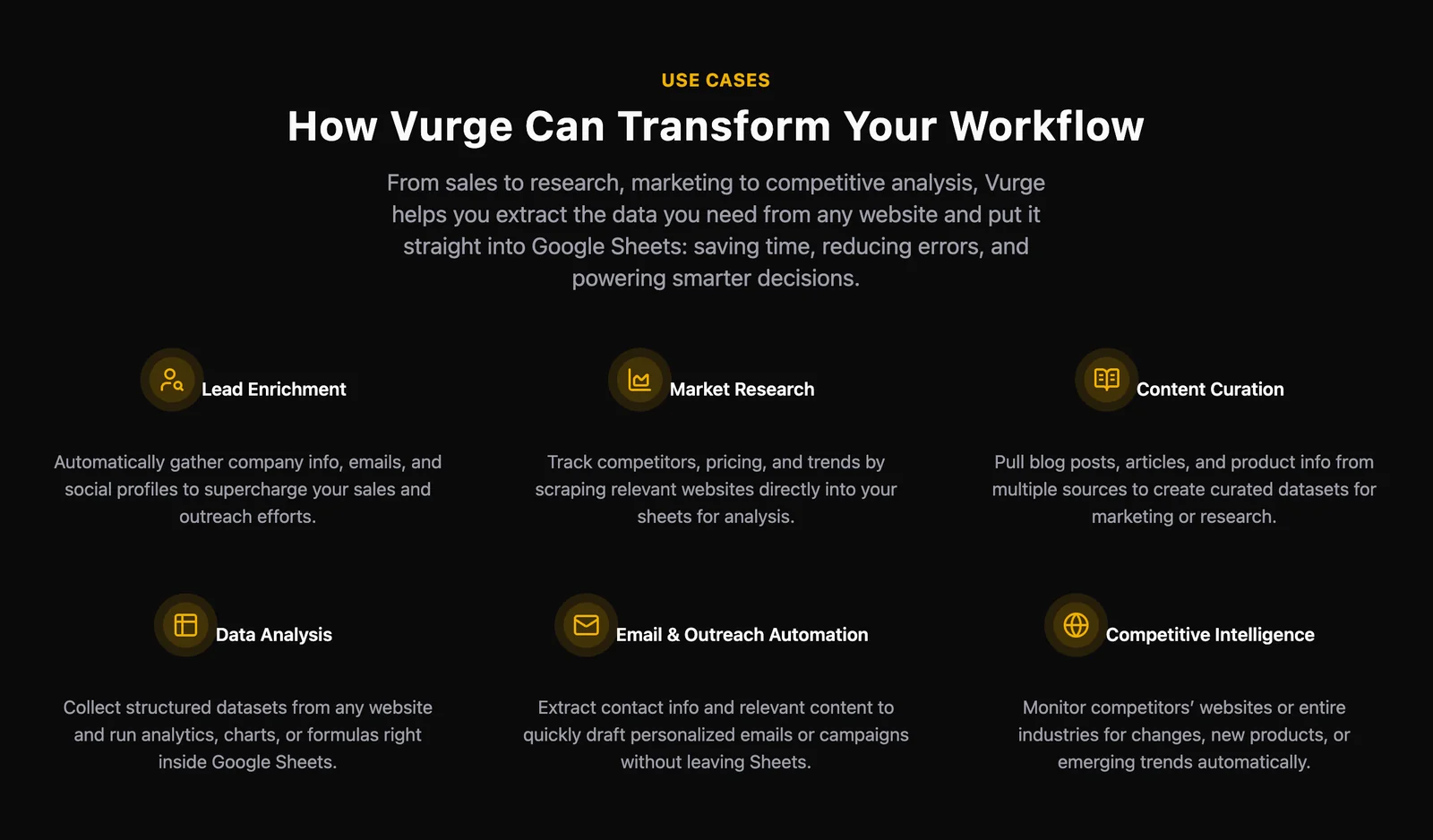
For instance, if a marketing team wants to track social media metrics, they can configure Vurge to extract data from platforms like Twitter or Facebook and populate it into a Google Sheet. This allows for real-time analysis and reporting without needing separate data entry processes.
Exploring Other Integrations
While Vurge excels in its Google Sheets functionality, users looking for integrations with other tools or APIs should consider exploring tools like Zapier or Integromat. These platforms can help connect Vurge with various applications, enabling automated workflows across different software.
Best Practices / Tips
- Leverage Google Sheets Functions: Utilize built-in Google Sheets functions to analyze data pulled in from Vurge effectively.
- Test Integrations: Before relying on any workaround, test the integration thoroughly to ensure data accuracy and consistency.
- Stay Updated: Regularly check Vurge’s official documentation for any updates regarding new integrations or features.
Additional Resources
- Vurge Official Documentation
- Google Sheets Functions Guide
- Zapier Integration Platform for connecting apps and automating workflows.
How does Vurge compare to other web data extraction tools?
Vurge excels among web data extraction tools due to its seamless integration with Google Sheets and user-friendly interface, making it ideal for non-technical users. Unlike other tools, Vurge simplifies data extraction and automates processes, significantly improving efficiency for web research tasks.
Key Points
- User-Friendly Interface: Designed for non-technical users with intuitive features.
- Seamless Google Sheets Integration: Direct export of data into Google Sheets for easy manipulation.
- Automation Capabilities: Streamlines repetitive tasks, saving time and effort.
Detailed Explanation
Vurge distinguishes itself in the crowded field of web data extraction tools through its robust features tailored to enhance user experience.
User-Friendly Interface
Vurge’s interface is straightforward, allowing users without programming skills to navigate and utilize its features effectively. This ease of use is essential for professionals who need to gather data quickly without a steep learning curve.
Seamless Google Sheets Integration
One of Vurge's standout features is its direct integration with Google Sheets. Users can extract data from websites and automatically populate it into a Google Sheets document. This functionality eliminates the need for manual data entry and allows for real-time data analysis. Users can start their data extraction process and see results instantly in a familiar spreadsheet environment.
Automation Capabilities
Vurge offers powerful automation features that help users set up scheduled extractions. For example, businesses can automate the collection of competitor pricing data or product availability, allowing them to adjust their strategies promptly. Automating these tasks not only enhances efficiency but also minimizes human error.
Best Practices / Tips
- Leverage Templates: Use Vurge’s pre-built templates to kickstart your data extraction projects.
- Regularly Update Extracted Data: Schedule regular updates to ensure your data remains relevant and accurate.
- Explore Integration Options: Besides Google Sheets, consider using Vurge with other data analysis tools for enhanced insights.
Additional Resources
By utilizing Vurge’s unique features, users can enhance their web research efficiency and stay ahead of the competition in data-driven decision-making.
Explore more AI Ai Services tools
Browse all Ai Services tools →Browse by use case: Automation & Productivity
Compare Vurge: vs Context.dev · vs ZeroClick · vs jurniti · vs Cadenya