

Viktor for Media Buyers
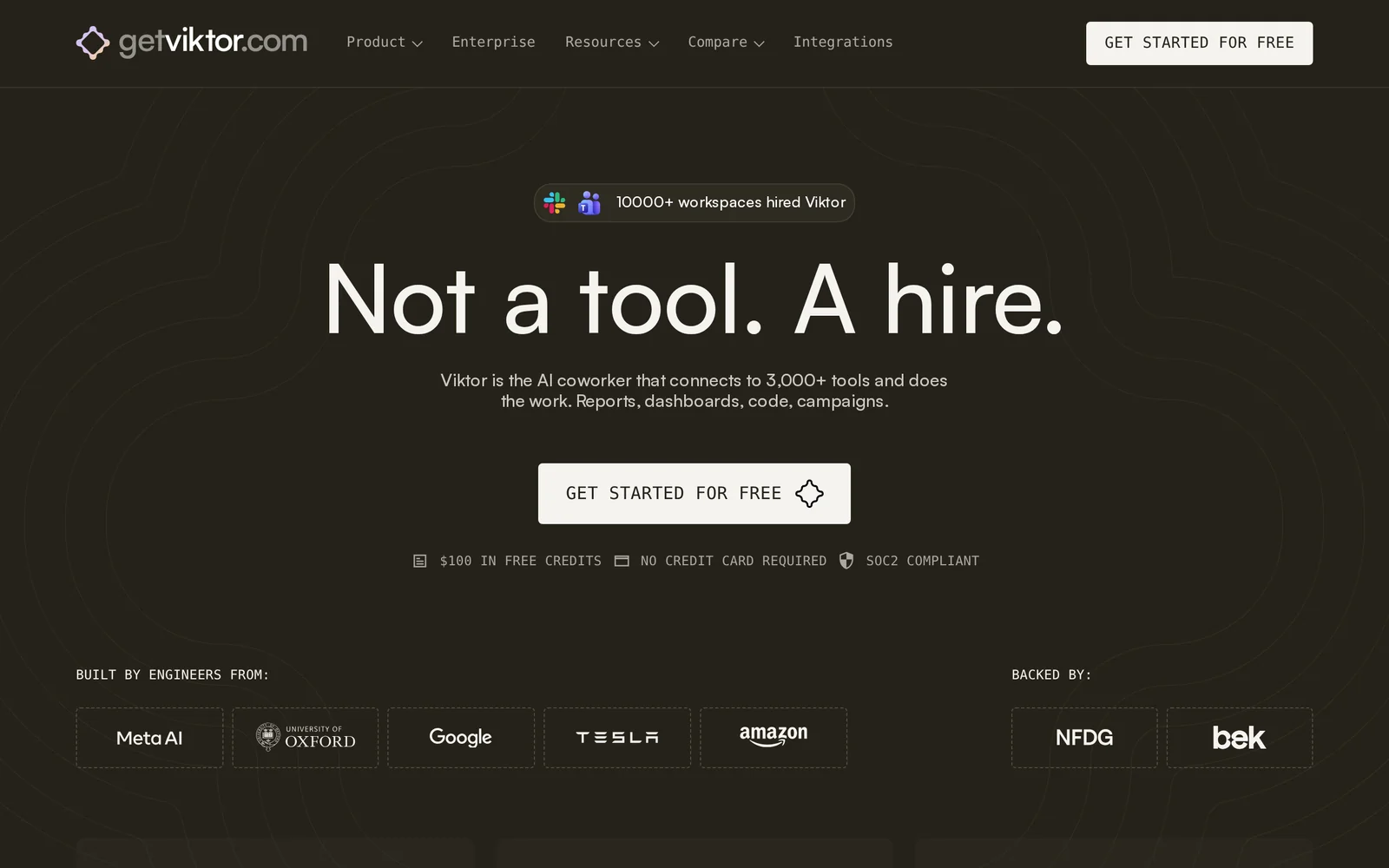
AIAn autonomous AI coworker that lives in Slack, connects to 3,000+ tools, and automates reports, dashboards, code, and ad campaigns.
Viktor for Media Buyers
An autonomous AI coworker that lives in Slack, connects to 3,000+ tools, and automates reports, dashboards, code, and ad campaigns.
About Viktor for Media Buyers
Viktor is an autonomous AI coworker that operates inside Slack and connects to over 3,000 business tools to perform real work for teams. It automates analytics, reporting, campaign execution, code generation, and lightweight web app creation by orchestrating connected services and responding to natural-language requests in Slack. Viktor's value lies in reducing repetitive operational work, consolidating data and actions across platforms, and enabling non-technical users to run complex workflows without leaving their collaboration environment.
Screenshots
Key Features
Use Cases



Frequently asked questions about Viktor for Media Buyers
What is Viktor for Media Buyers?
Viktor for Media Buyers is an autonomous AI coworker integrated within Slack that connects with over 3,000 tools. It streamlines marketing efforts by automating tasks such as generating reports, creating dashboards, coding, and managing ad campaigns, enhancing efficiency for media buyers.
Key Points
- Integration with Slack: Works seamlessly within your existing communication platform.
- Extensive Tool Connectivity: Connects with over 3,000 apps for comprehensive automation.
- Automation of Key Tasks: Streamlines reporting, dashboard creation, and campaign management.
Detailed Explanation
Viktor for Media Buyers leverages artificial intelligence to enhance productivity in digital marketing. By functioning as a virtual assistant, it integrates with Slack, allowing teams to communicate effortlessly while accessing powerful automation features.
Integration with Slack
Viktor's presence in Slack means that media buyers can interact with the AI directly through their chats. This integration eliminates the need for switching between different applications, saving time and reducing complexity in daily tasks.
Extensive Tool Connectivity
Viktor connects with more than 3,000 tools, including popular platforms like Google Analytics, Facebook Ads, and various CRM systems. This wide-ranging compatibility means that users can automate data collection and reporting from multiple sources, ensuring that insights are readily available without manual input.
Automation of Key Tasks
The core functionality of Viktor is its ability to automate critical marketing tasks. For instance, it can generate comprehensive reports on campaign performance, create dynamic dashboards that visualize data trends, and manage ad campaigns by optimizing bids and targeting parameters. This not only increases efficiency but also allows media buyers to focus on strategic decision-making rather than routine tasks.
Best Practices / Tips
- Utilize Templates: Take advantage of pre-built templates for reports and dashboards to save time.
- Regularly Update Integrations: Ensure that all connected tools are regularly updated to maintain compatibility and performance.
- Monitor AI Suggestions: Pay attention to the insights and suggestions provided by Viktor to maximize campaign effectiveness.
Additional Resources
By leveraging Viktor for Media Buyers, you can significantly improve your marketing efficiency and focus on what truly matters: driving results.
How does Viktor for Media Buyers work?
Viktor for Media Buyers uses advanced AI capabilities to streamline daily workflows, enabling users to automate tasks, optimize ad spending, and enhance campaign performance. By leveraging data insights, Viktor helps media buyers make informed decisions quickly, improving efficiency and effectiveness in their advertising strategies.
Key Points
- Automation of Routine Tasks: Viktor automates repetitive tasks, allowing media buyers to focus on strategic planning.
- Data-Driven Insights: The platform analyzes performance data to recommend optimizations for ad campaigns.
- User-Friendly Interface: Designed for ease of use, Viktor simplifies complex processes for media buyers of all skill levels.
Detailed Explanation
Viktor for Media Buyers integrates cutting-edge AI technologies to support various aspects of media buying. Here’s how it works:
-
Automating Workflows: Viktor can automate tasks such as ad placement, budget adjustments, and performance tracking. For instance, users can set parameters for budget allocation, and Viktor will adjust bids in real-time based on campaign performance.
-
Campaign Optimization: The tool analyzes historical data to identify trends and provide actionable insights. For example, if a specific ad format performs better on certain platforms, Viktor will suggest reallocating budgets to maximize ROI.
-
Enhanced Collaboration: Viktor offers features that facilitate communication among team members. This includes shared dashboards and real-time performance updates, ensuring everyone is aligned on campaign goals.
-
Scalability: Designed for both small businesses and large enterprises, Viktor can scale its features to meet the user’s needs. This flexibility allows users to adapt as their media buying strategies evolve.
Best Practices / Tips
- Regularly Review Insights: Make it a routine to check Viktor’s recommendations and adapt your strategies accordingly.
- Set Clear Goals: Define what success looks like for each campaign to use Viktor’s insights effectively.
- Leverage A/B Testing: Use Viktor’s features to conduct A/B tests on different ad creatives and placements to determine the best performers.
- Stay Updated: Keep abreast of new features and AI capabilities that Viktor introduces to maximize its potential.
Additional Resources
- Viktor for Media Buyers Official Site
- User Guide and Documentation
- Case Studies on Media Buying Success
By utilizing Viktor for Media Buyers, you can transform your advertising efforts, achieve better results, and stay ahead in a competitive market.
What are the main features of Viktor for Media Buyers?
Viktor for Media Buyers offers advanced AI capabilities that streamline advertising workflows, enhance data analytics, and optimize campaign performance. Key features include automated ad creation, real-time performance tracking, and predictive analytics, allowing media buyers to make informed decisions and improve return on investment (ROI).
Key Points
- Automated Ad Creation: Quickly generate tailored advertisements using AI.
- Real-Time Performance Tracking: Monitor campaign metrics in real time.
- Predictive Analytics: Leverage data to forecast trends and optimize strategies.
Detailed Explanation
Viktor for Media Buyers integrates powerful AI tools specifically designed to enhance advertising efforts.
Automated Ad Creation
This feature enables media buyers to create high-quality, personalized ads at scale. By utilizing AI algorithms, Viktor analyzes past campaign data to suggest optimal ad formats, styles, and messaging tailored to target audiences. For example, if a buyer frequently uses video ads, Viktor can recommend similar formats that have historically led to higher engagement rates.
Real-Time Performance Tracking
Viktor provides dashboards that display key performance indicators (KPIs) in real time. Media buyers can see how their campaigns are performing at any moment, allowing for immediate adjustments. This includes tracking click-through rates (CTR), conversion rates, and overall engagement metrics across various platforms. For instance, if a particular ad is underperforming, users can quickly pivot their strategy based on live data insights.
Predictive Analytics
By analyzing historical data, Viktor helps media buyers predict future trends and behaviors. This predictive capability allows users to optimize their spending by identifying which campaigns are likely to yield the best results. For instance, if past performance indicates higher conversions during specific dates or times, media buyers can allocate budgets accordingly to maximize ROI.
Best Practices / Tips
- Regularly Update Data: Ensure that your data inputs are fresh to improve the accuracy of Viktor’s recommendations.
- A/B Testing: Use Viktor’s tools to conduct A/B tests on different ad variations for optimized performance.
- Monitor Trends: Stay alert to emerging trends in your industry using Viktor’s analytics to remain competitive.
Additional Resources
Who is Viktor for Media Buyers for?
Viktor for Media Buyers is designed for marketing professionals, advertisers, and media buyers who want to streamline their AI-driven workflows. It helps optimize ad campaigns, automate routine tasks, and enhance decision-making processes, making it suitable for anyone looking to leverage AI in digital marketing.
Key Points
- Target Audience: Marketing professionals and advertisers.
- Workflow Automation: Streamlines daily tasks and processes.
- Data-Driven Insights: Enhances ad campaign performance through AI analytics.
Detailed Explanation
Viktor for Media Buyers is a versatile tool aimed at individuals and teams working in advertising and media buying. Its core functionality revolves around automating repetitive tasks and providing data-driven insights that can significantly boost campaign effectiveness.
For instance, if you're a media buyer managing multiple ad campaigns, Viktor can automate the reporting process, enabling you to focus on strategy rather than manual data entry. By using AI algorithms, it analyzes performance metrics and helps you identify which ads are performing best. This allows for real-time adjustments, maximizing ROI.
Use Cases:
- Campaign Optimization: Automatically analyze which ads yield the highest engagement and conversions, allowing for adjustments in real time.
- Budget Management: Viktor assists in allocating budgets based on performance, ensuring funds are spent efficiently.
- Client Reporting: Generate comprehensive reports for clients, detailing campaign performance and insights derived from AI analytics.
Best Practices / Tips
- Integrate with Existing Tools: Make sure to connect Viktor with your current marketing platforms for seamless data flow.
- Regular Training: Stay updated on Viktor's evolving features through tutorials and webinars to maximize its potential.
- Monitor Performance Metrics: Continuously assess the AI’s recommendations and ensure they align with your overall marketing strategy.
Additional Resources
How much does Viktor for Media Buyers cost?
Viktor for Media Buyers offers a free tier with limited features, while paid plans start at $49 per month for advanced functionalities. These plans provide access to enhanced tools that cater to more complex media buying needs, making it suitable for both beginners and experienced marketers.
Key Points
- Free tier available for basic use
- Paid plans start at $49 per month
- Advanced features included in premium subscriptions
Detailed Explanation
Viktor for Media Buyers is designed to streamline the media buying process, offering tools that assist in campaign management, analytics, and reporting. The free tier allows users to access basic features, making it an excellent option for those just starting in media buying. This tier includes essential tools but may limit the number of campaigns or data points you can analyze.
For users looking for more robust capabilities, paid plans begin at $49 per month. These plans unlock advanced features such as detailed analytics, enhanced reporting tools, and priority customer support. Higher-tier subscriptions may offer additional benefits like automated bidding strategies and integration with other marketing platforms, which can significantly enhance campaign performance.
For instance, if you are managing multiple campaigns across different channels, the advanced features can help you consolidate data, identify trends, and optimize your spending more effectively.
Best Practices / Tips
- Evaluate Your Needs: Before choosing a plan, assess your media buying requirements. If you’re just starting, the free tier may be sufficient.
- Test Features: Utilize the free tier to familiarize yourself with Viktor’s interface and capabilities. Once comfortable, consider upgrading for access to advanced tools.
- Monitor Costs: As your needs grow, keep an eye on how the paid plans can fit your budget while delivering the necessary tools for effective media management.
Additional Resources
For more information, visit Viktor's official pricing page to explore detailed features of each plan. Additionally, check their help center for tutorials and user guides to maximize your experience with Viktor for Media Buyers.
How do I get started with Viktor for Media Buyers?
To get started with Viktor for Media Buyers, visit https://ref.getviktor.com/launch to sign up. After registering, explore the platform's features and tools designed specifically for media buying efficiency and improved campaign performance.
Key Points
- User-Friendly Interface: Viktor offers an intuitive dashboard tailored for media buyers.
- Advanced Analytics: Leverage data-driven insights to optimize your campaigns.
- Support and Resources: Access tutorials and customer support for seamless onboarding.
Detailed Explanation
Viktor for Media Buyers provides a comprehensive suite of tools that streamline the media buying process. To begin, follow these steps after signing up:
-
Set Up Your Account: Once registered, complete your profile by adding relevant business details. This helps Viktor tailor its services to your needs.
-
Explore the Dashboard: The user-friendly interface allows you to navigate various features easily. Familiarize yourself with the dashboard to access analytics, reporting, and campaign management tools.
-
Integrate Your Platforms: Connect your advertising accounts (like Google Ads, Facebook Ads, etc.) to Viktor. This integration enables you to manage all campaigns from a single platform, enhancing efficiency.
-
Utilize Advanced Analytics: Viktor's analytics tools provide insights into your campaign performance. Use these metrics to adjust strategies, target audiences more effectively, and maximize ROI.
-
Training and Resources: Take advantage of Viktor's training materials and customer support. Access tutorials that cover best practices, tips for campaign optimization, and troubleshooting.
Best Practices / Tips
- Regularly Monitor Performance: Consistently check analytics to identify trends and make data-driven decisions.
- A/B Testing: Experiment with different ad creatives and targeting options to find the most effective strategies.
- Stay Updated: Keep an eye on industry trends and Viktor’s feature updates to leverage new tools and functionalities.
- Avoid Overcomplication: Start with simple campaigns and gradually implement more sophisticated strategies as you become familiar with the platform.
Additional Resources
- Viktor Official Documentation
- Media Buying Best Practices
- Customer Support for personalized assistance.
Explore more AI Ai Agents tools
Browse all Ai Agents tools →Browse by use case: Automation & Productivity
Compare Viktor for Media Buyers: vs Phoenix.vu · vs Dropstone · vs Apache Maka · vs Construct Computer