

Verse
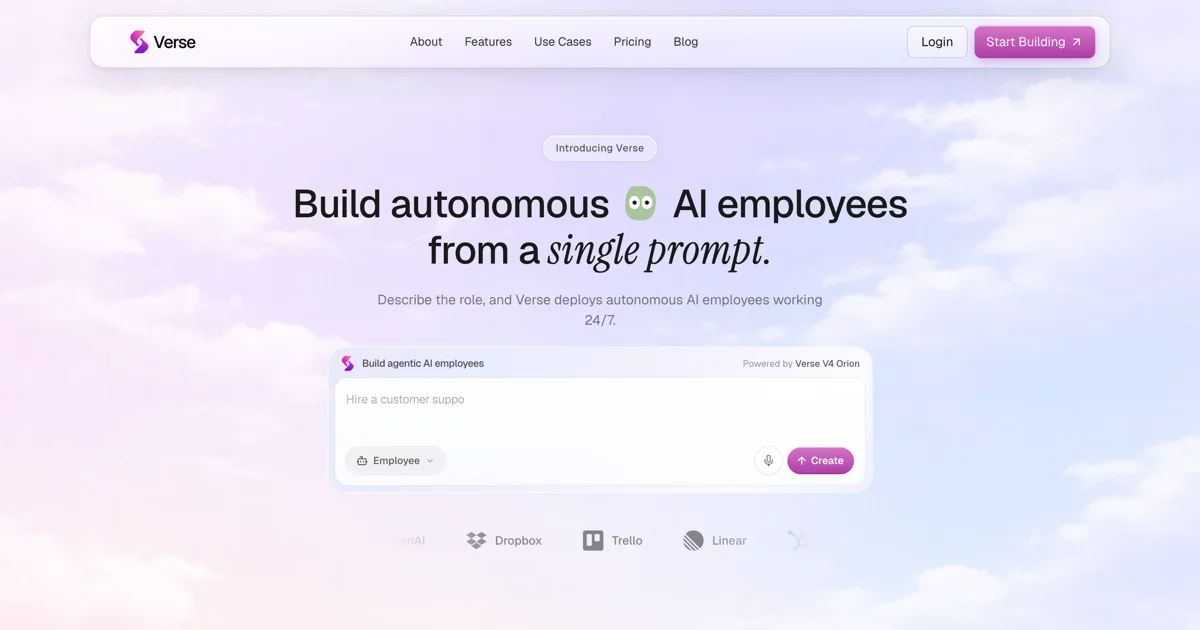
AIAutonomous AI employees deployed from a single prompt to work 24/7 across sales, marketing, support, and operations.
Verse
Autonomous AI employees deployed from a single prompt to work 24/7 across sales, marketing, support, and operations.
About Verse
Verse turns a single natural-language prompt into an autonomous, role-based AI employee that runs continuously rather than responding as a one-off assistant. Each employee gets its own email, phone number, virtual card, computer, and crypto wallet so it can take real action across a company's stack. Powered by the Verse V4 Orion model, employees plug into 1,000+ connectors, use browsers and computers, run code, and coordinate with other employees inside shared 'Agent Spaces' with persistent memory. Users describe the role in plain language, grant the employee access to Slack, its own computer, and other systems, and the employee is deployed and working in under five minutes. Verse markets itself as a way to scale output without recruiting, onboarding, or payroll overhead.
Screenshots
Key Features
Use Cases



Frequently asked questions about Verse
What is Verse?
Verse is an advanced AI platform that deploys autonomous AI employees from a single prompt. These AI agents operate 24/7 across various sectors, including sales, marketing, customer support, and operations, enhancing productivity and efficiency by automating routine tasks and decision-making processes.
Key Points
- Versatile Deployment: AI employees can be customized for different business functions.
- 24/7 Operation: Continuously available to improve workflow and responsiveness.
- Cost-Effective: Reduces the need for extensive human resources.
Detailed Explanation
Verse utilizes cutting-edge artificial intelligence technologies to create autonomous agents capable of performing tasks traditionally assigned to human employees. By leveraging natural language processing (NLP) and machine learning, these AI agents can understand and respond to customer inquiries, manage marketing campaigns, and even assist with sales processes.
For instance, in sales, a Verse AI can analyze customer data to identify trends, generate leads, and schedule meetings—all without human oversight. In marketing, it can automate content creation, social media management, and performance tracking, allowing marketing teams to focus on strategy rather than execution.
Use Cases
- Sales Automation: An AI can qualify leads by engaging potential customers through chatbots, providing instant responses to common queries.
- Customer Support: AI employees can handle thousands of support tickets simultaneously, offering solutions based on previous interactions and knowledge bases.
- Marketing Optimization: Automated campaigns can be adjusted in real-time based on engagement analytics, improving ROI.
Best Practices / Tips
- Define Clear Objectives: Clearly outline what tasks the AI should handle to maximize efficiency.
- Monitor Performance: Regularly evaluate the AI's effectiveness and make necessary adjustments to its algorithms.
- Ensure Data Security: Safeguard customer data by implementing strong security measures, as AI systems often handle sensitive information.
Additional Resources
Utilizing Verse can revolutionize your business operations by automating repetitive tasks, thus allowing your human workforce to focus on high-value activities.
How does Verse work?
Verse works by deploying autonomous employees through plain language prompts, enabling them to perform tasks without technical setup. These AI-driven employees can collaborate, execute workflows, and manage operations in real-time, significantly enhancing productivity across various business functions, such as sales, marketing, and research analysis.
Key Points
- Prompt-to-Employee Deployment: Rapidly create autonomous employees.
- Universal Capabilities: Utilize a range of tools and perform real tasks.
- Agent Spaces: Collaborate seamlessly in shared workspaces.
Detailed Explanation
Verse operates on a few fundamental principles that empower businesses to maximize their operational efficiency.
1. Prompt-to-Employee Deployment
This feature allows users to describe a role in simple terms. For instance, a user can input "Create a virtual sales representative," and within five minutes, Verse generates a fully functional autonomous employee. This rapid deployment requires no technical expertise, making it accessible for everyone.
2. Universal Capabilities
Once deployed, these autonomous employees can utilize any tool available to them, whether it’s writing and executing code, accessing databases, or browsing the internet. For example, a virtual marketing specialist can efficiently draft engaging content and run analytics reports, effectively simulating a human worker's capabilities.
3. Agent Spaces
Verse includes dedicated workspaces where multiple autonomous employees can collaborate in real-time. This feature ensures that tasks can be delegated and managed collectively, enhancing teamwork without the limitations of human coordination.
4. Personal Identity per Employee
Every virtual employee is equipped with its own unique identity, including an email address, phone number, virtual credit card, and even a crypto wallet. This setup allows them to communicate and transact independently, streamlining processes significantly.
5. AI Workflow Generation
Users can create repeatable workflows using a single prompt or by recording their screens. For instance, a founder can record the steps for managing a marketing campaign, and Verse will automate these tasks, enabling consistent execution without ongoing human oversight.
Use Cases
- Sales Prospecting: Autonomous sales employees can continuously source leads, manage outreach, and provide pipeline reports, ensuring that the sales team is always informed.
- Marketing Content Engine: Marketing specialists can autonomously draft posts, schedule campaigns, and analyze growth metrics, maintaining brand voice consistency.
- Personal Assistant: Virtual assistants can manage calendars, triage emails, and prepare briefs, freeing up time for founders to focus on strategic goals.
- Product Management: Autonomous agents can transform user feedback into actionable specifications and manage product backlogs, making the product development process smoother.
- Research Analysis: Virtual researchers can compile sources, verify information, and generate detailed reports, aiding in informed decision-making.
Best Practices / Tips
- Define Roles Clearly: When creating autonomous employees, clearly outline their roles and responsibilities to maximize efficiency.
- Monitor Performance: Regularly review the performance of these AI employees to ensure they meet expected outcomes.
- Integrate with Existing Systems: Ensure that Verse integrates well with your current software tools to streamline workflows.
Additional Resources
What are the main features of Verse?
Verse offers innovative features like rapid deployment of autonomous employees, universal capabilities for task execution, collaborative Agent Spaces, personalized identities for each employee, and AI-driven workflow generation. These functionalities streamline operations and enhance productivity across various business environments.
Key Points
- Prompt-to-Employee Deployment: Create roles in minutes.
- Universal Capabilities: Execute tasks using various tools.
- Agent Spaces: Collaborate in real-time with teams.
Detailed Explanation
Verse revolutionizes the way businesses operate by providing a suite of powerful features designed for efficiency and collaboration.
-
Prompt-to-Employee Deployment: This feature allows users to describe a job role in simple terms. Within five minutes, Verse activates an autonomous digital employee tailored to that role, eliminating the need for complex technical setup. This rapid deployment is ideal for businesses needing to scale operations quickly.
-
Universal Capabilities: Each digital employee can utilize any software tool, write and run code, access cloud systems, browse the web, and perform tasks on a computer. This flexibility ensures that employees can tackle diverse and complex tasks, from coding to data analysis, without limitations.
-
Agent Spaces: Verse provides dedicated workspaces where multiple digital employees can collaborate. This feature allows for real-time communication and task delegation, enhancing teamwork and productivity. For example, teams can manage projects more effectively by assigning tasks to specific employees based on their capabilities.
-
Personal Identity per Employee: Each digital employee is equipped with its own email, phone number, virtual card, and crypto wallet. This autonomy allows them to transact and communicate independently, streamlining workflows and reducing the need for human oversight in routine tasks.
-
AI Workflow Generation: With this feature, users can create and automate repeatable workflows by simply providing a prompt or recording a screen action. This capability is particularly useful for businesses looking to optimize recurring processes, such as onboarding new hires or processing customer inquiries.
Best Practices / Tips
- Define Roles Clearly: When using the Prompt-to-Employee feature, provide clear and concise role descriptions to ensure accurate deployment.
- Utilize Collaboration Tools: Leverage Agent Spaces to enhance team communication and project management.
- Monitor Performance: Regularly evaluate the performance of digital employees to ensure they meet business objectives and adapt workflows as needed.
Additional Resources
Who is Verse for?
Verse is designed for professionals across various fields, including sales prospectors, marketing teams, personal assistants, product managers, and research analysts. It automates lead sourcing, content creation, inbox management, user feedback analysis, and research tasks, making it a versatile tool for enhancing productivity and efficiency.
Key Points
- Sales Prospecting: Automates lead generation and outbound outreach.
- Marketing Content Engine: Creates and schedules marketing content while tracking growth metrics.
- Personal Assistant: Manages scheduling and inbox triage to save time for founders.
Detailed Explanation
Verse serves multiple professional roles by automating essential tasks, enabling users to focus on strategic activities rather than repetitive ones.
-
Sales Prospecting: Verse acts as an autonomous sales representative that continuously sources leads, manages outbound communication, and provides detailed reporting on the sales pipeline 24/7. This ensures that businesses can maintain a steady flow of potential clients without the need for constant human oversight.
-
Marketing Content Engine: For marketing teams, Verse functions as a content specialist that drafts social media posts, schedules campaigns, and analyzes growth metrics. By maintaining the brand voice, Verse ensures that content is consistent and engaging, which can lead to higher engagement rates and conversions.
-
Personal Assistant: Founders and executives benefit from Verse’s ability to triage their inboxes, schedule meetings, and prepare briefs. This autonomous management allows busy leaders to concentrate on high-level decision-making rather than administrative tasks.
-
Product Management: Verse can transform user feedback into actionable specifications, manage product backlogs, and provide weekly release updates without needing a dedicated human product manager. This feature is particularly beneficial in agile environments where quick iterations are essential.
-
Research Analyst: Verse can gather sources, fact-check claims, and produce cited briefs on demand. This capability supports informed decision-making by providing accurate and reliable information to stakeholders.
Best Practices / Tips
- Define Clear Objectives: When using Verse, clearly outline your goals for each role to maximize automation benefits.
- Regularly Update Parameters: Ensure that the settings and guidelines for lead sourcing and content creation are updated regularly to align with changing business strategies.
- Monitor Performance Metrics: Use Verse’s reporting tools to track the effectiveness of automated tasks and adjust strategies based on data insights.
Additional Resources
How much does Verse cost?
Verse is a subscription-based product, and its cost varies depending on the plan you choose. For the most accurate and up-to-date pricing information, visit the official Verse website or contact their customer support.
Key Points
- Verse offers multiple subscription plans.
- Pricing may vary based on features and user requirements.
- Regular promotions and discounts may be available.
Detailed Explanation
Verse provides a range of subscription options tailored to different user needs, from individuals to businesses. The basic plan typically includes essential features like document creation, collaboration tools, and customer support. More advanced plans offer enhanced functionalities, including analytics, integrations with other software, and additional storage.
For example, the basic plan could start at around $10 per month, while the premium plan may range from $30 to $50 per month, depending on the features included. Users are encouraged to evaluate which plan best suits their needs based on usage and required features.
Furthermore, Verse occasionally runs promotions that can provide discounts for new users or bundled services. Checking the official website frequently or subscribing to their newsletter can help you stay informed about any special offers.
Best Practices / Tips
- Compare Plans: Evaluate the features of each plan carefully to ensure you select the one that provides the best value for your specific needs.
- Take Advantage of Trials: If available, use free trials to test the product before committing to a subscription.
- Monitor Promotions: Follow Verse on social media or sign up for updates to catch any limited-time offers or discounts.
Additional Resources
How do I get started with Verse?
To get started with Verse, visit https://useverse.ai/ to sign up for an account. Once registered, you can explore its features, including AI-driven tools for content creation and collaboration, tailored to enhance your productivity and creativity.
Key Points
- Easy Sign-Up: Visit the website to create your account.
- User-Friendly Interface: The platform is designed for ease of use.
- Explore Features: Discover various AI tools tailored to your needs.
Detailed Explanation
To begin using Verse, go to https://useverse.ai/ and click on the "Sign Up" button. You will need to provide basic information such as your name, email address, and password. After registering, check your email for a confirmation link to activate your account.
Once logged in, you’ll have access to a user-friendly dashboard that showcases the main features of Verse. These include:
- AI-Powered Writing Tools: Generate high-quality content with the help of AI, which can assist in brainstorming, drafting, and editing your work.
- Collaboration Features: Work seamlessly with team members by sharing projects and getting real-time feedback.
- Templates and Resources: Utilize pre-built templates for various needs, from blog posts to marketing copy.
You can also access tutorials and guides within the platform to help you make the most out of Verse’s capabilities.
Best Practices / Tips
- Explore Tutorials: Familiarize yourself with the platform by going through the available tutorials.
- Utilize Collaboration Tools: Take advantage of the collaboration features to enhance team productivity and creativity.
- Experiment with Features: Don’t hesitate to try different tools and templates to see what works best for your projects.
Be cautious of common pitfalls, such as not utilizing the AI features fully or overlooking the collaboration tools that can streamline your workflow.
Additional Resources
- Verse Official Documentation
- Getting Started with Verse - User Guide
- Verse Community Forum for support and tips from other users.
Explore more AI Ai Agents tools
Browse all Ai Agents tools →Browse by use case: Automation & Productivity
Compare Verse: vs Sai · vs Mycel · vs Proto-Mind · vs Ami