

Vela
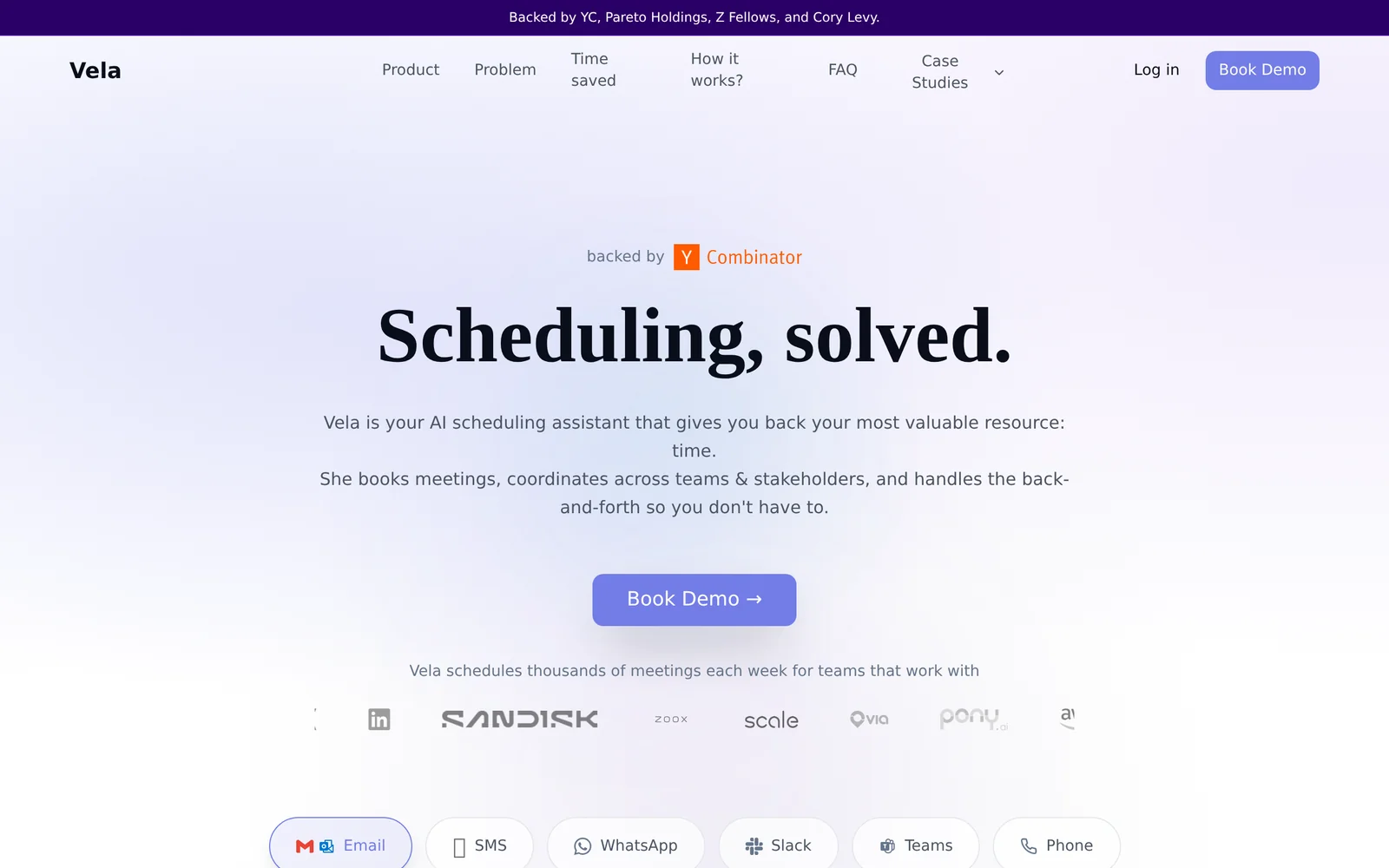
AIAI scheduling assistant that books, coordinates, and manages meetings across email, SMS, WhatsApp, and phone.
Vela
AI scheduling assistant that books, coordinates, and manages meetings across email, SMS, WhatsApp, and phone.
About Vela
Vela is an AI-powered scheduling assistant designed to automate end-to-end meeting coordination for professionals and teams. Users can CC Vela on email or message Vela directly (SMS/WhatsApp) and the assistant reads context, proposes times, pulls availability from participants' calendars, negotiates across timezones, and books or reschedules invites automatically. Vela handles multi-attendee meetings, follows up with non-responders, updates calendar invites, and measures time saved, enabling organizations to scale scheduling operations and reduce back-and-forth coordination.
Screenshots
Key Features
Use Cases



Frequently asked questions about Vela
What is Vela?
Vela is an AI scheduling agent designed to streamline the process of booking, rescheduling, and coordinating meetings through various communication platforms, including email, SMS, WhatsApp, and phone calls. It enhances productivity by automating scheduling tasks and reducing the back-and-forth typically involved in organizing meetings.
Key Points
- Multi-Platform Coordination: Vela works across email, SMS, WhatsApp, and phone calls.
- AI Automation: It uses artificial intelligence to simplify scheduling processes.
- User-Friendly Interface: Vela is designed for ease of use, accommodating different communication styles.
Detailed Explanation
Vela operates as a virtual assistant that leverages AI technology to manage meeting schedules efficiently. By integrating with popular communication channels such as email and messaging apps, Vela eliminates the tedious process of finding suitable times for all participants.
How Vela Works
- Integration: Users connect Vela to their calendars and preferred communication platforms.
- Scheduling: When a meeting is requested, Vela analyzes participants' availability using their calendar data.
- Communication: It sends out meeting invitations or proposed times through the chosen communication method, reducing the time spent on email chains or texts.
- Rescheduling: If conflicts arise, Vela can suggest alternative times based on real-time availability.
Use Cases
- Business Meetings: Professionals can rely on Vela to schedule client meetings without the hassle of manual coordination.
- Team Collaboration: Teams can use Vela to set up brainstorming sessions or project check-ins seamlessly.
- Social Events: Individuals can coordinate gatherings with friends while accommodating everyone's schedules.
Best Practices / Tips
- Sync Calendars: Ensure that all relevant calendars are synced with Vela for accurate availability.
- Set Preferences: Customize Vela’s settings to reflect your preferred meeting durations and times.
- Regular Updates: Keep Vela updated with any changes in your schedule to avoid conflicts.
- Test Communication Channels: Experiment with different platforms to find the most effective method for your audience.
Additional Resources
How does Vela work?
Vela is an AI-driven scheduling tool that streamlines meeting coordination by autonomously negotiating times via email, SMS, and phone. It efficiently handles bookings, rescheduling, and cancellations, allowing users to focus on their core tasks without the hassle of manual scheduling.
Key Points
- Multi-Channel Coordination: Engages through various communication platforms.
- Autonomous Booking: Processes meeting requests without human intervention.
- Cross-Party Scheduling: Facilitates scheduling with external parties on different calendar systems.
Detailed Explanation
Vela simplifies the scheduling process by utilizing advanced AI technology to manage meetings effectively. Here’s how it works:
-
Multi-Channel Coordination: Vela negotiates meeting times not just through traditional calendar invites but also via email, SMS, WhatsApp, and phone calls. This ensures that you can reach people on their preferred platforms, enhancing the likelihood of quick confirmations.
-
Autonomous Booking: The tool autonomously reads incoming meeting requests, suggests available times, and manages the back-and-forth communication. This means that if a meeting needs to be scheduled, Vela can handle it without requiring human oversight, saving valuable time.
-
Rescheduling & Cancellations: Vela acts like an experienced Executive Assistant (EA) by managing time changes, cancellations, and necessary follow-ups. It can renegotiate entire days if meetings shift unexpectedly, freeing users from tedious rescheduling tasks.
-
Voice Handling: For users who prefer voice communication, Vela can make and receive phone calls to coordinate scheduling, further enhancing its versatility.
-
Cross-Party Scheduling: Vela can coordinate meetings with individuals not using the same calendar system, making it an invaluable tool for sales teams, recruiters, and customer success teams who interact with clients, vendors, or candidates.
Use Cases:
- Founder EA Replacement: Founders without full-time assistants can delegate meeting coordination to Vela, reducing context-switching.
- Sales Team Scheduling: Account executives benefit from Vela booking discovery and follow-up calls seamlessly, allowing them to focus on selling.
- Recruiter Coordination: Recruiters can utilize Vela to schedule interviews across multiple time zones effectively.
Best Practices / Tips
- Integration: Ensure Vela is integrated with your primary calendar tools for optimal functionality.
- Regular Updates: Keep Vela’s settings updated to align with your scheduling preferences and availability.
- Feedback Loop: Provide feedback on Vela’s performance to improve its learning algorithms and enhance future scheduling accuracy.
Additional Resources
What are the main features of Vela?
Vela offers key features such as Multi-Channel Coordination for seamless scheduling, Autonomous Booking to automate meeting arrangements, and effective handling of Rescheduling & Cancellations. It also includes Voice Handling for users who prefer phone calls, and Cross-Party Scheduling that works across different calendaring platforms.
Key Points
- Multi-Channel Coordination: Negotiates and confirms meeting times across various platforms.
- Autonomous Booking: Automates the process of reading requests and scheduling meetings.
- Rescheduling & Cancellations: Efficiently manages changes and cancellations like a professional executive assistant.
Detailed Explanation
Vela is designed to streamline the scheduling process, making it easier for individuals and teams to coordinate meetings.
-
Multi-Channel Coordination: Vela facilitates communication through email, SMS, WhatsApp, and phone calls. This means users can confirm meeting times without being restricted to traditional calendar invites, thus enhancing flexibility and accessibility. For instance, if a team member prefers WhatsApp, Vela can negotiate times via that platform.
-
Autonomous Booking: Vela intelligently reads incoming meeting requests and can propose suitable times based on availability. It handles the back-and-forth communication autonomously, eliminating the need for a human to intervene. This feature is particularly useful for busy professionals who receive numerous meeting requests daily, as it saves time and reduces scheduling conflicts.
-
Rescheduling & Cancellations: Just like an experienced executive assistant, Vela can manage rescheduling and cancellations. If a meeting needs to be moved, Vela communicates with all parties involved, offering new time slots and confirming changes efficiently. This ensures that everyone stays informed and reduces the likelihood of missed appointments.
-
Voice Handling: Vela can also place and receive phone calls to coordinate scheduling with those who prefer voice communication. This is especially beneficial for individuals who may not regularly check their emails or messages.
-
Cross-Party Scheduling: Vela overcomes the limitations of different calendaring platforms, allowing it to work with clients, vendors, or candidates who may use various systems. This feature ensures that scheduling is seamless regardless of the technology stack used by the other parties.
Best Practices / Tips
- Integrate with Existing Tools: Ensure Vela is connected to your existing calendar and communication tools to maximize efficiency.
- Set Clear Availability: Regularly update your availability settings in Vela to minimize scheduling conflicts.
- Monitor Scheduling Trends: Utilize Vela's analytics to understand your scheduling habits and improve time management.
Additional Resources
Who is Vela for?
Vela is designed for entrepreneurs, sales teams, recruiters, customer success teams, and anyone needing efficient scheduling. It automates meeting coordination, allowing users to focus on their core tasks without the hassle of managing multiple calendars and time zones.
Key Points
- Founder EA Replacement: Vela helps founders without full-time assistants manage their schedules.
- Sales Team Scheduling: Automates booking discovery and follow-up calls for sales executives.
- Recruiter Coordination: Simplifies interview scheduling across various time zones.
Detailed Explanation
Vela is an AI-driven scheduling tool that caters to various professionals, enhancing productivity and streamlining calendar management. Here are specific use cases:
-
Founder EA Replacement: Founders often juggle multiple responsibilities. Vela takes over the inbound meeting coordination, allowing them to avoid constant context-switching between their inbox and meeting requests. This saves valuable time, enabling founders to concentrate on strategic decisions.
-
Sales Team Scheduling: For account executives, Vela can book discovery and follow-up calls seamlessly through email and text. This automation ensures that sales professionals spend less time scheduling and more time selling, ultimately driving revenue.
-
Recruiter Coordination: Recruiters face challenges when scheduling interviews, especially across different time zones. Vela simplifies this process by allowing recruiters to coordinate interviews among candidates, hiring managers, and interview panels efficiently. This reduces the chances of scheduling conflicts and enhances the candidate experience.
-
Customer Success Cadence: Customer success teams can automate their regular check-ins and quarterly business reviews (QBRs) using Vela. Whether customers respond via WhatsApp or SMS, Vela ensures that no communication is missed and that follow-ups are timely.
-
Reschedule Storms: On days when meetings pile up, Vela can renegotiate the entire day's calendar without user intervention. This feature is invaluable for busy professionals who need to adapt to changing schedules quickly.
Best Practices / Tips
- Leverage Time Zone Features: Utilize Vela’s ability to manage multiple time zones effectively, especially when scheduling interviews or meetings with international clients.
- Integrate with Existing Tools: Ensure Vela is integrated with your calendar and email tools for seamless operation. This integration helps maintain consistency in scheduling.
- Regularly Update Preferences: Keep your meeting preferences and availability updated within Vela to maximize its scheduling efficiency.
Additional Resources
How much does Vela cost?
Vela is a paid product, and its pricing may vary based on the subscription plan you choose. For the most accurate and up-to-date pricing information, visit the official Vela website.
Key Points
- Vela offers multiple subscription tiers.
- Pricing may differ based on features included.
- Official website provides the latest pricing updates.
Detailed Explanation
Vela is a powerful tool designed for managing various tasks effectively, and it typically offers several subscription plans to cater to different user needs. The exact cost of Vela can fluctuate based on the features you select, such as advanced analytics, integrations, or customer support options.
As of October 2023, here are some general price ranges you might expect:
- Basic Plan: Starts around $10 per month, ideal for individual users or small teams needing essential features.
- Professional Plan: Approximately $25 to $50 per month, designed for growing teams that require more advanced functionalities like team collaboration and project tracking.
- Enterprise Plan: Custom pricing, which includes tailored features and dedicated support, suitable for larger organizations with specific requirements.
To get the most accurate information, including any promotional offers or discounts, always refer to the official Vela website.
Best Practices / Tips
- Evaluate Your Needs: Before selecting a plan, assess what features are essential for your workflow to avoid overpaying for unnecessary functionalities.
- Look for Discounts: Frequently check the website for seasonal promotions or discounts for annual subscriptions, which can save you money.
- Trial Period: Take advantage of any free trials to test the software and understand if it meets your expectations before committing to a paid plan.
Additional Resources
This structured approach not only helps you make informed decisions but also optimizes your search for answers regarding Vela's pricing.
How do I get started with Vela?
To get started with Vela, simply visit tryvela.ai to sign up for an account. Once registered, you can explore Vela's features and capabilities, empowering your AI projects efficiently.
Key Points
- User-Friendly Sign-Up: Quick registration process.
- Exploration of Features: Access a variety of AI tools.
- Support Resources: Guidance available for new users.
Detailed Explanation
Vela is designed to streamline your AI project needs. By visiting tryvela.ai, you can create an account in just a few minutes. Here’s how to navigate the initial steps:
- Sign Up: Click on the sign-up button on the homepage. Fill in your details, including email and password.
- Email Verification: Check your email for a verification link to activate your account.
- Explore the Dashboard: Once logged in, familiarize yourself with the dashboard, where you can find tools like model training, data management, and deployment options.
- Tutorials and Documentation: Vela offers extensive resources, including tutorials, to help you understand how to utilize its features effectively.
For instance, if you're interested in deploying a natural language processing model, the platform provides step-by-step guides that walk you through setting up and executing your first project.
Best Practices / Tips
- Start Small: Begin with a simple project to build your confidence and understanding of Vela’s capabilities.
- Utilize Documentation: Regularly refer to Vela's documentation for tips on best practices and troubleshooting common issues.
- Engage with the Community: Join forums and discussions to share experiences, ask questions, and learn from other users.
Avoid common pitfalls such as neglecting to verify your email, which can lock you out of your account. Also, ensure to keep your project files organized to streamline your workflow.
Additional Resources
These resources will help you maximize your experience with Vela and enhance your AI project outcomes.
Explore more AI Ai Agents tools
Browse all Ai Agents tools →Browse by use case: Automation & Productivity
Compare Vela: vs TryCase · vs Aside · vs Wisry · vs Cline