

Variant
AIGenerate endless app and website design variations from a simple idea—enter a concept and scroll to explore continuous UI options.
Variant
Generate endless app and website design variations from a simple idea—enter a concept and scroll to explore continuous UI options.
About Variant
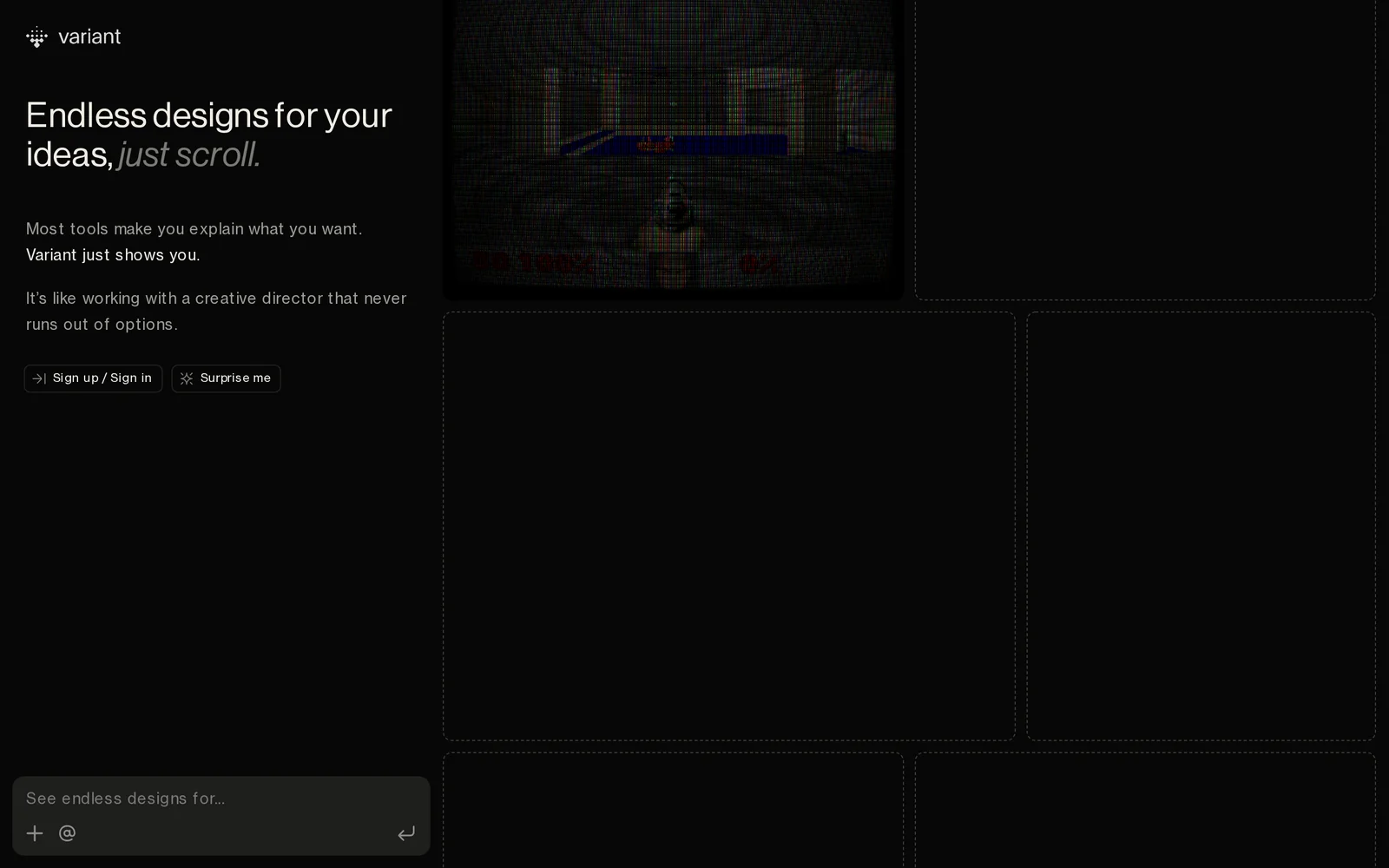
Variant is a web-based design generator that creates a continuous stream of UI designs from a single text idea. Users enter a concept for an app or website and Variant produces an endless, scrollable gallery of distinct visual and layout variations for rapid visual exploration. The tool is focused on fast ideation and inspiration, helping designers, founders, and product teams compare many directions quickly and seed prototypes or design conversations.
Screenshots
Key Features
Use Cases



Frequently asked questions about Variant
What is Variant?
Variant is an innovative tool that allows users to generate endless design variations for apps and websites. By simply entering a concept, users can scroll through a wide array of continuous UI options, making it easier to visualize and refine their design ideas.
Key Points
- Endless Design Variations: Generate multiple UI designs from a single idea.
- User-Friendly Interface: Simple input methods for quick exploration of options.
- Time Efficiency: Streamlines the design process, reducing time spent on iterations.
Detailed Explanation
Variant leverages advanced algorithms to create a multitude of design choices based on user inputs. For example, if you input a concept like "fitness app," Variant can generate variations encompassing different color schemes, layouts, and functionality options. This feature is particularly beneficial for designers, developers, and product managers who need to explore a range of possibilities without starting from scratch each time.
Use cases for Variant include:
- Prototyping: Quickly prototype ideas for client presentations, allowing for faster feedback and iteration.
- A/B Testing: Generate variations to test which design resonates better with users, leading to data-driven decisions.
- Collaborative Design: Teams can explore diverse options simultaneously, fostering creativity and collaboration.
To get started, simply enter a design concept into the Variant interface. The tool will then present a scrolling gallery of designs tailored to your idea. You can refine your search by adjusting parameters such as color, style, or layout preferences.
Best Practices / Tips
- Be Specific: The more detailed your initial concept, the more relevant the generated variations will be.
- Iterate and Refine: Use the generated options as a starting point and refine them further to suit your brand's identity.
- Involve Stakeholders: Share generated designs with team members or clients to gather feedback early in the design process.
Additional Resources
How does Variant work?
Variant works by leveraging advanced AI algorithms to streamline and enhance everyday workflows for users. By integrating various AI capabilities, it automates tasks, improves decision-making, and facilitates collaboration, making it an essential tool for businesses looking to optimize productivity and efficiency.
Key Points
- AI-Powered Automation: Simplifies repetitive tasks.
- Enhanced Decision-Making: Provides data-driven insights.
- Seamless Collaboration: Enables teamwork across platforms.
Detailed Explanation
Variant utilizes a combination of machine learning, natural language processing, and predictive analytics to assist users in various applications. For example, in a marketing context, it can analyze customer data to identify trends and suggest targeted campaigns. In project management, Variant can automate task assignments based on team members' workloads and past performance, ensuring a better distribution of tasks.
Example Use Cases
- Content Creation: Variant can generate blog posts or social media updates based on predefined topics, saving time and enhancing creativity.
- Data Analysis: Users can input large datasets, and Variant will quickly identify anomalies or trends, allowing for quicker reporting and informed decisions.
- Customer Support: By integrating with CRM systems, Variant can analyze customer inquiries and suggest responses, improving response times and customer satisfaction.
Best Practices / Tips
- Define Clear Objectives: Before using Variant, establish specific goals for what you want to achieve, such as reducing task completion time or increasing engagement.
- Train the AI: Regularly input data and feedback to improve Variant’s accuracy and relevance in your specific industry or use case.
- Monitor Performance: Use analytics to track how well Variant is meeting your objectives, and adjust your strategies accordingly.
Additional Resources
What are the main features of Variant?
Variant boasts several key features, including advanced AI capabilities, customizable integrations, and robust analytics. These features empower users to harness AI for various applications, enhancing productivity and decision-making across industries.
Key Points
- Advanced AI Capabilities: Variant utilizes machine learning and natural language processing.
- Customizable Integrations: Easily connects with existing tools and platforms.
- Robust Analytics: Provides actionable insights through data analysis.
Detailed Explanation
Variant's advanced AI capabilities enable users to automate tasks, analyze data patterns, and generate insights tailored to specific needs. For example, businesses can use its natural language processing (NLP) features to enhance customer interactions through chatbots or sentiment analysis.
The customizable integrations of Variant allow seamless connection with popular platforms like Slack, Salesforce, and Microsoft Teams. This flexibility enables teams to incorporate AI functionalities directly into their workflows, improving efficiency and collaboration.
With robust analytics, Variant turns complex data into understandable visuals and reports. Users can track performance metrics, analyze user behavior, and derive actionable insights. For instance, a marketing team can utilize Variant’s analytics to optimize campaigns based on real-time data.
Best Practices / Tips
- Utilize Customization: Take full advantage of Variant’s integration capabilities by aligning the tool with your specific business needs.
- Regularly Review Analytics: Frequently check analytics reports to adjust strategies and improve outcomes based on data-driven insights.
- Leverage AI Features: Experiment with different AI applications to discover the most impactful use cases for your organization.
Additional Resources
Who is Variant for?
Variant is designed for a wide range of users, including businesses, freelancers, and individuals who want to streamline their AI workflows. It is particularly beneficial for those looking to enhance productivity and efficiency through automation and AI-driven insights in daily tasks.
Key Points
- Target Audience: Businesses and professionals seeking productivity enhancement.
- Use Cases: AI integration for project management, content creation, and data analysis.
- Accessibility: User-friendly interface suitable for both tech-savvy individuals and beginners.
Detailed Explanation
Variant caters to a diverse audience that spans various industries. For businesses, it provides tools for optimizing workflows, managing projects, and automating repetitive tasks. Freelancers can leverage Variant to enhance their content creation processes, enabling faster turnaround times for clients.
For instance, a marketing team may use Variant to analyze customer data more efficiently, allowing them to tailor campaigns based on insights derived from AI. Similarly, a freelance writer can utilize Variant's content generation features to brainstorm ideas or draft articles, saving significant time.
Variant is also accessible to individuals who may not have a technical background. Its intuitive design allows anyone to integrate AI into their everyday tasks without extensive training. This opens the door for more users to harness the power of AI, making productivity tools more democratized.
Best Practices / Tips
- Start Simple: Begin with basic features to familiarize yourself with the platform before exploring advanced functionalities.
- Integrate Gradually: Implement Variant into your workflow step-by-step, focusing on one area at a time, such as project management before moving to data analysis.
- Utilize Resources: Take advantage of tutorials and community forums to maximize your use of Variant’s capabilities.
Common pitfalls to avoid include overloading the platform with too many tasks at once and neglecting to review AI-generated outputs critically. Regularly assess the effectiveness of the workflows you create to ensure they meet your goals.
Additional Resources
How much does Variant cost?
Variant offers a free tier for basic use, along with paid plans that unlock advanced features and functionalities. The pricing may vary based on the specific plan selected, allowing users to choose options that best fit their needs.
Key Points
- Variant provides a free tier for entry-level users.
- Paid plans include additional features tailored for advanced users.
- Pricing varies depending on chosen features and usage.
Detailed Explanation
Variant’s pricing structure is designed to cater to a wide range of users, from individuals to large teams.
-
Free Tier: This option allows users to explore the basic functionalities of Variant without any financial commitment. It is ideal for individuals or small projects that need limited features.
-
Paid Plans: For users seeking more advanced tools, Variant offers various pricing tiers. Typically, these plans can range from $10 to $50 per month, depending on the features included. Common features in paid plans might include enhanced analytics, additional user seats, and priority support.
-
Custom Pricing: For larger organizations or those needing specific features, Variant may offer custom pricing solutions. This allows businesses to tailor their plan based on unique requirements, such as API access or enterprise-level integrations.
Example Use Cases
- Small Businesses: A startup may begin with the free tier to test the waters before committing to a paid plan when their needs grow.
- Large Enterprises: A corporation requires advanced analytics and multiple user seats and may opt for a custom pricing plan to accommodate their team effectively.
Best Practices / Tips
- Evaluate Your Needs: Before selecting a paid plan, assess your specific requirements for features and user capacity.
- Utilize the Free Tier: Take full advantage of the free tier to familiarize yourself with Variant’s interface and capabilities.
- Monitor Usage: Regularly review your usage and team growth to determine if you need to upgrade your plan.
Additional Resources
By understanding Variant's pricing structure and features, users can make informed decisions that align with their project goals and budget.
How do I get started with Variant?
To get started with Variant, visit variant.com to sign up for an account. Once registered, you can explore its features, access documentation, and begin utilizing the platform to enhance your projects effectively.
Key Points
- Sign up for an account on the Variant website.
- Explore various features and tools offered by Variant.
- Access resources and documentation for guidance.
Detailed Explanation
Variant is a powerful tool designed for developers and teams looking to streamline their workflows, particularly in the realm of design and development. To get started:
-
Visit the Website: Navigate to variant.com and click on the "Sign Up" button. The registration process is straightforward and typically requires your email address, a password, and some basic information about your project.
-
Explore Features: Once signed up, take a tour of the platform. Variant offers various features including design systems, collaboration tools, and version control. Familiarize yourself with these tools to understand how they can assist in your workflow.
-
Utilize Documentation: Variant provides comprehensive documentation that guides you through each feature. This resource is invaluable for troubleshooting and maximizing the use of the platform. You can find tutorials, FAQs, and best practices that cater to both beginners and advanced users.
-
Start a Project: After exploring the features and reading through the documentation, start your first project on Variant. Utilize the tools available to enhance your design and development processes.
Best Practices / Tips
- Take Advantage of Tutorials: Leverage the tutorials available in the documentation to quickly get up to speed with the platform’s capabilities.
- Join the Community: Engage with other Variant users through forums or social media groups to share insights and solutions.
- Set Up Version Control: Utilize Variant's version control features early on to keep track of changes and collaborate efficiently with your team.
Additional Resources
Explore more AI Ai Tools tools
Browse all Ai Tools tools →Compare Variant: vs Humanizer · vs Worktrunk · vs Mise · vs BiBimba