
Tollecode â AI coding assistant
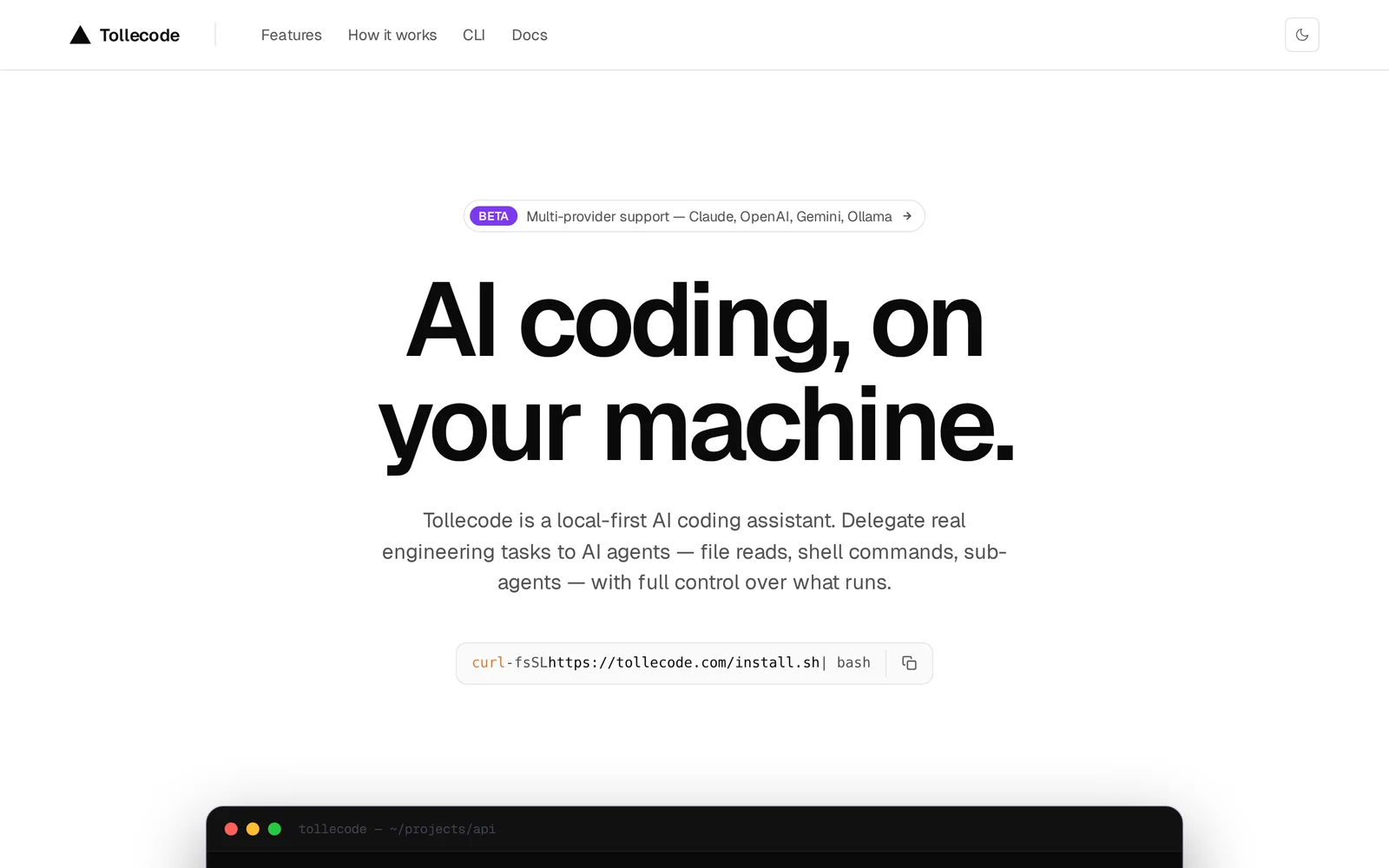
AILocal-first AI coding assistant that delegates real engineering tasks to on-machine AI agents, keeping code and data under your control.
Tollecode â AI coding assistant
Local-first AI coding assistant that delegates real engineering tasks to on-machine AI agents, keeping code and data under your control.
About Tollecode â AI coding assistant
Tollecode is a local-first AI coding assistant that delegates real engineering tasks to autonomous AI agents running on the user's machine. It is designed so agents perform planning and code-focused workflows locally, giving engineers the ability to offload repetitive or complex engineering work while retaining full control and privacy. By executing on-device, Tollecode aims to keep source code and sensitive data from leaving your environment while augmenting developer productivity through agent-driven automation.
Screenshots
Key Features
Use Cases



Frequently asked questions about Tollecode â AI coding assistant
What is Tollecode â AI coding assistant?
Tollecode is a local-first AI coding assistant designed to help developers tackle real engineering tasks directly on their machines. It empowers users to delegate coding responsibilities to AI agents while maintaining full control over their coding environment and data security.
Key Points
- Local-first Approach: Operates directly on your machine.
- Task Delegation: Assigns coding tasks to AI agents.
- User Control: Ensures data privacy and security.
Detailed Explanation
Tollecode stands out in the burgeoning AI coding assistant market by prioritizing a local-first design, meaning that all computations occur on your device rather than in the cloud. This approach significantly enhances data security and privacy, which are paramount for software developers handling sensitive codebases.
Features:
-
Task Delegation: Developers can assign specific coding tasks to Tollecode’s AI agents, allowing them to focus on more complex aspects of their projects. For instance, if you need to generate boilerplate code, simply instruct Tollecode to handle it.
-
Local Execution: Since Tollecode runs on your local machine, it eliminates concerns about data leaks or unauthorized access—a major advantage over cloud-based solutions. This feature is especially beneficial for enterprises that must comply with strict data protection regulations.
-
Integration Capabilities: Tollecode integrates seamlessly with popular development environments and version control systems, making it easy to implement in existing workflows. This integration helps maintain productivity without requiring a significant change in project management practices.
Use Cases:
- Rapid Prototyping: Quickly develop prototypes by letting Tollecode generate initial code structures.
- Code Review Assistance: Use the AI to analyze and suggest improvements for existing code, enhancing code quality.
- Learning Tool: New developers can leverage Tollecode to understand coding best practices as it suggests solutions and provides explanations for its coding decisions.
Best Practices / Tips
- Customize Settings: Tailor Tollecode's settings to fit your coding style and preferences for optimal results.
- Regular Updates: Keep the software updated to benefit from the latest features and improvements, enhancing your coding experience.
- Feedback Loop: Provide feedback to the AI for continuous learning and improvement in task performance.
Additional Resources
- Tollecode Official Documentation - For detailed instructions and features.
- AI in Coding: Future Trends - Insights into how AI is transforming the coding landscape.
- Best AI Coding Assistants Comparison - A comparative analysis of various AI coding tools available today.
How does Tollecode â AI coding assistant work?
Tollecode — AI coding assistant utilizes advanced artificial intelligence to streamline coding tasks, automate repetitive workflows, and enhance overall productivity for developers. By integrating machine learning algorithms, Tollecode helps users write, debug, and optimize code efficiently, making it an invaluable tool for programmers of all skill levels.
Key Points
- AI-Powered Automation: Tollecode automates routine coding tasks.
- Enhanced Coding Efficiency: Supports users in writing and debugging code.
- User-Friendly Interface: Designed for developers of varying skill levels.
Detailed Explanation
Tollecode functions by leveraging powerful AI models that analyze the user's coding patterns and project requirements. The system understands context and provides real-time suggestions, enabling users to focus on creative problem-solving rather than mundane tasks.
Key Features:
- Code Suggestions: Tollecode offers intelligent code completions based on the current context, helping developers write code faster.
- Error Detection: It automatically identifies bugs and suggests fixes, reducing debugging time significantly.
- Learning Resources: Tollecode includes built-in tutorials and examples, making it easier for beginners to learn coding concepts.
For instance, if a user is working on a Python script, Tollecode can suggest functions, correct syntax errors, and even optimize algorithms based on best practices. This capability not only accelerates the coding process but also improves code quality.
Best Practices / Tips
- Integrate with Version Control: To maximize Tollecode's potential, use it alongside version control systems like Git for better collaboration.
- Utilize Contextual Help: Take advantage of the built-in documentation and suggestions to deepen your understanding of coding practices.
- Regular Updates: Keep the tool updated for the latest features and improvements, ensuring optimal performance.
Common Pitfalls:
- Over-reliance on suggestions can hinder skill development. Balance Tollecode’s automation with manual coding practice.
- Ensure to review and test AI-generated code thoroughly to prevent introducing errors.
Additional Resources
What are the main features of Tollecode â AI coding assistant?
Tollecode is an advanced AI coding assistant designed to enhance productivity for developers. Key features include intelligent code completion, syntax error detection, seamless integration with popular IDEs, and support for multiple programming languages, making it a versatile tool for both beginners and experienced programmers.
Key Points
- Intelligent Code Completion: Suggests code snippets and functions in real-time.
- Error Detection: Identifies and suggests fixes for syntax errors as you code.
- Multi-Language Support: Supports various programming languages including Python, JavaScript, Java, and more.
Detailed Explanation
Tollecode stands out with its intelligent code completion feature, which uses machine learning to predict what code you intend to write next. This can significantly speed up development time, especially for repetitive tasks. For instance, when typing a function that requires parameters, Tollecode provides contextual suggestions based on the function name and previous code.
Another essential feature is syntax error detection. Tollecode actively scans your code for errors and provides real-time feedback. This allows developers to fix issues immediately rather than waiting until the code is compiled or executed. For example, if a developer forgets a closing bracket, Tollecode highlights the mistake, saving time and reducing frustration.
The assistant’s multi-language support is particularly beneficial in today's diverse coding environment. Developers can switch between languages seamlessly, with Tollecode adapting its suggestions based on the current language context, thus catering to full-stack developers and those working on varied projects.
Best Practices / Tips
- Leverage Code Snippets: Utilize Tollecode’s code snippet suggestions to save time on writing boilerplate code.
- Regularly Update: Ensure you are using the latest version of Tollecode to access new features and improvements.
- Integrate with IDEs: Take full advantage of Tollecode’s integration capabilities with popular IDEs like Visual Studio Code, IntelliJ, and others for a smoother workflow.
Additional Resources
- Tollecode Official Documentation
- Getting Started with Tollecode
- Tollecode on GitHub for community support and contributions.
Who is Tollecode â AI coding assistant for?
Tollecode is an AI coding assistant designed for developers, programmers, and tech enthusiasts who want to streamline their coding processes and enhance productivity. It’s particularly useful for those involved in day-to-day AI workflows, regardless of their experience level.
Key Points
- Target Audience: Developers, programmers, and tech enthusiasts.
- Use Cases: Streamlining coding tasks, debugging, and generating code snippets.
- Skill Levels: Suitable for beginners to advanced users.
Detailed Explanation
Tollecode serves a diverse user base by providing tailored coding assistance. It is especially beneficial for:
-
Developers: Tollecode aids software developers in writing, debugging, and optimizing code. For example, a developer can input a coding problem, and Tollecode will suggest solutions or code snippets, saving valuable time.
-
Students and Learners: For those new to coding, Tollecode offers guidance on syntax and programming concepts. Users can experiment with code examples and receive instant feedback, making it an excellent learning tool.
-
Teams and Collaborators: In a collaborative environment, Tollecode simplifies the process of integrating multiple coding contributions. It can help ensure that all team members are aligned on coding standards and practices.
-
AI Enthusiasts: Tollecode appeals to individuals working on AI models, helping with tasks like data preprocessing and algorithm implementation. It can quickly generate code for machine learning libraries, making it easier to focus on advanced functionalities.
Best Practices / Tips
- Utilize Documentation: Familiarize yourself with Tollecode’s documentation to maximize its features. This can help you better understand its capabilities and limitations.
- Experiment with Examples: Regularly test out different coding scenarios to see how Tollecode responds. This practice can enhance your understanding of the AI’s suggestions.
- Integrate with IDEs: If possible, integrate Tollecode with your preferred Integrated Development Environment (IDE) for seamless access while coding.
- Stay Updated: Keep an eye on updates and new features that Tollecode may introduce to improve functionality and user experience.
Additional Resources
By leveraging Tollecode effectively, users can enhance their coding efficiency and productivity, irrespective of their experience level.
How much does Tollecode â AI coding assistant cost?
Tollecode, the AI coding assistant, is completely free to use. This user-friendly tool offers a range of features for developers without any associated costs, making it accessible to everyone from beginners to experienced programmers.
Key Points
- Cost: Tollecode is free for users.
- Features: It provides various coding assistance tools.
- Accessibility: Available to all users regardless of experience level.
Detailed Explanation
Tollecode is designed to enhance the coding experience through its robust AI capabilities. Users can leverage features like code suggestions, debugging assistance, and syntax highlighting without paying any fees. This makes it an ideal choice for programmers looking to improve their coding efficiency without financial constraints.
For instance, a beginner learning Python can utilize Tollecode to receive real-time feedback on their code, while an experienced developer can use it to streamline their workflow by quickly generating code snippets for repetitive tasks. The platform supports various programming languages, ensuring wide applicability across different development environments.
Best Practices / Tips
- Explore All Features: Take time to familiarize yourself with Tollecode’s full range of functionalities.
- Use Keyboard Shortcuts: Maximize your productivity by learning keyboard shortcuts for quicker navigation.
- Stay Updated: Regularly check for updates or new features to stay ahead in your coding projects.
- Engage with the Community: Join forums or groups discussing Tollecode to share tips and learn from others’ experiences.
Additional Resources
- Tollecode Official Website - Visit for more information and user guides.
- GitHub Repository - Explore open-source projects and contributions.
- Online Coding Communities - Engage with other developers for tips and best practices.
How do I get started with Tollecode â AI coding assistant?
To get started with Tollecode — AI coding assistant, visit tollecode.com to sign up. After registration, you can explore its features, integrate it into your coding environment, and begin enhancing your programming productivity with AI-driven suggestions.
Key Points
- Easy registration process at Tollecode's website
- Explore various coding features and integrations
- Enhance coding efficiency with AI assistance
Detailed Explanation
Step 1: Sign Up
Begin by visiting tollecode.com. Click on the "Sign Up" button and fill in the required information, such as your email address and password. You may also have the option to sign up using your GitHub or Google account for convenience.
Step 2: Explore Features
Once registered, take time to explore the dashboard. Tollecode offers features like real-time code suggestions, bug detection, and code optimization tips. Familiarize yourself with the interface, which is designed to be user-friendly, making it easy to navigate through various coding tools.
Step 3: Integration
Tollecode can be integrated into popular code editors such as Visual Studio Code, IntelliJ IDEA, or even web-based IDEs. Follow the provided installation instructions to set up the Tollecode extension in your preferred environment. This integration allows you to leverage AI capabilities directly while coding.
Use Cases
- Debugging: Tollecode can identify common coding errors and suggest corrections.
- Code Suggestions: While typing, it provides real-time suggestions, making coding faster and more efficient.
- Learning Tool: If you're a beginner, Tollecode can help you learn programming languages by providing examples and explanations.
Best Practices / Tips
- Utilize Tutorials: Take advantage of any available tutorials on the Tollecode website to get the most out of its features.
- Stay Updated: Regularly check for updates or new features that can enhance your coding experience.
- Practice Regularly: Use Tollecode consistently to become familiar with its strengths in different programming scenarios.
Additional Resources
By following these steps and tips, you'll maximize your experience with Tollecode and streamline your coding projects using AI assistance.
Explore more AI Ai Agents tools
Browse all Ai Agents tools →Browse by use case: Code Generation · Automation & Productivity
Compare Tollecode â AI coding assistant: vs Playad · vs Concierge by Juniors AI · vs Scout by Fini · vs Ruflo