
Textable
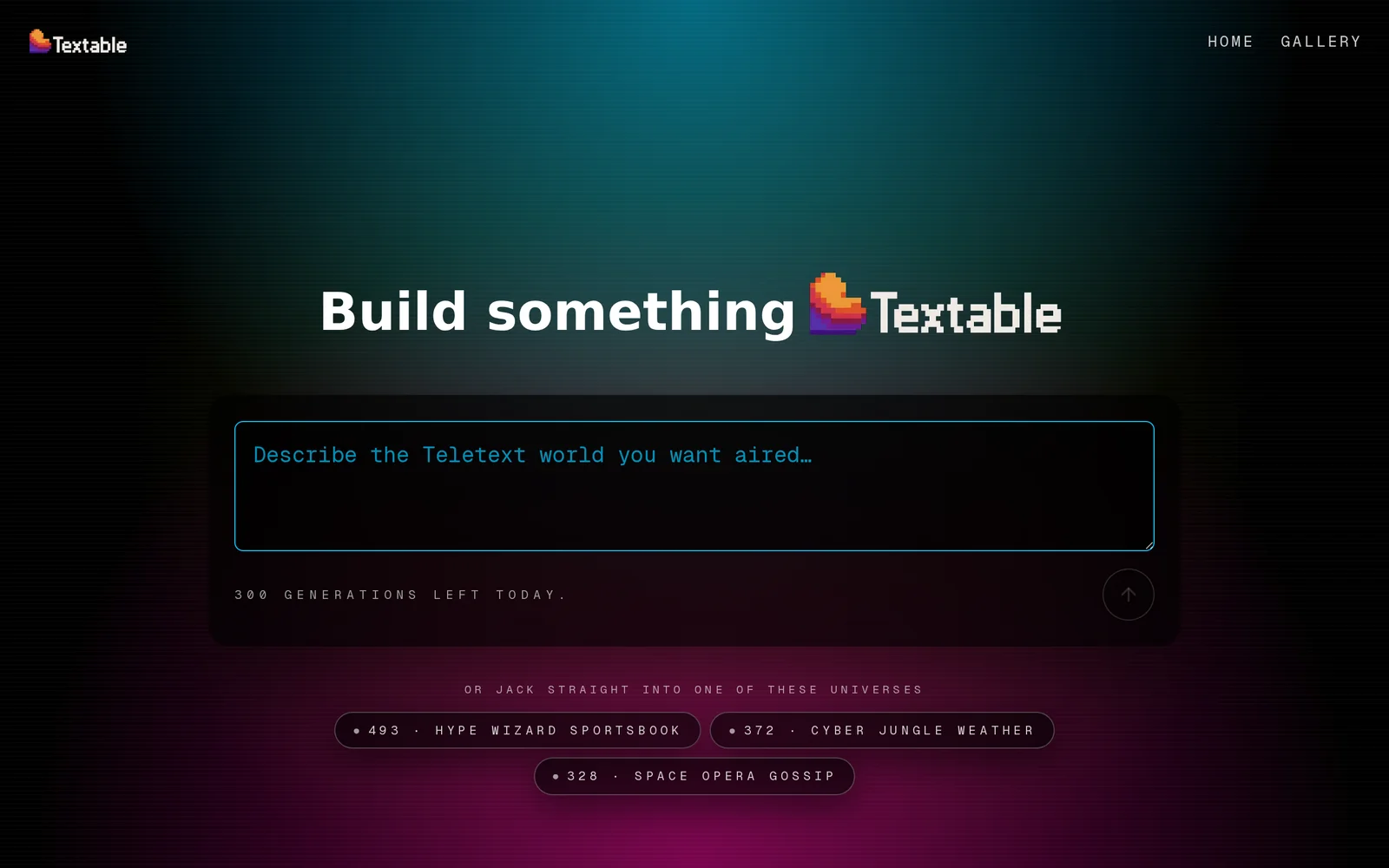
AIGenerates a fully-fledged retro Teletext channel from a single prompt, producing hundreds of stylized teletext pages.
Textable
Generates a fully-fledged retro Teletext channel from a single prompt, producing hundreds of stylized teletext pages.
About Textable
Textable creates an entire Teletext-style channel from a single user prompt, automatically producing large volumes of pages in a retro teletext aesthetic. It focuses on generating cohesive, themed page content and layouts that emulate classic broadcast teletext systems, enabling rapid creation of nostalgia-driven media. The tool is suited for creative projects, mockups, and media experiments that require an authentic teletext look and broad page coverage without manual design of each page.
Screenshots
Key Features
Use Cases



Frequently asked questions about Textable
What is Textable?
Textable is an innovative AI tool that generates a retro Teletext channel from a single prompt, creating hundreds of stylized teletext pages. This unique feature allows users to explore nostalgic designs while producing engaging content in various formats, making it ideal for creative projects and digital storytelling.
Key Points
- Retro Teletext Generation: Creates teletext-style pages reminiscent of vintage broadcasting.
- User-Friendly: Simple prompt-based interface for generating content quickly and effectively.
- Versatile Applications: Suitable for creative projects, entertainment, and digital art.
Detailed Explanation
Textable leverages advanced AI algorithms to transform user prompts into visually appealing teletext pages. By inputting a specific theme or concept, users can generate a wide variety of pages that capture the essence of retro broadcasting. Each page can include text, graphics, and stylized formatting, allowing for creative freedom.
For example, a user can prompt Textable with a simple phrase like "Space Adventure," resulting in a series of teletext pages featuring space-themed graphics, fun facts about the universe, and engaging narratives. This process enhances storytelling by providing an interactive visual element.
Textable is not only a tool for nostalgia but also offers practical applications. Artists and creators can use it to produce unique digital art, advertisements, or even educational content. The generated pages can be easily shared on social media platforms or embedded in websites, expanding their reach and engagement.
Best Practices / Tips
- Experiment with Prompts: Try different phrases and themes to discover unexpected results.
- Combine Pages: Use multiple generated pages to create a cohesive narrative or project.
- Optimize for Sharing: Design content with social media in mind, ensuring it captures attention quickly.
- Stay Consistent: Maintain a consistent style or theme across pages for better branding.
Additional Resources
How does Textable work?
Textable operates by leveraging advanced AI technologies to streamline and automate everyday workflows for users. It assists in tasks such as text generation, data analysis, and communication, making it easier for individuals and teams to enhance productivity and efficiency in their daily activities.
Key Points
- AI-Powered Automation: Textable automates repetitive tasks using machine learning algorithms.
- User-Friendly Interface: The platform is designed for ease of use, catering to both tech-savvy and non-technical users.
- Versatile Applications: Suitable for various functions, including marketing, customer support, and content creation.
Detailed Explanation
Textable integrates multiple AI functionalities to facilitate a seamless workflow. Users can perform a variety of tasks such as:
-
Text Generation: Textable can create engaging content based on prompts provided by users. For instance, marketers can generate social media posts, blog articles, or email newsletters quickly, saving time and effort.
-
Data Analysis: The tool can analyze large datasets, providing insights that help businesses make informed decisions. For example, users can input customer feedback data, and Textable will summarize sentiment trends, highlighting areas for improvement.
-
Communication Enhancement: Textable assists in drafting replies for emails or customer inquiries, ensuring consistent and timely communication. This feature is particularly useful in customer support roles, where speed and accuracy are essential.
By combining these capabilities, Textable allows teams to focus on higher-level strategic tasks instead of mundane activities.
Best Practices / Tips
- Define Clear Objectives: Before using Textable, outline specific tasks you want to automate. This clarity will help you leverage the tool effectively.
- Experiment with Prompts: When generating text, provide detailed prompts to yield better results. The more context you give, the more tailored the output will be.
- Regularly Review Outputs: Always review AI-generated content for accuracy and relevance. While Textable is advanced, human oversight ensures quality.
Additional Resources
What are the main features of Textable?
Textable is an advanced AI communication tool that offers several key features, including real-time text generation, language translation, and sentiment analysis. These capabilities are designed to enhance user interaction, streamline communication, and improve overall efficiency for businesses and individuals alike.
Key Points
- Real-Time Text Generation: Quickly create high-quality text content.
- Language Translation: Seamlessly translate messages into multiple languages.
- Sentiment Analysis: Gauge emotional tone to better respond to users.
Detailed Explanation
Textable stands out with its real-time text generation, allowing users to produce engaging content instantly. This feature is particularly useful for marketers and content creators who need to generate social media posts, emails, or blog entries quickly. For instance, a marketer can input a topic, and Textable will generate a draft within seconds, saving time and effort.
The language translation feature enables users to communicate effectively with a global audience. Textable supports multiple languages, allowing businesses to expand their reach without the barrier of language. For example, a customer service representative can converse with clients in their preferred language, enhancing customer satisfaction and loyalty.
Additionally, the sentiment analysis capability helps users understand the emotional tone of their text. This feature is especially beneficial in customer support scenarios, where recognizing a customer's mood can lead to more empathetic and effective responses. Businesses can leverage this to tailor their communication strategies based on customer emotions, improving engagement rates.
Best Practices / Tips
- Utilize Real-Time Features: Regularly use real-time text generation for faster content creation.
- Leverage Sentiment Analysis: Incorporate sentiment analysis to refine customer service interactions and tailor responses based on emotional cues.
- Explore Translation Options: Take advantage of the language translation feature to cater to diverse audiences, increasing your market reach.
Additional Resources
Who is Textable for?
Textable is designed for individuals and businesses looking to enhance their daily AI workflows. It benefits marketers, content creators, and project managers who need efficient communication and collaboration tools powered by artificial intelligence to streamline processes and improve productivity.
Key Points
- Target Audience: Ideal for marketers, content creators, and managers.
- Functionality: Enhances communication and collaboration through AI.
- Use Cases: Fits diverse industries, from marketing to education.
Detailed Explanation
Textable serves a broad range of users, making it a versatile tool in the AI landscape.
-
Marketers can use Textable to draft and optimize content, analyze customer interactions, and automate communication tasks. For instance, it can help in creating personalized email campaigns based on user behavior.
-
Content Creators benefit from Textable by generating ideas, refining drafts, and ensuring grammar and style consistency. The AI can suggest improvements, making the writing process faster and more efficient.
-
Project Managers utilize Textable for team collaboration, task assignment, and project tracking. The AI can automate reminders, summarize project updates, and facilitate communication between team members, ensuring everyone stays on the same page.
Textable's user-friendly interface allows seamless integration into existing workflows, making it accessible for those who may not be tech-savvy. The AI capabilities can adapt to specific needs, whether for small teams or large organizations.
Best Practices / Tips
- Start Small: Begin by integrating Textable into a single project to understand its capabilities before scaling up.
- Utilize Templates: Leverage pre-built templates for common tasks to save time and improve consistency.
- Engage with AI: Experiment with different prompts and commands to discover how the AI can best serve your needs.
- Monitor Performance: Regularly assess the effectiveness of Textable in your workflows, adjusting usage based on feedback and results.
Additional Resources
How much does Textable cost?
Textable offers a free tier that allows users to access basic features, while paid plans start at $10 per month, providing advanced functionalities and increased usage limits. These pricing options cater to individuals and businesses with varying needs for text communication.
Key Points
- Textable provides a free tier for basic usage.
- Paid plans begin at $10 per month for advanced features.
- Pricing is designed to accommodate both individual users and businesses.
Detailed Explanation
Textable is a versatile messaging platform that facilitates text communication through various features. The free tier offers essential functionalities, making it ideal for casual users or those looking to test the service. This option includes basic messaging capabilities but limits the number of messages and features available.
For users seeking advanced functionalities, Textable offers paid plans starting at $10 per month. These plans often include enhanced features such as:
- Increased message limits,
- Custom templates for messaging,
- Advanced analytics for business users,
- Priority customer support.
For example, a small business might find the $10 plan beneficial as it allows for more extensive messaging campaigns and customer engagement analytics, which can lead to higher conversion rates.
Best Practices / Tips
- Evaluate Your Needs: Assess your messaging requirements to determine if the free tier suffices or if a paid plan is more suitable.
- Utilize Free Trials: If available, take advantage of free trials for paid plans to gauge their value before committing financially.
- Monitor Usage: Keep track of your messaging volume; if you frequently hit limits on the free tier, consider upgrading to a paid plan.
- Explore Discounts: Look for promotions or discounts for annual subscriptions, which can save money in the long run.
Additional Resources
By understanding the pricing structure and available features, users can make informed decisions that best suit their communication needs with Textable.
How do I get started with Textable?
To get started with Textable, visit Textable Live and sign up for an account. After registration, you can explore its features, customize settings, and begin creating text-based content integrated with AI tools to enhance your productivity and communication.
Key Points
- Sign Up Process: Create an account easily online.
- User-Friendly Interface: Navigate the platform with intuitive tools.
- Feature Exploration: Discover various functionalities tailored for effective text communication.
Detailed Explanation
Getting started with Textable is straightforward. First, navigate to the official website at Textable Live. Click on the "Sign Up" button, which is prominently displayed on the homepage. You’ll need to provide basic information such as your email address and create a password.
Once registered, you will receive a confirmation email. Click the link in the email to verify your account. After verification, log in to your new account. Textable offers a range of features, including text messaging, automated responses, and AI-driven suggestions, which can significantly improve your communication efficiency.
To familiarize yourself with the platform, take advantage of the guided tours and tutorials available in the user dashboard. These resources will help you understand how to leverage Textable's capabilities effectively, whether you're a business owner looking to enhance customer interactions or an individual seeking to streamline personal communications.
Best Practices / Tips
- Explore Tutorials: Make use of the tutorials to understand advanced features.
- Set Up Notifications: Customize your notification settings to stay updated on messages without being overwhelmed.
- Integrate with Other Tools: Textable can often be integrated with CRM systems and other productivity tools; explore these options for enhanced functionality.
Common pitfalls include neglecting to verify your email, which can delay your access. Additionally, ensure that you explore the user settings to customize your experience fully. Regularly check for updates, as Textable frequently adds new features based on user feedback.
Additional Resources
- Textable Help Center – Find FAQs and support articles.
- Textable Blog – Read about updates, tips, and user stories to maximize your use of Textable.
- YouTube Tutorials – Watch video guides for visual learning.
Explore more AI Ai Models tools
Browse all Ai Models tools →Compare Textable: vs Mouse-1 · vs Milliseconds.ai · vs SWE-2 · vs Desert Ant Labs