
Strater AI
AIAI study companion that converts YouTube videos, PDFs, and documents into notes, flashcards, quizzes, and summaries.
Strater AI
AI study companion that converts YouTube videos, PDFs, and documents into notes, flashcards, quizzes, and summaries.
About Strater AI
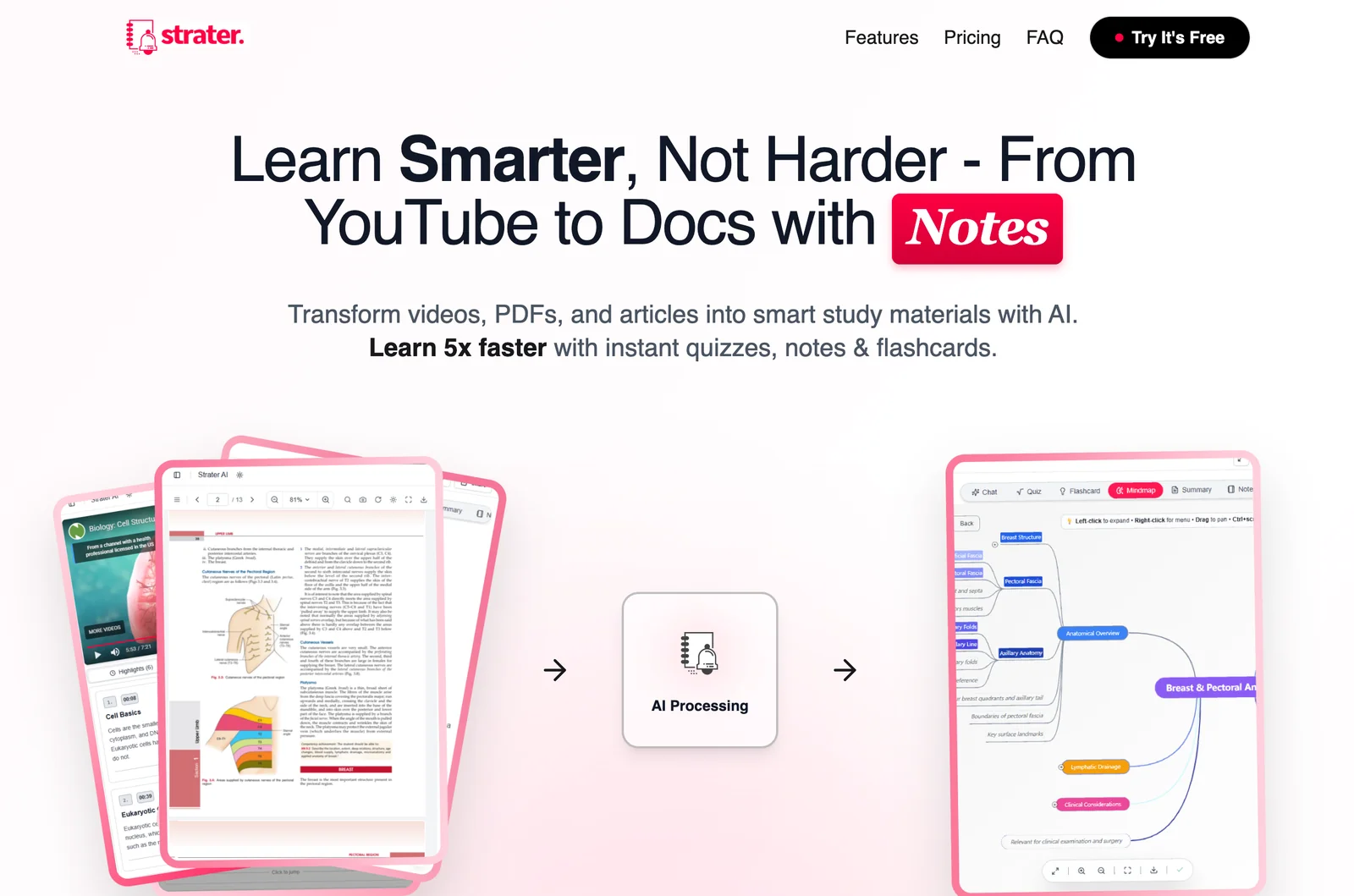
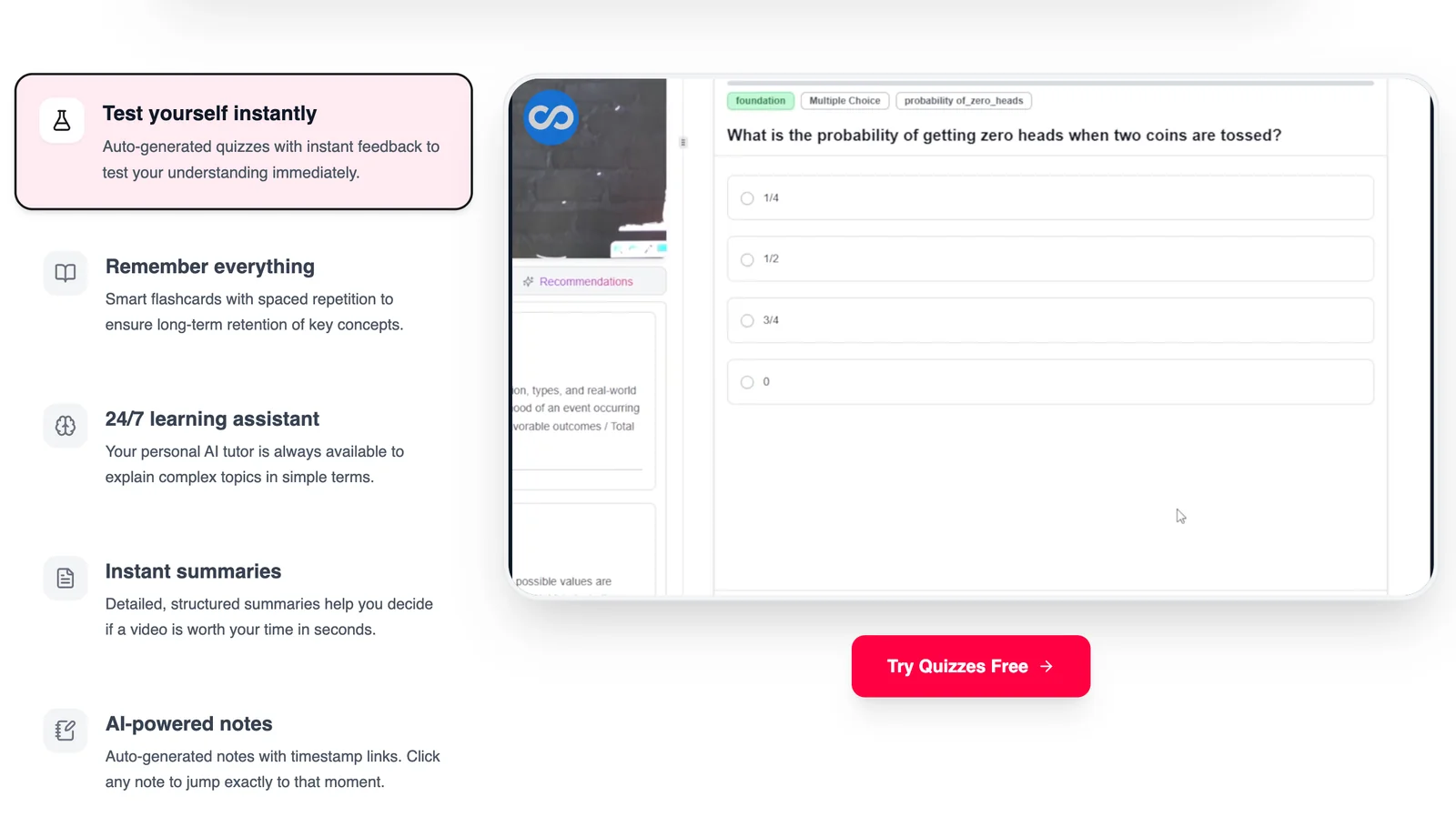
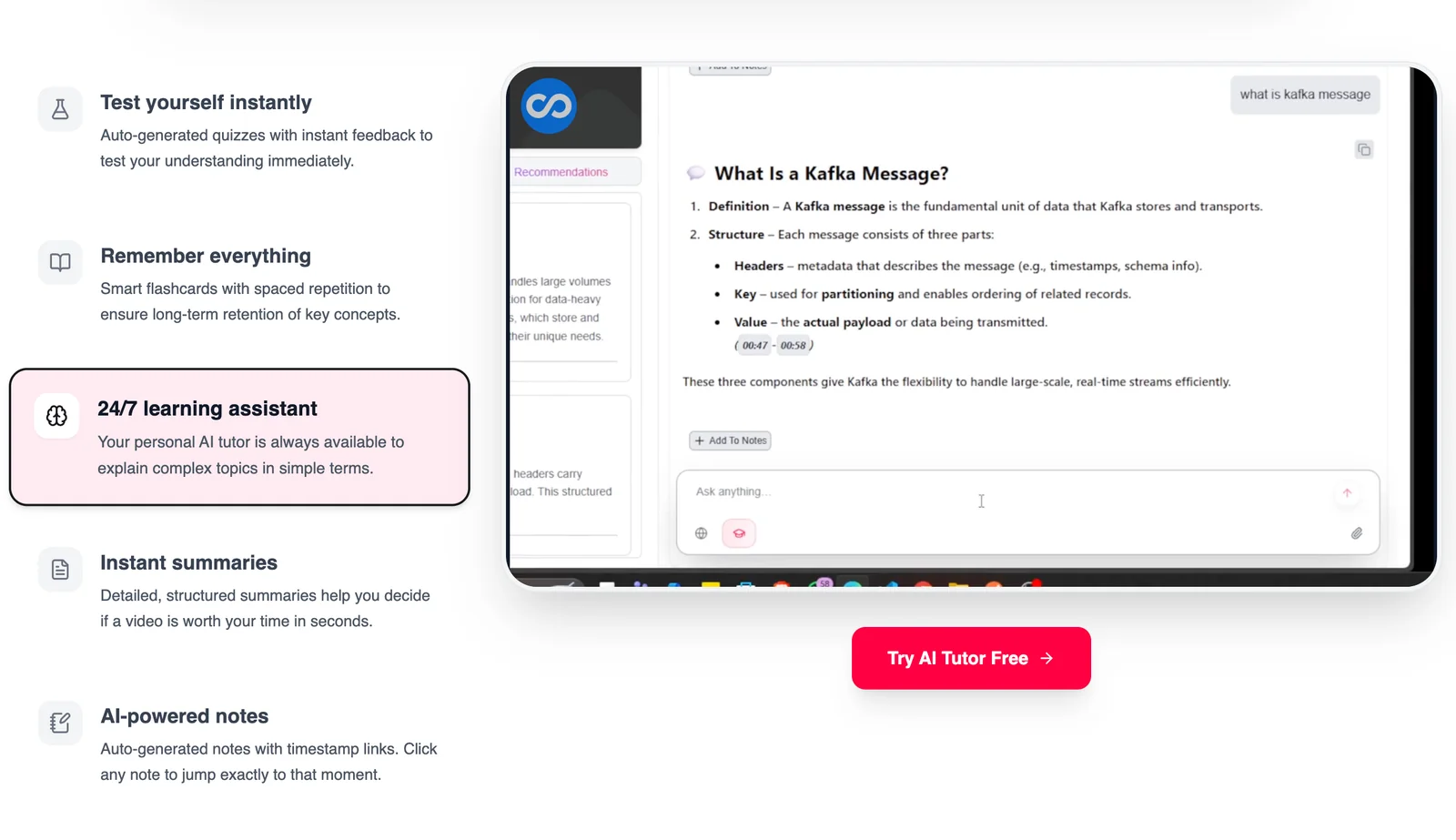
Strater AI is an AI-powered study companion that ingests content from YouTube videos, PDFs, and other documents and transforms it into structured study materials. The tool automatically generates concise notes, flashcards, quizzes, and summaries to help users learn more efficiently and retain information longer. By centralizing multi-format learning materials and producing active-recall study assets, Strater AI aims to speed up review cycles and improve long-term memory retention for students and lifelong learners.
Screenshots
Key Features
Use Cases



Frequently asked questions about Strater AI
What pricing options are available for Strater AI?
Strater AI offers a freemium pricing model, featuring a free plan that includes essential functionalities like transforming content into notes and flashcards. For users seeking advanced capabilities, a Pro plan is available, but prospective customers need to contact Strater AI directly for specific pricing information.
Key Points
- Freemium Model: Access to core features at no cost.
- Pro Plan: Advanced functionalities available through a subscription.
- Direct Contact Required: Pricing details for the Pro plan are not publicly listed.
Detailed Explanation
Strater AI’s freemium model allows users to explore basic features at no cost. The free plan includes essential tools for transforming various types of content—such as articles, lectures, or textbooks—into organized notes and interactive flashcards, making it ideal for students and professionals looking to streamline their study or work processes.
For those who need more than just the basics, the Pro plan offers enhanced features, including advanced analytics, customization options, and additional integrations with other tools. However, specific pricing details for the Pro plan are not listed on the website, which necessitates direct communication with Strater AI’s sales team. This approach allows users to receive tailored information based on their unique needs and usage scenarios.
Example Use Cases:
- Students: Use the free plan to create study materials from lecture notes.
- Professionals: Upgrade to the Pro plan for team collaboration features and enhanced productivity tools.
- Educators: Leverage the platform for creating interactive learning materials for students.
Best Practices / Tips
- Start with the Free Plan: Evaluate if the basic features meet your needs before considering the Pro plan.
- Contact Support: Don't hesitate to reach out for a personalized quote or to inquire about specific features that may benefit your use case.
- Utilize Resources: Check for webinars or tutorials offered by Strater AI to maximize the utility of both the free and Pro versions.
Additional Resources
How can I use Strater AI to study more effectively?
You can use Strater AI to study more effectively by converting videos and PDFs into structured notes, flashcards, and quizzes, which enhances active recall. Import content from lectures or tutorials to create tailored study materials that boost comprehension and retention.
Key Points
- Convert Multimedia: Transform videos and PDFs into study resources.
- Active Recall: Utilize flashcards and quizzes for improved memory retention.
- Custom Study Materials: Import specific content for personalized learning.
Detailed Explanation
Strater AI utilizes advanced algorithms to help you study smarter. Here’s how to get started:
-
Import Content: Begin by uploading your video lectures or PDF documents into Strater AI. The tool can process various formats and extract essential information.
-
Structure Notes: Once your content is imported, Strater AI will generate structured notes that highlight key concepts, terminology, and summaries. This organized format makes it easier to study and review.
-
Create Flashcards: With the notes ready, you can quickly generate flashcards. Flashcards are effective for spaced repetition, a technique proven to enhance memory retention. You can customize the questions based on your learning preferences.
-
Generate Quizzes: Test your knowledge through quizzes created from the material. This feature not only reinforces learning but also identifies areas needing improvement.
-
Review and Revise: Regularly review your flashcards and quizzes to reinforce the information. Strater AI tracks your progress, allowing you to focus on challenging topics.
Best Practices / Tips
- Be Selective: Choose high-quality videos and PDFs that cover the material you need for your course. Not all content will yield effective study aids.
- Regularly Update: Continuously add new materials to your Strater AI account to keep your study resources fresh and relevant.
- Utilize Analytics: Take advantage of Strater AI’s analytics features to monitor your progress and adapt your study strategies accordingly.
Additional Resources
What are the key features of Strater AI that set it apart from other study tools?
Strater AI's key features include multi-format content import, automated note generation, flashcard creation, and a focus on active learning through spaced repetition. It also provides a searchable study library, making it uniquely efficient for both students and professionals aiming to optimize their study habits.
Key Points
- Multi-format Content Import: Supports various file types for versatile learning.
- Automated Note Generation: Saves time by creating structured notes from imported content.
- Spaced Repetition System: Enhances retention through tailored review schedules.
Detailed Explanation
Strater AI stands out in the crowded field of study tools by integrating essential features that cater to modern learning needs.
-
Multi-format Content Import: Users can easily import documents, PDFs, and audio files. For example, a student can upload lecture notes or textbooks, allowing for diverse content integration that suits individual learning styles. This flexibility helps users consolidate information from different formats into one platform.
-
Automated Note Generation: Strater AI employs advanced algorithms to generate notes automatically from imported materials. This feature is particularly beneficial for users with limited time, such as busy professionals or students balancing multiple commitments. By simply uploading a document, users receive organized notes that highlight critical concepts, facilitating quicker study sessions.
-
Spaced Repetition System: The tool's spaced repetition feature intelligently schedules review sessions based on user performance. This scientifically-backed method improves memory retention, allowing learners to revisit material just before they are likely to forget it. Users can customize their study schedules, making the process more efficient and personalized.
-
Searchable Study Library: Strater AI provides a comprehensive library where users can store and access their notes and flashcards effortlessly. This feature ensures that learners can quickly find the information they need, whether preparing for exams or conducting research.
Best Practices / Tips
- Maximize Multi-format Import: Leverage the diverse file types supported by Strater AI. Combine lecture notes, articles, and audio recordings for a comprehensive study experience.
- Engage with Automated Notes: After generating notes, spend time reviewing and editing them to reinforce learning and improve retention.
- Utilize Spaced Repetition Effectively: Regularly check your performance metrics to adjust your study schedule and focus on weaker areas.
Additional Resources
Is there an API available for Strater AI to integrate with other applications?
Currently, Strater AI does not publicly offer an API for integration with other applications. For details on technical requirements or possible integration options, it is advisable to contact Strater AI directly for the most accurate and updated information.
Key Points
- Strater AI lacks a public API for integration.
- Direct inquiries are recommended for specific integration capabilities.
- Details on technical requirements are best obtained from Strater AI.
Detailed Explanation
Strater AI has not made an API publicly available, which limits direct integration with third-party applications. This can affect users who seek to automate workflows or enhance functionality by connecting Strater AI with other tools. In cases where integration is critical, potential users should consider reaching out to Strater AI’s support or sales teams. They may provide insights into any upcoming features or offer alternative solutions.
For example, if you are a developer looking to combine Strater AI with project management tools or analytics platforms, contacting the company for specific use cases might yield beneficial information. They may have customizable solutions or beta features that aren’t widely advertised.
Best Practices / Tips
- Reach Out: Always contact Strater AI directly for the most current information on integration capabilities.
- Explore Alternatives: If API integration is a priority, consider alternative AI tools that offer robust API support.
- Document Your Needs: Clearly outline your integration requirements before contacting support, which can facilitate a more productive discussion.
Additional Resources
- Strater AI Official Website - For the latest updates and contact information.
- Technical Support Contact - Direct link to customer support for inquiries.
- Integration Alternatives - Explore other AI tools that provide API capabilities.
How does Strater AI compare to similar study tools?
Strater AI is a versatile study tool that excels in automatically generating study materials from various content formats, unlike many competitors that focus on a single format. Its emphasis on efficiency and active learning makes it ideal for diverse educational needs, enhancing the study experience for users.
Key Points
- Multi-format Support: Generates materials from text, videos, and audio.
- Active Learning Techniques: Encourages engagement through quizzes and flashcards.
- User-friendly Interface: Designed for seamless navigation and accessibility.
Detailed Explanation
Strater AI differentiates itself in the crowded field of study tools by offering robust features that cater to various learning styles. While many tools only convert text into study aids, Strater AI integrates multiple content formats, including:
- Text Input: Users can paste articles or notes, and Strater AI will generate summaries, flashcards, and quizzes.
- Video Summarization: By inputting video links, students can receive condensed notes and key takeaways.
- Audio Analysis: It can process lecture recordings, extracting vital information and creating study guides.
This flexibility allows learners to choose their preferred study materials, making it suitable for visual, auditory, and kinesthetic learners alike.
Additionally, Strater AI emphasizes active learning. For instance, after generating study materials, users can engage with the content through interactive quizzes that reinforce learning and retention. The platform's user-friendly interface promotes easy navigation, ensuring that users can quickly access the tools they need without frustration.
Best Practices / Tips
- Utilize Multi-format Inputs: Combine text, video, and audio for comprehensive study materials.
- Engage with Active Learning: Regularly use quizzes and flashcards to test your knowledge.
- Set Specific Study Goals: Create targeted study sessions based on the materials generated to maximize efficiency.
Avoid common pitfalls such as relying solely on one type of material. Instead, leverage Strater AI’s capabilities to diversify your study resources, which can significantly enhance retention and understanding.
Additional Resources
These resources can help you make the most of Strater AI, ensuring a productive and efficient study experience.
Explore more AI Ai Agents tools
Browse all Ai Agents tools →Compare Strater AI: vs Proto-Mind · vs Ami · vs Duvi · vs AskDeck