

StepShot
AIMac app that records real workflows and uses AI to turn them into polished step-by-step guides, SOPs and training docs.
StepShot
Mac app that records real workflows and uses AI to turn them into polished step-by-step guides, SOPs and training docs.
About StepShot
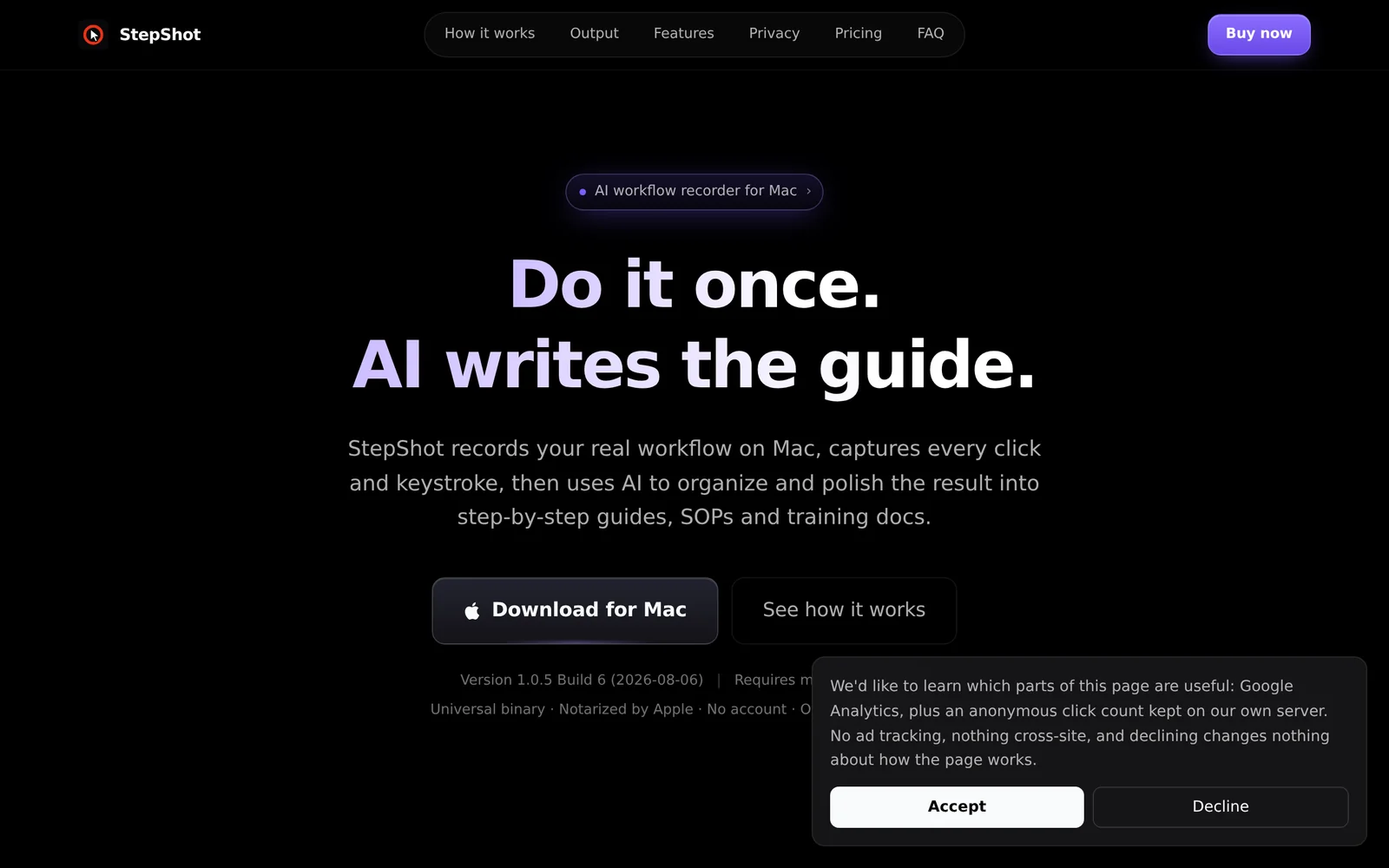
StepShot is a native macOS app that captures your real, on-screen workflows and converts them into polished step-by-step documentation. As you work, it recognizes each click and text input, then uses optional AI to organize, clean, and narrate the steps into a shareable SOP, tutorial, or training doc. Two capture modes — action-driven and continuous screen recording with intelligent frame extraction — cover both quick clickthroughs and longer, dynamic sessions. Finished docs can be exported to PDF (with cover, page numbers, A4/Letter, custom logo and theme), Markdown, or fully self-contained HTML with data-URI images. The app is fully local and offline-capable, requires no account, and is distributed for macOS 14+ via the App Store or direct download.
Screenshots
Key Features
Use Cases

Frequently asked questions about StepShot
What is StepShot?
StepShot is a Mac application that captures real workflows and leverages artificial intelligence to convert them into polished step-by-step guides, standard operating procedures (SOPs), and training documents. It simplifies the documentation process, making it easier for teams and organizations to share knowledge effectively.
Key Points
- Workflow Recording: StepShot records actions performed on a Mac, capturing every step.
- AI-Powered Conversion: Utilizes AI to transform recorded workflows into clear guides.
- User-Friendly: Designed for both technical and non-technical users.
Detailed Explanation
StepShot is a powerful tool for businesses looking to streamline documentation processes. By recording actual workflows, it ensures that nothing is missed. Here’s how it works:
-
Recording Workflows: Users initiate the recording feature and perform the tasks they want to document. StepShot captures mouse movements, clicks, and keyboard inputs in real-time.
-
AI Transformation: Once the workflow is recorded, the application employs AI algorithms to analyze the data. It automatically generates visual guides with screenshots and descriptions, making the documentation visually appealing and easy to follow.
-
Customization: Users can edit the generated documents, add annotations, and rearrange steps as needed, ensuring that the final product meets their specific requirements.
-
Exporting Options: StepShot supports various export formats, including PDF, Word, and HTML, allowing for flexibility in sharing documents with team members or clients.
Use Cases
- Employee Training: New hires can quickly learn processes through comprehensive training documents.
- SOP Development: Organizations can maintain standard operating procedures efficiently, reducing errors and inconsistencies.
- Process Documentation: Teams can document internal processes for future reference, enhancing knowledge retention.
Best Practices / Tips
- Keep it Simple: Focus on clear, concise steps to avoid overwhelming users with information.
- Regular Updates: Regularly update guides to reflect changes in workflows or software updates.
- Engage Users: Encourage team members to provide feedback on documents to improve clarity and usefulness.
Additional Resources
How does StepShot work?
StepShot is a powerful documentation tool that captures user actions, including clicks and text inputs, while generating annotated guides with AI-driven insights. It offers multiple capture modes, precision editing features, and one-click export options, making it ideal for employee onboarding, customer support, system migrations, and educational content creation.
Key Points
- Automatic Step Capture: Records every click and input, generating labeled screenshots.
- AI Cleanup and Narration: Transforms raw click logs into coherent step titles and descriptions.
- Multi-Format Export: Easily export documents in formats like PDF, Markdown, or HTML.
Detailed Explanation
StepShot operates through a comprehensive workflow designed to simplify documentation processes.
-
Automatic Step Capture: The tool monitors user interactions on a screen, capturing every click and text input. It generates screenshots that include element labels, roles, and coordinates, ensuring clarity in the documentation.
-
AI Cleanup and Narration: After capturing the steps, StepShot employs AI to analyze the actions taken. It creates meaningful titles and descriptions that reflect the actual context of the tasks, transforming a raw click log into an understandable guide. This is particularly useful for creating Standard Operating Procedures (SOPs) and help center articles.
-
Two Capture Modes: Users can choose between two modes:
- Action-driven Mode: Captures a screenshot for each click, ideal for static processes.
- Continuous Recording Mode: Records dynamic UIs with H.264 video and intelligently samples frames, perfect for applications with frequent changes.
-
Precision Editing: The visual editor allows users to refine the documentation by merging, splitting, skipping, or reordering steps. Additionally, you can enhance the guide with arrows, highlights, blurs, numbering, and callouts to draw attention to important areas.
-
Multi-Format Export: With just one click, users can export their completed guides to various formats, including PDF (customizable with cover and footer options), Markdown, or self-contained HTML. This flexibility ensures that documentation is accessible in the required format for different audiences.
Best Practices / Tips
- Use AI Descriptions: Always utilize StepShot’s AI narration feature to create clearer and more informative documentation.
- Preview Edits: Regularly preview your edits in the visual editor to ensure the final output meets your expectations before exporting.
- Test Different Capture Modes: Experiment with both capture modes to determine which one best suits the complexity of your application or workflow.
Additional Resources
What are the main features of StepShot?
StepShot offers features like automatic step capture, AI-driven cleanup and narration, two distinct capture modes, precise editing tools, and multi-format export options. These functionalities streamline the creation of detailed guides, tutorials, and documentation for software applications, enhancing user experience and efficiency in documentation processes.
Key Points
- Automatic Step Capture: Captures clicks and text inputs seamlessly.
- AI Cleanup and Narration: Generates meaningful titles and descriptions automatically.
- Two Capture Modes: Offers both action-driven and continuous recording options.
Detailed Explanation
StepShot is an innovative tool designed to facilitate the creation of user manuals and tutorials through its advanced features.
-
Automatic Step Capture: This feature allows StepShot to monitor user interactions, recording each click, text input, and other actions. It captures screenshots with smart annotations, including element labels, roles, and coordinates. This means you can create visual guides that accurately reflect user workflows without missing any critical steps.
-
AI Cleanup and Narration: Leveraging artificial intelligence, StepShot transforms raw data from user interactions into coherent step titles and descriptions. Instead of relying on basic logs, it interprets real system semantics, ensuring that your documentation is not only accurate but also user-friendly and easy to understand.
-
Two Capture Modes: StepShot provides flexibility with its two capture modes:
- Action-driven: This mode takes a screenshot for each user action, ideal for straightforward tasks.
- Continuous H.264 Recording: This mode records screen activity in real-time, intelligently sampling frames, making it perfect for dynamic user interfaces. It allows for the creation of comprehensive video tutorials without tedious editing.
-
Precision Editing: After capturing your steps, StepShot offers a visual editor to refine your documentation. You can merge, split, skip, and reorder steps, as well as add visual elements like arrows, highlights, blurs, numbering, and callouts. This ensures your guides are polished and visually engaging.
-
Multi-Format Export: Once your documentation is complete, StepShot allows for one-click exporting to various formats, including PDF, Markdown, or self-contained HTML. This versatility makes it easy to share your documentation across different platforms, catering to various audience needs.
Best Practices / Tips
- Utilize the AI Narration: Make the most of AI-driven titles and descriptions to save time and improve clarity.
- Choose the Right Capture Mode: Select the capture mode based on the complexity of the task to enhance the quality of your documentation.
- Regularly Update Documentation: Keep your guides current by revisiting and updating them as software updates occur or new features are added.
Additional Resources
Who is StepShot for?
StepShot is designed for professionals involved in Employee Onboarding, Customer Support, System Migration, Software Handoff, and Course Preparation. It enables users to create clear, actionable guides and documentation, enhancing training efficiency and knowledge transfer across various organizational tasks.
Key Points
- Employee Onboarding: Simplifies the onboarding process with structured SOPs.
- Customer Support: Facilitates the creation of detailed support documentation.
- System Migration: Aids in documenting migration processes with visual proof.
Detailed Explanation
StepShot serves a wide audience, including HR personnel, IT professionals, and educators, by providing tools to create comprehensive documentation.
-
Employee Onboarding: Managers can convert complex task walkthroughs into structured Standard Operating Procedures (SOPs). This ensures new hires can follow processes without needing constant supervision, which streamlines their training and boosts productivity.
-
Customer Support: StepShot allows support teams to create annotated responses for customer inquiries. By including screenshots and step-by-step instructions, these guides enhance the clarity of help center articles, reducing ticket resolution time and improving customer satisfaction.
-
System Migration Guides: When migrating data or systems, organizations can utilize StepShot to document every step with verification screenshots. This documentation is invaluable for audits and ensures compliance, providing a clear record of the migration process.
-
Software Handoff Docs: StepShot helps package critical internal software handoffs, covering processes like approval flows and financial reconciliations. These guides can be shared across teams, ensuring everyone understands their responsibilities and tasks during transitions.
-
Course & Lesson Preparation: Educators can record app walkthroughs for online courses swiftly. This feature eliminates the need for separate video editing, allowing for more efficient course creation and delivery.
Best Practices / Tips
- Consistent Formatting: Use the same structure for all guides to ensure familiarity and ease of use.
- Regular Updates: Keep documentation current. Regularly review and update SOPs and guides to reflect any changes in processes or software.
- Engage Users: Encourage feedback from new hires or team members on the clarity of the guides to continually improve the content.
Additional Resources
How much does StepShot cost?
StepShot offers a free tier that allows users to create basic documentation. For advanced features, users can choose from paid plans, which typically range from $15 to $50 per month, depending on the features and the number of users required.
Key Points
- StepShot provides a free tier for basic usage.
- Paid plans range from $15 to $50 per month.
- Pricing varies based on features and user count.
Detailed Explanation
StepShot is a versatile tool designed for creating documentation and tutorials efficiently. The free tier allows users to access fundamental features, making it suitable for individuals or small teams needing basic documentation capabilities.
For users looking for enhanced functionalities, such as collaboration tools, advanced analytics, and priority support, the paid plans come into play. These plans are typically priced as follows:
- Individual Plan: Starting at $15 per month, ideal for solo users who require additional features beyond the free tier.
- Professional Plan: Ranges from $25 to $35 per month, catering to small teams with collaborative needs and additional integrations.
- Enterprise Plan: Approximately $50 per month, designed for larger organizations requiring extensive features, custom integrations, and enhanced security.
StepShot is particularly useful in various scenarios, such as software training, onboarding processes, and creating user manuals. Its intuitive interface allows users to capture screenshots and create step-by-step guides efficiently.
Best Practices / Tips
- Evaluate Your Needs: Determine if the free tier meets your requirements before upgrading to a paid plan.
- Utilize Free Trials: If available, take advantage of free trials for paid plans to assess their value.
- Compare Plans: Review the features included in each plan to ensure you select the best fit for your team’s size and needs.
- Monitor Usage: Keep an eye on how often you use the features in the paid plan to ensure you’re getting your money's worth.
Additional Resources
How do I get started with StepShot?
To get started with StepShot, visit StepShot's official website to sign up for an account. Once registered, you can explore its features, create documentation, and utilize its powerful tools for process documentation and training.
Key Points
- User-Friendly Registration: Easy sign-up process.
- Comprehensive Feature Set: Tools for documentation and training.
- Support and Resources: Access to tutorials and customer support.
Detailed Explanation
StepShot is a robust tool designed for creating user-friendly documentation and tutorials. Here’s how to get started:
-
Visit the Website: Go to StepShot's homepage.
-
Create an Account: Click on the "Sign Up" button. You can use your email or sign up with Google for a smoother experience.
-
Explore Features: After logging in, familiarize yourself with the dashboard. Key features include:
- Step Recording: Capture your screen to create step-by-step guides easily.
- Templates: Utilize pre-designed templates for quick documentation.
- Collaboration Tools: Invite team members to collaborate on projects.
-
Create Your First Document: Start a new project by following the on-screen prompts. Use the step recording feature to document processes interactively.
-
Publish and Share: Once your documentation is ready, you can publish it in various formats (PDF, HTML) and share it with your audience or team.
Best Practices / Tips
- Utilize Templates: Use existing templates to speed up the documentation process.
- Engage in Training: Take advantage of StepShot’s tutorials and webinars to maximize your use of the platform.
- Regular Updates: Keep your documentation up-to-date by reviewing and revising it regularly to reflect any process changes.
- Feedback Loop: Encourage users to provide feedback on documentation for continuous improvement.
Additional Resources
- StepShot Documentation: Official guides and tutorials for users.
- StepShot Blog: Insights and updates on new features and best practices.
- Customer Support: Get help with any technical issues or questions.
Explore more AI Ai Tools tools
Browse all Ai Tools tools →Browse by use case: Automation & Productivity
Compare StepShot: vs Semantica · vs Code Graph RAG · vs Paritok · vs Prompt Golf