

Stamp
AIAn AI secretary that automates email and calendar tasks to reduce inbox burden and manage scheduling.
Stamp
An AI secretary that automates email and calendar tasks to reduce inbox burden and manage scheduling.
About Stamp
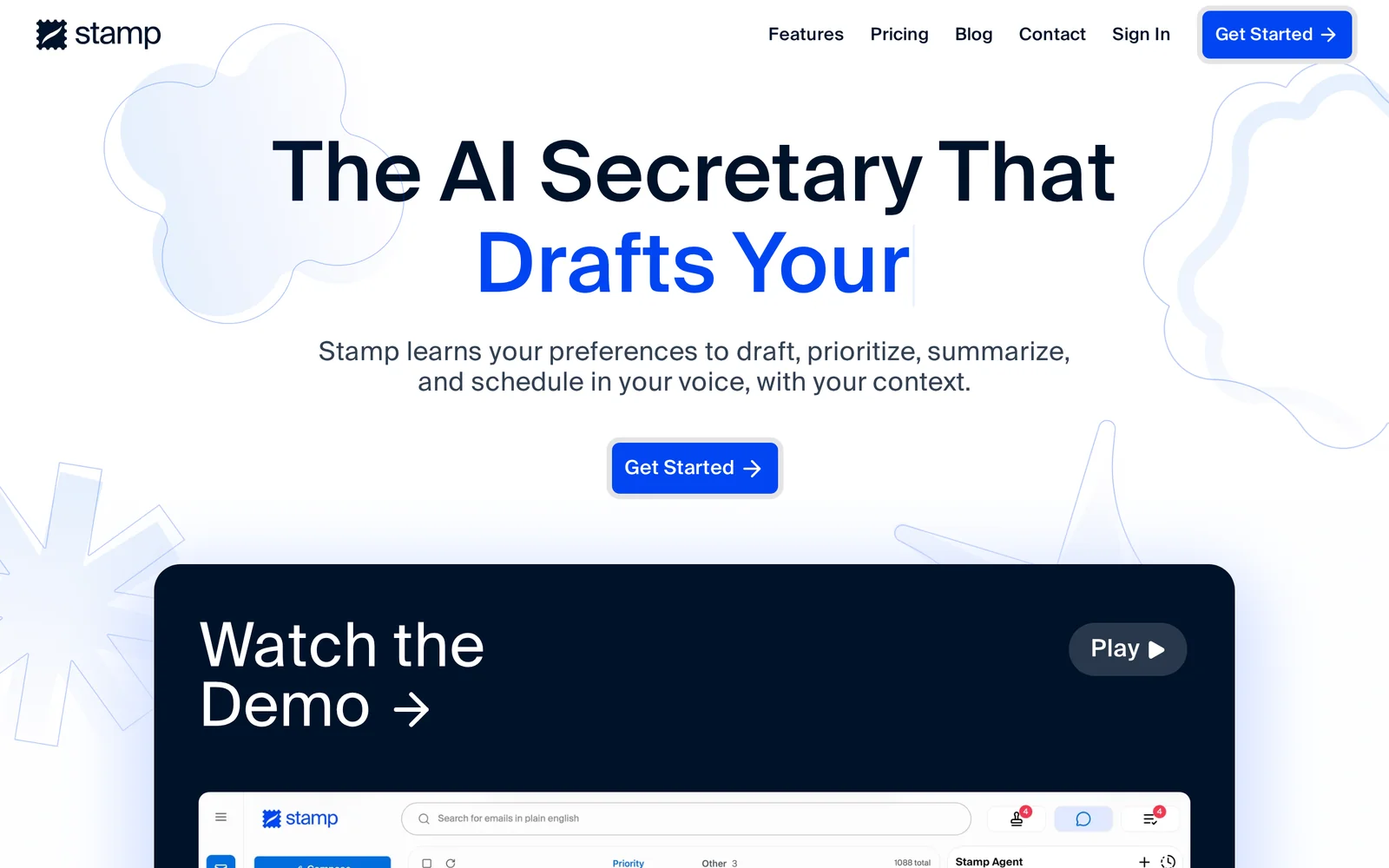
Stamp positions itself as an AI secretary that handles email and calendar work on behalf of users. It leverages natural-language understanding and generative capabilities to read and triage messages, draft or suggest replies, summarize threads, manage scheduling and calendar events, and surface follow-ups and reminders. The service is intended to reduce time spent on routine inbox and scheduling tasks, improve response speed and consistency, and help users focus on higher-value work by automating repetitive email and calendar workflows.
Screenshots
Key Features
Use Cases



Frequently asked questions about Stamp
What is Stamp?
Stamp is an AI-powered secretary designed to automate email and calendar tasks, helping users manage their schedules and reduce inbox clutter effectively. By streamlining communication and scheduling, Stamp enhances productivity and allows users to focus on more critical tasks.
Key Points
- Automates Email Management: Stamp sorts and prioritizes emails, reducing manual effort.
- Smart Calendar Scheduling: Integrates with various calendars to manage appointments seamlessly.
- Enhances Productivity: Frees up time for users to concentrate on high-priority tasks.
Detailed Explanation
Stamp leverages advanced artificial intelligence to assist users in managing their emails and calendar events. It automatically categorizes incoming emails based on urgency and importance, allowing users to address only the most critical messages. For example, if you receive numerous promotional emails daily, Stamp can filter these out, ensuring your inbox consists mainly of essential communications.
In terms of calendar management, Stamp offers features like automatic appointment scheduling. Users can set their availability preferences, and the AI will propose meeting times that work for all parties involved. Additionally, it sends reminders for upcoming events and helps reschedule conflicts, thus minimizing the back-and-forth typically associated with scheduling.
Use Cases
- Busy Professionals: For those with packed schedules, Stamp can handle email triage and set up meetings without manual input.
- Teams and Collaborations: Groups can use Stamp to coordinate meetings, ensuring all team members are available and informed.
- Freelancers and Entrepreneurs: Managing client communications and appointments becomes easier, allowing more focus on project work.
Best Practices / Tips
- Customize Settings: Tailor Stamp's filtering options to align with your specific needs, ensuring it prioritizes emails that matter most to you.
- Integrate with Existing Tools: Connect Stamp with your current email and calendar applications for seamless operation.
- Regularly Review Performance: Periodically check how well Stamp is managing your tasks and adjust settings as necessary to improve efficiency.
Additional Resources
How does Stamp work?
Stamp works by integrating advanced AI functionalities to streamline everyday workflows, allowing users to automate tasks, enhance productivity, and improve decision-making processes. This innovative tool helps individuals and teams efficiently manage their daily activities with minimal effort.
Key Points
- AI Integration: Combines various AI technologies for seamless operation.
- Workflow Automation: Automates repetitive tasks to save time.
- User-Friendly Interface: Designed for ease of use, catering to all skill levels.
Detailed Explanation
Stamp leverages a combination of artificial intelligence techniques such as natural language processing, machine learning, and data analytics to optimize workflows. Here’s how it works:
-
Task Automation: Users can set up automated responses for emails, schedule meetings, or generate reports with simple commands. For example, by integrating with email platforms, Stamp can automatically categorize and respond to emails based on user-defined rules.
-
Data Analysis: Stamp analyzes large sets of data to provide insights and predictions. Businesses can use these insights to make informed decisions, such as identifying sales trends or customer preferences. For instance, a retail manager might use Stamp to analyze purchasing data and adjust inventory accordingly.
-
Personalization: The tool learns from user interactions, improving its recommendations and automations over time. This personalization can enhance user experience by providing tailored suggestions that match individual work styles or preferences.
Best Practices / Tips
- Start Small: Begin with automating simple tasks to get accustomed to Stamp’s capabilities before moving on to more complex workflows.
- Regular Updates: Keep the software updated to leverage the latest features and improvements.
- Feedback Loop: Provide feedback on automation processes to help Stamp learn and improve over time.
- Utilize Templates: Take advantage of pre-built templates for common tasks to speed up setup and implementation.
Additional Resources
By leveraging these insights and best practices, users can maximize their efficiency with Stamp and enhance their workflow automation capabilities.
What are the main features of Stamp?
Stamp is an innovative AI-powered tool designed for streamlined project management and automation. Its key features include advanced AI capabilities, customizable workflows, and real-time collaboration tools that enhance productivity and efficiency for teams of all sizes.
Key Points
- Core AI Capabilities: Intelligent automation and predictive analytics.
- Customizable Workflows: Tailored processes to fit specific project needs.
- Real-Time Collaboration: Tools for seamless communication and document sharing.
Detailed Explanation
Stamp stands out due to its core AI capabilities that facilitate intelligent automation and predictive analytics. This means that users can automate repetitive tasks and gain insights into project timelines and resource allocation, improving decision-making processes.
-
Core AI Capabilities:
- Automation: Automate routine tasks such as data entry, task assignments, and reminders, allowing team members to focus on more strategic initiatives.
- Predictive Analytics: Leverage AI to predict potential project delays or resource shortages, enabling proactive measures to keep projects on track.
-
Customizable Workflows:
- Stamp allows users to design workflows that match their operational requirements, ensuring that each project can adapt to specific objectives. For instance, a marketing team can create a distinct workflow for campaign launches, encompassing planning, execution, and analysis phases.
-
Real-Time Collaboration:
- The platform offers tools for instant communication, file sharing, and feedback collection, which enhances teamwork. Features such as chat, comments, and version control ensure that all team members remain aligned, regardless of their location.
Best Practices / Tips
- Leverage AI Features: Take full advantage of the AI tools by regularly reviewing analytics and automating as many tasks as possible to enhance productivity.
- Customize Workflows: Spend time setting up your workflows to match your team’s needs; this can save hours in the long run.
- Encourage Team Collaboration: Use the collaboration tools actively to keep everyone on the same page, which can significantly reduce misunderstandings and errors.
Additional Resources
Who is Stamp for?
Stamp is designed for anyone looking to streamline their daily AI workflows, including professionals, businesses, and tech enthusiasts. Its user-friendly interface and versatile features make it an ideal tool for those wanting to enhance productivity and automate repetitive tasks efficiently.
Key Points
- Target Users: Professionals, businesses, tech enthusiasts.
- Functionality: Streamlines AI workflows and automates tasks.
- Benefits: Enhances productivity and saves time.
Detailed Explanation
Stamp is a powerful tool tailored for a diverse range of users. Whether you're a marketer needing to analyze data trends, a developer automating coding tasks, or a business owner managing customer interactions, Stamp can significantly enhance your daily operations.
Use Cases
- Marketers: Automate social media content generation and analytics reporting, allowing you to focus on strategy rather than repetitive tasks.
- Developers: Streamline coding processes with AI-assisted debugging and code suggestions, improving efficiency and reducing errors.
- Entrepreneurs: Manage customer relationships through automated responses and personalized marketing strategies, enhancing customer engagement.
By leveraging Stamp's AI capabilities, users can reduce time spent on mundane tasks and focus on more strategic initiatives that drive growth.
Best Practices / Tips
- Integrate with Existing Tools: Connect Stamp with platforms like Google Workspace or Slack for seamless workflow integration.
- Utilize Templates: Take advantage of pre-built templates to kickstart your projects quickly.
- Regular Updates: Stay informed about new features and updates to maximize your use of Stamp’s capabilities.
Common pitfalls include neglecting to customize workflows, which can limit efficiency. Always tailor the tool to fit your specific needs for optimal results.
Additional Resources
By understanding who Stamp is for and how to leverage its features effectively, users can transform their daily AI workflows and achieve greater productivity in their professional lives.
How much does Stamp cost?
Stamp offers a free tier to users, while its paid plans start at $9.99 per month for advanced features such as premium integrations and enhanced support. Users can choose from different pricing options based on their needs, making it accessible for both individuals and businesses.
Key Points
- Stamp provides a free tier with essential features.
- Paid plans begin at $9.99 per month.
- Several pricing options cater to various user needs.
Detailed Explanation
Stamp is a versatile tool designed to help users manage their tasks and time efficiently. The free tier includes basic functionalities such as time tracking, project management, and reporting, suitable for casual users or small projects.
For those seeking enhanced capabilities, Stamp offers paid plans starting at $9.99 per month. These plans unlock advanced features, including:
- Premium Integrations: Connect with popular applications like Slack, Google Calendar, and Trello.
- Enhanced Reporting: Generate detailed analytics and insights to optimize productivity.
- Priority Support: Access faster customer service for troubleshooting and inquiries.
Users can choose from monthly or annual subscriptions, with discounts often available for annual payments. Beyond the basic plan, Stamp may offer tiered pricing options, allowing teams to select plans based on their size and feature requirements.
Best Practices / Tips
- Evaluate Your Needs: Before choosing a plan, assess which features are essential for your workflow. Start with the free tier if you're unsure.
- Utilize Trials: Take advantage of any trial periods for paid plans to explore functionality without commitment.
- Stay Updated: Regularly check for updates, as Stamp may introduce new features or pricing adjustments.
Additional Resources
By understanding the pricing structure and features of Stamp, users can make informed decisions that best fit their needs, ensuring efficient task management and productivity.
How do I get started with Stamp?
To get started with Stamp, simply visit stampmail.ai to create an account. Once registered, you can explore its features, such as email automation and analytics, to enhance your communication efficiency.
Key Points
- Sign Up Process: Create an account on the Stamp website.
- Feature Exploration: Familiarize yourself with Stamp’s tools for email management.
- Support Resources: Access tutorials and customer support for guidance.
Detailed Explanation
To begin using Stamp, follow these steps:
- Visit the Website: Go to stampmail.ai to access the home page.
- Create an Account: Click on the "Sign Up" button. You will need to provide your email address and create a secure password. Ensure your password is strong for account security.
- Verify Your Email: After signing up, check your email for a verification link. Click on it to activate your account.
- Explore Features: Once logged in, navigate through the dashboard. Key features to explore include:
- Email Automation: Set up automated email campaigns tailored to your audience.
- Analytics Dashboard: Monitor your email performance metrics such as open rates and click-through rates.
- Templates: Use pre-designed email templates for quick setup.
- Customer Support: If you encounter any issues, utilize the support section for FAQs or contact customer service directly.
Best Practices / Tips
- Use Templates: Take advantage of Stamp's email templates to save time and ensure consistency in your branding.
- Segment Your Audience: To improve engagement, segment your email list based on user behavior or demographics.
- Test Your Emails: Before sending out campaigns, test emails to check how they appear on different devices and email clients.
- Monitor Performance: Regularly review your analytics to understand what content resonates with your audience and adjust your strategies accordingly.
Additional Resources
- Stamp Official Documentation for in-depth guidance.
- Email Marketing Best Practices to optimize your campaigns.
- Customer Support for troubleshooting and assistance.
Explore more AI Ai Tools tools
Browse all Ai Tools tools →Browse by use case: Chatbots & Assistants · Automation & Productivity
Compare Stamp: vs Humanizer · vs Worktrunk · vs Mise · vs BiBimba