
Spine Canvas
AIAn unlimited visual workspace that lets teams explore, branch, and orchestrate ideas across hundreds of AI models in a single canvas.
Spine Canvas
An unlimited visual workspace that lets teams explore, branch, and orchestrate ideas across hundreds of AI models in a single canvas.
About Spine Canvas
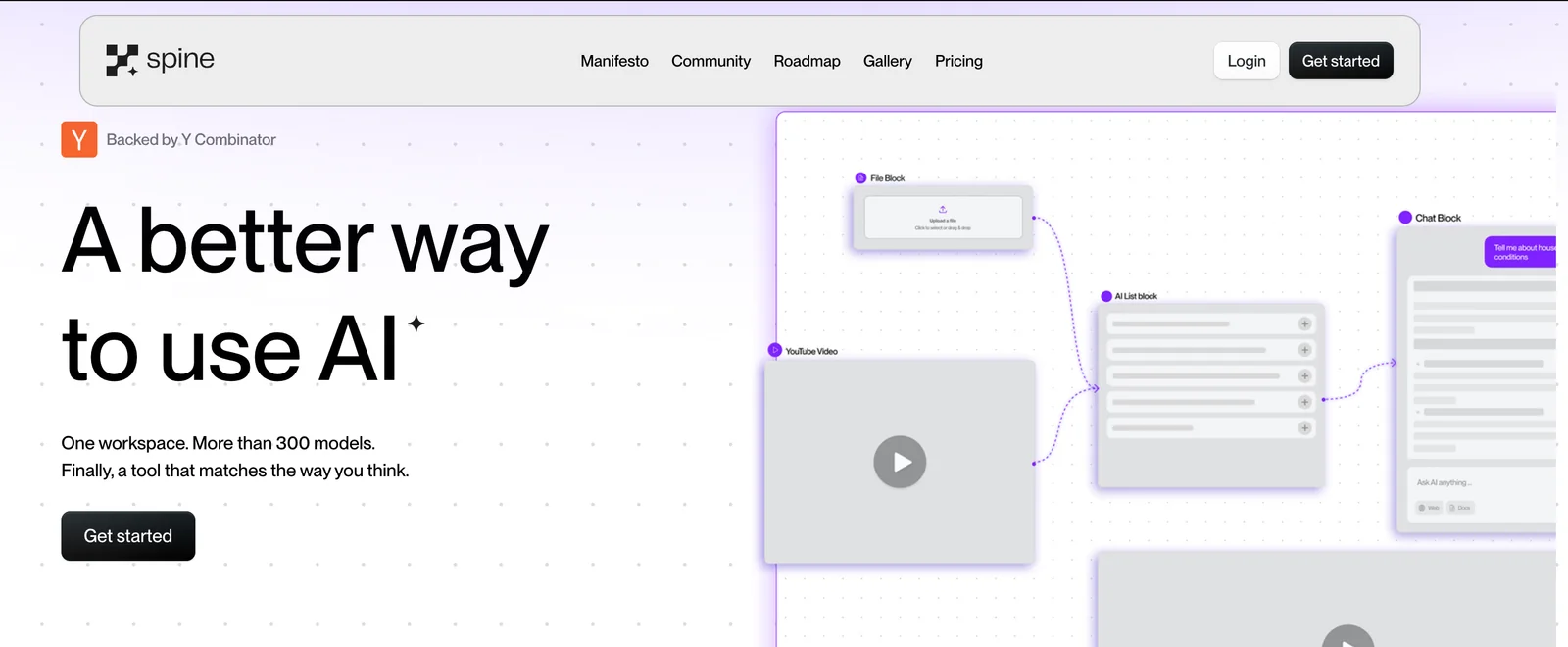
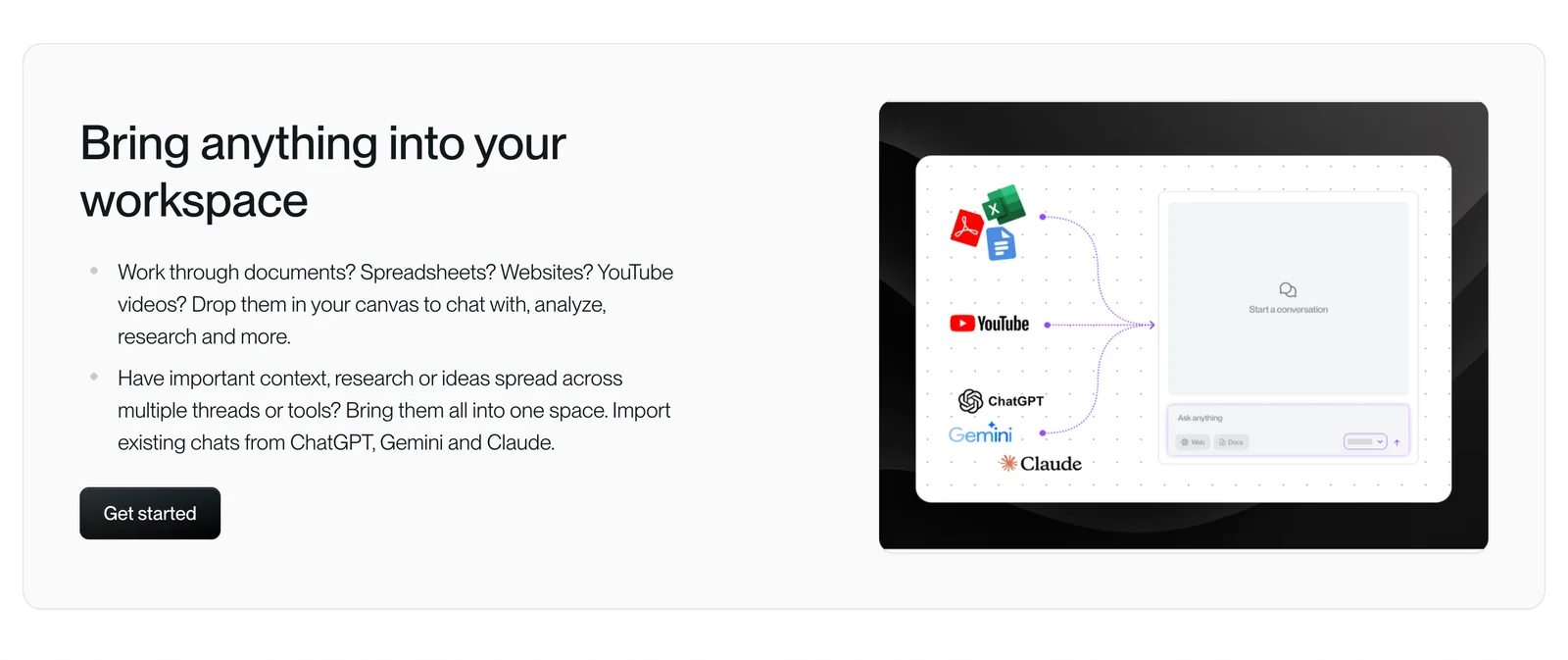
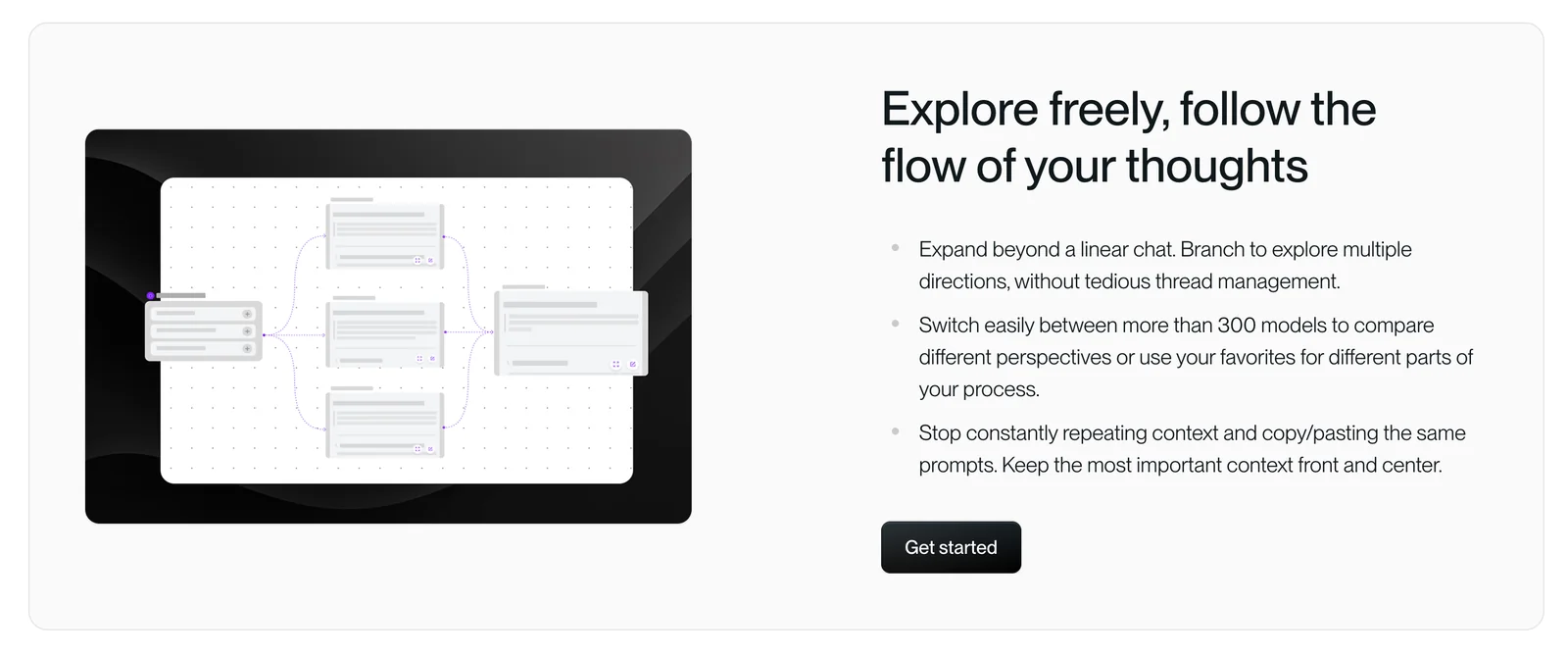
Spine Canvas provides an infinite, visual workspace designed to move beyond chat-style interactions by letting users create, branch, and run multiple AI threads in parallel. Users place modular blocks (Chat, Deep Research, etc.) on a canvas, connect them, upload proprietary documents for contextual grounding, and orchestrate runs across hundreds of models from a single interface. The workspace preserves visibility and provenance of model outputs, enables side-by-side comparisons, and supports collaboration and sharing of canvases so teams can iterate on ideas, experiments, and workflows visually.
Screenshots
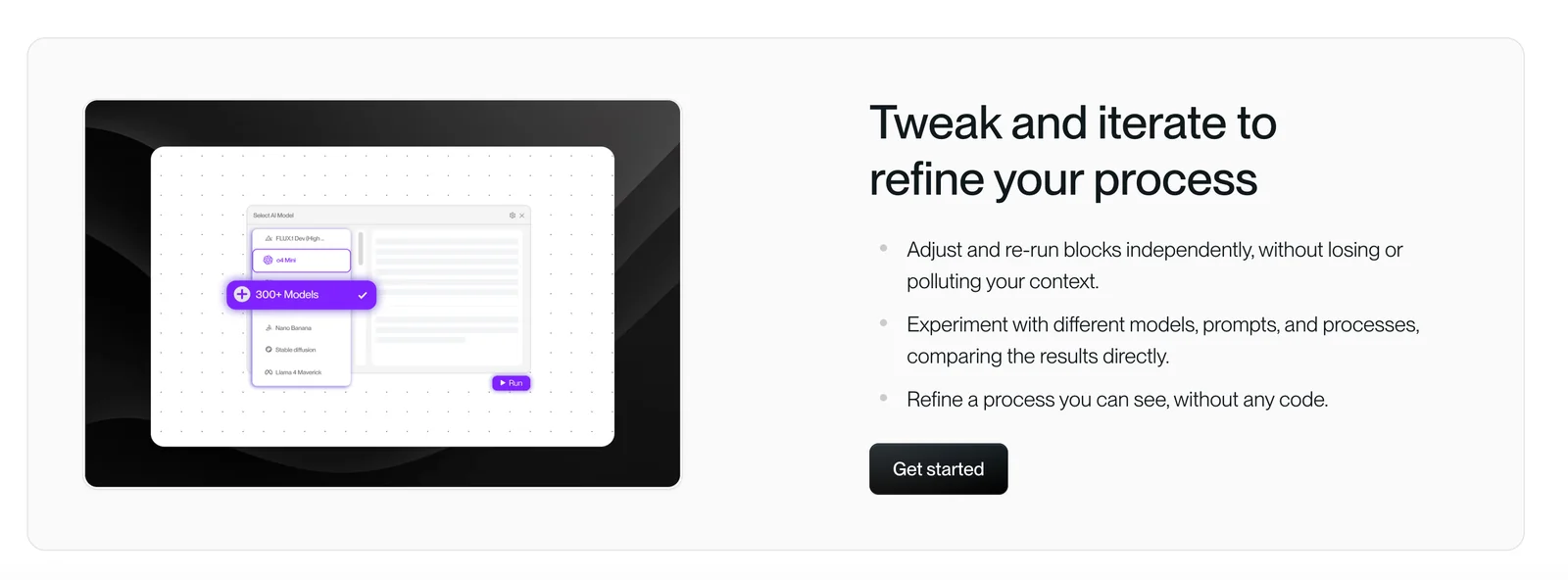
Key Features
Use Cases



Frequently asked questions about Spine Canvas
What pricing options are available for Spine Canvas?
Spine Canvas offers a flexible pricing structure that includes a Free plan with basic features, a Pro plan available for $12 per month with advanced features, and custom pricing for Enterprise plans. Users can also access a free trial without needing to provide credit card information.
Key Points
- Free Plan: Access to basic features at no cost.
- Pro Plan: Advanced features for $12/month.
- Enterprise Plans: Custom pricing tailored to larger organizations.
Detailed Explanation
Spine Canvas provides a freemium model, allowing users to start for free with its Free plan, which includes essential features that are perfect for individual or small-scale projects. This plan enables users to explore the core functionalities of Spine Canvas without any financial commitment.
For those seeking more advanced capabilities, the Pro plan is available at $12 per month. This subscription unlocks additional features such as enhanced collaboration tools, priority support, and access to premium templates. It is ideal for teams looking to leverage Spine Canvas for more extensive projects.
Businesses with specific needs can consider custom Enterprise plans. These plans are designed for larger organizations that require tailored solutions, including advanced security features, dedicated account management, and scalable options. Pricing for these plans varies based on the organization's requirements and scale.
Furthermore, Spine Canvas offers a free trial that allows potential users to explore all features of the Pro plan without entering credit card information. This trial period is an excellent opportunity to evaluate the platform's capabilities before committing to a paid plan.
Best Practices / Tips
- Evaluate Your Needs: Before choosing a plan, assess your project requirements to determine if the Free or Pro plan suits your needs.
- Utilize the Free Trial: Take advantage of the free trial to explore all features and determine if they meet your expectations.
- Consider Scalability: If you're part of a larger organization, discuss with your team the potential benefits of the Enterprise plan for better resource management.
Additional Resources
What are the key features of Spine Canvas that enhance collaboration?
Spine Canvas enhances collaboration through its infinite visual workspace, multi-model orchestration across over 300 AI models, and robust collaborative sharing options. These features empower teams to brainstorm, compare outputs seamlessly, and maintain project context, significantly boosting productivity and creativity.
Key Points
- Infinite Visual Workspace: Unlimited canvas for idea exploration.
- Multi-Model Orchestration: Access to 300+ AI models for diverse outputs.
- Collaborative Sharing Options: Easy sharing to facilitate teamwork.
Detailed Explanation
Spine Canvas offers a uniquely expansive visual workspace that allows users to create and manipulate ideas without spatial limitations. This infinite canvas supports various formats, such as text, images, and diagrams, making it ideal for brainstorming sessions. For example, a marketing team can visualize campaign strategies alongside data insights, fostering an integrated approach to project planning.
The multi-model orchestration feature enables users to seamlessly switch between over 300 AI models, whether for generating content, analyzing data, or brainstorming ideas. This flexibility allows teams to find the best tools suited for their specific needs, enhancing the overall quality of outputs. For instance, a product development team can use a model for market analysis and another for customer feedback generation, all within a single platform.
Collaboration is further enhanced through integrated sharing options. Team members can easily share their workspace with others, allowing real-time feedback and discussions. This capability keeps everyone on the same page, ensuring that all voices are heard and considered in decision-making. For example, during a project review, stakeholders can view and annotate ideas directly on the canvas, streamlining the feedback process.
Best Practices / Tips
- Utilize the Infinite Workspace: Encourage team members to take advantage of the unlimited space by creating separate sections for different ideas or projects.
- Experiment with AI Models: Don’t hesitate to try various models for different tasks; this can lead to discovering new, effective solutions.
- Regularly Share and Iterate: Make it a habit to share work frequently, allowing for continuous improvement and collaboration.
Additional Resources
How can I start using Spine Canvas for my team?
To start using Spine Canvas for your team, visit the official website, create an account, and select the Free plan for initial access. After registration, you can explore its features and begin collaborating effectively with your team on various projects.
Key Points
- Easy Registration: Create an account on the Spine Canvas website.
- Free Plan Availability: Start with the Free plan to explore features.
- Collaboration Features: Utilize tools for teamwork and project management.
Detailed Explanation
Starting with Spine Canvas is straightforward. First, navigate to the Spine Canvas website and click on the "Sign Up" button. You will need to provide basic information such as your name, email address, and a secure password to create your account.
Once registered, you can choose the Free plan, which allows you to access essential features without any cost. This is a great way to test the platform's capabilities and see how it fits your team's needs. The Free plan typically includes basic project management tools, collaboration features, and limited storage.
After gaining access, explore the various features that Spine Canvas offers. These include project boards, task assignments, and real-time collaboration tools that enhance workflow efficiency. You can invite team members to join your workspace, assign tasks, and monitor progress through visual boards.
Best Practices / Tips
- Utilize Tutorials: Take advantage of onboarding tutorials provided by Spine Canvas to familiarize yourself with its features.
- Invite Team Members Early: Encourage team members to join the platform right away to facilitate collaborative efforts.
- Explore Integrations: Look into integrations with other tools your team uses, such as Slack or Google Drive, to streamline workflows.
- Regular Updates: Keep your team updated on new features and enhancements rolled out by Spine Canvas.
Additional Resources
By following these steps and utilizing the resources available, you can effectively implement Spine Canvas for your team and enhance your project management capabilities.
What are the technical requirements for integrating Spine Canvas with other tools?
Spine Canvas is a web-based application that can be integrated with other tools through any modern browser. It requires no specific hardware but does necessitate a stable internet connection to ensure optimal performance when orchestrating multiple AI models effectively.
Key Points
- Web-Based Accessibility: Works on any modern browser.
- No Specific Hardware Requirements: Can run on standard computers and devices.
- Stable Internet Connection: Essential for seamless integration and performance.
Detailed Explanation
Integrating Spine Canvas with other AI tools involves several technical requirements that ensure optimal functionality. The primary requirement is access to a modern web browser, such as Google Chrome, Mozilla Firefox, or Microsoft Edge. This compatibility allows users to leverage the full capabilities of Spine Canvas without needing to install additional software.
While there are no stringent hardware requirements, having a system with at least 8GB of RAM and a multi-core processor is advisable for handling complex AI models efficiently. This setup enables the application to manage multiple processes concurrently without lag.
A stable internet connection is crucial, as it affects data transfer rates and overall performance during model orchestration. Users should aim for a broadband connection with a minimum speed of 10 Mbps for effective real-time collaboration and data processing.
Use Cases
For instance, businesses integrating Spine Canvas with AI tools for data analytics, customer service automation, or predictive modeling will benefit from a well-optimized setup. Using Spine Canvas alongside tools like TensorFlow or PyTorch can significantly enhance model deployment and testing processes.
Best Practices / Tips
- Browser Updates: Regularly update your web browser to the latest version to avoid compatibility issues.
- Internet Speed Testing: Use tools like Speedtest.net to ensure your connection meets the recommended speeds.
- Hardware Checks: Regularly monitor your computer’s performance and upgrade hardware components if you notice slowdowns during usage.
Additional Resources
How does Spine Canvas compare with other AI orchestration tools?
Spine Canvas distinguishes itself among AI orchestration tools with its infinite canvas feature for idea exploration, advanced branching capabilities, and the ability to orchestrate over 300 AI models simultaneously. This comprehensive functionality offers users a unique experience, unlike other tools that may have limited features.
Key Points
- Infinite Canvas: Allows for limitless idea exploration.
- Branching Capabilities: Facilitates complex workflows and decision-making.
- Model Integration: Orchestrates over 300 AI models for various applications.
Detailed Explanation
Spine Canvas provides a flexible, infinite canvas where users can visualize and develop their ideas without space constraints. This feature encourages creativity and brainstorming, making it ideal for teams and individuals looking to innovate.
Branching Capabilities
The tool's branching capabilities enable users to create complex workflows by linking various AI models and processes. For instance, a user might start with a text generation model, then branch out to integrate sentiment analysis, image generation, or even audio processing, depending on the project needs. This flexibility is crucial for businesses that require tailored solutions.
Model Integration and Collaboration
With the ability to orchestrate over 300 AI models, Spine Canvas supports a wide range of applications, from natural language processing to image recognition. This extensive model library allows users to create comprehensive AI solutions without needing to switch tools, thus enhancing productivity and collaboration.
Best Practices / Tips
- Utilize the Infinite Canvas: Maximize the potential of the infinite canvas by mapping out your ideas visually. This approach can help identify connections and gaps in your project.
- Experiment with Branching: Don’t hesitate to explore different paths by using the branching feature. Test various scenarios to see how changes in one model affect the overall workflow.
- Stay Updated: Regularly check for new models and updates within Spine Canvas to ensure you are leveraging the latest AI advancements.
Additional Resources
Explore more AI Ai Agents tools
Browse all Ai Agents tools →Browse by use case: Automation & Productivity
Compare Spine Canvas: vs Playad · vs Concierge by Juniors AI · vs Scout by Fini · vs Ruflo