

Snowflake
AIA secure, scalable AI Data Cloud that unifies data, analytics, applications, and AI to eliminate silos and accelerate innovation.
Snowflake
A secure, scalable AI Data Cloud that unifies data, analytics, applications, and AI to eliminate silos and accelerate innovation.
About Snowflake
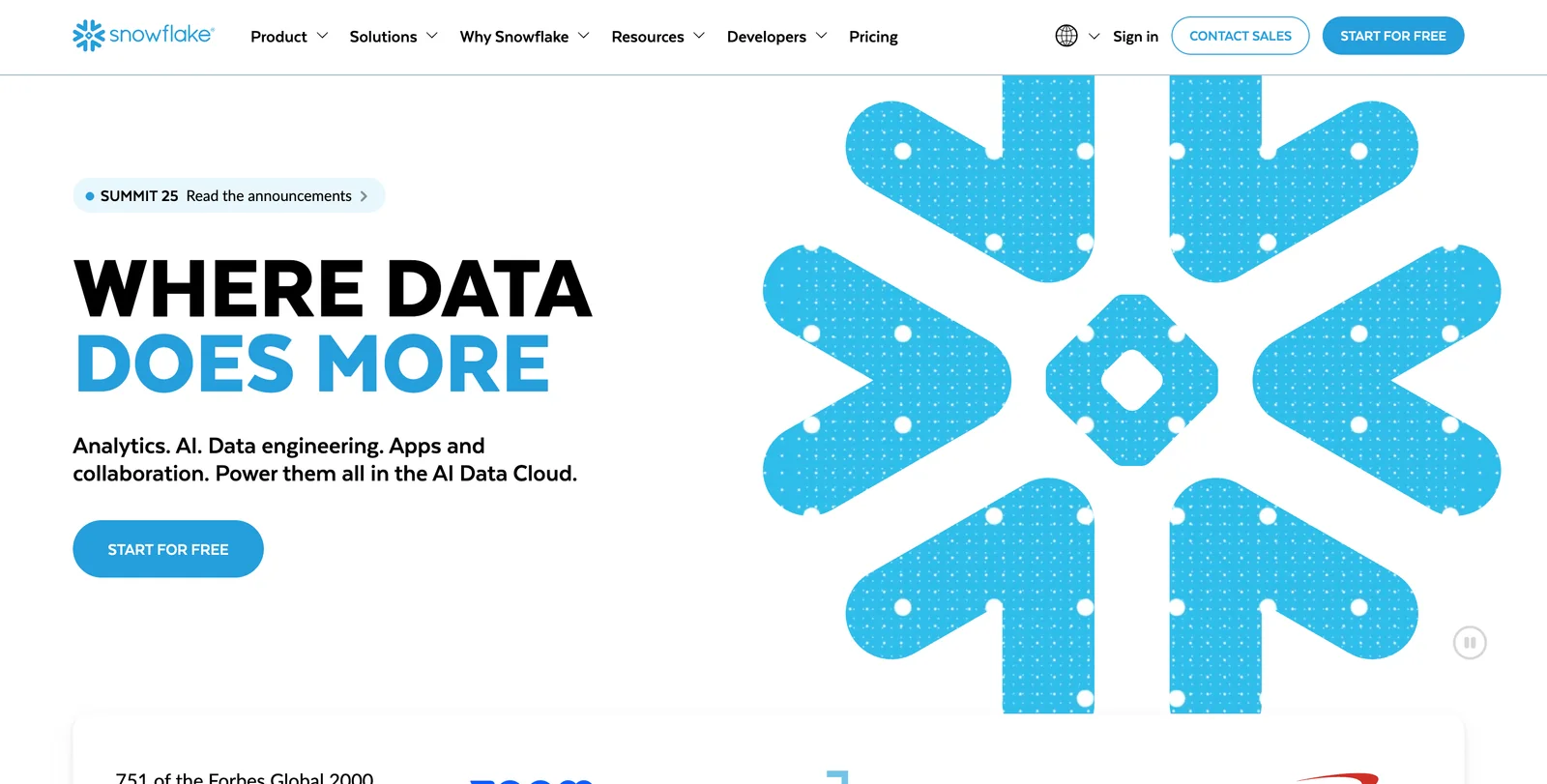
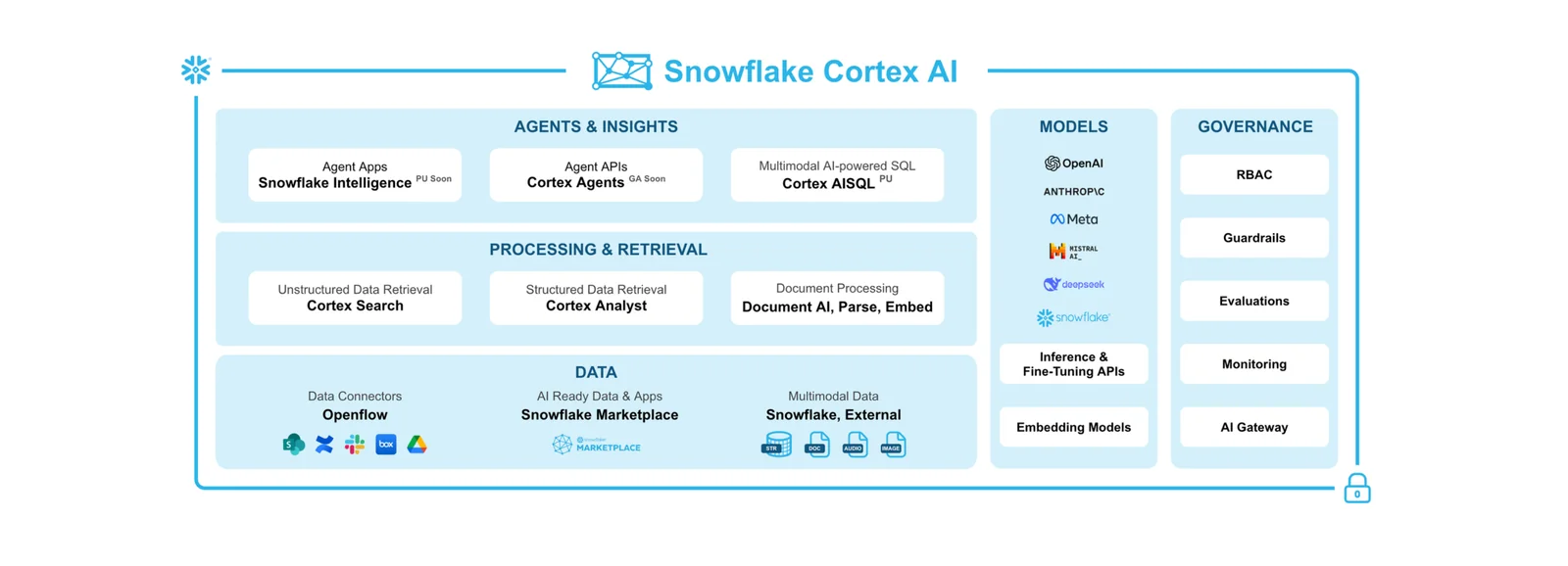
Snowflake is a cloud-native AI Data Cloud platform that unifies data storage, compute, and services to support data engineering, analytics, applications, and machine learning workloads. It provides a multi-tenant, scalable architecture with separation of storage and compute, enabling concurrent workloads without resource contention. Snowflake offers developer-facing runtimes and tools (Snowpark, CLI, SDKs), native AI capabilities (Cortex, AI Functions, integrated feature store and model registry), and secure data sharing and marketplace capabilities to collaborate and govern data across organizations. Its value lies in enabling rapid prototyping and deployment of AI-powered data applications while maintaining governance, performance, and cross-cloud portability.
Screenshots
Key Features
Use Cases



Frequently asked questions about Snowflake
What are the pricing options for Snowflake?
Snowflake offers several pricing options: a Free Usage Tier, an On-Demand Pay-As-You-Go model, and Capacity/Committed Annual Contracts starting at approximately $25,000 per year. For a complete breakdown of the pricing structure and additional details, visit the Snowflake website.
Key Points
- Free Usage Tier: Ideal for testing and small workloads.
- On-Demand Pricing: Pay only for what you use, suitable for variable workloads.
- Committed Contracts: Cost-effective for organizations with predictable data requirements.
Detailed Explanation
Snowflake's pricing model is designed to cater to various needs, making it accessible for both small startups and large enterprises. Here’s a breakdown of the options:
1. Free Usage Tier
This option allows new users to explore Snowflake’s features without any financial commitment. It typically includes a limited amount of compute and storage resources, making it perfect for initial testing, educational purposes, or small-scale projects.
2. On-Demand Pay-As-You-Go
With this pricing model, users only pay for the resources they consume. This is particularly advantageous for businesses experiencing fluctuating workloads. For example, during peak times, you can scale up your compute resources without being locked into a fixed cost.
3. Capacity/Committed Annual Contracts
For companies with predictable data needs, Snowflake offers annual contracts starting at around $25,000. This option can result in significant savings compared to on-demand pricing. Organizations can choose different tiers based on their anticipated usage, ensuring they only pay for the capacity they require.
Best Practices / Tips
- Assess Your Needs: Start with the Free Usage Tier to gauge your requirements before committing to paid plans.
- Monitor Usage: Utilize Snowflake’s built-in tools to track your data consumption and optimize resource allocation.
- Evaluate Commitment Levels: If your data needs are consistent, consider the committed annual contracts for cost savings.
Additional Resources
By understanding these pricing options, you can make an informed decision that best aligns with your business objectives.
How can I start using Snowflake for data analytics?
To start using Snowflake for data analytics, sign up for a free trial that provides $400 in credits. Explore the platform through the Snowsight UI and refer to the comprehensive documentation for tutorials on setting up data warehouses and optimizing your analytics workflow.
Key Points
- Free Trial: Sign up for $400 in credits.
- User Interface: Familiarize yourself with the Snowsight UI.
- Documentation: Access tutorials for data warehouse setup.
Detailed Explanation
Snowflake is a cloud-based data warehousing platform that simplifies data storage and analytics. To get started, follow these steps:
-
Sign Up for a Free Trial: Visit the Snowflake website and register for the free trial. During this trial, you will receive $400 in credits, allowing you to explore various features without upfront costs.
-
Explore the Snowsight UI: Once registered, log into the Snowsight user interface. This intuitive interface is designed for easy navigation, enabling users to manage and analyze their data efficiently. Familiarize yourself with key functionalities like data loading, querying, and reporting.
-
Set Up Your Data Warehouse: Follow the tutorials available in the Snowflake documentation. These guides provide step-by-step instructions on how to create and configure your data warehouse, load data from various sources, and begin running queries.
-
Utilize Sample Data: Leverage sample datasets provided by Snowflake to practice your skills. This hands-on approach allows you to understand how to manipulate and analyze data effectively.
-
Join the Community: Engage with the Snowflake community through forums and webinars. This can help you gain insights from experienced users and learn best practices.
Best Practices / Tips
- Understand the Pricing Model: Snowflake operates on a pay-as-you-go model. Familiarize yourself with the pricing structure to manage your credits effectively and avoid unexpected charges.
- Optimize Query Performance: Use clustering keys and partitioning to enhance query performance. This can significantly reduce execution time and costs.
- Monitor Your Usage: Regularly check your credit usage through the Snowflake dashboard to ensure you are making the most of your trial period.
Additional Resources
This structured approach ensures you maximize your experience with Snowflake for data analytics while minimizing potential pitfalls.
What are the key features of Snowflake's AI Data Cloud?
Snowflake's AI Data Cloud features scalable multi-cloud data warehousing, integrated AI and machine learning capabilities, secure data sharing, and real-time analytics. Its unique architecture separates storage and compute resources, enhancing performance and flexibility for data-driven organizations.
Key Points
- Scalable Multi-Cloud Architecture: Seamlessly integrate across platforms.
- Native AI/ML Capabilities: Built-in tools for advanced analytics.
- Secure Data Sharing: Easily share data across different teams and organizations.
Detailed Explanation
Snowflake's AI Data Cloud is designed to empower businesses with a robust solution for managing and analyzing data. Its scalable multi-cloud architecture allows users to deploy services across major cloud providers such as AWS, Azure, and Google Cloud, enabling flexibility and avoiding vendor lock-in. This means organizations can run their data operations in the environment that best suits their needs.
The native AI and machine learning capabilities enable users to build and deploy models directly within Snowflake. This integration allows data scientists to access data in its raw form without the need for complex ETL processes. For instance, you can use Snowflake to perform predictive analytics by applying machine learning algorithms directly to your datasets without moving data to separate tools.
Secure data sharing is another critical feature of Snowflake. It allows organizations to share data securely in real time with external partners or internal teams. This functionality is vital for collaboration, as it ensures data remains consistent and secure across various stakeholders.
The architecture of Snowflake is also noteworthy. By separating storage and compute, businesses can scale resources independently. This separation allows for optimized performance, as users can increase storage capacity without needing to upgrade compute resources, and vice versa.
Best Practices / Tips
- Utilize Multi-Cloud Strategy: Leverage Snowflake’s capabilities across different cloud platforms to optimize costs and performance.
- Implement Role-Based Access: Enhance security by setting up role-based access controls to manage who can view or share data.
- Regularly Monitor Performance: Use Snowflake’s tools to monitor query performance and optimize data models to ensure efficiency.
Additional Resources
How does Snowflake integrate with other tools and APIs?
Snowflake integrates with other tools and APIs through various methods, including REST APIs, language-specific SDKs (like Python, Java, and Scala), and the Snowflake Command Line Interface (CLI). This allows developers to create data pipelines, automate workflows, and streamline data integration processes effectively.
Key Points
- API Integration: Snowflake provides REST APIs for seamless data access and manipulation.
- SDKs Availability: Language-specific SDKs facilitate custom application development in popular programming languages.
- Command Line Interface: The Snowflake CLI simplifies interaction with Snowflake for administrative tasks and automation.
Detailed Explanation
Snowflake’s integration capabilities are robust, enabling organizations to connect their data warehouse with a variety of external tools and platforms.
API Integration
Snowflake's REST APIs allow developers to perform operations like data loading, querying, and user management programmatically. These APIs can be used for building custom applications that interact with Snowflake's data services. For example, a marketing team could automate data retrieval from Snowflake to analyze campaign performance in real-time.
SDKs Availability
Snowflake offers language-specific SDKs for Python, Java, and Scala. These SDKs simplify the process of building data pipelines and integrating Snowflake into existing applications. For instance, a data engineer can use the Python SDK to connect Snowflake with machine learning libraries, enabling automated model training and deployment.
Command Line Interface (CLI)
The Snowflake CLI is a powerful tool for database administrators and developers. It allows for quick execution of SQL scripts, user management, and other administrative tasks directly from the terminal. Using the CLI, teams can automate routine tasks, such as daily data uploads, using shell scripts.
Best Practices / Tips
- Use SDKs Wisely: Choose the SDK that best fits your team's programming expertise and project requirements to maximize efficiency.
- Leverage APIs: Regularly review Snowflake’s API documentation for updates and best practices to ensure optimal integration.
- Automate with CLI: Incorporate the Snowflake CLI into your CI/CD pipelines to automate database migrations and updates.
Additional Resources
How does Snowflake compare to other data warehousing solutions?
Snowflake stands out among data warehousing solutions due to its seamless scalability, unique storage-compute separation, and robust security features. Compared to competitors like BigQuery and Redshift, Snowflake offers a flexible pricing model that accommodates diverse organizational needs, making it a wise choice for businesses of all sizes.
Key Points
- Seamless Scalability: Automatically adjusts resources based on demand.
- Storage-Compute Separation: Optimizes performance and cost-efficiency.
- Robust Security Features: Ensures data protection and compliance.
Detailed Explanation
Snowflake's architecture is designed to optimize both performance and cost. Unlike traditional data warehouses, Snowflake employs a cloud-native architecture that separates storage from compute resources. This means that you can scale each independently, allowing for efficient handling of varying workloads. For instance, during peak usage, you can allocate more compute resources without having to increase your storage capacity.
Comparison with Competitors
- BigQuery: While Google BigQuery offers serverless architecture and automatic scaling, Snowflake's separation of storage and compute allows organizations to manage costs more effectively. Snowflake charges separately for storage and compute, ensuring you only pay for what you use.
- Redshift: Amazon Redshift is known for its speed but can require significant upfront planning. Snowflake's pay-as-you-go pricing and simpler setup make it more accessible for businesses looking to minimize the initial investment.
Use Cases
Businesses can leverage Snowflake for various applications, including data analytics, machine learning, and real-time data sharing. For instance, a retail company can analyze customer behavior in real-time during peak shopping seasons without worrying about resource limitations.
Best Practices / Tips
- Monitor Usage: Regularly review your storage and compute usage to optimize costs.
- Leverage Auto-Scaling: Set up auto-scaling to automatically adjust resources based on workload demands.
- Data Sharing: Utilize Snowflake’s data sharing capabilities to collaborate securely with partners without creating copies of data.
Additional Resources
Explore more AI Ai Agents tools
Browse all Ai Agents tools →Browse by use case: Automation & Productivity
Compare Snowflake: vs Mycel · vs Proto-Mind · vs Ami · vs Duvi