

Snippets AI
AIPrompt manager and shared library to save, adapt, collaborate on, and monetize prompts across major AI models.
Snippets AI
Prompt manager and shared library to save, adapt, collaborate on, and monetize prompts across major AI models.
About Snippets AI
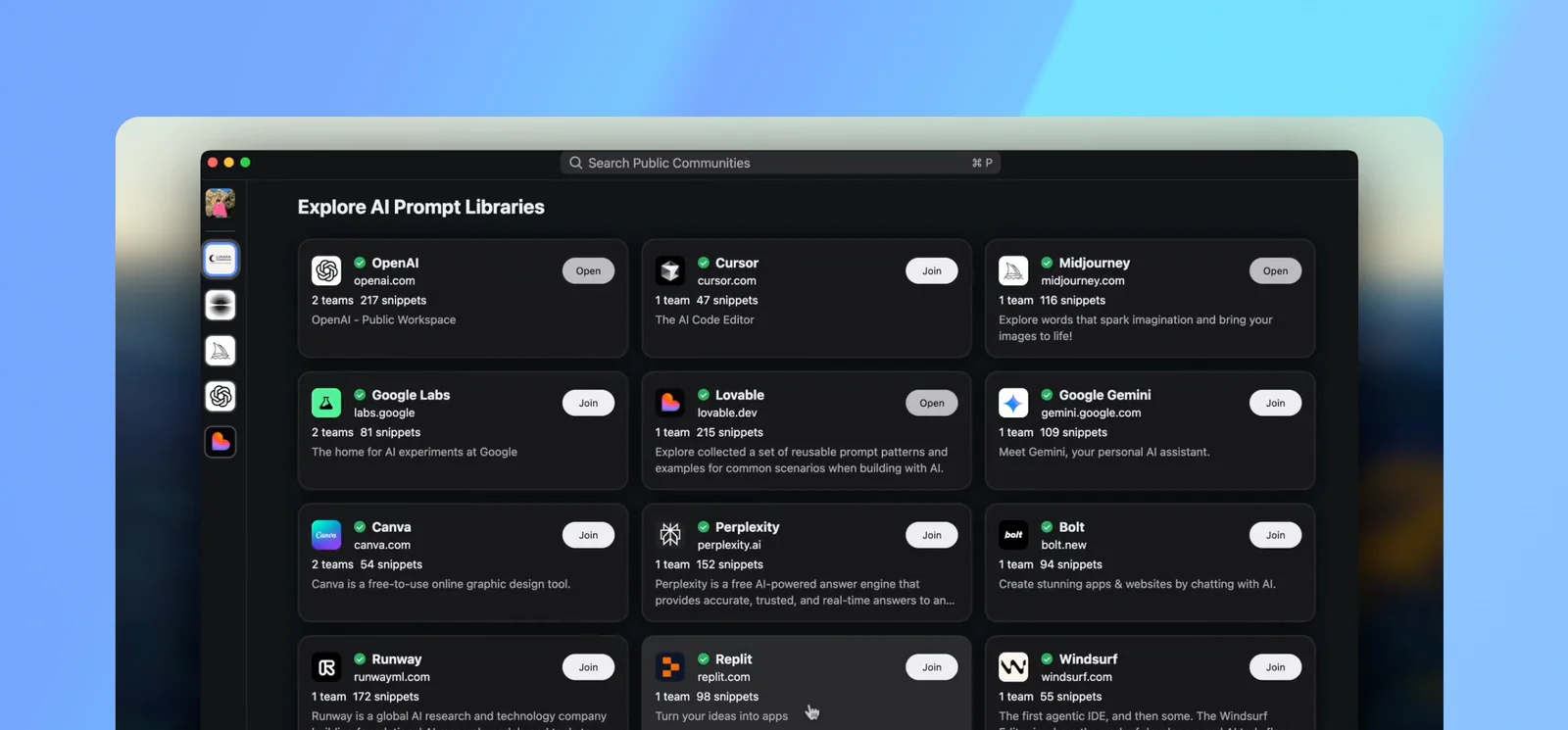
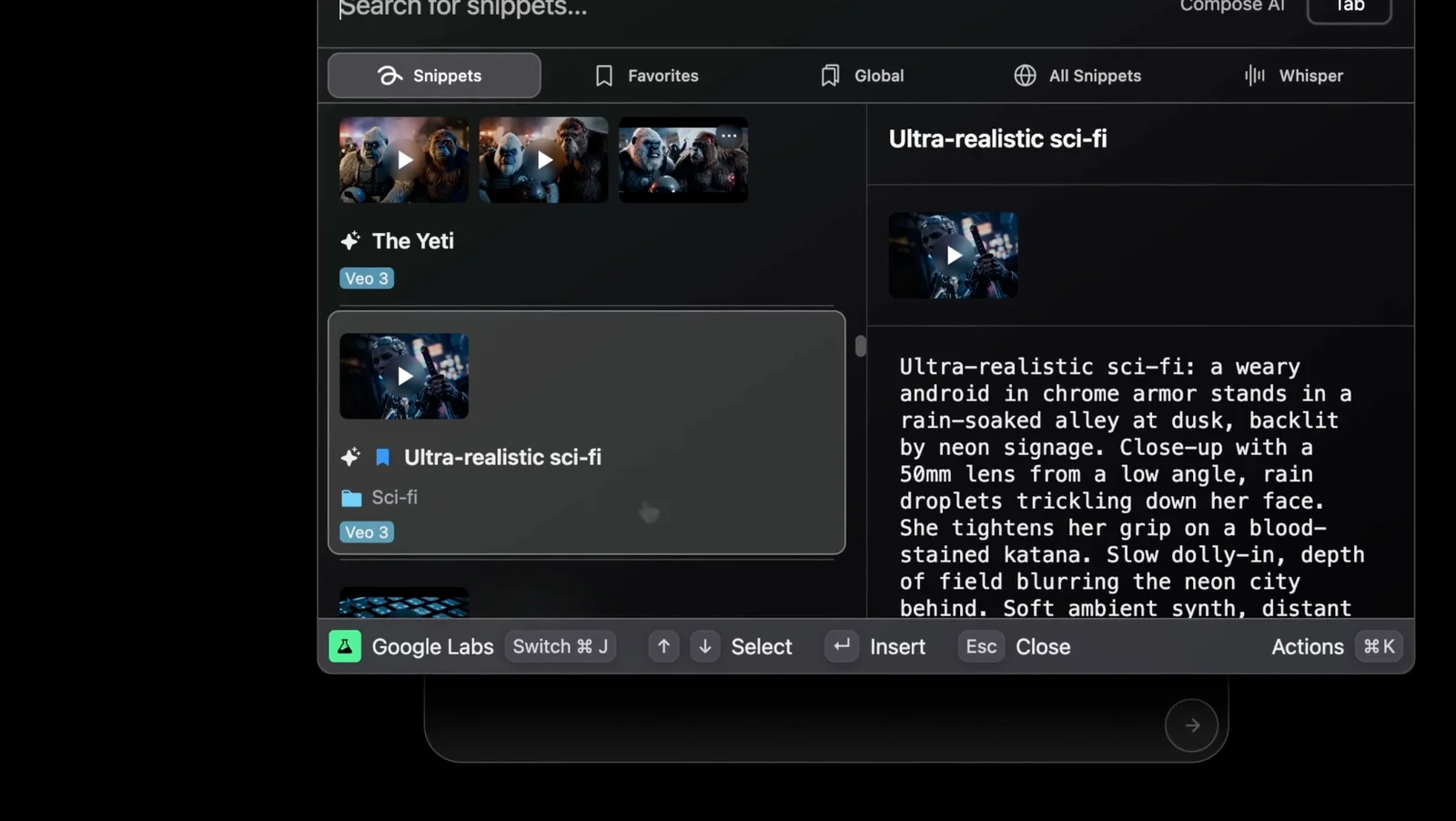
Snippets AI is a prompt management workspace that lets individuals and teams save, organize, share, and reuse prompts across models like ChatGPT, Claude, Gemini and more. It provides public and private libraries, team collaboration features, and an earn program that pays creators for prompt views. Snippets positions itself as a centralized, Slack-like hub for prompt discovery, education, and reuse, allowing users to work on prompts together and use them where needed across tools and integrations.
Screenshots
Key Features
Use Cases



Frequently asked questions about Snippets AI
What are the pricing options for Snippets AI?
Snippets AI offers three pricing tiers: Free ($0 for up to 100 prompts and 2 team members), Pro ($5.99/month with expanded limits and collaboration features), and Team (custom pricing for larger organizations with advanced features). Each option caters to different user needs, from individuals to larger teams.
Key Points
- Free Tier: Ideal for individuals or small teams.
- Pro Tier: Suitable for freelancers and small businesses seeking advanced features.
- Team Tier: Custom pricing designed for larger organizations needing scalability.
Detailed Explanation
Snippets AI provides a flexible pricing model tailored to diverse user requirements.
-
Free Tier: This option is perfect for users who want to explore the platform without any financial commitment. It allows for up to 100 prompts and includes collaboration capabilities for up to 2 team members. This tier is great for small projects or casual users.
-
Pro Tier: At $5.99 per month, the Pro tier unlocks enhanced functionality, including a larger prompt limit and additional collaboration tools. This plan is beneficial for freelancers and small businesses that need more robust features and want to streamline their workflow with team collaboration.
-
Team Tier: For larger organizations, Snippets AI offers custom pricing in the Team tier. This plan includes advanced features tailored to business needs, such as extensive prompt limits, enhanced collaboration tools, and priority support. Companies can reach out to Snippets AI for a personalized quote based on their specific requirements.
Best Practices / Tips
- Assess Your Needs: Before choosing a pricing tier, evaluate your usage to determine which plan suits you best.
- Start with Free: If you're unsure, start with the Free tier to familiarize yourself with the platform's capabilities.
- Explore Collaboration Features: Utilize the collaboration tools in the Pro and Team tiers to enhance team productivity and streamline project management.
Additional Resources
This structured approach ensures you understand the pricing options while optimizing your experience with Snippets AI.
How can I collaborate with my team using Snippets AI?
Snippets AI enables effective team collaboration through dedicated workspaces, allowing team members to jointly create and edit prompts, share collections, and manage tasks seamlessly. Teams using the Pro and Team plans benefit from advanced collaboration features, enhancing productivity and communication.
Key Points
- Dedicated Workspaces: Create specific areas for team projects.
- Shared Collections: Easily manage and edit collections of prompts.
- Enhanced Features: Pro and Team plans offer additional collaboration tools.
Detailed Explanation
Collaboration in Snippets AI is designed to streamline workflows and improve team efficiency. With dedicated workspaces, teams can create a centralized area where all members can contribute to projects. This means you can set up a workspace for each project or topic, ensuring that relevant materials are organized and easily accessible.
Within these workspaces, team members can collaborate on prompts. This feature allows for real-time editing, meaning multiple members can work on the same prompt simultaneously. For example, a marketing team could brainstorm content ideas for a campaign directly within a shared workspace, allowing instant feedback and adjustments.
The Pro and Team plans significantly enhance collaboration capabilities. These plans include features like advanced permissions, which allow team leads to control who can edit or view certain prompts. Additionally, you can create shared collections, which are particularly useful for maintaining a library of prompts that can be reused across different projects.
Best Practices / Tips
- Define Roles: Clearly assign roles within the workspace to streamline collaboration.
- Regular Updates: Schedule regular check-ins to update team members on project progress.
- Use Comments: Utilize the commenting feature to provide feedback on prompts without altering the original text.
Additional Resources
How do I get started with Snippets AI?
To get started with Snippets AI, sign up for a free account on their official website. This allows you to explore their public prompt libraries and collaboratively save a limited number of prompts with your team, making it easy to leverage AI for your content needs.
Key Points
- Free Account Creation: Sign up effortlessly on the official website.
- Public Prompt Libraries: Access a vast array of prompts to enhance your projects.
- Team Collaboration: Save and share prompts with your team members.
Detailed Explanation
To begin using Snippets AI, navigate to the Snippets AI website. Click on the "Sign Up" button, where you will be guided through the account creation process. You can register using your email or social media accounts for convenience.
Once registered, explore the public prompt libraries featuring various categories tailored to different content needs, such as marketing, blogging, and social media. These prompts serve as templates to inspire your writing and improve efficiency.
The platform also emphasizes team collaboration. After signing in, you can create and save prompts, allowing your team members to access and utilize them. This feature is particularly beneficial for remote teams working on shared projects.
Best Practices / Tips
- Explore Different Categories: Spend time browsing through various prompt categories to find what best suits your needs.
- Utilize Collaboration Features: Encourage team members to contribute their own prompts and ideas to enhance creativity.
- Regularly Update Your Saved Prompts: Periodically review and refresh your saved prompts to ensure they remain relevant and effective.
Additional Resources
- Snippets AI Official Documentation
- Blog on AI Tools for Content Creation
- Snippets AI Community Forum
By following these steps, you can effectively leverage Snippets AI to maximize your content creation efforts while fostering collaboration within your team.
Does Snippets AI support integration with other applications?
Yes, Snippets AI supports integration with multiple applications, facilitating seamless access to prompts across various platforms. This feature significantly enhances collaboration, allowing teams to distribute and utilize prompts efficiently across different workflows and applications.
Key Points
- Multi-Platform Integration: Connects with various applications for seamless usage.
- Enhanced Collaboration: Facilitates teamwork by streamlining prompt sharing.
- User-Friendly Interface: Simplifies the integration process for users of all technical levels.
Detailed Explanation
Snippets AI's integration capabilities allow users to connect with popular applications like Slack, Microsoft Teams, Google Workspace, and more. This multi-platform support means that teams can easily share and access prompts regardless of the tools they use daily. For example, a marketing team using Slack can quickly implement AI-generated content suggestions directly into their discussions or projects.
Furthermore, Snippets AI's integration allows for real-time collaboration. Team members can work together on projects, share prompts, and refine content collaboratively. By enabling users to pull prompts from Snippets AI into their preferred applications, it streamlines workflows and saves time, which is invaluable in fast-paced environments.
To integrate Snippets AI with other applications, users typically follow these steps:
- Access Integration Settings: Navigate to the settings or integrations section of Snippets AI.
- Select Desired Application: Choose the application you want to integrate with.
- Authenticate Access: Follow the prompts to authenticate and allow access.
- Configure Settings: Set up any specific preferences for how you want prompts to be shared or accessed.
Best Practices / Tips
- Explore All Integrations: Take advantage of all available integrations to maximize efficiency.
- Regularly Update Permissions: Ensure that your access settings and permissions are up-to-date to avoid disruptions.
- Utilize Training Resources: Use tutorials provided by Snippets AI to familiarize yourself with integration features.
Additional Resources
- Official Snippets AI Integration Documentation
- Getting Started with Snippets AI
- Snippets AI Community Forum
By leveraging Snippets AI's integration capabilities, teams can enhance their productivity and collaboration, making it an essential tool for modern workflows.
How does Snippets AI compare to other prompt management tools?
Snippets AI distinguishes itself from other prompt management tools through its unique monetization program, cross-model prompt compatibility, and advanced team collaboration features. These attributes make it particularly attractive for users who want to share and profit from their prompts, setting it apart from alternatives.
Key Points
- Monetization Program: Users can earn by sharing prompts.
- Cross-Model Compatibility: Works with various AI models seamlessly.
- Team Collaboration: Enhanced features for group usage and sharing.
Detailed Explanation
Snippets AI offers a comprehensive platform designed for both individual creators and teams. One of its standout features is the monetization program, allowing users to earn revenue by sharing their prompts with others. This aspect not only incentivizes quality prompt creation but also fosters a community where users can benefit financially from their contributions.
In addition, Snippets AI excels with its cross-model compatibility. Unlike many prompt management tools that limit usage to a single AI model, Snippets AI enables users to create prompts that work across various models, such as GPT-3, GPT-4, and others. This flexibility ensures that users can leverage their work across multiple platforms without needing to reformat or redesign their prompts.
Moreover, the robust team collaboration features in Snippets AI facilitate seamless teamwork. Teams can share prompts easily, assign tasks, and manage projects collectively. This collaborative environment is essential for organizations that require consistent and efficient workflow, as it allows members to contribute and refine prompts in real-time.
Best Practices / Tips
- Leverage the Monetization Program: Actively participate in the monetization program by sharing high-quality prompts that cater to niche markets for maximum profit.
- Explore Cross-Model Features: Experiment with different AI models to see how your prompts perform, ensuring they are optimized for each platform.
- Utilize Collaboration Tools: Take advantage of the team collaboration features by setting clear roles and responsibilities to enhance productivity.
Additional Resources
Explore more AI Ai Tools tools
Browse all Ai Tools tools →Compare Snippets AI: vs Humanizer · vs Worktrunk · vs Mise · vs BiBimba