

Sheet0
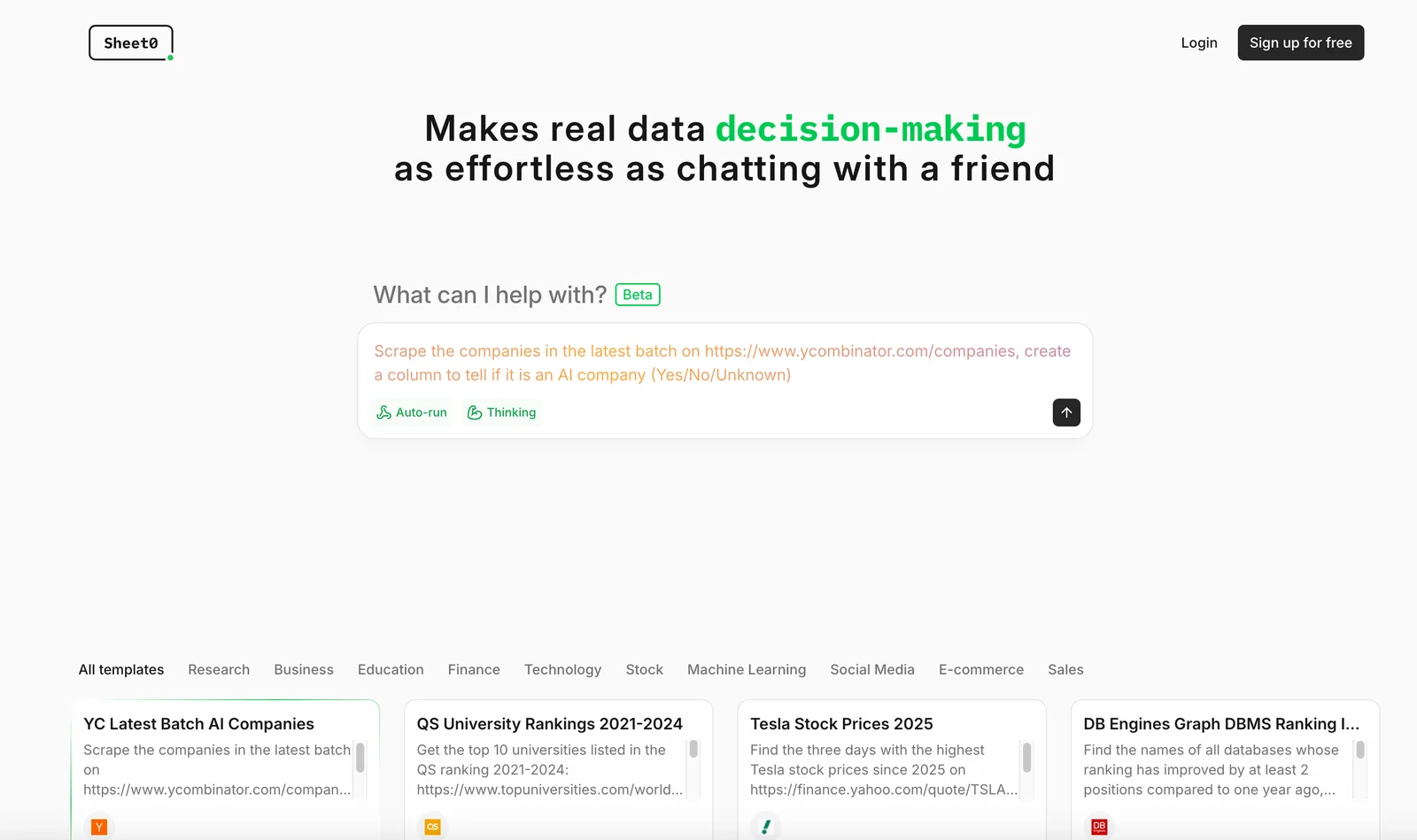
AIA conversational spreadsheets agent that automates data collection, analysis, formula creation and decision-making via natural-language chat.
Sheet0
A conversational spreadsheets agent that automates data collection, analysis, formula creation and decision-making via natural-language chat.
About Sheet0
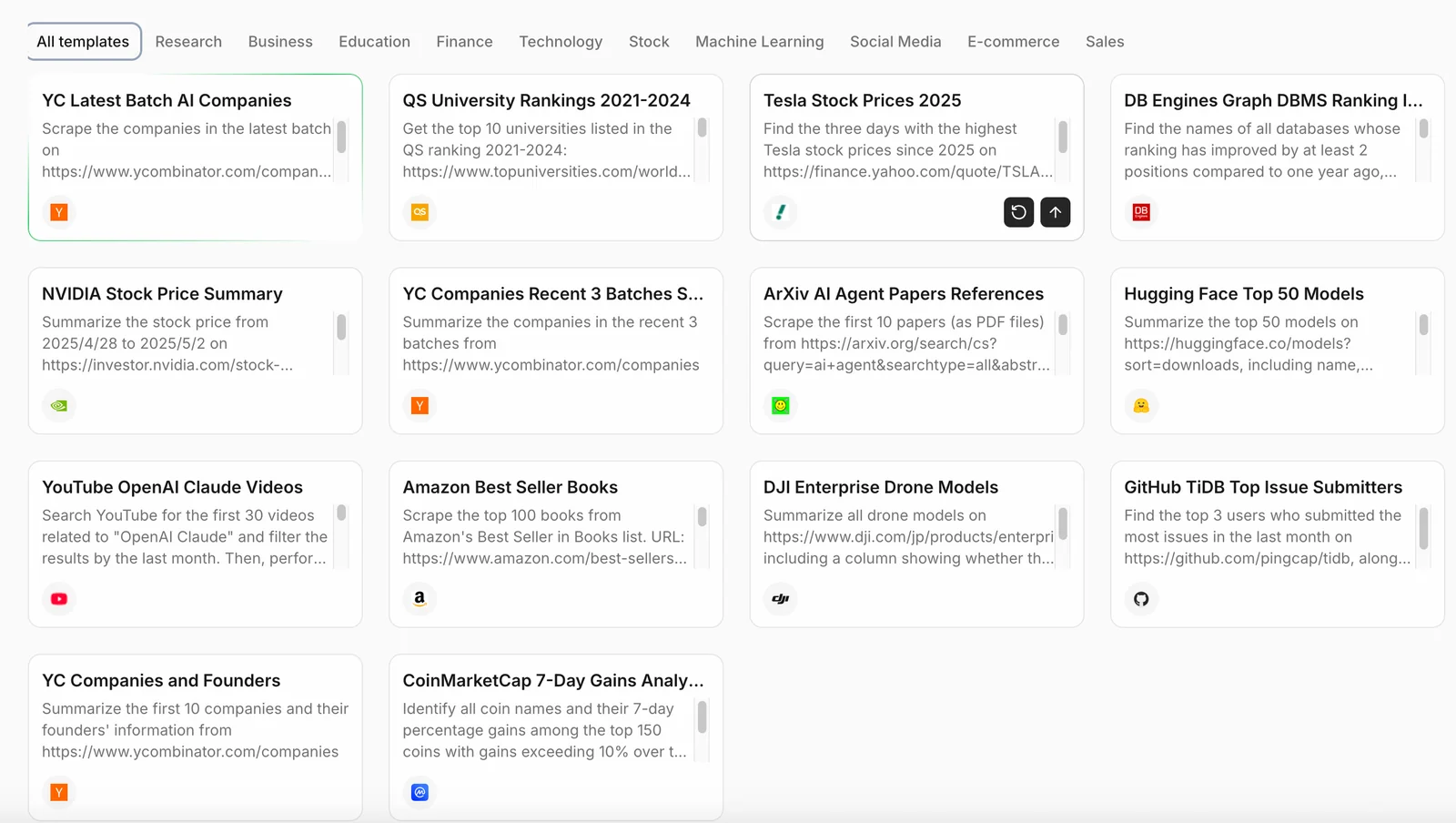
Sheet0 is a conversational spreadsheets agent that lets users interact with, analyze, and act on spreadsheet data by natural-language prompts. It automates data collection and consolidation, generates formulas and calculations, and provides decision support and recommendations based on sheet data. Sheet0 emphasizes accuracy (marketed as "100% accurate") and exposes developer-facing tooling (the NPi action library) so agents can call external functions and integrate with other services. The product combines a chat-first UI for non-technical users with developer APIs and an open-source action library to enable automation and tool-use workflows around spreadsheets.
Screenshots
Key Features
Use Cases



Frequently asked questions about Sheet0
What are the pricing options for Sheet0?
Sheet0 offers a freemium model, providing a free tier for basic features. For users needing advanced functionalities, Pro and Enterprise tiers are available, with custom pricing tailored to specific requirements. For detailed pricing information, it is best to contact Sheet0 directly.
Key Points
- Freemium Model: Basic access is free.
- Pro and Enterprise Tiers: Advanced features come at a cost.
- Custom Pricing: Tailored options based on user needs.
Detailed Explanation
Sheet0's pricing structure is designed to cater to a wide range of users, from individuals to large enterprises. The freemium model allows users to access basic functionalities without any cost, making it attractive for new users or small businesses.
Free Tier
- Features Available: Includes essential tools for users to get started.
- Target Audience: Ideal for individuals or teams with minimal requirements.
Pro Tier
- Cost: Typically ranges from $10 to $30 per month, depending on features.
- Features: Offers enhanced functionalities like advanced analytics, integrations with other tools, and priority customer support.
- Target Audience: Aimed at small to medium-sized businesses looking for more robust capabilities.
Enterprise Tier
- Custom Pricing: This tier offers tailored solutions based on the specific needs of larger organizations.
- Features: Includes advanced security options, dedicated account management, and custom integrations.
- Target Audience: Designed for large enterprises with complex requirements.
For exact pricing details, including potential discounts for annual subscriptions or bulk licenses, users are encouraged to contact Sheet0 directly for a personalized quote.
Best Practices / Tips
- Evaluate Your Needs: Before choosing a plan, assess your specific requirements to determine the most cost-effective option.
- Utilize the Free Tier: Take advantage of the free tier to explore basic features before committing financially.
- Inquire About Discounts: Ask about any available discounts, especially for educational institutions or non-profits.
Additional Resources
- Sheet0 Pricing Page (for the latest pricing details)
- Sheet0 Features Overview (to compare different tiers)
- Contact Sheet0 Support (for personalized assistance)
How can I use Sheet0 to automate data collection?
You can use Sheet0 to automate data collection by utilizing natural-language prompts to instruct the AI agent to fetch and consolidate data from multiple sources into your spreadsheets. This streamlines your workflow, saves time, and ensures accuracy in your data management processes.
Key Points
- Effortless data fetching from various sources.
- Consolidation of information into organized spreadsheets.
- Streamlined workflow enhances productivity.
Detailed Explanation
Sheet0 leverages advanced AI capabilities to automate data collection, making it ideal for businesses and individuals looking to optimize their data management. Here’s how you can effectively use Sheet0 for this purpose:
-
Set Up Your Spreadsheet: Begin by creating a new spreadsheet in Sheet0. Ensure you define clear categories or headers that represent the data you want to collect.
-
Use Natural-Language Prompts: Input prompts such as “Fetch sales data from last month” or “Gather customer feedback from the last quarter.” The AI understands your intent and retrieves the necessary information from specified sources.
-
Data Sources Integration: Connect Sheet0 with various data sources, such as APIs, databases, or online platforms (like Google Analytics, CRM systems, etc.). This integration allows seamless data flow directly into your sheets.
-
Automate Regular Updates: Schedule automatic data retrieval at set intervals (daily, weekly, or monthly) to keep your data fresh without manual intervention.
-
Review and Adjust: Regularly check the accuracy of the fetched data and adjust prompts or data sources as needed. This step ensures continual improvement in your data collection process.
Best Practices / Tips
- Be Specific in Your Prompts: Use precise language in your requests to minimize errors and ensure that the AI fetches the correct data.
- Test Your Setup: Run initial tests to verify that the data collection is working as expected. Adjust your prompts or data sources based on the results.
- Keep Security in Mind: Ensure that any APIs or external data sources you connect to are secure and comply with data protection regulations.
Additional Resources
By following these steps and best practices, you can effectively utilize Sheet0 to automate and enhance your data collection processes, resulting in improved efficiency and data accuracy.
What functionalities does Sheet0 offer for data analysis?
Sheet0 offers robust functionalities for data analysis, including automated formula generation, in-depth data insights, and tailored decision support recommendations. These features empower users to effectively analyze and visualize data, facilitating informed decision-making in various business and personal contexts.
Key Points
- Automated Formula Generation: Simplifies complex calculations.
- Data Insights: Provides actionable analytics and trends.
- Decision Support Recommendations: Guides strategic choices based on data.
Detailed Explanation
Sheet0 is designed to streamline the data analysis process, making it accessible for both beginners and advanced users. Here’s a breakdown of its primary functionalities:
Automated Formula Generation
This feature automatically creates formulas based on the data you input. For example, if you have a dataset of sales figures, Sheet0 can generate formulas to calculate total sales, average sales per month, or growth percentages without manual entry. This not only saves time but also reduces the risk of human error in calculations.
Data Insights
Sheet0 analyzes your data and highlights trends or anomalies. It can visualize patterns using charts or graphs, allowing users to grasp complex information quickly. For instance, if you track customer purchases, Sheet0 can reveal peak buying times or popular products, enabling better inventory management and marketing strategies.
Decision Support Recommendations
Based on the insights generated, Sheet0 offers personalized recommendations to enhance decision-making. For example, if data indicates a decline in sales for a specific product, it might suggest promotional strategies or inventory adjustments. This feature is particularly beneficial for businesses looking to optimize operations based on real-time data feedback.
Best Practices / Tips
- Regular Updates: Keep your data current for more accurate insights.
- Explore All Features: Familiarize yourself with each tool and its applications to maximize benefits.
- Utilize Visualizations: Take advantage of charts and graphs for clearer presentations of data trends.
- Set Clear Goals: Define what you want to achieve with your analysis to better leverage the recommendations provided.
Additional Resources
By leveraging these functionalities in Sheet0, users can enhance their data analysis capabilities, leading to more informed and strategic decisions.
Does Sheet0 support API integrations for external tools?
Yes, Sheet0 supports API integrations through its NPi action library. This feature allows users to seamlessly call external functions and services, significantly enhancing spreadsheet workflows and enabling users to automate tasks and consolidate data from various applications.
Key Points
- API Integration: Utilize the NPi action library for connecting to external tools.
- Enhanced Workflows: Streamline tasks by automating interactions between Sheet0 and other applications.
- Flexibility and Customization: Tailor your spreadsheet functions to meet specific business needs.
Detailed Explanation
Sheet0's NPi action library provides a robust framework for API integrations, allowing users to connect with various external services. This feature is particularly useful for businesses looking to automate repetitive tasks or pull in live data.
Examples of API Integrations:
- Data Retrieval: You can integrate with APIs like Google Sheets or RESTful services to fetch real-time data directly into your spreadsheet.
- Automation: Automate tasks such as sending notifications or updating records in other software applications based on triggers within Sheet0.
- Data Analysis: Use APIs to pull data from analytical tools, enabling more in-depth analysis right within your spreadsheet.
Use Case:
Imagine a scenario where you regularly need to update your sales data from an external CRM. With Sheet0's API capabilities, you can set up a connection that automatically pulls the latest sales data into your spreadsheet, saving time and reducing manual errors.
Best Practices / Tips
- Understand API Documentation: Familiarize yourself with the API documentation of the external tools you wish to integrate. Each service has unique requirements.
- Test Connections: After setting up an API integration, conduct thorough testing to ensure data flows correctly and consistently.
- Monitor Performance: Keep an eye on the performance of API calls. Excessive requests can lead to rate limiting, which might disrupt your workflows.
Additional Resources
- Sheet0 API Documentation - Official guidelines on API integrations.
- NPi Action Library Overview - Detailed insights into utilizing the NPi library.
- Automation Best Practices - Tips for effectively automating your spreadsheet tasks.
How does Sheet0 compare to other spreadsheet automation tools?
Sheet0 outshines other spreadsheet automation tools by offering a natural-language interface that simplifies user interaction and robust automation features that minimize manual tasks and errors. Unlike many competitors that require users to write formulas or code, Sheet0 makes automation accessible to everyone.
Key Points
- Natural-Language Interface: Users can interact with spreadsheets using plain language.
- Robust Automation: Reduces manual tasks and errors significantly.
- User-Friendly: Accessible for non-technical users, unlike many competitors.
Detailed Explanation
Sheet0’s natural-language interface allows users to communicate their data needs in everyday language, eliminating the steep learning curve associated with traditional spreadsheet tools. For instance, instead of writing complex formulas to sum a range of cells, a user can simply type “sum the sales from January to March,” and Sheet0 executes the command seamlessly.
In contrast, other automation tools, such as Microsoft Excel and Google Sheets, often require users to have a solid understanding of formulas and coding languages like JavaScript or VBA for advanced automation. This can be a barrier for those without technical expertise, making Sheet0 a more inclusive option.
Moreover, Sheet0’s automation capabilities extend beyond simple calculations. Users can automate data entry, generate reports, and integrate with APIs to pull or push data in real-time, streamlining workflows significantly. For example, a small business owner can automate inventory updates and sales tracking effortlessly, saving hours of manual work each week.
Best Practices / Tips
- Leverage Natural Language: Take full advantage of the natural-language interface by phrasing commands in everyday terms.
- Explore Automation Features: Familiarize yourself with all the automation capabilities Sheet0 offers to maximize productivity.
- Integrate with Other Tools: Use Sheet0’s API integrations to connect with other applications you use, enhancing data management.
Additional Resources
Explore more AI Ai Agents tools
Browse all Ai Agents tools →Browse by use case: Automation & Productivity
Compare Sheet0: vs Mycel · vs Proto-Mind · vs Ami · vs Duvi