

SciSpace BioMed Agent
AIResearch super-agent that links 150+ tools to search 280M papers, run reviews, draft manuscripts and match journals for faster research.
SciSpace BioMed Agent
Research super-agent that links 150+ tools to search 280M papers, run reviews, draft manuscripts and match journals for faster research.
About SciSpace BioMed Agent
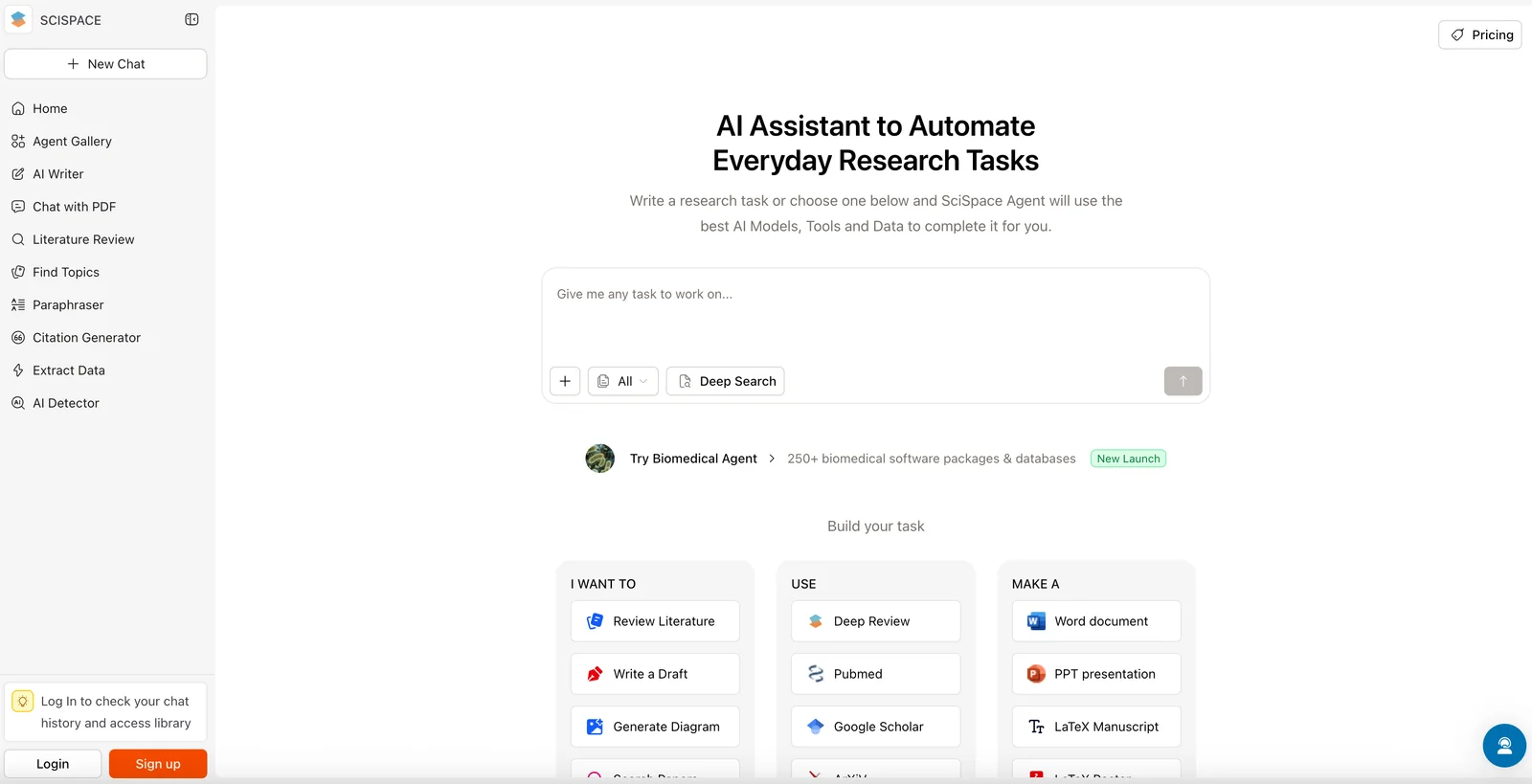
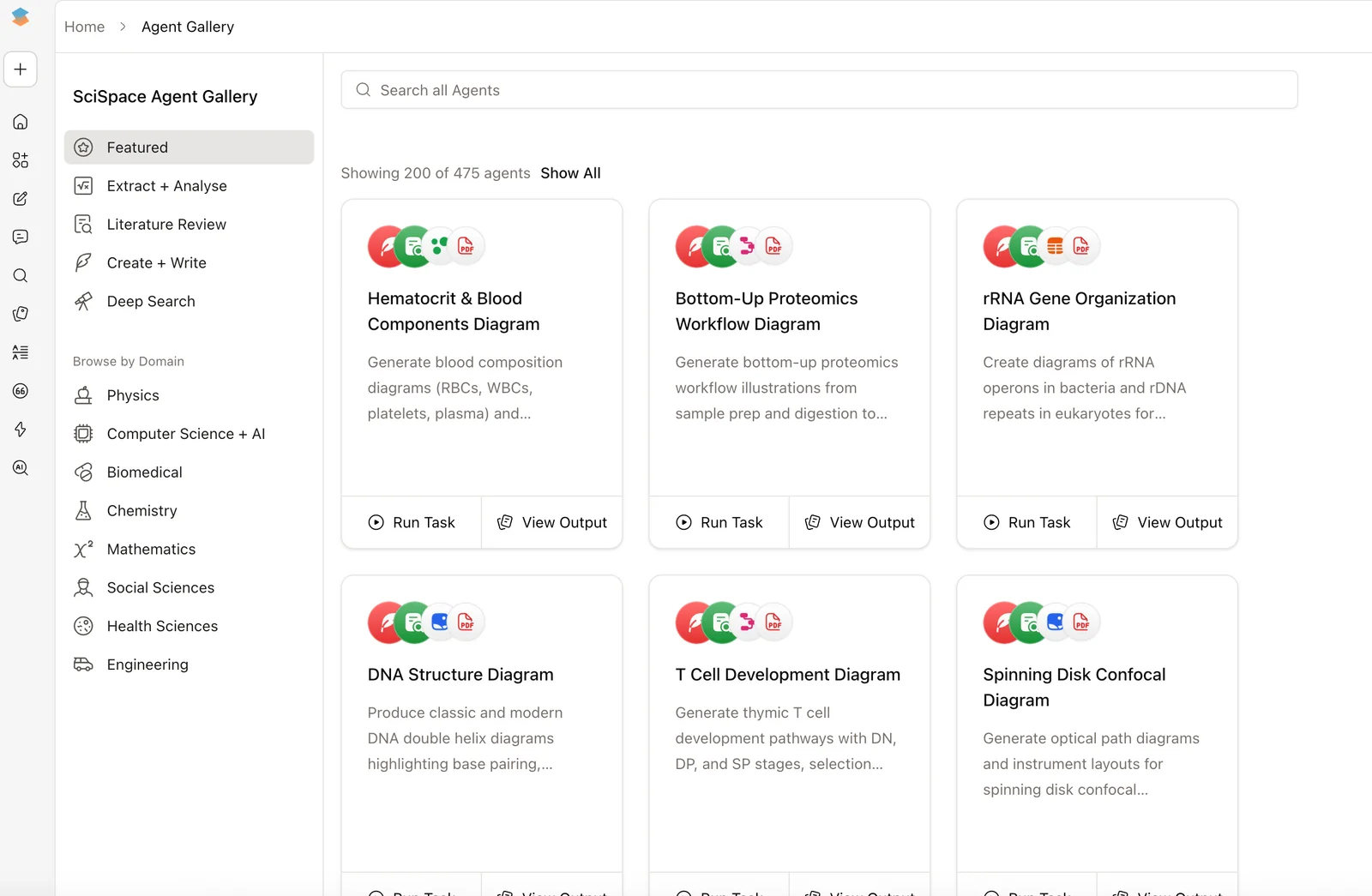
SciSpace's AI Research Agent is a research-focused agent platform that integrates over 150 research tools and a corpus of ~280 million papers to accelerate literature discovery, systematic reviews, manuscript drafting, and journal matching. It orchestrates search, extraction, and writing workflows so researchers can find relevant papers, extract key information (including biomedical entities via domain models), draft and format manuscripts, and identify suitable journals for submission. The platform is positioned to reduce research time substantially by combining multi-tool integrations, domain-specific NLP models, and automated publishing assistance. Community references also indicate SciSpace provides biomedical NLP components (NER models trained on biomedical corpora) for domain extraction and annotation tasks.
Screenshots
Key Features
Use Cases



Frequently asked questions about SciSpace BioMed Agent
What are the pricing options for SciSpace BioMed Agent?
SciSpace BioMed Agent provides a flexible freemium pricing model with multiple tiers: Free, Premium at $12/month (annual billing), Advanced at $70/month, Teams starting at $8/user/month, and custom pricing for Enterprise accounts. Each tier includes distinct features and usage limits tailored to different user needs.
Key Points
- Freemium Model: Users can start with a free tier.
- Tiered Pricing: Multiple subscription options to suit various budgets.
- Feature Differentiation: Each tier unlocks specific functionalities and usage limits.
Detailed Explanation
SciSpace BioMed Agent's pricing structure is designed to accommodate a range of users, from individual researchers to large organizations.
-
Free Tier: This option allows users to explore basic functionalities without any cost. It's perfect for students or casual users who want to test the platform's capabilities.
-
Premium Tier: At $12 per month with annual billing, the Premium plan includes advanced features such as enhanced searching capabilities, priority support, and additional storage. This tier is ideal for professionals who require more robust tools for their research.
-
Advanced Tier: Priced at $70 per month, the Advanced plan offers extensive features designed for serious researchers or small teams. This includes advanced analytics, collaboration tools, and integration with other research platforms.
-
Teams Tier: Starting at $8 per user per month, the Teams plan is tailored for organizations that need collaborative tools. This option facilitates team-based research and allows multiple users to access shared resources.
-
Enterprise Tier: For larger organizations, custom pricing is available. This option provides personalized support, enhanced security features, and the ability to customize functionalities to fit specific needs.
Best Practices / Tips
- Assess Your Needs: Before selecting a tier, evaluate your research requirements to choose a plan that maximizes value for your budget.
- Take Advantage of the Free Tier: Start with the free tier to familiarize yourself with the platform and its features before committing to a paid plan.
- Consider Team Size: If you're part of a research group, the Teams tier may offer significant savings compared to individual subscriptions.
Additional Resources
How can I use SciSpace BioMed Agent to draft my manuscript?
To draft a manuscript with SciSpace BioMed Agent, simply use its manuscript drafting feature, which helps organize sections and format your document. Additionally, leverage integrated tools for efficient citation management and to find suitable journals for submission, streamlining the entire writing process.
Key Points
- Manuscript Drafting Feature: Organizes sections and formats your document.
- Citation Management: Integrated tools for managing references efficiently.
- Journal Matching: Helps identify appropriate journals for submission.
Detailed Explanation
SciSpace BioMed Agent offers a user-friendly platform designed to assist researchers in drafting manuscripts effectively. Here’s a step-by-step guide on how to use its features:
-
Start a New Manuscript: Launch the SciSpace BioMed Agent and select the manuscript drafting feature. You'll find templates tailored for various types of research articles, including original research, reviews, and case studies.
-
Organize Your Content: Use the intuitive interface to organize sections such as the abstract, introduction, methods, results, and discussion. The tool allows you to easily drag and drop sections, making it convenient to rearrange your content as needed.
-
Formatting: SciSpace provides automatic formatting according to journal guidelines. Select your target journal from a comprehensive list, and the tool will adjust your manuscript to meet specific formatting requirements, such as reference styles and figure placement.
-
Citations and References: Efficient citation management is crucial for academic writing. Use SciSpace’s integrated citation tools to insert references directly as you write. The platform supports multiple citation formats like APA, MLA, and Chicago, ensuring accuracy in your bibliography.
-
Journal Matching: After completing your manuscript, utilize the journal matching feature. This tool analyzes your content and suggests relevant journals based on your research topic and article type, increasing your chances of publication.
Best Practices / Tips
- Utilize Templates: Take advantage of available templates for different manuscript types to save time and ensure compliance with formatting guidelines.
- Regularly Save Your Work: SciSpace allows you to save drafts, so make sure to frequently save and back up your work to prevent data loss.
- Stay Updated: Regularly check for updates and new features in SciSpace BioMed Agent to leverage the latest tools for manuscript preparation.
- Review Journal Guidelines: Before finalizing your manuscript, thoroughly review the specific submission guidelines of your chosen journal to avoid common pitfalls.
Additional Resources
What features does SciSpace BioMed Agent provide for systematic reviews?
SciSpace BioMed Agent offers features for systematic reviews that automate literature screening, data extraction, and synthesis, accelerating the review process significantly. It integrates with over 150 tools, enabling comprehensive searches across 280 million research papers, enhancing efficiency and accuracy for researchers.
Key Points
- Automated Literature Screening: Streamlines the process by filtering relevant studies.
- Data Extraction and Synthesis: Facilitates easy gathering and summarization of key findings.
- Wide Integration: Connects with over 150 tools for robust literature searches.
Detailed Explanation
SciSpace BioMed Agent is designed to enhance the systematic review process through automation and integration, making it an invaluable tool for researchers.
-
Automated Literature Screening: The agent utilizes advanced algorithms to sift through vast databases of academic literature, identifying relevant studies based on defined criteria. This reduces the time researchers spend manually reviewing papers, allowing them to focus on high-priority tasks.
-
Data Extraction and Synthesis: Once relevant papers are identified, the agent efficiently extracts pertinent data, such as study design, results, and conclusions. This data is then synthesized, providing a cohesive overview of the findings, which is crucial for accurate analysis and reporting.
-
Wide Integration: With connections to over 150 tools, including reference management software and analysis platforms, SciSpace BioMed Agent allows researchers to conduct comprehensive literature searches across a staggering 280 million papers. This extensive reach ensures that no relevant study is overlooked, enhancing the depth of systematic reviews.
Use Cases
For example, a researcher conducting a systematic review on a particular medical treatment can set specific inclusion and exclusion criteria within SciSpace BioMed Agent. The agent will automate the screening of papers from various databases, extract necessary data, and compile it into an organized format, significantly speeding up the review process.
Best Practices / Tips
- Define Clear Criteria: When setting up your review, ensure that your inclusion and exclusion criteria are specific to maximize the effectiveness of automated screening.
- Regularly Update Searches: Given the fast-paced nature of research, periodically update your literature searches to include new studies.
- Leverage Integration Options: Utilize the integration capabilities with other tools to streamline your workflow further, ensuring that all your data is centralized and easily accessible.
Additional Resources
Does SciSpace BioMed Agent integrate with other research tools?
Yes, SciSpace BioMed Agent integrates with over 150 specialized research tools, enabling users to transition smoothly from the discovery phase to publication without the need to switch platforms. This comprehensive integration streamlines workflows, enhances collaboration, and improves efficiency in the research process.
Key Points
- Extensive Integrations: Connects with over 150 research tools.
- Seamless Workflow: Facilitates a smooth transition from research to publication.
- Enhanced Collaboration: Encourages teamwork through integrated features.
Detailed Explanation
SciSpace BioMed Agent is designed to enhance the research experience by integrating with a wide array of tools commonly used in scientific research. These integrations cover various categories, including reference management, data analysis, and manuscript preparation.
For instance, researchers can link SciSpace with platforms like Zotero for reference management, enabling effortless citation insertion and bibliography generation. Similarly, integration with tools like R or Python allows for data analysis directly within the SciSpace environment, minimizing the need to switch contexts.
Moreover, the BioMed Agent supports collaborative features, allowing multiple researchers to work on the same project. This is particularly useful in fields such as biomedical research, where teamwork is essential for advancing studies and publishing findings. By offering real-time collaboration features, SciSpace ensures that every team member can contribute effectively, regardless of their preferred research tools.
Use Case Example
Consider a research team studying a new drug. Using SciSpace BioMed Agent, they can:
- Conduct literature reviews using integrated databases.
- Analyze data with statistical software linked to the platform.
- Write and format their manuscript with built-in templates while managing citations seamlessly.
Best Practices / Tips
- Explore Integration Options: Familiarize yourself with the 150+ tools available to maximize the benefits of SciSpace BioMed Agent.
- Utilize Collaborative Features: Take advantage of real-time collaboration to enhance productivity and innovation within your research team.
- Stay Updated: Regularly check for new integrations and updates that may further streamline your research process.
Additional Resources
By leveraging these integrations and best practices, researchers can significantly enhance their productivity and collaboration, making the most of their research efforts.
How does SciSpace BioMed Agent compare to other research tools?
SciSpace BioMed Agent outperforms other research tools with its vast literature search capabilities, encompassing 280 million papers, and its cohesive toolchain. It emphasizes automation in manuscript drafting and journal matching, making it exceptionally suitable for researchers looking to streamline their workflow and improve publication success.
Key Points
- Extensive Literature Database: Access 280 million research papers.
- Integrated Toolchain: Combines multiple functionalities for efficiency.
- Focus on Automation: Simplifies manuscript drafting and journal selection.
Detailed Explanation
SciSpace BioMed Agent is designed specifically for researchers in the biomedical field. Its extensive literature search capabilities allow users to access a vast database of over 280 million research papers. This feature enables researchers to conduct comprehensive literature reviews quickly, ensuring they are up-to-date with the latest findings and trends.
One of the standout features of SciSpace BioMed Agent is its integrated toolchain, which combines various functionalities such as citation management, manuscript drafting, and journal matching. This integration reduces the need for multiple software solutions, streamlining the research process. For instance, while drafting a manuscript, researchers can automatically generate citations in the appropriate format, saving time and reducing errors.
Unlike many competitors, SciSpace BioMed Agent emphasizes automation, which can significantly enhance productivity. The tool offers features like automated manuscript formatting, making it easier for researchers to adhere to the specific guidelines of their target journals. Additionally, the journal matching tool analyzes the manuscript and suggests suitable journals based on its content, increasing the likelihood of publication success.
Best Practices / Tips
- Maximize Literature Search: Utilize advanced search filters to narrow down results based on specific criteria such as publication date, author, or keywords.
- Leverage Automation: Take full advantage of automated features to reduce the manual workload involved in manuscript preparation.
- Explore Journal Matching: Regularly use the journal matching tool to find new and relevant publication opportunities; it can save time and boost visibility.
Additional Resources
Explore more AI Ai Agents tools
Browse all Ai Agents tools →Browse by use case: Automation & Productivity
Compare SciSpace BioMed Agent: vs Playad · vs Concierge by Juniors AI · vs Scout by Fini · vs Ruflo