
Rytr
AIFeaturedA writing assistant that generates high-quality content quickly with customizable tone and templates.
Rytr
A writing assistant that generates high-quality content quickly with customizable tone and templates.
About Rytr
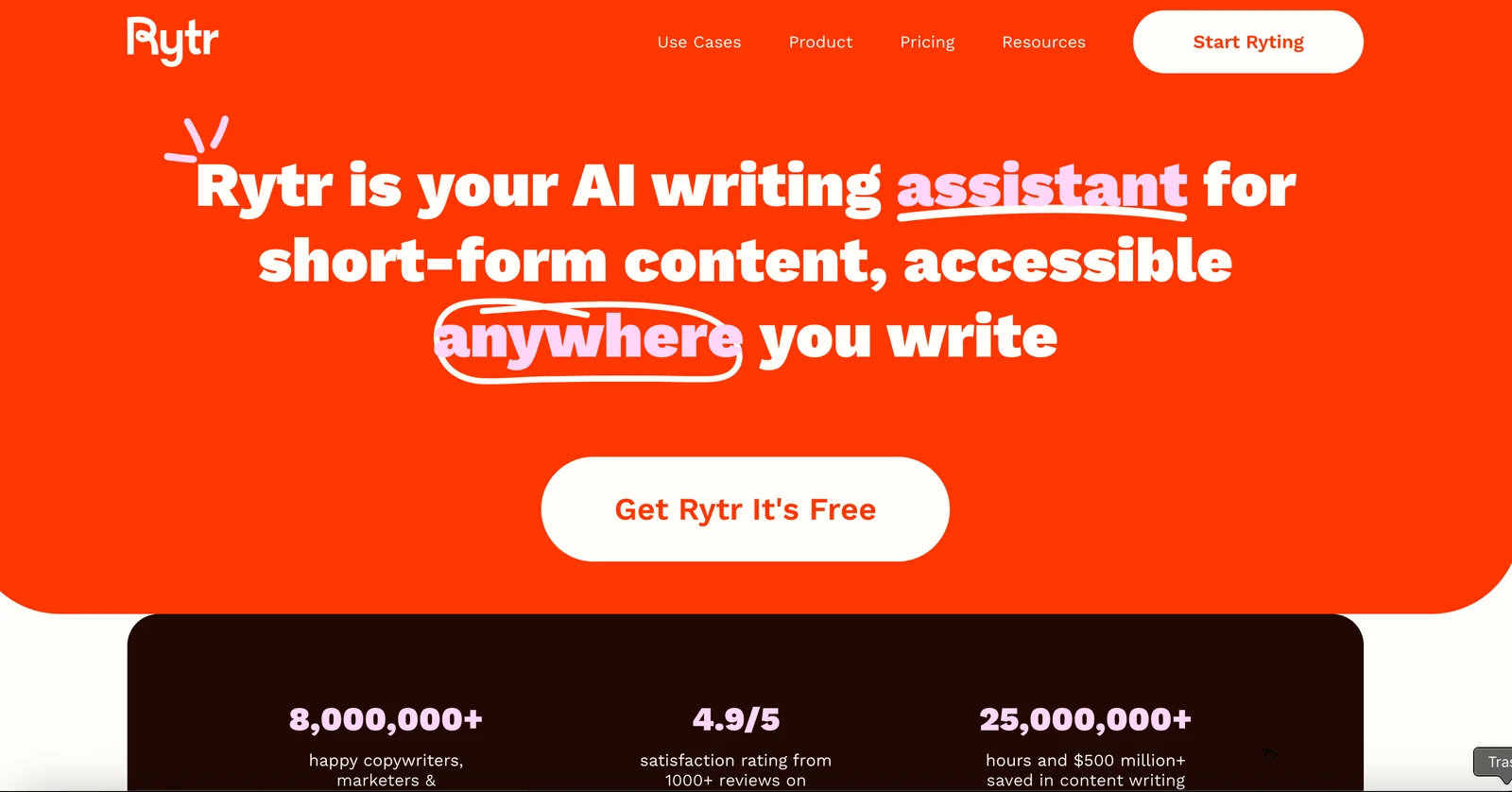
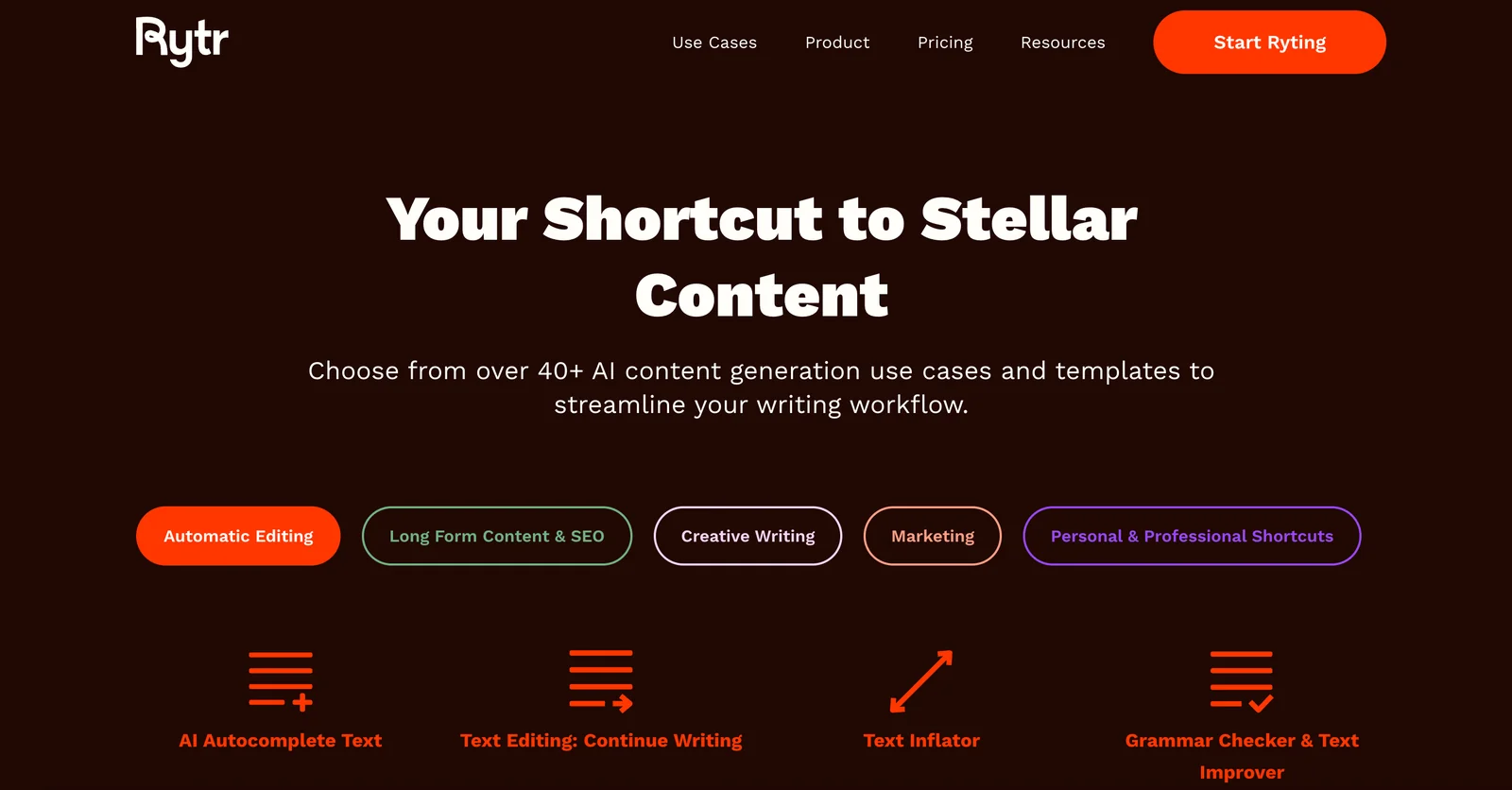
Rytr is a web-based writing assistant and content generator that helps users produce marketing copy, blog posts, social captions, emails, and other written content rapidly. Users provide a topic, keywords, or a short brief and Rytr generates content in seconds, with options to select tones and languages. The platform offers many content-specific endpoints/templates (e.g., blog ideas, social captions, email newsletters), supports multiple writing styles, and exposes an API/SDK for programmatic access. Rytr emphasizes speed, cost-efficiency, and ease-of-use to help individuals and teams scale content creation.
Screenshots
Key Features
Use Cases



Frequently asked questions about Rytr
What are the pricing options for Rytr?
Rytr offers a freemium pricing model with four tiers: Free (up to 10,000 characters/month), Saver ($9/month for 50,000 characters), and Unlimited ($29/month) with no character limits. This structure allows users to choose a plan based on their writing needs and budget.
Key Points
- Free Plan: Up to 10,000 characters monthly.
- Saver Plan: Priced at $9/month, includes 50,000 characters.
- Unlimited Plan: $29/month with no character restrictions.
Detailed Explanation
Rytr’s pricing model is designed to cater to different user needs:
-
Free Plan: The Free tier is ideal for casual users or those looking to test Rytr's capabilities without financial commitment. It allows up to 10,000 characters per month, making it suitable for light users or occasional projects.
-
Saver Plan: At $9 per month, this plan offers 50,000 characters, which is perfect for freelancers or small business owners who require a bit more content generation. This tier also unlocks additional features like access to premium use cases and templates, enhancing user experience.
-
Unlimited Plan: The Unlimited plan is the most flexible option at $29 per month. It allows users to generate as much content as they need without worrying about character limits. This plan is geared towards content marketers, agencies, or anyone who requires extensive writing capabilities.
Use Cases
- Writers: The Free plan is great for casual writing projects, while the Unlimited plan suits professional writers who need to produce large volumes of content.
- Businesses: Small businesses can benefit from the Saver plan for regular content marketing, whereas larger companies might find the Unlimited plan more suitable for ongoing campaigns.
Best Practices / Tips
- Evaluate Your Needs: Before choosing a plan, assess how often you write and the volume of content you typically require.
- Utilize Free Resources: Use the Free plan to get accustomed to Rytr's interface and features before committing to a paid plan.
- Monitor Usage: If you opt for the Saver plan, keep track of your character usage to avoid hitting the limit unexpectedly.
Additional Resources
How do I start using Rytr for content generation?
To start using Rytr for content generation, visit the official Rytr website, sign up for a free account, and access the intuitive web editor. Choose from a variety of writing templates, select your desired tone, and input your topics to quickly generate high-quality content.
Key Points
- Easy Sign-Up Process: Create a free account in minutes.
- Diverse Writing Templates: Access various templates tailored for different content types.
- Tone Customization: Select the writing tone that best fits your audience.
Detailed Explanation
-
Visit the Official Website: Start by navigating to Rytr's official website. The homepage provides an overview of the platform's features and capabilities.
-
Sign Up for a Free Account: Click on the "Sign Up" button. You can register using your email or sign in with Google. The free account allows you to explore basic features and generate up to 5,000 characters per month without any cost.
-
Access the Web Editor: Once signed in, you'll be directed to the Rytr web editor. This user-friendly interface is designed for efficiency, allowing you to start writing immediately.
-
Choose Writing Templates: Rytr offers a variety of templates, including blog posts, social media captions, emails, and more. Select a template based on your content needs to streamline the writing process.
-
Select Your Tone: Customize the tone of your content by choosing options like formal, casual, enthusiastic, or persuasive. This ensures that your message resonates with your target audience.
-
Input Topics and Generate Content: Enter your desired topic or keyword in the prompt area. Click "Ryte" to generate content. You can edit the generated text, refine it, or regenerate new content until you achieve the desired result.
Best Practices / Tips
- Experiment with Different Templates: Try out various templates to see which one best suits your writing style and project needs.
- Utilize the Tone Selector: Don’t hesitate to experiment with different tones to find what works best for your audience and message.
- Review and Edit Generated Content: Always proofread the AI-generated text to ensure accuracy and alignment with your brand voice.
- Maximize Character Usage: If you’re on a free plan, keep track of your character count to make the most of your monthly allowance.
Additional Resources
- Rytr Documentation - Official user guide and feature explanations.
- Blog on Content Creation Tips - Insights and strategies for effective content generation.
- YouTube Tutorials - Video guides on using Rytr features effectively.
What are the main features of Rytr?
Rytr offers AI-powered content generation, customizable tones, an extensive template library, and API access for seamless integration. It supports multiple languages and provides quick editing features, making it suitable for diverse content creation needs, including blog posts, social media updates, and marketing copy.
Key Points
- AI-Powered Content Generation: Produces high-quality text efficiently.
- Customizable Tones: Allows users to select the desired writing style.
- Template Library: Offers pre-built structures for various content types.
Detailed Explanation
Rytr is an advanced AI writing assistant that leverages machine learning to help users create engaging content across multiple platforms. Its key features include:
1. AI-Powered Content Generation
Rytr uses state-of-the-art natural language processing to generate text that adheres to context and user requirements. Whether you need a product description, a blog post, or social media content, Rytr can produce drafts in seconds, saving you time and enhancing productivity.
2. Customizable Tones
This tool allows users to select from various tones such as formal, casual, enthusiastic, and more. This feature is particularly useful for brands aiming to maintain a consistent voice across different communication channels, ensuring that the content resonates with their target audience.
3. Template Library
Rytr provides a library of templates designed for specific content types, including emails, articles, and ads. For example, if you're writing a marketing email, you can choose a template that guides you through the key elements to include, streamlining the writing process.
4. API Access
For developers and businesses looking to integrate Rytr into their workflows, the API access feature allows for seamless incorporation of AI writing capabilities into existing applications. This is ideal for teams that need scalable solutions for content creation.
5. Multi-Language Support
Rytr supports over 30 languages, making it a versatile tool for global content strategies. This feature enables users to create content in their preferred language or target different demographics effectively.
6. Quick Edits
With its user-friendly interface, Rytr allows for quick edits and modifications, making it easy to refine generated content to meet specific requirements. You can adjust the length, tone, and style with just a few clicks.
Best Practices / Tips
- Utilize Templates: Begin with templates to structure your content effectively, especially for unfamiliar formats.
- Experiment with Tones: Test different tones to see which resonates best with your audience.
- Regularly Review Generated Content: While Rytr is efficient, always proofread and edit the final output to maintain quality and accuracy.
Additional Resources
How does Rytr compare to other writing tools?
Rytr distinguishes itself from other writing tools with its freemium model, offering unlimited characters in its premium plan and various tone options. It provides an extensive selection of templates, making it ideal for both casual and professional content creators, unlike many competitors that impose strict character limits.
Key Points
- Freemium Model: Access to a free version with essential features.
- Unlimited Characters: Premium plan allows for extensive content creation without limitations.
- Diverse Templates: A wide range of templates catering to different writing needs.
Detailed Explanation
Rytr is an AI writing assistant that excels in flexibility and user-friendliness. Its freemium model lets users try out the tool without financial commitment, which is appealing for beginners or those unsure about investing in paid writing software. The free version includes basic features for generating content, while the premium plan, starting around $29 per month, unlocks advanced functionalities, including unlimited character generation. This is particularly beneficial for bloggers, marketers, and businesses that require extensive content without the worry of hitting character limits.
Moreover, Rytr’s diverse range of templates—from blog posts and social media captions to emails and product descriptions—enhances user experience by providing tailored suggestions. For instance, a user can create a compelling blog post in minutes by selecting the “Blog Ideas” template and customizing the output according to their preferred tone, whether it’s professional, casual, or creative.
Best Practices / Tips
- Explore the Free Version: Start with the free plan to understand Rytr’s capabilities before upgrading.
- Utilize Templates: Leverage the wide array of templates to jumpstart your writing process and save time.
- Experiment with Tones: Test different tone settings to find the best fit for your audience, ensuring your content resonates well.
- Stay Updated: Regularly check for new features or templates added to Rytr to enhance your writing experience.
Additional Resources
By understanding these features and best practices, users can effectively utilize Rytr as a powerful writing tool, making it a strong contender in the AI writing tool market.
Does Rytr have an API for integration?
Yes, Rytr provides API access, enabling developers to seamlessly integrate its advanced content generation capabilities into their applications. With customizable request parameters such as tone and language, users can achieve tailored outputs that meet specific content needs.
Key Points
- API Access: Rytr offers a robust API for developers.
- Customizable Parameters: Users can adjust tone and language settings.
- Integration Flexibility: The API can be integrated into various applications.
Detailed Explanation
Rytr's API allows developers to harness the power of AI-driven content generation directly within their applications. This feature is particularly beneficial for businesses looking to automate content creation, improve user engagement, or enhance marketing efforts.
How to Use Rytr's API
- Sign Up for an Account: Begin by creating an account on Rytr's platform and obtaining your API key.
- Review Documentation: Familiarize yourself with the API documentation available on the Rytr website. This will help you understand the endpoints, request methods, and response formats.
- Make API Calls: Use the API key to authenticate your requests. You can specify parameters such as:
- Tone: Choose from options like professional, playful, or informative.
- Language: Select the desired language for your content.
- Receive Tailored Outputs: The API will return generated content based on your specified parameters, allowing for high levels of customization.
Use Cases
- Content Marketing: Generate blog posts, social media content, or email newsletters.
- E-commerce: Create product descriptions or promotional materials.
- Customer Support: Develop automated responses for FAQs or chatbots.
Best Practices / Tips
- Test Different Parameters: Experiment with various tone and language combinations to find the best fit for your audience.
- Monitor API Usage: Keep track of your API calls to stay within any usage limits set by Rytr.
- Stay Updated: Regularly check for updates in the API documentation to take advantage of new features or improvements.
Additional Resources
- Rytr API Documentation – Official documentation for detailed integration guidance.
- Rytr Blog – Insights and tips for maximizing your use of Rytr.
Explore more AI Ai Agents tools
Browse all Ai Agents tools →Compare Rytr: vs Playad · vs Concierge by Juniors AI · vs Scout by Fini · vs Ruflo