

ruOS
AIBrowser-based agentic desktop from Cognitum with Claude Code and AI helpers built in, running research, writing and code tasks on any device.
ruOS
Browser-based agentic desktop from Cognitum with Claude Code and AI helpers built in, running research, writing and code tasks on any device.
About ruOS
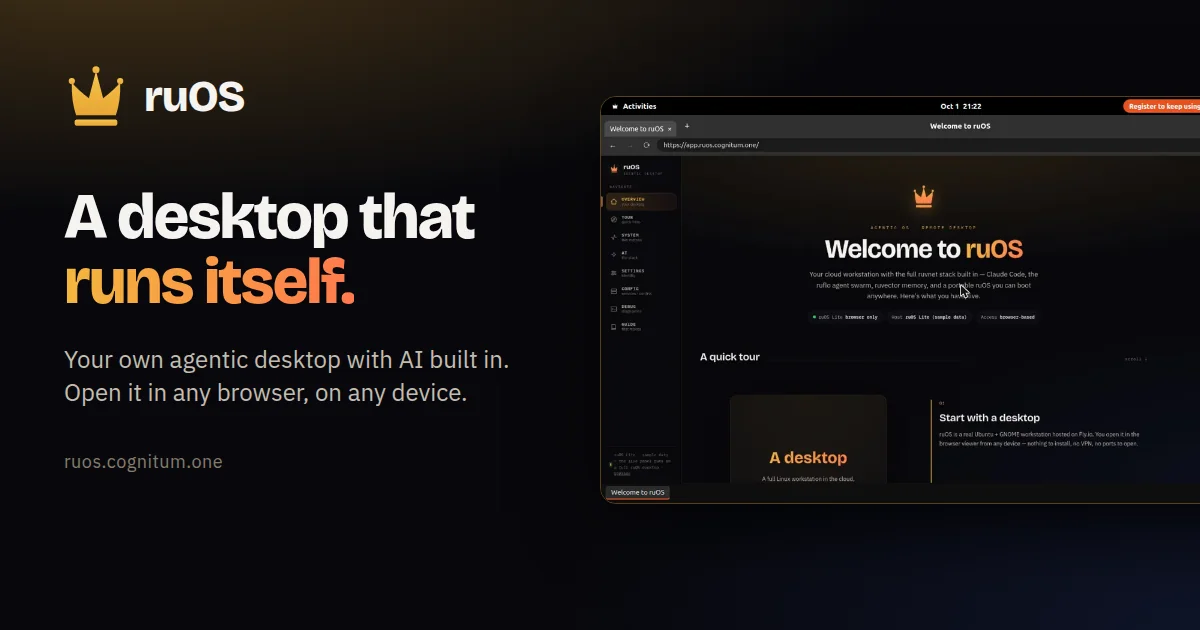
ruOS is an agentic desktop that runs entirely in a web browser, giving you a Linux-style workspace with AI helpers built in that do research, writing and coding for you. It bundles Claude Code with the open-source ruvnet stack: ruflo for team orchestration, ruvector for memory and ruview for screen understanding. Sessions persist, saving files, sign-ins and what the AI has learned across devices, and it works on Mac, iPad, Chromebook or Linux without installation. It ships with VS Code preinstalled and supports the Model Context Protocol so agents can control the desktop programmatically. A free ruOS Lite is available without sign-up, while the full version is in early access.
Screenshots
Key Features
Use Cases


Frequently asked questions about ruOS
What is ruOS?
Browser-based agentic desktop from Cognitum with Claude Code and AI helpers built in, running research, writing and code tasks on any device.
How does ruOS work?
ruOS works by combining Browser-Based Desktop: A full agentic desktop that opens in any web browser on Mac, iPad, Chromebook or Linux with no installation., Built-In AI Helpers: Includes Claude Code plus ruflo for team orchestration, ruvector for memory and ruview for screen understanding., Persistent Sessions: Automatically saves files, sign-ins and AI learnings so work continues across devices., Preinstalled Developer Tools: Ships with VS Code and extensions such as 1Password, Bitwarden and uBlock Origin Lite., MCP Integration: Supports the Model Context Protocol so agents can control the desktop programmatically. to help users with Research and Writing: Delegating web research and drafting to built-in AI helpers., Code Development: Writing and testing code with Claude Code and VS Code in a cloud desktop., Cross-Device Continuity: Picking up the same session from a laptop, iPad or Chromebook., Project Management with AI: Using agents to organise and drive multi-step project work., Agent Sandboxing: Giving agents a contained desktop to operate through MCP..
What are the main features of ruOS?
Key features include Browser-Based Desktop: A full agentic desktop that opens in any web browser on Mac, iPad, Chromebook or Linux with no installation., Built-In AI Helpers: Includes Claude Code plus ruflo for team orchestration, ruvector for memory and ruview for screen understanding., Persistent Sessions: Automatically saves files, sign-ins and AI learnings so work continues across devices., Preinstalled Developer Tools: Ships with VS Code and extensions such as 1Password, Bitwarden and uBlock Origin Lite., MCP Integration: Supports the Model Context Protocol so agents can control the desktop programmatically..
Who is ruOS for?
ruOS is useful for anyone interested in Research and Writing: Delegating web research and drafting to built-in AI helpers., Code Development: Writing and testing code with Claude Code and VS Code in a cloud desktop., Cross-Device Continuity: Picking up the same session from a laptop, iPad or Chromebook., Project Management with AI: Using agents to organise and drive multi-step project work., Agent Sandboxing: Giving agents a contained desktop to operate through MCP..
How much does ruOS cost?
ruOS offers a free tier with paid plans for advanced features.
How do I get started with ruOS?
Visit https://ruos.cognitum.one/ to sign up and explore ruOS.
Explore more AI Ai Agents tools
Browse all Ai Agents tools →Browse by use case: Automation & Productivity
Compare ruOS: vs Scout by Fini · vs Ruflo · vs Harness² · vs The New Beings