

Relay.app Agents
AINo-code platform to build and run autonomous AI agents that automate tasks across Gmail, Notion, HubSpot and hundreds of other apps.
Relay.app Agents
No-code platform to build and run autonomous AI agents that automate tasks across Gmail, Notion, HubSpot and hundreds of other apps.
About Relay.app Agents
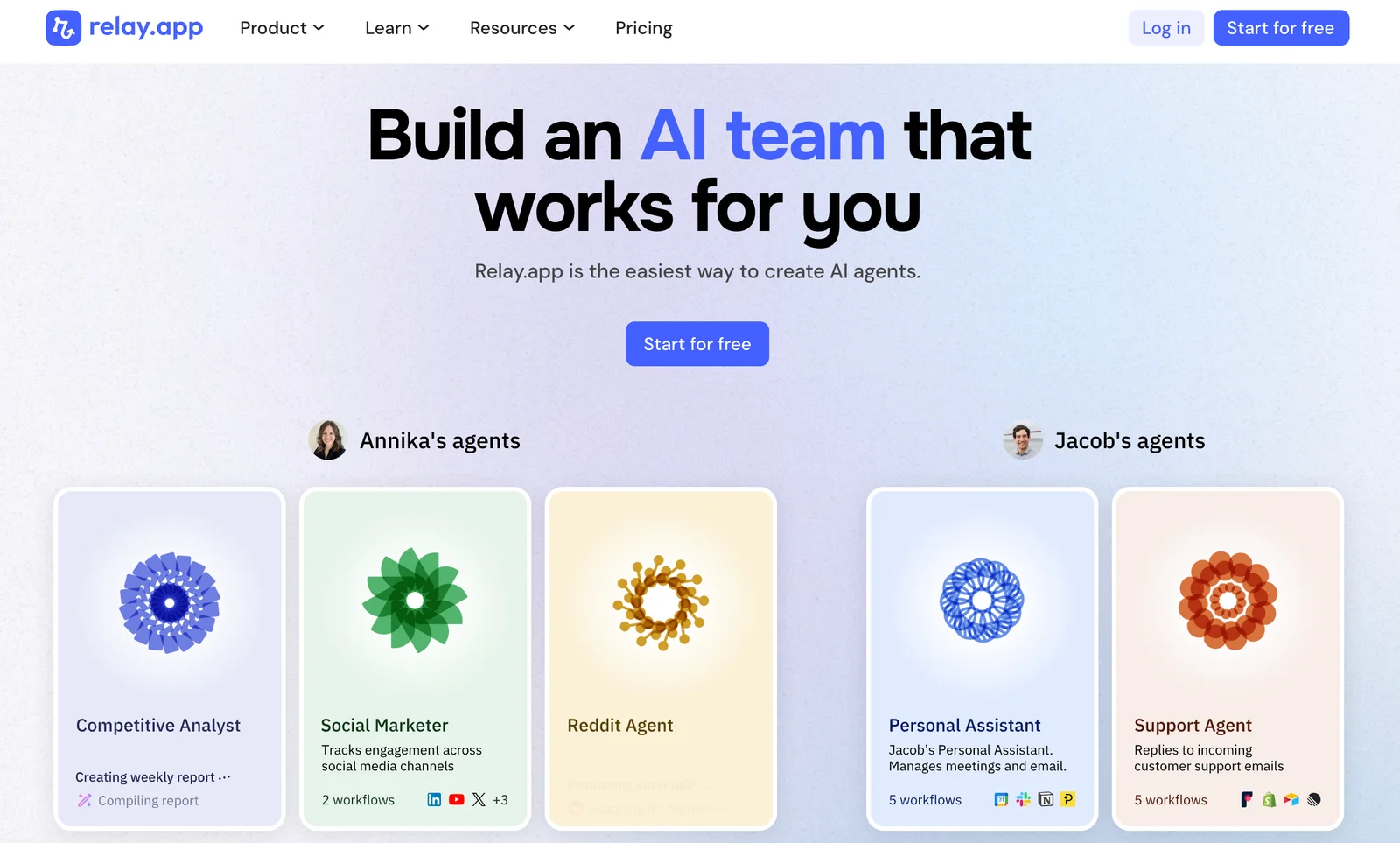
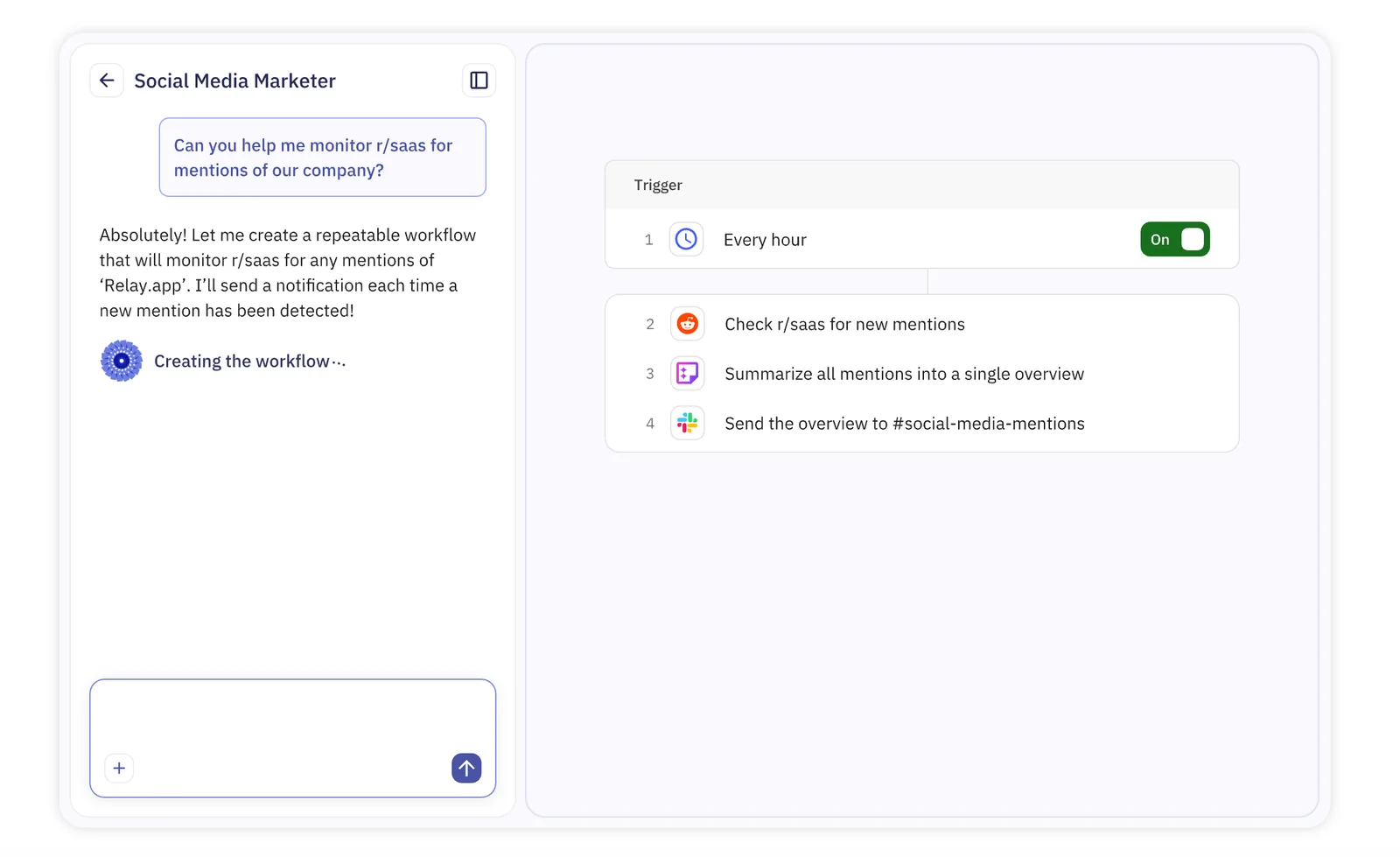
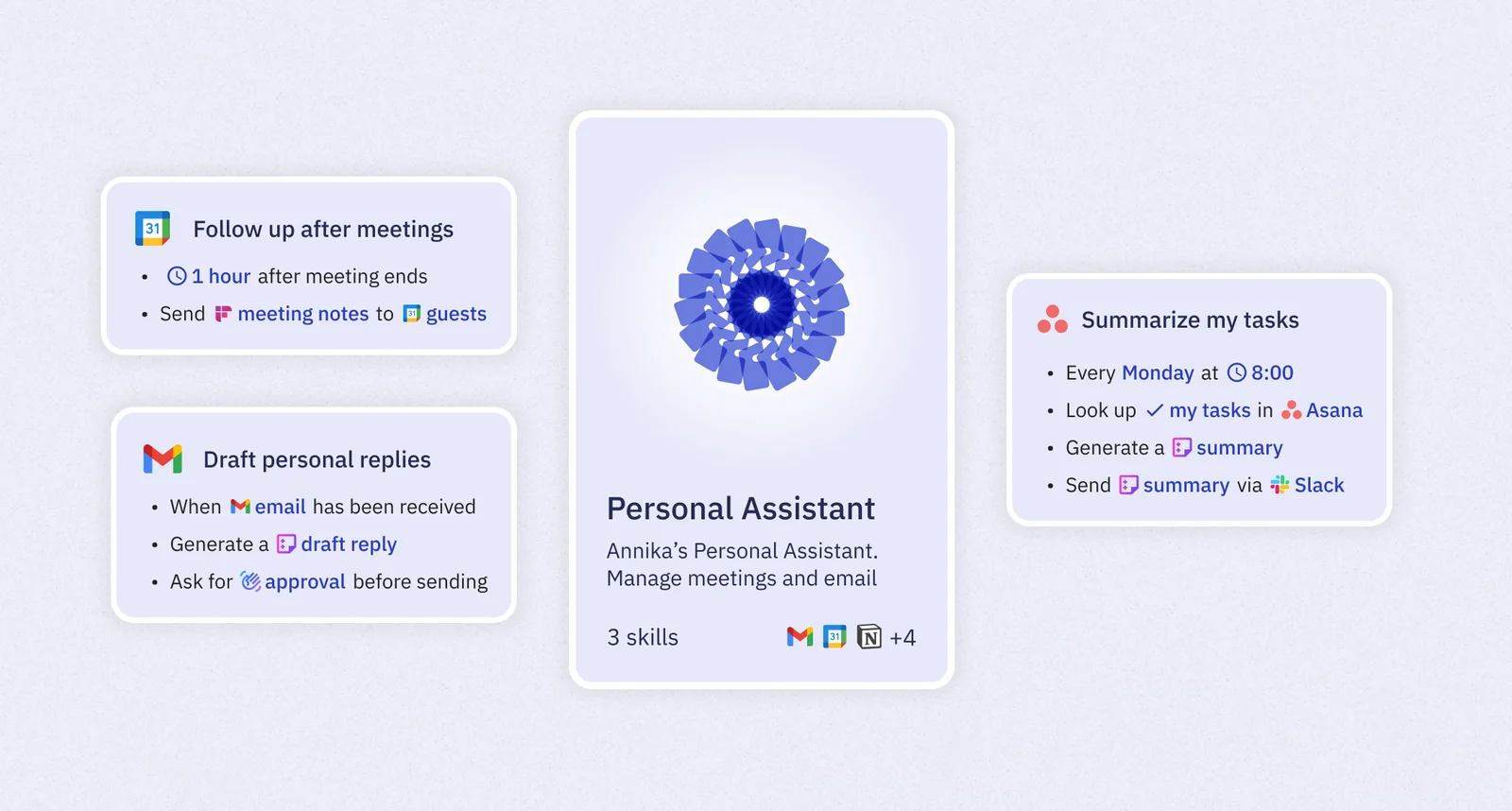
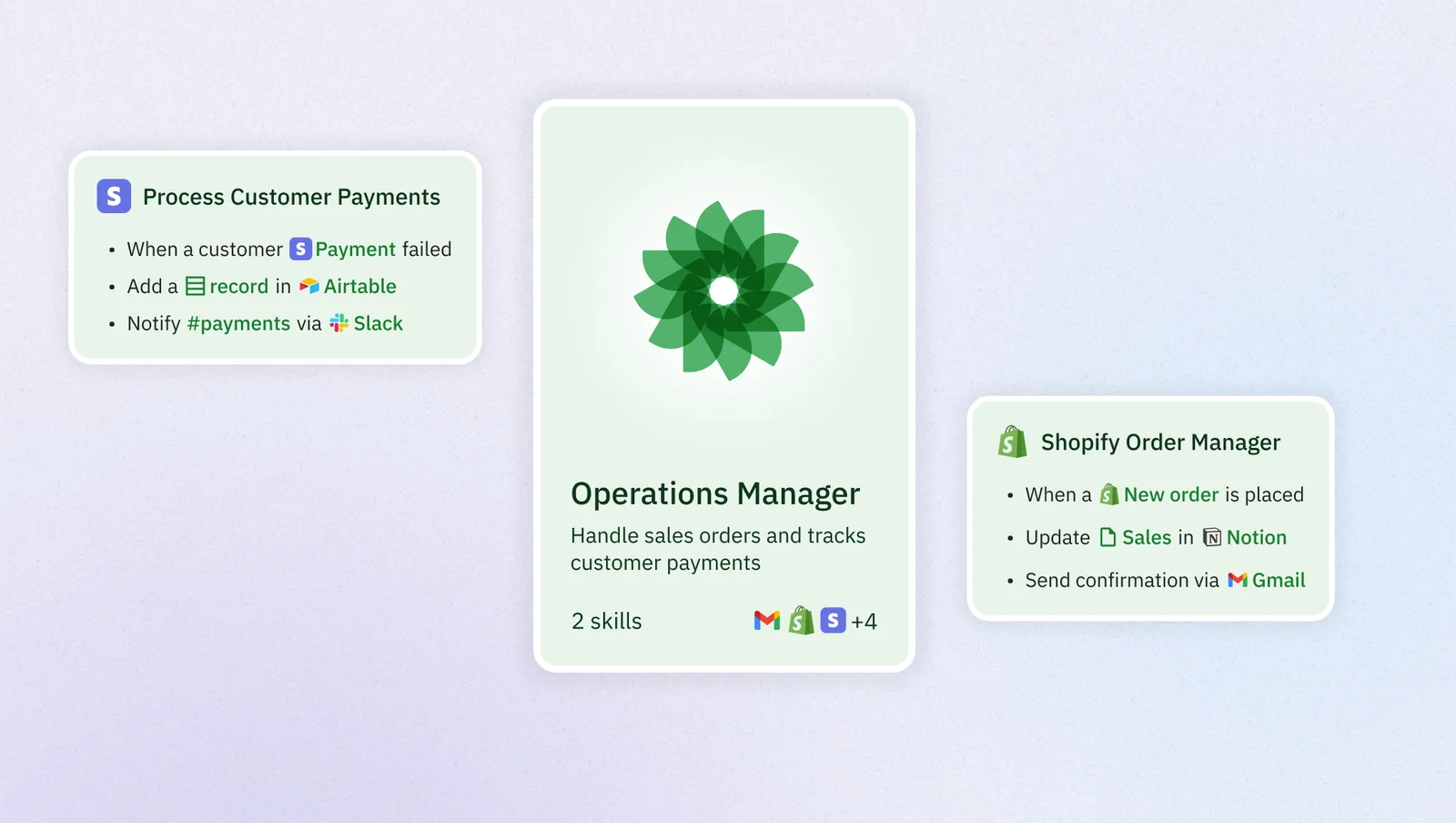
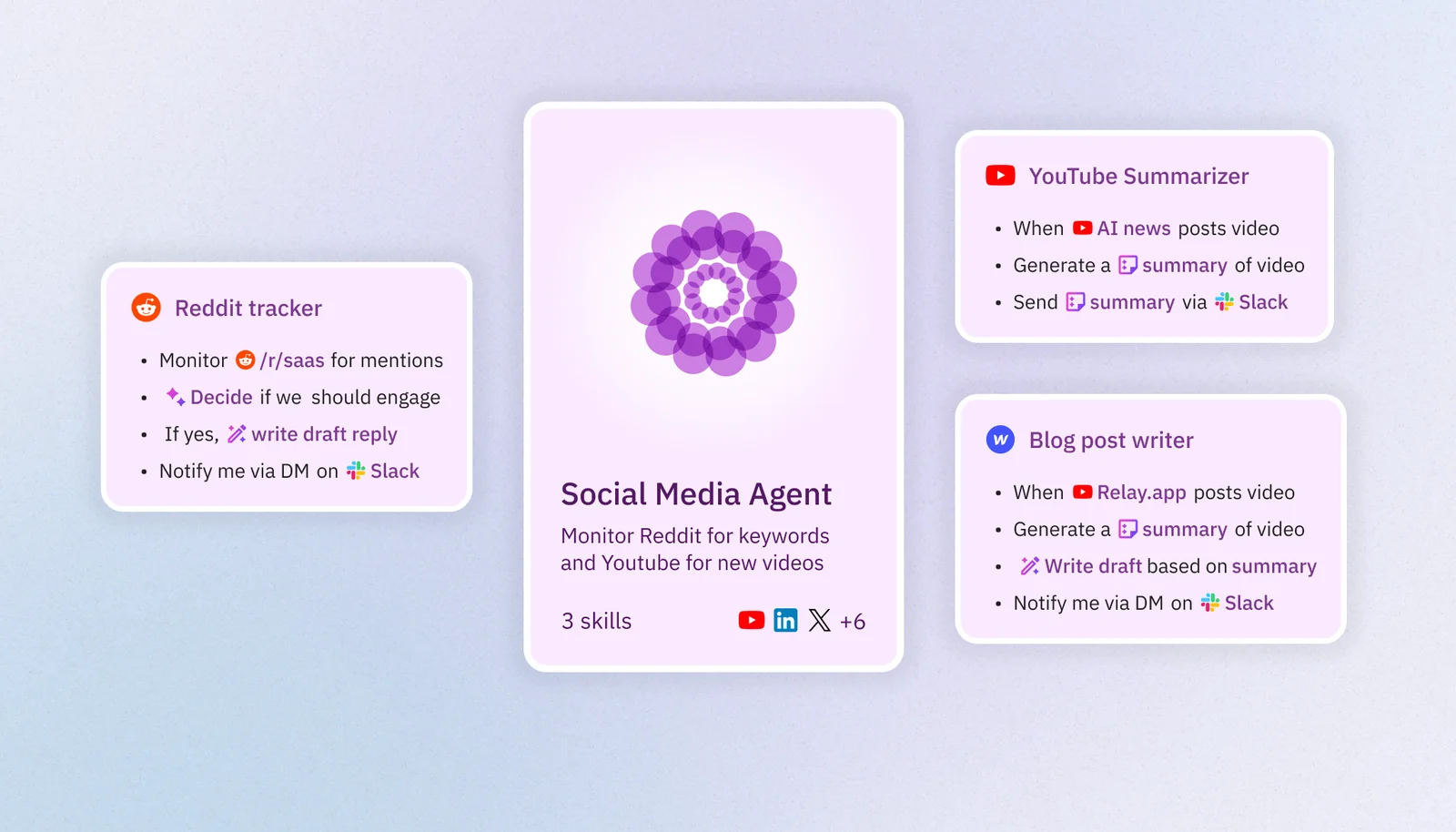
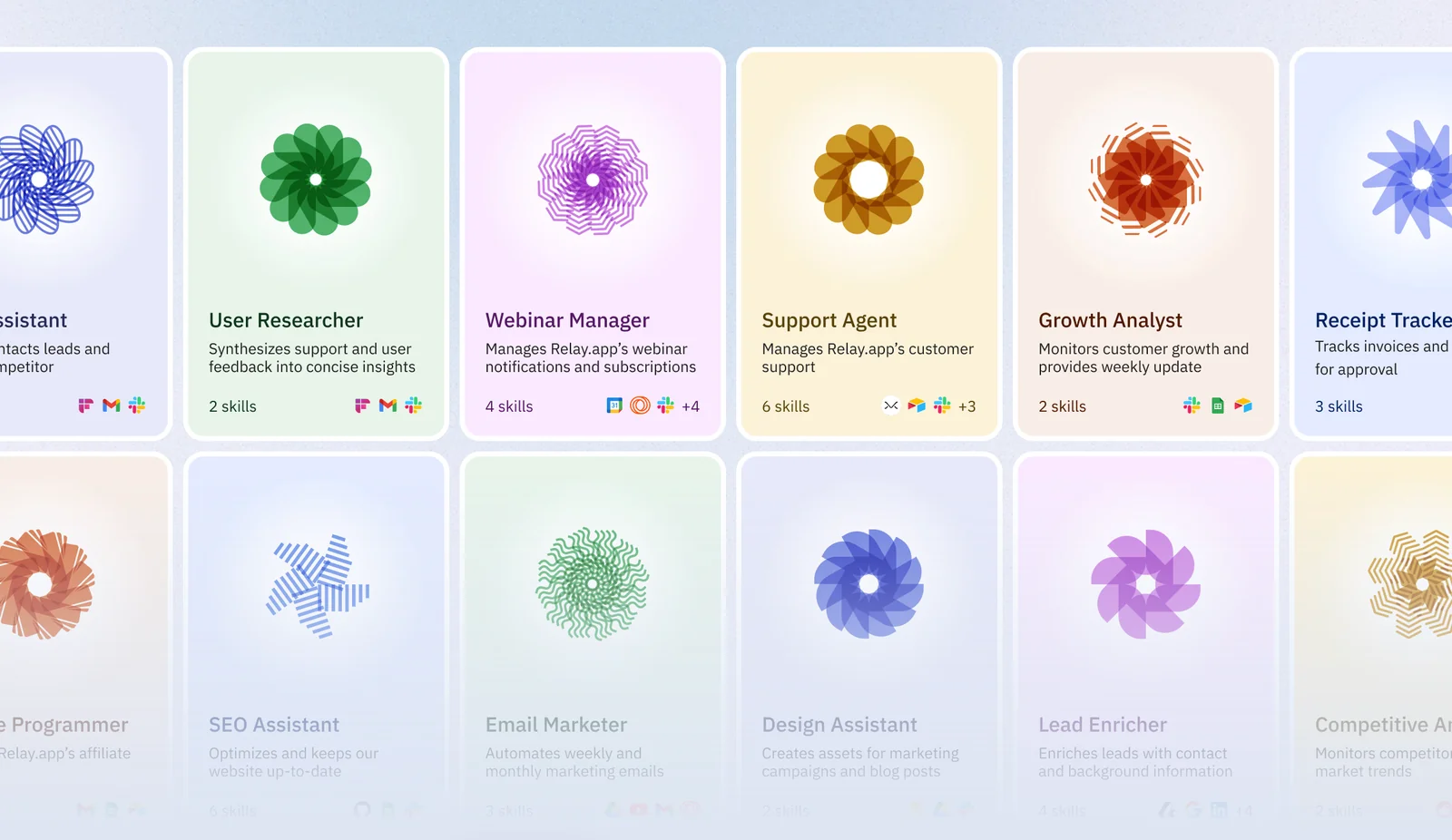
Relay.app provides a no-code environment to create, orchestrate, and run teams of AI agents that perform routine and complex workflows across hundreds of integrations (Gmail, Notion, HubSpot, etc.). Users build agents via drag-and-drop flows and pre-built templates, connect them to external apps, and optionally include human-in-the-loop controls. Agents run proactively day and night, continually improving over time through configuration and iterative controls. Relay emphasizes ease-of-use for non-technical users while supporting advanced integrations and large language model backends (e.g., GPT-4/Claude integrations reported in third-party listings).
Screenshots
Key Features
Use Cases



Frequently asked questions about Relay.app Agents
What is the pricing structure for Relay.app Agents?
Relay.app utilizes a freemium pricing model, offering a free tier with basic features. Paid plans start at $9 per month for enhanced integrations and increased usage limits, while custom enterprise pricing is available for larger organizations requiring tailored solutions.
Key Points
- Freemium Model: Access to basic features for free.
- Affordable Paid Plans: Starting at $9/month for additional features.
- Custom Solutions: Enterprise pricing for larger organizations.
Detailed Explanation
Relay.app's pricing structure is designed to cater to various users, from individuals to large organizations. The freemium model allows users to explore basic functionalities without any financial commitment, making it an excellent choice for those new to automation tools.
Paid Plans Breakdown:
- Basic Plan: For just $9 per month, users gain access to expanded integrations with various platforms, allowing for increased automation capabilities. This plan is ideal for small businesses or teams that require more than the basic offering.
- Pro Plan: Typically in the range of $20-$30 per month (exact pricing can vary), this plan includes advanced features such as priority support and enhanced analytics. It's suited for growing teams that need robust automation solutions.
- Custom Enterprise Pricing: For larger organizations, Relay.app offers tailored pricing based on specific needs, including high-volume usage and dedicated support. This option is ideal for enterprises looking to implement comprehensive automation strategies across multiple departments.
For example, a marketing team might utilize the basic plan for social media automation, while a larger organization could leverage custom enterprise pricing to automate workflows across their entire customer service department.
Best Practices / Tips
- Start with Free Tier: Use the free plan to understand your needs before committing to a paid plan.
- Evaluate Usage Needs: Assess your team's size and integration requirements to choose the most cost-effective plan.
- Consider Growth: If you anticipate scaling your operations, explore the enterprise options early to ensure you have a customized solution ready.
Additional Resources
This comprehensive approach ensures users can make informed decisions about their Relay.app subscription, maximizing their automation potential while keeping costs manageable.
What key features does Relay.app provide for automation?
Relay.app provides a robust platform for automation, featuring a no-code workflow builder, seamless multi-app integrations, proactive background agents, LLM backend support, and human-in-the-loop controls. This empowers users to design and execute complex automation processes effortlessly, without requiring any coding skills.
Key Points
- No-Code Workflow Builder: Create workflows without programming.
- Multi-App Integrations: Connect various applications seamlessly.
- Proactive Background Agents: Automate tasks in the background efficiently.
Detailed Explanation
Relay.app is designed to simplify automation for users of all skill levels. The no-code workflow builder allows anyone to create custom workflows using a drag-and-drop interface. This means you can visually arrange tasks and define triggers without writing a single line of code.
Multi-app integrations are a standout feature. Relay.app can connect with popular applications like Slack, Google Sheets, and Salesforce, enabling data flow and task automation across different platforms. For example, you can set up a workflow that automatically updates a Google Sheet when a Slack message is received.
Proactive background agents help monitor tasks and execute actions autonomously. These agents work behind the scenes to ensure that your workflows are running smoothly, notifying you only when action is required.
Additionally, Relay.app leverages LLM (Large Language Model) backend support, enhancing the platform's capabilities by enabling natural language processing features. This allows users to create more sophisticated automations based on conversational commands.
Lastly, the human-in-the-loop controls feature ensures that critical tasks requiring human oversight are flagged for review. This is crucial for maintaining quality and accuracy in automated processes, particularly in sensitive applications like finance or healthcare.
Best Practices / Tips
- Start Simple: Begin with basic workflows to familiarize yourself with the platform before moving to complex automations.
- Utilize Templates: Relay.app offers templates for common tasks; use these as a base to accelerate your workflow creation.
- Test Regularly: Always test your workflows in a controlled environment to ensure they function as expected before deploying them widely.
- Monitor Performance: Regularly review the performance of your automations to identify areas for improvement or optimization.
Additional Resources
How do I start using Relay.app to automate my tasks?
To start using Relay.app and automate your tasks effectively, sign up for a free account on their website. Leverage the no-code builder and explore the pre-built templates to create your first automation workflows without needing any programming skills or technical expertise.
Key Points
- Free Account Setup: Quickly create an account without any financial commitment.
- No-Code Builder: Design automations using intuitive drag-and-drop features.
- Pre-Built Templates: Start with templates tailored for various tasks and industries.
Detailed Explanation
Relay.app is designed for users of all skill levels, making automation accessible to everyone. To get started:
-
Sign Up for an Account:
- Visit the Relay.app website and click on the sign-up button.
- Fill out the registration form with your email address and create a password. You’ll receive a confirmation email to activate your account.
-
Explore the Dashboard:
- After logging in, familiarize yourself with the user-friendly dashboard. Here, you'll find options to create new workflows, access templates, and manage existing automations.
-
Utilize the No-Code Builder:
- Relay.app features a no-code builder that allows you to create automations by simply dragging and dropping elements. This includes selecting triggers (e.g., receiving an email) and actions (e.g., sending a notification).
-
Choose Pre-Built Templates:
- Relay.app offers a library of pre-built templates categorized by use case, such as marketing, project management, and customer support. Select a template that fits your needs, customize it, and launch your automation in minutes.
-
Test Your Workflow:
- Before fully implementing your automation, use the testing feature to ensure everything functions as intended. This step helps identify any adjustments needed.
Best Practices / Tips
- Start Simple: Begin with basic automations to build your confidence and understanding of the platform. For instance, automate a simple task like sending welcome emails to new subscribers.
- Iterate and Improve: Regularly review your workflows for efficiency. As you become more comfortable, add complexity and integrate additional tools.
- Stay Updated: Follow Relay.app’s blog and community forums to learn about new features, tips, and user experiences which can enhance your automation strategies.
Additional Resources
- Relay.app Official Documentation - Comprehensive guide on using all features.
- Relay.app Blog - Articles on automation tips, case studies, and best practices.
- YouTube Tutorials - Video content showcasing how to maximize the platform’s capabilities.
Can Relay.app integrate with popular apps like Gmail and Notion?
Yes, Relay.app seamlessly integrates with popular applications such as Gmail, Notion, and HubSpot. These native integrations facilitate efficient data synchronization and streamline workflow automation, enhancing productivity across your digital workspace.
Key Points
- Native Integrations: Relay.app supports direct connections with various platforms.
- Workflow Automation: Automate tasks between apps to save time and reduce manual effort.
- Enhanced Collaboration: Improve team collaboration by synchronizing data across tools.
Detailed Explanation
Relay.app provides native integrations with key productivity tools, including Gmail, Notion, and HubSpot. These integrations allow users to synchronize emails, notes, and customer relationship management (CRM) data effortlessly.
Integration with Gmail
With Relay.app's Gmail integration, users can:
- Automatically sync emails: Keep track of important communications directly within Relay.app.
- Manage tasks: Convert emails into actionable tasks, ensuring nothing falls through the cracks. For example, you can create a task from an email to follow up on a project.
Integration with Notion
The Notion integration enables users to:
- Centralize information: Pull notes and documents into Relay.app for easy access.
- Collaborate more effectively: Share project updates directly from Notion within your team, reducing the need to switch between apps.
Integration with HubSpot
For HubSpot, Relay.app helps in:
- Managing leads: Sync contact information and sales data to streamline your sales process.
- Tracking customer interactions: Keep all customer communication in one place, enhancing your CRM capabilities.
Best Practices / Tips
- Explore Custom Workflows: Take advantage of Relay.app's automation features by setting up custom workflows tailored to your needs. This could include automating repetitive tasks like sending follow-up emails.
- Regularly Review Integrations: Periodically check and update your integrations to ensure optimal performance and compatibility with the latest app features.
- Utilize Data Sync Features: Make the most of the data synchronization capabilities to keep all your platforms updated in real-time, enhancing teamwork and project management.
Additional Resources
How does Relay.app compare to other no-code automation tools?
Relay.app distinguishes itself from other no-code automation tools through its advanced LLM (Large Language Model) integrations and human-in-the-loop options. These features enable users to create more nuanced workflows that incorporate complex decision-making capabilities that many competing platforms do not offer.
Key Points
- LLM Integrations: Relay.app utilizes advanced AI technologies to enhance automation.
- Human-in-the-loop Options: This feature allows for better decision-making in workflows.
- User-Friendly Interface: Designed for both novices and experts, making automation accessible.
Detailed Explanation
Relay.app's innovative approach to automation is primarily driven by its LLM integrations. This allows users to leverage AI to analyze data and make decisions that are often too complex for traditional automation tools. For instance, in a customer support scenario, Relay.app can interpret nuanced customer inquiries and route them to the appropriate department or suggest helpful responses based on the context.
Moreover, the human-in-the-loop feature empowers users to intervene in automated processes when necessary. This is particularly beneficial in situations where human judgment is crucial, such as in compliance or legal workflows. For example, a finance team can set up Relay.app to automate invoice approvals but retain the ability to review and approve large transactions manually, ensuring that no critical errors occur.
Relay.app also offers an intuitive interface that caters to users with varying levels of expertise. While some no-code tools can overwhelm beginners with their complexity, Relay.app simplifies the automation process, allowing users to drag and drop components to create workflows seamlessly.
Best Practices / Tips
- Start Simple: Begin with basic workflows to familiarize yourself with Relay.app's features before progressing to more complex automations.
- Utilize Templates: Use pre-built templates available in Relay.app to save time and effort in setting up common automation tasks.
- Test Extensively: Always test your workflows to ensure they function as intended, especially when incorporating human-in-the-loop elements.
- Engage with Community: Join Relay.app forums or user groups for tips and best practices shared by experienced users.
Additional Resources
This structured approach not only enhances user experience but also positions Relay.app as a leader in the no-code automation space, particularly for those requiring sophisticated decision-making capabilities.
Explore more AI Ai Agents tools
Browse all Ai Agents tools →Browse by use case: Automation & Productivity
Compare Relay.app Agents: vs Hacktron · vs Ninjō AI · vs Phoenix.vu · vs Dropstone