

Raydian
AIPlatform to design, develop, and ship products faster with AI-assisted workflows and human refinement.
Raydian
Platform to design, develop, and ship products faster with AI-assisted workflows and human refinement.
About Raydian
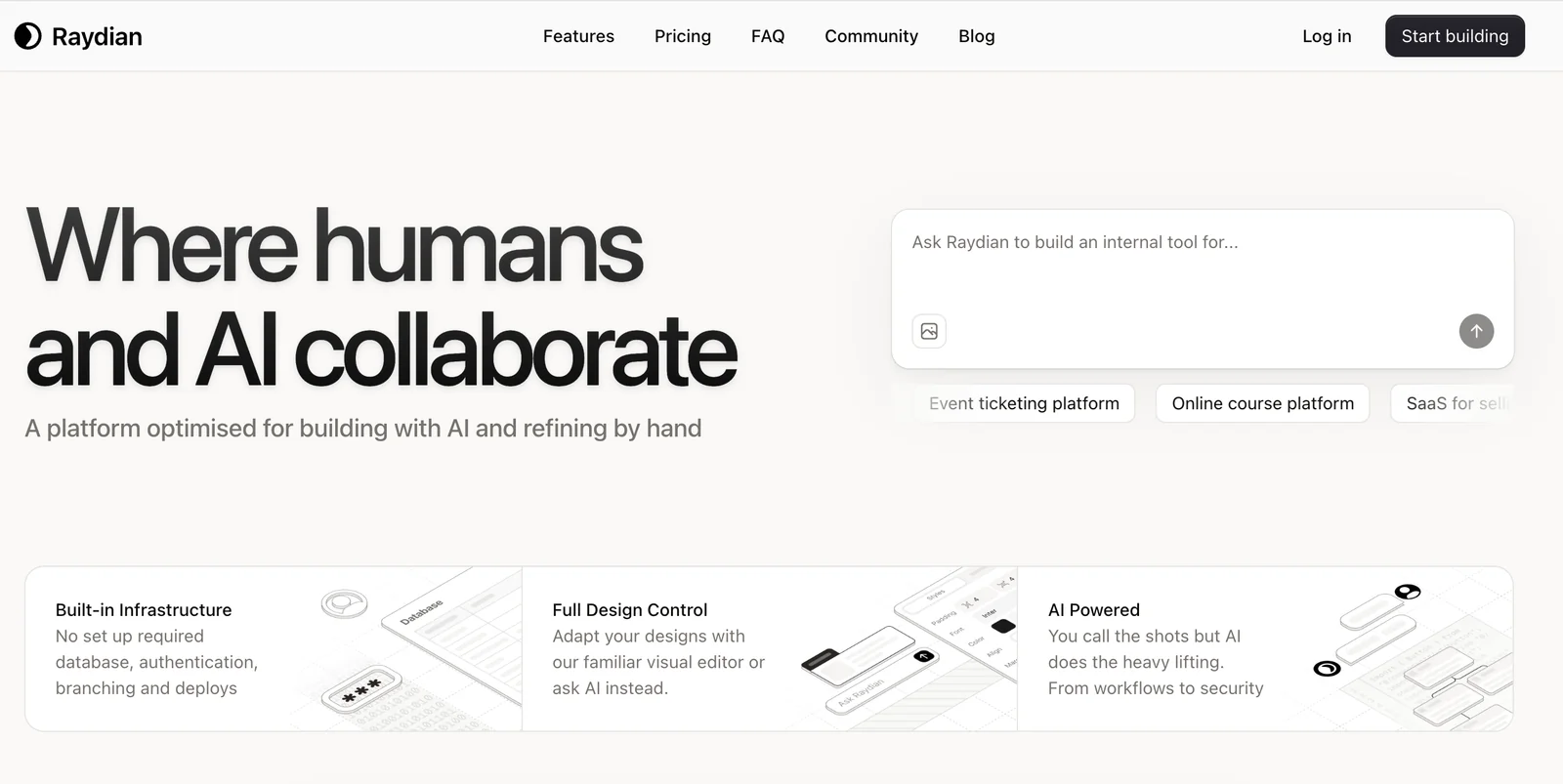
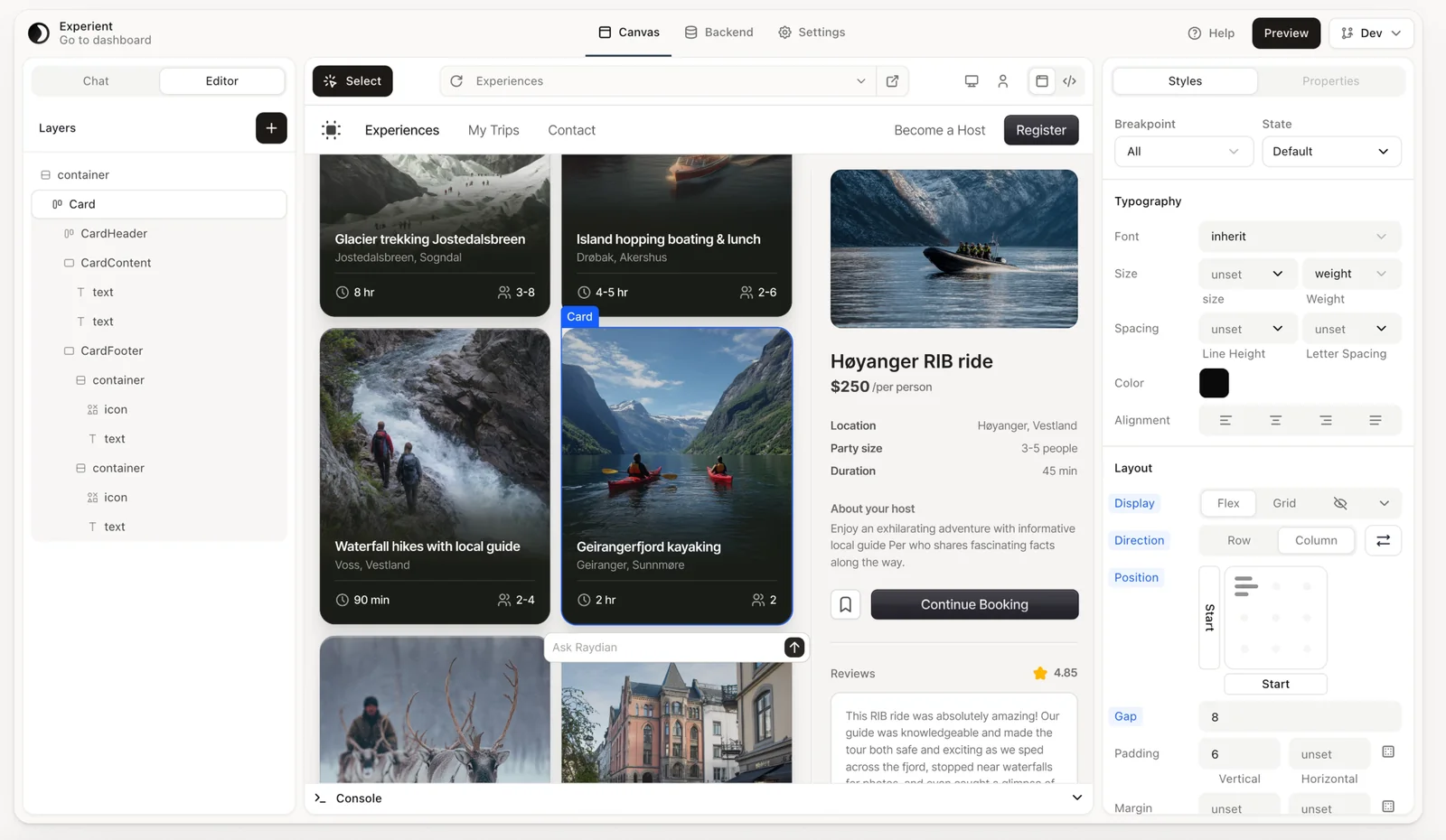
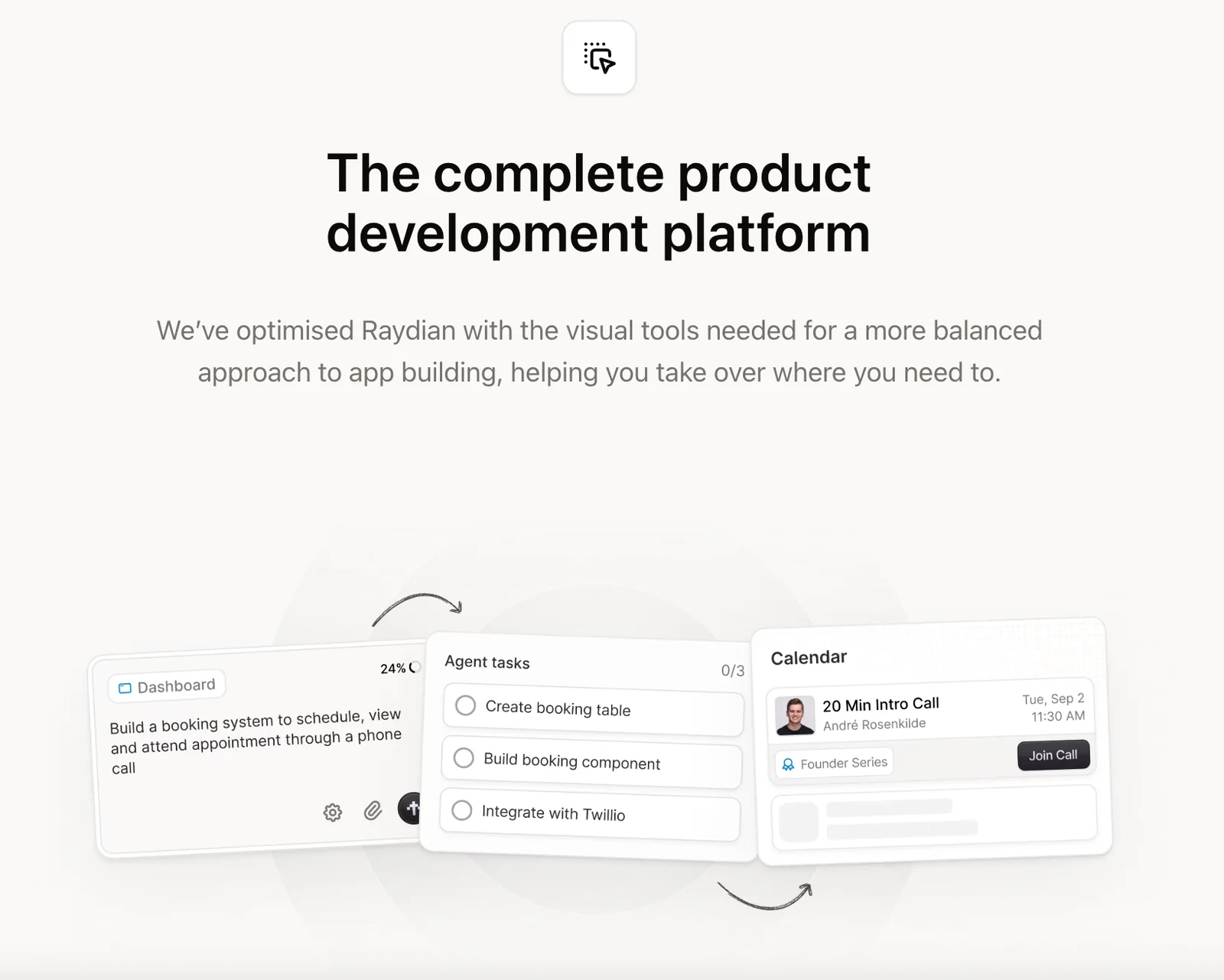
Raydian is a platform focused on accelerating product development by combining AI-assisted creation with human-led refinement. It positions itself to help teams reliably build, ship, and scale products by providing workflows and tooling optimized for iterative design and engineering. The platform emphasizes a hybrid approach where generative capabilities speed initial creation and human contributors refine, validate, and finalize outputs for production.
Screenshots
Key Features
Use Cases



Frequently asked questions about Raydian
What is the pricing structure for Raydian?
Raydian utilizes a FREEMIUM pricing model, offering a free tier with basic features for users. For more advanced functionalities, custom pricing is available through Pro and Enterprise tiers. To learn about specific pricing details and features, contacting Raydian directly is recommended.
Key Points
- FREEMIUM Model: Includes a free tier for basic access.
- Pro and Enterprise Tiers: Custom pricing available for advanced features.
- Contact for Details: Specific information on features and costs requires direct communication with Raydian.
Detailed Explanation
Raydian’s pricing structure is designed to cater to a wide range of users, from individuals to large enterprises.
-
FREEMIUM Tier: The free tier provides essential access, making it ideal for casual users or those just starting. This tier includes basic functionalities that allow users to explore the platform without any financial commitment.
-
Pro Tier: The Pro tier is designed for professionals and small businesses needing advanced features. This tier enhances user experience with additional tools and capabilities. Pricing is customized based on the specific needs of the user, which may include more extensive data analytics, reporting options, and customer support services.
-
Enterprise Tier: For larger organizations, the Enterprise tier offers a comprehensive solution tailored to complex business needs. This tier typically includes all features from the Pro tier, plus additional security, scalability, and dedicated account management. Pricing is also customized, reflecting the size and requirements of the organization.
To obtain precise pricing and features for both the Pro and Enterprise tiers, users should contact Raydian directly through their official website or customer service.
Best Practices / Tips
- Evaluate Your Needs: Before choosing a tier, assess your specific requirements and how they align with the features offered in each pricing model.
- Utilize the Free Tier: Make the most of the free tier to understand the platform and its capabilities before committing to a paid tier.
- Contact Sales for Custom Quotes: For Pro and Enterprise tiers, reach out to Raydian’s sales team for personalized quotes and to discuss your organization’s unique needs.
Additional Resources
What key features does Raydian provide for product development?
Raydian offers key features for product development, including AI-assisted creation, end-to-end workflow support, human-in-the-loop refinement, and effective collaboration tools. These functionalities significantly enhance rapid prototyping, streamline the product development process, and facilitate team collaboration.
Key Points
- AI-Assisted Creation: Leverage advanced algorithms to boost creativity.
- End-to-End Workflow Support: Manage the entire development lifecycle seamlessly.
- Human-in-the-Loop Refinement: Incorporate human feedback for improved results.
Detailed Explanation
Raydian is designed to empower product development teams through its comprehensive range of features.
AI-Assisted Creation
One of Raydian's standout features is its AI-assisted creation tool. This functionality uses machine learning algorithms to analyze existing products and suggest new ideas, designs, or enhancements. For instance, a team developing a mobile app can input user preferences, and the AI generates design prototypes that align with those criteria. This not only speeds up the ideation process but also ensures that the concepts are grounded in data-driven insights.
End-to-End Workflow Support
Raydian's end-to-end workflow support facilitates a smooth transition between different phases of product development. From initial brainstorming to final testing, all stages are interconnected within the platform. This cohesion allows teams to track progress, manage resources, and adjust timelines effectively. For example, if a product needs to pivot based on user feedback, teams can quickly revise their plans without disruption.
Human-in-the-Loop Refinement
The human-in-the-loop refinement feature integrates human expertise into the AI workflow. This means that while AI generates initial concepts, team members can provide real-time feedback, ensuring that the final product meets user expectations and quality standards. This iterative process is crucial for enhancing design accuracy and functionality, ultimately leading to a more successful product launch.
Collaboration Tools
Collaboration is at the heart of product development, and Raydian offers robust tools to facilitate teamwork. Features such as shared workspaces, comment threads, and version control allow team members to collaborate efficiently, regardless of their physical location. This is particularly beneficial for remote teams, enabling them to contribute ideas and track changes in real time.
Best Practices / Tips
- Utilize AI Insights: Always leverage AI capabilities to gain unique insights during the product development phase.
- Encourage Feedback: Foster a culture of open feedback to maximize the benefits of the human-in-the-loop feature.
- Regularly Update Workflows: Keep your workflow processes up-to-date to ensure they align with the evolving project requirements.
Additional Resources
How can I get started with Raydian for my project?
To get started with Raydian for your project, sign up for the free tier on their official website. After registration, explore their extensive tutorials and documentation to effectively use AI-assisted workflows and enhance your project’s capabilities.
Key Points
- Free Tier Access: Start without financial commitment.
- Tutorials and Documentation: Learn to use features efficiently.
- Community Support: Engage with other users for tips and insights.
Detailed Explanation
Raydian offers a user-friendly platform designed to integrate AI tools into your projects seamlessly. To begin, visit the Raydian official website and create an account. The free tier provides access to essential features, allowing you to experiment without any upfront costs.
Once registered, navigate to the tutorials section, which covers various aspects of using Raydian. These tutorials include step-by-step guides on setting up your first project, utilizing AI workflows, and customizing features to suit your needs. For instance, if you're looking to automate data analysis, the tutorial will walk you through the process of inputting data and configuring AI models to generate insights.
Additionally, Raydian offers a robust community forum where you can ask questions, share experiences, and learn from other users. Engaging with the community can provide valuable tips and tricks that might not be covered in the tutorials.
Best Practices / Tips
- Start Small: Begin with a simple project to familiarize yourself with the platform.
- Leverage Tutorials: Don’t skip the tutorials; they are designed to maximize your understanding and efficiency.
- Join the Community: Participate in forums and discussions to gain insights and resolve issues quickly.
- Experiment: Use the free tier to test different features; this hands-on experience is invaluable.
- Feedback and Support: Don’t hesitate to reach out for help or provide feedback to improve your experience.
Additional Resources
By following these steps and utilizing available resources, you can effectively harness Raydian’s capabilities to enhance your project with AI-driven tools.
Does Raydian support API integrations with other tools?
Yes, Raydian supports API integrations with various tools, enabling seamless collaboration and enhanced functionality within existing tech stacks. This capability allows developers to streamline workflows and improve productivity by connecting Raydian with other applications and services.
Key Points
- Versatile API Offerings: Raydian provides well-documented APIs for various use cases.
- Enhanced Collaboration: Integrating with other tools fosters teamwork and project management.
- Customizable Workflows: Users can tailor their tech stacks to fit specific needs.
Detailed Explanation
Raydian's API integrations are designed to enhance the platform's usability and functionality. With a robust set of APIs, developers can connect Raydian to tools like Slack, Trello, or custom applications, facilitating better data flow and communication across teams.
Example Use Cases
- Project Management: Integrate Raydian with tools like Jira or Asana to automate task updates and reporting.
- Data Synchronization: Use Raydian APIs to sync data between your CRM and analytics platforms, ensuring all teams have access to consistent information.
- Custom Alerts: Set up triggers using Raydian APIs to send notifications through messaging platforms like Discord or Microsoft Teams when specific events occur.
Step-by-Step Guidance
- Access the API Documentation: Start by visiting the official Raydian API documentation to understand available endpoints.
- Authenticate: Utilize API keys or OAuth tokens to authenticate your requests securely.
- Make API Calls: Test API calls using tools like Postman to ensure your integrations function correctly.
- Implement in Your Tech Stack: Integrate the API calls into your existing applications or workflows to automate processes.
Best Practices / Tips
- Read the Documentation Thoroughly: Familiarize yourself with the API limits and data structures to avoid errors.
- Test in a Sandbox Environment: Before deploying, use a sandbox environment to ensure everything works as expected.
- Monitor Performance: Implement logging to track API usage and performance, which can help identify potential bottlenecks.
Additional Resources
How does Raydian compare to other AI-assisted development tools?
Raydian distinguishes itself from other AI-assisted development tools by prioritizing human refinement in AI workflows, creating a unique synergy between automation and manual oversight. This approach not only enhances accuracy but also promotes a more personalized user experience compared to tools that rely heavily on automation alone.
Key Points
- Human-Centric Approach: Raydian emphasizes human refinement, ensuring quality control in AI outputs.
- Balance of Automation and Oversight: Unlike many tools, Raydian allows developers to maintain control over the development process.
- Enhanced Collaboration: The platform fosters teamwork by integrating human insights into AI workflows, improving project outcomes.
Detailed Explanation
Raydian excels in the realm of AI-assisted development by blending automation with human input. While other tools often automate tasks to the point of minimal human intervention, Raydian encourages developers to actively engage in refining AI results. This is particularly beneficial in industries where precision is crucial, such as healthcare or finance.
For example, in a software development project, Raydian can automate code generation but will prompt developers to review and refine the generated code. This ensures that the final product is not only efficient but also aligns with the specific requirements and standards of the project. This balance reduces the risk of errors that may arise from fully automated systems.
Moreover, Raydian’s collaborative features enable teams to work together seamlessly. Developers can share insights, feedback, and modifications in real-time, which leads to better decision-making and ultimately, superior project outcomes. This collaborative environment is especially advantageous for remote teams or organizations with multiple stakeholders.
Best Practices / Tips
- Engage in Regular Refinement: Regularly review AI-generated outputs to ensure quality and relevance to your project needs.
- Utilize Collaboration Tools: Leverage Raydian's collaborative features to gather feedback from team members and stakeholders.
- Train the AI: Invest time in training the AI with specific data sets relevant to your industry to improve accuracy and efficiency.
- Stay Updated: Keep abreast of Raydian’s updates and new features to maximize the tool's potential in your workflow.
Additional Resources
Explore more AI Ai Agents tools
Browse all Ai Agents tools →Browse by use case: Code Generation · Automation & Productivity
Compare Raydian: vs TryCase · vs Aside · vs Wisry · vs Cline