

Promptfoo
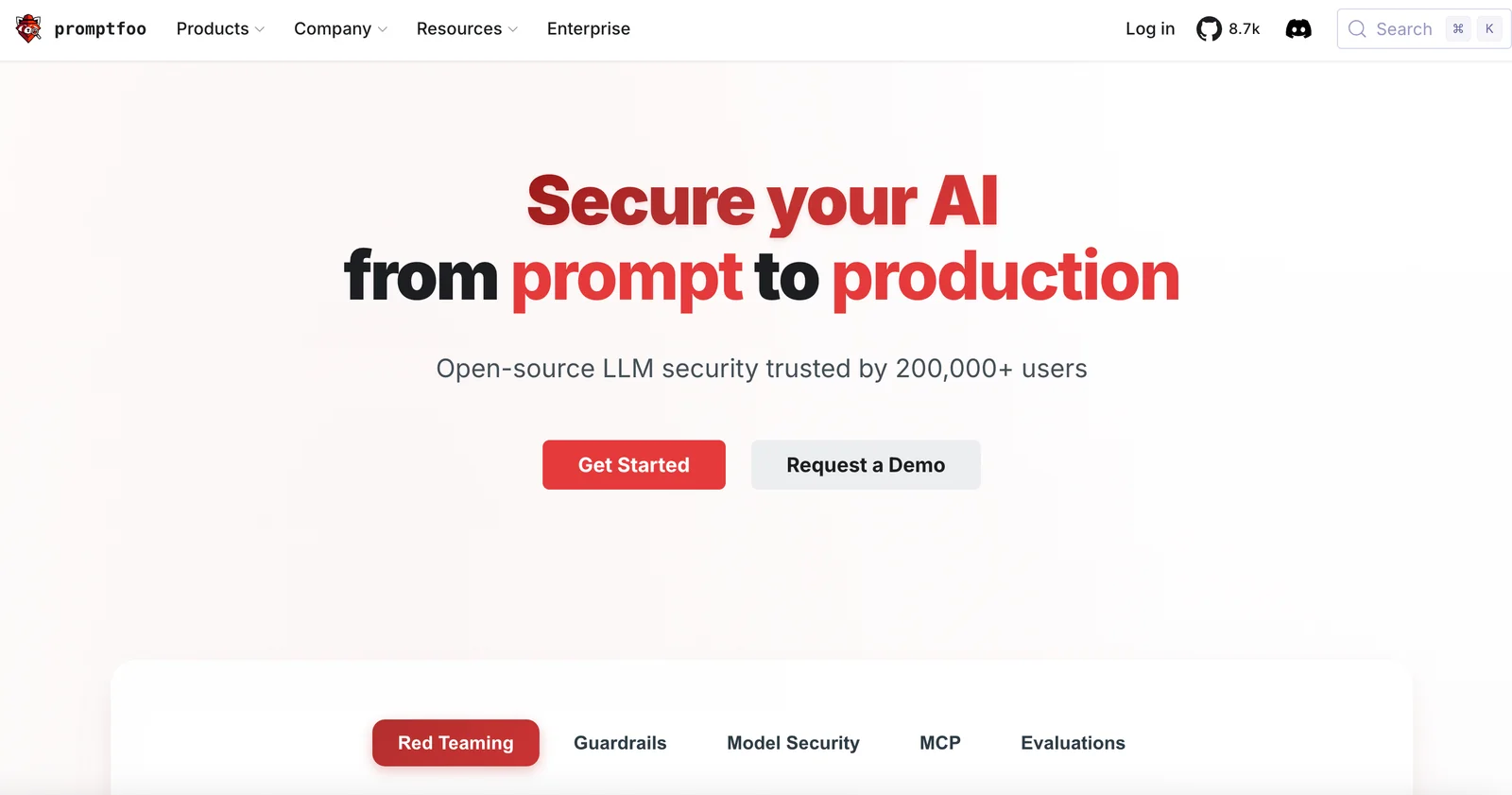
AIOpen SourceFreeCLI and web tool for testing, evaluating, red‑teaming, and monitoring LLM prompts and outputs to catch regressions and vulnerabilities.
Promptfoo
CLI and web tool for testing, evaluating, red‑teaming, and monitoring LLM prompts and outputs to catch regressions and vulnerabilities.
About Promptfoo
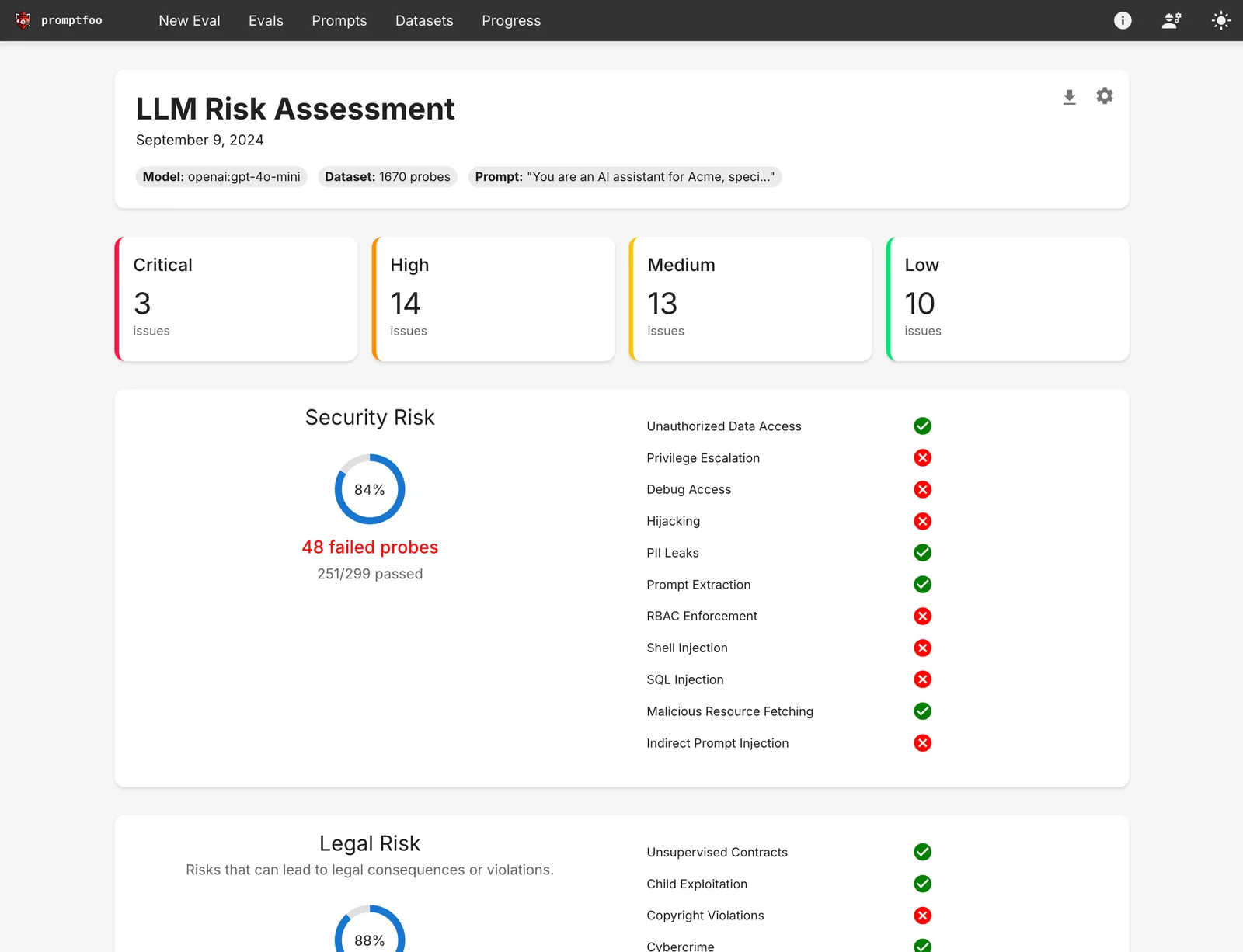
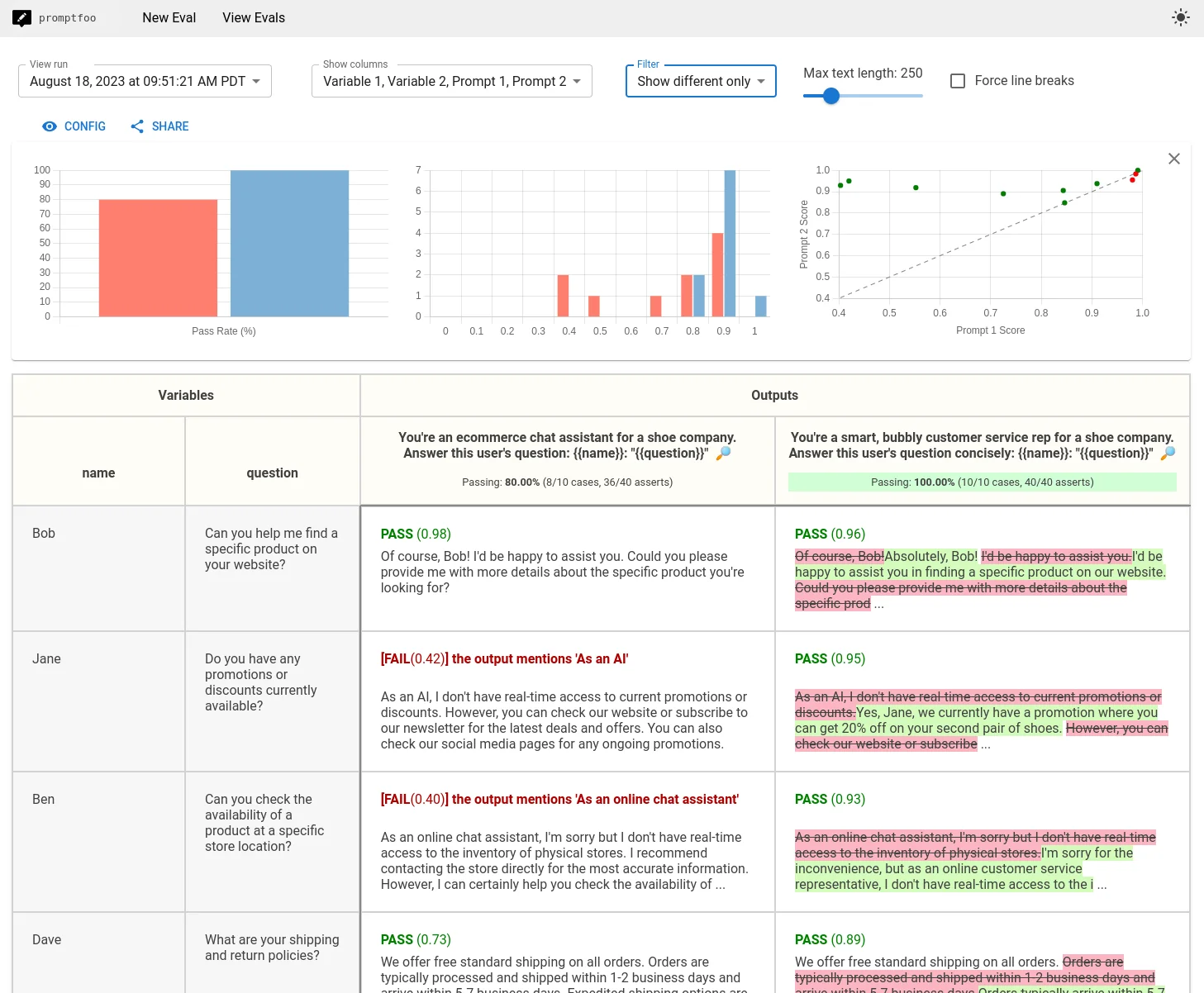
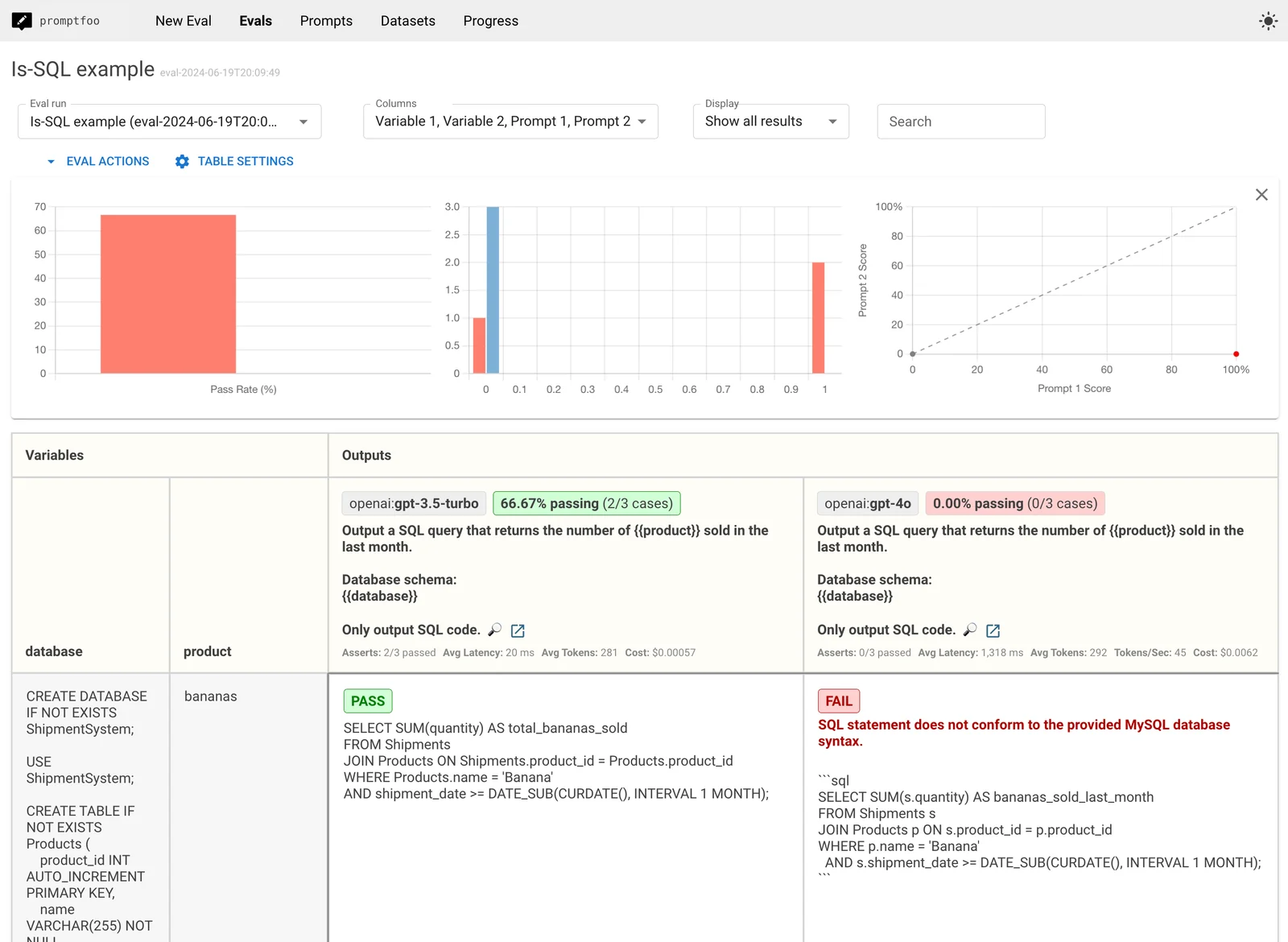
Promptfoo is an open-source toolset for testing, evaluating, and red‑teaming large language model (LLM) prompts and apps. It provides a declarative config system, CLI and web UI, and integrations for CI/CD so teams can run evals, compare outputs across models/providers, detect regressions, and find security or alignment vulnerabilities. Promptfoo supports templating and filters for prompt generation, multiple provider plugins, Docker distribution, and GitHub Actions to automate before/after evaluations on PRs, enabling test‑driven LLM development and safer deployments.
Screenshots
Key Features
Use Cases



Frequently asked questions about Promptfoo
What is the pricing structure for Promptfoo?
Promptfoo is completely free and open-source under the MIT license, allowing users to run it locally or self-host without any paid plans. This means there are no subscription fees or hidden costs, making it accessible for everyone interested in utilizing its features.
Key Points
- Free and Open-Source: Promptfoo is available at no cost.
- Self-Hosting Options: Users can run the software locally on their own machines.
- No Paid Plans: There are no hidden fees or subscriptions required.
Detailed Explanation
Promptfoo is designed to provide a seamless experience for users interested in AI prompt generation without financial barriers. The software's open-source nature means that anyone can access the source code and customize it to meet specific needs.
Running Promptfoo Locally
- Installation: Users can download the Promptfoo repository from GitHub and follow the installation instructions provided in the documentation.
- Dependencies: Ensure that you have the necessary dependencies installed, such as Python and relevant libraries.
- Customization: Since it's open-source, developers can modify the code to add features or improve functionality.
Self-Hosting
Self-hosting Promptfoo allows users to run the software on their own servers or machines. This gives you full control over your data and environment. By self-hosting, you can:
- Ensure Privacy: Keep your data secure and private.
- Scalability: Adjust resources based on your usage without worrying about subscription limits.
- Customization: Tailor the software to fit specific organizational needs or workflows.
Best Practices / Tips
- Regular Updates: Keep your installation updated with the latest versions from the repository to benefit from new features and security patches.
- Community Engagement: Join the Promptfoo community forums or GitHub discussions to share insights and learn from other users.
- Documentation Review: Familiarize yourself with the official documentation to effectively utilize all features and troubleshoot issues.
Additional Resources
How do I start using Promptfoo for testing LLM prompts?
To start using Promptfoo for testing LLM prompts, download it from the official website, install it on your system, and configure either the Command Line Interface (CLI) or the web UI. You can then begin testing your prompts using the evaluation tools provided by Promptfoo.
Key Points
- Download and Installation: Obtain Promptfoo from the official site.
- Configuration: Set up the CLI or web UI for testing.
- Evaluation Tools: Utilize the built-in tools for prompt evaluation.
Detailed Explanation
To effectively start using Promptfoo, follow these steps:
-
Download Promptfoo: Visit the official Promptfoo website and download the latest version compatible with your operating system (Windows, macOS, or Linux). Ensure that your system meets the required specifications.
-
Installation: After downloading, extract the files and follow the installation instructions provided for your platform. For CLI users, you may need to run installation commands in your terminal. For web UI users, simply open the application in your web browser.
-
Configuration:
- CLI Setup: If you choose the Command Line Interface, open your terminal and navigate to the Promptfoo directory. You can configure your environment variables and install dependencies with commands like
npm installorpip installdepending on your setup. - Web UI Setup: For the web UI, navigate to the designated URL after installation and ensure your browser settings allow the necessary permissions for optimal functionality.
- CLI Setup: If you choose the Command Line Interface, open your terminal and navigate to the Promptfoo directory. You can configure your environment variables and install dependencies with commands like
-
Testing LLM Prompts: Once set up, you can start creating and testing prompts. Promptfoo provides various evaluation tools, such as:
- Prompt Evaluation: Test the effectiveness of your prompts against different language models.
- Performance Metrics: Analyze results based on accuracy, relevance, and responsiveness.
-
Iterate and Improve: Based on the results from your evaluations, refine your prompts to enhance performance. Utilize the feedback provided by Promptfoo to make data-driven adjustments.
Best Practices / Tips
- Start Simple: Begin with basic prompts to understand how Promptfoo evaluates them before gradually introducing complexity.
- Use Version Control: Keep track of different prompt versions to easily identify what changes lead to better performance.
- Experiment with Variations: Test different phrasings or formats for your prompts to see which yields the best results.
- Stay Updated: Regularly check for updates to Promptfoo to leverage new features and improvements.
Additional Resources
- Promptfoo Documentation
- GitHub Repository for community support and contributions
- AI Prompt Engineering Guide for best practices in prompt creation
What are the key features of Promptfoo?
Promptfoo features red-teaming, vulnerability scanning, multi-provider model comparison, and a user-friendly command-line interface (CLI) along with a web UI for efficient prompt evaluation and analysis, making it a versatile tool for developers and AI researchers.
Key Points
- Red-Teaming: Simulates attacks to identify weaknesses.
- Vulnerability Scanning: Detects security flaws in AI models.
- Multi-Provider Model Comparison: Evaluates different AI models across various providers.
Detailed Explanation
Promptfoo is designed to enhance the security and performance of AI prompts through its comprehensive feature set:
-
Red-Teaming: This feature allows users to conduct simulated attack scenarios on AI models. By mimicking potential threats, developers can identify vulnerabilities in their prompts, ensuring that the AI behaves as intended under various conditions. For example, users can test how an AI responds to misleading or malicious inputs, allowing for proactive adjustments.
-
Vulnerability Scanning: Promptfoo incorporates automated tools to scan AI models for vulnerabilities. This means that users can quickly identify and address security flaws that could be exploited. By regularly running these scans, developers can maintain robust security standards and ensure the integrity of their AI systems.
-
Multi-Provider Model Comparison: With the ability to compare AI models from different providers, Promptfoo empowers users to make informed decisions about which model to deploy. This feature is particularly valuable for businesses looking to optimize performance and cost-efficiency. Users can analyze metrics such as accuracy, response time, and resource usage, helping them select the best model for their specific needs.
Best Practices / Tips
- Regularly Update: Ensure that you are using the latest version of Promptfoo to benefit from the most recent features and security updates.
- Conduct Frequent Scans: Make vulnerability scanning a routine part of your workflow to catch issues early.
- Utilize Documentation: Leverage the official documentation to understand the full capabilities of each feature and maximize their effectiveness.
- Test in Staging Environments: Before deploying changes to production, use red-teaming features in a controlled environment to assess potential impacts.
Additional Resources
How does Promptfoo compare to other LLM testing tools?
Promptfoo distinguishes itself from other LLM testing tools by being open-source, entirely free, and offering unique features such as automated regression testing and multi-provider model comparison, which many competitors lack. This combination makes it a robust choice for developers and researchers alike.
Key Points
- Open Source and Free: Promptfoo is accessible without cost.
- Automated Regression Testing: It simplifies ongoing model quality checks.
- Multi-Provider Model Comparison: Users can easily compare outputs from different LLM providers.
Detailed Explanation
Promptfoo is an advanced tool designed for testing large language models (LLMs) effectively. Unlike proprietary tools that come with hefty licensing fees, Promptfoo’s open-source nature allows developers and researchers to utilize its features without financial barriers. This democratizes access to powerful testing capabilities, making it a popular choice in the AI community.
Features
-
Automated Regression Testing: This feature allows users to automatically compare new model outputs against previous versions, ensuring that updates do not degrade performance. For example, if a new version of an AI model is deployed, Promptfoo can quickly run tests to check for any regressions in accuracy or functionality.
-
Multi-Provider Model Comparison: With this functionality, users can test and compare outputs from various LLM providers like OpenAI, Google, and others within the same framework. This is particularly useful for projects that require the best possible performance from multiple sources, as it helps identify which model performs best for specific tasks.
-
User-Friendly Interface: Promptfoo’s interface is designed to be intuitive, making it easier for users to set up tests and interpret results without extensive technical expertise.
Best Practices / Tips
- Leverage Community Support: Since Promptfoo is open-source, engage with the community for troubleshooting and enhancements. Forums and GitHub repositories are excellent resources.
- Regular Updates: Keep your version of Promptfoo updated to benefit from the latest features and bug fixes.
- Custom Test Suites: Create tailored test suites to assess the specific capabilities required for your applications, enhancing the relevance of your comparisons.
Additional Resources
- Promptfoo GitHub Repository – Access the latest version and community discussions.
- Documentation – Comprehensive guides and tutorials for getting started.
- Comparative Analysis of AI Testing Tools – Explore how Promptfoo stacks up against other testing tools in detail.
Can I integrate Promptfoo with my existing CI/CD pipeline?
Yes, you can integrate Promptfoo with your existing CI/CD pipeline using its official GitHub Action integrations. This feature allows you to seamlessly incorporate automated tests and evaluations into your workflows, enhancing your development process and ensuring quality at every stage.
Key Points
- GitHub Action Integrations: Promptfoo offers seamless integration with GitHub Actions.
- Continuous Testing: Automate testing and evaluation within your CI/CD pipeline.
- Enhanced Workflow: Improve collaboration and efficiency in your development process.
Detailed Explanation
Integrating Promptfoo into your CI/CD pipeline is straightforward due to its official GitHub Action support. Here’s how you can do it:
-
Set Up GitHub Actions: First, ensure that you have a GitHub repository for your project. Navigate to the "Actions" tab and create a new workflow by selecting a template or starting from scratch.
-
Add Promptfoo Action: Include the following code snippet in your workflow file (e.g.,
.github/workflows/ci.yml):name: CI on: [push] jobs: test: runs-on: ubuntu-latest steps: - name: Checkout Code uses: actions/checkout@v2 - name: Run Promptfoo Tests uses: promptfoo/promptfoo-action@v1 with: api-token: ${{ secrets.PROMPTFOO_API_TOKEN }}Make sure to replace
PROMPTFOO_API_TOKENwith your actual API token stored in your GitHub secrets. -
Customize Evaluations: You can customize the tests and evaluations you want Promptfoo to run based on your project needs. This flexibility allows you to tailor the integration for different stages of your development lifecycle.
-
Monitor Results: After each push, your GitHub Actions will execute the tests, and you can monitor the results directly in your repository. This visibility helps maintain high code quality and speeds up the development process.
Best Practices / Tips
- Use Secrets for API Tokens: Always store sensitive information like API tokens in GitHub Secrets for security.
- Regularly Update Actions: Keep your GitHub Actions updated to benefit from the latest features and security patches.
- Test Locally: Before pushing changes, test your workflow locally using tools like Act to minimize issues.
Additional Resources
- Promptfoo GitHub Action Documentation
- GitHub Actions Official Documentation
- Continuous Integration and Delivery Best Practices
By following these guidelines, you can effectively integrate Promptfoo into your CI/CD pipeline, enhancing your development workflow and ensuring robust quality assurance practices.
Explore more AI Ai Tools tools
Browse all Ai Tools tools →Compare Promptfoo: vs Humanizer · vs Worktrunk · vs Mise · vs BiBimba