
Predictive AI
AIMachine-vision platform for enhancing images, videos and live streams and extracting visual insights via cloud and API.
Predictive AI
Machine-vision platform for enhancing images, videos and live streams and extracting visual insights via cloud and API.
About Predictive AI
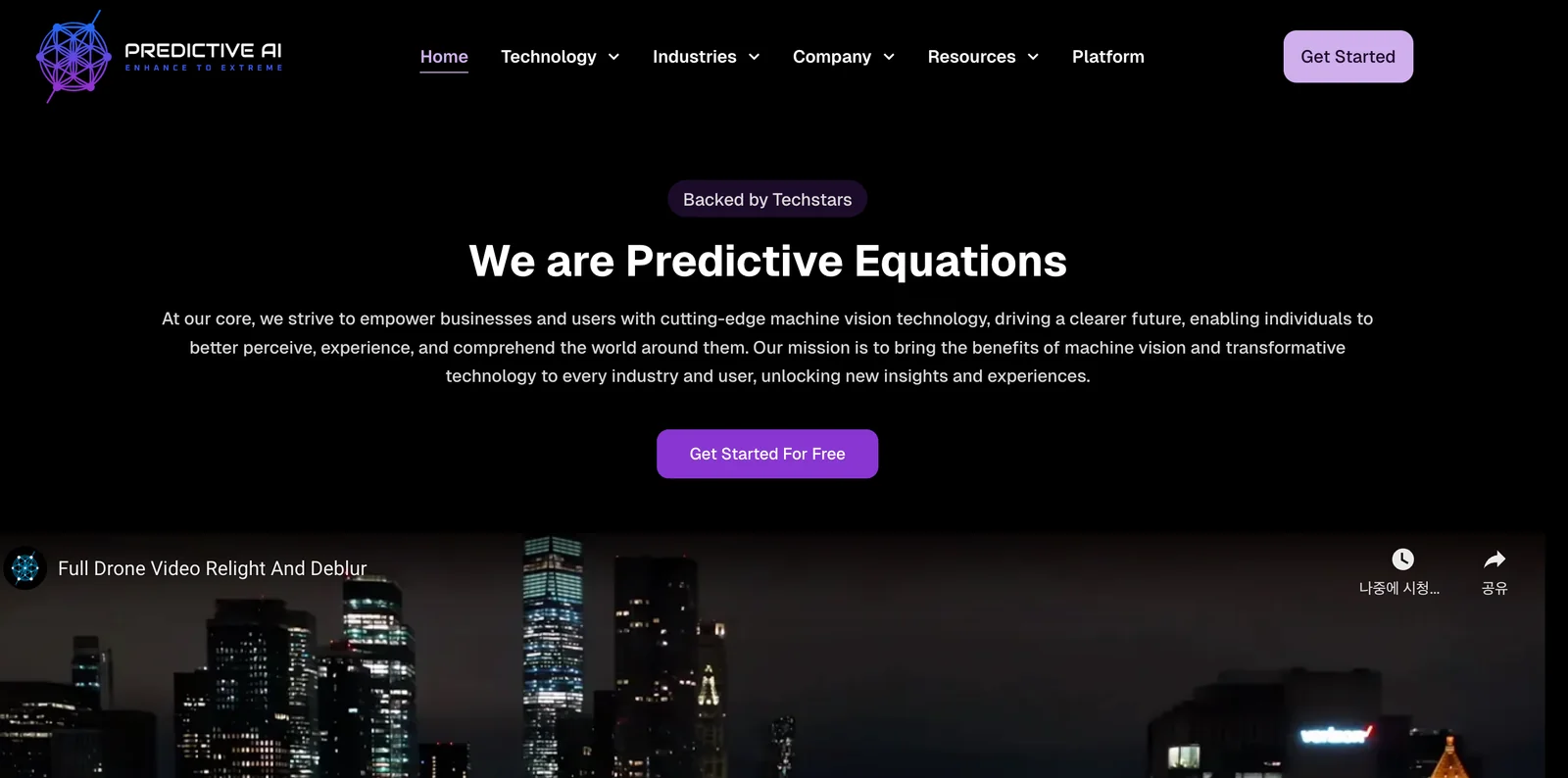
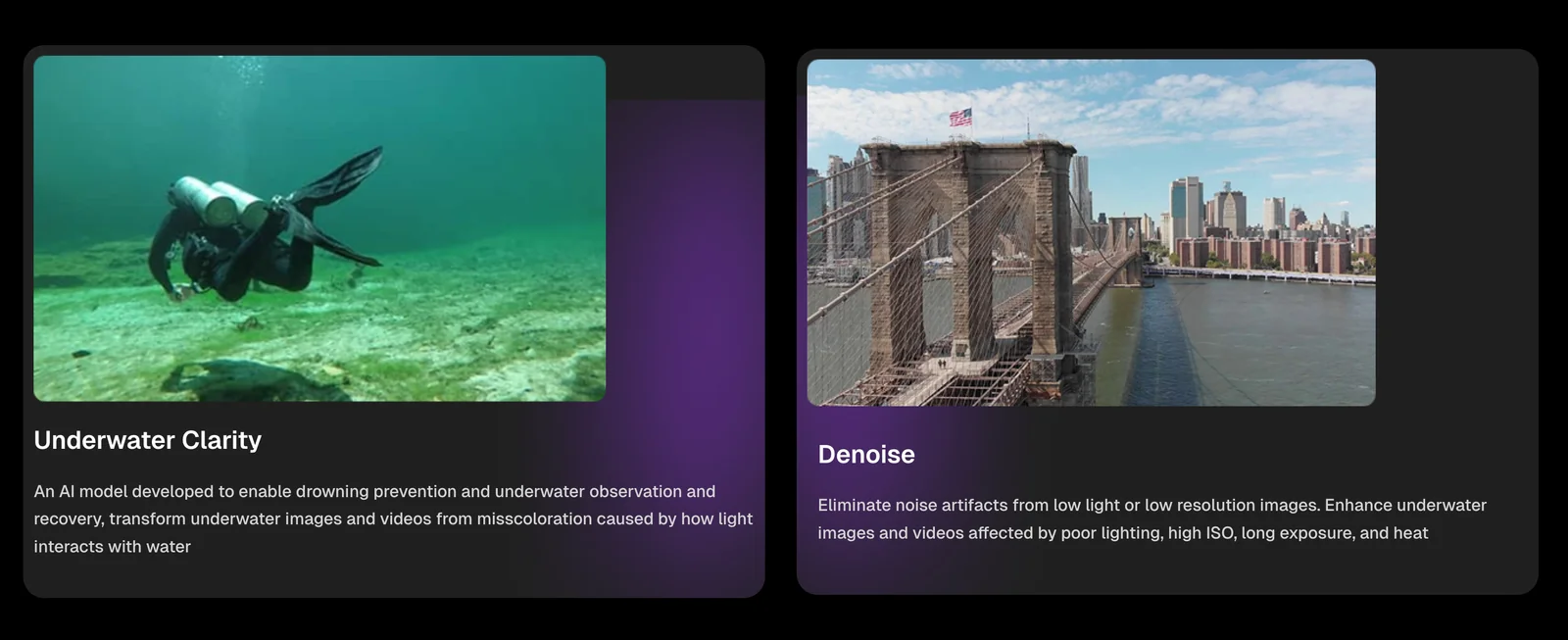
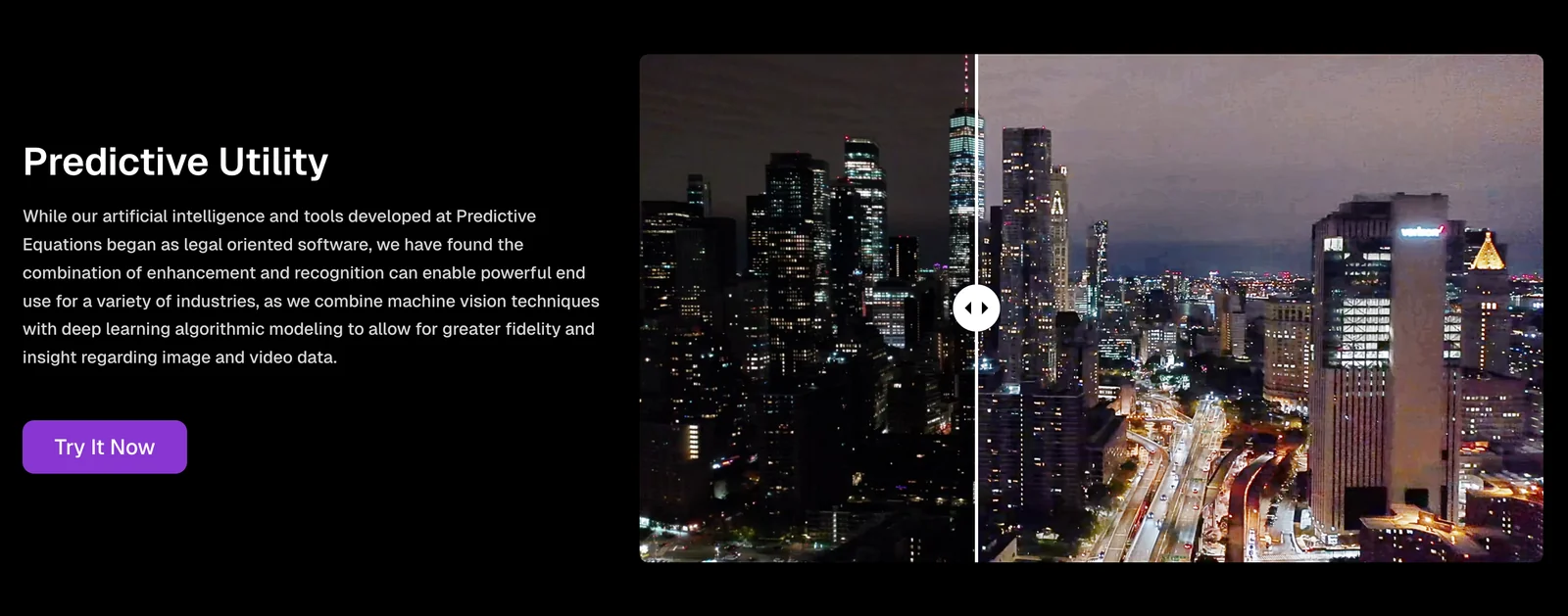
Predictive Equations provides a machine-vision platform that enhances image and video quality, removes artifacts, and upscales media to very high resolutions. The platform also delivers visual analysis tools that detect patterns and surface actionable insights that are otherwise hard to see. Services are offered via cloud and APIs for integration into business workflows and streaming pipelines, enabling automated batch processing, live enhancement, and custom deployments for enterprises and developers.
Screenshots
Key Features
Use Cases



Frequently asked questions about Predictive AI
What is the pricing structure for Predictive AI?
Predictive AI offers a free demo or evaluation upon request, while its pricing structure for enterprise users is custom-tailored. This model includes full access to the platform's capabilities and advanced features, ensuring that businesses can optimize their predictive analytics according to their specific needs.
Key Points
- Free Demo: Users can request a no-obligation evaluation.
- Custom Pricing: Tailored plans are available for enterprise clients.
- Full Access: Enterprise users benefit from comprehensive features and capabilities.
Detailed Explanation
Predictive AI's pricing structure is designed to accommodate various business needs. The free demo allows potential users to explore the platform's functionality before committing. This is particularly beneficial for organizations that want to assess how predictive analytics can enhance their operations.
For enterprise users, Predictive AI provides a custom pricing model. This means that the pricing is not fixed and can vary based on factors such as:
- Number of Users: More users may require a larger subscription plan.
- Feature Requirements: Companies can select advanced features tailored to their industry requirements, like real-time data processing or specialized predictive algorithms.
- Support Levels: Additional costs may be incurred for premium support services or training.
The ability to customize the pricing model ensures that businesses only pay for what they need, making it a cost-effective solution for organizations looking to leverage AI-driven insights.
Best Practices / Tips
- Request a Demo: Always start with the demo to understand the platform's capabilities and assess its fit for your business.
- Assess Your Needs: Before engaging with sales, outline your specific use cases and feature requirements to negotiate effectively.
- Compare Plans: If you have similar solutions in mind, compare features and pricing to ensure you get the best value.
- Inquire About Discounts: Ask about any potential discounts for annual subscriptions or larger user bases.
Additional Resources
How does Predictive AI enhance image and video quality?
Predictive AI enhances image and video quality through advanced techniques such as high-resolution upscaling, artifact removal, and real-time stream enhancement. These methods significantly improve clarity and detail, making predictive AI ideal for applications in media restoration, live broadcasting, and enhancing user-generated content.
Key Points
- High-Resolution Upscaling: Converts low-resolution images and videos into high-resolution versions.
- Artifact Removal: Eliminates unwanted noise and distortions in media.
- Real-Time Stream Enhancement: Optimizes live video quality for seamless viewing experiences.
Detailed Explanation
Predictive AI employs sophisticated algorithms to analyze and predict the best way to enhance visual content.
1. High-Resolution Upscaling
This technique uses machine learning models to fill in details in lower-quality images and videos. For instance, a standard 720p video can be upscaled to 1080p or even 4K resolution, making it look sharper and more detailed. This is particularly beneficial for older media formats that need restoration for modern displays.
2. Artifact Removal
Artifact removal focuses on correcting distortions like pixelation, blurring, and noise that can occur due to compression or poor quality sources. By utilizing deep learning, predictive AI identifies these artifacts and rectifies them, resulting in a clearer and more enjoyable viewing experience.
3. Real-Time Stream Enhancement
In live broadcasting, maintaining video quality is crucial. Predictive AI adjusts streaming parameters in real-time, ensuring optimal clarity and smoothness regardless of fluctuations in internet speed. This is essential for live sports, gaming streams, and other dynamic content where quality cannot be compromised.
Best Practices / Tips
- Choose the Right Tools: Use AI-powered software like Topaz Video Enhance AI or Adobe Premiere Pro, which integrate predictive AI for optimal results.
- Test Different Settings: Experiment with various enhancement levels to find the perfect balance between quality and processing time.
- Monitor Bandwidth: For real-time enhancements, ensure adequate internet bandwidth to maintain quality without lag.
Additional Resources
How can I start using Predictive AI for my media projects?
To start using Predictive AI for your media projects, reach out to their sales team for a demo or evaluation, and explore integration options through their cloud-hosted platform and APIs. This enables you to effectively leverage AI for content creation, audience targeting, and trend forecasting.
Key Points
- Contact Sales for a Demo: Engage with the sales team to understand capabilities.
- Explore Integration Options: Investigate how to integrate Predictive AI into your existing platforms.
- Utilize Cloud-Hosted Services: Take advantage of the cloud infrastructure for scalability and ease of use.
Detailed Explanation
Predictive AI offers valuable tools for media projects, enhancing content creation and audience engagement. To begin, follow these steps:
-
Contact the Sales Team: Start by visiting the Predictive AI website and reaching out to their sales team. They can provide a personalized demo that showcases the platform's capabilities and how it can be tailored to your specific needs.
-
Evaluate Use Cases: Consider your project goals. For instance, if you're a content creator, you could use Predictive AI for generating tailored content recommendations based on user behavior. Alternatively, marketers might leverage predictive analytics for audience segmentation and targeting.
-
Integration with Existing Systems: Once you have a grasp of the platform, explore how to integrate it into your current setup. Predictive AI typically offers APIs that allow seamless integration with various content management systems (CMS) and customer relationship management (CRM) tools.
-
Utilize the Cloud Platform: Take advantage of the cloud-hosted services. This not only ensures scalability but also provides access to advanced features without heavy upfront investments in hardware.
-
Begin Implementation: Start small by implementing one feature at a time, such as content prediction or audience analytics, and gradually expand as you become more comfortable with the platform.
Best Practices / Tips
- Start with a Clear Plan: Define clear objectives for what you want to achieve with Predictive AI, such as increasing engagement or improving ROI.
- Monitor Performance: Regularly assess the performance of AI-driven initiatives. Use analytics to understand what works and refine your approach accordingly.
- Engage with Support: Don't hesitate to reach out for technical support during the integration process. This can help mitigate common challenges and improve overall implementation success.
Additional Resources
What are the technical requirements for integrating Predictive AI into my applications?
Predictive AI integration into applications requires cloud access and API capabilities. Key technical requirements typically involve programming languages like Python or Java, familiarity with RESTful APIs, and specific SDKs provided by the AI platform. Your deployment needs will determine the exact specifications.
Key Points
- Cloud and API Access: Essential for integration.
- Programming Languages: Commonly used languages include Python and Java.
- SDKs and Documentation: Necessary for implementation.
Detailed Explanation
Integrating Predictive AI into your applications involves several technical requirements that can vary based on your deployment approach. Here’s a step-by-step breakdown:
-
Cloud Infrastructure: Most Predictive AI solutions are hosted on the cloud. Ensure you have a reliable cloud provider like AWS, Google Cloud, or Azure to support your application’s needs.
-
API Integration: Familiarity with RESTful APIs is crucial. APIs allow your application to communicate with the AI service, sending data for analysis and receiving predictions. Understanding how to make API calls, handle responses, and manage authentication tokens is necessary.
-
Programming Languages: Typically, Python and Java are preferred languages for implementing Predictive AI. Python, in particular, has extensive libraries (like TensorFlow, Keras) that facilitate machine learning tasks.
-
SDKs and Libraries: Many Predictive AI platforms offer Software Development Kits (SDKs) or libraries tailored to popular programming languages. These resources simplify integration by providing pre-built functions for common tasks.
-
Data Requirements: Ensure that your application can supply the necessary data formats (like JSON or CSV) required by the Predictive AI service. Quality data is essential for accurate predictions.
-
Scalability Considerations: Design your application to scale easily. As your user base grows, your AI service should handle increased data loads and requests without performance degradation.
Best Practices / Tips
- Start Small: Begin with a pilot project to test the integration before scaling up.
- Read Documentation: Thoroughly review the official documentation of the Predictive AI service for specific integration guidelines.
- Monitor Performance: After integration, continuously monitor the AI's performance and make adjustments as needed.
- Security Measures: Implement robust security protocols to protect data being sent to and received from the AI service.
- Version Control: Keep track of API versions to avoid breaking changes that could affect your application.
Additional Resources
How does Predictive AI compare to other image enhancement tools?
Predictive AI excels in image enhancement by offering real-time processing, superior high-resolution upscaling, and extensive customization options tailored for enterprise needs. Compared to other tools, it provides a unique blend of efficiency and flexibility, making it a formidable player in the AI-driven image enhancement market.
Key Points
- Real-Time Enhancement: Processes images instantly, allowing for immediate adjustments.
- High-Resolution Upscaling: Maintains quality while increasing image sizes, suitable for professional use.
- Customization Options: Extensive settings enable users to tailor enhancements to specific needs.
Detailed Explanation
Predictive AI distinguishes itself from traditional image enhancement tools through its innovative approach to real-time processing. Unlike static tools that require batch processing, Predictive AI allows users to see enhancements as they happen, streamlining workflows for photographers, designers, and enterprises.
Real-Time Enhancement
With real-time capabilities, Predictive AI enables users to instantly preview changes, making it ideal for live environments such as photography sessions or video production. For instance, a photographer can adjust lighting or color settings on-the-fly during a photoshoot, ensuring optimal results without delay.
High-Resolution Upscaling
High-resolution upscaling is another significant advantage. Predictive AI can enhance images up to 4K and beyond, preserving details that other tools may lose during the enlargement process. This feature is particularly beneficial for industries like e-commerce, where product images must be displayed in high quality to attract customers.
Extensive Customization Options
The platform offers a wide range of customization settings, allowing users to fine-tune enhancements based on their specific requirements. From adjusting sharpness and contrast to applying different filters, users can create unique looks tailored to their brand or project. This level of personalization is often not available in more generic image enhancement software.
Best Practices / Tips
- Experiment with Settings: Take advantage of the customization options to discover what works best for your images.
- Use High-Quality Source Images: The better the input, the more impressive the output will be. Start with high-resolution images for the best results.
- Leverage Real-Time Preview: Make adjustments while watching the changes in real time to quickly achieve the desired effect.
Additional Resources
Explore more AI Ai Models tools
Browse all Ai Models tools →Browse by use case: Video Generation
Compare Predictive AI: vs Mouse-1 · vs Milliseconds.ai · vs SWE-2 · vs Desert Ant Labs