

Pixero AI
AIAI video agent that plans, prompts, and renders professional, cinematic advertising videos optimized for Google Veo 3.
Pixero AI
AI video agent that plans, prompts, and renders professional, cinematic advertising videos optimized for Google Veo 3.
About Pixero AI
Pixero is an AI-driven video advertising agent that creates professional, cinematic video clips through conversational workflows. It uses Google Veo 3 technology to plan, generate prompts, and render consistent advertising assets, enabling rapid iteration and coherent visual style across multiple clips. Pixero is designed for marketers and content creators who need repeatable, high-quality video outputs for ad campaigns and social channels without manual editing of each clip.
Screenshots
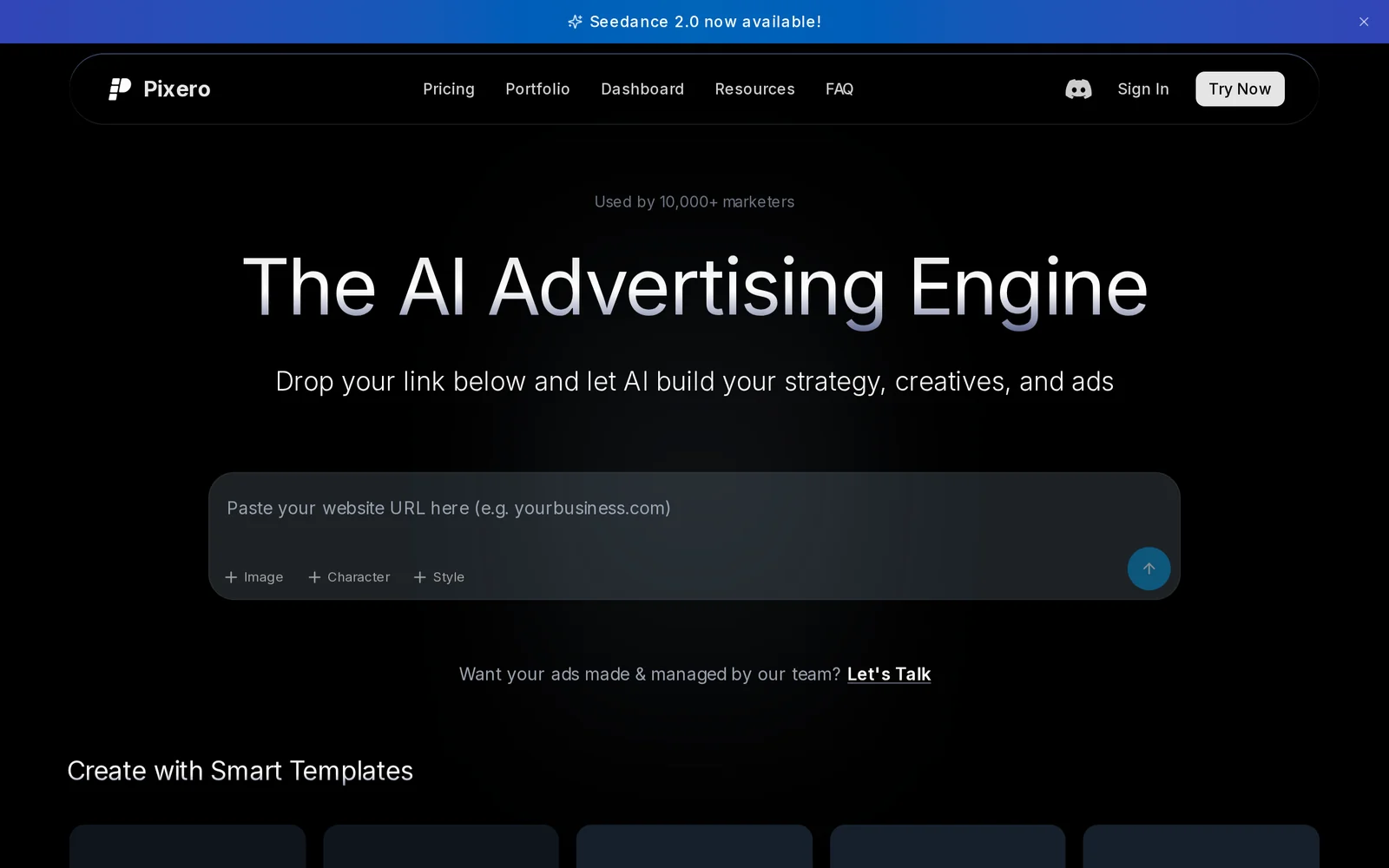
Key Features
Use Cases



Frequently asked questions about Pixero AI
What is Pixero AI?
Pixero AI is an advanced AI video agent that creates, plans, prompts, and renders high-quality cinematic advertising videos specifically optimized for Google Video 3. It streamlines the video production process, enabling users to generate professional content efficiently and effectively.
Key Points
- AI-Powered Video Creation: Pixero AI automates the video production process, saving time and resources.
- Cinematic Quality: The platform focuses on delivering professional-grade videos suitable for advertising.
- Optimization for Google Video 3: Ensures videos are tailored for enhanced visibility and performance on Google platforms.
Detailed Explanation
Pixero AI leverages cutting-edge artificial intelligence to transform the way businesses create video content. It allows users to generate videos by simply inputting prompts or concepts, which the AI then translates into engaging visual narratives.
For example, a marketing team can input a brief description of their product, and Pixero AI will generate a storyboard, choose suitable visuals, and even suggest voiceovers. This feature is particularly beneficial for small businesses or startups that might lack the resources for a full-scale video production team.
In addition to creating content, Pixero AI offers tools for video planning and optimization. By utilizing data-driven insights, it helps users understand what types of content perform best on Google Video 3, ensuring that their videos are not only visually appealing but also strategically positioned for maximum reach and engagement.
Best Practices / Tips
- Utilize Clear Prompts: When using Pixero AI, provide detailed descriptions and specific instructions to achieve the best results.
- Leverage Templates: Explore the various templates offered by Pixero AI to maintain brand consistency and save time.
- Test Different Formats: Experiment with various video lengths and styles to determine what resonates best with your audience.
- Regular Updates: Stay informed about updates to Pixero AI features to leverage the latest capabilities for video optimization.
- Analyze Performance: After publishing, monitor video analytics to refine future content strategies.
Additional Resources
How does Pixero AI work?
Pixero AI operates by integrating advanced artificial intelligence technologies to streamline and enhance everyday workflows for users. By automating tasks and providing intelligent insights, Pixero AI boosts productivity and efficiency in various applications, ranging from content creation to data analysis.
Key Points
- AI Integration: Combines various AI technologies for seamless workflow automation.
- User-Friendly Interface: Designed for ease of use, catering to both tech-savvy and novice users.
- Versatile Applications: Useful in content creation, data analysis, and numerous other workflows.
Detailed Explanation
Pixero AI leverages a blend of machine learning, natural language processing, and data analytics to assist users in their daily tasks. Here’s how it works:
-
Task Automation: Pixero AI can automate repetitive tasks such as data entry, report generation, and email sorting. This feature is particularly beneficial for businesses looking to reduce manual workload and improve efficiency.
-
Data Analysis: By utilizing machine learning algorithms, Pixero AI can analyze vast amounts of data quickly. For instance, it can identify trends in customer behavior or sales data, helping businesses make informed decisions.
-
Content Creation: For marketers and content creators, Pixero AI can generate high-quality written content based on user-defined parameters. This includes blog posts, social media updates, and marketing copy, saving time while maintaining content quality.
-
Personalization: Pixero AI can tailor user experiences by analyzing preferences and behaviors. This personalization enhances user engagement, making tools more aligned with individual needs.
-
Real-Time Feedback: The AI provides instant suggestions and corrections, whether in writing or data input, ensuring high accuracy and quality in outputs.
Best Practices / Tips
- Start Small: Begin with automating simple tasks to get familiar with Pixero AI's capabilities before scaling up to complex processes.
- Utilize Training Resources: Take advantage of tutorials and user guides available on the Pixero AI website to maximize your use of the tool.
- Monitor Performance: Regularly assess the efficiency of automated tasks to ensure they meet desired outcomes and make adjustments as necessary.
- Engage with the Community: Join forums or user groups to share experiences and learn best practices from other Pixero AI users.
Additional Resources
What are the main features of Pixero AI?
Pixero AI offers a range of powerful features, including advanced image generation, real-time collaboration, customizable templates, and seamless integration with various digital platforms. These capabilities empower users to create high-quality visual content efficiently, making it an essential tool for designers, marketers, and content creators.
Key Points
- Advanced Image Generation: Create stunning visuals using AI algorithms.
- Real-Time Collaboration: Work simultaneously with team members on projects.
- Customizable Templates: Access a library of templates tailored for various use cases.
Detailed Explanation
Pixero AI stands out in the crowded landscape of AI tools by providing unique features that cater to different user needs.
Advanced Image Generation
One of Pixero AI's core features is its advanced image generation technology. Users can generate high-quality images by simply inputting keywords or phrases. For example, marketers can create promotional visuals by typing "summer sale" and receiving multiple customized graphics that align with their brand aesthetics.
Real-Time Collaboration
Another significant feature is the real-time collaboration function. This allows teams to work on projects together, regardless of their physical location. Users can share feedback and make edits simultaneously, enhancing productivity. This is particularly useful for businesses that operate remotely or have team members spread across various locations.
Customizable Templates
Pixero AI also offers a vast library of customizable templates. Users can select from a variety of pre-designed formats for social media posts, presentations, and marketing materials. This feature saves time and ensures consistency in branding. For instance, a small business can use a template for Instagram posts, quickly adapting it with their logo and colors.
Best Practices / Tips
- Experiment with Keywords: To get the best image results, experiment with different keywords or phrases to see what generates the most appealing visuals.
- Utilize Templates: Take advantage of customizable templates to maintain brand consistency and save time during content creation.
- Leverage Collaboration Tools: Make the most of the real-time collaboration feature by scheduling regular brainstorming sessions with your team to enhance creativity and project outcomes.
Additional Resources
- Pixero AI Official Website
- User Guide and Documentation
- Tutorial Videos for step-by-step guidance on using Pixero AI's features.
By utilizing these features effectively, users can maximize their productivity and creativity with Pixero AI, making it an invaluable asset in their digital toolkit.
Who is Pixero AI for?
Pixero AI is designed for a diverse audience, including businesses, marketers, content creators, educators, and developers. Its user-friendly interface and versatile tools make it ideal for anyone looking to integrate AI into their daily workflows, enhance productivity, and streamline operations.
Key Points
- Target Audience: Businesses, marketers, educators, and developers.
- Use Cases: Content generation, data analysis, and workflow automation.
- Accessibility: User-friendly interface suitable for all skill levels.
Detailed Explanation
Pixero AI serves a wide range of users who wish to leverage artificial intelligence for enhancing their daily tasks.
-
Businesses: Companies can use Pixero AI to automate repetitive tasks, analyze customer data, and generate insightful reports quickly. For example, businesses can use it for customer support chatbots or marketing content generation, saving time and resources.
-
Marketers: Marketing professionals can benefit from Pixero AI by creating personalized campaigns and analyzing trends. The tool can help generate social media posts, optimize SEO strategies, and provide insights into customer behavior, leading to more effective marketing strategies.
-
Educators: Teachers and educators can utilize Pixero AI for developing customized learning materials, grading assessments, and facilitating interactive learning experiences. For instance, educators can create quizzes and assignments tailored to different learning styles, enhancing student engagement.
-
Developers: Software developers can integrate Pixero AI into applications to enhance functionality. From natural language processing to image recognition, developers can use Pixero AI’s APIs to build innovative solutions that improve user experience.
Best Practices / Tips
- Start Small: Begin with simple tasks to familiarize yourself with Pixero AI's features before scaling up to complex workflows.
- Explore Use Cases: Look into specific use cases relevant to your industry to maximize the tool's potential.
- Stay Updated: Regularly check for new features and updates to ensure you are making the most of the platform.
- Engage with Community: Join forums or user groups to share experiences and learn best practices from others.
Additional Resources
How much does Pixero AI cost?
Pixero AI offers various pricing plans depending on the features you need. As of now, the cost typically starts around $29 per month for basic access. For the most accurate and updated pricing details, visit the official Pixero AI website.
Key Points
- Pricing Plans: Multiple tiers available to suit different user needs.
- Free Trial: Users may access a trial version before committing.
- Feature Variability: Costs vary based on the features selected.
Detailed Explanation
Pixero AI provides flexible pricing options tailored to individual and business needs. The basic plan starts at approximately $29 per month, which includes essential features suitable for personal use or small projects. Additional tiers offer advanced functionalities, which can range up to $99 per month for businesses requiring extensive capabilities.
For example, the Standard Plan might include features such as enhanced processing speed and priority customer support, while the Pro Plan could also provide API access and collaboration tools for teams. It’s advisable to evaluate your requirements to choose the most cost-effective plan.
If you are uncertain about committing to a subscription, Pixero AI often provides a free trial period, allowing users to test the platform’s capabilities without upfront costs. This trial can last from 7 to 14 days, depending on promotions.
Best Practices / Tips
- Evaluate Needs: Assess your project requirements to select the appropriate plan and avoid unnecessary expenses.
- Take Advantage of Trials: Utilize the free trial effectively to understand the features before purchasing.
- Stay Updated: Regularly check the Pixero AI website for promotional offers or changes in pricing plans.
Additional Resources
How do I get started with Pixero AI?
To get started with Pixero AI, visit pixero.ai to sign up for an account. After signing up, you can explore the platform’s features, including AI-driven image and video editing tools designed to enhance your creative projects.
Key Points
- User-Friendly Interface: Pixero AI offers an intuitive dashboard for easy navigation.
- AI Tools: Access advanced AI features for image enhancement and video editing.
- Community Support: Engage with a vibrant community for tips and collaboration.
Detailed Explanation
Starting with Pixero AI is a straightforward process:
-
Sign Up: Go to pixero.ai and click on the "Sign Up" button. You will need to provide your email and create a password. Alternatively, you can sign up using your Google or Facebook account for quicker access.
-
Explore the Dashboard: Once logged in, familiarize yourself with the user-friendly interface. The dashboard is designed to help you quickly access various tools without overwhelming you.
-
Utilize AI Features: Pixero AI offers a suite of tools that leverage artificial intelligence for tasks such as:
- Image Enhancement: Automatically improve the quality of your images.
- Video Editing: Cut, trim, and enhance videos effortlessly using AI algorithms.
- Templates: Use pre-designed templates to speed up your project workflow.
-
Engage with the Community: Join forums and community spaces within the platform to share your projects and gain insights from other users. This can significantly enhance your learning experience.
Best Practices / Tips
- Start with Tutorials: Take advantage of Pixero AI's tutorials and documentation to understand the features better.
- Experiment with Projects: Don’t hesitate to experiment with different tools and settings. The more you practice, the better you will understand the platform.
- Use Feedback: Share your creations with others to get constructive feedback, which can help you improve your skills.
- Stay Updated: Follow Pixero AI on social media and subscribe to their newsletter for updates on new features and best practices.
Additional Resources
By following these steps, you'll be well on your way to mastering Pixero AI and utilizing its powerful tools for your creative projects.
Explore more AI Ai Agents tools
Browse all Ai Agents tools →Browse by use case: Video Generation · Chatbots & Assistants · Automation & Productivity
Compare Pixero AI: vs Playad · vs Concierge by Juniors AI · vs Scout by Fini · vs Ruflo