

Pictory
AIOfficial MCPWeb-based AI video platform that converts text or long-form content into professional short videos with automated editing and transcription.
Pictory
Web-based AI video platform that converts text or long-form content into professional short videos with automated editing and transcription.
About Pictory
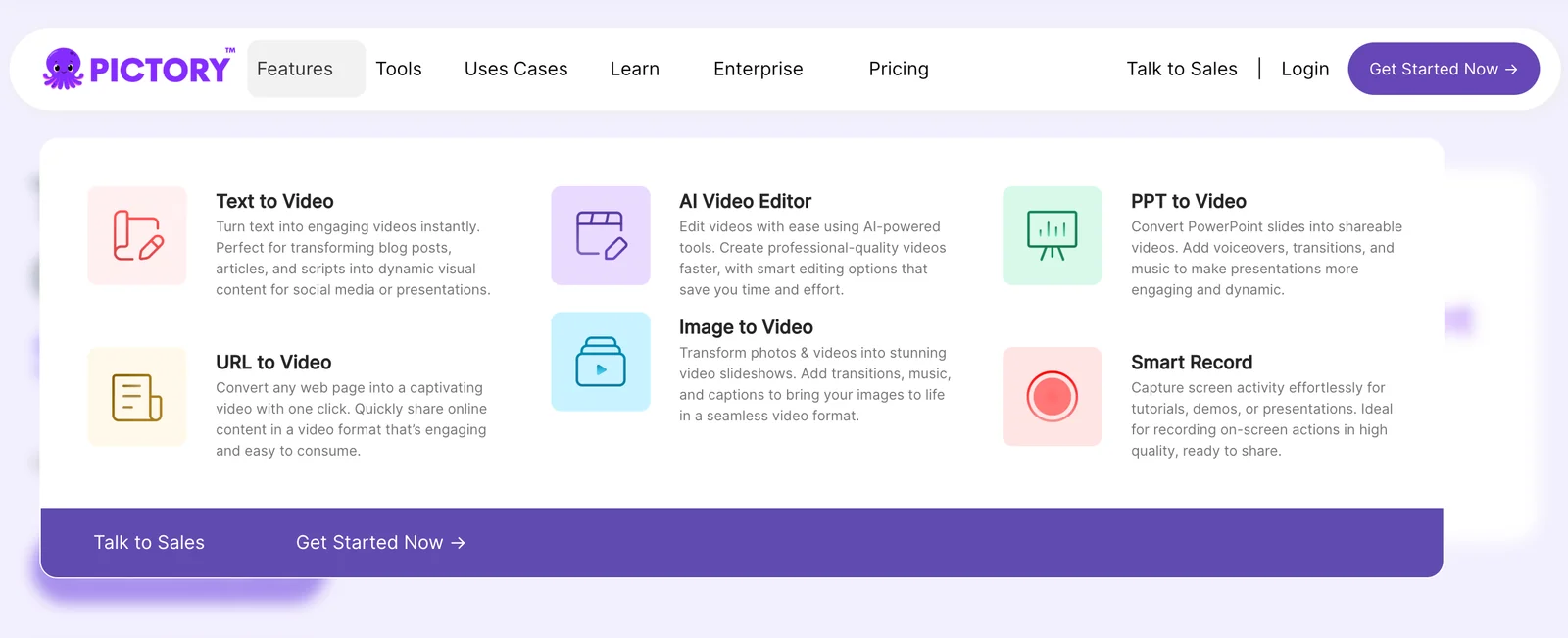
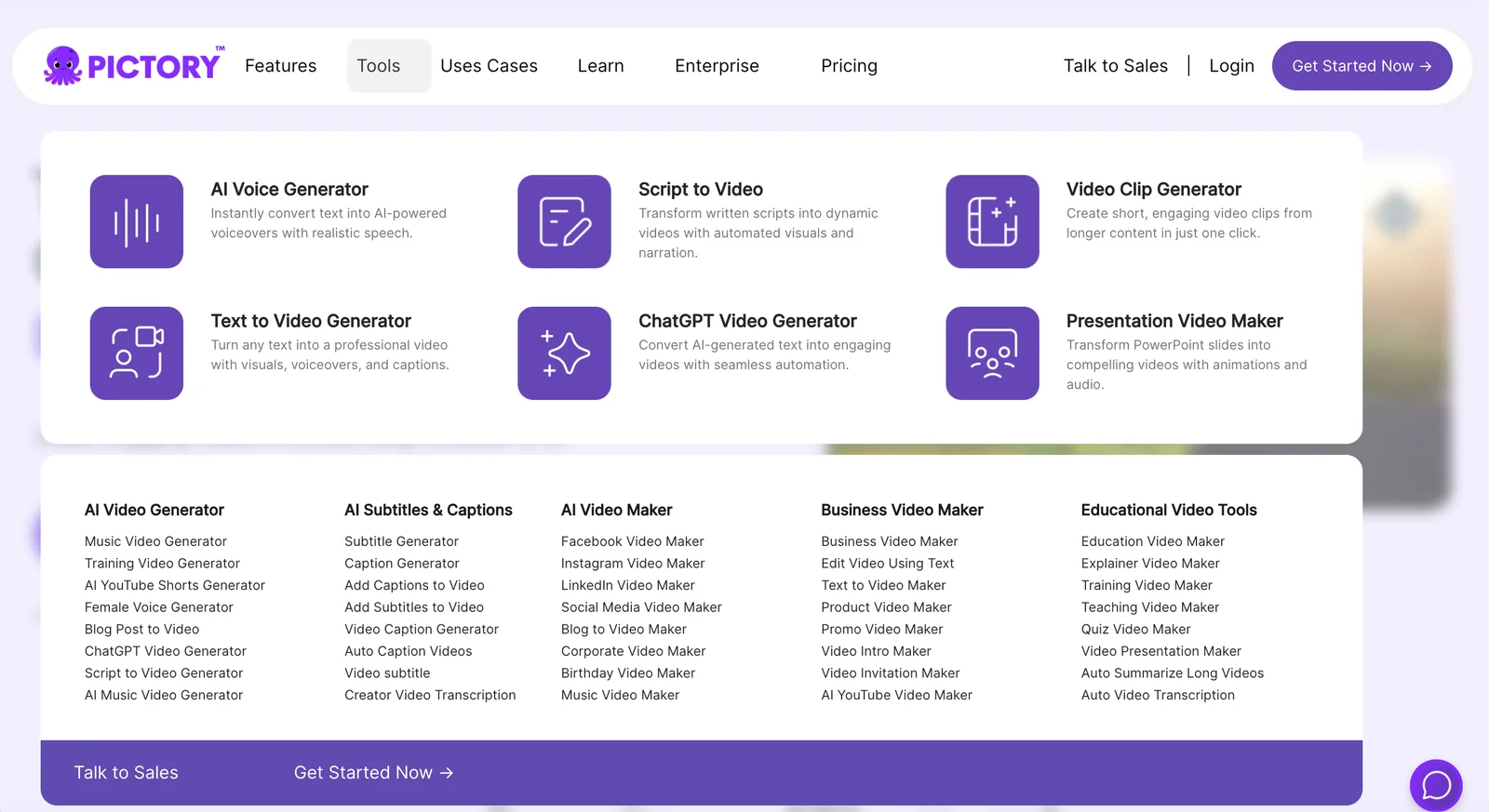
Pictory is a web-based AI video generator that creates and edits professional-quality videos from text, long-form articles, or uploaded videos without requiring software downloads or deep technical skills. It offers text-to-video conversion (including converting webpage URLs or scripts), automated transcription and caption generation, and video summarization to produce short, shareable clips for social and marketing channels. Pictory provides cloud APIs and SDK examples (Node.js) for integration into workflows and platforms, enabling businesses to automate large-scale video production and repurpose long-form content into branded short-form assets quickly.
Screenshots

Key Features
Use Cases
MCP Server
https://pictory.ai/blog/pictory-mcp-server-apihttps://api.pictory.ai/pictoryapis/v1💡 MCP (Model Context Protocol) enables AI assistants to securely interact with local and remote resources.



Frequently asked questions about Pictory
What is the pricing structure for Pictory?
Pictory offers a tiered pricing structure that includes the Starter plan at $19–$25/month, the Professional plan at $39–$49/month, and the Teams plan at $99–$119/month. For larger organizations, the Enterprise plan features custom pricing. A free trial is also available for new users to explore the features.
Key Points
- Starter Plan: $19–$25/month
- Professional Plan: $39–$49/month
- Teams Plan: $99–$119/month, with custom pricing for Enterprise
Detailed Explanation
Pictory provides several pricing tiers to cater to different user needs:
-
Starter Plan: Priced between $19 and $25 per month, this plan is ideal for individual users or small businesses looking to create short videos and enhance their social media presence. It includes essential features like text-to-video, a limited number of video exports, and access to basic templates.
-
Professional Plan: Ranging from $39 to $49 per month, this plan suits content creators and marketers who require advanced functionalities. Users can expect additional features, such as longer video durations, a greater selection of templates, and priority support.
-
Teams Plan: This option, priced between $99 and $119 per month, is designed for teams collaborating on video projects. It offers enhanced collaboration features, more extensive video libraries, and higher export limits.
-
Enterprise Plan: For larger organizations, Pictory provides custom pricing tailored to specific needs. This plan typically includes advanced analytics, dedicated account management, and bespoke integrations, ensuring that businesses achieve maximum ROI from their video content.
-
Free Trial: Pictory allows new users to explore its features with a free trial, making it easier to evaluate the platform before committing to a paid plan.
Best Practices / Tips
- Evaluate Your Needs: Before selecting a plan, assess your video production needs. If you’re just starting, the Starter plan may suffice; however, consider upgrading as your requirements grow.
- Utilize the Free Trial: Take advantage of the free trial to familiarize yourself with the platform's features and functionalities. This can help you make an informed decision.
- Consider Team Collaboration: If you're working with a team, the Teams plan offers essential tools for collaboration, ensuring smooth project management.
- Watch for Promotions: Keep an eye out for seasonal discounts or promotions, which can provide significant savings on your subscription.
Additional Resources
How do I use Pictory to create videos from text?
To create videos with Pictory, sign up for a free trial, input your text or URL, and the platform will automatically generate a video with suggested visuals and scenes. This user-friendly tool simplifies video creation, making it accessible for marketers, educators, and content creators.
Key Points
- Pictory offers a free trial for new users.
- Input text or a URL to generate videos automatically.
- The platform provides suggested visuals and scenes for enhanced storytelling.
Detailed Explanation
Pictory is an innovative AI-powered tool designed to transform text into engaging videos effortlessly. Here’s how to use it step-by-step:
-
Sign Up: Visit the Pictory website and register for a free trial. This allows you to explore the platform's features without initial costs.
-
Input Your Content: Once registered, you can input your text directly into the platform or paste a URL that contains your desired content. Pictory supports various formats, making it versatile for different types of content.
-
Automatic Video Generation: After inputting your text, Pictory's AI analyzes the content and generates a video. The platform suggests relevant visuals, scenes, and transitions based on the text provided, ensuring that the final product is visually appealing and relevant.
-
Customization: You can customize the generated video by adjusting scenes, adding voiceovers, or incorporating music. This feature allows you to align the video with your brand's style and tone.
-
Export and Share: Once satisfied with your video, you can easily export it in various formats suitable for different platforms, including social media, websites, or presentations.
Best Practices / Tips
- Keep Text Concise: For better results, use concise text that conveys your message clearly. Aim for around 150-300 words for optimal video length.
- Utilize Keywords: Incorporate relevant keywords in your text to enhance SEO. This helps in making your videos more discoverable on platforms like YouTube and social media.
- Experiment with Styles: Take advantage of Pictory’s customizable features. Test different visuals and audio to find the combination that resonates best with your audience.
- Preview Before Finalizing: Always preview your video before exporting to ensure that visuals align with your message and that there are no errors.
Additional Resources
What are the key features of Pictory?
Pictory is an advanced AI tool that features text-to-video conversion, long-form content repurposing, automated transcription, and cloud API support. It enables users to efficiently create professional-quality videos, enhancing their content marketing strategies and audience engagement.
Key Points
- Text-to-Video Conversion: Transform written content into engaging videos.
- Long-Form Content Repurposing: Convert articles and blogs into video format.
- Automated Transcription: Generate transcripts for videos automatically, improving accessibility.
Detailed Explanation
Pictory stands out in the crowded space of video creation tools due to its unique features tailored for content creators and marketers.
-
Text-to-Video Conversion: Pictory enables users to input text, which the AI then analyzes to create a visually appealing video. This feature is particularly useful for bloggers and marketers looking to expand their reach through video content. For instance, a 1,000-word blog post can be transformed into a 3-5 minute video, perfect for sharing on social media platforms.
-
Long-Form Content Repurposing: Content creators can repurpose existing long-form content, such as articles or eBooks, into engaging videos. This not only saves time but also helps in reaching audiences who prefer video over text. For example, a webinar can be distilled into a series of short clips that highlight key takeaways.
-
Automated Transcription: Pictory’s automated transcription feature allows users to convert spoken content into written text seamlessly. This is beneficial for creating closed captions, making videos more accessible to a wider audience. Additionally, having transcripts can enhance SEO by providing search engines with more content to index.
-
Cloud API Support: Pictory's cloud API allows developers to integrate its functionalities into their applications, facilitating scalable video creation processes. This is particularly advantageous for businesses looking to automate video marketing efforts.
Best Practices / Tips
- Utilize Templates: Pictory offers various templates; leverage them to maintain brand consistency.
- Optimize Video Length: Keep videos concise (3-5 minutes) for maximum engagement.
- Leverage Keywords: Incorporate relevant keywords in the text input to improve video discoverability.
- Regular Updates: Frequently update your content and videos to keep them relevant and engaging to your audience.
Additional Resources
How does Pictory's API support video generation?
Pictory's API facilitates automated video creation, transcription, and summarization, allowing developers to seamlessly integrate video generation into applications using REST APIs. It employs client ID authentication, ensuring secure and efficient workflows for users looking to enhance their content with dynamic video solutions.
Key Points
- Automated Video Creation: Generate videos from text or scripts effortlessly.
- Transcription Services: Convert audio content into text for accessibility.
- Summarization Features: Create concise video summaries from longer content.
Detailed Explanation
Pictory’s API is designed for developers who want to integrate video features into their applications. Its primary functionality revolves around three core services:
-
Automated Video Creation: With just a few lines of code, developers can convert text or scripts into engaging videos. For instance, a marketing team could use Pictory’s API to automatically generate promotional videos from product descriptions, significantly reducing production time.
-
Transcription Services: Pictory’s API includes robust transcription capabilities, allowing users to convert audio and video content into text. This feature is particularly useful for educators creating learning materials or businesses that require closed captioning for compliance.
-
Summarization Features: The API can summarize longer video content into shorter clips, making it easier for audiences to digest information. For example, a news outlet could summarize daily news reports into brief video highlights.
Developers can easily access these features by integrating Pictory’s REST API with their applications. The integration process involves obtaining a client ID for authentication, which ensures secure access to the API’s functionalities. This streamlined approach is ideal for enhancing user engagement through video content.
Best Practices / Tips
- Understand Your Use Case: Before implementing the API, clearly define your video content needs—whether it’s for marketing, education, or entertainment.
- Optimize Video Length: Keep videos concise to maintain viewer attention; typically, 1-2 minutes is ideal for social media sharing.
- Test API Responses: Regularly test the API to ensure it meets your performance requirements and handle errors gracefully.
Additional Resources
How does Pictory compare to other video creation tools?
Pictory excels in automated video editing and transcription, a rich stock library, and an intuitive user interface, setting it apart from competitors like Lumen5 and InVideo. These features allow users to create engaging videos quickly, making Pictory a top choice for both beginners and experienced creators.
Key Points
- Automated Editing: Pictory's AI-driven tools simplify the video creation process.
- Extensive Stock Library: Access to a vast collection of images and videos enhances creativity.
- User-Friendly Interface: Designed for ease of use, Pictory accommodates all skill levels.
Detailed Explanation
Pictory's automated editing capabilities leverage artificial intelligence to transform scripts into polished videos. Users can input a text script, and Pictory automatically selects corresponding visuals from its extensive stock library, which includes thousands of images and clips. This feature reduces the time and effort typically involved in video production.
In comparison, competitors like Lumen5 focus more on templated designs, which can limit customization. While Lumen5's storyboard approach is helpful for beginners, it may not satisfy advanced users looking for more creative freedom. InVideo, on the other hand, offers a robust set of templates but can be overwhelming for new users due to its complex interface.
Pictory stands out with its user-friendly design. The drag-and-drop functionality allows users to easily arrange clips, add text, and adjust audio tracks without prior video editing experience. This accessibility empowers marketers and content creators to produce high-quality videos quickly, which is crucial in today's fast-paced digital landscape.
Best Practices / Tips
- Leverage AI Features: Use Pictory's automated tools to save time, especially for large projects.
- Explore the Stock Library: Don’t hesitate to utilize the vast stock resources to enhance your videos visually.
- Stay Updated: Regularly check for new features or updates from Pictory to utilize the latest enhancements.
Common pitfalls include ignoring the importance of a compelling script. A well-crafted script can significantly enhance the effectiveness of your video. Additionally, avoid overcrowding your video with too much information; focus on clarity and engagement.
Additional Resources
These resources can provide further insights into each platform's capabilities and help users make informed decisions based on their video creation needs.
Explore more AI Mcps tools
Browse all Mcps tools →Browse by use case: Video Generation · Automation & Productivity
Compare Pictory: vs OzBrain · vs QApilot MCP for Android · vs Noodle Seed · vs Chrome DevTools MCP