

Photoroom
AIAI-powered photo editor for background removal, background replacement, and product photography for creators and e-commerce.
Photoroom
AI-powered photo editor for background removal, background replacement, and product photography for creators and e-commerce.
About Photoroom
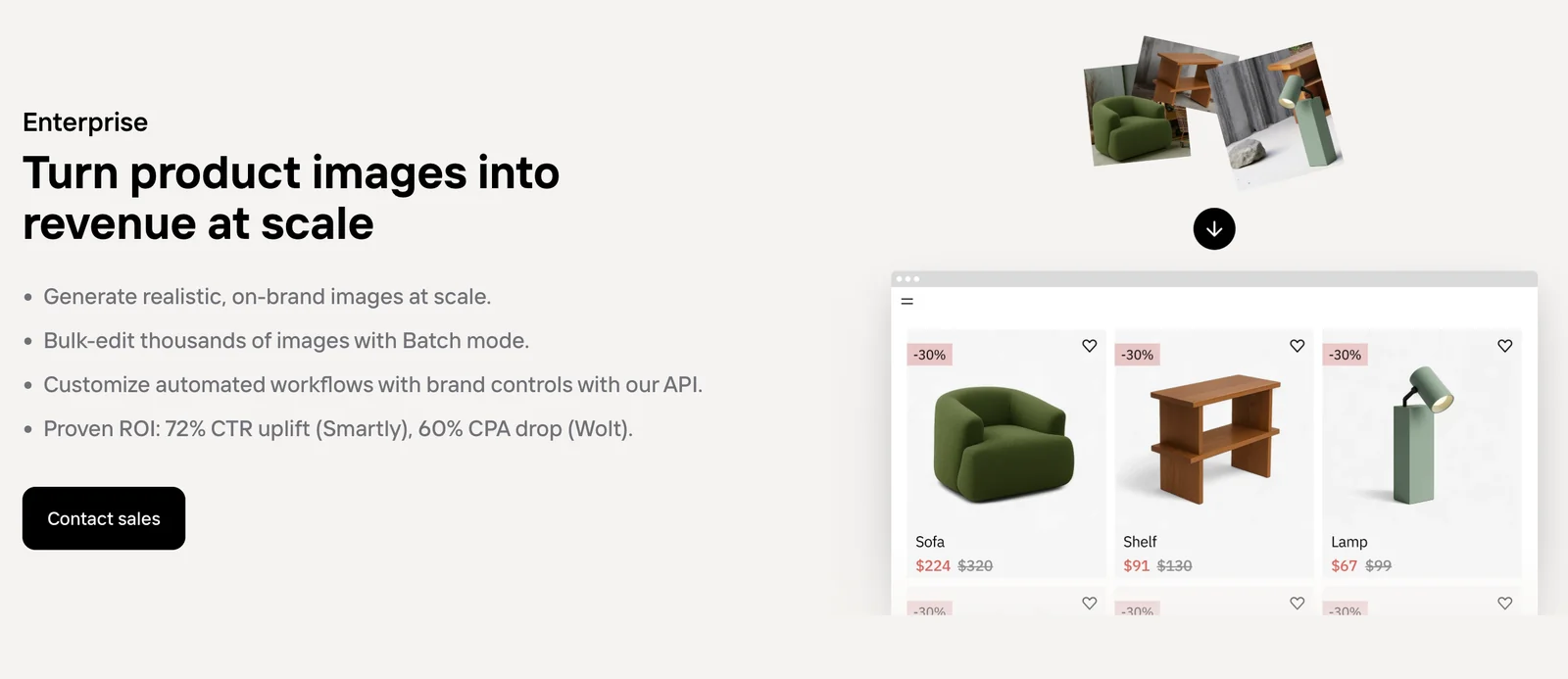
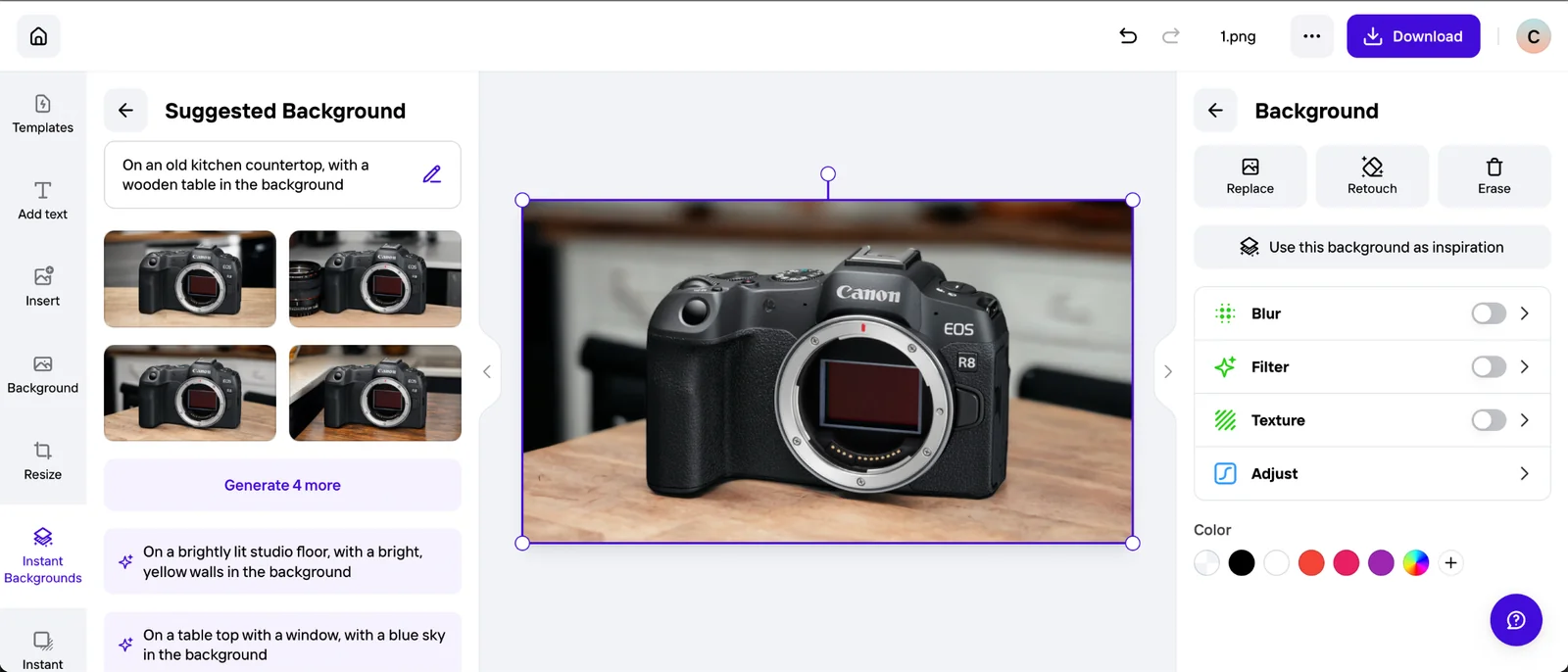
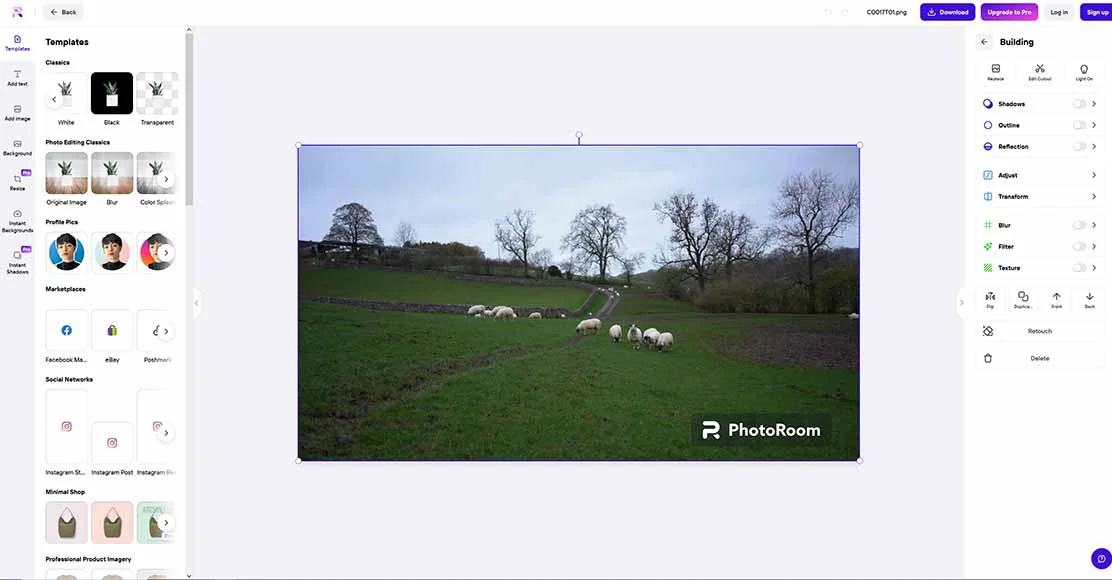
PhotoRoom is an AI-driven photo editing platform focused on fast background removal and creating professional product and portrait images from mobile devices or via APIs. It provides tools to remove or replace backgrounds, apply product-focused templates, and integrate background-removal capabilities into third-party apps through SDKs and an API. PhotoRoom's technology is positioned for e-commerce sellers and social media creators who need high-volume, consistent visuals and developer-facing integrations for automated workflows.
Screenshots



Key Features
Use Cases



Frequently asked questions about Photoroom
What are the pricing options for PhotoRoom?
PhotoRoom offers a freemium pricing model that includes four plans: Free ($0/month), Pro ($4.99/week or $12.99/month), Max ($34.99/month), and customized pricing for Enterprise users. Each plan is designed to cater to different needs, ranging from casual users to professional businesses.
Key Points
- Free Plan: Basic features at no cost.
- Pro Plan: Weekly and monthly options for enhanced functionality.
- Max Plan: Comprehensive features for power users and businesses.
- Enterprise Option: Tailored plans for larger organizations.
Detailed Explanation
PhotoRoom’s pricing structure is designed to accommodate a wide range of users, from hobbyists to professional businesses needing advanced features.
-
Free Plan: The Free version allows users to remove backgrounds from images and access basic editing tools. This is ideal for individuals or small projects where advanced functionalities are not required.
-
Pro Plan: For $4.99 per week or $12.99 per month, the Pro plan offers additional features like high-resolution downloads, custom templates, and priority support. This plan is suitable for small business owners or freelancers who need more flexibility and enhanced capabilities.
-
Max Plan: Priced at $34.99 per month, this plan provides all Pro features along with advanced editing tools, batch processing, and the ability to create multiple projects simultaneously. Max is designed for serious entrepreneurs and marketing teams who require extensive functionality.
-
Enterprise Option: Custom pricing is available for Enterprise users, which includes specialized features tailored to large organizations. This plan often includes team collaboration tools, advanced analytics, and personalized support.
Best Practices / Tips
- Evaluate Your Needs: Before choosing a plan, assess your specific requirements. If you’re a casual user, the Free plan may suffice; however, professionals should consider the Pro or Max plans for better results.
- Take Advantage of Trials: If available, use trial periods for the Pro or Max plans to test advanced features before committing.
- Stay Updated: Regularly check PhotoRoom’s website for any changes in pricing or features, as they may introduce new options or promotional discounts.
Additional Resources
How do I use PhotoRoom to remove backgrounds from images?
To remove backgrounds using PhotoRoom, upload your image via the mobile app or web app, select the background removal feature, and let the AI process the image automatically. You can then download the edited image in various formats, ready for use in projects or social media.
Key Points
- User-Friendly Interface: PhotoRoom offers an intuitive design for easy navigation.
- AI Technology: The app utilizes advanced AI to ensure accurate background removal.
- Multiple Download Options: Users can download images in different formats and resolutions.
Detailed Explanation
Using PhotoRoom is a straightforward process, ideal for both beginners and professionals. Here’s a step-by-step guide:
- Download the App: Start by downloading the PhotoRoom app from the App Store or Google Play, or visit the PhotoRoom website.
- Upload Your Image: Open the app or website and click on the upload button. You can select images from your device's gallery or take a new photo directly within the app.
- Select the Background Removal Feature: Once your image is uploaded, navigate to the background removal option. PhotoRoom automatically detects the background and removes it using AI technology.
- Review and Edit: After processing, you can review the result. If needed, use the editing tools to refine the edges or adjust the image.
- Download Your Image: Once satisfied, click on the download button. You can choose from various formats (JPEG, PNG) and resolutions (high quality or web-optimized).
Use Cases
- E-commerce: Perfect for product photography, allowing sellers to showcase items without distractions.
- Social Media: Create eye-catching posts by removing backgrounds from images for better visual appeal.
- Graphic Design: Use edited images in presentations, marketing materials, or personal projects.
Best Practices / Tips
- Choose High-Quality Images: For the best results, upload images that are clear and well-lit.
- Check the Edges: After background removal, closely inspect the edges of the main subject to ensure a clean look.
- Use the Editing Features: Take advantage of PhotoRoom's additional editing tools, such as adding new backgrounds or applying filters.
- Avoid Busy Backgrounds: Images with complex backgrounds may produce less accurate results; simpler backgrounds yield better outcomes.
Additional Resources
By following these steps and tips, you can efficiently use PhotoRoom to create professional-looking images with backgrounds removed, enhancing your visual content for various applications.
What are the key features of PhotoRoom?
PhotoRoom offers features such as automated background removal, background replacement, mobile editing capabilities, and developer APIs for integration. These tools are designed to empower e-commerce businesses and social media creators by simplifying the image editing process for product photos and promotional content.
Key Points
- Automated Background Removal: Quickly eliminates backgrounds from images.
- Background Replacement: Allows users to add new backgrounds easily.
- Mobile Editing Capabilities: Edit photos on-the-go with a user-friendly app.
Detailed Explanation
PhotoRoom provides a suite of powerful features tailored for users in e-commerce and social media.
-
Automated Background Removal: This feature uses advanced AI algorithms to detect and remove backgrounds from images in seconds, enabling users to create clean product shots without needing extensive graphic design skills. For example, a clothing retailer can instantly remove the background from a product image, making it ready for online listings.
-
Background Replacement: After removing the background, users can choose from a library of pre-designed backgrounds or upload their own. This is particularly useful for creating visually appealing images that match branding or seasonal themes, such as placing a product against a festive backdrop for holiday promotions.
-
Mobile Editing Capabilities: PhotoRoom’s mobile app allows users to edit images directly from their smartphones, making it convenient for on-the-spot editing. This feature is especially beneficial for social media managers or influencers who need to produce high-quality visuals quickly.
-
Developer APIs: For businesses that require custom integration, PhotoRoom offers APIs that enable developers to incorporate background removal and editing features into their applications, enhancing workflow efficiency.
Best Practices / Tips
- Optimize Image Quality: Ensure that the original images are high-resolution for the best results when using background removal.
- Experiment with Backgrounds: Utilize various backgrounds to find what resonates best with your audience; seasonal and thematic additions can enhance engagement.
- Utilize Mobile Features: Take advantage of the mobile app during events or product launches to capture and edit images in real-time.
Additional Resources
By leveraging these features effectively, users can enhance their images, streamline their editing processes, and ultimately drive better engagement and sales.
How does PhotoRoom's API work for background removal?
PhotoRoom's API enables developers to efficiently remove backgrounds from images programmatically. It operates on a pay-per-image pricing model, starting at just $0.02 per image for a minimum of 1,000 images, making it an excellent solution for high-volume image processing tasks.
Key Points
- Pay-Per-Image Model: Pricing starts at $0.02 per image.
- Scalability: Ideal for projects requiring batch processing of images.
- Ease of Integration: Simple API calls for seamless background removal.
Detailed Explanation
PhotoRoom's API is designed to streamline the image editing process, particularly background removal. Developers can integrate this API into their applications, enabling automated workflows for e-commerce, social media, or digital marketing.
How It Works:
- API Access: After signing up, developers receive an API key.
- Image Submission: Users send images to the API endpoint using a POST request.
- Processing: The API analyzes the image and identifies the subject, removing the background.
- Response: The edited image is returned in various formats, ready for use.
Use Cases:
- E-commerce: Online retailers can quickly prepare product images for listings.
- Marketing: Social media managers can create visually appealing posts without extensive editing skills.
- Content Creation: Bloggers and influencers can enhance their visuals efficiently.
Best Practices / Tips
- Batch Processing: Utilize the minimum batch of 1,000 images to maximize cost efficiency.
- Image Quality: Ensure images are high-resolution for better background removal accuracy.
- Testing: Conduct tests with different types of images to understand the API's capabilities and limitations.
Additional Resources
How does PhotoRoom compare to other photo editing tools?
PhotoRoom stands out among photo editing tools due to its superior automated background removal capabilities, tailored specifically for e-commerce. Its mobile-first design and batch processing features enhance user-friendliness, making it an ideal choice for online sellers seeking efficiency and quality in their product images.
Key Points
- Automated Background Removal: PhotoRoom excels in quickly removing backgrounds from images.
- E-commerce Focus: Specifically designed to meet the needs of online sellers.
- Mobile-First Editing: Offers a seamless experience on mobile devices with intuitive features.
Detailed Explanation
PhotoRoom is designed to simplify the photo editing process, particularly for e-commerce businesses. Its automated background removal feature allows users to quickly isolate products, ensuring that images look professional and polished. This capability is not only fast but also highly accurate, which is crucial for maintaining a high-quality online presence.
E-commerce Focus
PhotoRoom is particularly beneficial for entrepreneurs and sellers on platforms like Amazon, eBay, and Etsy. By providing tools that enhance product images, PhotoRoom helps increase click-through rates and conversions. Users can easily create marketing materials, social media posts, and product listings without extensive graphic design knowledge.
Mobile-First Editing
With a strong emphasis on mobile usability, PhotoRoom allows users to edit photos on the go. The app is straightforward, enabling quick edits and instant downloads. This is especially useful for sellers who need to update their product images frequently or work from various locations.
Batch Processing Features
PhotoRoom supports batch processing, allowing users to edit multiple images simultaneously. This feature saves a significant amount of time, especially for businesses with large inventories. Users can remove backgrounds and apply consistent edits across numerous images efficiently.
Best Practices / Tips
- Use High-Quality Images: Start with good quality photos for the best results when using PhotoRoom.
- Experiment with Templates: Take advantage of PhotoRoom’s templates for consistent branding across all product images.
- Regular Updates: Keep the app updated to benefit from the latest features and improvements.
- Optimize Image Sizes: Ensure images are optimized for web use to enhance loading times on e-commerce platforms.
Additional Resources
Explore more AI Ai Agents tools
Browse all Ai Agents tools →Browse by use case: Image Generation · Automation & Productivity
Compare Photoroom: vs Playad · vs Concierge by Juniors AI · vs Scout by Fini · vs Ruflo