

pgvector
AIOpen SourceFreeOpen-source Postgres extension that adds a vector column type and vector similarity search for embeddings storage and nearest-neighbor queries.
pgvector
Open-source Postgres extension that adds a vector column type and vector similarity search for embeddings storage and nearest-neighbor queries.
About pgvector
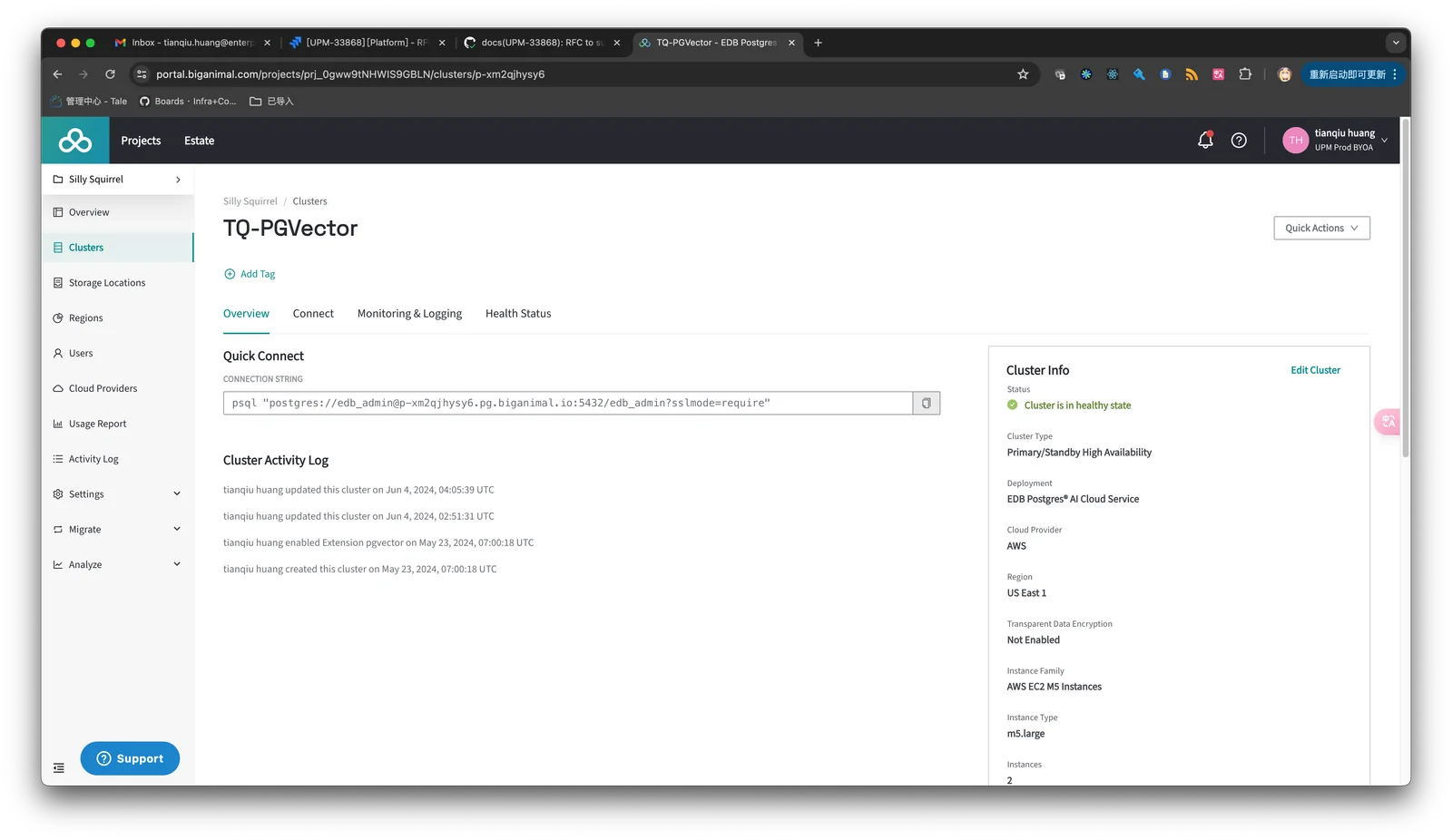
pgvector provides a Postgres extension that adds a native vector column type and SQL operations to store and query vector embeddings inside PostgreSQL. It enables nearest-neighbor and similarity searches directly in the database, integrates with multiple language client libraries and ORMs, and can be installed on CI runners or existing Postgres instances via package installs or CREATE EXTENSION. Its value is bringing vector search capabilities to existing Postgres deployments so teams can build semantic search, recommendations, and embedding-backed features without adopting separate specialized vector databases.
Screenshots

Key Features
Use Cases



Frequently asked questions about pgvector
Is pgvector free to use?
Yes, pgvector is completely free to use, as it is an open-source Postgres extension under the MIT license. Users can self-host it without incurring any costs, making it an accessible option for developers looking to implement vector-based data handling in their PostgreSQL databases.
Key Points
- pgvector is open-source and licensed under MIT.
- Self-hosting is available at no cost.
- It supports high-dimensional vector similarity searches.
Detailed Explanation
pgvector is an extension for PostgreSQL designed to facilitate the storage and querying of vector data, which is essential for machine learning and AI applications. Since it's open-source and governed by the MIT license, developers can freely use, modify, and distribute the software without any licensing fees.
Installation Process
- Prerequisites: Ensure you have PostgreSQL installed. pgvector is compatible with PostgreSQL 12 and later versions.
- Installation: You can install pgvector via the command line by running:
git clone https://github.com/pgvector/pgvector.git cd pgvector make && make install - Enabling the Extension: After installation, enable it in your database by executing:
CREATE EXTENSION vector;
Use Cases
pgvector is particularly useful for applications involving:
- Recommendation Systems: Store user preferences and item characteristics as vectors to efficiently compute similarities.
- Natural Language Processing: Handle word embeddings or document vectors to perform semantic searches.
- Image Retrieval: Store image features as vectors for quick similarity matching.
Best Practices / Tips
- Optimize Vector Dimensions: Choose the right dimensionality for your vectors. Higher dimensions may provide better accuracy but can increase computational costs.
- Indexing: Utilize indexes on vector columns to speed up similarity searches significantly. Use the
ivfflatindex for efficient nearest neighbor searches. - Monitor Performance: Regularly analyze query performance and adjust configurations as needed to maximize efficiency.
Additional Resources
By leveraging pgvector’s capabilities, developers can enhance their applications with powerful vector-based data processing while enjoying the benefits of an open-source platform.
What are the main features of pgvector?
pgvector is an extension for PostgreSQL that introduces a native vector column type, enabling efficient vector similarity searches and nearest-neighbor queries. It supports up to 2000 dimensions and various similarity functions, making it ideal for applications in machine learning and AI.
Key Points
- Native Vector Support: pgvector allows PostgreSQL to handle vector data types seamlessly.
- Dimensional Flexibility: Supports vectors with up to 2000 dimensions.
- Similarity Functions: Offers various functions for computing distances between vectors.
Detailed Explanation
pgvector enhances PostgreSQL by adding a new data type specifically designed for vectors. This functionality is particularly beneficial for applications involving machine learning, semantic search, and recommendation systems. With the ability to perform vector similarity searches, users can efficiently find items that are closest to a given vector, which is essential for tasks like image recognition or natural language processing.
Example Use Case
For instance, in a recommendation system, if you have user preferences represented as vectors, pgvector can quickly identify similar users based on their preferences. A query could look something like this:
SELECT * FROM products
ORDER BY products.vector <-> '[0.1, 0.2, 0.3]'::vector
LIMIT 10;
This query retrieves the top 10 products that are most similar to the input vector, providing a robust solution for personalized recommendations.
Best Practices / Tips
- Indexing: Utilize indexing strategies like the
ivfflatindex for faster query performance on high-dimensional data. - Normalization: Ensure that input vectors are normalized to maintain consistency and improve similarity accuracy.
- Testing: Regularly test the effectiveness of different similarity functions to determine which offers the best performance for your specific use case.
Additional Resources
- pgvector GitHub Repository: Official documentation and installation instructions.
- PostgreSQL Documentation: Comprehensive guide on PostgreSQL features and extensions.
- Vector Similarity Search in PostgreSQL: An overview of vector search techniques and applications.
How do I get started with pgvector?
To get started with pgvector, install it as a PostgreSQL extension using the command CREATE EXTENSION IF NOT EXISTS vector. For detailed setup instructions and additional configurations, refer to the official pgvector GitHub page.
Key Points
- pgvector is an extension for PostgreSQL that supports vector data types.
- It enables efficient storage and retrieval of high-dimensional vectors.
- Installation is straightforward with the provided SQL command.
Detailed Explanation
pgvector allows PostgreSQL to handle vector data types, which are essential for applications involving machine learning, neural networks, and similarity searches. To begin with pgvector:
- Install PostgreSQL: Ensure you have PostgreSQL version 12 or later.
- Install pgvector: Execute the following SQL command in your PostgreSQL environment:
CREATE EXTENSION IF NOT EXISTS vector; - Create a Vector Column: You can define a table with a vector column as follows:
CREATE TABLE items ( id SERIAL PRIMARY KEY, embedding VECTOR(3) -- Adjust the dimension as needed ); - Insert Data: Add vector data into your table:
INSERT INTO items (embedding) VALUES ('[0.1, 0.2, 0.3]'); - Querying: Use vector operations to perform similarity searches:
SELECT * FROM items ORDER BY embedding <=> '[0.1, 0.2, 0.3]' LIMIT 5;
This example demonstrates how to store and query vector data effectively.
Best Practices / Tips
- Choose the Right Dimension: Ensure your vector dimension matches the data you're working with to avoid unnecessary complexity.
- Indexing: Consider using indexes for faster retrieval, especially with large datasets.
- Monitor Performance: Regularly check your queries and optimize them for speed, particularly for similarity searches, as they can become resource-intensive.
Additional Resources
- pgvector GitHub Repository: Official documentation and installation guides.
- PostgreSQL Documentation: Comprehensive resource for PostgreSQL features and best practices.
- Vector Search in PostgreSQL: Explore more about vector search capabilities and use cases in PostgreSQL.
What are the technical requirements for integrating pgvector?
pgvector requires a compatible version of PostgreSQL, specifically version 14 or higher, and supports various programming languages and Object-Relational Mappers (ORMs). For successful integration, refer to the official pgvector documentation tailored to your chosen programming environment.
Key Points
- PostgreSQL Version: Ensure you use PostgreSQL 14 or later.
- Supported Languages: Compatible with languages like Python, Java, and Ruby.
- Documentation: Follow the official pgvector documentation for integration.
Detailed Explanation
Integrating pgvector involves several technical requirements to ensure proper functionality and performance. Here’s a detailed breakdown:
-
PostgreSQL Compatibility:
- pgvector works best with PostgreSQL version 14 or above. Ensure that your database is updated to this version to utilize the latest features and improvements related to vector data storage and querying.
-
Programming Language and ORM Support:
- pgvector can be integrated with multiple programming languages, including Python, Java, JavaScript, and Ruby. Each language may have specific libraries or frameworks that facilitate this integration.
- Popular ORMs like SQLAlchemy for Python, Hibernate for Java, and ActiveRecord for Ruby can seamlessly work with pgvector. Check the ORM documentation for specific instructions on how to handle vector types.
-
Installation and Configuration:
- To start using pgvector, install the extension in your PostgreSQL database. This can typically be done using the command:
CREATE EXTENSION vector; - Once installed, you can create a vector column in your tables, for example:
CREATE TABLE items (id serial PRIMARY KEY, embedding vector(3));
- To start using pgvector, install the extension in your PostgreSQL database. This can typically be done using the command:
-
Referencing Official Documentation:
- Always consult the official pgvector documentation for the most accurate and detailed integration steps. This documentation provides examples, best practices, and troubleshooting tips for various programming environments.
Best Practices / Tips
- Version Control: Regularly check for updates to PostgreSQL and pgvector to leverage new features and security patches.
- Performance Optimization: Use appropriate indexing strategies on vector columns to enhance query performance. Consider using the
ivfflatindex for efficient nearest neighbor searches. - Testing and Validation: After integration, run tests to validate that your application correctly handles vector operations, including inserting, updating, and querying vector data.
Additional Resources
- pgvector GitHub Repository - Official source for installation and usage.
- PostgreSQL Documentation - Comprehensive resource for PostgreSQL features.
- Vector Database Use Cases - Explore various applications of vector databases in AI and machine learning.
How does pgvector compare to other vector databases?
pgvector stands out among vector databases by seamlessly integrating vector search capabilities into PostgreSQL. This enables users to utilize existing database structures and tools, eliminating the need for separate systems while enhancing performance and scalability for AI-driven applications.
Key Points
- Seamless Integration: Combines vector search with traditional SQL capabilities.
- Performance: Optimized for large datasets and real-time querying.
- Cost-Effective: Reduces the need for additional database management systems.
Detailed Explanation
pgvector is an extension for PostgreSQL that facilitates vector similarity search, crucial for applications such as recommendation systems and natural language processing. Unlike standalone vector databases like Faiss or Annoy, pgvector allows users to maintain their existing relational database structure while benefiting from advanced vector search functionalities.
Integration Benefits
By using pgvector, organizations can leverage their current PostgreSQL installations, avoiding the complexity and overhead of managing multiple database systems. This integration means that users can execute vector queries alongside traditional SQL queries, streamlining operations and improving efficiency.
Performance Metrics
pgvector is designed for high performance, capable of handling large datasets (millions of vectors) efficiently. It supports various indexing techniques, including approximate nearest neighbor search, which significantly speeds up query response times. For instance, a recommendation system can retrieve relevant items from vast data sets in milliseconds.
Use Cases
- E-commerce: Enhancing product recommendations by analyzing user behavior and preferences.
- Natural Language Processing: Implementing chatbots that understand context and semantics through semantic search.
- Image Recognition: Searching and categorizing images based on visual similarity.
Best Practices / Tips
- Optimize Data Storage: Ensure that your vectors are appropriately stored and indexed to maximize performance.
- Regularly Update Models: Continuously train and update your vector models to reflect changing user preferences and data trends.
- Monitor Performance: Utilize PostgreSQL's built-in performance monitoring tools to identify and resolve any bottlenecks in your vector queries.
Additional Resources
- pgvector GitHub Repository: Official documentation and installation instructions.
- PostgreSQL Documentation: Comprehensive resources for PostgreSQL users.
- Comparative Analysis of Vector Databases: In-depth comparison of popular vector databases, including pgvector.
Explore more AI Ai Tools tools
Browse all Ai Tools tools →Compare pgvector: vs Humanizer · vs Worktrunk · vs Mise · vs BiBimba