

Patternaly
AIWeb-based AI pattern generator that creates seamless repeating patterns from text prompts with 19 styles and instant export.
Patternaly
Web-based AI pattern generator that creates seamless repeating patterns from text prompts with 19 styles and instant export.
About Patternaly
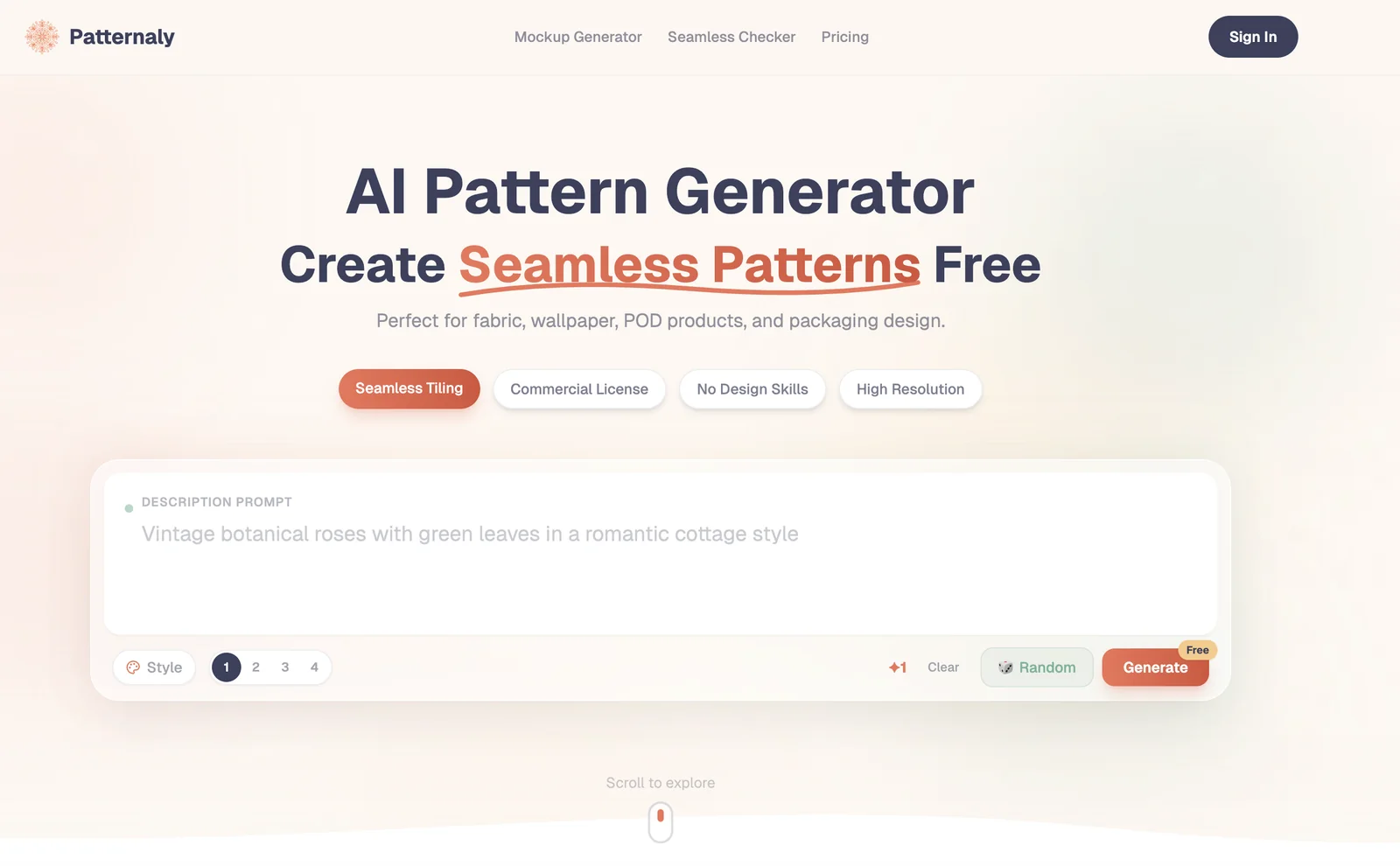
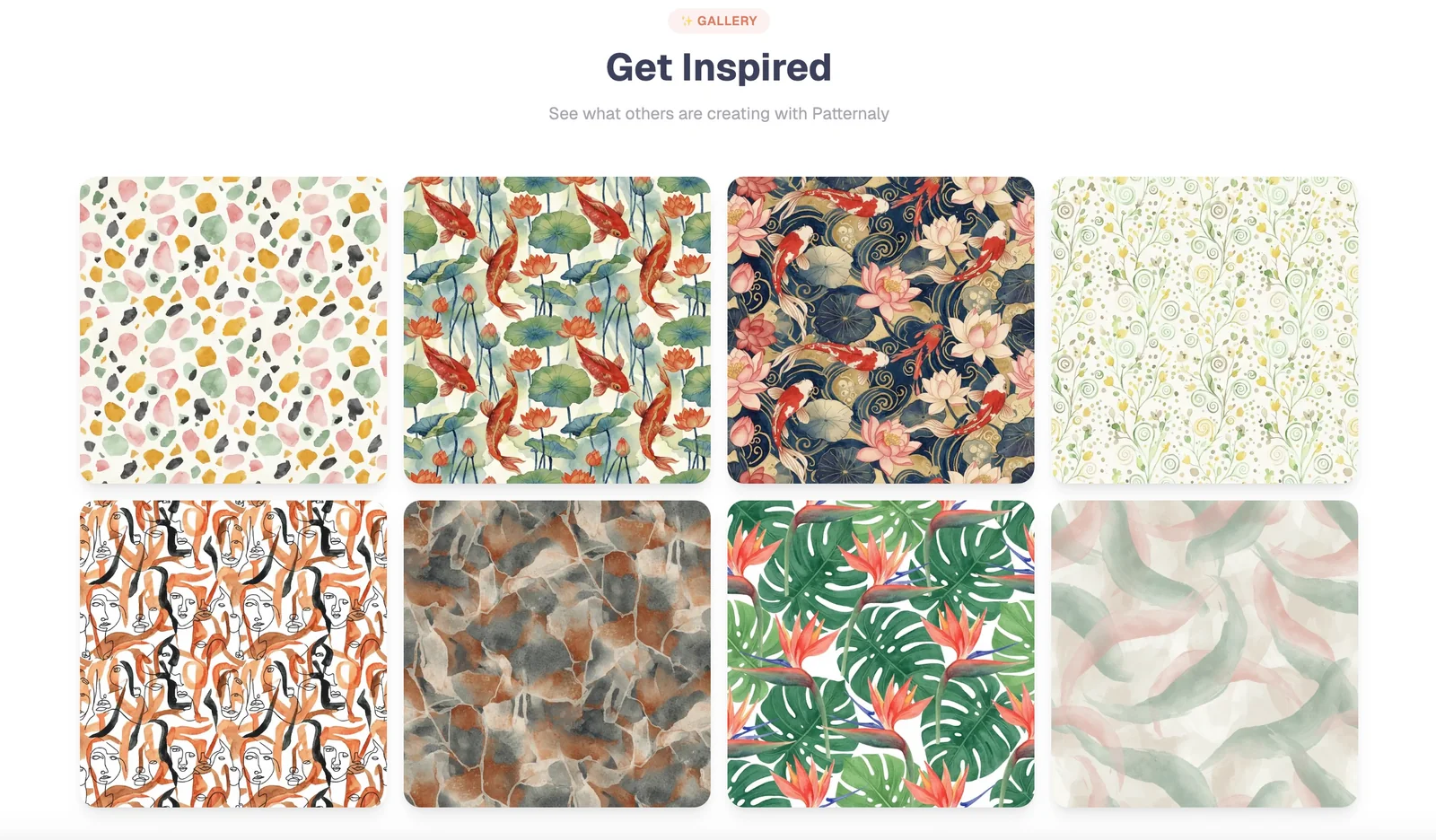
Patternaly is a web-based AI tool that converts text prompts into seamless, repeatable patterns. Users can choose from 19 built-in art styles, generate multiple variations of a design, and export results instantly for use in web or surface design. The tool focuses on rapid iteration and exploration of visual styles, enabling designers and creators to prototype backgrounds, textiles, and branded assets quickly. Patternaly is available to try for free on its website.
Screenshots
Key Features
Use Cases



Frequently asked questions about Patternaly
What pricing options does Patternaly offer for its pattern generation tool?
Patternaly offers a freemium model for its pattern generation tool, featuring a free tier that includes essential functionalities. For users seeking enhanced features, there are paid options available that provide higher resolution exports and increased usage limits, though specific pricing details are currently not publicly disclosed.
Key Points
- Freemium Model: Offers a free tier with core functionalities.
- Paid Options: Higher resolution exports and increased limits available.
- Lack of Public Pricing: Specific pricing details are not openly listed.
Detailed Explanation
Patternaly's pattern generation tool is designed to cater to both casual users and professionals. The freemium model allows users to access basic features without any cost, making it an attractive choice for beginners or those wanting to test the tool before committing financially.
For users who require more advanced features, such as higher resolution exports and increased limits on usage, Patternaly offers paid plans. While the exact pricing details are not published on their website, users can expect the paid options to be structured to suit different needs, potentially including monthly or annual subscriptions.
For example, a freelance designer might start with the free tier to create simple patterns and, as their business grows, transition to a paid plan for higher quality outputs suitable for commercial use. This flexibility makes Patternaly a versatile tool for various creative projects.
Best Practices / Tips
- Start with the Free Tier: Explore the free version extensively to understand the tool's capabilities before considering a paid plan.
- Evaluate Your Needs: Assess your requirements—if high-resolution outputs are critical for your projects, look into the paid options sooner rather than later.
- Stay Updated: Regularly check Patternaly’s website or subscribe to their newsletter for any announcements regarding pricing changes or new features.
Additional Resources
By leveraging these resources, users can maximize their experience with Patternaly's pattern generation tool while staying informed about potential updates or changes in pricing.
What are the main features of Patternaly for generating patterns?
Patternaly is a powerful tool for generating patterns, offering features like text-to-pattern generation, 19 unique art styles, multiple variations from a single input, and instant export capabilities. These features make it ideal for creating seamless repeat patterns suitable for various applications, such as textiles, wallpapers, and digital designs.
Key Points
- Text-to-Pattern Generation: Transform words into intricate designs.
- Diverse Art Styles: Choose from 19 unique styles tailored to different aesthetics.
- Multiple Variations: Generate several designs from a single prompt effortlessly.
Detailed Explanation
Patternaly utilizes advanced AI to convert textual descriptions into visually appealing patterns. This feature allows users to create designs that reflect their visions without needing artistic skills. For instance, by simply entering "floral geometric," Patternaly can produce a range of patterns that blend these themes.
Art Styles
The platform includes 19 different art styles, catering to various tastes—from minimalist to ornate. Users can select styles like abstract, vintage, or modern, enhancing their creative projects with a distinctive flair. Each style is customizable, enabling further personalization.
Variations from a Single Prompt
One of Patternaly's standout features is its ability to generate multiple variations from a single input. This means you can explore various interpretations of your initial idea, ensuring you find the perfect fit for your project. For example, entering "ocean waves" might yield options that vary in color, complexity, and composition.
Instant Export
Patternaly supports instant export functionality, allowing users to download their designs in various formats, such as PNG or SVG. This feature is crucial for designers who need to integrate patterns into projects quickly, whether for print or digital use.
Best Practices / Tips
- Experiment with Prompts: Use descriptive and imaginative prompts to unlock the full potential of Patternaly's generation capabilities.
- Combine Styles: Try mixing two or more styles to create unique patterns that stand out.
- Preview Before Export: Always preview variations to ensure the design meets your expectations before finalizing the export.
Additional Resources
- Patternaly Official Website - For tutorials and further information on using the platform.
- Pattern Design Inspiration - Explore popular patterns and styles for creative ideas.
How do I start using Patternaly for pattern design?
To start using Patternaly for pattern design, visit their website, select a text prompt that inspires you, choose an art style that suits your vision, and click to generate your pattern. You can explore various iterations and easily export your designs for further use.
Key Points
- User-Friendly Interface: Patternaly offers an intuitive design platform.
- Diverse Art Styles: Choose from a wide range of artistic styles.
- Instant Export Options: Quickly download your creations for immediate use.
Detailed Explanation
Patternaly is a versatile tool designed for creatives looking to generate unique patterns effortlessly. Here’s how to get started:
-
Visit the Patternaly Website: Go to Patternaly.com and create an account if required.
-
Select a Text Prompt: Enter descriptive phrases or keywords that reflect the type of pattern you envision. For example, prompts like "floral geometric" or "abstract waves" yield different results.
-
Choose an Art Style: Patternaly features a variety of artistic styles, from minimalist to intricate designs. Browse through the options and select the one that aligns with your creative goals.
-
Generate Your Pattern: Click the generate button to create your pattern. The AI will process your inputs and produce multiple variations based on the selected text prompt and art style.
-
Explore Variations: Review the generated patterns and explore different styles. You can adjust the text prompt or art style as needed to refine your results.
-
Export Your Design: Once satisfied with a pattern, use the export feature to download it in your preferred file format (e.g., PNG, JPEG). This allows for immediate use in projects or further editing in graphic design software.
Best Practices / Tips
- Experiment with Prompts: Use diverse keywords and phrases to discover unexpected designs.
- Save Your Favorites: Keep a collection of your favorite patterns for future reference or inspiration.
- Check Licensing: Review any licensing agreements to ensure you can use the designs commercially if needed.
- Utilize the Community: Engage with other users in forums or social media groups to exchange tips and showcase your designs.
Additional Resources
Does Patternaly offer an API for developers to integrate pattern generation?
Currently, Patternaly does not offer a public API or developer documentation for pattern generation integration. Users can only access the tool directly through its web interface, making it user-friendly but limiting for developers seeking programmatic access.
Key Points
- No public API available for pattern generation.
- Access is limited to the web interface.
- Designed for user-friendly interaction without coding.
Detailed Explanation
Patternaly is a web-based tool aimed at simplifying pattern generation for users without programming skills. While it excels in providing an intuitive interface for creating and customizing patterns, the absence of an API limits its integration capabilities for developers. This means that developers looking to embed pattern generation functionality into their applications or workflows will need to rely on manual access to the tool via the website.
For users interested in leveraging pattern generation for projects like textile design, graphic arts, or web development, Patternaly offers a straightforward process. Users can select from various templates, customize colors, and adjust designs to fit their needs. However, without API access, automation and integration with other software systems remain unavailable.
Use Cases
- Textile Design: Designers can create unique fabric patterns quickly without needing to code.
- Web Design: Web developers can manually create patterns for backgrounds or user interface elements.
- Art Projects: Artists can generate intricate designs for prints or digital artwork.
Best Practices / Tips
- Explore the Interface: Spend time navigating Patternaly's features to maximize your design potential.
- Use Templates: Start with existing templates to save time and enhance creativity.
- Feedback Loop: Regularly test different designs with potential users for insights on improvements.
Additional Resources
For those seeking automation, consider exploring alternative pattern generation tools that may offer API access for deeper integration into your workflows.
How does Patternaly compare to other pattern generation tools in the market?
Patternaly distinguishes itself from other pattern generation tools by offering a user-friendly web interface, instant export features, and a wide range of art styles. Unlike its competitors, Patternaly excels at creating seamless patterns directly from text prompts, making it an innovative choice for designers and artists.
Key Points
- User-Friendly Interface: Patternaly provides an intuitive design that simplifies the pattern creation process.
- Instant Export Feature: Users can quickly download their designs in various formats, enhancing workflow efficiency.
- Diverse Art Styles: The platform supports a broad spectrum of artistic styles, catering to different design needs.
Detailed Explanation
Patternaly’s user-friendly web interface allows users, regardless of their technical skills, to create stunning patterns effortlessly. The drag-and-drop functionality, along with customizable templates, streamlines the design process, enabling users to generate patterns in minutes.
The instant export feature is particularly beneficial for professionals. Users can download their creations in multiple formats including PNG, JPEG, and SVG, which are ideal for various applications such as web design, textiles, and marketing materials. This capability enhances productivity, allowing designers to focus on creativity rather than technical hurdles.
Moreover, Patternaly’s diverse art styles set it apart. Users can choose from geometric patterns, floral designs, and abstract art, or even create unique styles by adjusting parameters. This flexibility appeals to a wide audience, from graphic designers to hobbyists looking to create personalized art.
Use Case Example
Imagine a graphic designer tasked with creating a series of seamless wallpapers for a client. Using Patternaly, they can input specific text prompts related to the client's vision, instantly generating multiple pattern options to choose from. The designer can then export the selected patterns and present them to the client in a matter of minutes.
Best Practices / Tips
- Experiment with Text Prompts: To maximize Patternaly’s potential, try varying your text prompts to explore different pattern outcomes.
- Utilize Templates: Start with existing templates to save time and get inspired.
- Export Formats: Select the appropriate export format based on your end-use to ensure quality and compatibility.
- Stay Updated: Regularly check for updates or new features that can enhance your design process.
Additional Resources
Explore more AI Ai Services tools
Browse all Ai Services tools →Compare Patternaly: vs Context.dev · vs ZeroClick · vs jurniti · vs Cadenya